Advanced Metal & Steel Fabrication Professional Website Template
Forge is a hub-and-spoke landing page template built for steel fabrication shops. It leads with a full-bleed shop-floor photo, a persistent anchor navigation rail, and stat-first content modules that present verifiable proof points before any sales copy. Every section pairs a bold number with a downloadable resource, turning the page into a practical reference tool for contractors and engineers.
by Rocket studio
Quick summary
Forge is a single-page, anchor-nav landing page template designed for structural steel fabrication shops. It opens with an immersive shop-floor photo and one headline stat, then guides visitors through evidence-led content modules. Each module pairs a hard number with a downloadable resource, building trust the way a submittal package does: one verifiable data point at a time.
Who this template is for
This template is built for established steel fabrication shops that serve commercial and industrial construction markets. It speaks directly to the clients those shops already work with every day.
- General contractors managing tight erection schedules who need fast shop-drawing turnaround
- Structural engineers sourcing certified fabricators before concrete pours begin
- Facility managers replacing corroded structural components who cannot afford production downtime
What problem this template solves
Most fabrication shop websites bury their credentials behind generic copy and contact forms. Contractors and engineers do not have time to dig for proof. They arrive with a specific question and leave if the answer is not immediately visible.
- No clear display of certifications, tolerances, or lead times that technical buyers need at a glance
- No downloadable resources that earn trust before a phone call is ever made
- No structured path from first impression to a capabilities document or welding cert library
What you get with this template
Forge delivers a complete, ready-to-customize landing page structured around evidence and conversion. Every section is pre-built and logically ordered so you can drop in your own numbers and resources without redesigning from scratch.
- A full-bleed header with a stat overlay, a persistent left-rail anchor nav, and gated resource download modules in each spoke section
- Four pre-built stat-anchored content modules covering shop drawing turnaround, cutting tolerance, certification standing, and contractor relationships
- A progressive email capture form that expands from a single email field to company name and project type after the address is entered
Feature list
This section covers the core capabilities built into the Forge template as described in the source brief.
Full-Bleed Shop-Floor Header
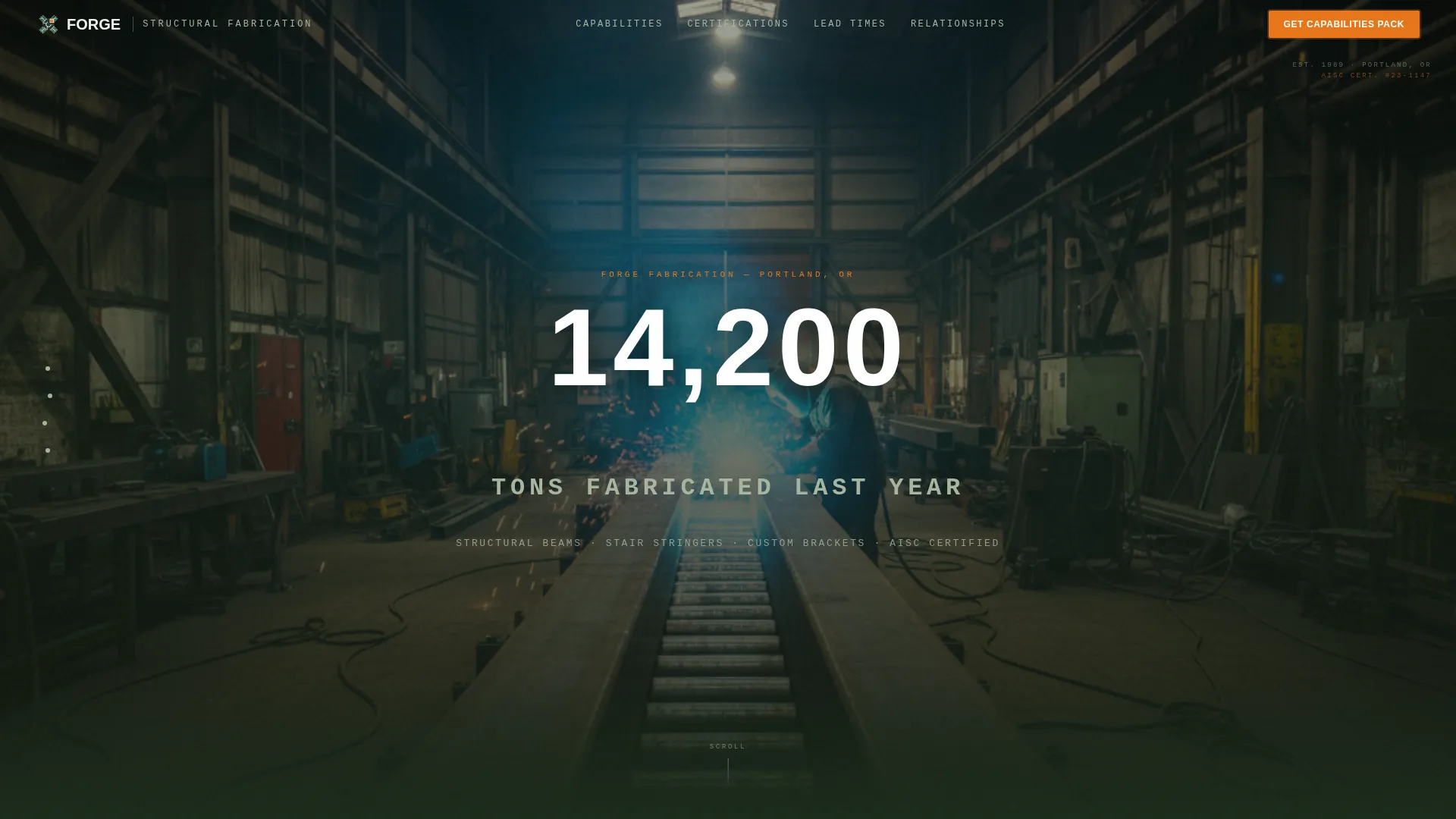
The header uses a wide-angle interior photo running the full viewport width. It is color-graded to draw out the greens from the painted shop floor and the orange from the arc sparks. A single stat fades in over the image on load, and no other text appears until the visitor scrolls.
Persistent Anchor Navigation Rail
A left-side navigation rail stays fixed as the visitor scrolls through spoke sections. Each nav item corresponds to a content module below, letting contractors jump directly to the section most relevant to their project without scrolling the full page.
Stats-First Content Modules
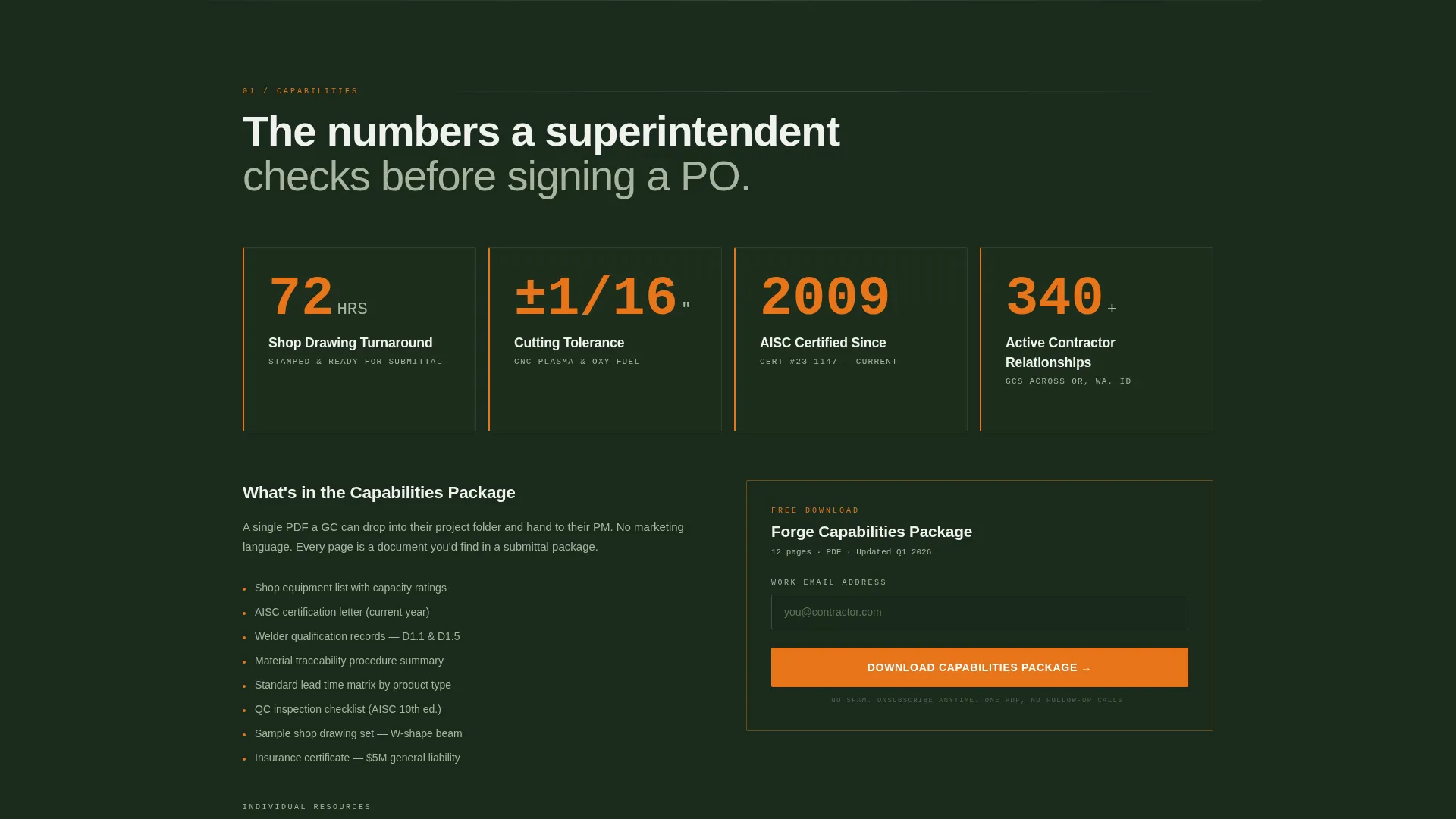
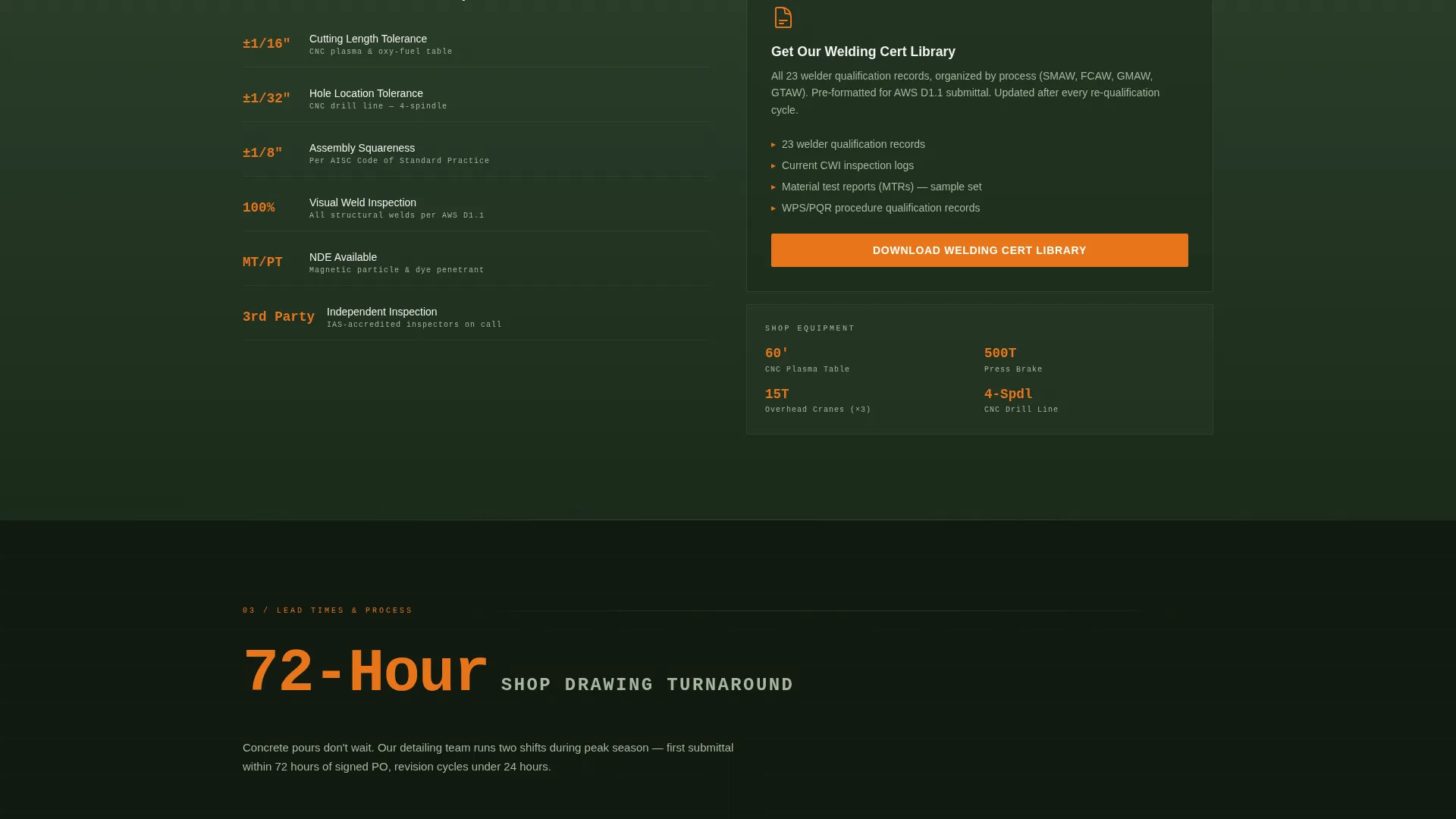
Each spoke section opens with a large-format number before any explanatory copy. Stats like 72-hour shop drawing turnaround, plus or minus one-sixteenth-inch cutting tolerance, AISC certification year, and active contractor relationships anchor the content and establish credibility before a single marketing claim is made.
Gated Resource Downloads
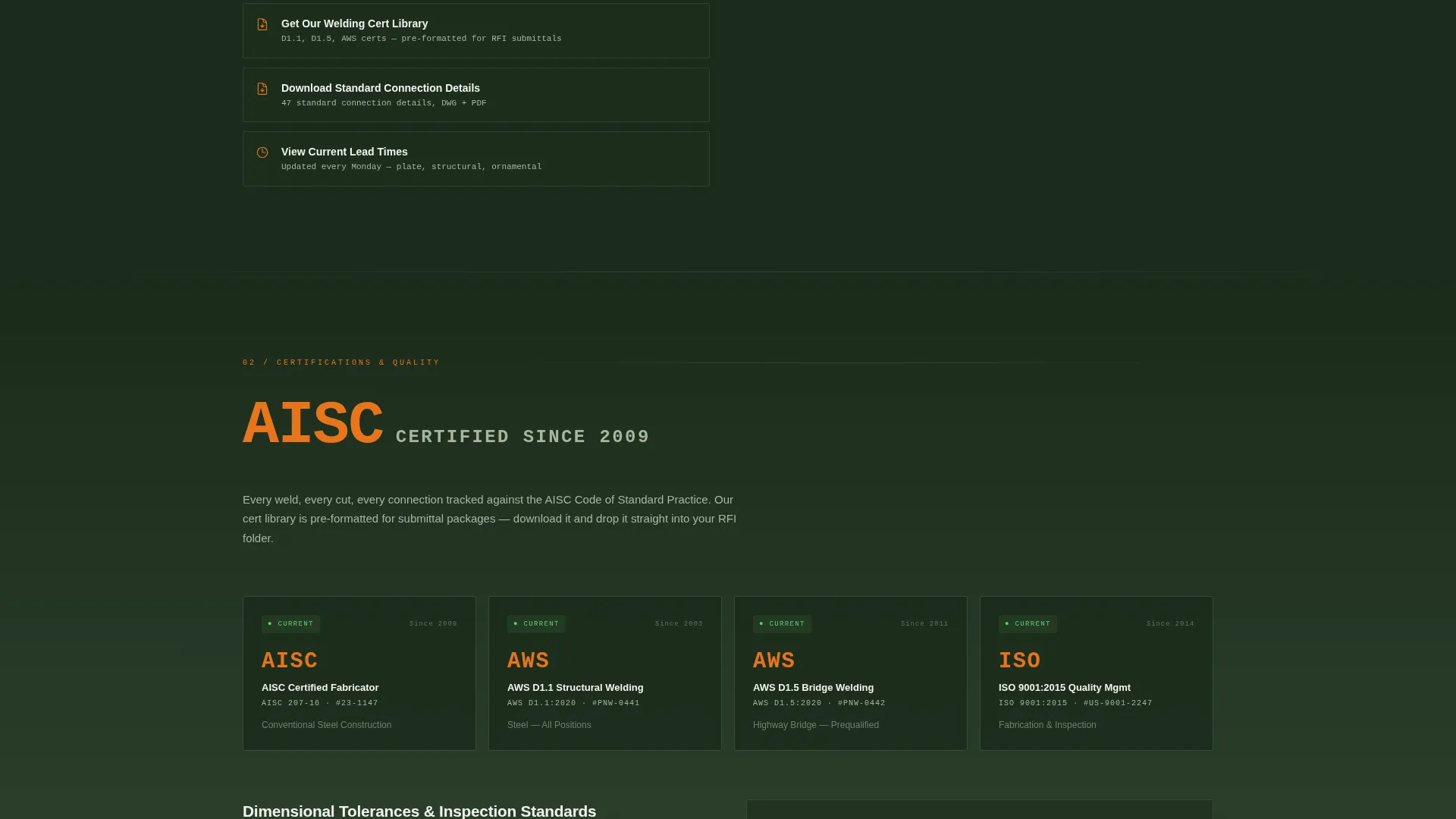
Every stat module includes a downloadable resource beneath it. Resources are practical tools a contractor would save to a project folder: capabilities packages, welding certification libraries, standard connection details, and current lead time sheets. Downloads are gated behind a lightweight email capture form.
Progressive Email Capture Form
The primary capture form starts with a single email field. Once an address is entered, it expands to ask for company name and project type. This two-step approach reduces friction at the point of entry while collecting the context needed for a meaningful follow-up.
Forest Trust Color System
The template uses a four-color palette: deep mill-scale black, old-growth green, galvanized zinc gray, and torch-tip orange. Orange is reserved exclusively for data highlights, active navigation states, and call-to-action pulses, keeping visual energy focused where conversion matters most.
Page sections overview
| Section | Purpose |
|---|---|
| Full-Bleed Header | Opens with shop-floor photo and single fade-in stat |
| Anchor Nav Rail | Persistent left-rail navigation linking all spoke sections |
| Capabilities Download | Primary gated resource with progressive email capture |
| Shop Drawing Stats | 72-hour turnaround stat with downloadable drawing resource |
| Cutting Tolerance Module | Tolerance stat with standard connection details download |
| Certification Module | AISC certification stat with welding cert library download |
| Contractor Relationships | Active contractor count with lead time sheet download |
Design & branding system
The visual identity follows a Dashboard Pro theme built on the Forest Trust color system. The palette earns its authority from restraint: most of the page lives in dark and neutral tones, and orange only appears when something demands attention.
- Four-color system: mill-scale black (#1B2A1B), old-growth green (#2D5F2D), galvanized zinc gray (#A8B5A0), and torch-tip orange (#E8751A) for highlights and active states
- Condensed white type is used for stat overlays, reinforcing the data-forward visual language without competing with the photography
- Orange is used sparingly and deliberately on call-to-action buttons, active nav indicators, and data highlight labels to direct the eye
Mobile & speed optimization
The template is designed so that its evidence-led structure remains fully readable and functional on smaller screens. The anchor nav and stat modules adapt without losing the visual hierarchy that makes the desktop experience compelling.
- The left-rail anchor navigation collapses gracefully on mobile viewports, keeping the spoke-section jump links accessible without consuming screen real estate
- Large-format stat numbers scale down cleanly, maintaining visual dominance even on compact displays
- The full-bleed header photo and fade-in stat maintain their proportions across screen sizes, preserving the opening impact
How this template helps you convert
Forge is built around the idea that a technical buyer converts when given evidence, not persuasion. Every layout decision supports that principle.
- The stats-first structure presents credentials before claims, so a contractor or engineer reaches the download call to action already convinced rather than still evaluating
- Each spoke section contains its own secondary conversion path, meaning a visitor who skips the primary download can still convert on a welding cert library, a connection detail sheet, or a lead time document
- The progressive capture form reduces abandonment at the most sensitive moment by asking only for an email address first, then collecting richer context after commitment is established
Other information about this template
Forge is categorized under Manufacturing and Industrial, specifically within the Metal and Steel Fabrication niche. It is a strong fit for any fabrication shop looking to present its shop credentials in a structured, resource-led format.
- The template style is Hub and Spoke with Anchor Navigation, a format well suited to shops that offer multiple service categories or resource types under one roof
- The creative direction is Stats-First Impact, which pairs naturally with industries where buyers rely on measurable proof over narrative marketing
- The header concept is a Full-Bleed Photo, intended to be replaced with an actual interior shop photograph for maximum authenticity
- The landing page direction is Content and Resource, meaning the page earns conversions by delivering genuinely useful documents rather than leading with a contact form
Theme
Dashboard Pro
Creative direction
Stats-First Impact
Color system
Forest Trust
Style
Hub & Spoke (Anchor Nav)
Direction
Content/Resource
Page Sections
Full-bleed Shop-floor Header
Persistent Anchor Navigation Rail
Stats-first Content Modules
Gated Resource Downloads
Progressive Email Capture Form
Forest Trust Color System
Related questions
Can I replace the sample stats with my own shop's numbers?
Do the downloadable resources come pre-built with the template?
Is this template suitable for a shop that fabricates multiple product types?
How does the progressive email capture form work?
Can a smaller fabrication shop use this template, or is it built for large operations?



