Manufacturing Processes Professional Website Template
Forme is a hub-and-spoke landing page template built for vacuum forming equipment manufacturers. An anchor navigation bar links visitors directly to six process stages: Heating, Forming, Cooling, Trimming, Controls, and Tooling. Each spoke section combines close-up photography, labeled cross-section diagrams, and engineering data tables. The primary call to action gates a Sizing Guide PDF behind a lightweight three-field form.
by Rocket studio
Quick summary
Forme is a single-page, anchor-navigated landing page template designed for vacuum forming equipment manufacturers. It walks visitors through every stage of the thermoforming cycle using real photography, labeled diagrams, and spec tables. The page earns trust through engineering depth, then converts with a gated Sizing Guide download and an ungated model comparison table.
Who this template is for
This template is built for industrial manufacturers and technical sales teams who need to sell complex capital equipment online. The audience already understands the machinery; the page needs to meet their level.
- Vacuum forming machine manufacturers presenting production-grade equipment to buyers
- Thermoforming shop owners and packaging engineers evaluating a new or replacement machine
- Research and development teams at aerospace or medical firms sourcing tight-tolerance, short-run equipment
What problem this template solves
Selling capital equipment online is difficult when a buyer cannot walk the factory floor. Most manufacturer pages show a product photo and a phone number, which leaves engineers with unanswered questions about tolerances, heater configurations, and platen capacity. Forme closes that gap.
- Buyers leave because the page cannot answer technical questions about platen size, vacuum flow rate, or draw depth
- Sales cycles stretch because prospects need a spec sheet they cannot find without calling a sales rep
- Trust erodes when a manufacturer's site looks less credible than the machinery it is selling
What you get with this template
The template delivers a full-viewport panoramic header, a persistent anchor navigation bar, and six spoke sections that each isolate one stage of the vacuum forming cycle. Every component is purpose-built for an industrial audience that reads spec tables before it reads marketing copy.
- A persistent hub navigation bar linking to Heating, Forming, Cooling, Trimming, Controls, and Tooling sections
- A gated Sizing Guide download form with three fields: industry, material and gauge, and email address
- An ungated, interactive side-by-side model comparison table as a secondary conversion path
Feature list
This section covers the core structural and design features delivered in the Forme template.
Panoramic Full-Viewport Header
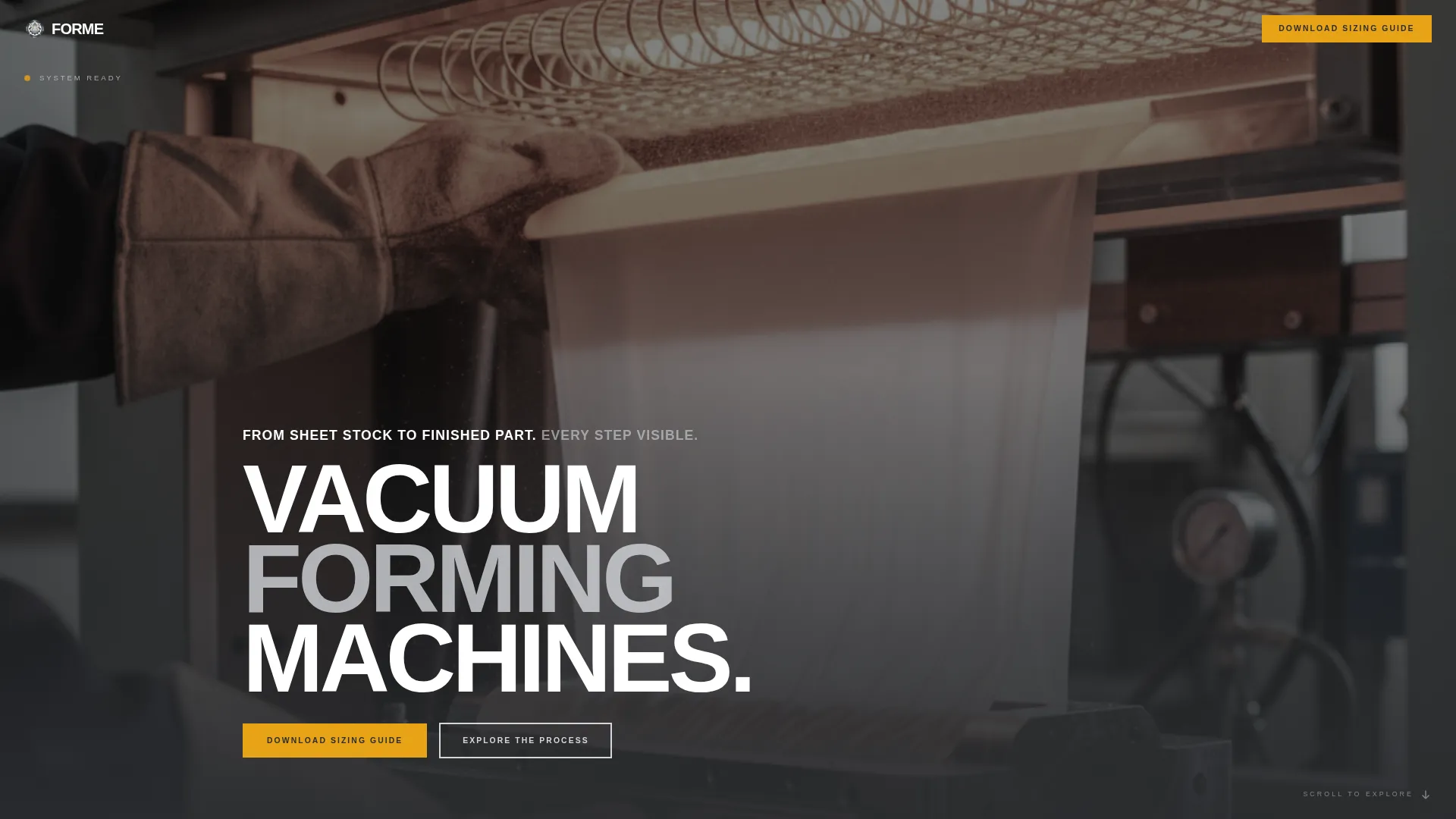
The header is a full-bleed, edge-to-edge photograph captured from the operator's position at the load end of a large-format vacuum former. Shallow depth of field keeps the operator's gloved hands sharp while the far end of the machine softens behind them. A single line of white anchor text sits at the bottom-left corner.
Hub-and-Spoke Anchor Navigation
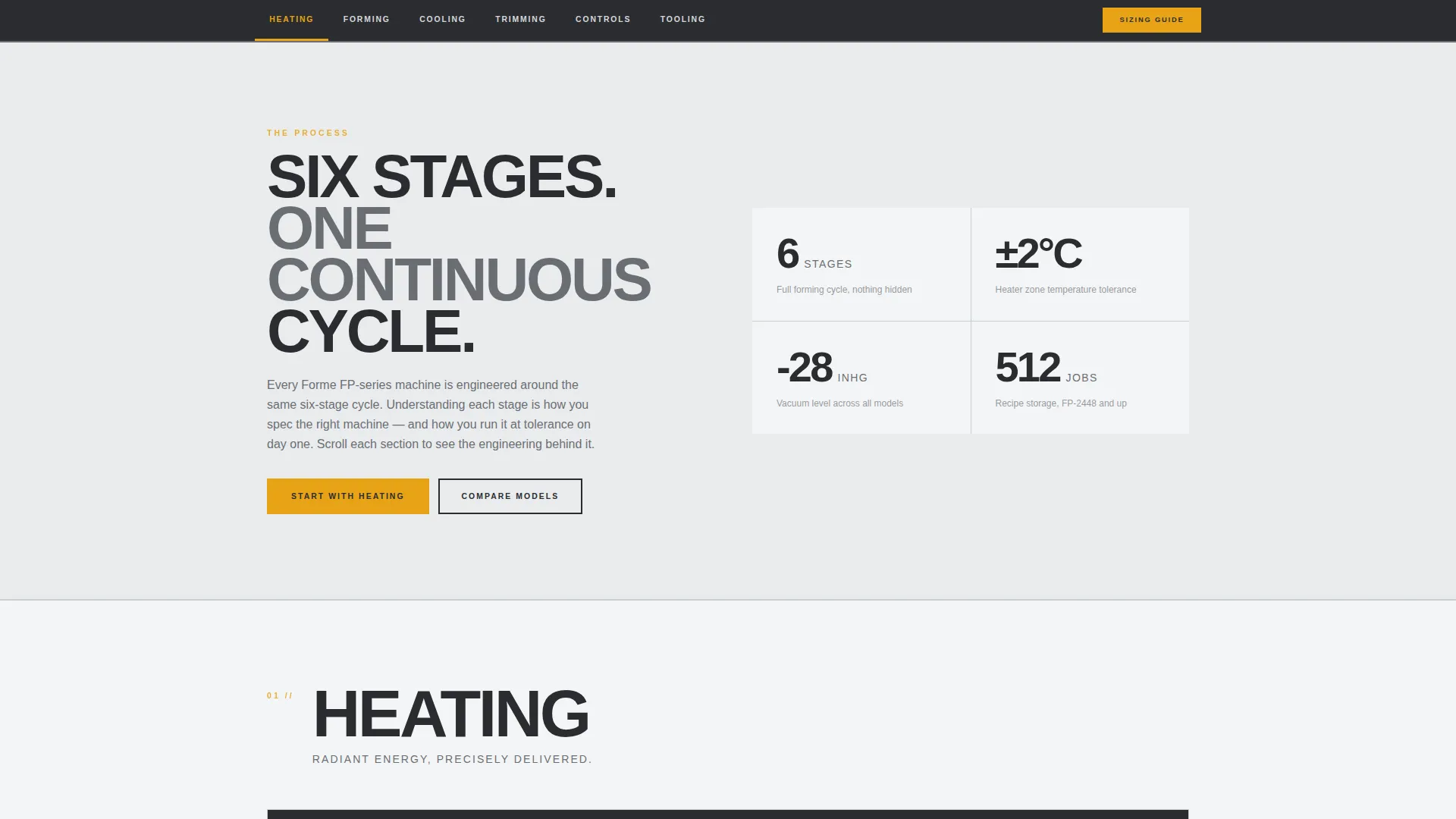
A persistent navigation bar remains visible as visitors scroll through the page. Each nav item corresponds to one stage of the vacuum forming cycle: Heating, Forming, Cooling, Trimming, Controls, and Tooling. Active states and hover interactions use the indicator-light amber accent color to signal the current section.
Per-Stage Spoke Sections
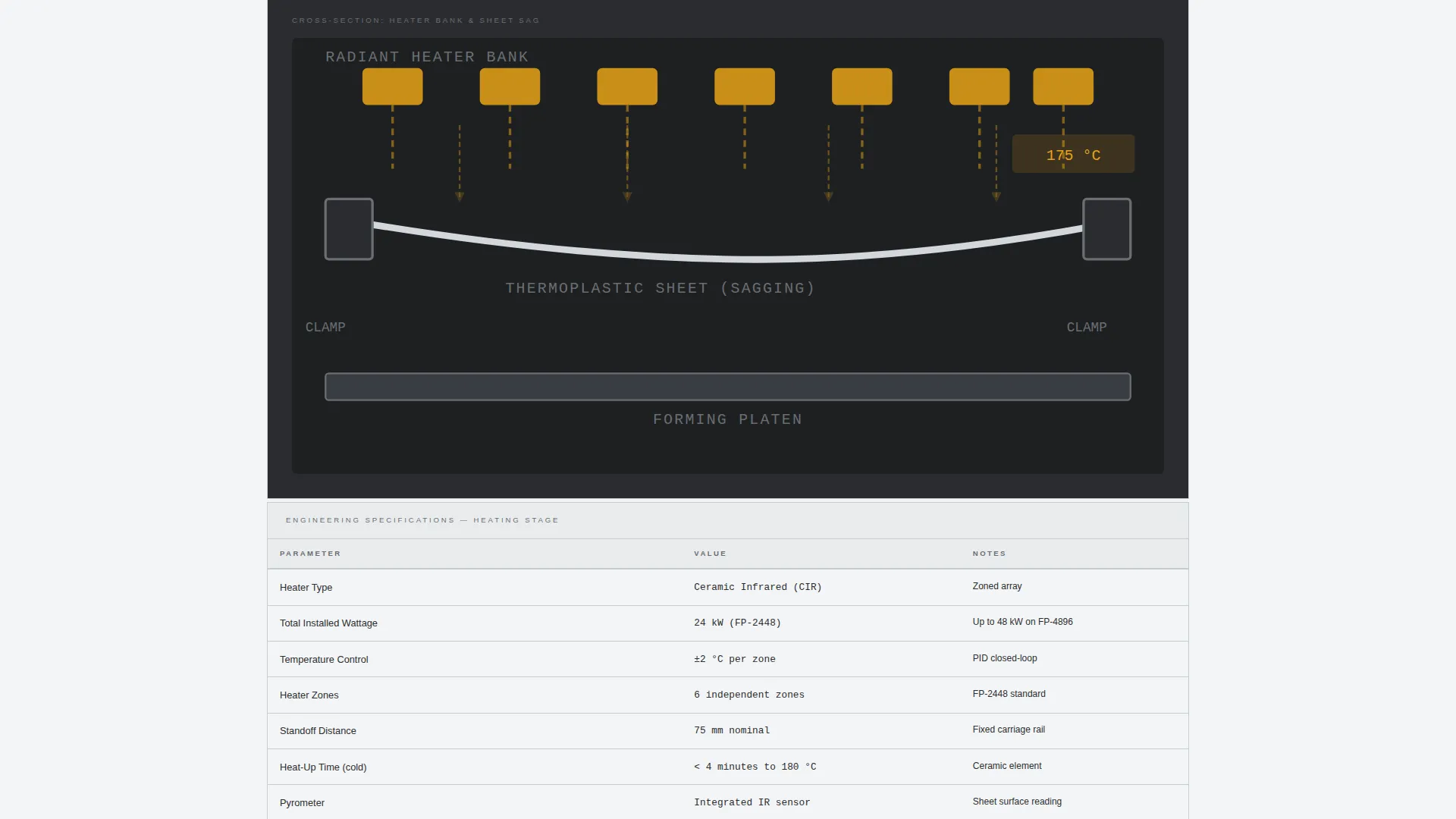
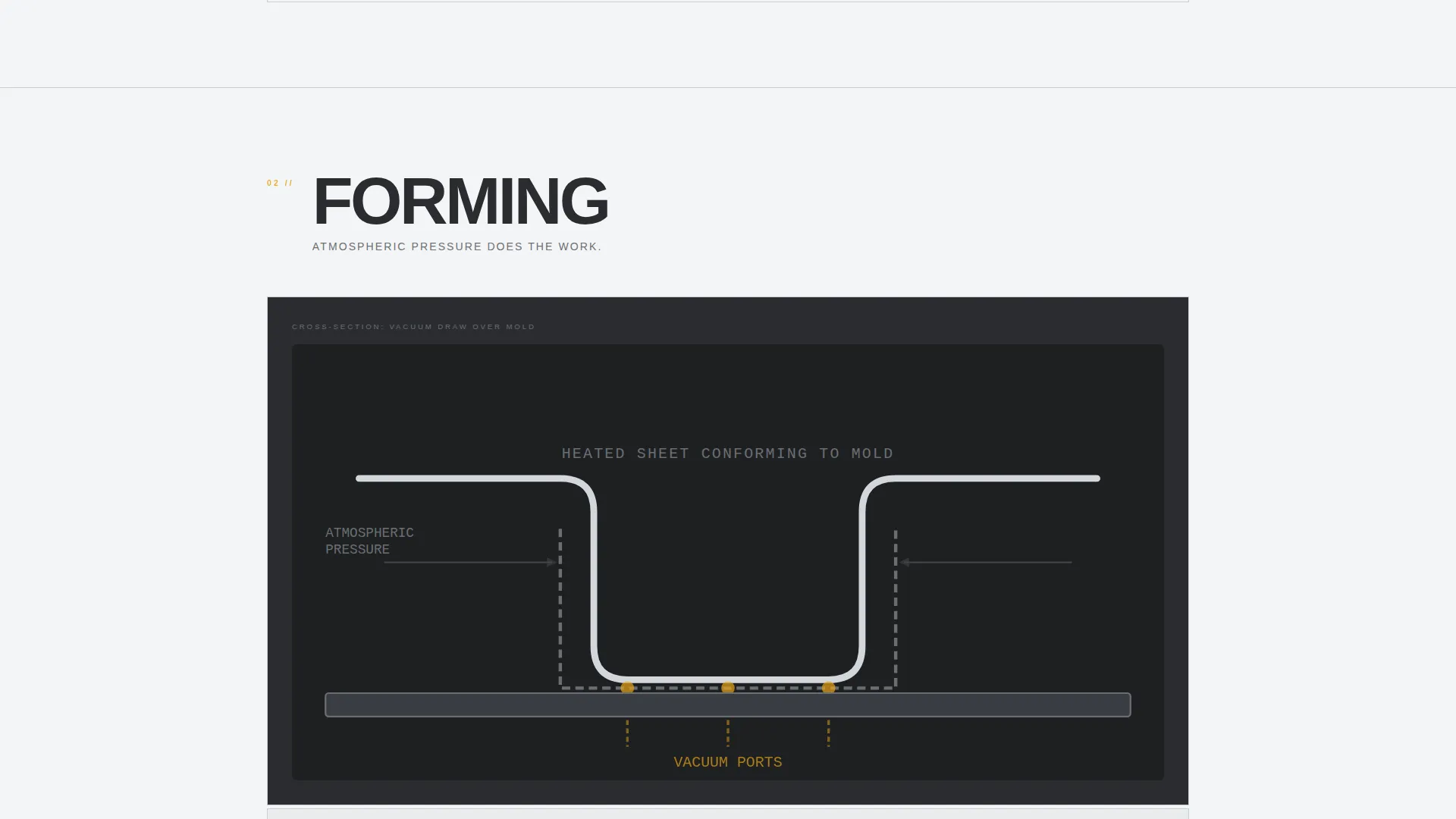
Each spoke section is a self-contained deep-dive into one process stage. The layout follows a fixed sequence: a close-up action photograph, then a labeled cross-section diagram, then an engineering specification data table covering metrics such as platen dimensions, heater wattage, and vacuum cubic feet per minute. Scrolling through each spoke feels like examining the machine itself.
Gated Sizing Guide with Lightweight Form
The primary call to action appears at the center of the hub and repeats at the close of each spoke. It opens a three-field form asking for industry, typical material and gauge, and email address. No phone number field is included. The gated PDF matches sheet size, draw depth, and material type to specific machine models.
Ungated Model Comparison Table
A secondary conversion path requires no form submission. Visitors can compare machine models side by side through an interactive spec table that is fully accessible without an email address. This removes the barrier for buyers who are still in early evaluation.
Monochrome Steel Visual System
The entire color system is built around mill-finish aluminum, machined-surface dark, tooling-mark mid-gray, and a single indicator-light amber reserved for calls to action, active navigation states, and hover interactions. The palette carries zero decorative color, making every amber element function as a signal rather than decoration.
Page sections overview
| Section | Purpose |
|---|---|
| Full-Viewport Header | Sets operator-perspective context and anchors the page tagline |
| Hub Anchor Nav | Gives persistent access to all six process-stage spokes |
| Heating Spoke | Details the radiant heater bank, wattage specs, and sheet sag behavior |
| Forming Spoke | Shows platen mechanics, mold cavity layout, and vacuum draw specs |
| Cooling Spoke | Covers dwell time, part release conditions, and cooling system specs |
| Trimming Spoke | Explains trimming methods, tolerances, and equipment configurations |
| Controls Spoke | Presents the control panel layout, programmable parameters, and interface |
| Tooling Spoke | Describes aluminum mold construction, cavity options, and lead times |
| Sizing Guide call to action | Gated PDF download matched to sheet size, draw depth, and material |
| Model Comparison | Ungated interactive table for side-by-side machine specification review |
Design & branding system
The visual identity follows a Service Utility theme built entirely around industrial materials. No decorative color exists anywhere in the layout. Every surface, weight, and shade refers back to the physical environment of a working machine shop.
- Color system: mill-finish aluminum (#D4D7DC) for backgrounds, machined-surface dark (#2B2D30) for primary text and structure, tooling-mark mid-gray (#6B6E73) for secondary labels, and indicator-light amber (#E8A317) reserved strictly for calls to action, active navigation states, and hover interactions
- Typography and layout carry a Transparent Process creative direction, meaning every diagram, table, and photograph is chosen to explain rather than impress
Mobile & speed optimization
The template is structured for readability across screen sizes. The anchor navigation and spoke layout adapt naturally to narrower viewports without losing the data-table and diagram content that technical buyers rely on.
- Spoke sections reflow for vertical scrolling on mobile, keeping photography, diagrams, and spec tables in their correct sequence
- The three-field Sizing Guide form is compact and thumb-friendly, reducing friction for visitors reviewing the page away from a desktop
How this template helps you convert
Forme is built on a teach-first, convert-second strategy. The page delivers genuine engineering value before it asks for anything. By the time a visitor reaches the end of the final spoke, they understand the full vacuum forming cycle and trust the manufacturer's technical depth.
- The spoke sequence builds mechanical literacy progressively, so the Sizing Guide download feels like a natural next step rather than an interruption
- Repeating the Sizing Guide call to action at the close of each spoke means every visitor encounters the offer at the moment their interest in that process stage is highest
- The ungated comparison table keeps early-stage buyers on the page and moving forward without requiring a commitment
Other information about this template
Forme is categorized under Manufacturing and Industrial, specifically aligned with the Manufacturing Processes subcategory and the Vacuum Forming Equipment Manufacturer niche. It is a strong fit for any technical manufacturer needing to present complex equipment to an informed buyer audience.
- The template style is Hub and Spoke with Anchor Navigation, making it well suited to multi-stage industrial processes where each stage warrants its own detailed treatment
- The landing page direction is Content and Resource, meaning the page earns conversions by delivering real technical value rather than relying on promotional language
- The header concept is Panoramic and Wide, a full-viewport photograph designed to place the visitor physically inside the manufacturing environment before a single word of copy is read
- Intersection match score for this template's category, subcategory, and niche alignment is 13, indicating a strong contextual fit for the vacuum forming equipment manufacturing market
Theme
Service Utility
Creative direction
Transparent Process
Color system
Monochrome Steel
Style
Hub & Spoke (Anchor Nav)
Direction
Content/Resource
Page Sections
Panoramic Full-viewport Header
Persistent Hub Anchor Navigation
Six Deep-dive Spoke Sections
Gated Sizing Guide Download
Ungated Model Comparison Table
Monochrome Steel Color System
Related questions
What industries is this template designed for?
Do visitors need to submit a form to see machine specifications?
How are the six spoke sections structured internally?
Can the Sizing Guide form fields be adjusted for different products?
Why is the amber color used so sparingly in the design?



