Pharmaceutical Manufacturing Portfolio Website Template
Formulate is a dashboard-style pharmaceutical rapid prototyping landing page built for labs and founders who need to move fast. The Industrial Raw design pairs deep charcoal backgrounds with molten amber accents to mirror a live factory floor. A case study narrative layout, panoramic header, and three-step lead capture form make every visit feel purposeful and conversion-ready.
by Rocket studio
Quick summary
Formulate is a single-page, lead generation landing page template designed for pharmaceutical rapid prototyping labs. It uses a dashboard and data grid layout to present real project case studies, a full-viewport panoramic header, and a persistent bottom-bar form. The Industrial Raw visual theme signals credibility from the first scroll.
Who this template is for
This template speaks directly to the people who are racing against a regulatory clock or a funding deadline. It is built for professionals who need to show physical proof, not just data.
- Formulation scientists at mid-size pharmaceutical companies managing Phase II dosage-form development
- Regulatory affairs directors who need device prototypes that can withstand a 510(k) submission review
- Startup founders with a single active pharmaceutical ingredient patent preparing for a Series B pitch
What problem this template solves
Most pharmaceutical service pages bury their capability inside walls of text. Potential clients leave without understanding scope, timeline, or whether the lab can handle their specific complexity. This template fixes that.
- Visitors cannot quickly assess whether a prototyping lab can match their compound stage or prototype category
- Busy scientists and founders have no fast path to submit a project brief or gauge feasibility
- Generic service pages fail to build the technical confidence that high-stakes pharmaceutical buyers require
What you get with this template
You get a complete, conversion-focused landing page structured around real manufacturing credibility. Every section is a purposeful design decision, not decoration.
- A full-viewport panoramic header with half-speed parallax scroll and a delayed headline render sequence
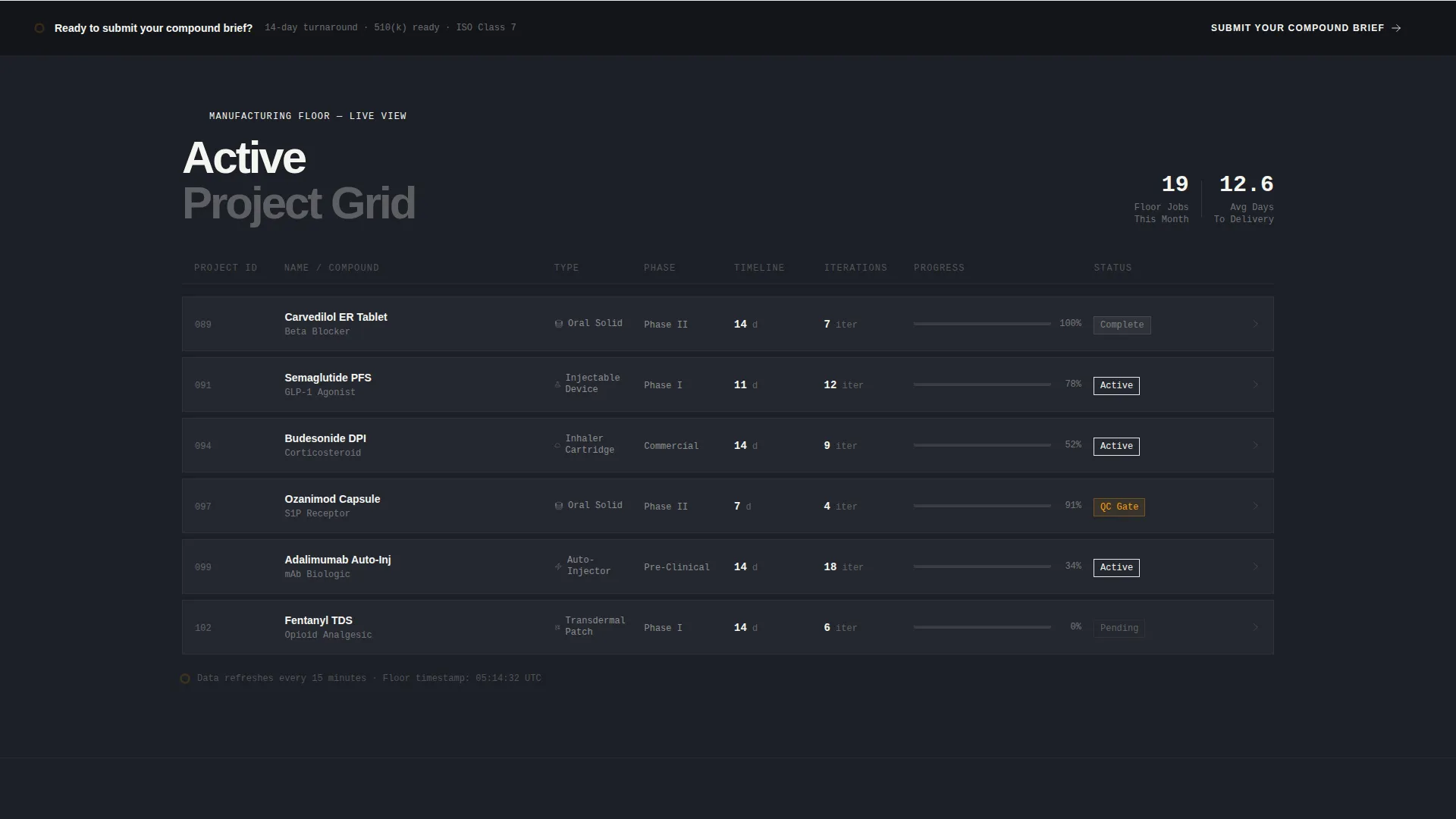
- A scrollable case study data grid where each project card expands into a full manufacturing timeline
- A three-step progressive disclosure lead capture form with a persistent bottom-bar call to action
Feature list
This template includes purpose-built components that reflect how pharmaceutical prototyping clients actually evaluate a service provider.
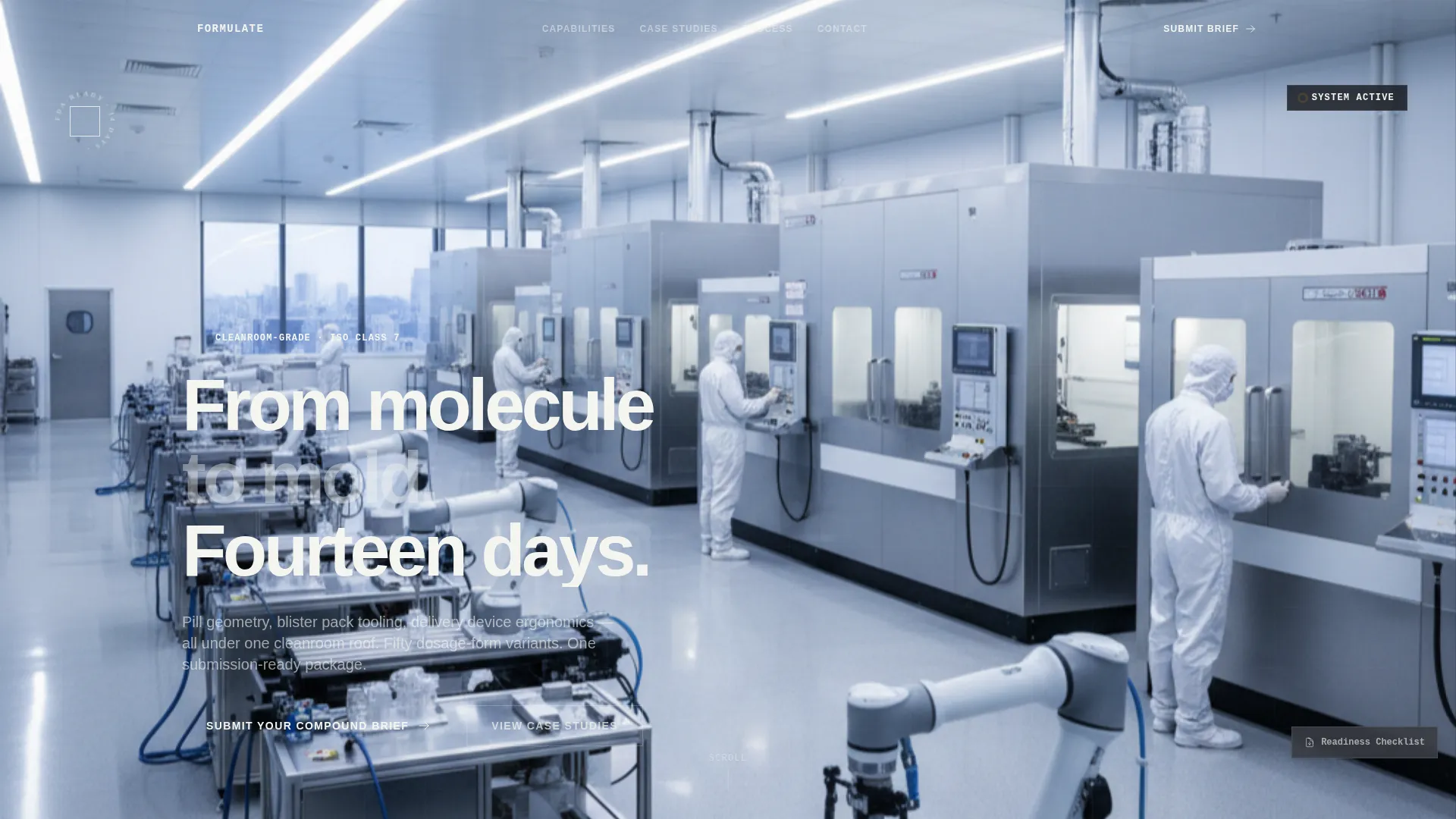
Panoramic Header with Parallax Scroll
The header spans the full viewport width at waist height across the prototyping floor. It holds three visual zones: a CAD monitor on the left, a five-axis CNC mill at center, and a gloved hand inspecting a finished prototype on the right. The image scrolls at half speed while the headline delays two full seconds before rendering in pharmaceutical white.
Case Study Data Grid
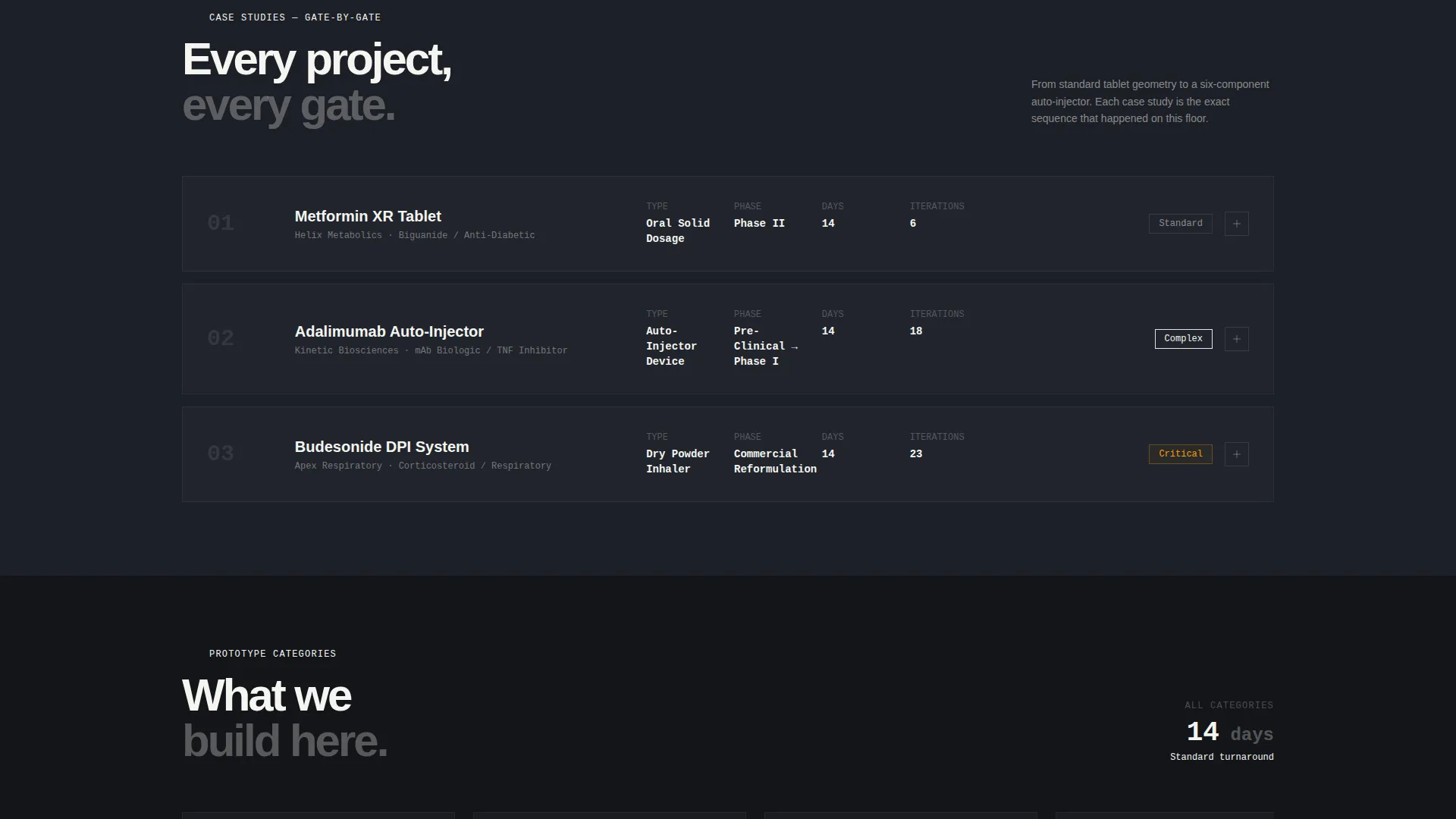
Each section of the page is a discrete project card styled as a live manufacturing dashboard. Cards display project name, compound class, prototype type, timeline in days, and iteration count as data fields. Clicking or scrolling into a card expands it into a full case study with a horizontal timeline showing gate images from CAD render through final quality control photograph.
Three-Step Progressive Lead Form
The persistent bottom-bar form slides up after the second case study. Step one captures compound stage and prototype category via pill-shaped toggle selectors. Step two collects timeline urgency and an upload field for existing files or sketch photos. Step three gathers name, company, and direct phone number, ending with an amber "Request Feasibility Review" button.
Pill-Shaped Toggle Selectors
Step one of the form uses custom pill-shaped toggle inputs instead of standard dropdowns. Visitors select compound stage (preclinical, Phase I, Phase II, or commercial reformulation) and prototype category in a single tap or click, reducing friction at the highest drop-off point in the form sequence.
Gated PDF Secondary Conversion Path
A secondary call to action offers a downloadable file titled "The Prototyping Readiness Checklist." This path is gated behind email capture only, giving undecided visitors a lower-commitment way to engage and stay connected to the lab.
Amber Status Indicator System
The molten amber color (#D4890E) appears exclusively on live-looking status indicators, progress bars, hover states, and call-to-action elements. This restraint makes every amber element feel urgent and functional, reinforcing the factory-floor metaphor throughout the page.
Page sections overview
| Section | Purpose |
|---|---|
| Panoramic Header | Establishes lab scale and credibility with a full-width factory floor image and delayed headline |
| Case Study One | Introduces simple tablet geometry as the first project card with expandable timeline |
| Case Study Two | Escalates to moderate complexity, showing blister pack tooling process and iteration count |
| Case Study Three | Presents a multi-component auto-injector build to demonstrate peak lab capability |
| Bottom Bar Form | Persistent lead capture slides up after case study two with three-step progressive disclosure |
| Secondary call to action | Offers the gated readiness checklist PDF for visitors not yet ready to submit a brief |
Design & branding system
The color system is built around an Industrial Raw theme that makes every surface feel functional. No color is decorative; each one earns its place on the page.
- Deep machine-shop charcoal (#1C1F26) covers primary backgrounds, worn-steel mid-gray (#4A4E57) surfaces card and data container areas, and pharmaceutical white (#F4F5F0) handles all body typography
- Molten amber (#D4890E) appears only on status indicators, progress bars, hover states, and call-to-action buttons, keeping it visually charged throughout the page
- The overall palette reads like a stainless-steel workbench under tungsten light, where every color signals something specific rather than filling space
Mobile & speed optimization
The dashboard layout and data grid structure are designed to translate cleanly across screen sizes. Pharmaceutical buyers review briefs on phones between lab sessions, so the mobile experience cannot feel like an afterthought.
- The panoramic header and case study cards reflow for smaller viewports while preserving the data field hierarchy and expand behavior
- The three-step bottom-bar form is structured to work as a smooth step-by-step sequence on touch screens, with pill-shaped toggles sized for easy tap targets
How this template helps you convert
Every design decision in Formulate points toward one outcome: getting qualified leads to submit a compound brief or download the readiness checklist. The page works in layers, not in a single ask.
- The panoramic header and delayed headline create immediate sensory credibility, giving technical buyers a reason to trust the lab before reading a single word of copy
- The escalating case study sequence builds confidence project by project, so visitors arrive at the lead form already convinced the lab can handle their specific complexity
- The three-step progressive form reduces commitment anxiety by breaking the submission into small, logical steps, while the secondary PDF path catches buyers who need more time before committing
Other information about this template
Formulate is built specifically for the pharmaceutical rapid prototyping and pharmaceutical manufacturing niche, where trust is earned through demonstrated technical depth rather than marketing language.
- The template sits at the intersection of Manufacturing and Industrial design conventions and pharmaceutical-grade presentation standards
- The case study narrative creative direction is intentional: it mirrors how procurement and regulatory teams actually evaluate a contract prototyping partner, by reviewing past project complexity and outcome data
- The template style uses a dashboard and data grid layout throughout, making it a strong fit for service providers who have real project history to showcase
Theme
Industrial Raw
Creative direction
Case Study Narrative
Color system
Charcoal & Amber
Style
Dashboard/Data Grid
Direction
Lead Generation
Page Sections
Panoramic Header with Parallax Scroll
Expandable Case Study Data Grid
Three-step Progressive Lead Form
Pill-shaped Toggle Selectors
Gated PDF Secondary Conversion
Amber Status Indicator System
Related questions
Who is this landing page template designed for?
Can I customize the case study cards for my own projects?
Does the template include the lead capture form and PDF gating?
What compound stages does the form step one cover?
Is this template suited for a lab that handles only one type of prototype?



