Complete Retiree Insurance Professional Website Template
Shield is a split-screen (50/50) insurance landing page template built for retiree disability insurance advisories. It pairs a typographic hero, a scroll-triggered eligibility audit, and a progressive lead capture form to guide visitors from confusion to consultation. The design is clinical, trustworthy, and conversion-focused, making it an ideal starting point for any insurance agency serving retirees.
by Rocket studio
Quick summary
Shield is a single-page insurance landing page template designed for retiree disability insurance services. It uses a Data Command visual style, a Teal Catalyst color system, and a scroll-triggered eligibility audit to move visitors toward a phone consultation. Every section is built to build trust, lower barriers, and drive conversions for an audience that needs clarity above everything else.
Who this template is for
This template was designed for a very specific target audience. It serves insurance agency teams, actuaries, and disability advocates who work directly with retirees navigating complex claims. If your business helps real people understand their coverage options and file successfully, this landing page was built for you.
- Insurance agency owners and advisors focused on retiree disability insurance products
- Advocacy firms helping first-time Social Security Disability Insurance filers and adults with lapsed long-term disability policies
- Adult children managing insurance services and coverage options for aging parents who need guidance fast
What problem this template solves
Most retirees arrive at a disability insurance landing page already overwhelmed. They have missed deadlines, misread forms, or been denied once already. A generic insurance website does nothing to address that fear. Shield solves the first-impression problem by replacing passive brochure copy with an interactive experience that feels like filling out a form you did not know you had already started.
- Visitors cannot tell which coverage options apply to their situation, so the scroll-triggered audit answers that question section by section
- The insurance landing page does not build trust on its own, so Shield adds outcome statistics, testimonial cards, and a credibility rail that scrolls automatically
- Standard lead forms feel intrusive to older users, so Shield uses progressive disclosure to reveal fields only after the visitor has already committed to three simple answers
What you get with this template
This template gives your insurance agency a complete, conversion-ready landing page without starting from scratch. Every section has a defined purpose, a clear visual hierarchy, and deliberate interactive behavior. You get a focused tool that helps potential clients move from hesitation to action in a single scrolling session.
- A Stacked Type Tower hero with animated amber underline, an interactive eligibility audit with scroll-triggered checkmarks, and a three-step process section with sticky left navigation
- A credibility rail with marquee outcome statistics and testimonial cards, plus a lead capture form with progressive disclosure and a gated PDF download path
- A clean layout built in DM Sans and Manrope, with charcoal, teal, clinical white, and catalyst amber working together to create a warm-sterile, authoritative style
Feature list
This template delivers all the features a modern disability insurance landing page needs to convert cautious retirees into qualified leads.
Stacked Type Tower Hero
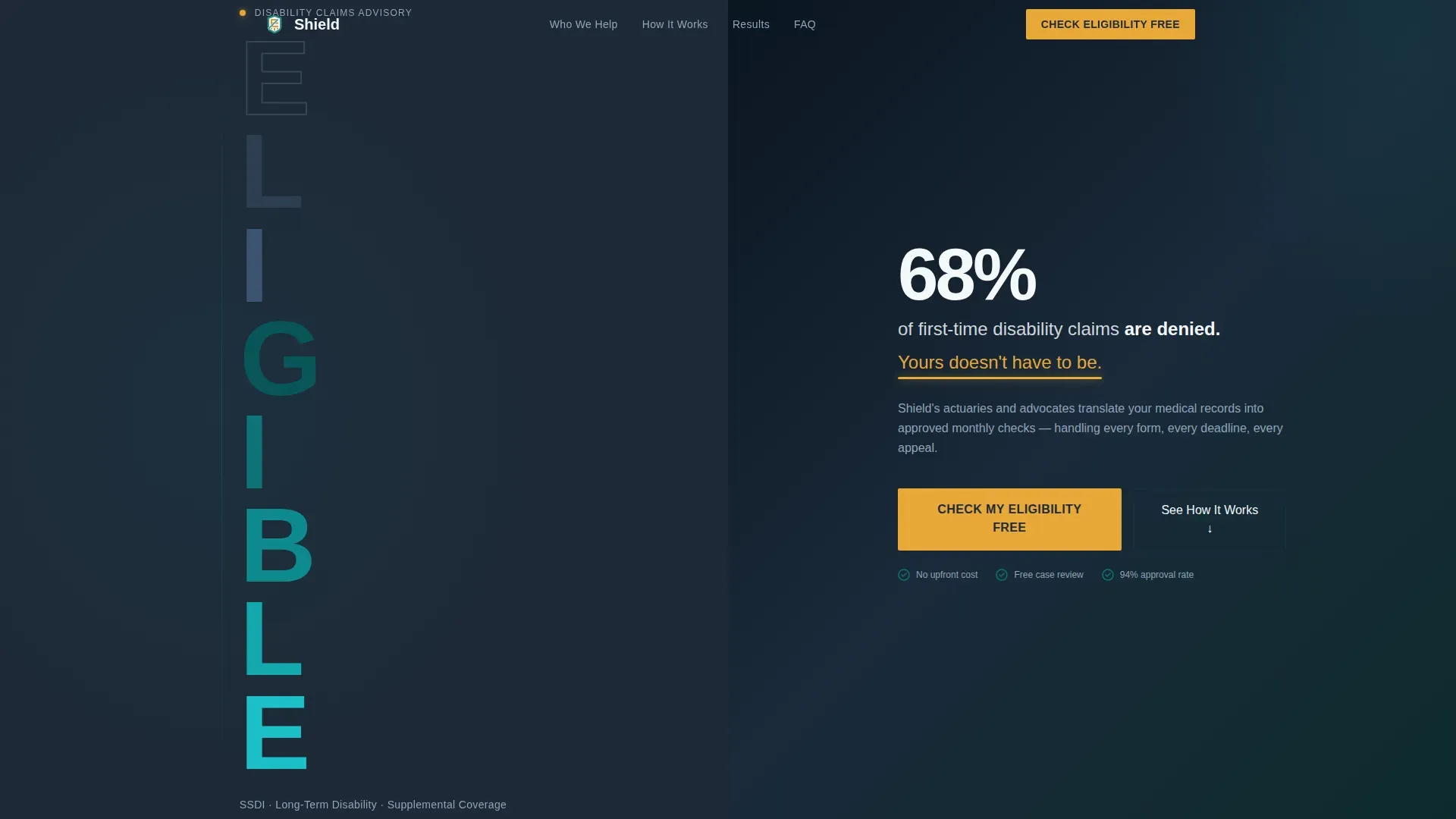
The hero sets an immediate first impression. The word "ELIGIBLE" is stacked vertically in compressed DM Sans type, with each letter stepping from charcoal to teal. The right half holds a single stark statistic, and a thin amber underline animates beneath it after two seconds. No images, no clutter, just typographic authority.
Scroll-Triggered Eligibility Audit
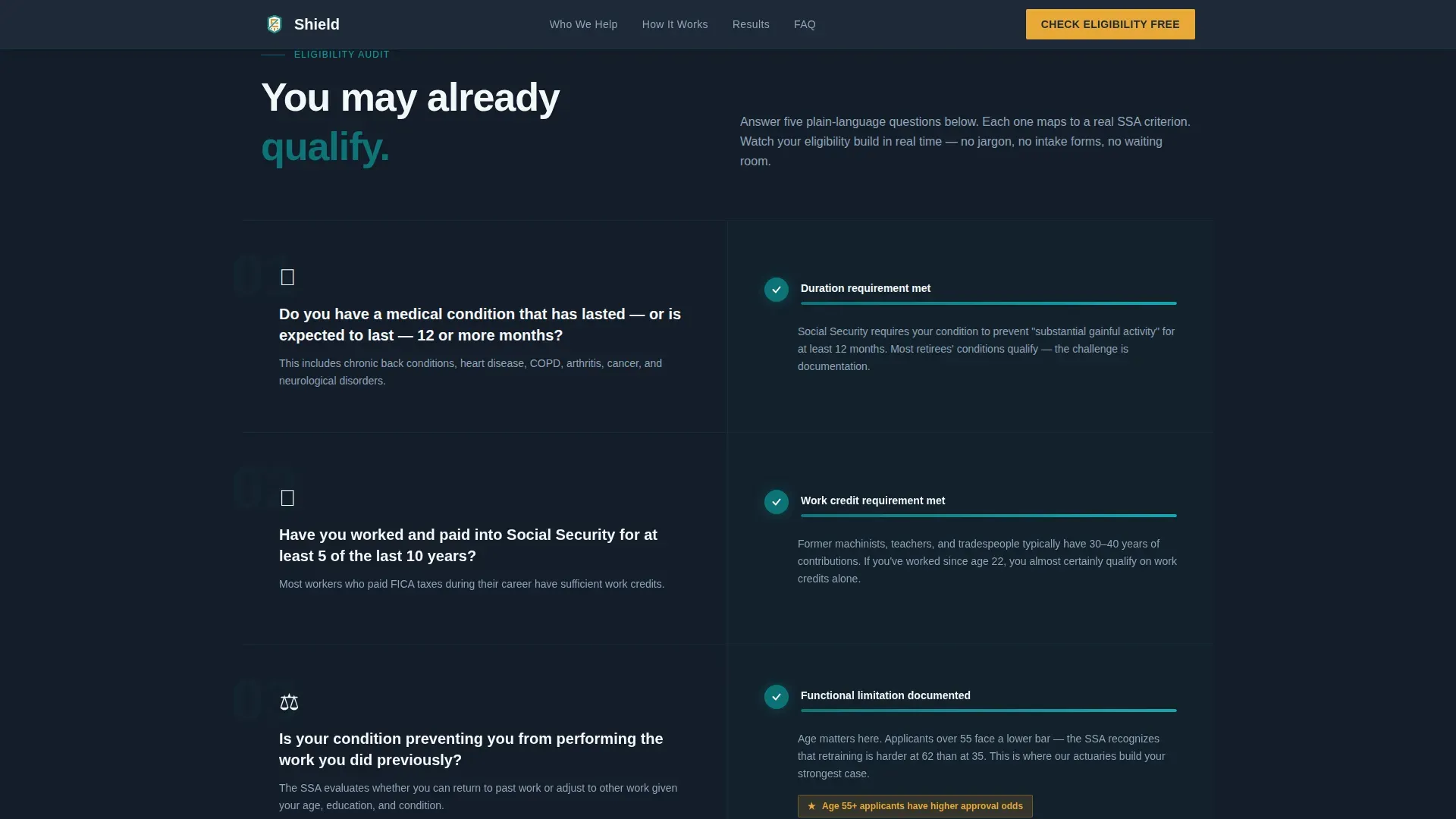
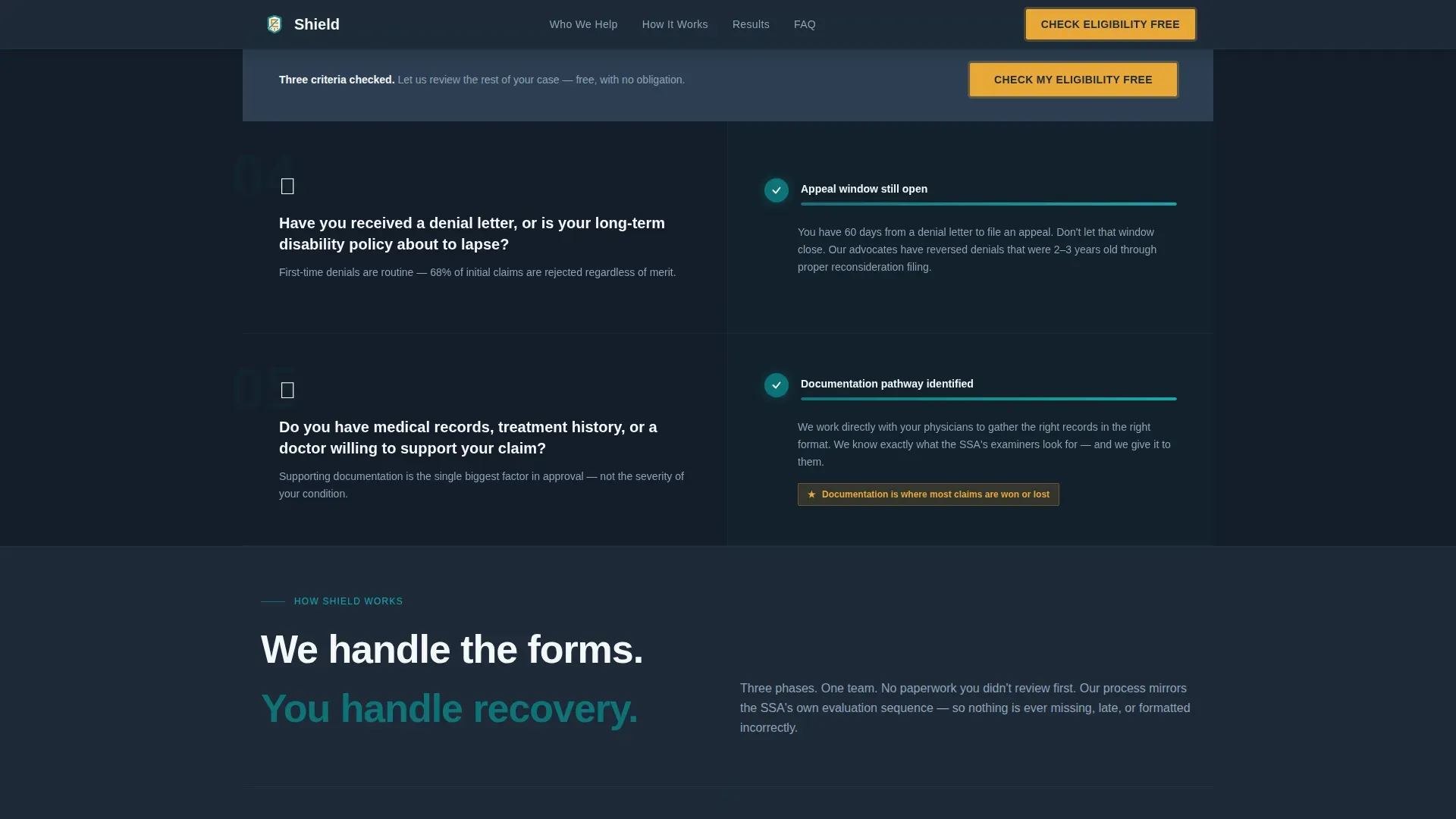
As visitors scroll, an interactive checklist unfolds section by section. Each section pairs a plain-language question on the left with a real-time visual checklist on the right. Green teal checkmarks appear with satisfying micro-animations. Focusing on one question at a time keeps the experience manageable and guides visitors naturally toward the call to action.
Progressive Lead Capture Form
The lead form uses a three-question progressive disclosure flow: condition type, age range, and current coverage status. Only after those answers does a phone number field appear, with micro-copy that reads "We call once, at the time you choose." This approach simplifies the form experience, reduces abandonment, and respects the visitor's pace.
Gated PDF Download Path
A secondary conversion path offers a downloadable resource titled "The Retiree's Disability Claim Checklist." Visitors who are not yet ready to speak can sign up with an email address to access it. This path captures potential clients at an earlier stage of their search and keeps them connected to your services.
Credibility Rail with Social Proof
A marquee-style outcome statistics bar scrolls approval rates and average benefit amounts automatically. Below it, testimonial cards from real people reinforce the results your team delivers. Using social proof at this stage of the page is one of the most reliable ways to build trust and reduce hesitation before the lead form.
Sticky Mobile Call-to-Action Bar
On mobile devices, the primary call-to-action button stays locked to the bottom of the viewport at all times. This ensures that visitors who arrive via smartphone always have one-tap access to the consultation form, regardless of where they are on the page.
Page sections overview
| Section | Purpose |
|---|---|
| Hero: Type Tower | Opens with typographic authority and a denial-rate statistic to create immediate urgency |
| Eligibility Audit | Scroll-triggered split-screen checklist guides visitors through qualifying questions |
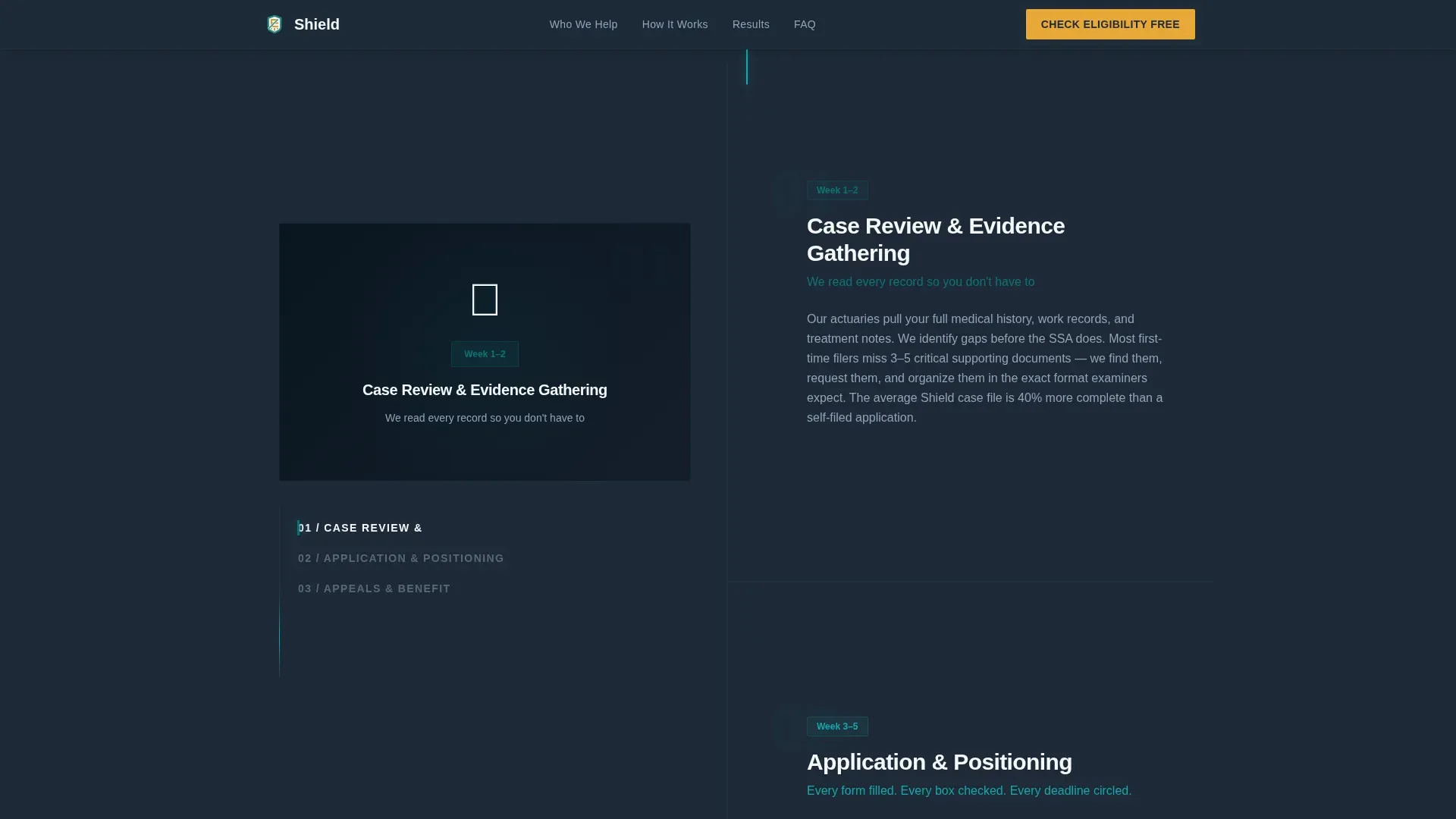
| How Shield Works | Sticky left navigation with scrolling three-step process explains the service clearly |
| Credibility Rail | Marquee stats and testimonial cards build credibility and reinforce past outcomes |
| Lead Capture Form | Progressive disclosure form collects condition, age, coverage status, then phone number |
| PDF Download Gate | Email-gated checklist PDF captures visitors not yet ready for a phone consultation |
| Footer | Single-row linear footer with relevant links and company contact information |
Design & branding system
Shield follows a Data Command design style. The palette feels like a hospital intake terminal: sterile enough to trust, warm enough to feel supported. Typography pairs DM Sans in compressed heavy weights for display type with Manrope for body text, creating a readable, modern contrast between authority and clarity.
- Teal (#0D7377) anchors headers, progress bars, and checkmarks; charcoal slate (#1E2A38) covers backgrounds and body text; clinical white (#F4F7F9) fills content panels
- Catalyst amber (#E8A838) is reserved exclusively for action states, checkmarks, and call-to-action buttons, making every conversion point impossible to miss
- High-contrast color combinations improve readability for older users and ensure the page style remains legible across lighting conditions and screen sizes
Mobile & speed optimization
Mobile performance is a core part of this template's design intent. Most users searching for disability insurance services arrive via smartphone. The page is structured mobile-first, with large tap targets, responsive columns, and a sticky call-to-action bar that stays visible at all times.
- Static sections use server-optimized rendering while interactive components like the checklist, progressive form, and sticky scroll handle client-side behavior separately, so the page loads fast without blocking visible content
- The three-question lead form keeps inquiries minimal and well within five fields, which reduces friction and improves completion rates on small screens
- Responsive column behavior ensures the 50/50 split-screen layout stacks cleanly on narrow viewports, saving time for visitors who need fast answers on a mobile device
How this template helps you convert
A high-converting insurance landing page must prioritize clarity, value proposition, and trust at every scroll depth. Shield is built around one primary action: booking a phone consultation. Every design decision supports that goal.
- The eligibility audit personalizes the experience as visitors scroll, so each question feels relevant to their specific needs rather than generic. This keeps potential customers engaged long enough to reach the lead form, and focusing the entire page on a single action means there is no distraction between the catchy headline and the call to action.
- The progressive disclosure form removes the most common reason visitors abandon insurance landing pages: an overwhelming request for personal data upfront. By revealing fields one step at a time, the template creates a seamless experience that answers objections before they form. Successful insurance landing pages generate 55 percent more leads than those that rely on static forms, and this structure reflects that principle.
- The credibility rail and testimonials section give the page its social proof layer, letting outcome data and client voices do the work of building trust before the visitor has to make any commitment. Trust signals placed just before a lead form consistently improve conversion rates across insurance agency pages.
Other information about this template
This template is part of a curated library of insurance landing page designs built for focused, single-action lead generation. It is a strong fit for any insurance company or insurance agency looking to modernize its digital presence without building from scratch.
- The shield trusted retiree disability insurance landing page template is pre-structured with seo optimized content blocks, so your team can populate real copy without restructuring the page hierarchy
- The template can support A/B testing on headline copy, call-to-action color, and form field order, which gives your business a practical path to improving performance over time based on real visitor data
- Coverage options, plan options, and insurance products referenced on the page are fully customizable to match your actual service offerings and target market, including SSDI, long-term disability, and supplemental coverage for families
- If your insurance agency also needs to help potential clients find doctors or understand costs associated with their condition, the page's resource section and PDF download path provide a natural home for that information
- The template's homepage-level visual weight, clean layout, and clear messaging make it one of the best insurance landing pages available for the retiree niche, where providers must work harder to build credibility with an audience that has already experienced a system that failed them
Theme
Data Command
Creative direction
Checklist & Audit
Color system
Teal Catalyst
Style
Split Screen (50/50)
Direction
Lead Generation
Page Sections
Stacked Type Tower Hero with Animated Stat
Scroll-triggered Interactive Eligibility Audit
Progressive Disclosure Lead Capture Form
Gated PDF Download for Early-stage Visitors
Credibility Rail with Outcome Stats and Testimonials
Sticky Mobile Call-to-action Bar
Related questions
Can I customize the eligibility audit questions for my specific insurance services?
Does this template work for an insurance agency that handles multiple claim types?
How does the progressive form help reduce lead form abandonment?
Is the PDF download gate included in the template?
Can I use this template without advanced development experience?



