Public Health Department Professional Website Template
Safeguard is a sidebar companion landing page template built for food and drug safety agencies. It combines a Stats-First Impact creative direction with a fixed sidebar navigation, progressive lead capture form, and an Alpine Fresh color palette. The result is an authoritative, data-driven lead generation landing page that earns trust through evidence before it ever asks for contact details.
by Rocket studio
Quick summary
Safeguard is a pre designed, single-page compliance lead generation landing page template shaped around a federal food and drug safety agency. It opens with oversized statistics, guides visitors through a fixed sidebar table of contents, and closes every section with a clear path to action. The whole experience feels like a well-run regulatory briefing: organized, credible, and impossible to ignore.
Who this template is for
This template was built for public-sector agencies and regulated-industry professionals who need to convert visitors into qualified leads without sacrificing authority. The page speaks directly to people under deadline pressure who need answers fast and trust signals immediately.
- Compliance officers at food processing plants racing toward audit deadlines
- Pharmaceutical quality assurance managers navigating new labeling mandates
- Small-batch producers applying for their first certification who need clear guidance
What problem this template solves
Most government and regulatory agency pages overwhelm visitors with dense copy, weak visual hierarchy, and no obvious next step. That layout creates bounce rates, not results. Visitors arrive with specific pain points, and a cluttered page turns interest turns into missed opportunities before any form is ever seen.
This template solves that by leading with data, removing distractions, and keeping the lead generation form visible at every scroll position.
- Visitors leave because they cannot find their sector's compliance path quickly
- Potential leads are lost when the form is buried below the fold on other pages
- Agencies miss the chance to capture leads who are ready to opt in but need a low-friction entry point
What you get with this template
This is a fully structured lead generation landing page with every section mapped to a conversion goal. Each block does one job: establish credibility, explain a process, or invite a sign-up. There are no distractions pulling website visitors away from the desired action.
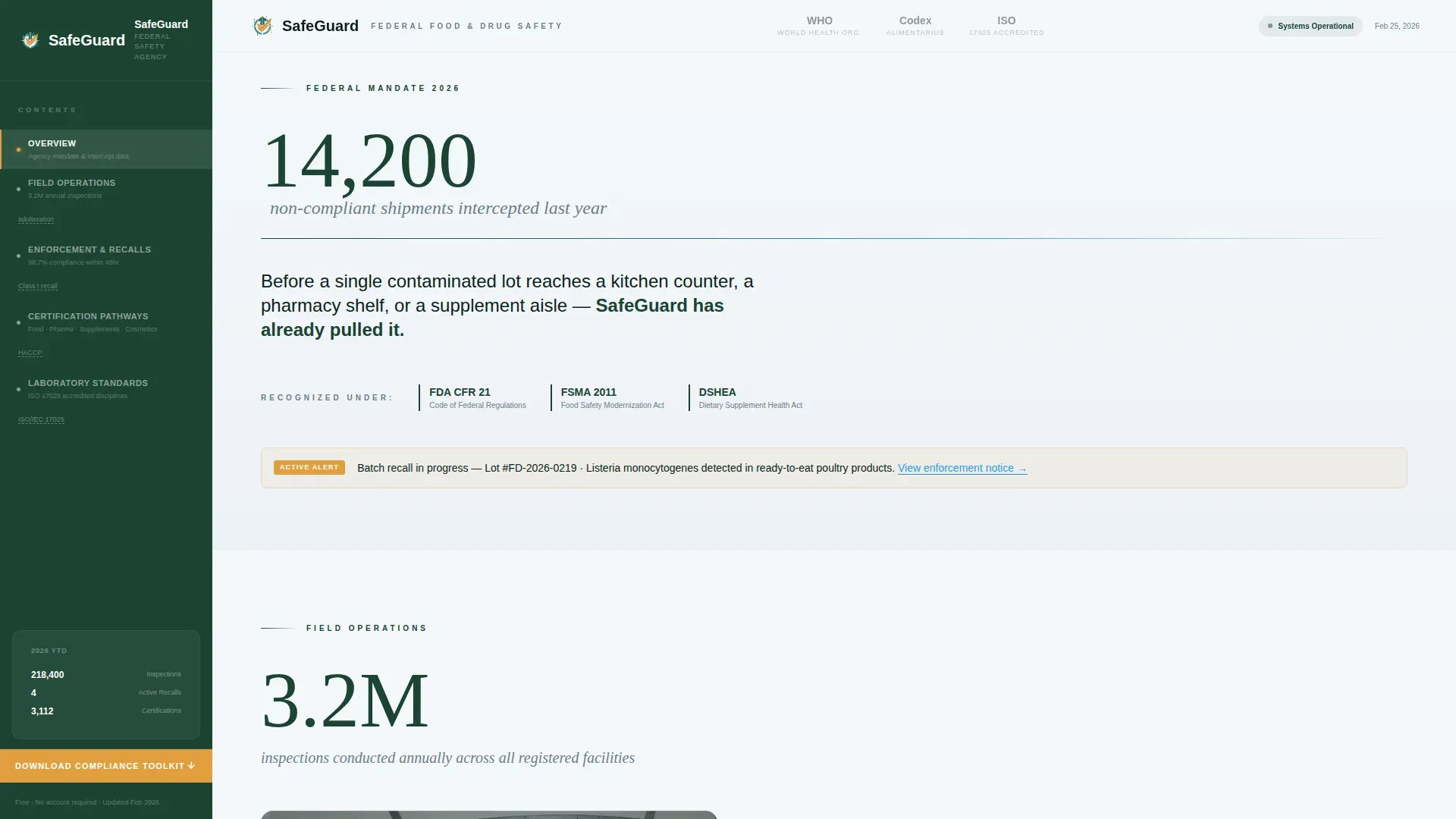
- A Stats-First hero band with an ambient data sentence and oversized intercepted-shipments figure
- A fixed sidebar table of contents with active section highlighting and hover tooltip glossary
- A progressive lead generation form modal and an inline "Subscribe to Safety Alerts" signup form
Feature list
This section covers the most important elements built into the Safeguard template. Each feature was designed to serve the lead generation process for a compliance-focused public health context.
Stats-First Hero Band
The hero opens with a single oversized statistic rendered in evergreen authority type. No featured image competes for space. The negative space and the weight of the number do the work, capturing the visitor's attention and communicating the agency's scale before a single paragraph of body copy appears. A clear, benefit-driven strong headline communicates value within the first few seconds, reducing bounce rates from the very first screen.
Fixed Sidebar with Tooltip Glossary
The sidebar stays pinned as the user scrolls, functioning as a living table of contents. It highlights the active section in real time, helping visitors navigate without losing their place. Hovering over regulatory terms like "adulteration" surfaces a contextual micro-definition tooltip, turning the sidebar into a passive lead magnet that keeps even unfamiliar visitors engaged and reduces friction across the entire conversion funnel.
Progressive Lead Capture Form Modal
The primary lead generation form opens as a modal triggered by the wildflower amber "Download the Compliance Toolkit" button pinned at the bottom of the sidebar. The lead form uses a staged approach: the first field collects industry sector, the second asks for company size, and the third requests an email address. Keeping essential fields to three minimizes abandonment and helps improve lead quality by pre-qualifying each submission before contact details are stored.
Inline Safety Alerts Signup Form
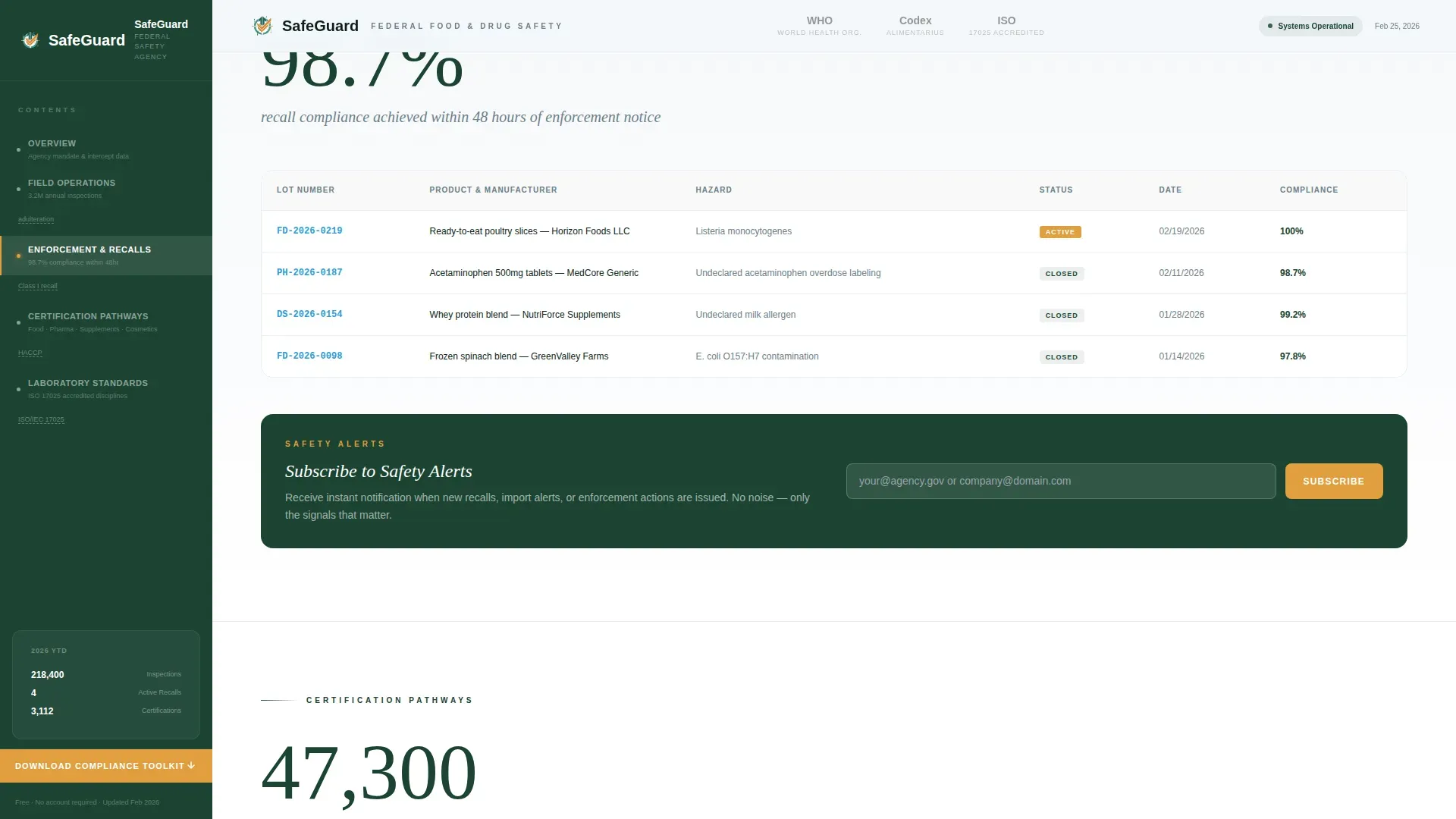
A secondary opt in path is embedded directly after the recall statistics section. This simple form captures a single email address from visitors who are not ready to download the toolkit but want to stay informed. Newsletter sign ups from this field feed a lighter conversion path, capturing new leads who might otherwise exit without any engagement.
Scroll-Triggered Count-Up Statistics
Every major section opens with an oversized statistic that animates into view as the visitor scrolls. The count-up effect draws the eye and reinforces the agency's value proposition through live-feeling data: "3.2 million inspections conducted annually" and "98.7% recall compliance within 48 hours." This approach turns raw numbers into social proof that builds trust before any ask is made.
Trust-Mark Logo Bar Header
A slim header band displays the agency seal alongside muted grayscale logos of partnered international regulatory bodies. These trust seals function as press mentions and partner endorsements, signaling legitimacy to compliance officers who recognize those standards at a glance. High quality leads in regulated industries respond to recognized authority marks more readily than to copy alone.
Page sections overview
| Section | Purpose |
|---|---|
| Logo Bar Header | Display agency seal and international partner trust marks |
| Stats-First Hero | Open with intercepted-shipments figure and ambient data sentence |
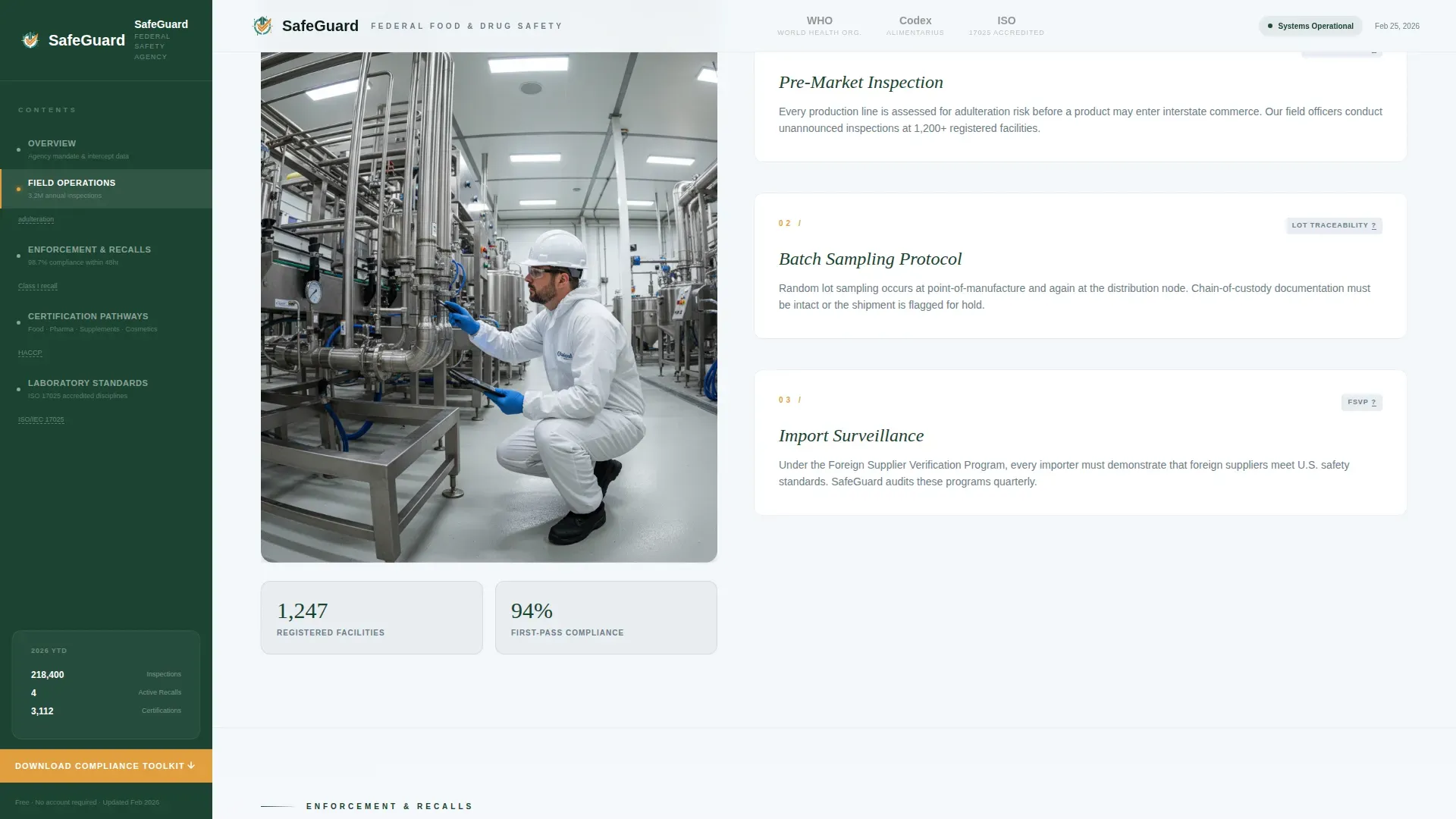
| Field Operations | Show annual inspection scale with asymmetric layout |
| Enforcement and Recalls | Present recall compliance rate and inline safety alerts signup form |
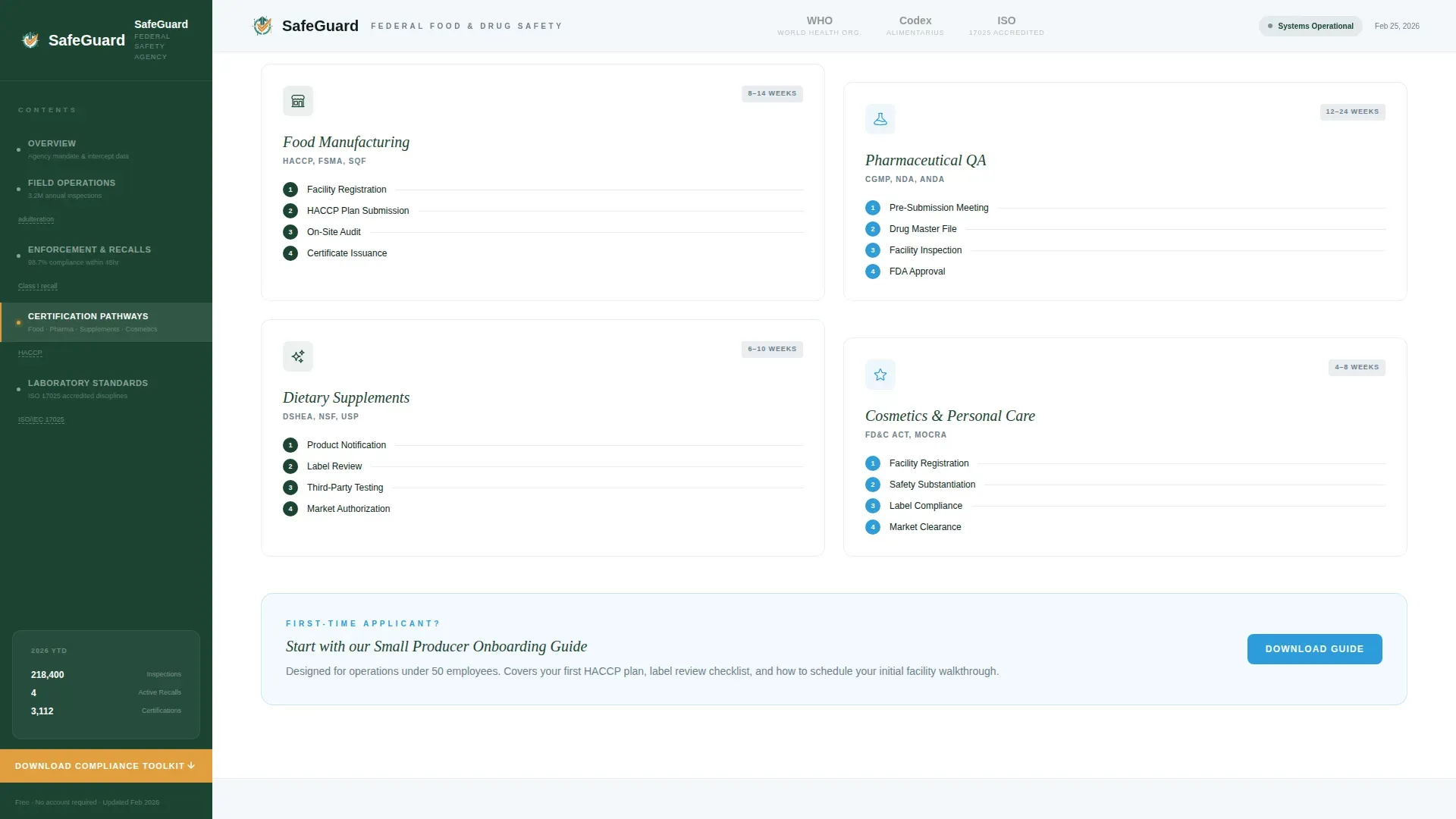
| Certification Pathways | Sector cards for food, pharma, supplements, and cosmetics |
| Laboratory Standards | Bento grid of test categories and methodology with ISO trust marks |
| Fixed Sidebar | Navigate sections, highlight active area, surface glossary tooltips |
| Footer | Copyright, navigation links, and social links in minimal layout |
Design & branding system
The visual identity follows an Educational Guide theme built on the Alpine Fresh color system. Every color choice reinforces the brand identity of a high-altitude research station: sterile, precise, and immediately credible. The typography pairing of DM Serif Display for headings and Plus Jakarta Sans for body text creates a visual hierarchy that feels authoritative without being cold.
- Glacier white (#F4F7FA) covers primary backgrounds, giving the page a clean, laboratory-scrubbed feel
- Evergreen authority (#1B4332) anchors sidebar navigation and section headers in deep, confident green
- Mountain-stream teal (#2D9CDB) drives hyperlinks and animated stat counters, while wildflower amber (#E09F3E) is reserved exclusively for alert badges and the primary call-to-action button
Mobile & speed optimization
The template is designed desktop-first to serve compliance officers working on workstations, with responsive design that extends cleanly to tablet viewports. The layout uses short paragraphs, scannable bullet points, and minimal copy blocks to keep content digestible at any screen size. Static content sections are structured as server components, while the interactive sidebar and modal form are built as client components to keep the experience responsive without unnecessary overhead.
- The sidebar collapses gracefully on smaller screens so the fixed navigation does not crowd the reading area
- The progressive form modal is touch-friendly, with form fields sized for accurate tap input on tablet devices
How this template helps you convert
A lead generation landing page works best when it earns the click rather than demanding it. Safeguard builds that trust methodically: data first, explanation second, ask third. Every layout decision exists to convert visitors into high quality leads without creating friction or confusion.
- The pinned amber call to action button keeps the lead gen form accessible at every scroll depth, so no potential leads slip away because the form was out of sight when interest peaks
- The staged lead generation form asks only essential fields in sequence, reducing the cognitive load of a long form and improving sign ups from even cautious visitors
- The inline subscribe form after the recall statistics section intercepts blog readers and early research visitors who are not ready for the full toolkit, capturing their contact details through a simple form before they exit
Other information about this template
This template is part of a broader ecosystem of pre designed lead generation landing page layouts built for government and public-sector contexts. Understanding how it fits into standard lead gen practice helps you get the most from it quickly.
- A lead generation landing page is designed to capture user data in exchange for something valuable, such as the Compliance Toolkit lead magnet offered here
- Effective lead generation landing pages focus on a single action; this template's one page structure removes distractions and guides every visitor toward the same desired action
- Templates for lead generation landing pages can help speed up the process of creating effective pages; this layout is ready to adapt in a few minutes without starting from scratch
- The average conversion rate for forms sits around 21.5%, but strong design and social proof can significantly improve that figure; the trust-mark header and count-up statistics are built precisely for this
- A clear value proposition and a focused lead gen form together reduce missed opportunities that come from vague offers or too many competing calls to action
- Lead generating websites in regulated sectors benefit especially from explicit data usage notes near the form submit button, reassuring potential customers that their contact details will not be misused
- Keeping form fields to essential fields only (sector, company size, email) aligns with best practice: fewer fields mean higher conversion rates and better lead quality
- The Compliance Toolkit functions as a free ebook-style lead magnet; visitors receive structured compliance guidance in exchange for their email, making the value exchange clear
- For teams running paid traffic through google ads or other channels, the distraction-free layout and single call to action are designed to boost conversions and lower cost per lead
- Integrating a tool like google analytics after deployment allows teams to track user intent, monitor bounce rates, and measure sign ups over time
- The drag and drop editor compatibility of this template means non-technical teams can adjust copy, swap colors, and reorder sections in a few minutes without writing code
- Social proof elements, including the logo bar's trust seals and the animated stat counters, are among the most important elements for building credibility with compliance-minded visitors
- The lead generation process here follows a conversion funnel: data impresses, the toolkit offer captures, and the safety alerts signup form retains visitors who need more time
- Capture leads across two paths: the primary download form and the inline subscribe form, so the page generates more leads than a single-call to action layout would
- The contact page footer includes clearly labeled policy links, supporting transparent data practices near the form and reassuring visitors about how their information will be used
- Displaying recognized partner trust seals near the lead capture form and in the header can reassure visitors and improve opt in rates among compliance-focused audiences
- Good stuff to know: the sidebar tooltip glossary doubles as passive lead engagement, keeping visitors on the page longer and increasing the chance that interest turns into a completed form submission
- Blog readers arriving from regulatory news roundups or search results will find the inline signup form a natural, low-commitment entry point before they explore the full certification pathway content
- The template supports early access sign ups for new guidance documents or recall alerts, giving agencies a second content-driven lead magnet to promote alongside the main toolkit download
- Lead gen form design here aligns with the principle that a low-friction, simple form with only the most essential fields reduces abandonment and improves the overall quality of submitted leads
Theme
Educational Guide
Creative direction
Stats-First Impact
Color system
Alpine Fresh
Style
Sidebar Companion
Direction
Lead Generation
Page Sections
Stats-first Hero with Ambient Data Sentence
Fixed Sidebar Navigation and Tooltip Glossary
Progressive Lead Generation Form Modal
Inline Safety Alerts Signup Form
Scroll-triggered Count-up Stat Counters
International Trust-mark Logo Bar
Related questions
Who is the Safeguard template designed for?
How does the progressive lead generation form work?
Can visitors opt in without downloading the full toolkit?
Is this a single-page template or a multi-page site?
How does the template build trust before asking for contact details?



