Locksmith Portfolio Website Template
Deadbolt is a single-page locksmith landing page template built around comparison tables, data-driven storytelling, and real-world case study narratives. It speaks directly to locked-out homeowners, property managers, and business owners who need fast, credible answers. The Arctic White design system keeps information clear and trustworthy, while strategic amber accents drive visitors toward a free quote or resource download.
by Rocket studio
Quick summary
Deadbolt is a comparison table landing page template for 24/7 locksmith businesses. It leads with animated data storytelling, walks visitors through three relatable case study scenarios, and closes with two conversion paths: a free quote form and a homeowner checklist download. The design is clean, utility-focused, and built to answer urgent questions before the phone even rings.
Who this template is for
This template is built for locksmith businesses that serve a mixed clientele across residential, commercial, and automotive jobs. It works equally well for solo operators and multi-van operations that want to present professional credibility online.
- Property managers who oversee master-key systems across multiple buildings
- Homeowners researching rekeying options after a security concern
- Small-business owners pricing a full rekey or smart lock upgrade
What problem this template solves
Most locksmith pages bury the helpful information under vague service lists and stock photos. Visitors arrive stressed and leave without answers, taking their call to a competitor. This template solves that gap directly.
- Visitors get real cost comparisons before they decide to call
- Anxious users find scenario-based answers that match their exact situation
- Businesses capture research-mode visitors with a lead magnet before they bounce
What you get with this template
The template delivers a structured, single-page layout that guides visitors from a data-rich header through three comparison table case studies to a clear call to action. Every section is designed to move the reader forward.
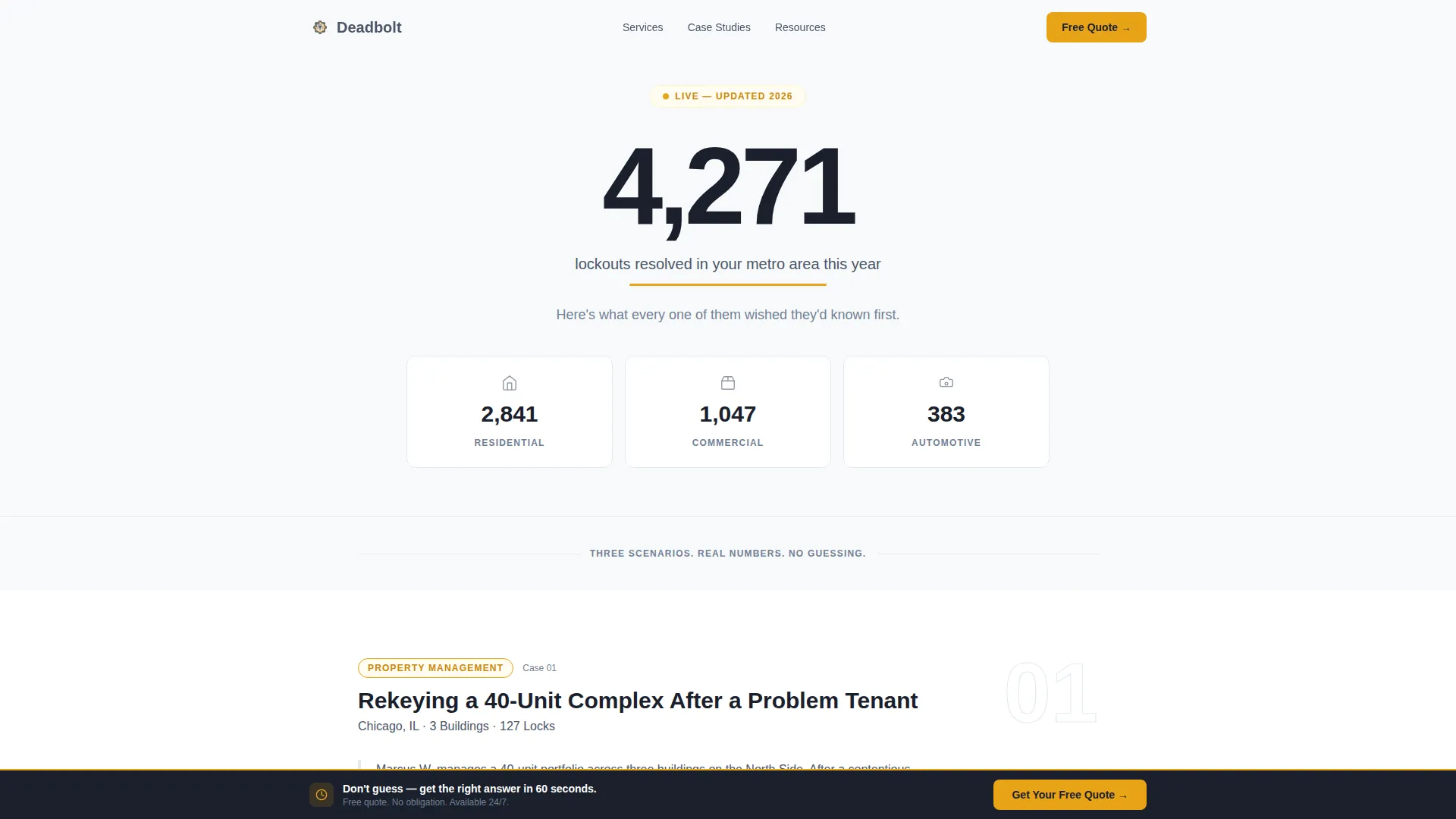
- An animated counter header with a three-column residential, commercial, and automotive stat bar
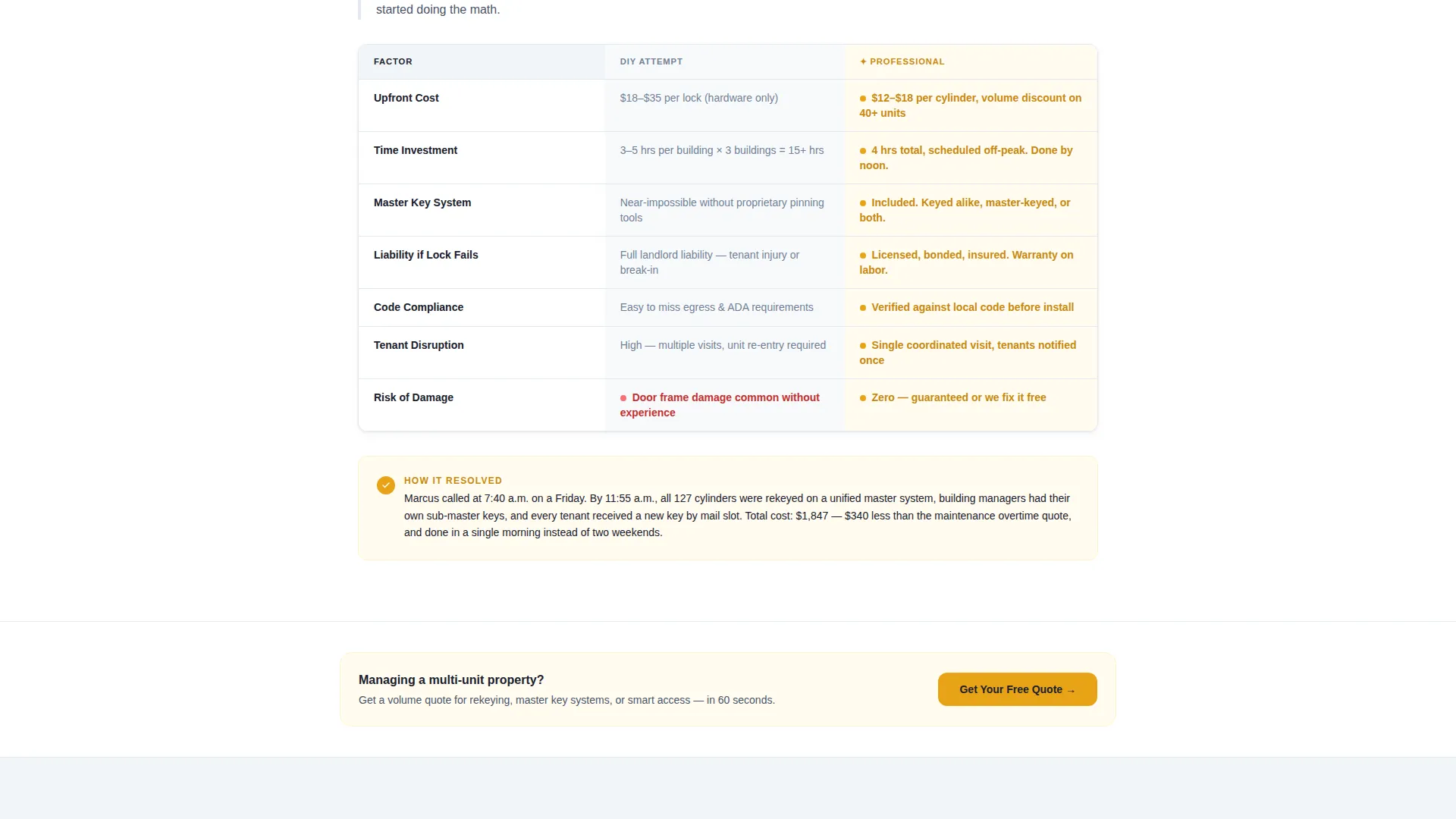
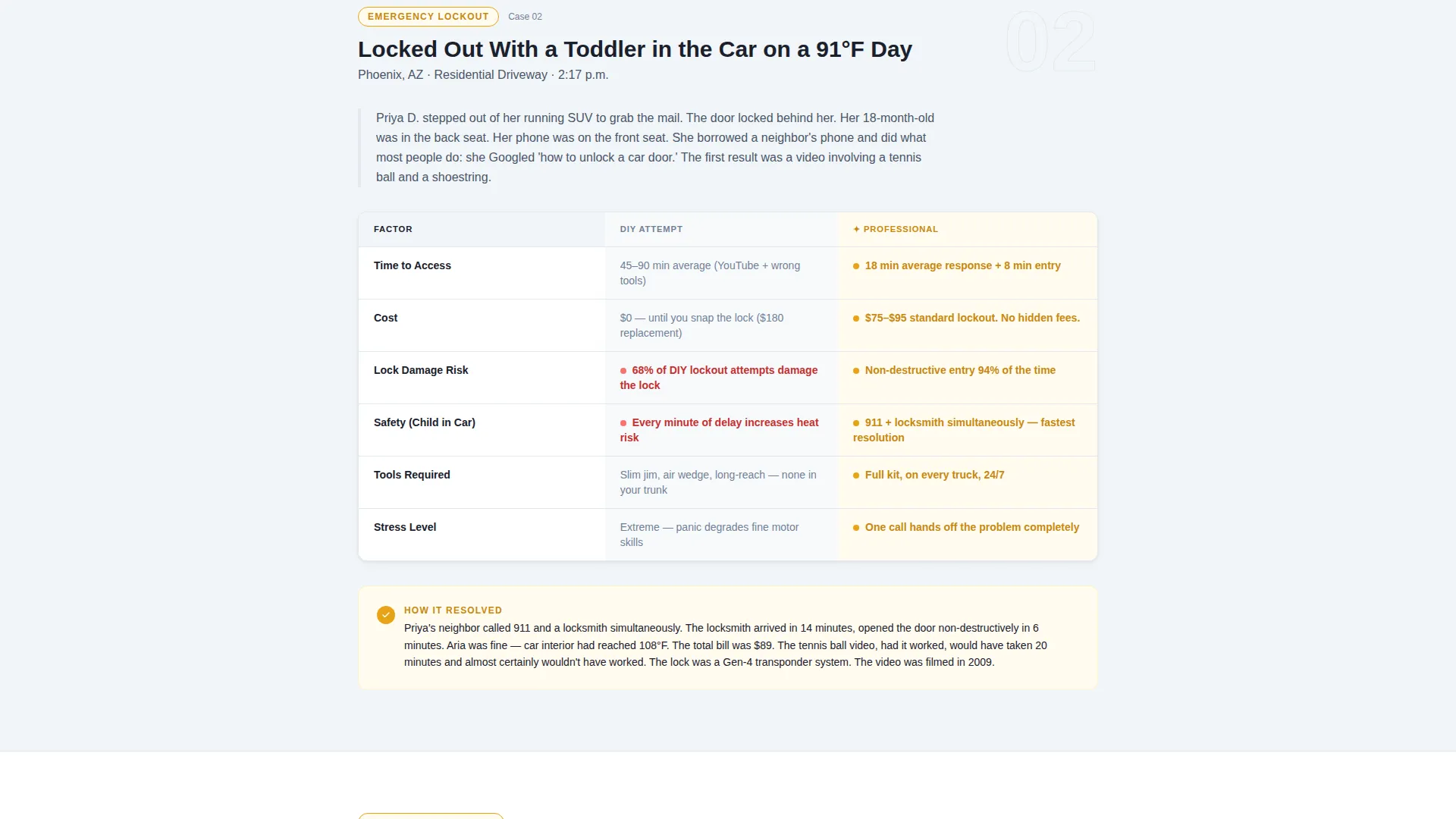
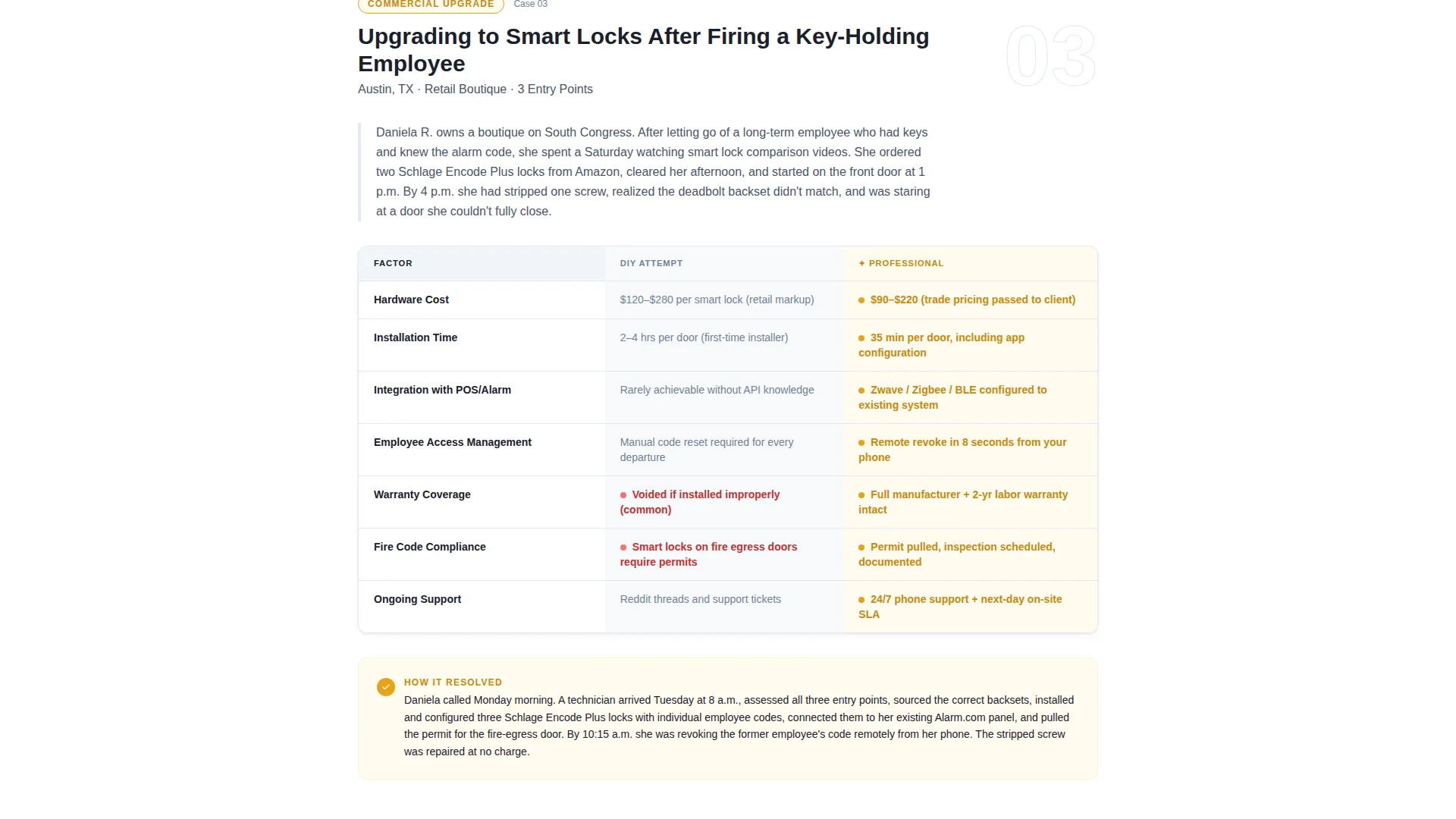
- Three scroll-driven comparison tables with DIY versus professional cost, time, and risk columns
- A sticky bottom call-to-action bar and a secondary email capture path for the homeowner checklist
Feature list
This template was designed around one idea: give the right answer at the right moment. Every feature supports that goal.
Animated Data Counter Header
The header opens with a live-style counter showing total lockouts resolved in the local metro area this year. Below it, a three-column stat bar breaks that number into residential, commercial, and automotive segments with micro-icons. No photography is used; the numbers carry the visual weight.
Scroll-Reveal Comparison Tables
Each of the three case study sections includes a scroll-triggered comparison table. The DIY column appears first in gray, then the professional column slides in with amber highlights. This visual sequence makes the value difference clear without any written argument.
Case Study Narrative Blocks
Between each comparison table, a short paragraph reads like a resolved story: what the situation was, what was attempted, and what actually worked. These narrative blocks keep readers engaged and build trust through specificity.
Dual Conversion Path Design
The primary call to action, "Get Your Free Quote in 60 Seconds," appears after the first case study and again as a sticky bottom bar after the second. A secondary path offers a downloadable homeowner rekey checklist to capture email addresses from visitors still in research mode.
Quote Form with Urgency Selector
Clicking the primary call to action routes to a dedicated quote page. The form collects zip code, service type (lockout, rekey, installation, or smart lock), and an urgency selector with three options: emergency now, scheduled this week, or just researching.
Service Utility Visual System
The entire page uses the Arctic White color system. Clinical white backgrounds let comparison tables breathe. Lockbox charcoal anchors headings and section dividers. Emergency amber appears only on calls to action and alert callouts, so every amber element carries immediate meaning.
Page sections overview
| Section | Purpose |
|---|---|
| Animated counter header | Opens with metro-area lockout stats and a three-column residential, commercial, automotive breakdown |
| Stat bar row | Reinforces credibility with segment-specific numbers and micro-icons |
| Case study one | Landlord rekeying a 40-unit complex: comparison table plus narrative resolution |
| Primary call to action block | "Get Your Free Quote in 60 Seconds" placed after the first case study |
| Case study two | Parent locked out with a toddler in the car: comparison table plus narrative resolution |
| Case study three | Boutique owner upgrading to smart locks: comparison table plus narrative resolution |
| Sticky call to action bar | Repeating quote prompt that appears after the second case study as a bottom-fixed bar |
| Checklist capture | Secondary email opt-in offering the homeowner rekey checklist to research-stage visitors |
| Quote landing page | Dedicated form collecting zip code, service type, and urgency preference |
Design & branding system
The visual identity follows a Service Utility theme. The palette is intentionally restrained so that every color element carries a specific meaning rather than decoration.
- Arctic White backgrounds (#F8FAFB) keep comparison tables open and easy to scan
- Tool-steel gray (#4A5568) handles body text and the initial DIY column in each comparison table
- Lockbox charcoal (#1A202C) is used for headings, subheadlines, and section dividers
- Emergency amber (#E8A317) is reserved exclusively for calls to action and alert callouts, so it always signals action
Mobile & speed optimization
The template is designed to stay readable and functional on smaller screens, where a significant share of lockout-related searches happen. Urgency-driven visitors on mobile need fast access to answers and a clear next step.
- Comparison tables reflow cleanly on narrow screens without losing their column structure
- The sticky bottom call-to-action bar is sized and positioned for easy thumb access on mobile devices
- The no-photography design approach reduces page weight and keeps the layout crisp on any connection
How this template helps you convert
The page is built around a deliberate sequence. Each section earns the next click by delivering value before asking for one.
- The animated data header establishes immediate credibility with local, specific numbers, giving hesitant visitors a reason to keep reading.
- The scroll-reveal comparison tables make the professional versus DIY value gap visual and visceral, reducing the need for persuasive copy.
- The dual conversion path captures both high-intent visitors ready to book and research-mode visitors who need warming before they call.
Other information about this template
This template is part of a broader set of professional services templates designed for high-intent, time-sensitive niches. A few additional notes that may be useful before you get started.
- The quote form includes four service-type options: lockout, rekey, installation, and smart lock, making it relevant for full-service locksmith operations
- The homeowner rekey checklist is a built-in lead magnet designed to warm research-stage visitors before they convert
- The comparison table structure can be adapted to highlight any service tier or pricing comparison relevant to your local market
- The template is suited for locksmiths operating in competitive urban and suburban metro areas where online presence directly influences call volume
Theme
Service Utility
Creative direction
Case Study Narrative
Color system
Arctic White
Style
Comparison Table
Direction
Click-Through
Page Sections
Animated Data Counter Header
Scroll-reveal Comparison Tables
Case Study Narrative Blocks
Dual Conversion Path Design
Dedicated Quote Form Page
Service Utility Color System
Related questions
Can I use this template for a locksmith business that covers residential and commercial services?
Does the template include the quote form and checklist download out of the box?
How many comparison tables are included in this template?
Can I replace the case study scenarios with my own content?
Is this a single-page layout or a multi-page website?



