Physical Security Red Team Landing Page Template
Fortify is a single-column landing page template built for physical security firms that conduct red-team facility assessments. It guides enterprise prospects through a sequential audit experience, surfacing real vulnerability data and building urgency with every scroll. The layout is clinical, structured, and designed to earn trust before asking for commitment.
by Rocket studio
Quick summary
Fortify is a single-column landing page template for physical penetration testing firms. It walks enterprise visitors through a scrolling security audit, domain by domain, using hard data and a pass/fail structure to surface facility risk in real time. The design is deliberately cold and precise, built to feel like a compliance review, not a sales pitch.
Who this template is for
This template is built for firms that sell red-team physical security assessments to enterprise clients. It speaks directly to the buyers who hold budget and accountability for facility risk.
- Facilities directors at data centers and critical infrastructure sites
- Compliance officers at financial institutions managing audit requirements
- Chief Information Security Officers at defense contractors and government-adjacent organizations
What problem this template solves
Many physical security firms struggle to communicate what a red-team assessment actually reveals. A generic service page cannot convey the methodical, high-stakes nature of this work. Fortify solves that gap.
- Visitors arrive skeptical; the audit-style layout makes the threat feel real and personal
- Prospects often dismiss physical risk when their digital defenses feel strong; the template reframes that assumption with specific data points
- Firms lose leads who are curious but not ready to call; the secondary gated download creates a lower-friction conversion path
What you get with this template
You get a fully structured single-column landing page with a clear content architecture and a bold visual identity. Every section is purpose-built around the physical security audit narrative.
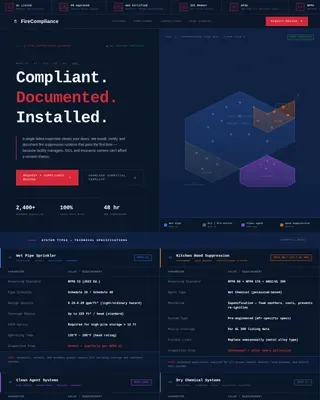
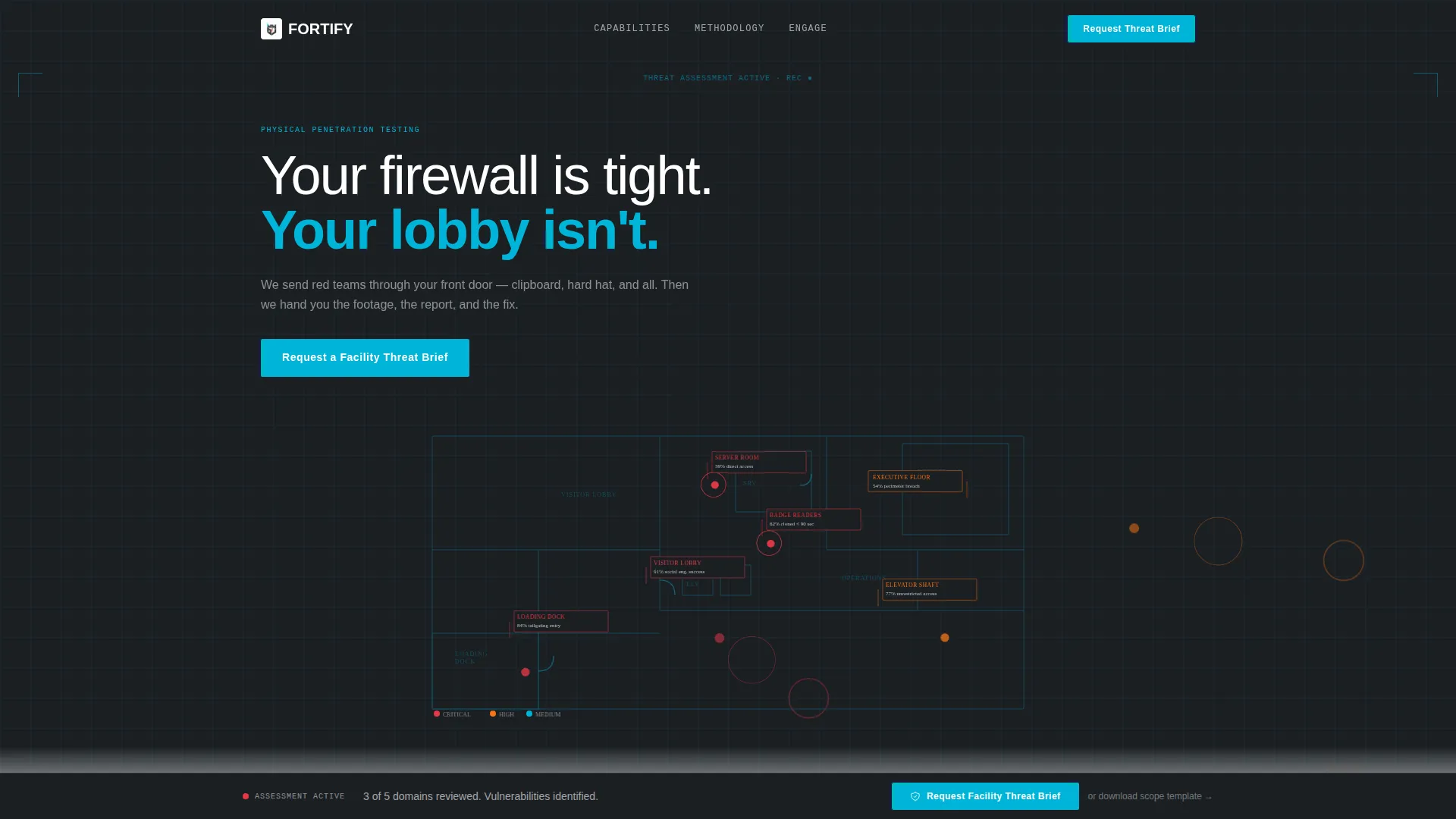
- A full-width infographic header with a stylized facility blueprint and pulsing vulnerability data nodes
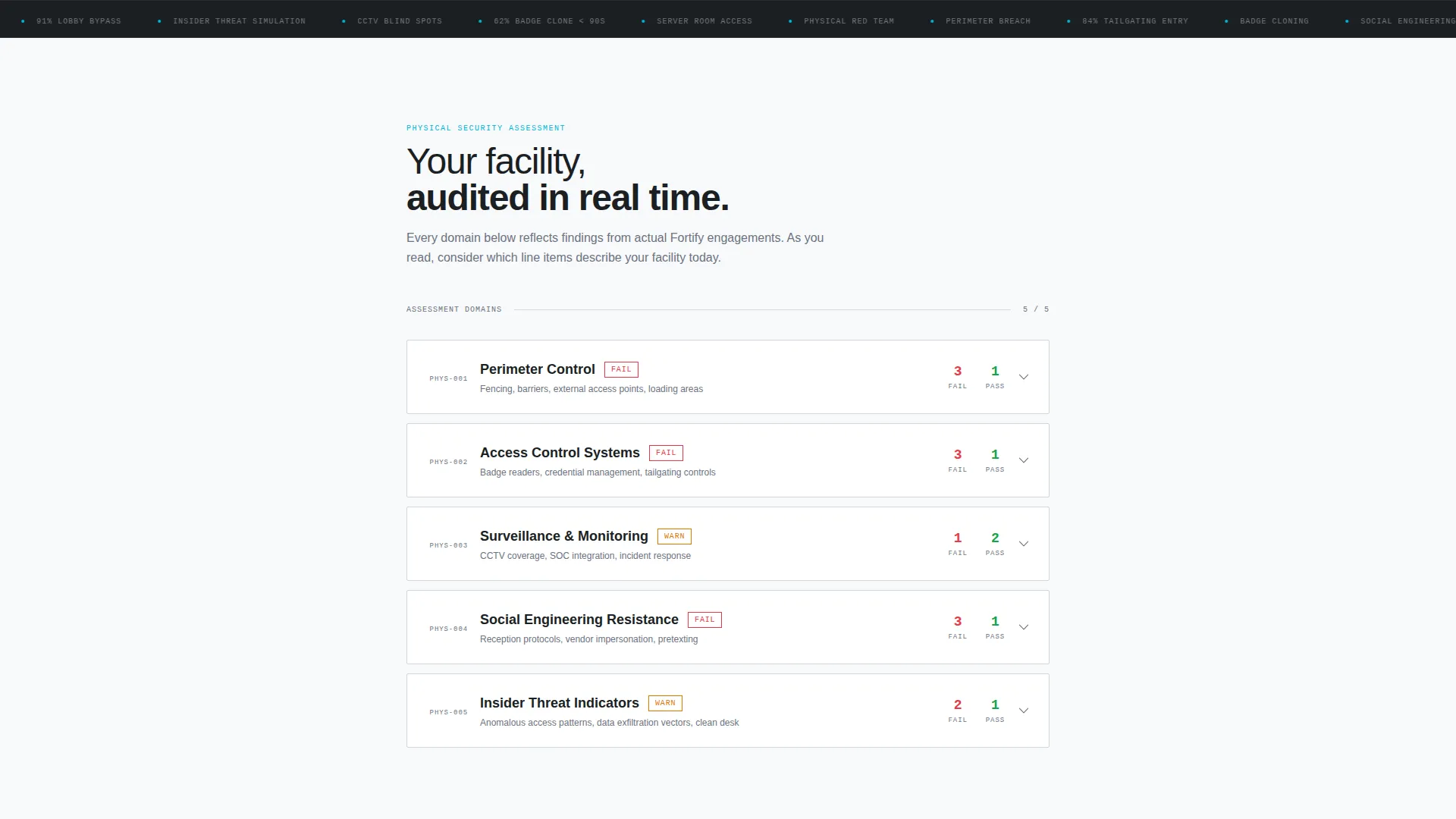
- A sequential, domain-by-domain audit scroll covering perimeter, access control, surveillance, social engineering, and insider threat
- A primary lead form with a sticky call-to-action and a secondary gated PDF download path
Feature list
This section outlines the core structural and functional components included in the Fortify template.
Facility Blueprint Infographic Header
The header renders a cross-section of a corporate facility in thin cyan lines on a charcoal background. Numbered vulnerability nodes pulse softly across the loading dock, visitor lobby, elevator shaft, and executive floor. Each node displays a supporting statistic, such as the percentage of facilities breached through tailgating or badge systems cloned in under 90 seconds.
Sequential Physical Audit Scroll
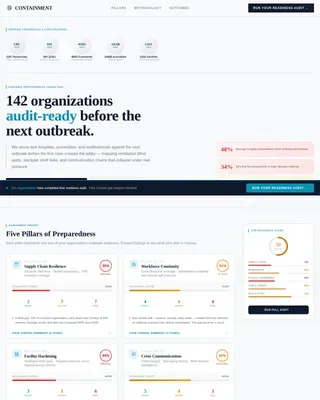
The page body follows a checklist and audit cadence. Each section represents a single assessment domain and is presented as a pass/fail line item with expandable findings. The scroll is deliberately methodical, so visitors experience their own facility's likely gaps before any sales message appears.
Sticky Primary Call-to-Action
The "Request a Facility Threat Brief" call-to-action appears after the third audit domain, then pins to the bottom of the viewport as the visitor continues scrolling. This placement ensures the prompt to engage is always visible without interrupting the audit experience.
Lead Capture Form
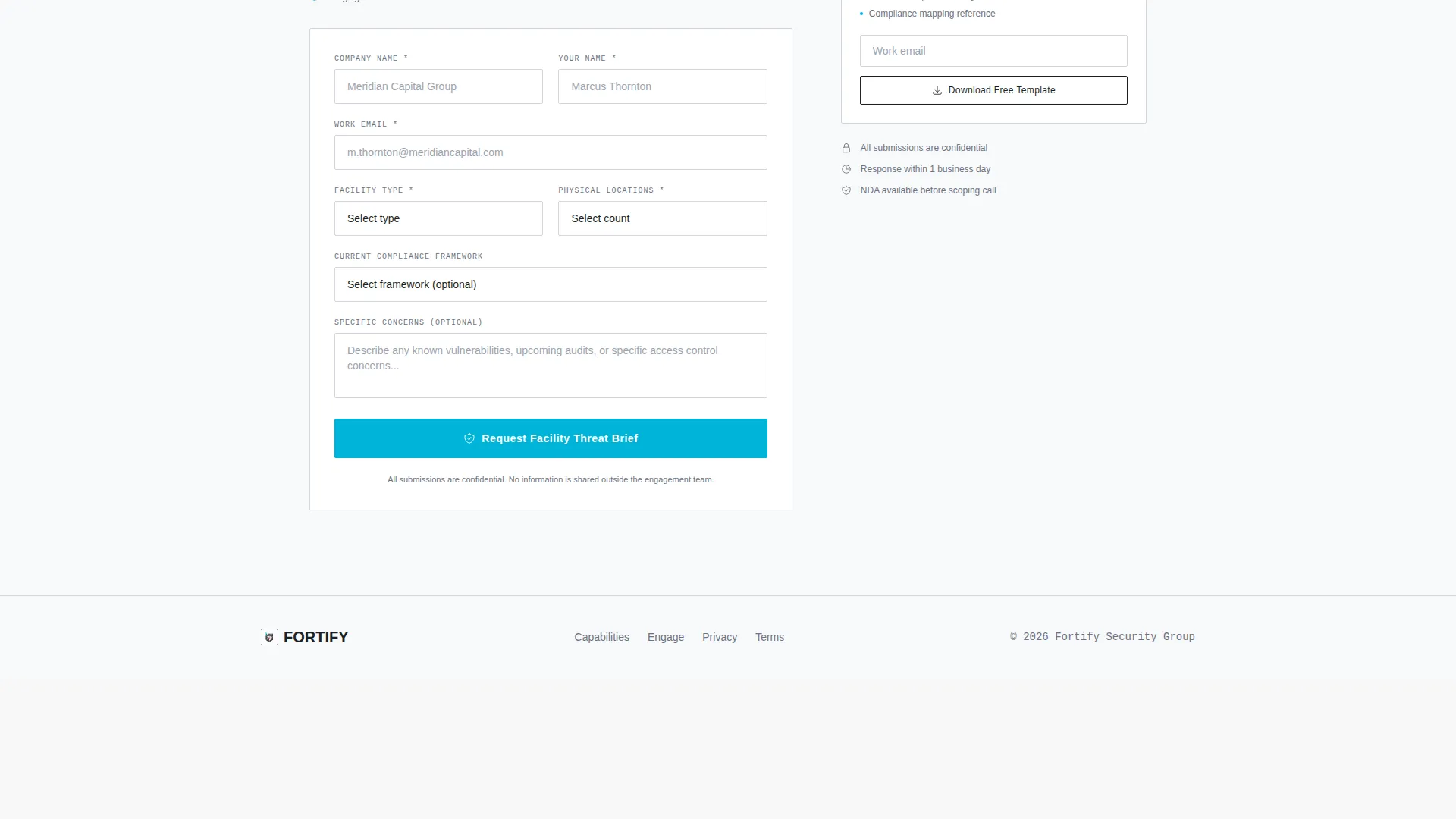
The primary form collects company name, facility type via a dropdown (data center, corporate headquarters, manufacturing, or government), number of physical locations, and current compliance framework (SOC 2, ITAR, FedRAMP, or none). These fields are designed to qualify the prospect while keeping friction low.
Gated PDF Secondary Path
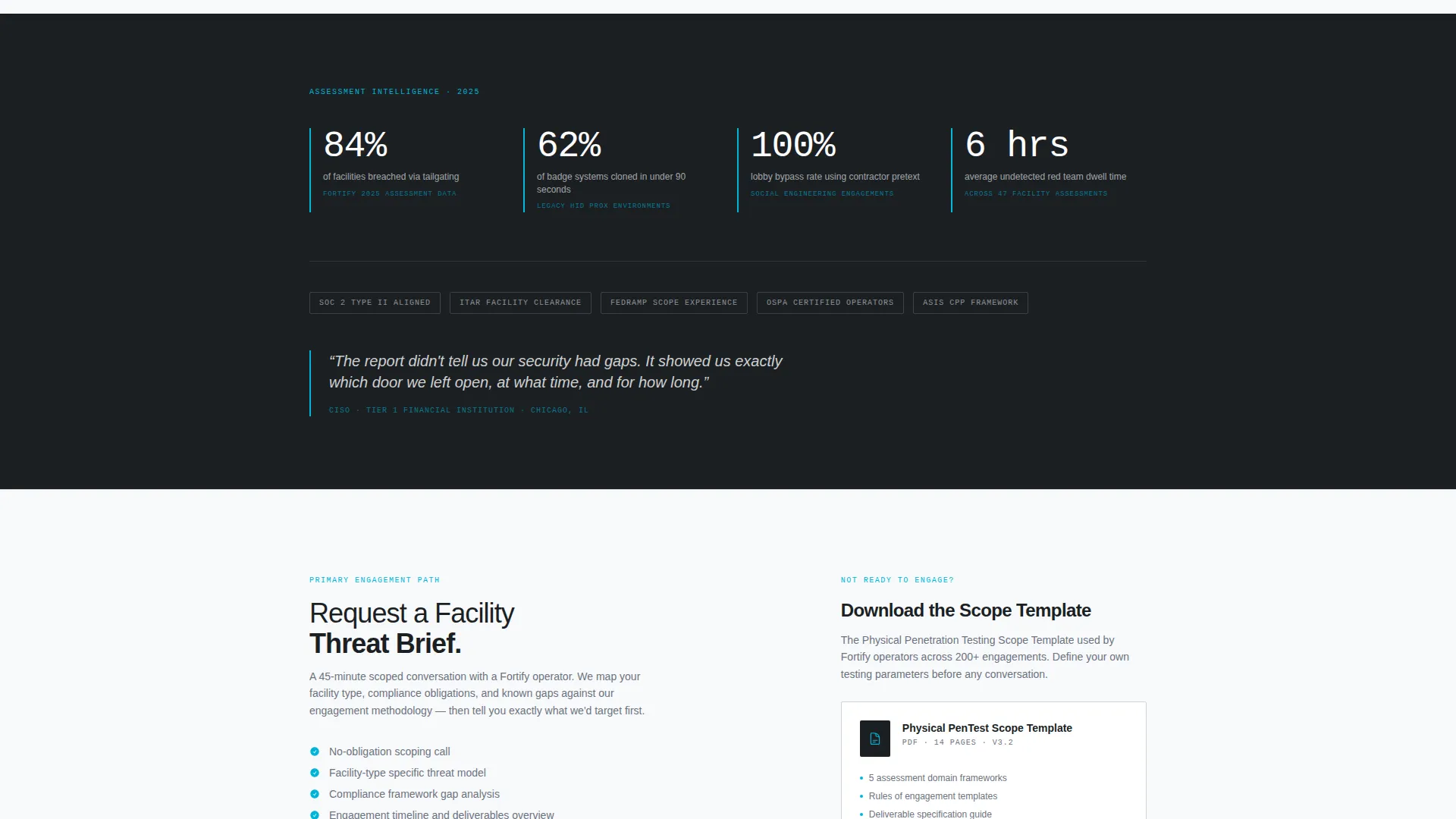
A secondary conversion path offers a downloadable Physical Penetration Testing Scope Template as a gated PDF. This gives prospects who are not ready for direct engagement a tangible resource while capturing their contact details.
Corporate Precision Visual System
The color palette uses sterile corridor white, surveillance-monitor charcoal, access-badge cyan, and alert-state red. Red appears exclusively on vulnerability callouts and critical findings, preserving its visual authority throughout the page.
Page sections overview
| Section | Purpose |
|---|---|
| Full-Width Header | Introduces facility blueprint with pulsing vulnerability statistics |
| Perimeter Audit Domain | Presents pass/fail assessment findings for physical perimeter security |
| Access Control Domain | Surfaces badge system and entry point vulnerabilities |
| Surveillance Domain | Evaluates camera coverage gaps and monitoring blind spots |
| Social Engineering Domain | Assesses human-vector risks like tailgating and impersonation |
| Insider Threat Domain | Examines internal access and credential misuse risks |
| Primary Lead Form | Captures qualified prospect details for a Facility Threat Brief |
| Gated PDF Section | Offers downloadable scope template for early-stage prospects |
Design & branding system
The Fortify template follows a Corporate Precision theme. Every visual choice reinforces authority, clinical rigor, and the weight of a real audit finding.
- Color system: sterile corridor white (#F8F9FB), surveillance-monitor charcoal (#1B1F23), access-badge cyan (#00B4D8), and alert-state red (#E63946) used only for critical findings
- No stock photography or human faces; the facility blueprint is the sole visual anchor, keeping attention on structural vulnerabilities
- Thin cyan line-art and subtle node animations give the page a restricted-access hallway feel, deliberate and unsettling in exactly the right way
Mobile & speed optimization
The single-column flow is inherently well-suited to narrow viewports. The layout does not rely on complex grid structures that break on smaller screens.
- The full-width infographic header and audit domain sections reflow cleanly on mobile without losing visual hierarchy
- The sticky call-to-action functions as a persistent bottom bar on mobile, keeping the primary conversion prompt accessible throughout the scroll
- The gated PDF section and lead form are vertically stacked by default, reducing layout complexity on touch devices
How this template helps you convert
The Fortify template is engineered so that the visitor feels assessed before they feel sold to. Conversion pressure builds naturally through the audit structure itself.
- Each sequential audit domain raises the stakes, turning passive scrolling into active self-evaluation and making the "Request a Facility Threat Brief" call-to-action feel like a logical next step rather than a cold ask
- The sticky call-to-action ensures the primary conversion path is always one tap away without disrupting the audit rhythm that drives trust
- The gated PDF download captures leads from prospects who are not yet ready to commit, extending the conversion window beyond the initial page visit
Other information about this template
Fortify is built for a niche where credibility is everything and generic design actively undermines trust. A few additional details worth noting:
- The compliance framework field in the lead form references SOC 2 (System and Organization Controls 2), ITAR (International Traffic in Arms Regulations), and FedRAMP (Federal Risk and Authorization Management Program), signaling fluency in the regulatory languages that matter most to enterprise buyers
- The template fits within the commercial security service space and is categorized under Safety and Emergency, reflecting the enterprise-facing nature of the offer
- The alert-state red (#E63946) is intentionally restricted to vulnerability callouts; using it elsewhere would dilute the visual signal that drives urgency in the findings sections
- The gated PDF path is designed to serve as a soft entry point into the sales funnel for prospects in earlier buying stages, particularly those conducting vendor research before issuing a formal request for proposal
Theme
Corporate Precision
Creative direction
Transparent Process
Color system
Monochrome Steel
Style
Single Column Flow
Direction
Click-Through
Page Sections
Facility Blueprint Infographic Header
Sequential Audit Scroll Layout
Sticky Call-to-action Bar
Qualified Lead Capture Form
Gated PDF Secondary Conversion Path
Alert-state Red Vulnerability Callouts
Related questions
Can I edit the audit domains to match my firm's actual assessment methodology?
Is this template suitable if my firm focuses only on one type of facility?
Does the template include the actual blueprint illustration or is that a placeholder?
Can the gated PDF section be removed if I only want the primary lead form?
What compliance frameworks does the lead form reference by default?