Family Password Manager Landing Page Template
Vault is a warm, animated landing page template built for a family password manager workshop. It uses a zigzag layout, a sunset gradient color system, and Surprise and Delight micro-animations to walk suburban parents through shared vaults, permission levels, breach alerts, and emergency access. The page closes with a free workshop registration form and a downloadable security checklist.
by Rocket studio
Quick summary
Vault is a single-page landing page template designed for a family password manager. It drives registrations for a free live workshop called "Family Password Night" while offering a downloadable security checklist as a secondary path. The layout uses alternating zigzag sections, a warm sunset gradient palette, and animated storytelling to turn anxious parents into confident registrants.
Who this template is for
This template is built for anyone launching a family-focused digital security product or educational workshop. It speaks directly to the households that need it most, without jargon or scare tactics.
- Suburban parents aged 30 to 55 who recently received a breach notification email
- Couples merging digital lives after moving in together and needing one shared system
- Adult children who are quietly managing the online security of aging parents
What problem this template solves
Most password security pages feel cold, corporate, or frankly terrifying. They talk at families rather than with them, and they leave visitors more anxious than when they arrived. This template solves the trust problem before asking for a registration.
- Families avoid password tools because the onboarding feels overwhelming and clinical
- Parents do not know how to explain encryption or shared access to teenagers or grandparents
- Visitors bounce from security pages that lead with fear instead of practical, household-level guidance
What you get with this template
You get a fully structured, single-page layout with every section already planned, written in concept, and animated for scroll engagement. Nothing is left blank or generic.
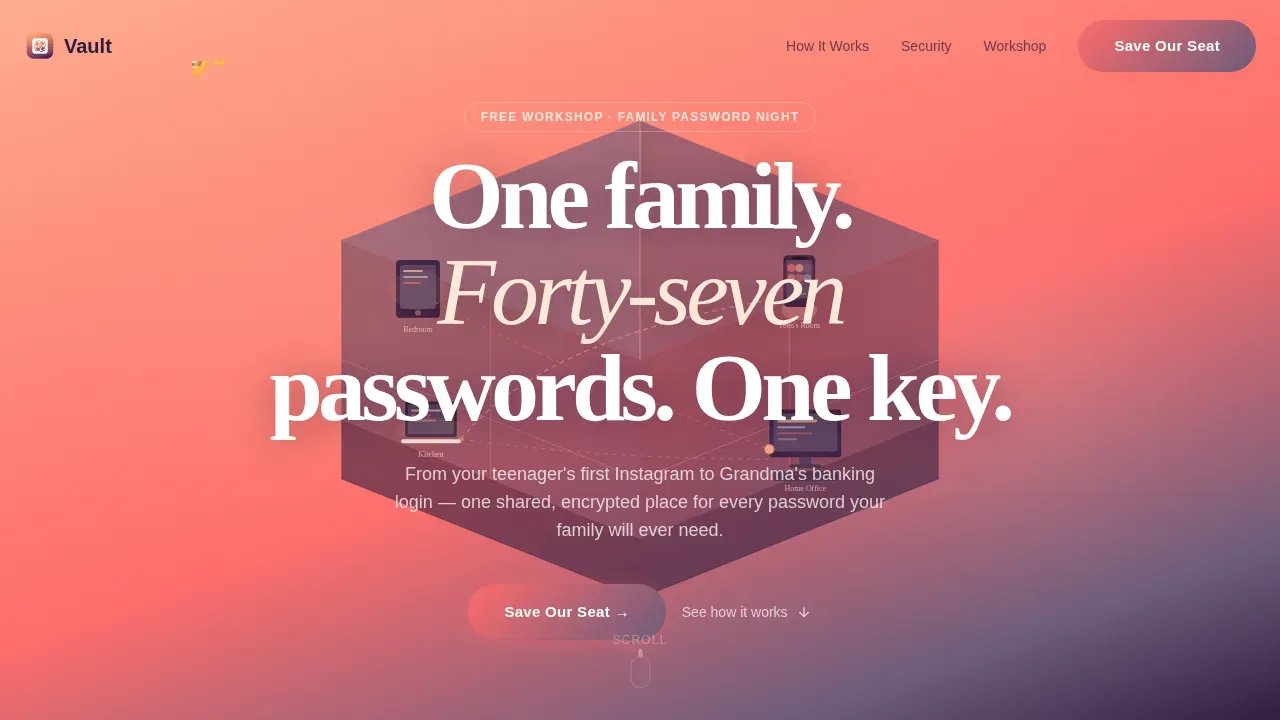
- A hero section with an isometric dollhouse illustration, animated floating locks, and a rotating golden key
- Four zigzag content sections, each pairing a real family frustration with a warm, visual solution
- A workshop registration form with a countdown timer and a secondary checklist download call to action
Feature list
This template includes purpose-built sections and interactive components designed around one goal: earning the family's trust and their event registration.
Isometric Hero with Animated Locks
The hero features a cutaway dollhouse illustration showing glowing devices in every room. Tiny animated locks float between them on pulsing dotted lines. A golden key rotates slowly above the roofline, and the headline fades in beneath it.
Zigzag Alternating Section Layout
Each of the four content sections alternates its image and text columns. Sections open with a relatable family frustration and then flip to a reassuring, visual solution. This rhythm keeps readers moving down the page naturally.
Surprise and Delight Micro-Animations
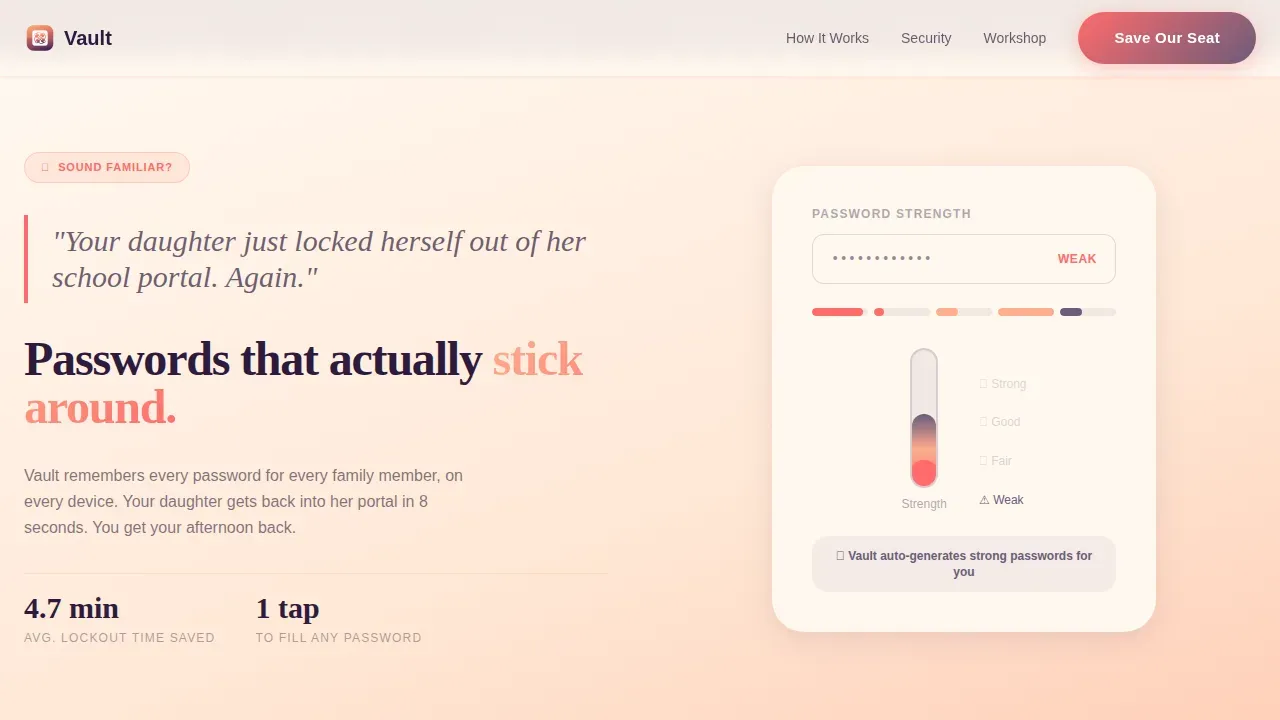
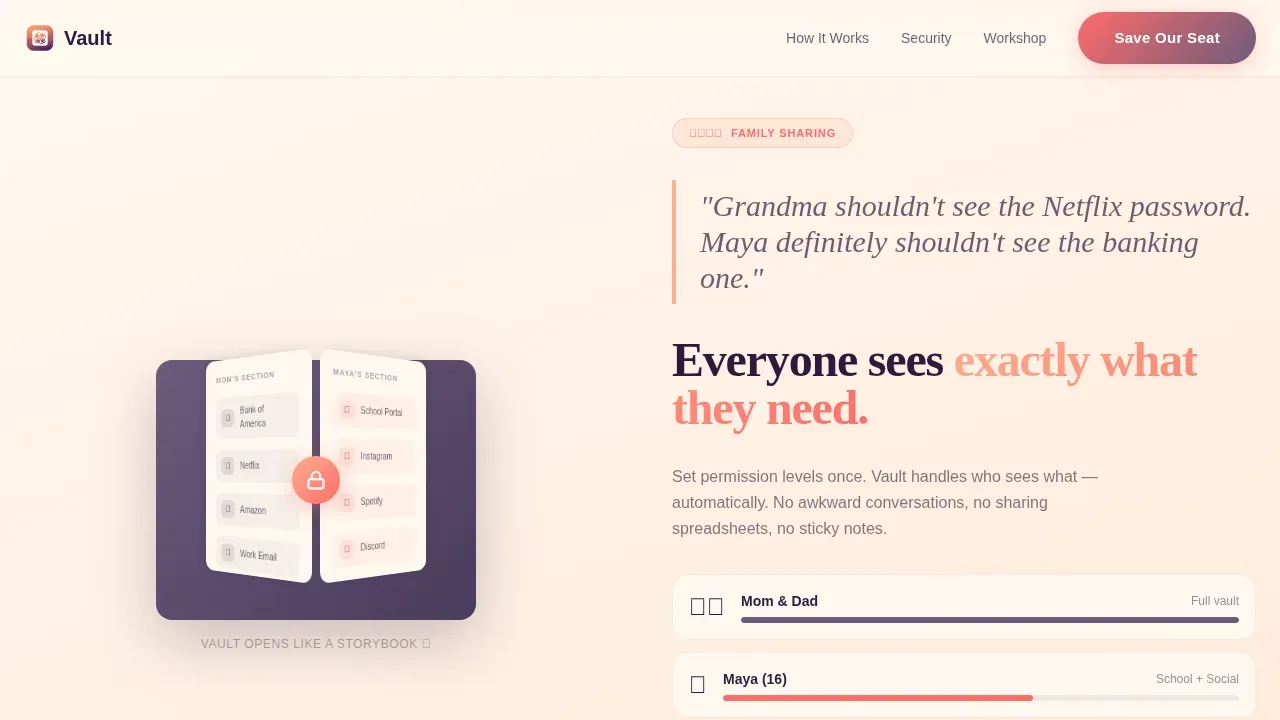
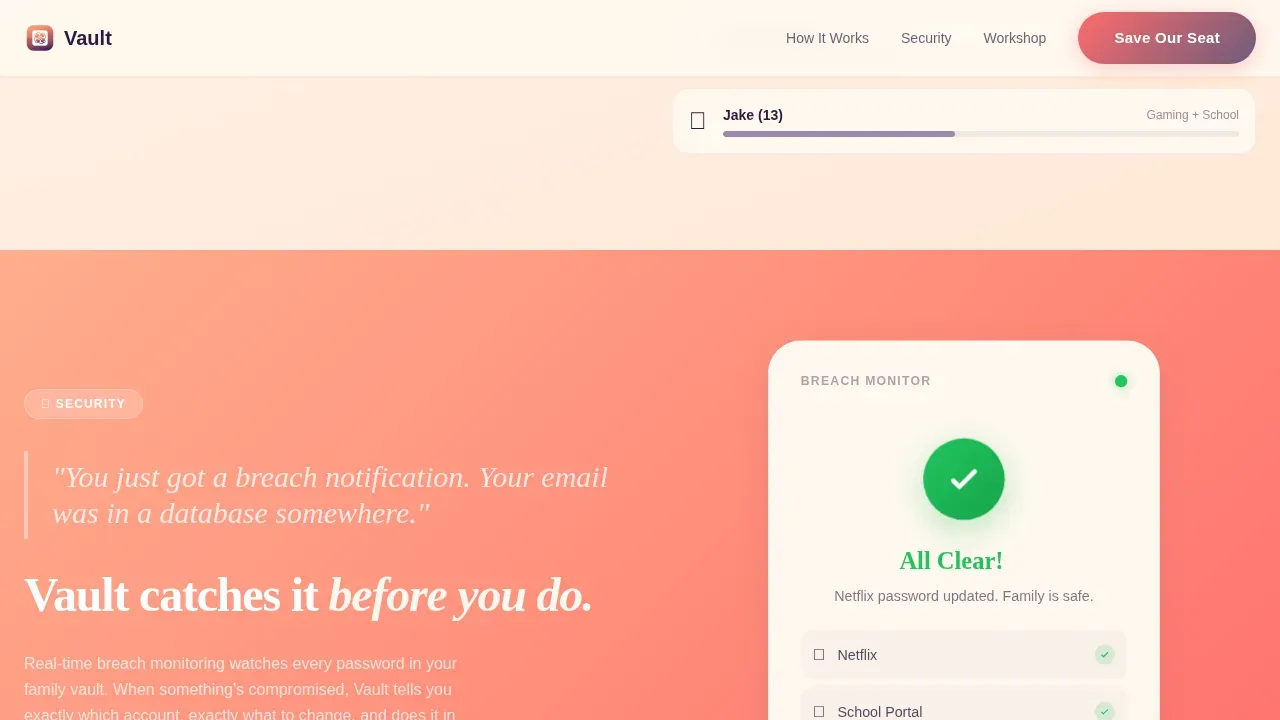
Scroll-triggered animations reward the reader at each section. A password strength meter fills like a thermometer. A shared vault opens like a storybook. A breach alert resolves into a checkmark with confetti particles. Each animation teaches one concept without a technical diagram.
Workshop Registration Form
The call-to-action section includes a structured form asking for first name, email, household size via dropdown, and an optional free-text field labeled "What keeps you up at night?" A live countdown timer builds urgency alongside the form.
Secondary Checklist Download
Visitors not ready to register can grab an instant downloadable family security checklist. This secondary path keeps them engaged and gives the page a second conversion opportunity without pressure.
Countdown Timer and Closing Hook
The page closes with a ticking countdown timer and the line "Forty-five minutes. Your whole family. Finally sorted." This section wraps the value proposition and gives fence-sitters a concrete, low-commitment reason to act.
Page sections overview
| Section | Purpose |
|---|---|
| Hero with illustration | Introduce the core message and capture attention with the animated dollhouse scene |
| Lockout frustration section | Pair a relatable school portal lockout scenario with the password strength thermometer animation |
| Shared vault section | Show how a family vault works using a storybook-open animation and permission levels |
| Breach alert section | Transform a breach notification fear into a resolved, confetti-confirmed checkmark moment |
| Emergency access section | Walk through a household emergency access scenario to build trust in the system |
| Workshop registration section | Present the "Family Password Night" form, countdown timer, and checklist download |
| Footer with links | Provide logo, tagline, and navigation links in an arc layout pattern |
Design & branding system
The visual identity follows an Educational Guide theme built on a Sunset Gradient color system. The palette feels warm and organized rather than clinical or alarming, making the topic of online security feel approachable for every household member.
- Colors move from warm peach (#FFAD8E) through soft coral (#FF6B6B) into dusky violet (#6C5B7B), with cloud-white (#FFF8F0) used for text containers and card backgrounds
- Fraunces serif handles all headlines, bringing a cozy, slightly storybook quality to the page, while DM Sans handles body text for clean readability
- Violet anchors interactive elements and headings, peach-to-coral gradients wash section backgrounds, and white index-card-style components float above each gradient layer
Mobile & speed optimization
The template is built mobile-first, reflecting the reality that suburban parents are most likely browsing on their phones. Static sections use server components for fast initial load, while animations and the registration form use client components for interactivity.
- Mobile-first layout ensures the zigzag sections, registration form, and countdown timer all read clearly on small screens
- High-animation sections such as the thermometer fill, storybook open, and confetti burst are handled by client-side components, keeping the static content fast to render
- The form fields, dropdown, and checklist download button are sized and spaced for comfortable thumb interaction on mobile devices
How this template helps you convert
Every design and copy decision in this template points toward one of two conversions: a workshop registration or a checklist download. The page earns both through education, not pressure.
- The zigzag section structure builds trust incrementally, teaching one security concept per section so the visitor feels smarter, not scared, by the time they reach the registration form
- The dual call-to-action approach gives cautious visitors an immediate win with the checklist download, warming them toward the workshop registration without forcing a commitment they are not ready to make
- The countdown timer, plural possessive "Save Our Seat" button copy, and closing line work together to make the workshop feel like a shared family event rather than a solo task
Other information about this template
This template is designed for the Kids and Family category, specifically the Kids Online Safety and Tech subcategory. It is localized for a United States audience using the MM/DD/YYYY date format and United States dollar currency references where applicable.
- The page includes social proof elements such as workshop testimonial-style quotes, household size statistics, and a breach statistic to validate the need for the workshop
- Animation intensity is high across the page, with floating locks in the hero, scroll-triggered section animations, and a live countdown timer all contributing to the Surprise and Delight creative direction
- The footer uses an arc layout pattern with the logo and tagline on the left and navigation links on the right, providing clean closure without visual clutter
Theme
Educational Guide
Creative direction
Surprise & Delight
Color system
Sunset Gradient
Style
Zigzag/Alternating
Direction
Event Registration
Page Sections
Isometric Dollhouse Hero Section
Zigzag Alternating Content Layout
Scroll-triggered Micro-animations
Workshop Registration Form with Countdown
Secondary Checklist Download Path
Arc Pattern Footer
Related questions
What is the primary goal of this landing page template?
Who is this template built for?
What animations does this template include?
What fields are included in the registration form?
What color palette and typography does this template use?



