Fortress — Proven Pest Control Landing Page Template
Sweep is an editorial-style landing page template built for Toronto pest control professionals. It pairs bold serif typography with a warm newsprint palette to create a calm, authoritative presence that earns trust before asking for anything. A focused three-field lead form, a persistent mobile call-to-action, and a downloadable pest calendar work together to turn both ready and early-stage visitors into booked inspections.
by Rocket studio
Quick summary
Sweep is a single-page landing page template designed for Toronto-based pest control companies. It uses an editorial field-guide aesthetic to communicate expertise without alarm. The layout guides visitors from a bold opening manifesto through specialist team profiles, down to a streamlined booking form, all within one confident scroll.
Who this template is for
This template is built for local pest control operators who want a credible, professional presence that reflects real expertise. It fits businesses serving urban residential and commercial clients across Toronto neighborhoods.
- Independent pest control companies serving homeowners in areas like Leslieville or Parkdale
- Property managers who need a discreet, professional contact point for multi-unit complaints
- Restaurant and food-service operators who require a fast, low-profile booking path before health inspections
What problem this template solves
Generic pest control websites often rely on scare tactics, stock imagery of cartoon insects, and vague claims. None of that builds trust with a Leslieville homeowner hearing scratching at 3 a.m. or a Queen West restaurant owner two days from a DineSafe visit. This template replaces alarm with authority.
- Visitors land on a page that feels calm and knowledgeable, not panicked or pushy
- The editorial layout builds credibility by featuring real technicians and plain-language explanations
- The short lead form removes friction for people who simply need to book fast
What you get with this template
You get a fully structured landing page ready to be customized with your team's names, photos, and service details. Every section has a clear job to do, and the visual system keeps the page looking polished at every scroll depth.
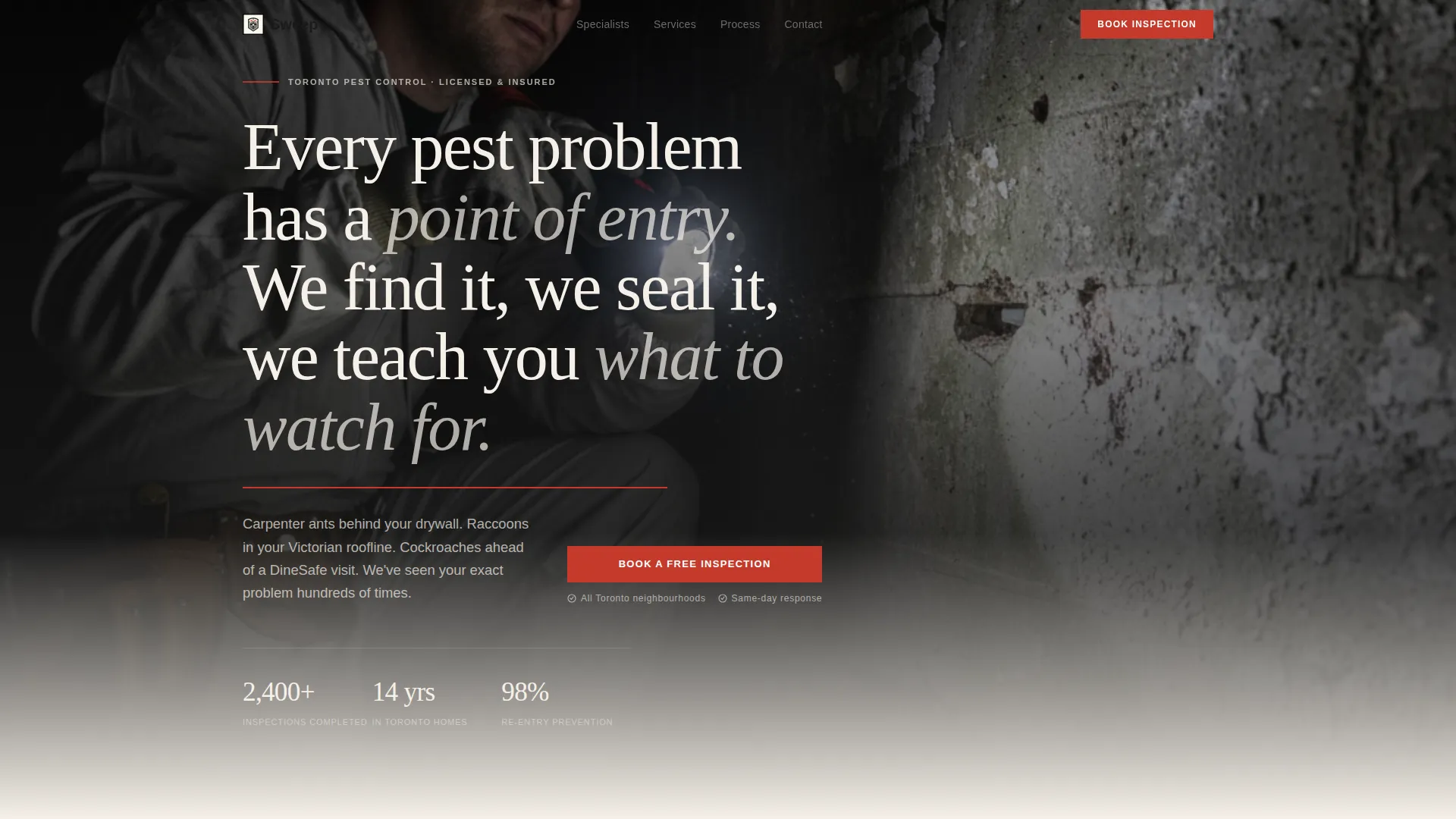
- A manifesto header with a serif quote block, a thin red rule, and a space for a candid technician photo
- Team-and-pest profile sections pairing specialist bios with hand-drawn-style pest illustrations
- A three-field lead form and a secondary email capture path for a downloadable seasonal pest guide
Feature list
This section covers the functional and design capabilities built into the Sweep template as described in the source brief.
Bold Manifesto Header
The page opens with a serif quote block set on warm newsprint cream. A thin field-guide red rule separates the statement from a candid black-and-white technician photograph below it. The composition sets authority immediately, with no stock imagery or scare-based visuals.
Team Profile Scroll Sections
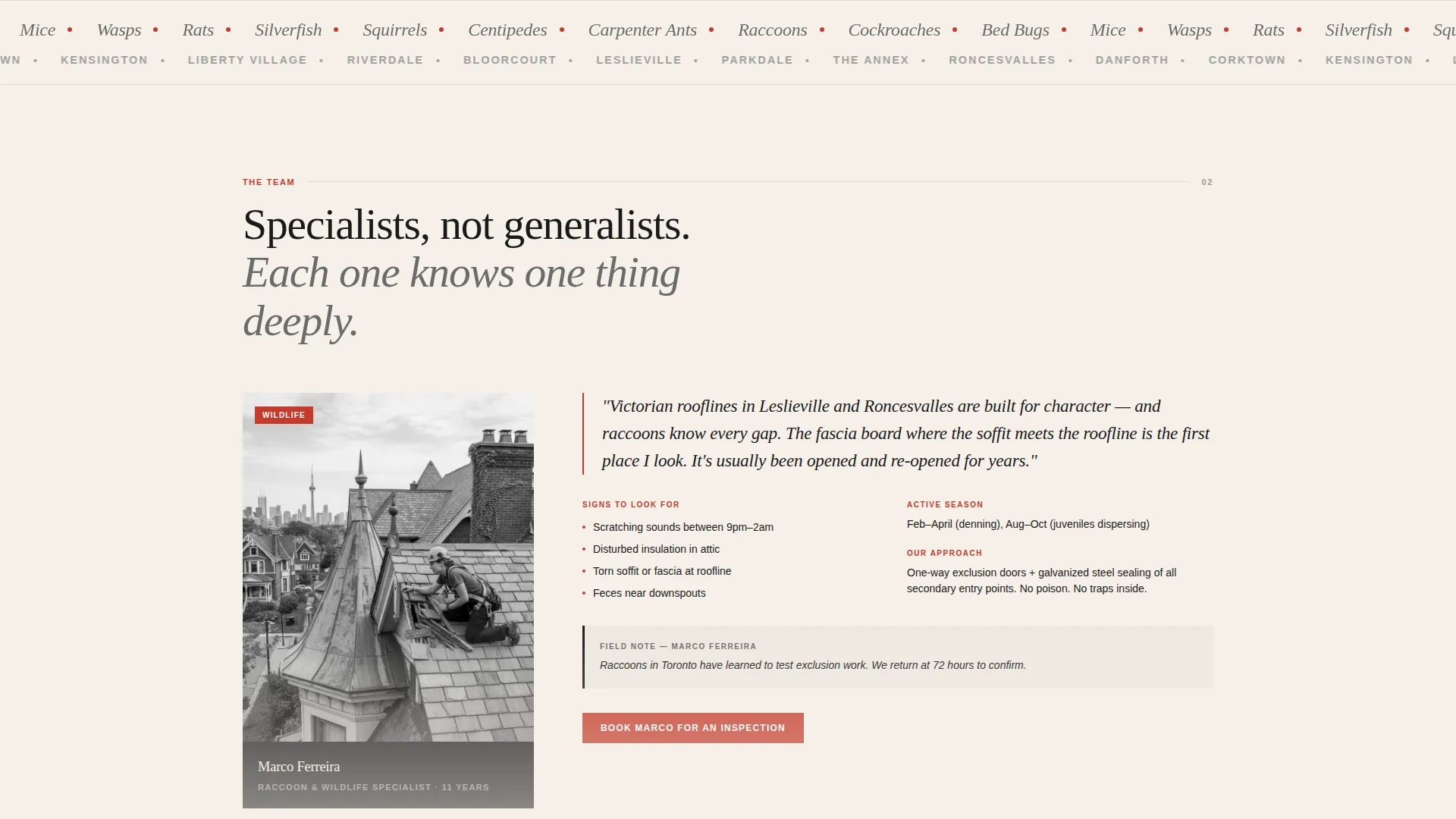
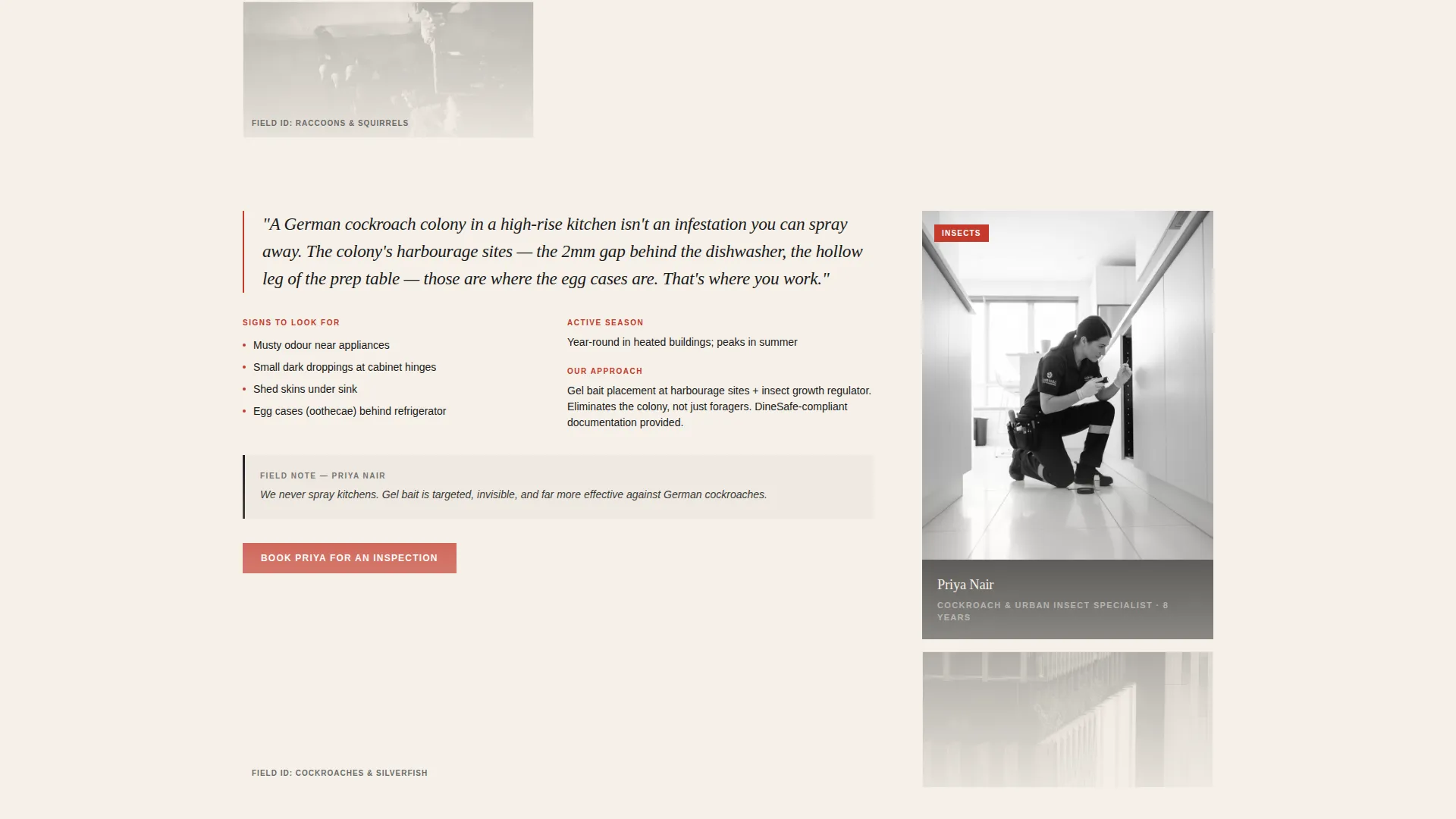
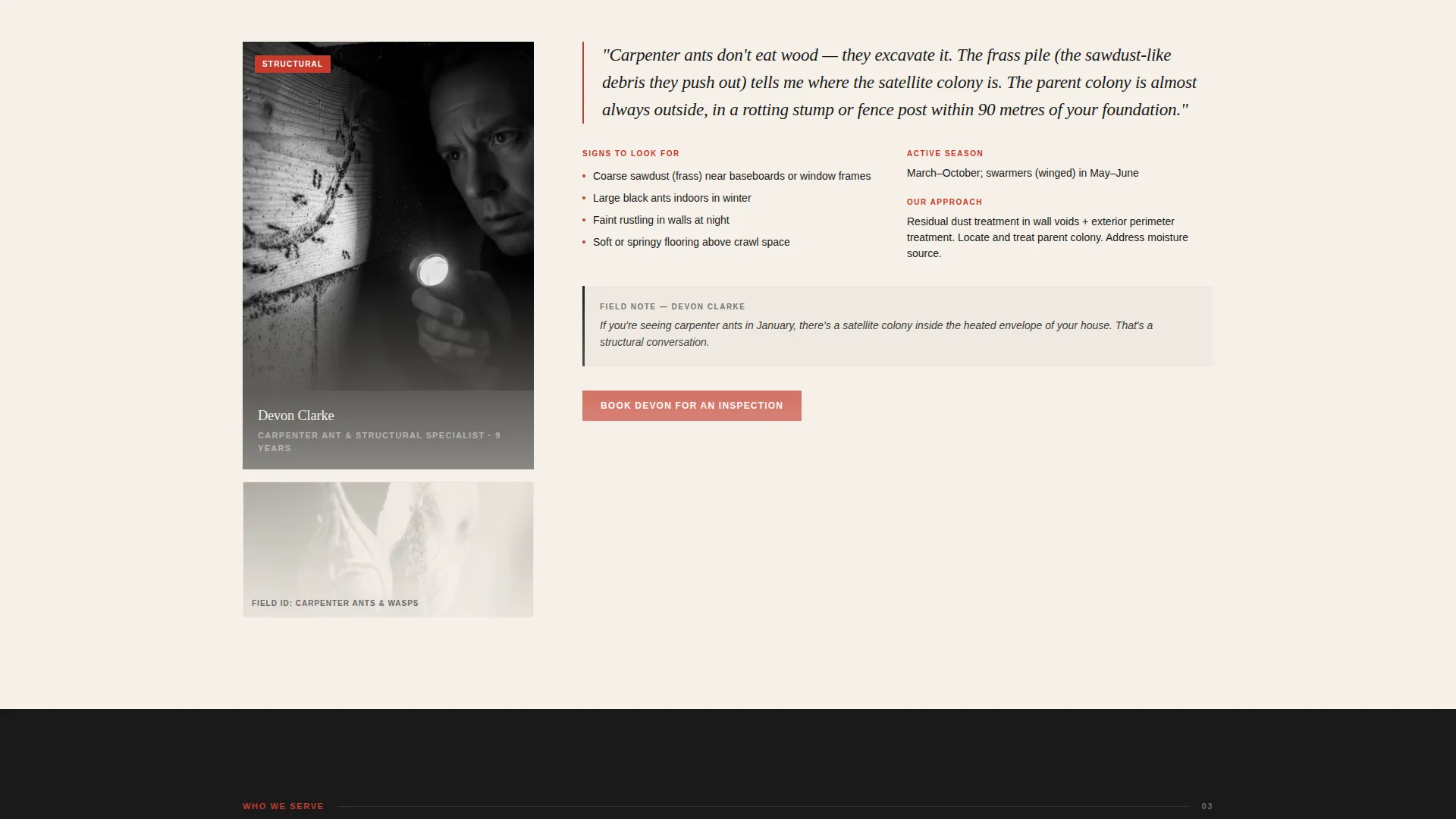
Each scrollable section pairs a real technician photo with the pest category they specialize in. The layout reads like a magazine profile alongside a field guide entry, building reassurance that the team has seen this exact problem before.
Hand-Drawn Pest Illustrations
Opposite each technician profile, a hand-drawn-style illustration of the relevant pest or animal appears. These illustrations reinforce the educational field-guide identity while keeping the page visually distinctive and free from generic stock art.
Three-Field Lead Form
The primary conversion form asks only three questions: postal code to confirm Toronto service area, pest type from a dropdown that includes "Not Sure, Something's Getting In," and preferred contact method of call or text. The short form reduces drop-off for visitors who are ready to act.
Downloadable Seasonal Pest Calendar
A secondary capture path offers a free PDF, "The Toronto Seasonal Pest Calendar," in exchange for an email address. This captures earlier-stage visitors who want information before committing to a booking, extending the template's lead funnel without adding complexity.
Persistent Mobile Booking Bar
On mobile screens, the primary call-to-action button remains fixed at the bottom of the viewport. This ensures visitors can reach the booking prompt at any point in their scroll without needing to return to the top of the page.
Page sections overview
| Section | Purpose |
|---|---|
| Manifesto Header | Opens with an authoritative serif quote and technician photo |
| Red Rule Divider | Visually separates the manifesto from the content below |
| Primary call to action Block | Places the first "Book a Free Inspection" button above the fold |
| Technician Profile: Raccoons | Introduces Marco and explains raccoon behavior in Victorian rooflines |
| Technician Profile: Cockroaches | Introduces Priya and walks through cockroach colony lifecycles |
| Pest Illustration Spreads | Pairs hand-drawn pest art with each specialist section |
| Three-Field Lead Form | Captures postal code, pest type, and contact preference |
| Seasonal Calendar Download | Secondary email capture for the Toronto Seasonal Pest Calendar PDF |
| Persistent Mobile Bar | Keeps the booking call to action accessible throughout the mobile scroll |
Design & branding system
The visual identity follows an Educational Guide theme built around an Ink and Paper color system. Every color choice reinforces the feeling of a naturalist's leather-bound notebook left open on a workbench: serious without being sterile, smart without being clinical.
- Warm newsprint cream (#F5F0E8) and deep editorial black (#1A1A1A) form the base; pencil-sketch gray (#6B6B6B) handles supporting text and illustrations
- Field-guide red (#C43A2B) appears sparingly on callout elements, the call to action button, pest identification markers, and the rule beneath the manifesto header
- Bold serif typography anchors the manifesto and section headings, giving the page the weight and authority of a printed editorial spread
Mobile & speed optimization
The template is structured for a clean mobile experience, with layout choices that keep the single-page scroll readable and action-ready on smaller screens.
- The persistent bottom bar keeps the primary booking call-to-action visible throughout the entire mobile scroll
- The three-field form is designed to be short enough to complete comfortably on a phone without zooming or excessive scrolling
- Section-by-section scroll pacing mirrors a page-turning reading rhythm, keeping the mobile experience from feeling dense or overwhelming
How this template helps you convert
The layout is built around two distinct visitor types: someone ready to book right now, and someone gathering information before making a decision. Both paths are served without competing for the same space.
- The "Book a Free Inspection" button appears first below the manifesto and again as a persistent mobile bar, so high-intent visitors never have to search for the next step
- The downloadable Toronto Seasonal Pest Calendar captures email addresses from research-stage visitors, turning early interest into a lead without requiring a booking commitment
Other information about this template
This template is part of a broader editorial magazine theme direction. It was designed specifically for the Toronto local services market and reflects the city's distinct mix of Victorian-era housing stock, high-density rental buildings, and active food-service corridors.
- The template style follows a Sidebar Companion layout pattern, where specialist content runs alongside supporting visuals in a dual-column magazine spread format
- The landing page direction leans toward Content and Resource delivery, meaning it works as both a conversion tool and an informational reference that earns repeat visits
- The header concept uses a light editorial treatment on a cream background, contrasting with darker full-bleed approaches, to keep the page feel calm and trustworthy rather than urgent
- This template suits service businesses in professional services categories where credibility and local knowledge matter more than high-pressure sales copy
Theme
Editorial Magazine
Creative direction
Stats-First Impact
Color system
Navy Authority
Style
Sidebar Companion
Direction
Content/Resource
Page Sections
Manifesto Header with Technician Photo
Scrollable Team Profile Sections
Hand-drawn Pest Illustration Panels
Three-field Booking Form
Seasonal Pest Calendar Download
Persistent Mobile Call-to-action Bar
Related questions
Can I replace the placeholder technician names and photos with my own team?
Is the downloadable pest calendar included in the template?
Does the lead form work for service areas outside Toronto?
Can I add more technician profile sections beyond the two shown?
Who handles the form submissions and email capture?



