Social Services & Welfare Professional Website Template
Foster is a single-column landing page template built for county-licensed foster care agencies. It guides prospective foster families through a numbered readiness pathway, removes bureaucratic anxiety with real timelines and plain language, and captures leads through a three-question eligibility form and a PDF checklist download. The design is institutional, calm, and deeply trustworthy.
by Rocket studio
Quick summary
Foster is a lead generation landing page template designed for civic foster care agencies. It walks prospective foster families from "thinking about it" to a concrete first step using a scroll-activated readiness pathway, a sequential eligibility form, and a PDF checklist gate. The look and feel is clean, institutional, and reassuring.
Who this template is for
This template is built for county-licensed foster care agencies that need to turn cautious, curious visitors into qualified leads. It works especially well for agencies whose audiences already feel a pull toward fostering but keep postponing the first call.
- Married couples in their mid-thirties who have been considering fostering for a year or two and need a clear starting point
- Single professionals with a spare room and a desire to give back, looking for a straightforward process overview
- Grandparents formalizing a kinship placement ahead of an upcoming court date
What problem this template solves
Most foster care agency pages create more anxiety than they resolve. Visitors leave with unanswered questions about timelines, disqualifiers, and what "the process" actually involves. This template solves that problem directly.
- It names exact steps, real form requirements, and honest timelines so visitors feel informed rather than overwhelmed
- It captures leads at two points: the ready visitor who fills out the eligibility form and the not-yet-ready visitor who downloads the PDF checklist
What you get with this template
You get a fully structured single-column landing page that functions as a calm, competent caseworker in digital form. Every section does one job and does it clearly.
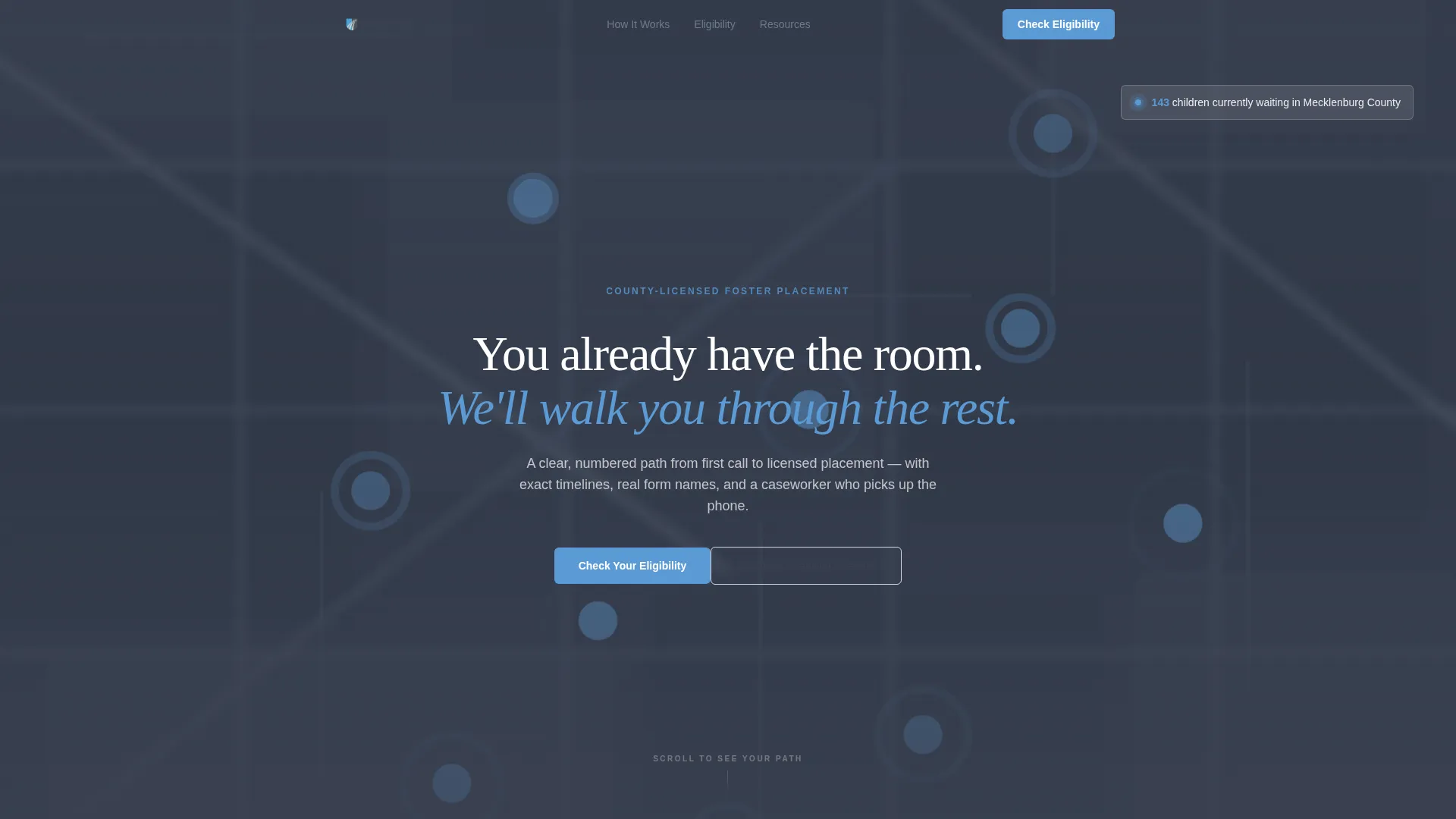
- A muted county map hero with pulsing location pins, a live waiting-children counter, and a fade-in headline paired with dual calls to action
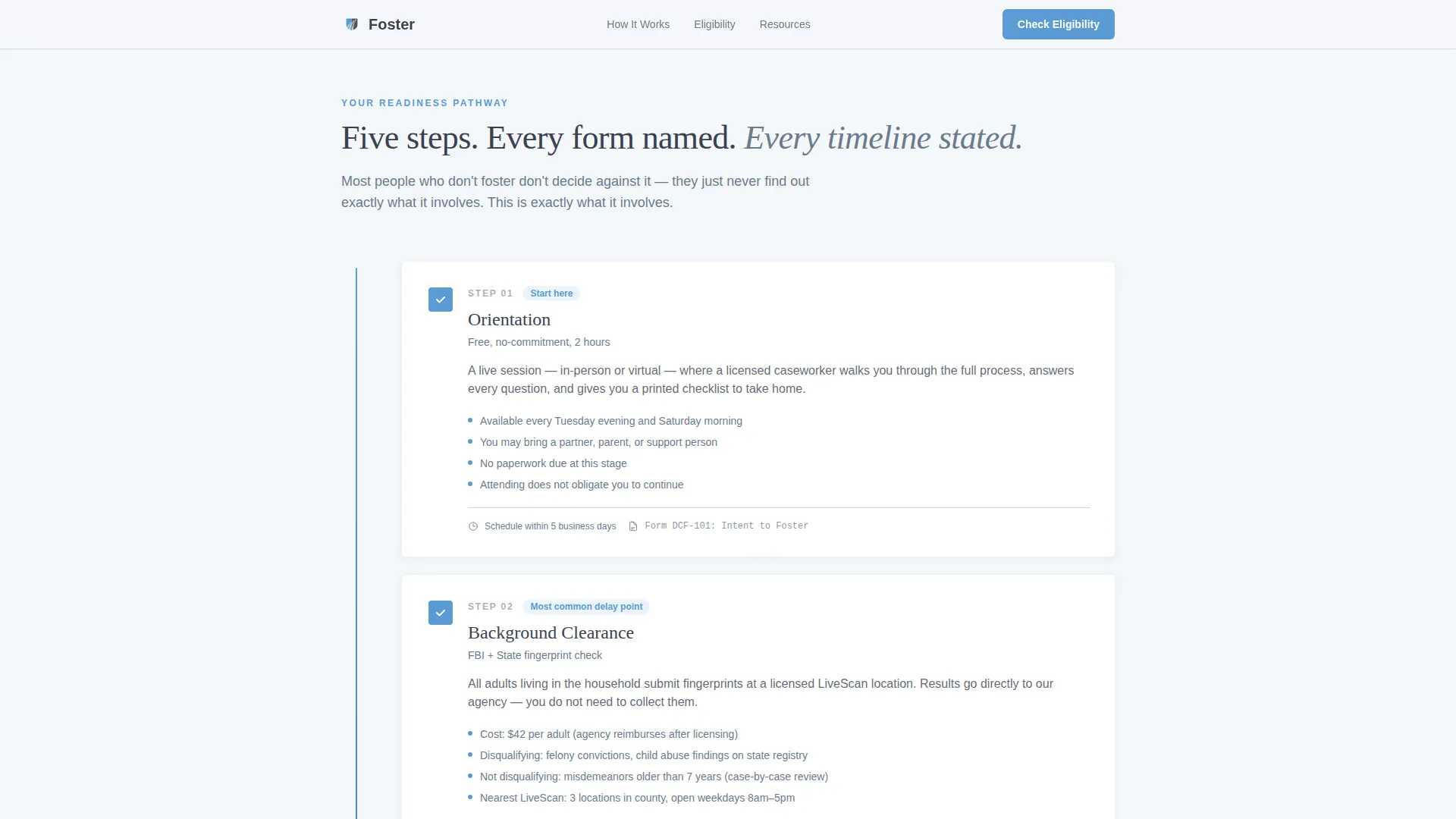
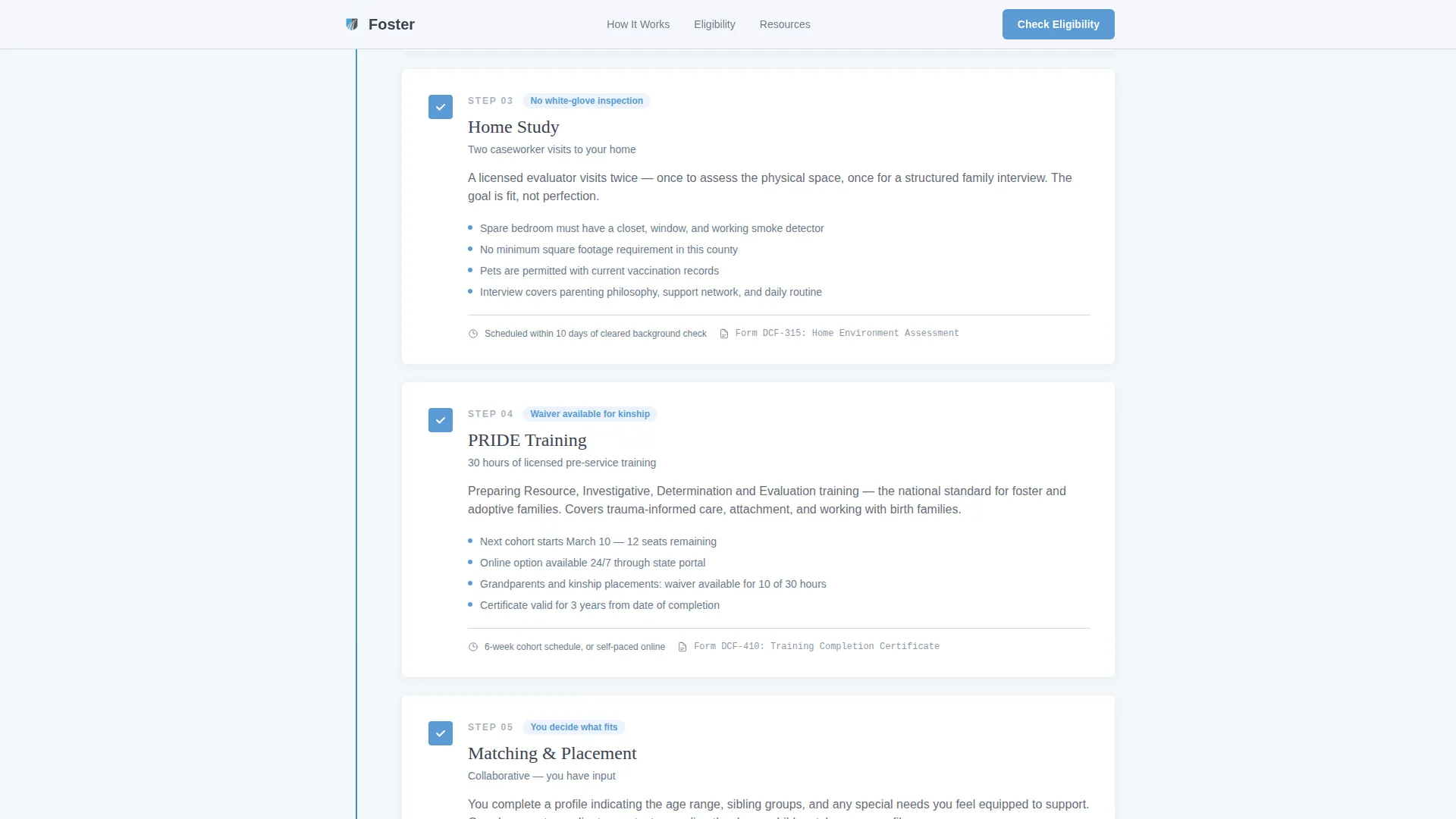
- A five-step numbered readiness pathway with scroll-activated checkbox fills and a left-margin progress bar
- A three-question sequential eligibility form, a trust-building disqualifier table, and an email-gated PDF checklist download
Feature list
This template is built around a set of focused, prompt-backed capabilities that work together to reduce hesitation and capture qualified interest.
Scroll-Activated Readiness Pathway
Five numbered steps guide visitors from orientation through background clearance, home study, training hours, and matching. Each step opens with a checkbox icon in slate that fills to sky blue as the visitor scrolls past it, building a visible progress bar along the left margin.
Sequential Three-Question Eligibility Form
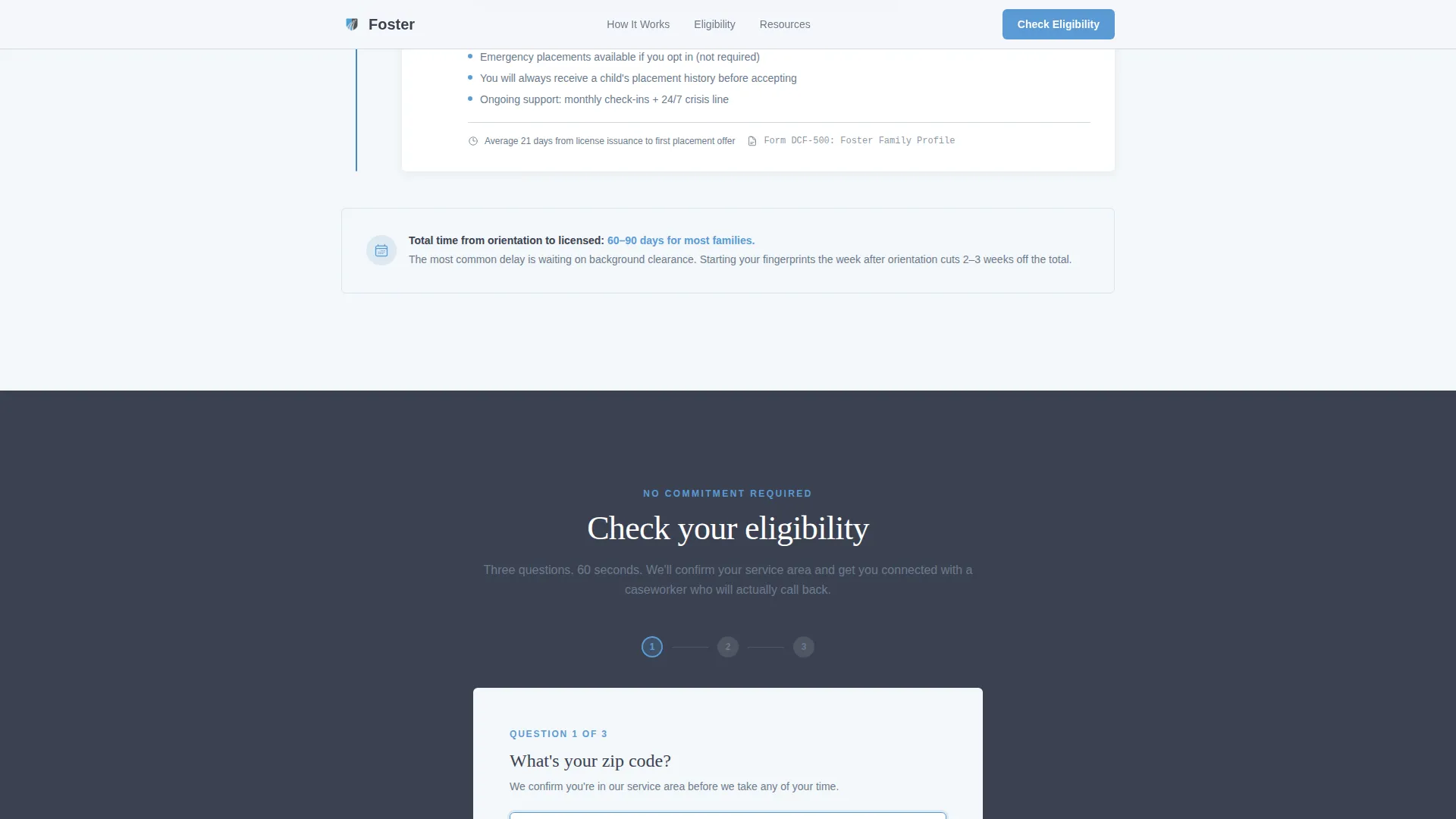
The primary lead capture form asks questions one at a time: zip code first to confirm service area, household size second, and preferred contact method third. The step-by-step approach reduces friction and feels purposeful rather than demanding.
Map-Based Hero Section
The header renders a muted, desaturated county map in slate tones with small sky-blue pins that pulse gently at placement locations. A waiting-children counter sits in the upper corner. The map slowly zooms toward street level as the visitor lingers, making the need feel local and immediate.
PDF Checklist Gate
A secondary lead capture path offers a downloadable licensing checklist behind a single email field. This captures visitors who are not yet ready to call but want to review the process privately before committing to a conversation.
Trust-Building Disqualifier Table
A dedicated section clearly states what disqualifies an applicant versus what does not, alongside specific timeline facts such as background checks returning in 12 to 18 business days. This specificity builds confidence and removes the last reasons to postpone.
Persistent Mobile Call-to-Action Bar
On mobile devices, a fixed bottom bar keeps the primary "Check Your Eligibility" call to action visible at all times, ensuring the lead capture entry point is never more than a tap away.
Page sections overview
| Section | Purpose |
|---|---|
| Hero Map | Display county service area, pulsing placement pins, waiting-children counter, fade-in headline, and dual calls to action |
| Readiness Pathway | Walk visitors through five numbered licensure steps with scroll-activated checkbox progress |
| Eligibility Form | Capture ready leads through a sequential three-question form |
| Disqualifier Table | Build trust by naming what does and does not disqualify an applicant, with real timelines |
| PDF Checklist Gate | Capture early-stage visitors with an email-gated licensing checklist download |
| Footer | Single-row linear footer with agency contact and essential links |
Design & branding system
The visual identity follows a Civic Service theme. The palette is institutional and deliberate, evoking the clean calm of a well-run government office rather than the warm softness of a charity campaign.
- Institutional charcoal (#3B4252) for body text and grounding elements, civil-service slate (#6B7B8D) for secondary copy and dividers, open-sky blue (#5B9BD5) for buttons and trust signals, and soft cloud white (#F4F7FA) for backgrounds
- DM Sans is used for body text, keeping reading comfortable and modern; Fraunces serves as a serif accent for key headlines, adding a layer of civic authority without feeling heavy
Mobile & speed optimization
The template is built mobile-first. Every layout decision starts from the smallest screen and scales up, so the experience never feels like a shrunken desktop page.
- The single-column flow means all sections stack naturally on phones without layout shifts or horizontal scrolling
- Scroll-activated effects use native CSS and the Intersection Observer browser tool, avoiding heavy third-party libraries that slow load times
How this template helps you convert
The page earns its conversions by proving competence before asking for anything. Visitors reach the form already believing the agency is organized, honest, and reachable.
- The scroll-activated readiness pathway systematically removes every bureaucratic objection so that by the time a visitor sees the eligibility form, they already understand the process and trust the agency to follow through.
- Two distinct lead capture paths serve two different visitor mindsets: the eligibility form captures the visitor who is ready to act today, while the PDF checklist gate captures the visitor who needs one more dinner-table conversation before calling.
Other information about this template
This template is part of a broader set of civic and social services templates designed for government-adjacent organizations in the United States. It suits county-level and regional agencies operating within defined service areas.
- The page is localized for USA county-level service areas and is written and structured entirely in English
- The footer follows a linear single-row pattern, keeping the bottom of the page uncluttered and consistent with the institutional tone
- Template style is single-column flow, which supports the checklist-and-audit creative direction by keeping the visitor's eye moving straight down the readiness pathway without visual detours
Theme
Civic Service
Creative direction
Checklist & Audit
Color system
Slate & Sky
Style
Single Column Flow
Direction
Lead Generation
Page Sections
Scroll-activated Readiness Pathway
Sequential Eligibility Form
Map-based Hero Section
PDF Licensing Checklist Gate
Trust-building Disqualifier Table
Persistent Mobile Call-to-action Bar
Related questions
Can this template be used for a private foster care agency, not just a county agency?
What is the PDF checklist gate and how does it work?
Who are the main visitors this landing page is designed to reach?
Does the eligibility form support all three contact preferences out of the box?
Can the waiting-children counter in the hero section be updated with real figures?



