Precision Concrete Contractor Landing Page Template
Trowel is a single-column landing page template built for concrete finisher businesses. It pairs a Quote/Manifesto header with an Expert Panel crew showcase, a service area map section, and a project stats row. The Navy Authority color system and amber call-to-action buttons create an authoritative, industrial feel that earns trust and drives estimate requests.
by Rocket studio
Quick summary
Trowel is a single-column flow landing page template designed for concrete finisher service area pages. It opens with a bold manifesto header, scrolls through specialist crew panels with credential blocks, and closes with project stats and a prominent estimate request button. The Executive Suite theme makes every section feel measured, credible, and ready to close.
Who this template is for
This template is built for concrete finishing professionals who need a landing page that communicates real expertise. It suits businesses that serve multiple client types and want a design that feels as precise as their work.
- Concrete finishing crews offering commercial and residential pours
- Subcontractors targeting general contractors and property managers
- Service area businesses that need to prove credentials before a client calls
What problem this template solves
Most trade service pages look generic. They rely on stock photos, vague promises, and layouts that could belong to any contractor. Trowel solves the trust gap by making competence visible from the first scroll.
- Visitors leave quickly when a page cannot prove who is doing the work
- Unnamed crews and missing data give no reason to submit an estimate request
- A weak call-to-action flow loses qualified leads who are ready to hire
What you get with this template
You get a fully structured, single-column landing page layout that walks a visitor from introduction to conversion. Every section is pre-built and mapped to a specific job in the persuasion sequence.
- A Quote/Manifesto header block with amber typographic rule and service area line
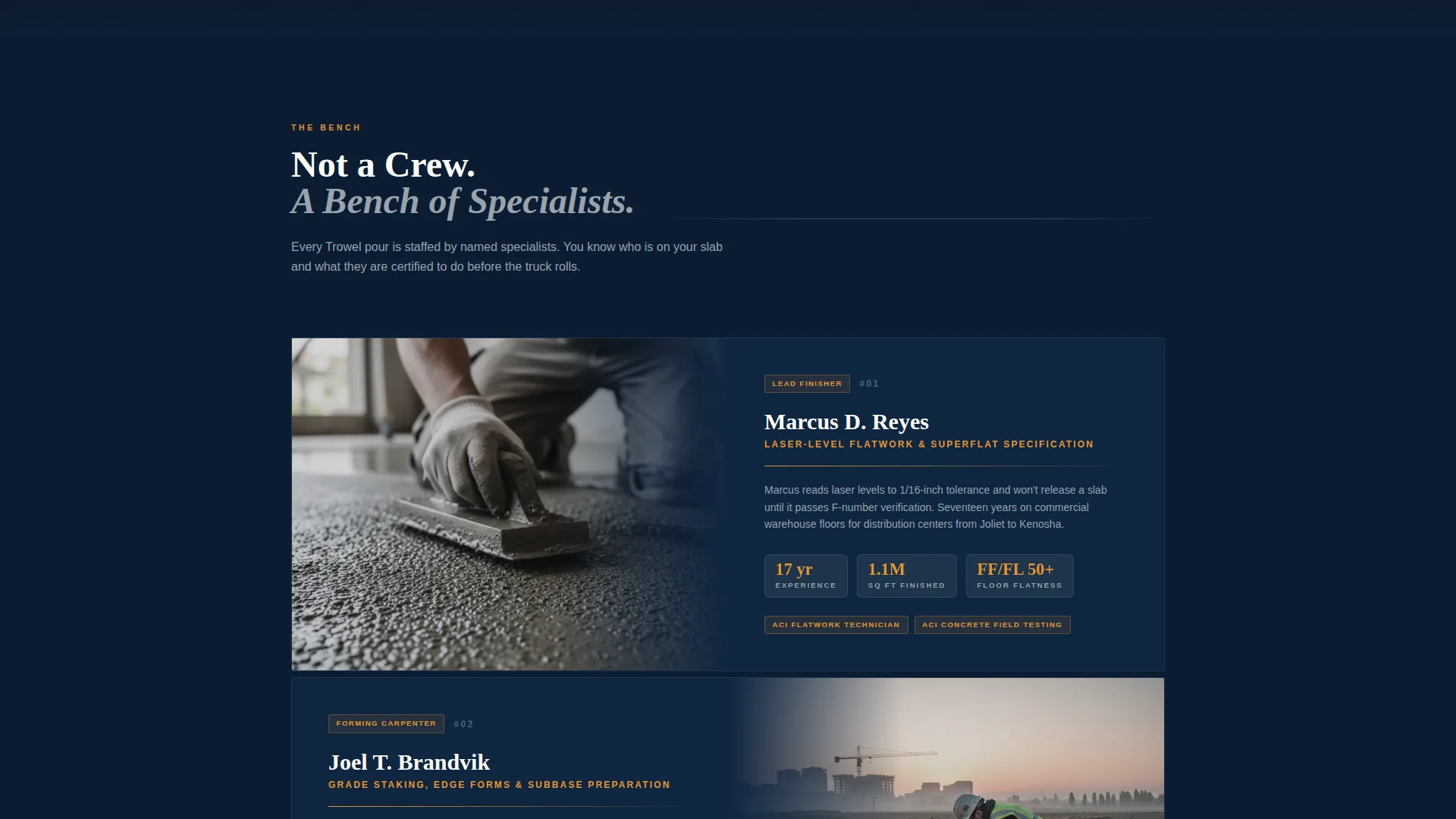
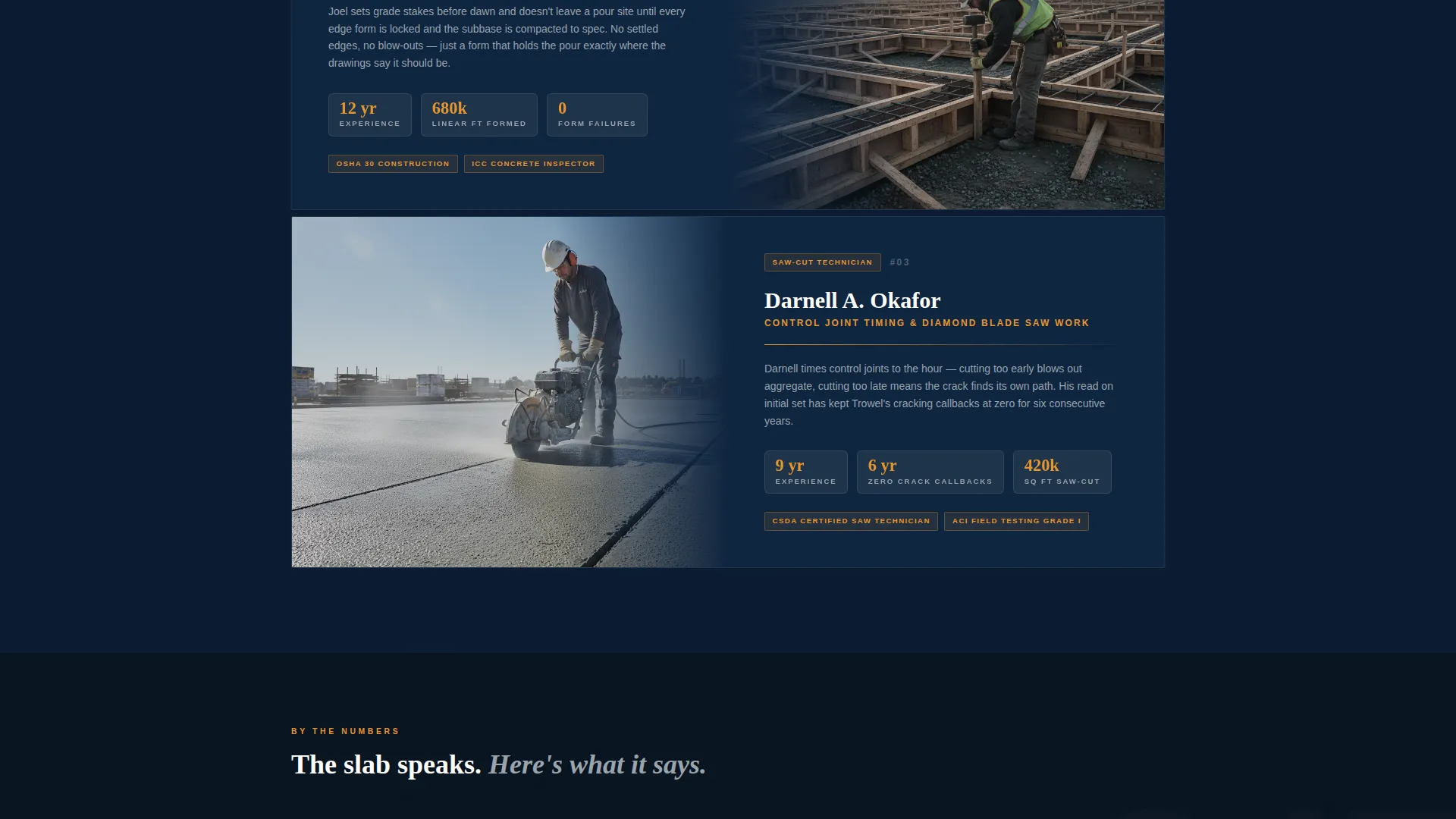
- Three Expert Panel crew sections with detail photo placeholders and credential blocks
- A service area map section, project stats row, and two distinct call-to-action placements
Feature list
This section describes the key capabilities built into the Trowel template layout.
Quote/Manifesto Header Block
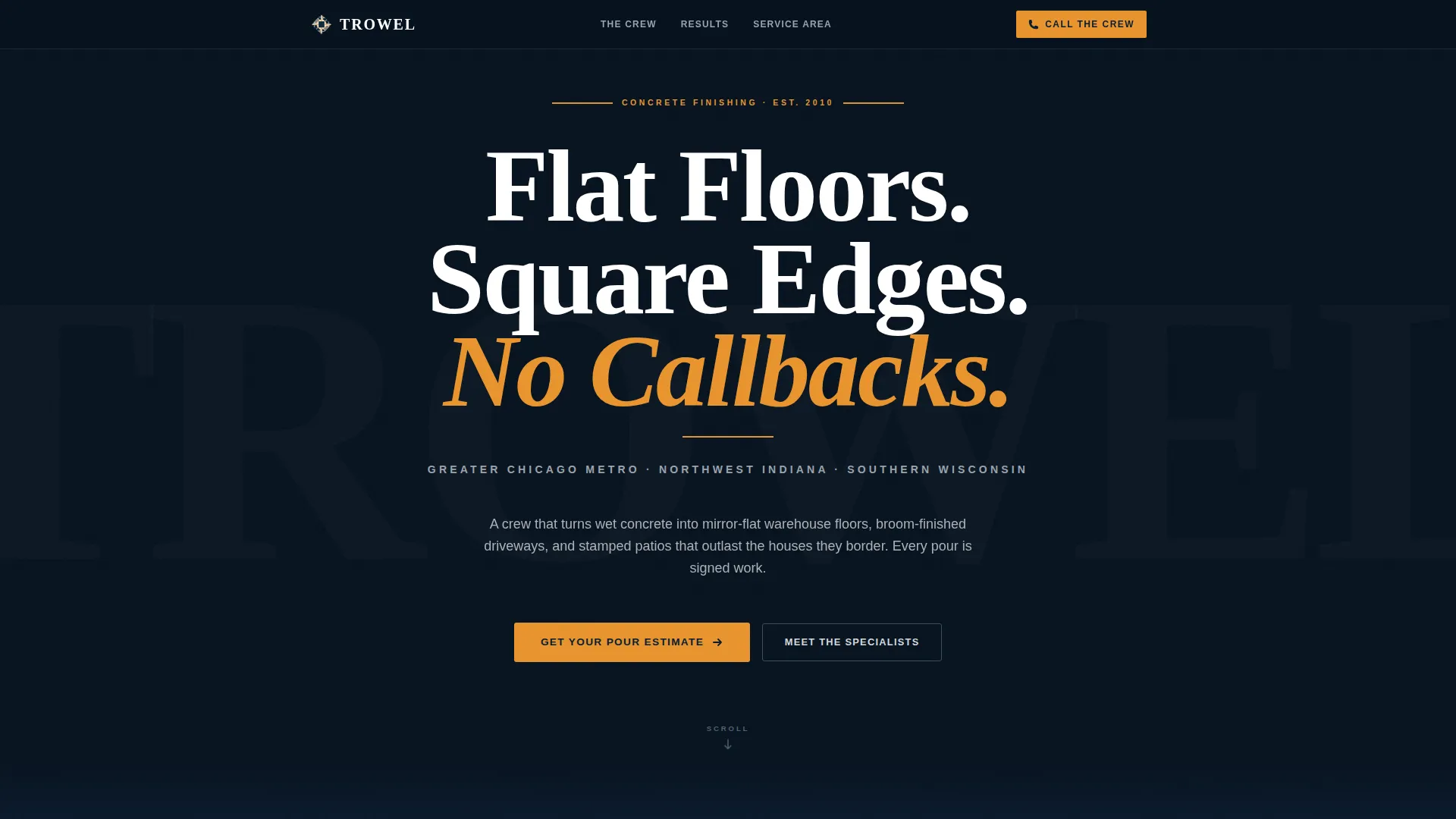
The header opens with a single bold serif line set in oversized, wide-tracked white type against unbroken deep navy. A thin amber rule sits below the oath-style headline, followed by a secondary line for the service area and years active. No image competes with the typography.
Expert Panel Crew Sections
Three scrollable panels introduce the lead finisher, the forming carpenter, and the saw-cut technician as named specialists. Each panel pairs a tight detail photograph placeholder with a credential block showing years of experience, square footage finished, and specialty certifications such as ACI Flatwork Technician.
Project Stats Row
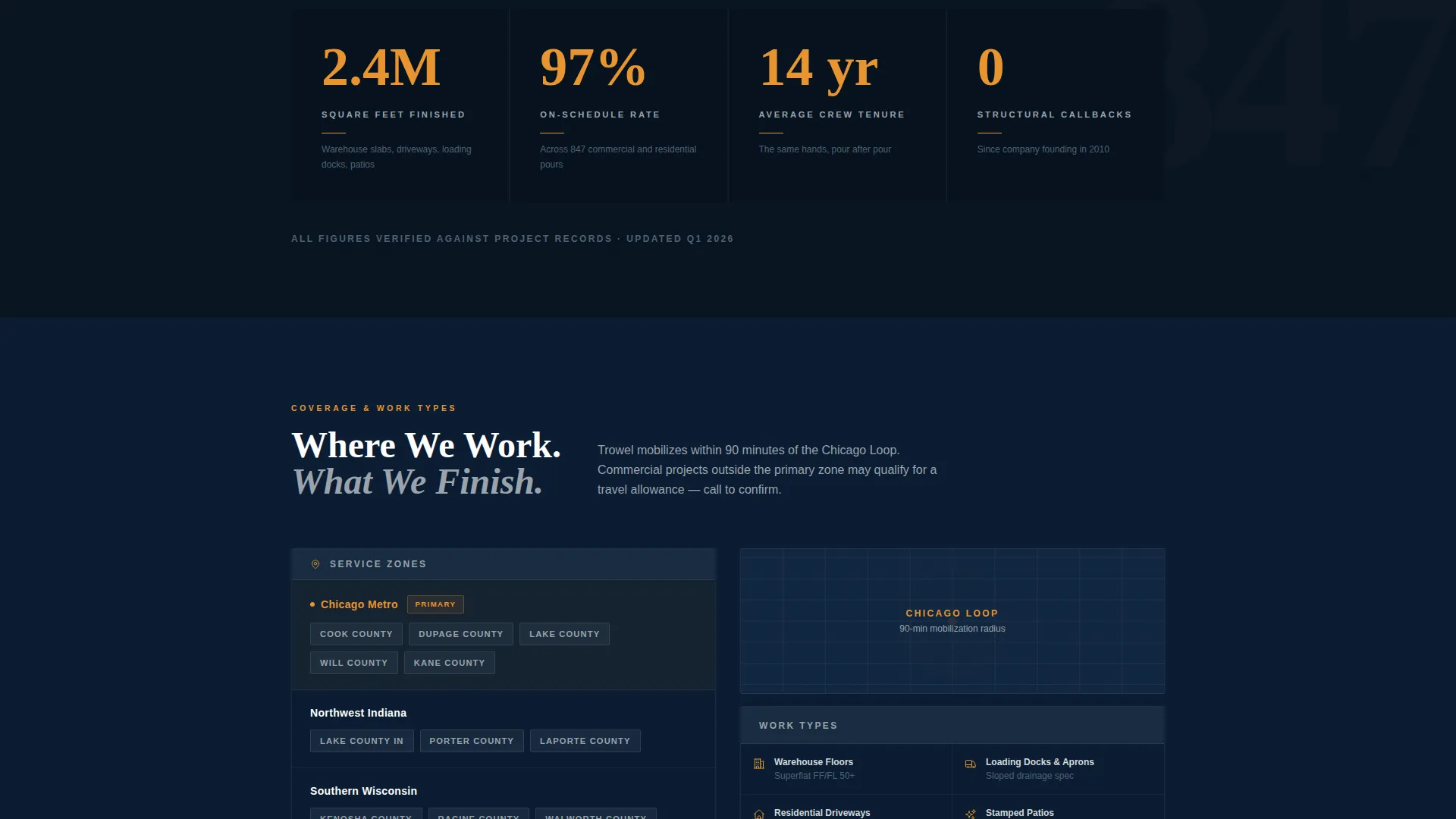
A rapid-fire stats row displays key proof points: 2.4 million square feet finished, a 97 percent on-schedule rate, and a 14-year average crew tenure. The amber accent highlights each data point so the eye lands exactly where trust is built.
Primary and Secondary Call-to-Action System
The primary call-to-action button reads "Get Your Pour Estimate" and appears three times: after the expert panels, after the service area map, and after the project stats row. A secondary sticky call-to-action in the navigation reads "Call the Crew" with a tap-to-dial number placeholder.
Service Area Map Section
A dedicated section displays the covered zip codes as a visual service area map. It gives general contractors and property managers a fast way to confirm coverage before they invest time in an inquiry.
Navy Authority Color System
Deep command navy dominates alternating background bands. Polished gunmetal holds section dividers and credential badges. Cured concrete silver carries body text. Safety-vest amber appears only on call-to-action buttons and key data points, creating a clear visual hierarchy from background to action.
Page sections overview
| Section | Purpose |
|---|---|
| Manifesto Header | Opens with the contractor oath headline, amber rule, and service area line |
| Lead Finisher Panel | Introduces the primary specialist with credential block and detail photo |
| Forming Carpenter Panel | Showcases the grade-stake specialist with experience data |
| Saw-Cut Technician Panel | Profiles the control-joint specialist with certification details |
| Service Area Map | Displays covered zip codes for quick geographic qualification |
| Project Stats Row | Delivers 2.4M sq ft, 97% on-schedule, and 14-year tenure proof points |
| Primary call to action Block | Drives estimate requests with the amber "Get Your Pour Estimate" button |
| Sticky Nav call to action | Keeps "Call the Crew" tap-to-dial visible on every scroll position |
Design & branding system
The template follows an Executive Suite theme. The palette feels like a freshly sealed commercial floor under fluorescent bay lights: authoritative, industrial, and clean.
- Background alternates between deep command navy (#0B1D33) and darker navy bands, with polished gunmetal (#3D4F5F) used for dividers and badge elements
- Cured concrete silver (#D4D8DC) carries body text and secondary labels for high legibility against dark backgrounds
- Safety-vest amber (#E8952F) is reserved strictly for call-to-action buttons and key data callouts, keeping the accent powerful and intentional
Mobile & speed optimization
The single-column flow layout is a naturally mobile-friendly structure. Every section stacks vertically without layout shifts or complex grid behavior.
- Expert Panel sections use a single-column photo-plus-credential arrangement that adapts cleanly to narrow viewports
- The sticky navigation call-to-action is designed to remain accessible on both desktop and mobile scroll positions
- The typographic-first header avoids heavy image assets, keeping the opening section visually impactful on any screen size
How this template helps you convert
Trowel is built around a Click-Through landing page direction. Every design and copy decision moves a qualified visitor toward submitting an estimate request.
- The manifesto header establishes authority in the first three seconds, reducing bounce before the visitor even begins scrolling
- The Expert Panel sequence builds a cumulative case for competence, so by the time the primary call-to-action button appears, the visitor already trusts the crew
- The project stats row provides the final proof layer, turning hesitation into confidence and making the amber "Get Your Pour Estimate" button the natural next step
Other information about this template
This template is part of the Executive Suite theme family and uses the Navy Authority color system paired with the Expert Panel creative direction. It is designed specifically for the concrete finisher service area page niche within the professional services category.
- The template style is Single Column Flow, making it straightforward to customize section by section without breaking the layout
- The header concept is Quote/Manifesto, a format well suited to trades and specialty contractors who want to lead with a statement of craft rather than a promotional headline
- This template works well for concrete finishing businesses looking to build a credible web presence for a specific service area, whether targeting commercial pours, loading dock resurfacing, or residential slab replacement
Theme
Executive Suite
Creative direction
Expert Panel
Color system
Navy Authority
Style
Single Column Flow
Direction
Click-Through
Page Sections
Quote/manifesto Header Block
Expert Panel Crew Sections
Project Stats Row
Dual Call-to-action System
Service Area Map Section
Navy Authority Color System
Related questions
Can I change the crew member details and credential blocks?
Is the 'Get Your Pour Estimate' button linked to a form?
Can I adjust the service area map to show my actual coverage?
Does the sticky 'Call the Crew' button support tap-to-dial on mobile?
Can I use this template for a single city or a multi-zip service area?



