New Construction Real Estate Agent Landing Page
Foundation is a split-screen new construction real estate landing page built for agents who sell homes before they exist. It pairs aerial before-and-after photography with interactive reveal sliders, a community search module, and a two-step reservation form. The design uses a warm stone palette to make every scroll feel like stepping into a finished model home.
by Rocket studio
Quick summary
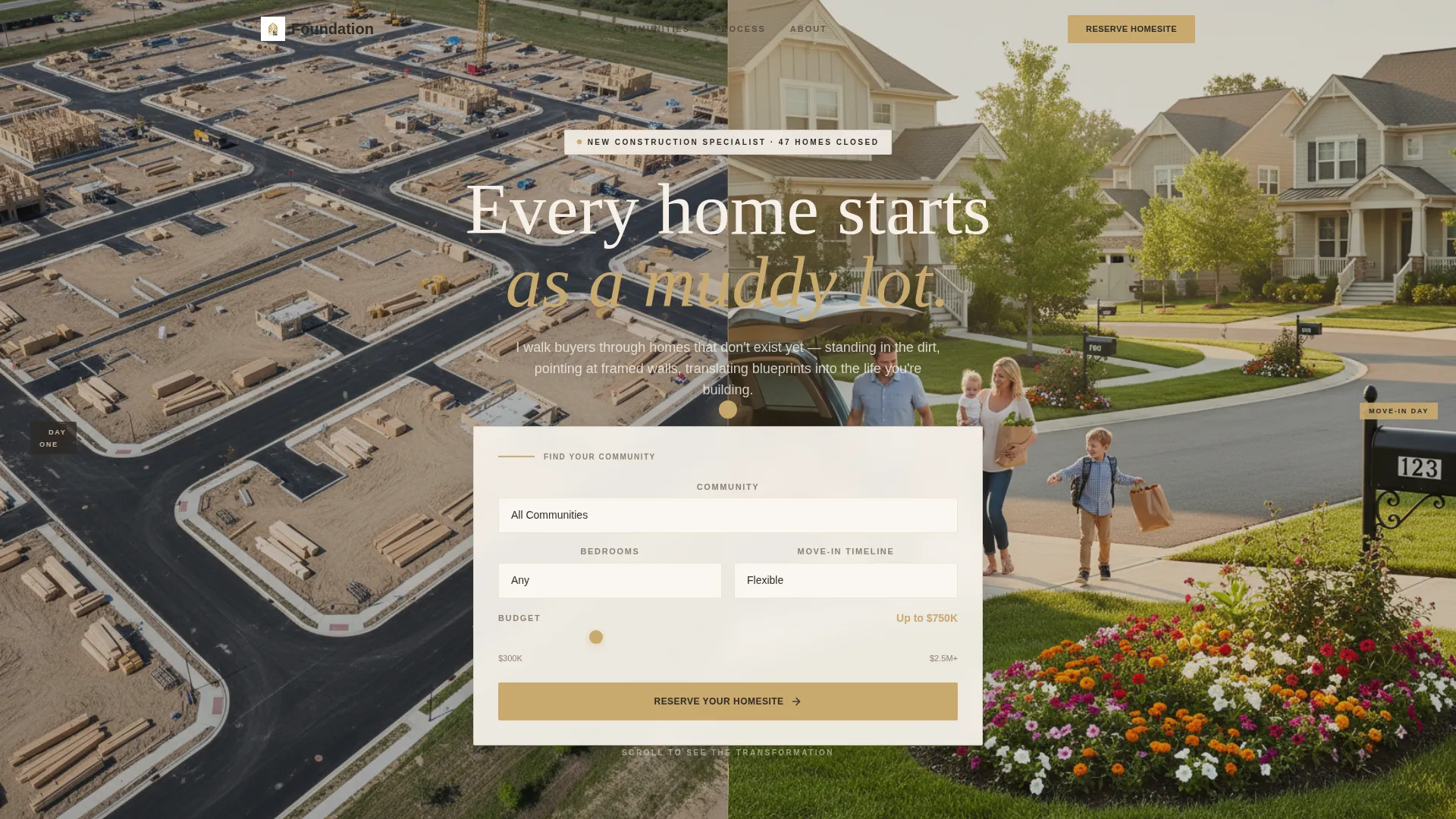
Foundation is a single-page landing page template designed for new construction real estate agents. It opens with a split-screen header showing a development mid-build alongside its finished, landscaped version. Visitors explore three featured communities through interactive before-and-after sliders, then move toward a clear reservation call to action.
Who this template is for
This template is built for real estate agents who specialize in selling new construction homes. It speaks directly to buyers who want to build rather than compete on resale.
- Agents representing new construction communities across townhome, single-family, and estate lot tiers
- Professionals working with relocating executives, young couples upgrading from starter homes, and families ready to build exactly what they need
- Agents who need a high-impact single page to replace generic listing portals with something that tells a visual story
What problem this template solves
Selling a home that does not exist yet is a hard sell. Buyers struggle to imagine a finished life from a muddy lot and a floor plan printout. This template bridges that gap visually.
- It shows the transformation from raw construction to finished living space, reducing buyer hesitation before a single conversation
- It captures serious leads through a two-step reservation form while offering a lower-commitment path for visitors who are still early in their research
What you get with this template
You get a fully structured, visually driven landing page that moves visitors from curiosity to a confirmed homesite reservation. Every section is purposeful and layered.
- A split-screen hero header with a floating community search module, including a dropdown, bedroom count selector, budget range slider, and move-in timeline picker
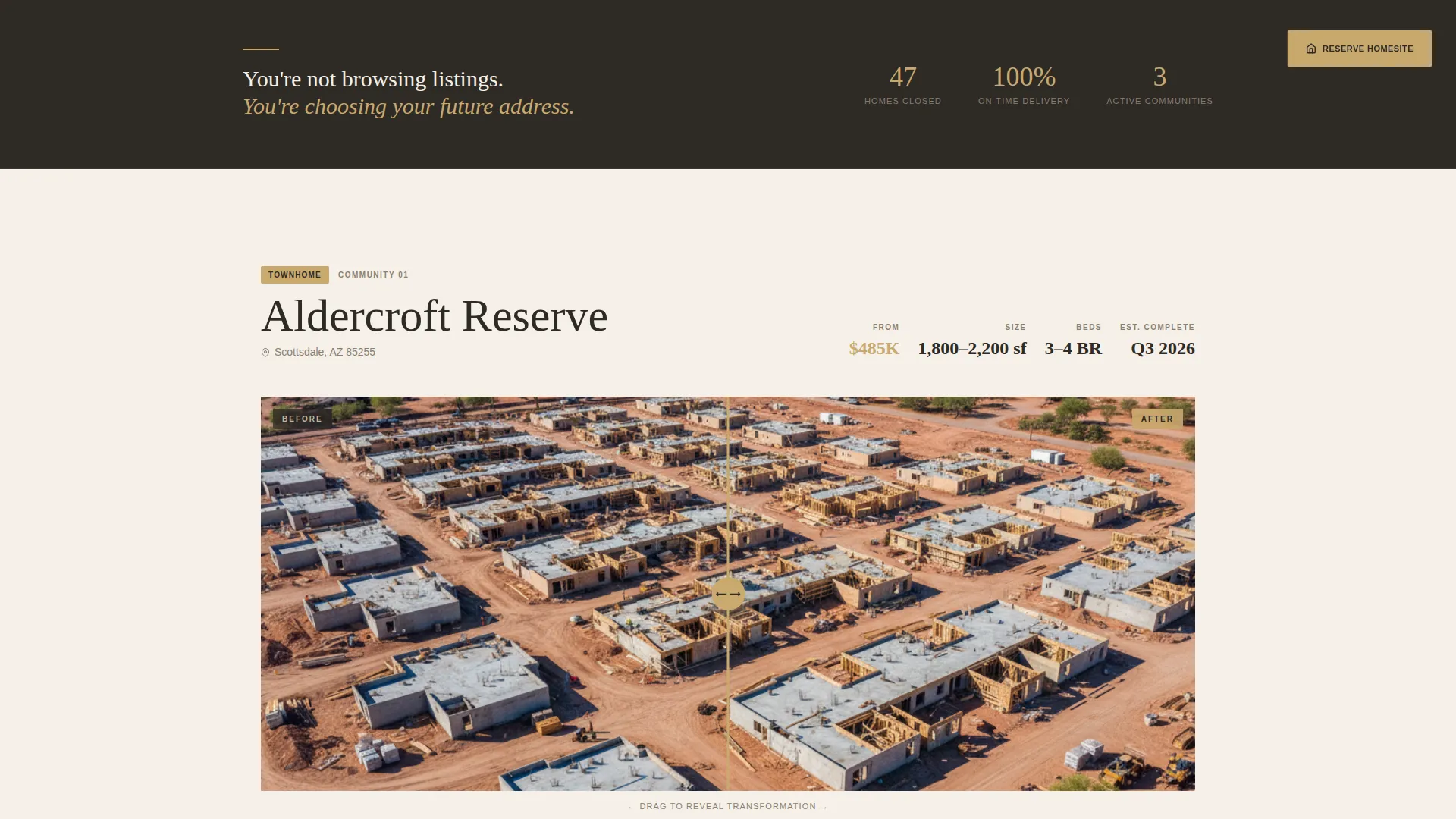
- Three scrollable before-and-after community sections with interactive drag sliders, escalating from townhome to estate lot
- Testimonial strips between communities, a two-step reservation form, and a gated site map download for early-stage visitors
Feature list
This landing page template packs meaningful functionality into a clean, scroll-driven structure. Each feature supports the agent's core goal: turning a construction site into someone's future address.
Split-Screen Hero with Search Module
The header divides the viewport equally. The left side shows an aerial drone photo of a community under construction. The right side reveals the same community finished and lived in. A floating search module sits between them with a community dropdown, bedroom count selector, budget range slider, and move-in timeline chooser.
Interactive Before-and-After Drag Slider
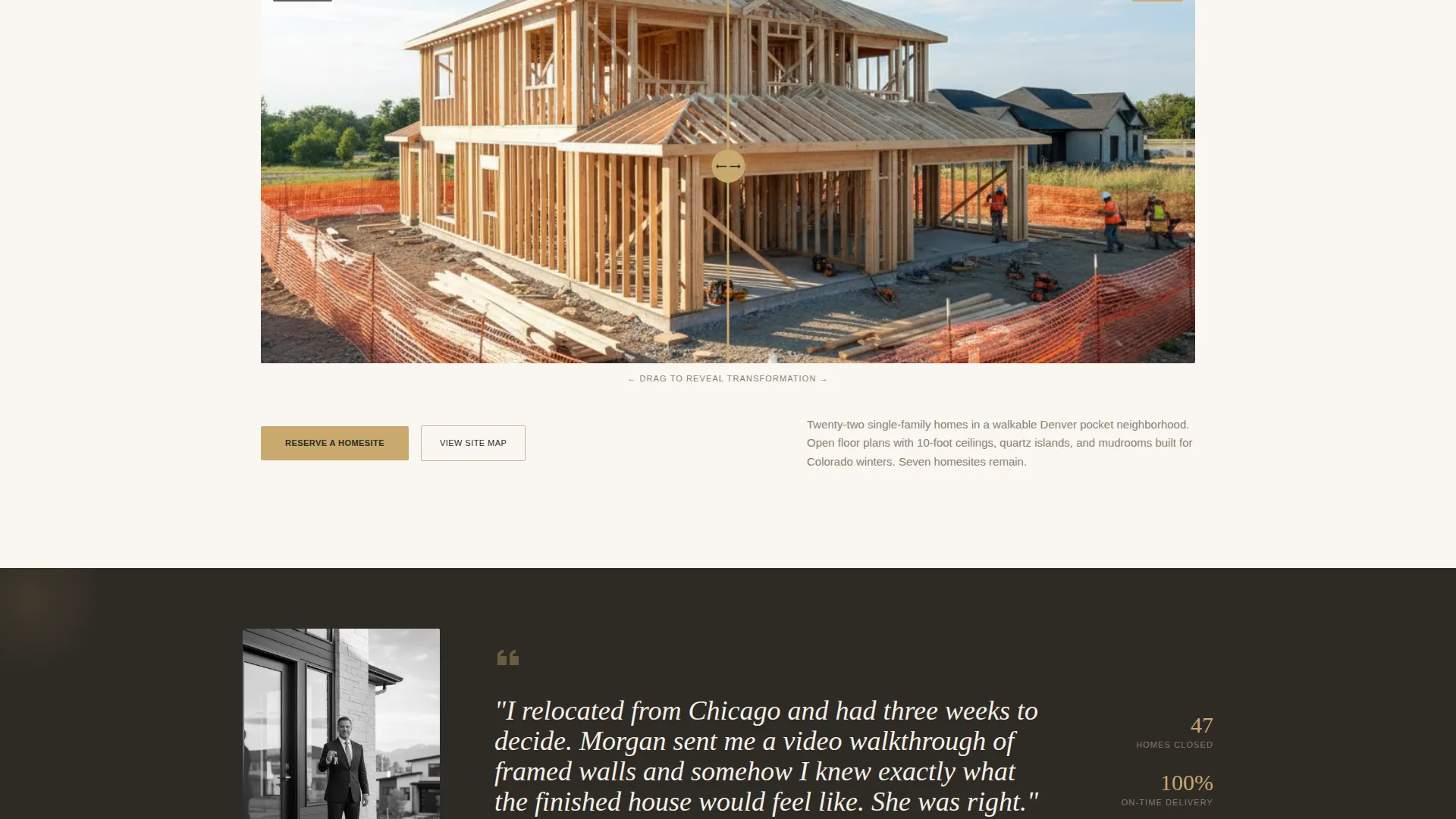
Each of the three community sections uses a drag slider to let visitors pull a curtain between the construction phase and the finished interior. This hands-on interaction makes the transformation feel real and personal rather than abstract.
Escalating Community Showcase
The three featured communities are structured to build aspiration as the visitor scrolls. The sequence moves from a townhome through a single-family home to an estate lot, guiding visitors naturally toward a higher level of engagement with each section.
Closing-Day Testimonial Strips
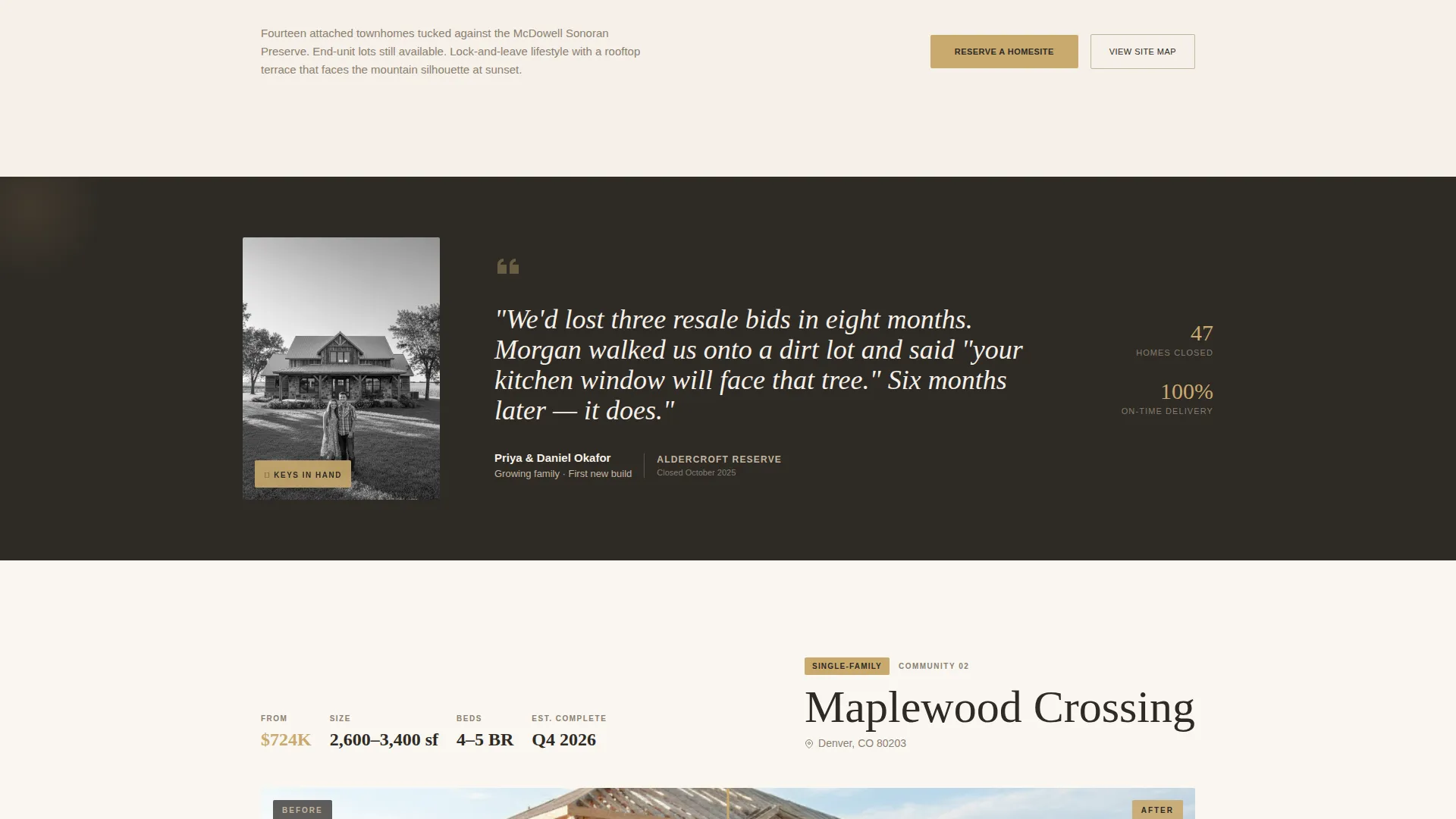
Between each community section, a single-column testimonial strip features a buyer photographed on their closing day. Keys in hand, standing on their own front porch. This placement puts social proof exactly where hesitation tends to rise.
Two-Step Reservation Form
The primary call to action opens a two-step form. Step one collects community preference, desired layout, and timeline. Step two asks for name, phone number, and preferred tour date. The staged format reduces friction and increases completion.
Gated Site Map Download
A secondary conversion path offers a downloadable site map for visitors who are not ready to reserve. The file is gated behind a single email field, capturing leads at the research stage without asking for a full commitment.
Page sections overview
| Section | Purpose |
|---|---|
| Split-screen hero | Introduce the before-and-after premise with a search module |
| Community search module | Let visitors filter by community, bedrooms, budget, and timeline |
| Townhome community reveal | Show construction-to-finished transformation for the first community |
| First testimonial strip | Reinforce trust with a closing-day buyer story |
| Single-family reveal | Escalate aspiration with a larger home transformation |
| Second testimonial strip | Add a second buyer voice between community sections |
| Estate lot reveal | Present the highest-tier community and deepen buyer ambition |
| Sticky reservation call to action | Keep the primary call to action visible throughout the scroll |
| Two-step reservation form | Capture serious leads with a low-friction staged form |
| Site map download | Convert early-stage visitors with a gated email capture |
Design & branding system
The visual identity follows a Luxe Minimal theme built around a warm stone color system. Every surface feels chosen rather than inherited, warm but deliberate.
- The four-color palette uses limestone cream (#F5F0E8) as the base, travertine mid-tone (#C4B5A0) for secondary surfaces, charred timber (#2E2A25) for text and contrast, and brushed brass (#C9A96E) reserved for calls to action, hover states, and price figures
- Photography direction favors aerial drone shots, raw construction materials, styled interiors with afternoon light, and real buyers on closing day to keep the visual story grounded and aspirational at the same time
Mobile & speed optimization
The layout is built to work as cleanly on a phone as it does on a wide desktop screen. A visitor standing on a lot with their phone in hand should have no trouble navigating or submitting the form.
- The split-screen sections stack vertically on smaller screens so construction and finished views remain readable without side-by-side crowding
- The drag slider, search module, and two-step form are all designed for touch interaction, keeping the core conversion path accessible on mobile devices
How this template helps you convert
Every design decision on this page is structured to move a hesitant buyer toward a committed lead. Proof comes before the ask, every time.
- The before-and-after slider shows finished transformations first, so by the time a visitor reaches the reservation form they have already seen the mud become the dream across three communities
- The two-step form separates preference questions from personal contact details, which lowers the psychological barrier to starting the form and increases the likelihood of completion
- The gated site map download offers a meaningful middle step for visitors who are researching rather than ready to commit, capturing their email without requiring the full reservation ask
Other information about this template
This template is a strong fit for agents operating in competitive new construction markets where resale inventory is low and buyer demand for build-to-order options is growing. It is a ready-to-launch page rather than a full multi-page website, so it pairs well with a broader agent website or a dedicated community microsite.
- The page is built for the new construction real estate niche, making it relevant for agents who work directly with builders or represent specific development communities
- The sticky call-to-action button and dual conversion paths (reservation form and site map download) give the page two measurable outcomes from a single visit
- The template is delivered as a fully designed landing page layout, ready to be populated with real community photography, agent branding, and actual community names
Theme
Executive Suite
Creative direction
Immersive Visual
Color system
Cloud Canvas
Style
Full-Width Immersive
Direction
Click-Through
Page Sections
Split-screen Hero with Search Module
Interactive Before-and-after Drag Slider
Escalating Community Showcase
Closing-day Testimonial Strips
Two-step Reservation Form
Gated Site Map Download
Related questions
Can I feature more than three communities on this page?
What happens when a visitor clicks Reserve Your Homesite?
Do I need real construction photography to use this template?
Is the site map download built into the template?
Who is the ideal buyer visiting this page?



