Semiconductor Fabrication Landing Page Template
Foundry is a hub-and-spoke landing page template built for semiconductor fabrication facilities. It combines an isometric fab cutaway header, a fixed anchor-nav spoke system, and spec-sheet-style sections to guide engineers from process parameters straight to an RFQ portal. The Fire and Earth color system and Industrial Raw theme give the page the weight and credibility a technical audience expects.
by Rocket studio
Quick summary
Foundry is a single-page, anchor-nav landing page template designed for semiconductor fabrication facilities. It leads with hard process specifications, not marketing language, and drives qualified visitors toward a dedicated RFQ portal. The Industrial Raw visual identity and isometric header make an immediate impression on the engineers, procurement teams, and program managers who decide where wafers get made.
Who this template is for
This template is built for organizations that operate or market a semiconductor fabrication facility. It speaks directly to the technical buyers those facilities need to reach.
- Fabless design houses submitting layout files and evaluating yield performance before committing a production run
- Defense and automotive program managers who need documented compliance capacity on specific process nodes
- Facility marketing and business development teams presenting technical capability to a deeply skeptical engineering audience
What problem this template solves
Most web pages for industrial manufacturing facilities either hide their specifications behind a sales layer or present raw data with no visual hierarchy. Neither approach converts a process engineer who is comparing foundry options at midnight.
- Engineers leave pages that lack specific process parameters, tool qualifications, and tolerance data
- Generic landing pages fail to signal compliance readiness for ITAR, automotive, or cleanroom class requirements
- A disconnected contact form feels like a leap of faith after reading vague capability claims
What you get with this template
You get a fully structured, single-page layout that reads like a living process-of-record document. Every section is designed to earn trust before asking for action.
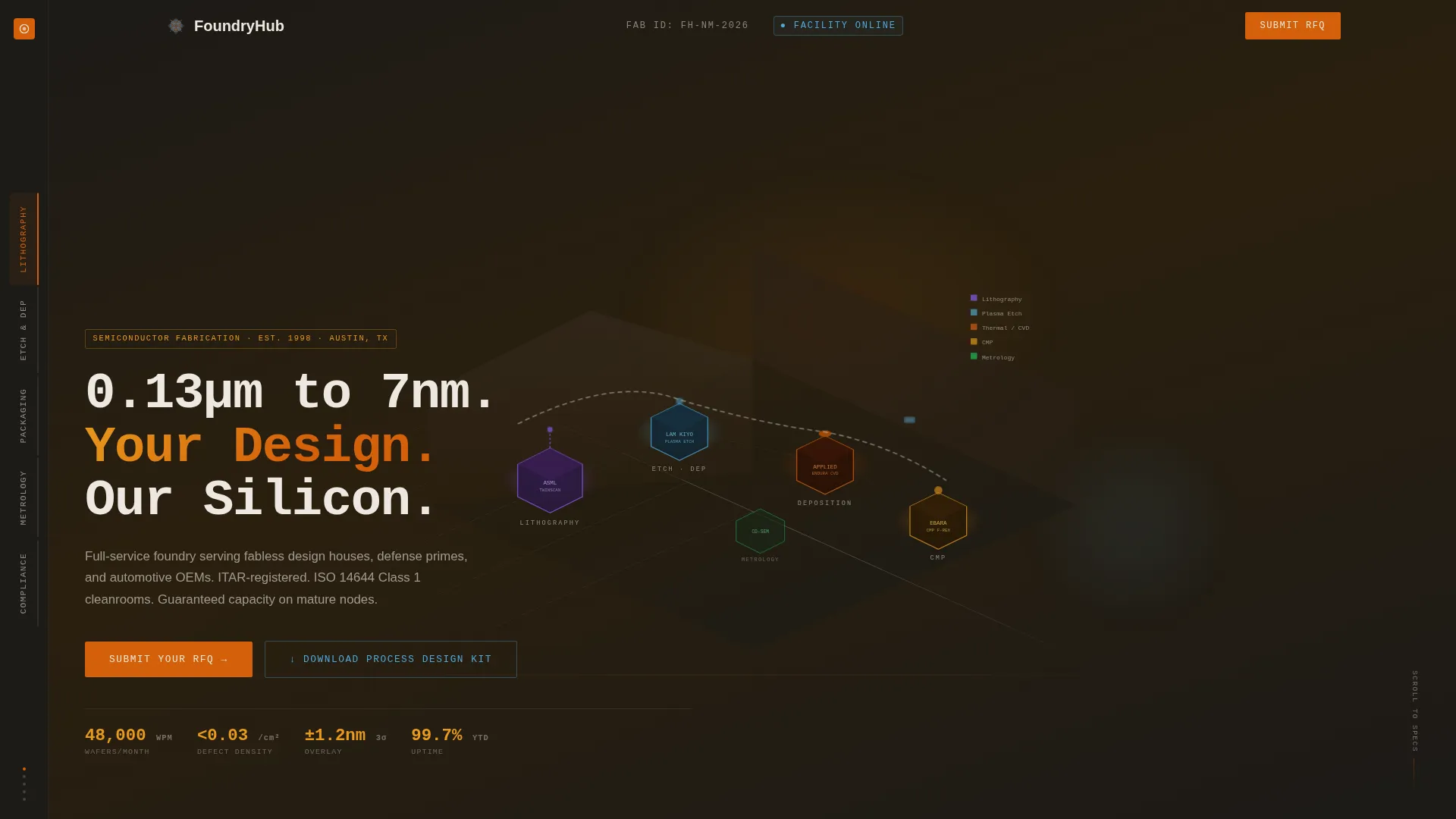
- An isometric fab cutaway hero with a fixed left-rail anchor nav linking to five dedicated spoke sections
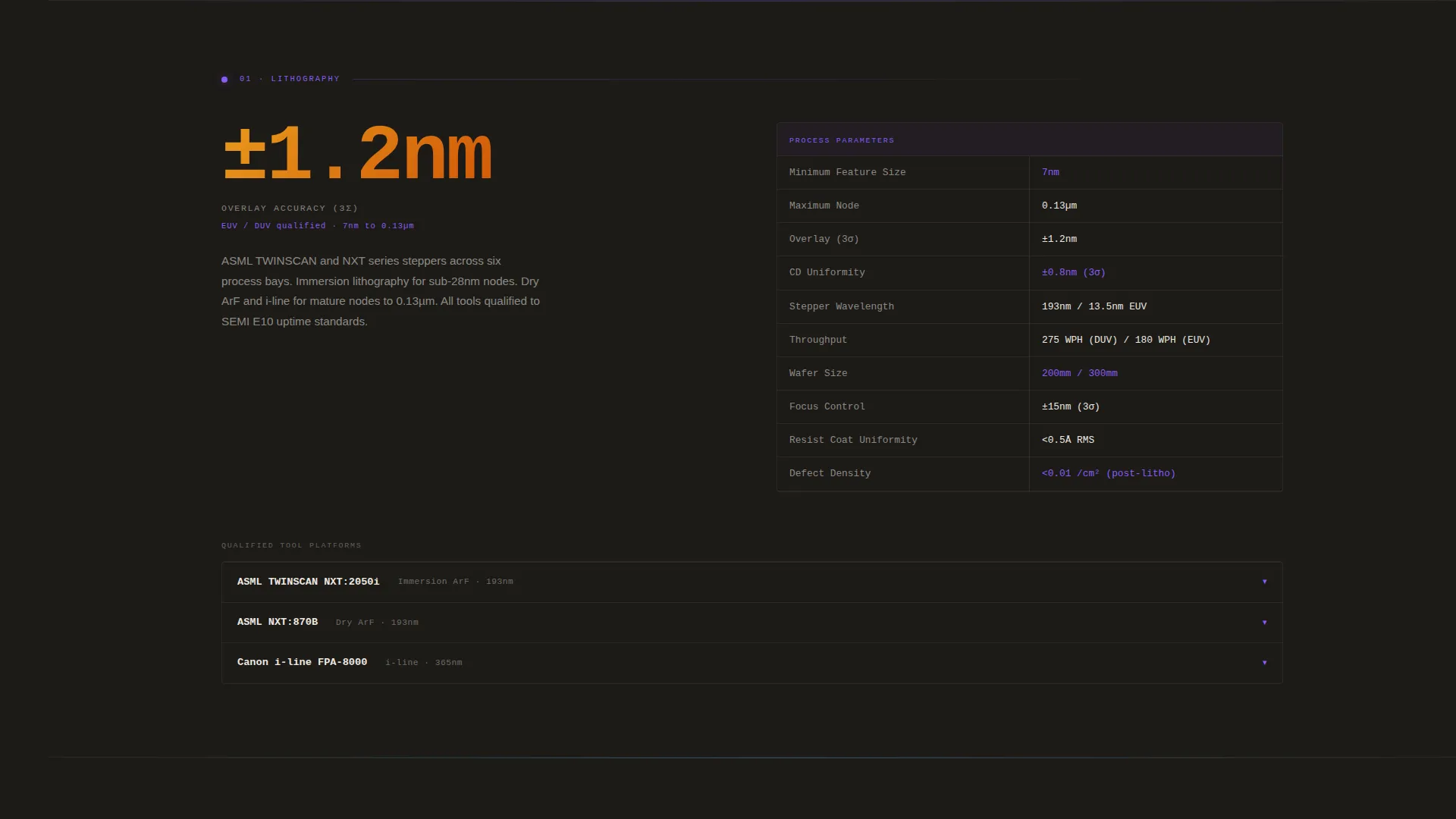
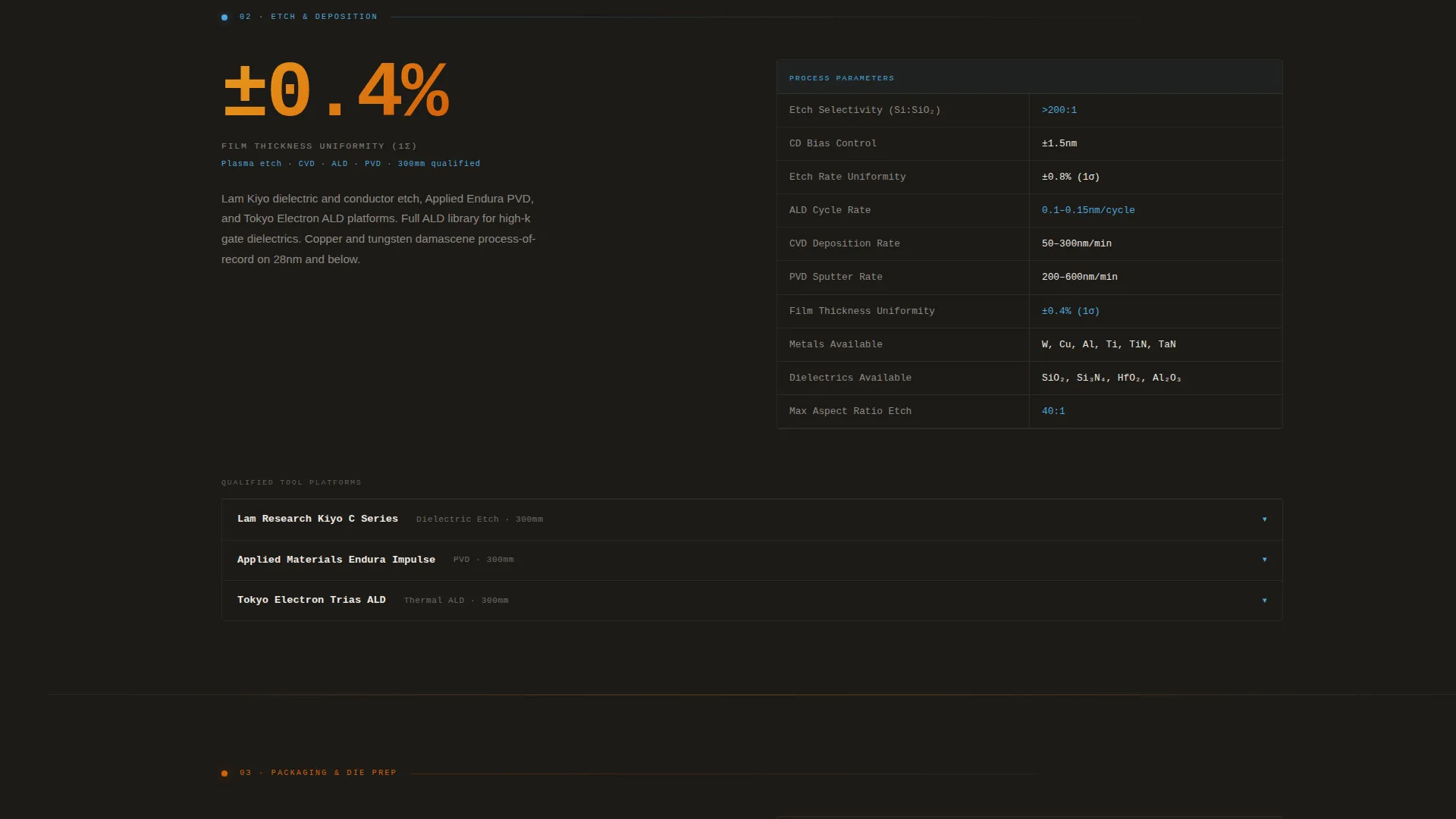
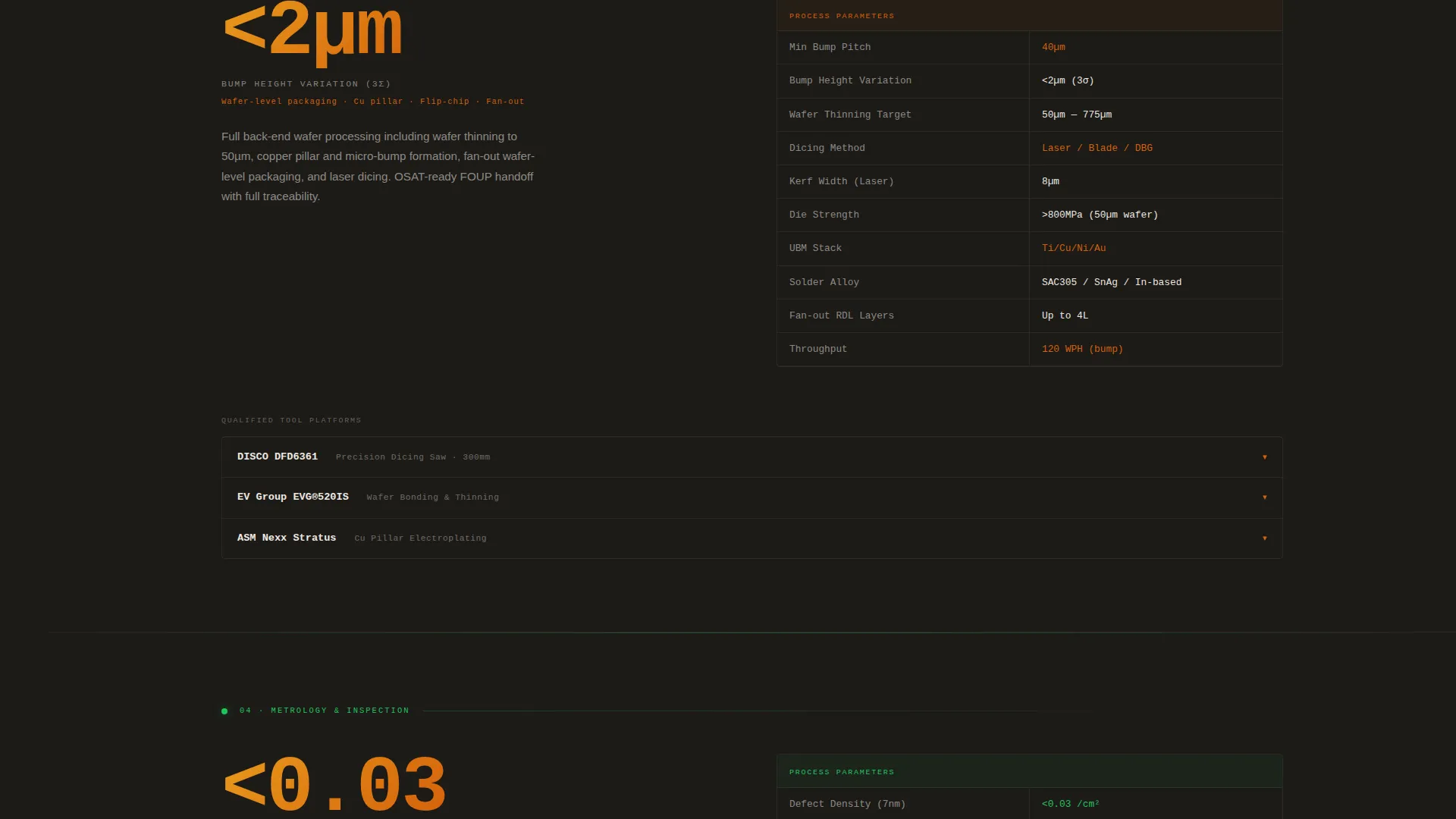
- Spec-sheet-style content blocks with hero metrics, two-column parameter grids, and expandable tool rows per section
- A persistent RFQ call-to-action bar and a gated process design kit download that filters serious prospects
Feature list
This section describes the core capabilities built into the Foundry template as specified in the source brief.
Isometric Fab Cutaway Header
The header renders the entire fabrication facility as a precise technical illustration viewed from a 30-degree elevated angle. Each major bay, including lithography, etch, thin-film deposition, chemical mechanical planarization, metrology, and die prep, glows in its own process color. Animated wafer carriers travel the overhead transport system between bays, making the facility feel operational before a single word is read.
Fixed Left-Rail Anchor Navigation
A persistent left-rail spoke system stays on screen as the visitor scrolls. Buttons are labeled by process node and capability: Lithography, Etch and Deposition, Packaging, Metrology, and Compliance. Clicking any spoke scrolls directly to the matching spec-sheet section, turning the page into a structured technical reference rather than a linear scroll.
Spec-Sheet Section Layout
Each spoke section opens with a single oversized hero metric that anchors the content immediately. Below it, a tight two-column grid presents process parameters, tool sets, overlay tolerances, film uniformity percentages, and throughput figures. The layout replicates a real fab datasheet, which signals credibility to anyone who has read one before.
Expandable Tool Platform Rows
Within each spoke section, expandable rows surface specific tool platforms and their qualified recipes. Engineers can drill into the detail they need without the page feeling cluttered at first glance. This progressive disclosure rewards technical buyers who want proof before committing to a conversation.
Persistent RFQ Call-to-Action Bar
A bottom bar carries the primary call to action throughout the page. Its opacity increases as the visitor scrolls past the second spoke, so the prompt to act appears only after the visitor has seen enough technical evidence to feel confident. This timing is deliberate and built into the template layout.
Gated Process Design Kit Download
A secondary call to action offers a downloadable process design kit behind a company-email capture form. The gate is intentional: it filters casual visitors and surfaces only the contacts who are seriously evaluating the facility. This component is ready to use without rebuilding the capture flow from scratch.
Page sections overview
| Section | Purpose |
|---|---|
| Isometric Hero Header | Establishes facility scale and process breadth at a glance |
| Anchor Nav Rail | Provides instant spoke-based navigation across all capability areas |
| Lithography Spoke | Presents node capabilities, stepper specs, and overlay tolerances |
| Etch and Deposition Spoke | Details plasma etch tools, film uniformity, and deposition parameters |
| Packaging Spoke | Covers back-end process options and die preparation specifications |
| Metrology Spoke | Displays defect density metrics, inspection tools, and measurement data |
| Compliance Spoke | Shows ITAR registration status, cleanroom class ratings, and automotive certification numbers |
| RFQ Persistent Bar | Drives qualified visitors to the request-for-quote portal |
| PDK Download Gate | Captures company-email leads through a process design kit offer |
Design & branding system
The template uses an Industrial Raw theme built around a Fire and Earth color system. Every palette choice references the physical environment of a working fabrication facility.
- Background tones run from tungsten dark (#1C1A17) to refractory ceramic (#3B3228), keeping the page grounded in the visual language of carbon fixtures and diffusion furnaces
- Molten silicon orange (#D4600A) and furnace-glow amber (#E8991C) drive hover states and section accents, while plasma blue (#4EA8DE) marks interactive elements and live data indicators
- Body text renders in high-contrast off-white (#EDE8E1) against the dark backgrounds, and the hero headline uses a monospaced industrial typeface to reinforce the spec-sheet aesthetic
Mobile & speed optimization
The template is structured for legibility and usability across screen sizes. The spec-heavy layout adapts to narrower viewports without losing its technical clarity.
- The fixed left-rail navigation collapses into a compact format on smaller screens so the spoke system remains accessible without consuming screen space
- Two-column parameter grids reflow to single-column on mobile, keeping data readable rather than forcing horizontal scroll
- The persistent RFQ bar and gated download remain functional and visible across device sizes, preserving the conversion path on every screen
How this template helps you convert
The page is engineered around a Click-Through direction. Every design decision moves a qualified visitor closer to submitting an RFQ or downloading the process design kit.
- Leading with specifications rather than promises means engineers arrive at the call to action already convinced rather than still skeptical, so the click feels like a logical next step
- The progressive detail structure rewards deep readers: by the time a visitor reaches the compliance spoke with certification numbers and class ratings, the RFQ bar opacity has already increased to signal the right moment to act
- The gated PDK download creates a second conversion path for visitors who are not ready to submit an RFQ, capturing qualified leads at an earlier stage of evaluation
Other information about this template
This template is categorized under Manufacturing and Industrial, with a specific focus on Electronics Manufacturing and the Semiconductor Fabrication niche. It is matched to a hub-and-spoke anchor-nav template style, a Spec Sheet creative direction, an Isometric header concept, and a Click-Through landing-page direction.
- The Industrial Raw theme and Fire and Earth color system were selected specifically for the intersection of semiconductor fabrication and technical industrial audiences
- The template is designed to serve multiple buyer personas simultaneously: fabless design houses evaluating yield data, defense primes requiring ITAR-compliant capacity, and automotive original equipment manufacturers managing node allocation
- The Foundry template ships as a complete, ready-to-customize layout with all spoke sections, the isometric header illustration concept, the anchor nav, the RFQ bar, and the PDK gate included
Theme
Industrial Raw
Creative direction
Spec Sheet
Color system
Fire & Earth
Style
Hub & Spoke (Anchor Nav)
Direction
Click-Through
Page Sections
Isometric Fab Cutaway Hero
Fixed Left-rail Anchor Nav
Spec-sheet Section Blocks
Expandable Tool Platform Rows
Persistent RFQ Call-to-action Bar
Gated PDK Download Form
Related questions
Who is the primary audience for this landing page template?
Can I customize the process node labels in the anchor navigation?
What is the purpose of the gated process design kit download?
Does the template include the isometric illustration or is that a placeholder?
Is this template suitable for a facility that covers only some of the listed process nodes?



