Specialist Wildlife & Conservation Appointment Booking Website Template
The Shutter golden hour wildlife photography tour landing page template is built for small-group safari operators who sell through atmosphere and proof. A masonry scroll guides visitors from pre-dawn briefing to a full evening golden hour game drive. Real guest photo captions, transparent departure pricing, a direct booking panel, and an email capture path work together to turn browsers into bookings.
by Rocket studio
Quick summary
Shutter is a single-page, masonry-layout template designed for wildlife photography tour operators. It moves visitors through a full day-in-the-life arc, from cool pre-dawn mist to the electric light of a late-afternoon golden hour drive. Every section is built to prove access, show real results, and remove booking friction with transparent pricing and a direct call-to-action panel.
Who this template is for
This template is made for boutique safari and wildlife photography tour operators who lead small groups into the field. It suits operators whose value lives in the quality of light, the rarity of access, and the expertise of their guides. If your clients care about wildlife photography more than resort amenities, this layout speaks their language.
- Small-outfit safari companies offering guided wildlife photography tours with open-vehicle access
- Tour operators targeting semi-professional photographers, gear-upgrading retirees, and serious wildlife enthusiasts
- Niche expedition brands that sell through real guest results, transparent pricing, and a strong sense of place
What problem this template solves
Most tour landing pages look the same. They use stock imagery, hide prices behind inquiry forms, and tell visitors nothing about the quality of light or the expertise of the guide. For a wildlife photography tour, that friction kills conversions. Visitors who care about golden hour photography want proof before they commit.
- Generic templates fail to convey the specific atmosphere, access, and photographic opportunity that sets a tour apart
- Hidden pricing and lengthy inquiry flows lose buyers who are ready to book but need one clear path forward
- Flat, static layouts cannot communicate the rhythm and emotion of a day spent photographing wildlife in changing light
What you get with this template
You get a complete, single-page landing layout that follows a narrative arc from dawn to dusk. Every section is pre-structured with masonry grid placeholders, call to action placement logic, and a visual hierarchy built around golden hour amber as the action color. The booking panel, email capture modal, and sticky call-to-action bar are all included in the design.
- A full masonry scroll with five distinct sections, each matched to a time of day and a specific visitor emotion
- A booking panel modal with departure date selector, group size options, and a camera-experience dropdown that adjusts the tour description dynamically
- A secondary email capture path offering a downloadable shot list PDF, giving browsers a low-commitment way to stay connected
Feature list
This section outlines the key built-in capabilities of the Shutter template and what each one delivers for your tour business.
Masonry Grid Day-in-the-Life Layout
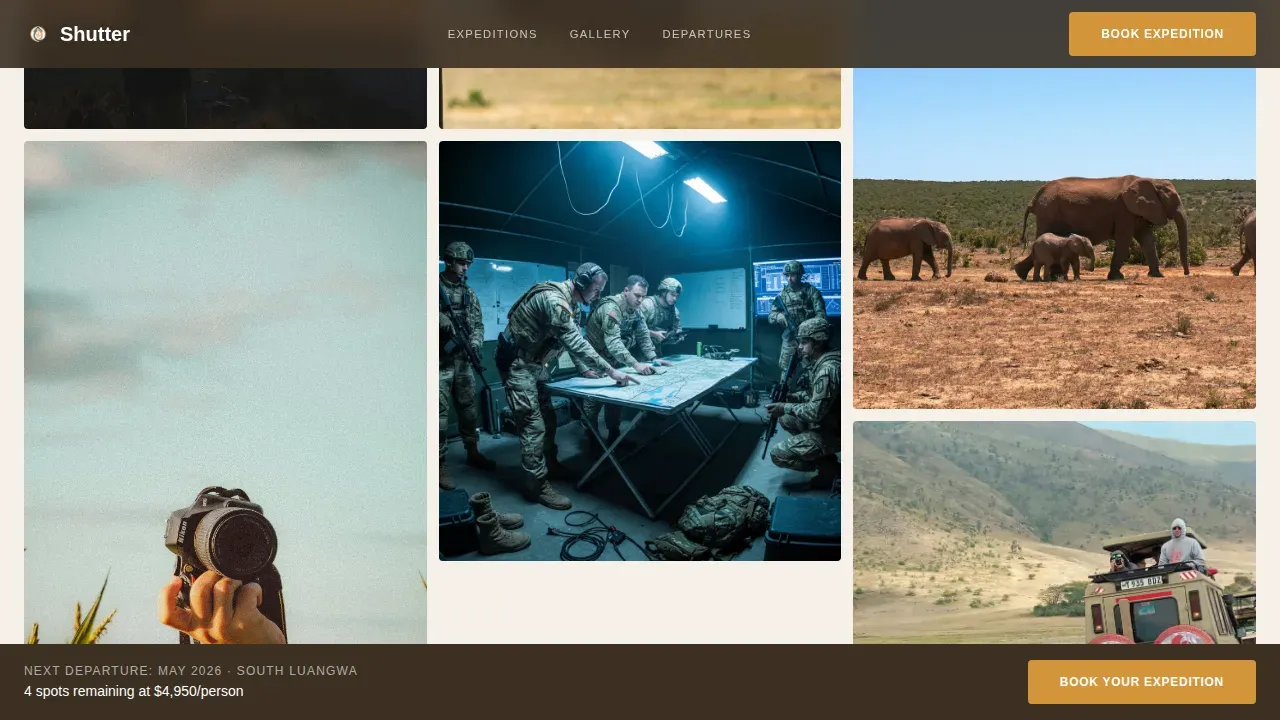
The page is structured as a masonry-style scroll that shifts density and mood as visitors move through the day. Morning sections use a sparse, quiet grid with cool fog tones. The golden hour section becomes dense and vivid, packed with guest shots. The page closes on a single full-width night-sky image. This rhythm makes visitors feel the pace of a real expedition day, building emotional investment before the call to action arrives.
Direct Booking Panel with Dynamic Tour Description
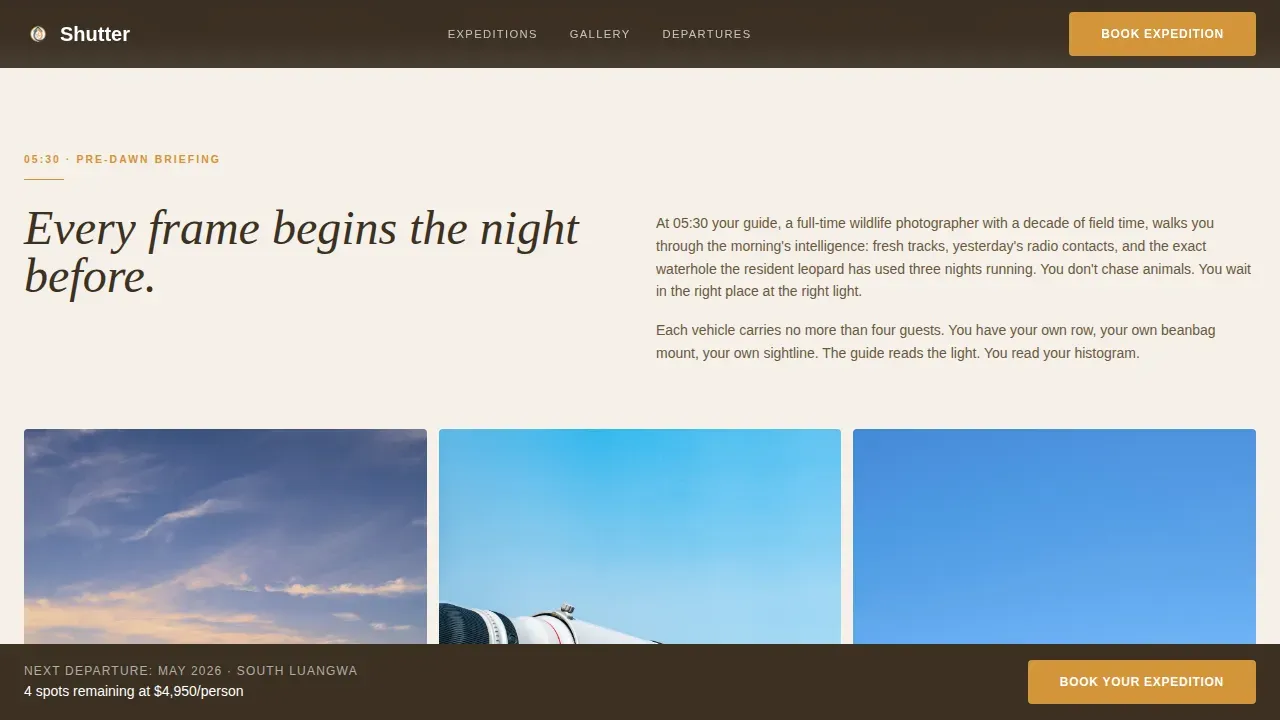
The primary call to action, "Book Your Expedition," appears first beneath the hero image and again as a sticky bar after the midday scroll section. Clicking opens a booking panel modal where visitors select a departure date, group size (solo, pair, or small group), and camera experience level (beginner, intermediate, or advanced). The tour description updates dynamically based on the experience dropdown, so every visitor sees copy relevant to their skill level. Prices are displayed on each departure card, removing the hidden-quote friction that loses buyers.
Email Capture with Shot List Lead Magnet
A secondary conversion path, "Download the Shot List," captures email addresses from visitors who are not yet ready to book. The offer is a downloadable PDF containing the exact locations, species, and camera settings from last season's tours. This is a low-commitment entry point for photographers who want proof before paying, and it builds a warm list of highly qualified leads for future departure announcements.
Authenticated Guest Photo Captions
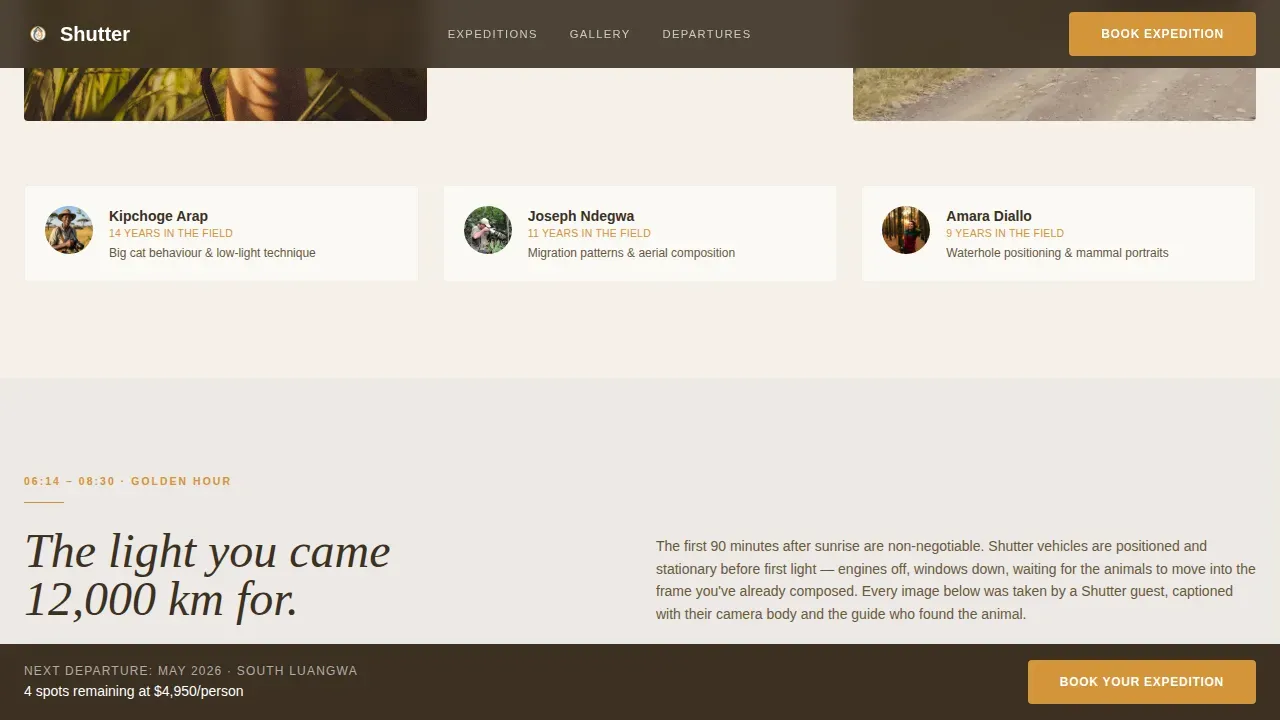
Every image in the masonry grids is captioned with the guest's name, their camera body, and the name of the guide who found the animal. This is one of the most trust-building features in the template. It tells new visitors that the shots are real, the access is rare, and the guides know what they are doing. For wildlife photography buyers, this level of proof matters far more than generic testimonial text.
Hero Section with Cinematic Lifestyle Composition
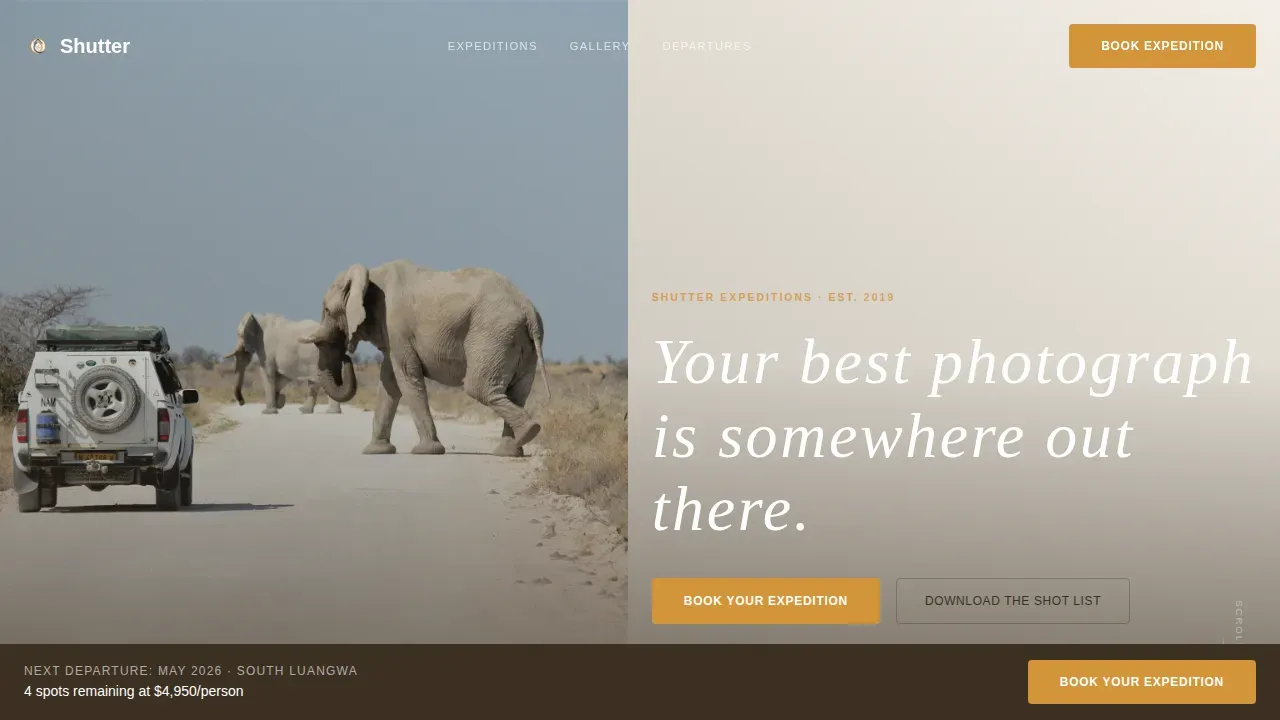
The header is designed as a wide-format lifestyle photograph of a photographer silhouetted in the back of a Land Cruiser, telephoto lens raised, with an elephant herd crossing amber grassland in the middle distance. The composition is framed from behind and slightly below, placing the visitor inside the vehicle. A serif headline set in quiet, spaced-out type reads at the bottom of the frame. The entire hero is built to establish desire within the first few seconds of the visit.
Scroll-Triggered Animations and Parallax Hero
The template uses scroll-triggered masonry reveals so that grid images appear progressively as the visitor moves down the page. The hero section includes a parallax effect that adds depth as the visitor begins to scroll. The sticky call-to-action bar activates after the midday section, ensuring the booking path is always visible during the most persuasive part of the page.
Page sections overview
| Section | Purpose |
|---|---|
| Hero Lifestyle Shot | Establish atmosphere and desire with a cinematic silhouetted photographer composition and serif headline |
| Pre-Dawn Briefing | Prove guide expertise with a sparse, cool-toned masonry grid of briefing moments and field preparation |
| Golden Hour Grid | Deliver the emotional peak with a dense, vivid masonry of guest shots captioned by name, camera, and guide |
| Midday Under Canvas | Show the editing and rest experience, trigger the sticky call-to-action bar, display departure cards with pricing |
| Night Sky Close | Close the emotional arc with a full-width night image, guest testimonial, and email capture form |
| Footer Pattern | Deliver navigation, contact, and secondary links in a horizontal flow layout |
Design & branding system
The Shutter template uses a Nature-Inspired visual identity built on the Soft Mist color palette. The overall effect is hushed and editorial, like looking through a viewfinder before the sun crests the horizon. Color is used with restraint: backgrounds stay cool and linen-pale, body text sits in a rich bark brown, and the single accent color appears only where the visitor's eye should move next.
- Color palette: morning fog gray (#D6DCD9), sun-bleached savanna (#F5F0E8), deep acacia bark (#3B3023) for text, and golden-hour amber (#D4943A) reserved exclusively for buttons, price tags, and hover states
- Typography: Fraunces serif for all headlines, creating a calm and editorial tone; DM Sans for body copy, interface labels, and captions, keeping readability high at every size
- Visual style: Nature-Inspired and editorial, designed to feel like hushed luxury rather than aggressive sales, with imagery carrying the persuasive weight
Mobile & speed optimization
The Shutter template is designed desktop-first, reflecting how serious photographers typically browse and compare expedition options on large screens. The layout is fully responsive and adapts cleanly to mobile viewports, preserving the masonry rhythm and the booking panel usability on smaller devices.
- Images are lazy-loaded throughout the scroll, with the hero image set to priority loading so the first impression arrives without delay
- The masonry grid reflows gracefully on mobile, maintaining visual hierarchy and keeping the golden-hour amber call-to-action buttons prominent and tappable
- CSS scroll-behavior is handled natively, keeping animation and parallax effects smooth without adding heavy external dependencies
How this template helps you convert
The Shutter template is built around one goal: turning a wildlife photography enthusiast who is browsing into someone who selects a departure date and clicks "Book Your Expedition." Every design and copy decision supports that outcome.
- Transparent departure pricing on every card removes the single biggest source of drop-off in niche tour bookings, giving confident buyers an immediate path to commit
- The guest photo caption system (name, camera body, guide name) functions as inline social proof throughout the scroll, building trust continuously rather than saving it for a single testimonial block
- The "Download the Shot List" email capture creates a second conversion path for visitors who need more time, keeping them in your audience and warming them toward a future booking
Other information about this template
The Shutter template is designed around wildlife photography as a specific and demanding art form. The page carries this depth throughout. Every section reflects real photographic thinking, from the way golden hour light behaves to the camera decisions a guest might face in the field. The template copy and layout are built to resonate with visitors who already understand photography, not just admire it.
Wildlife photography presents its own unique challenges that separate it from landscape photography or portrait photography. Animals move unpredictably. The golden hour occurs shortly after sunrise and before sunset, typically lasting about 60 minutes, and the light fades fast. Photographers need to think quickly about shutter speed, wide aperture, and exposure compensation simultaneously. The golden hour light temperature sits at around 3,000 degrees Kelvin, creating warm hues and golden tones that flatter fur, feather, and grassland alike.
This template's editorial direction acknowledges that complexity. It speaks to a visitor who knows what a fast shutter speed means, who understands the difference between front lighting and side light, who has thought about using rim light to make a subject pop against a dark background. That level of specificity builds immediate credibility with the right audience.
The day-in-the-life scroll also teaches visitors who are newer to the craft, which is why the booking panel includes a camera-experience dropdown. A guest selecting "beginner" sees a tour description focused on fundamentals: understanding available light, working with soft light, and learning when to use aperture priority rather than manual mode. A guest selecting "advanced" sees copy about shooting in manual mode, adjusting white balance to shade or cloudy to deepen golden tones, and using auto white balance as a comparison baseline before committing to a setting.
The template supports both golden hour photography and blue hour photography as visual moments. The blue hour, which follows immediately after the evening golden hour as the setting sun drops below the horizon, is represented in the night sky section. That cool, deep-blue transition light is as different from midday as it is from golden hour, and the template's color system shifts accordingly.
Here are additional photography details and practical facts woven into this template's content direction:
- The golden hour occurs all year round, but in winter the sun's arc is lower, producing an extended period of warm, rich light suited to landscape photography and wildlife images alike
- Backlighting during the golden hour produces a rim light halo effect around subjects, making the main subject pop against a dark background or a dark foreground of brush and grass
- A wide aperture allows more light into the camera's sensor, producing a shallow depth of field that keeps focal points sharp while blurring distracting backgrounds
- A narrow aperture is useful for landscape photography where front-to-back sharpness across rock formations or open grassland is the goal
- Shooting with a longer focal length compresses distance and isolates subjects, which is especially effective for photographing birds and other small wildlife at range
- Using exposure compensation in aperture priority mode lets a photographer react quickly when light shifts, avoiding camera shake from repeated menu changes
- Avoiding motion blur in wildlife photography usually requires keeping the shutter speed high enough to freeze movement, particularly for photographing birds in flight
- Camera shake is a real risk as light fades and ISO climbs; a tripod or vehicle-mounted beanbag steadies the camera for longer exposures
- Post processing in RAW format recovers shadow and highlight detail that compressed files cannot, and allows white balance to be adjusted without quality loss
- Adjusting white balance to the shade or cloudy preset enhances the golden tones already present in golden hour light, rather than neutralizing them as auto white balance sometimes does
- The "Download the Shot List" PDF lists the exact locations, species names, and golden hour camera settings from last season, giving prospective guests a concrete preview of what they will learn
- The blue hour following the evening golden hour offers a second short window of magical time for atmospheric long-exposure work when the light source is entirely the sky
- Silhouettes are particularly effective when photographing wildlife against the setting sun's rays, as the dark two dimensional shape of an animal reads with immediate visual interest and draws the viewer's eye
- Negative space in a wide savanna composition guides the viewer's attention toward the main subject and gives the image breathing room that a cluttered frame cannot
- Long shadows during the golden hour add depth to what would otherwise feel like a flat, two dimensional frame, turning ground level features into important elements of the composition
- The perfect portrait lens focal length for wildlife close-ups tends to fall in the 300mm to 500mm range, allowing comfortable working distance while preserving intricate details of fur and eye
- Side light during golden hour creates texture across the coat of an animal or the surface of rock formations in ways that front lighting never can
- Golden rays of morning light at a low angle reveal details that midday light flattens entirely, from individual grass stems to the dust raised by a moving herd
- The sun's rays during the blue hour transition create soft, cool light that differs markedly from the warm golden hour but offers its own atmosphere for taking pictures of open landscapes
- When the sun rises and the golden hour begins, photographers who have already arrived, set their camera settings, and scouted their focal points will make great shots in a short window that rewards preparation
- A little practice with the booking panel's experience-level dropdown helps returning visitors re-engage with the page quickly, because the tour descriptions update without a page reload
Theme
Nature-Inspired
Creative direction
Day-in-the-Life
Color system
Soft Mist
Style
Masonry/Pinterest
Direction
Direct Sales
Page Sections
Masonry Day-in-the-life Scroll
Direct Booking Panel Modal
Shot List Email Capture Path
Authenticated Guest Photo Captions
Sticky Call-to-action Bar
Nature-inspired Soft Mist Design System
Related questions
What experience level does this template assume for my visitors?
Can I display real departure prices directly on the page?
What is the 'Download the Shot List' feature and how does it work?
Does the masonry grid handle both golden hour and blue hour photography sections?
How does the guest photo caption system build credibility?