Authoritative Steel Fabrication Landing Page Template
Truss is an editorial magazine-style landing page built for post-frame construction companies. It combines cinematic split-hero photography, testimonial spreads styled like trade-magazine features, and a three-question scheduling form to turn site visitors into booked site visits. The layout earns trust the way a contractor's journal does: unhurried, authoritative, and built around real project stories.
by Rocket studio
Quick summary
Truss is a single-page template for post-frame builders who want to present their work with the authority of a trade publication. It leads with a dramatic split-hero, moves through three editorial testimonial spreads, and closes with a streamlined scheduling form. Every section is designed to earn confidence before asking for a commitment.
Who this template is for
This template is built for post-frame and pole barn construction companies that serve rural and agricultural clients. If your business earns its reputation on job sites rather than in showrooms, Truss speaks your language.
- Post-frame builders targeting farmers, ranchers, and rural small business owners
- Contractors offering agricultural barns, insulated workshops, and commercial cold storage
- Construction companies ready to move qualified leads toward a scheduled site visit
What problem this template solves
Most construction websites look like generic service directories. They list capabilities without telling a story, and they ask for a quote before the visitor has any reason to trust the builder. Truss fixes that gap by leading with proof.
- Builders lose leads because their pages feel thin and generic, not authoritative
- Prospects researching post-frame construction need cost and speed context before they commit
- A confusing or multi-step contact process discourages the right buyers from reaching out
What you get with this template
Truss delivers a fully structured, single-page layout that reads like a feature spread from a trade magazine. Every section has a defined job, from the split-hero that sets the scene to the scheduling form that closes the visit.
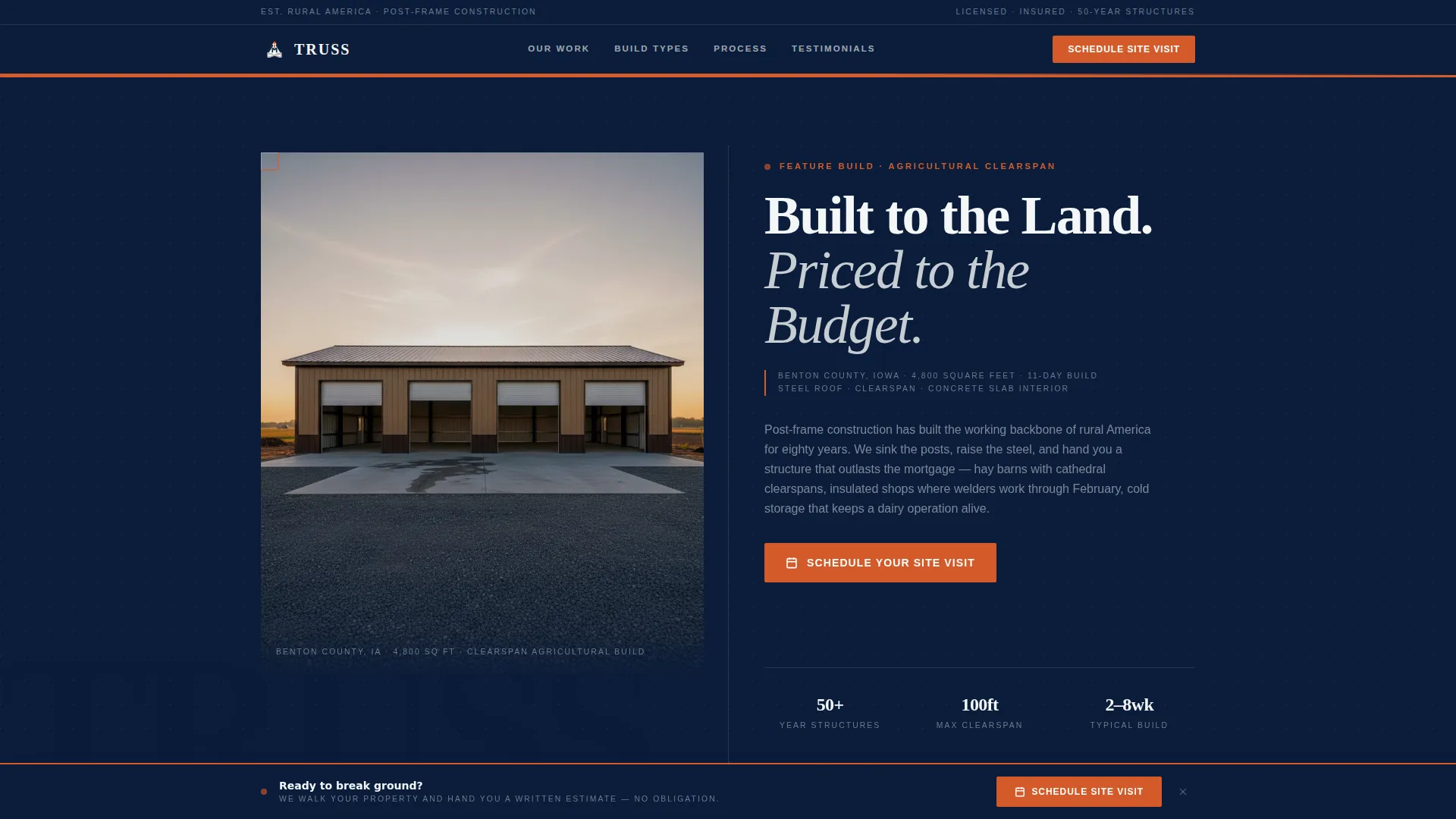
- A split-hero section with editorial headline and dateline-style project callout
- Three full testimonial spreads with pull-quote typography, project specs, and portrait photography zones
- A three-question scheduling form with a purpose selector, square footage slider, and calendar picker
Feature list
Split-Hero with Editorial Headline
The header uses a half-page photo and text composition. The left side holds a wide-angle photograph of a completed post-frame shop. The right side carries a large serif headline and a dateline-style subhead that treats the project like a feature story, not a sales pitch.
Testimonial Mosaic Spreads
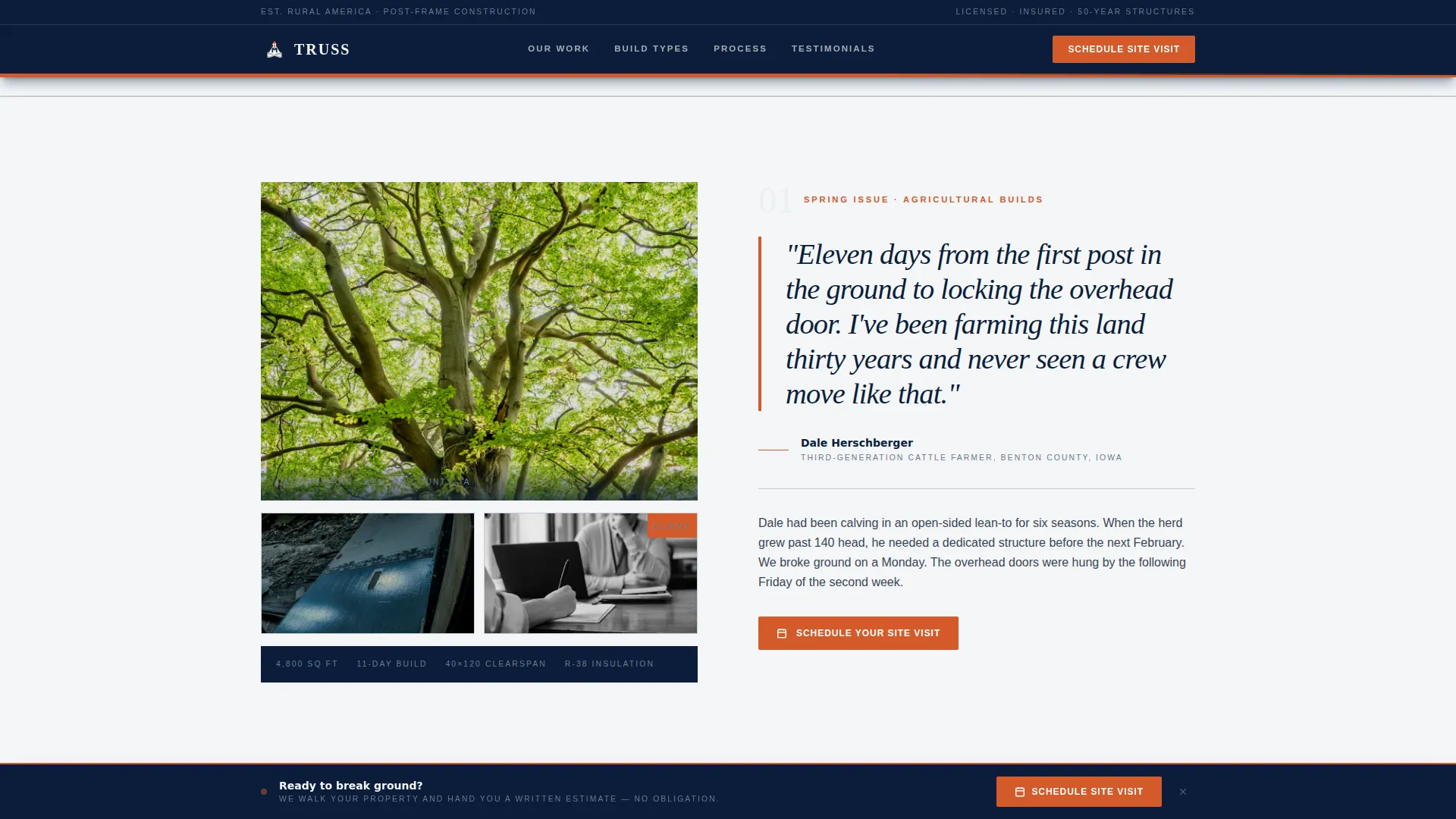
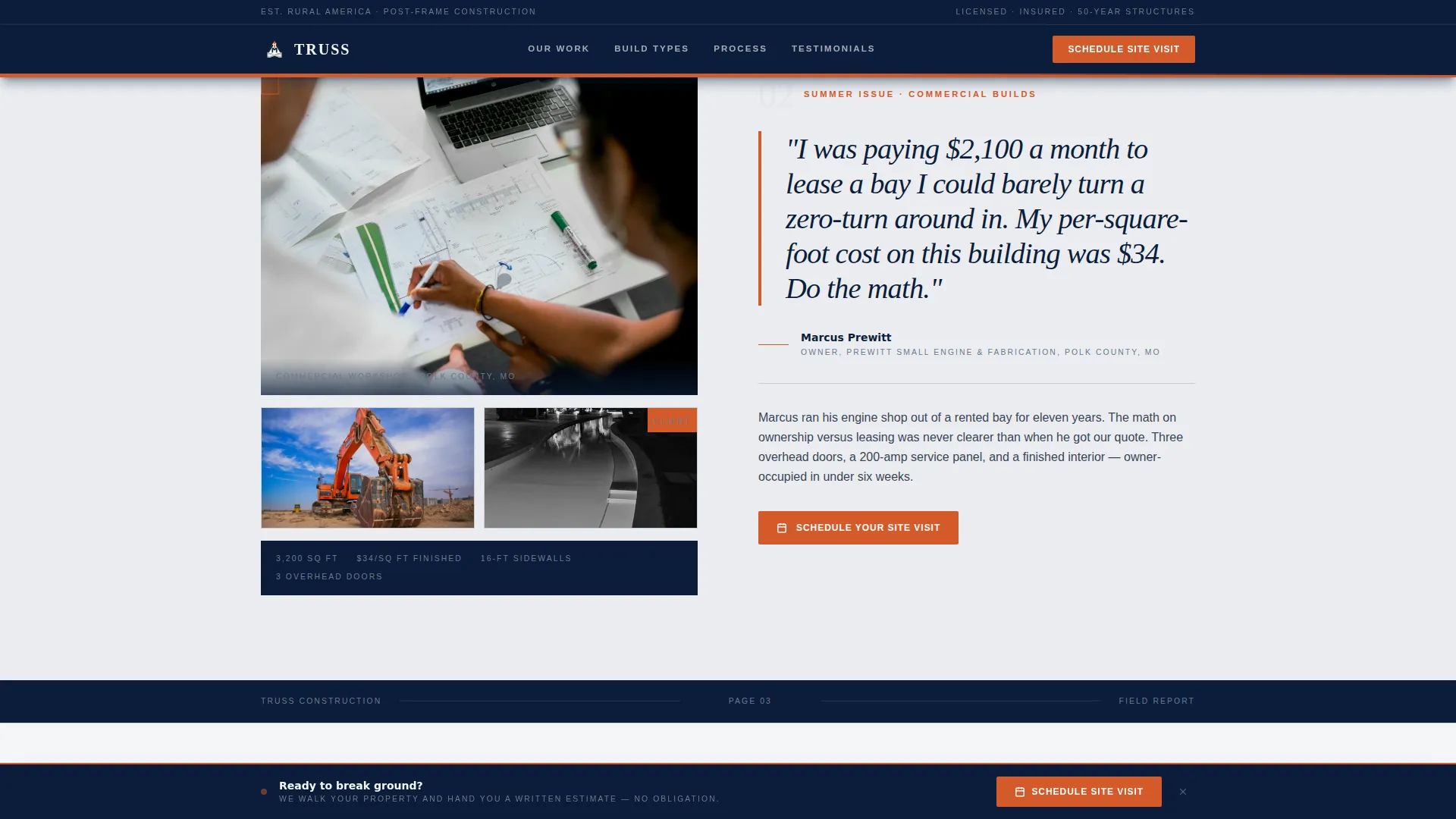
Three full editorial spreads each dedicate a two-page magazine layout to a single build. Each spread is anchored by an oversized pull-quote, client portrait zone, and project specification dateline. The builds featured are a calving barn, a small-engine shop, and a finished hobby woodworking space.
Three-Question Scheduling Form
The scheduling section asks visitors three focused questions in sequence: building purpose from a select menu, approximate square footage via a slider from 1,200 to 10,000 square feet, and a preferred week for a site walkthrough using a calendar picker. It keeps the commitment threshold low while gathering the details a builder needs.
Stats Bar with Concrete Numbers
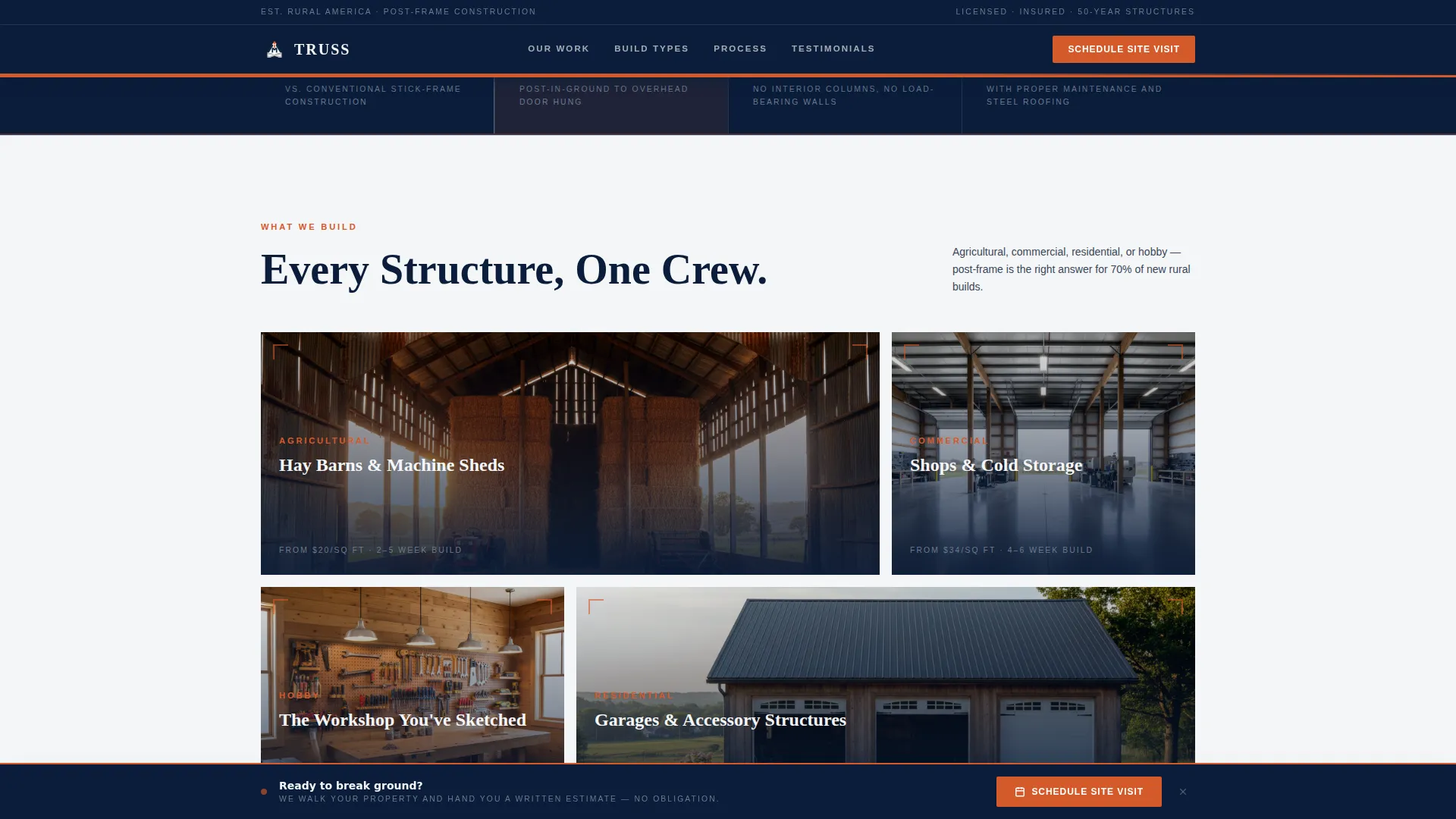
A four-metric stats bar sits between the hero and the first testimonial spread. It surfaces key project facts: speed, cost comparison, clearspan capability, and structure lifespan. These numbers do the early persuasion work so the testimonials can carry the story.
Secondary Lead Capture Path
A "Download Our Build Guide" option sits alongside the primary scheduling call to action. It captures email addresses from visitors still in the research phase, giving them a low-commitment reason to stay connected until their napkin sketch becomes a real budget line.
Fixed Bottom Call-to-Action Bar
After the second testimonial spread, a fixed bottom bar appears and stays visible as the visitor continues scrolling. It repeats the primary "Schedule Your Site Visit" prompt in safety-stake orange, keeping the conversion path visible without interrupting the editorial reading experience.
Page sections overview
| Section | Purpose |
|---|---|
| Split Hero | Establish authority with photo and editorial headline |
| Stats Bar | Deliver four concrete project performance numbers |
| Testimonial Spread 1 | Calving barn story with 11-day build dateline |
| Testimonial Spread 2 | Small-engine shop cost-per-square-foot comparison |
| Testimonial Spread 3 | Hobby woodworker finished rec building interior |
| Scheduling Form | Capture leads via three-question site visit request |
| Build Guide Download | Secondary email capture for research-phase visitors |
| Footer | Linear single-row footer with essential links |
Design & branding system
Truss uses a Navy Authority color system paired with an editorial magazine typographic style. The palette and type choices are drawn directly from the visual language of trade print publications, giving the page a physical, ink-on-paper weight that digital-generic templates cannot replicate.
- Deep command navy (#0B1D3A) for masthead bars, section anchors, and column rules
- Weathered galvalume silver (#C8CDD3) for secondary backgrounds and pull-quote borders, with open-sky white (#F4F6F8) as the primary reading surface
- Safety-stake orange (#D45A2B) reserved exclusively for calls to action and interactive highlights, with Fraunces serif for headlines and DM Sans for body text
Mobile & speed optimization
The template is designed desktop-first to deliver the full trade-magazine reading experience on large screens. It is built to respond across device sizes so that the same editorial authority carries through on smaller viewports.
- Static hero image loads with priority; editorial spreads use lazy loading to keep the initial experience fast
- Scroll-triggered reveals and pull-quote fade-ins are applied at medium intensity, keeping animation purposeful rather than distracting
- The scheduling form, slider, and calendar picker are all designed to remain usable on mobile screen widths
How this template helps you convert
Truss builds trust incrementally, the same way a well-edited magazine earns a reader's time. Each section moves the visitor one step closer to booking without feeling like a sales funnel.
- The split-hero and stats bar establish credibility immediately, giving visitors a reason to keep reading before they see any call to action.
- The three testimonial spreads provide social proof through real project stories, client voices, and specific build data that answer the questions a buyer is already asking.
- The scheduling form reduces friction by breaking the request into three plain questions, and the secondary Build Guide download gives hesitant visitors a lower-stakes entry point.
Other information about this template
Truss is part of a template collection built around the intersection of professional services and post-frame construction lead generation. It is purpose-built for the pole barn and post-frame builder niche, where trust and specificity matter more than flashy design trends.
- The template is suited for builders in the rural Midwest and similar markets where agricultural and light commercial post-frame structures are common
- Imperial measurements and USD pricing conventions are baked into the layout language, making it immediately relevant to a North American audience
- The folio-style page numbers and thin navy column rules between testimonial spreads reinforce the magazine cadence throughout the scroll experience
- A linear single-row footer pattern keeps the page close without cluttering the editorial reading flow
Theme
Editorial Magazine
Creative direction
Testimonial Mosaic
Color system
Navy Authority
Style
Editorial/Magazine
Direction
Booking/Scheduling
Page Sections
Split-hero Editorial Header
Testimonial Mosaic with Pull-quotes
Three-question Scheduling Form
Stats Bar with Project Numbers
Secondary Email Capture Path
Fixed Bottom Call-to-action Bar
Related questions
What types of post-frame builders is this template designed for?
Can I use this template to capture leads beyond the scheduling form?
How does the three-question scheduling form work?
Is Truss a single-page layout or a multi-page website?
What makes this design feel different from a standard construction website?



