Glass Manufacturer Landing Page Template
Furnace is a single-column landing page template built for glass manufacturers selling direct to trade. It guides buyers through the full production process, from raw silica to finished sheet, using atmospheric photography and plain-spoken copy. A progressive quote form, stock sheet download, and bold Monochrome Steel palette make it ready for glazing contractors, joiners, and greenhouse fabricators.
by Rocket studio
Quick summary
Furnace is a single-column flow landing page designed for industrial glass manufacturers selling direct to trade buyers. It walks visitors through every stage of production, from batch mixing to dispatch, building enough technical confidence that contractors and fabricators arrive at the quote form already convinced. The layout is atmospheric, practical, and built to convert.
Who this template is for
This template is built for glass manufacturers who sell direct to trade rather than through distributors. It suits businesses that need buyers to understand their process before placing an order.
- Glazing contractors pricing glass for housing estates or commercial fit-outs
- Joinery workshops sourcing float, toughened, or laminated sheets for bespoke cabinet work
- Greenhouse fabricators ordering bulk horticultural clear glass ahead of seasonal demand
What problem this template solves
Most glass manufacturer pages list products without context. Trade buyers need more than a price list. They need to trust that the supplier understands tolerances, lead times, and how glass actually moves from factory to site.
- Buyers arrive without enough process knowledge to commit, so they call or leave
- Quote forms that ask for too much too soon push contractors back to familiar suppliers
- Generic layouts fail to communicate the scale and precision of industrial float glass production
What you get with this template
The template delivers a complete, ready-to-customise single-column landing page structured around the glass manufacturing process. Every section earns the next scroll rather than simply filling space.
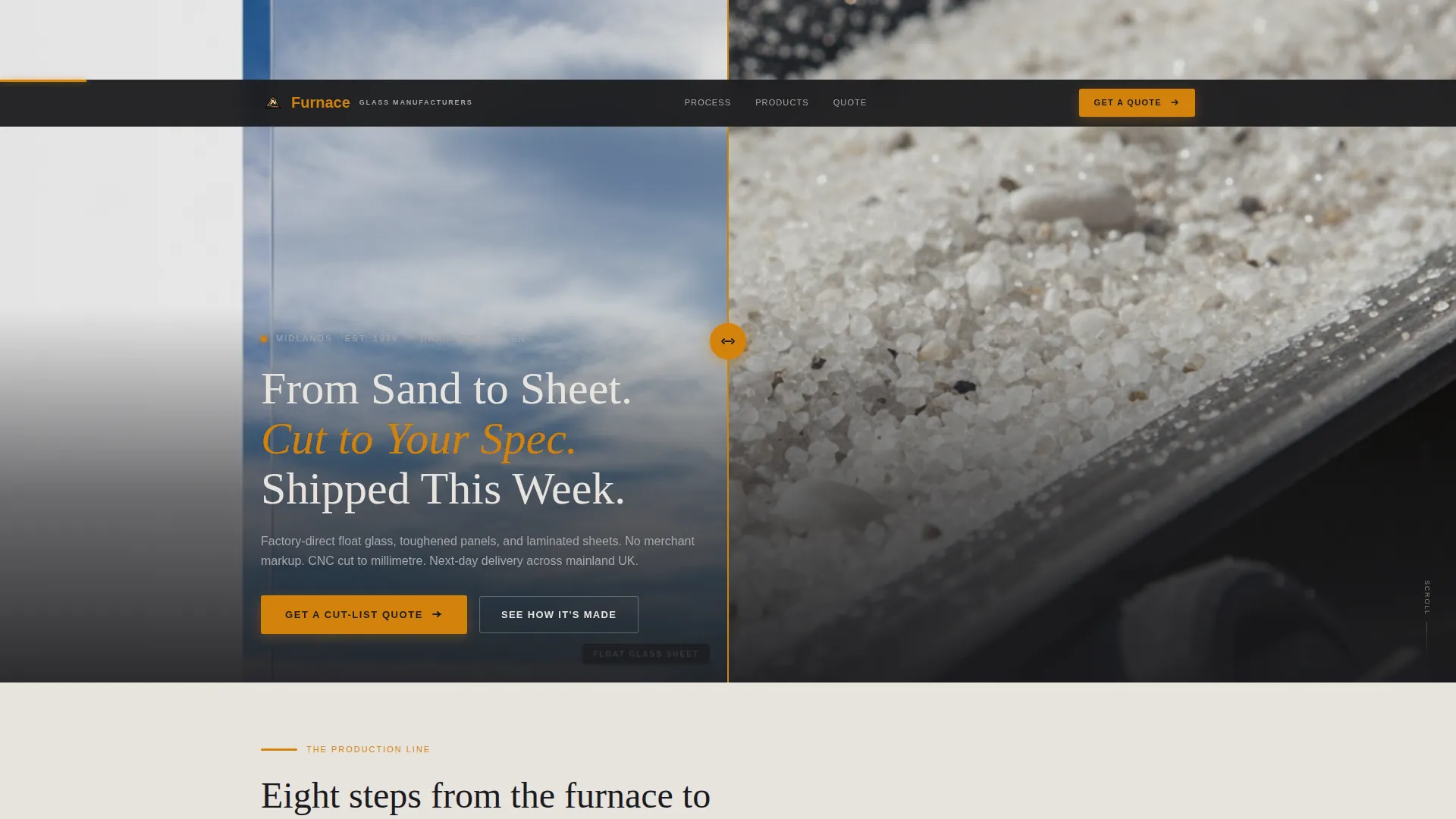
- A Before/After Slider header that transforms silica granules into finished low-iron glass with a single drag
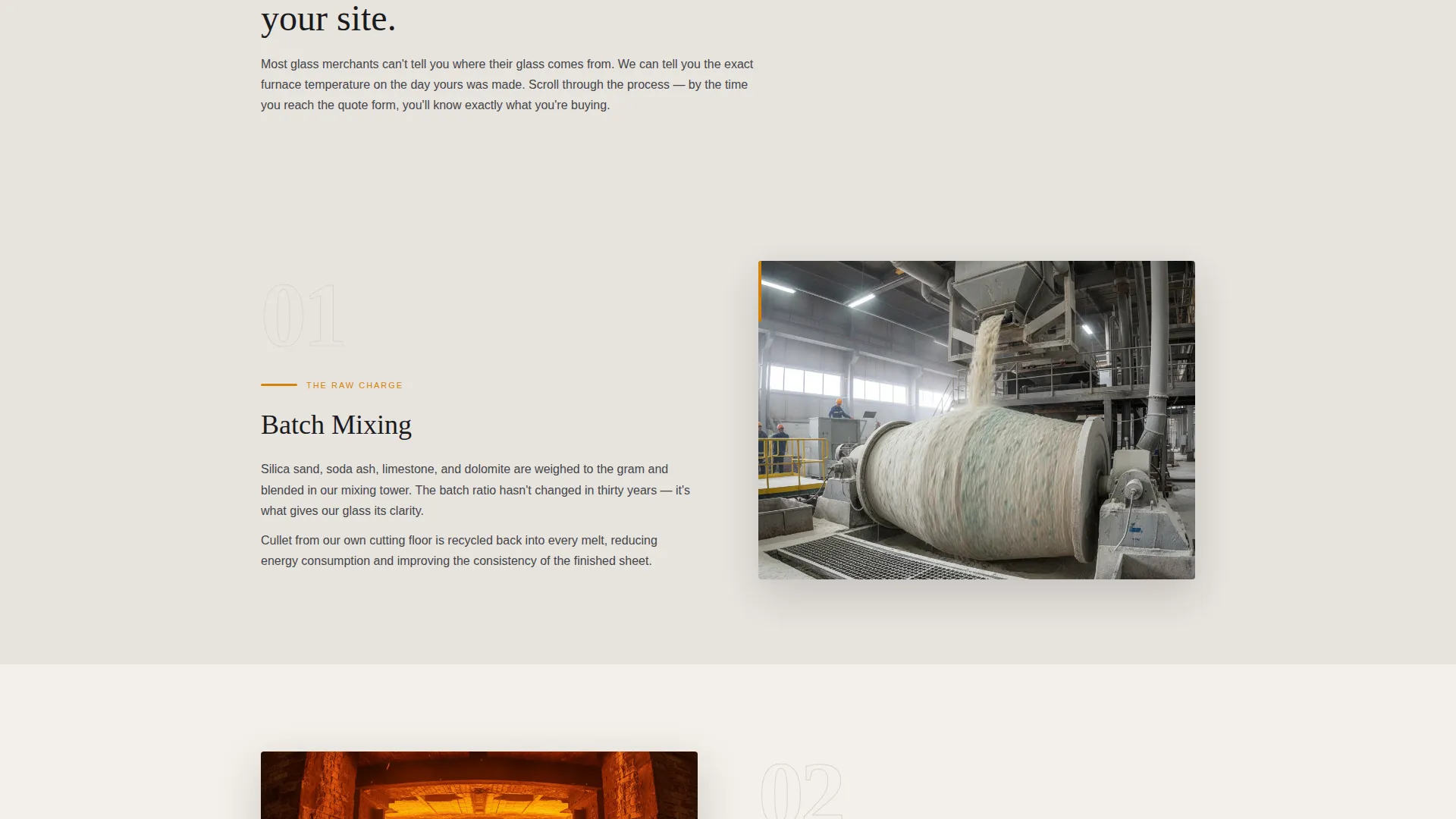
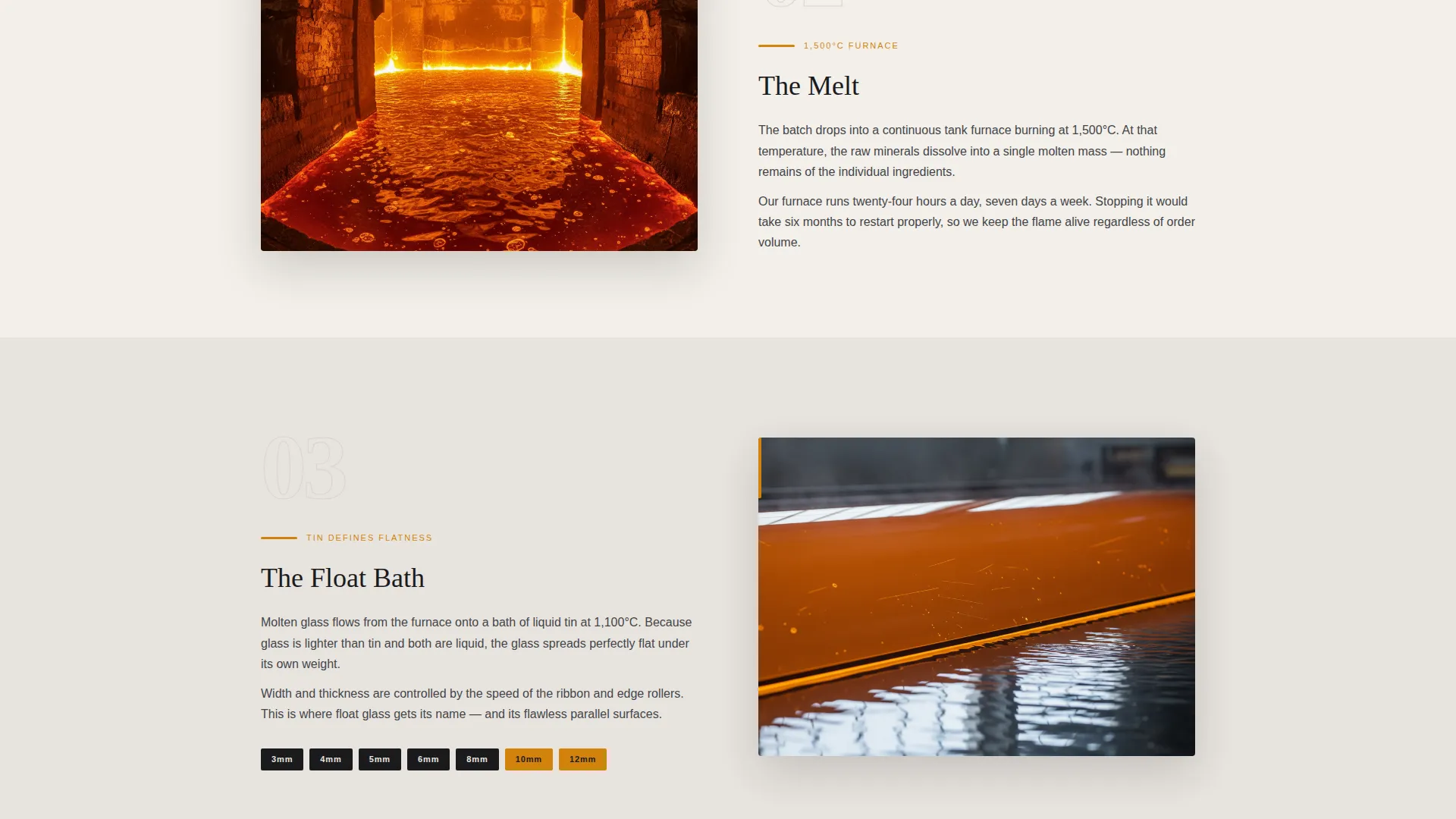
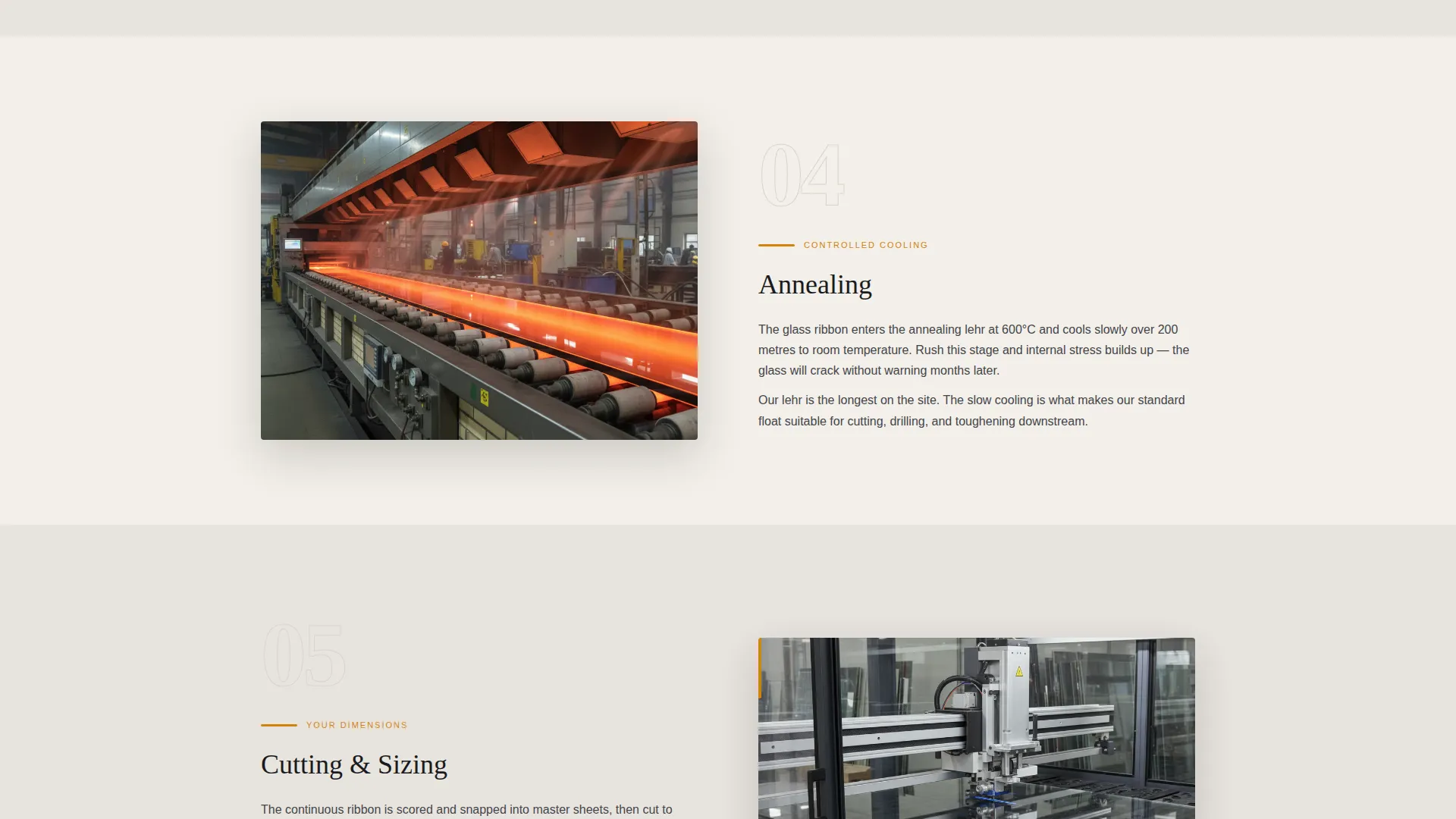
- A step-by-step production narrative covering batch mixing, melting, floating, annealing, cutting, inspection, packing, and dispatch
- A progressive quote form collecting glass type, thickness, dimensions in millimetres, quantity, and delivery postcode in sequence
- A secondary call to action offering a downloadable stock sheet PDF for contractors who need to spec before committing
Feature list
This section covers the core built-in components that make Furnace functional for direct trade sales.
Before/After Slider Header
A full-width interactive slider opens the page. The left side shows a close-up of pale silica granules catching natural light on a conveyor belt. The right side reveals a flawless low-iron glass sheet reflecting a cloud-streaked sky. Dragging the divider lets visitors watch sand become glass in a single gesture.
Step-by-Step Production Scroll
The scroll itself becomes the production line. Each section represents one manufacturing stage, paired with an atmospheric photograph and two sentences of plain-spoken copy. Specifications appear progressively as visitors scroll: thickness options at the cutting step, toughening standards at inspection, and pallet dimensions at packing.
Progressive Quote Form
The primary call to action is "Get a Cut-List Quote." The form reveals each field only after the previous one is completed. Fields collect glass type (float, toughened, or laminated), thickness, dimensions in millimetres, quantity, and delivery postcode in that fixed order.
Stock Sheet PDF Download
A secondary conversion path sits alongside the main form. Contractors who need to spec materials before committing can download a PDF stock sheet without filling in the full quote form. This keeps hesitant buyers in the funnel rather than losing them entirely.
Furnace Amber call to action System
All primary calls to action and pricing callouts use a single accent colour, furnace amber (#D4820C). This creates clear visual hierarchy and ensures that quote triggers never compete with informational content for attention.
Page sections overview
| Section | Purpose |
|---|---|
| Before/After Slider | Opens with raw silica transforming into finished glass sheet |
| Hero Headline Block | Anchors the value proposition: cut to spec, shipped this week |
| Batch Mixing Step | Starts the production narrative with raw material context |
| Melting Step | Shows the 1500°C furnace stage with atmospheric photography |
| Float Process Step | Explains how molten glass forms a flat, uniform sheet |
| Annealing Lehr Step | Covers controlled cooling and stress relief in the glass |
| Cutting Step | Introduces thickness options and cut-to-spec capabilities |
| Quality Inspection Step | States toughening standards and quality checkpoints |
| Packing Step | Details pallet dimensions and stillage dispatch preparation |
| Dispatch Step | Closes the production story and sets delivery expectations |
| Quote Form Section | Collects cut-list details through a progressive field sequence |
| Stock Sheet Download | Offers a PDF alternative for contractors speccing ahead |
| Footer call to action Block | Repeats the "Get a Cut-List Quote" call to action |
Design & branding system
The visual identity follows an Agrarian Root theme interpreted through a Monochrome Steel colour palette. The result feels industrial without being cold, rooted in the craft of making rather than the language of marketing.
- Slag black (#1B1B1E) and kiln-washed bone (#E8E4DF) carry the primary content, creating strong contrast without harsh white
- Molten tin silver (#A8A9AD) handles secondary text, borders, and supporting user interface elements
- Furnace amber (#D4820C) appears exclusively on calls to action and pricing callouts, ensuring every conversion point is immediately visible
Mobile & speed optimization
The single-column layout adapts naturally to narrower screens without restructuring content. The production scroll reads as cleanly on a phone as it does on a widescreen monitor in a glazing workshop.
- The Before/After Slider is touch-enabled, so mobile visitors can drag the divider with a finger rather than a mouse
- Progressive form fields reduce visual complexity on smaller screens by showing one input at a time
How this template helps you convert
The template converts by proving competence before asking for commitment. By the time a buyer reaches the quote form, the factory has already demonstrated that it understands the product.
- The production scroll builds technical trust step by step, so contractors arrive at the form already confident in the supplier's knowledge
- The progressive quote form lowers friction by revealing fields one at a time, reducing the visual weight of asking for detailed cut-list specifications
- The stock sheet download creates a second conversion path for buyers who are not ready to request a quote but still want to stay engaged with the supplier
Other information about this template
This template is part of a broader category of construction and trade-focused landing page designs built for direct sales to professional buyers. It sits within the Glass Products and Services subcategory and is specifically scoped for glass manufacturer use cases.
- The Agrarian Root theme connects industrial production to craft and materials culture, making the page feel grounded rather than corporate
- The template style is a single-column flow, meaning all content runs in one vertical sequence without sidebar distractions or tabbed navigation
- The Monochrome Steel colour system was chosen to reflect the physical materials of glass manufacturing: rolled steel, molten tin, annealed bone, and amber flame
Theme
Agrarian Root
Creative direction
Step-by-Step Guide
Color system
Monochrome Steel
Style
Single Column Flow
Direction
Direct Sales
Page Sections
Before/after Slider Header
Step-by-step Production Scroll
Progressive Cut-list Quote Form
Stock Sheet PDF Download
Furnace Amber Call to Action Highlights
Related questions
Who is this landing page template designed for?
What does the Before/After Slider show?
How does the progressive quote form work?
Can contractors get product information without filling in the quote form?
Does this template support multiple glass product types?



