Aviation Fuel Supplier Landing Page Template
Fuselage is a scroll reveal landing page template built for aviation fuel suppliers. It combines a split-video hero, spec-sheet data cards, and a structured booking form to convert FBO managers, charter operators, and airline station managers into confirmed fuel uplift requests. The monochrome steel visual system and GSAP-powered animations deliver industrial precision from the first scroll.
by Rocket studio
Quick summary
Fuselage is a booking-focused landing page template for aviation fuel suppliers. It opens with a split-video hero that contrasts a cold ramp with a live fueling sequence, then walks visitors through certifications, fleet data, and service-level metrics before anchoring them at a structured fuel request form. Every design decision mirrors the discipline of a preflight checklist.
Who this template is for
This template is built for operational decision-makers in commercial and business aviation. If your business depends on reliable, on-tarmac fuel delivery, this page gives you the right language and structure to earn the booking.
- Fixed-base operator (FBO) managers handling high-traffic turnaround windows
- Charter operators and airline station managers who need guaranteed uplift volumes on tight schedules
- Aviation procurement leads and operations directors evaluating long-term fuel supply contracts
What problem this template solves
Aviation fuel buyers operate under pressure. They need proof of capability before they hand over an uplift order. A generic supplier page does not cut through the noise at 05:00 when a dawn pushback is on the clock.
- There is no clear path from "we supply Jet A-1 and Avgas" to a confirmed delivery booking
- Technical credentials like ASTM D1655 compliance and sulfur content data are buried or absent
- Operators cannot quickly communicate airport code, aircraft type, and required volume in one flow
What you get with this template
You get a fully structured, single-page layout that takes a buyer from cold awareness to a submitted fuel request in one scroll session. The template front-loads credentials and technical data so the booking form feels earned, not premature.
- A split-video hero section, five content sections, and a linear footer
- ICAO-first booking form with aircraft type, volume toggle, and a 30-minute time-slot picker
- Typographic data cards, aerial photography bento panels, and an SLA preflight checklist layout
Feature list
This template is built around five high-intent capabilities drawn directly from the brief. Each one serves a specific role in moving an aviation buyer from informed to committed.
Split-Video Compare Hero
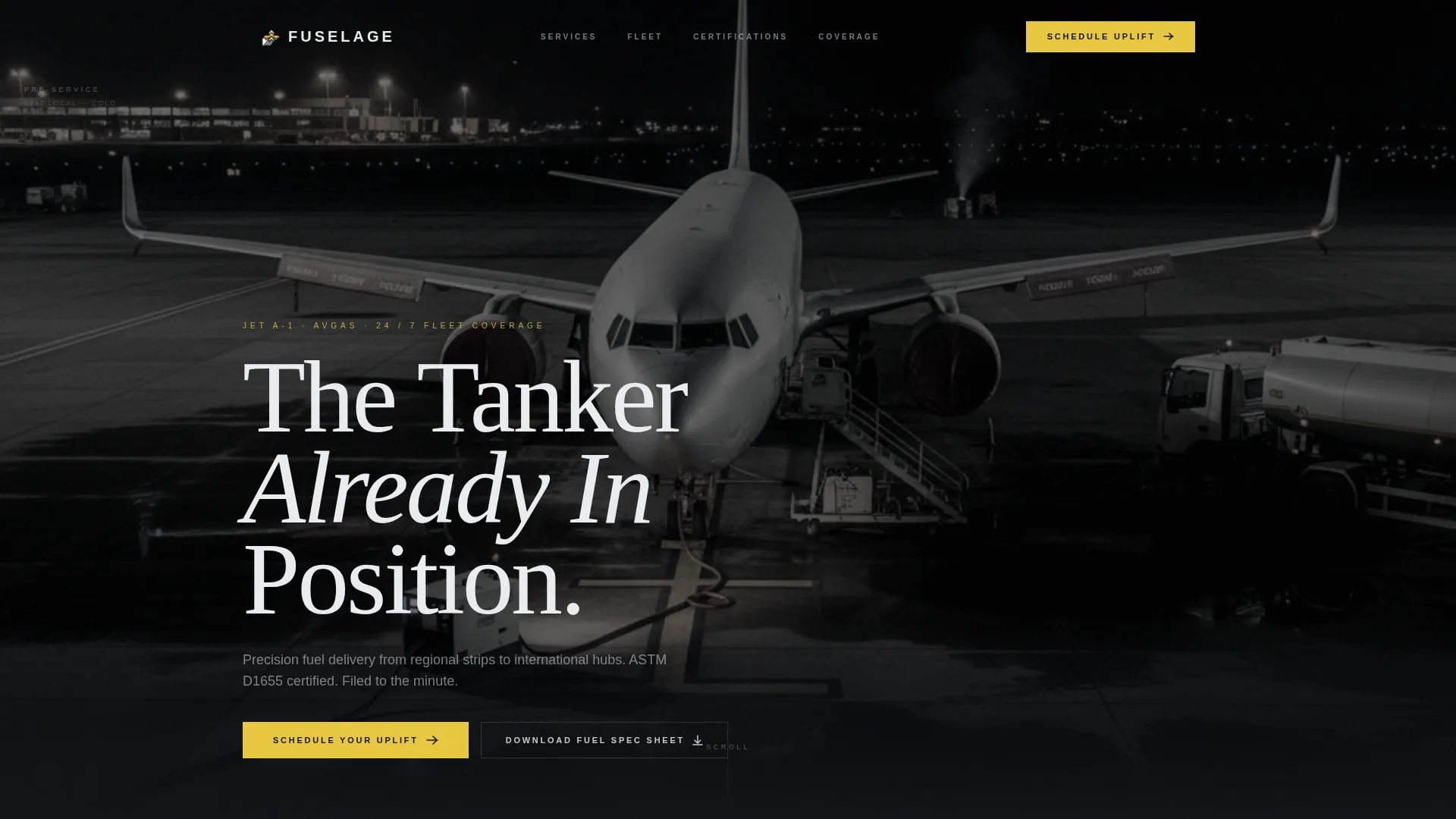
The header opens with a side-by-side video panel. The left shows a cold aircraft on a dark ramp; the right plays a looping fueling sequence with an overlay gauge showing volumetric flow. A pulsing vertical divider invites interaction, then both clips merge into a single full-bleed shot as the visitor begins to scroll.
Spec-Sheet Data Card Reveals
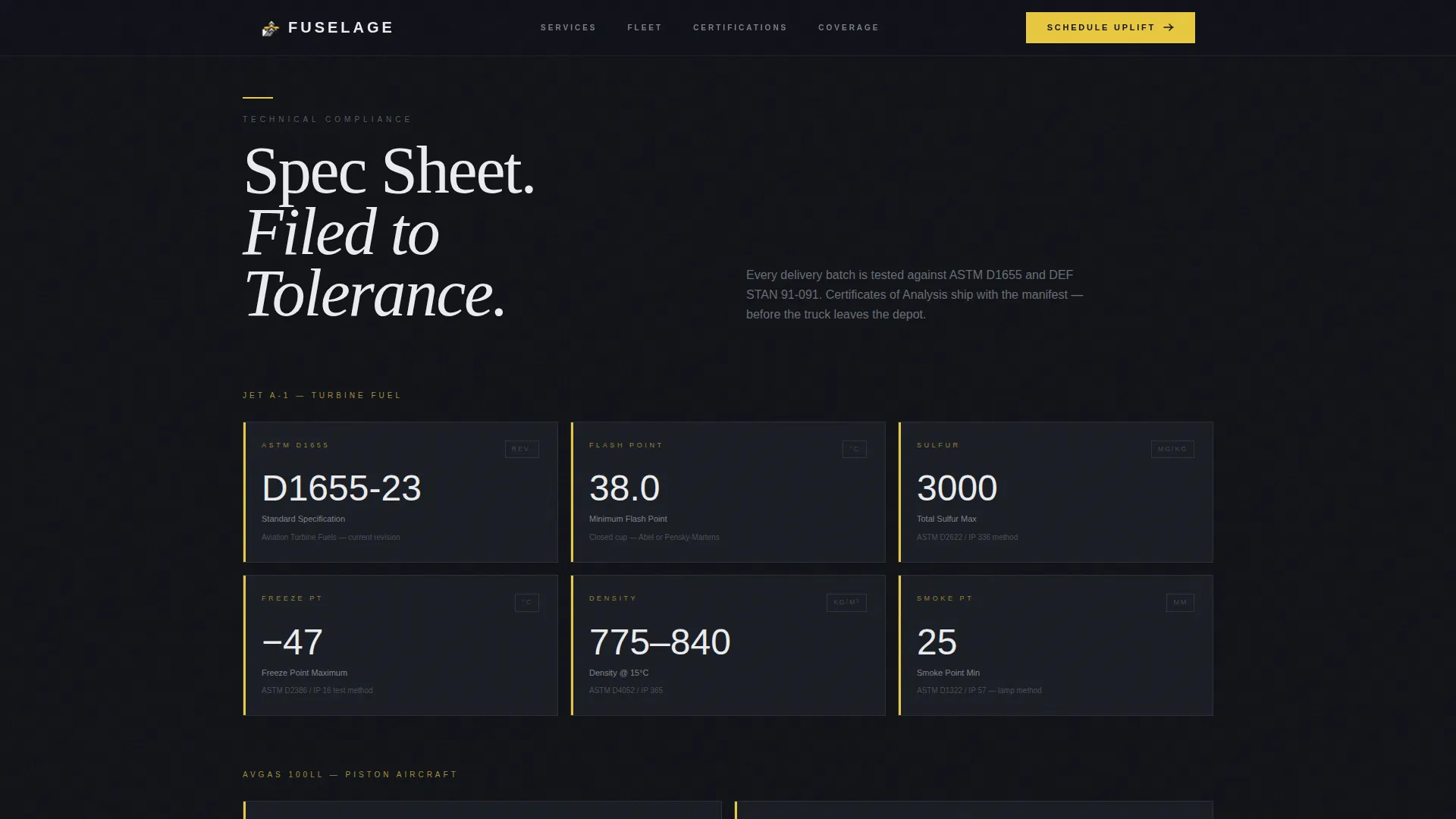
Each scroll step locks a new data block into place with inertial slide-in animations powered by GSAP ScrollTrigger. Fuel certifications, ASTM D1655 compliance details, sulfur content thresholds, flash point ranges, and delivery fleet tonnage appear as typographic cards that slide in from the edges, mimicking the momentum of a loaded bowser crossing concrete.
Structured Fuel Booking Form
The primary call to action, "Schedule Your Uplift," anchors to a focused request form. It captures the International Civil Aviation Organization (ICAO) airport code first, then aircraft type, estimated volume in liters or gallons, and a requested delivery window selected through a 30-minute time-slot picker.
Gated Fuel Spec Sheet Download
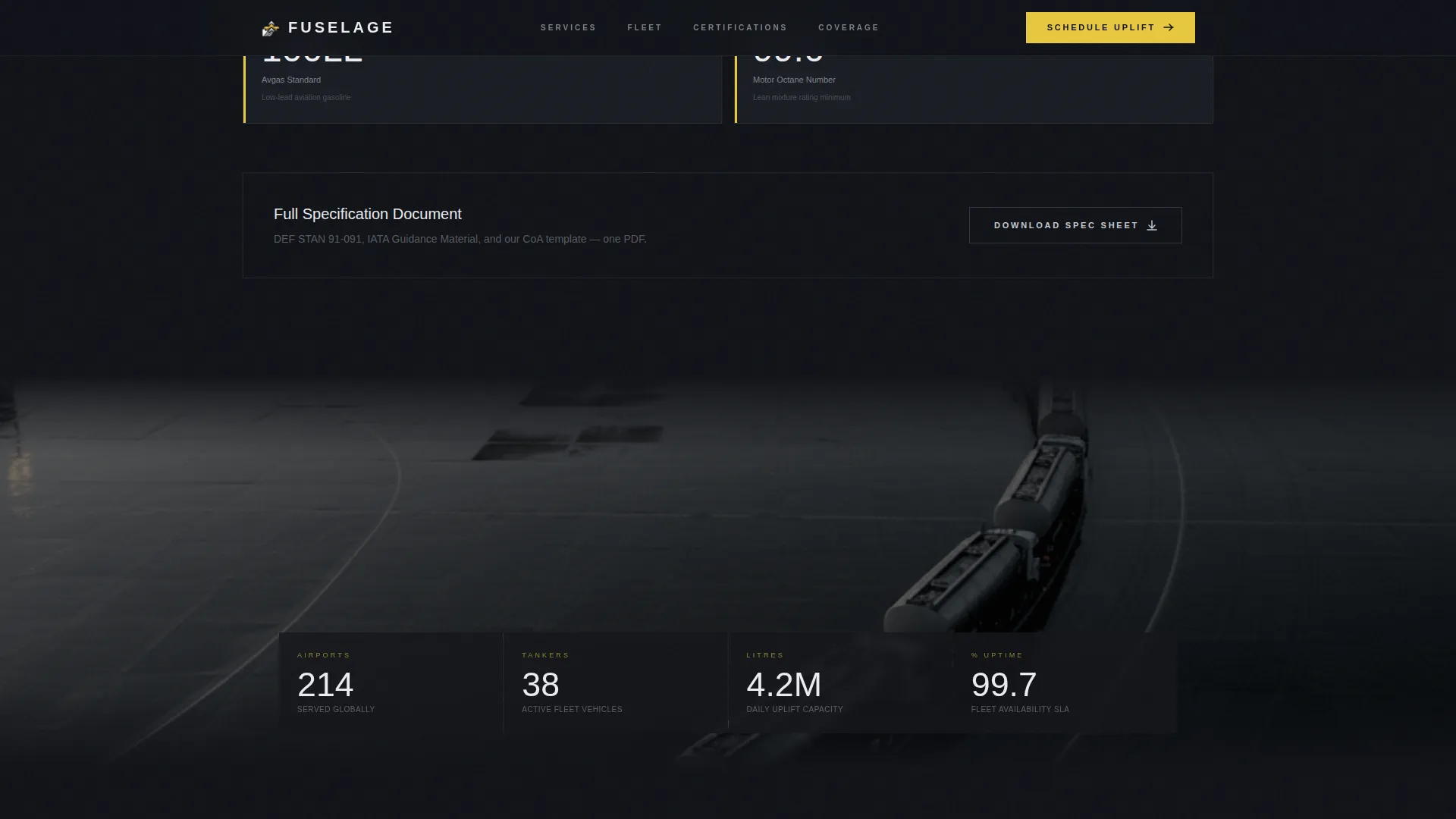
A secondary conversion path offers a downloadable fuel specification sheet as a portable document format (PDF). Visitors provide only an email address and operator name to access it. This path captures leads who are evaluating suppliers but are not yet ready to commit to a volume booking.
SLA Preflight Checklist Layout
The final content section before the booking form stacks uptime guarantees, response windows, and coverage callouts like a preflight checklist. The rhythm mirrors how a pilot works through a checklist before pushback, building confidence systematically before asking for commitment.
Page sections overview
| Section | Purpose |
|---|---|
| Hero Split-Video | Contrast cold ramp with live fueling sequence, merge on scroll |
| Certifications Data Cards | Display ASTM D1655, Jet A-1, and Avgas credentials with typographic cards |
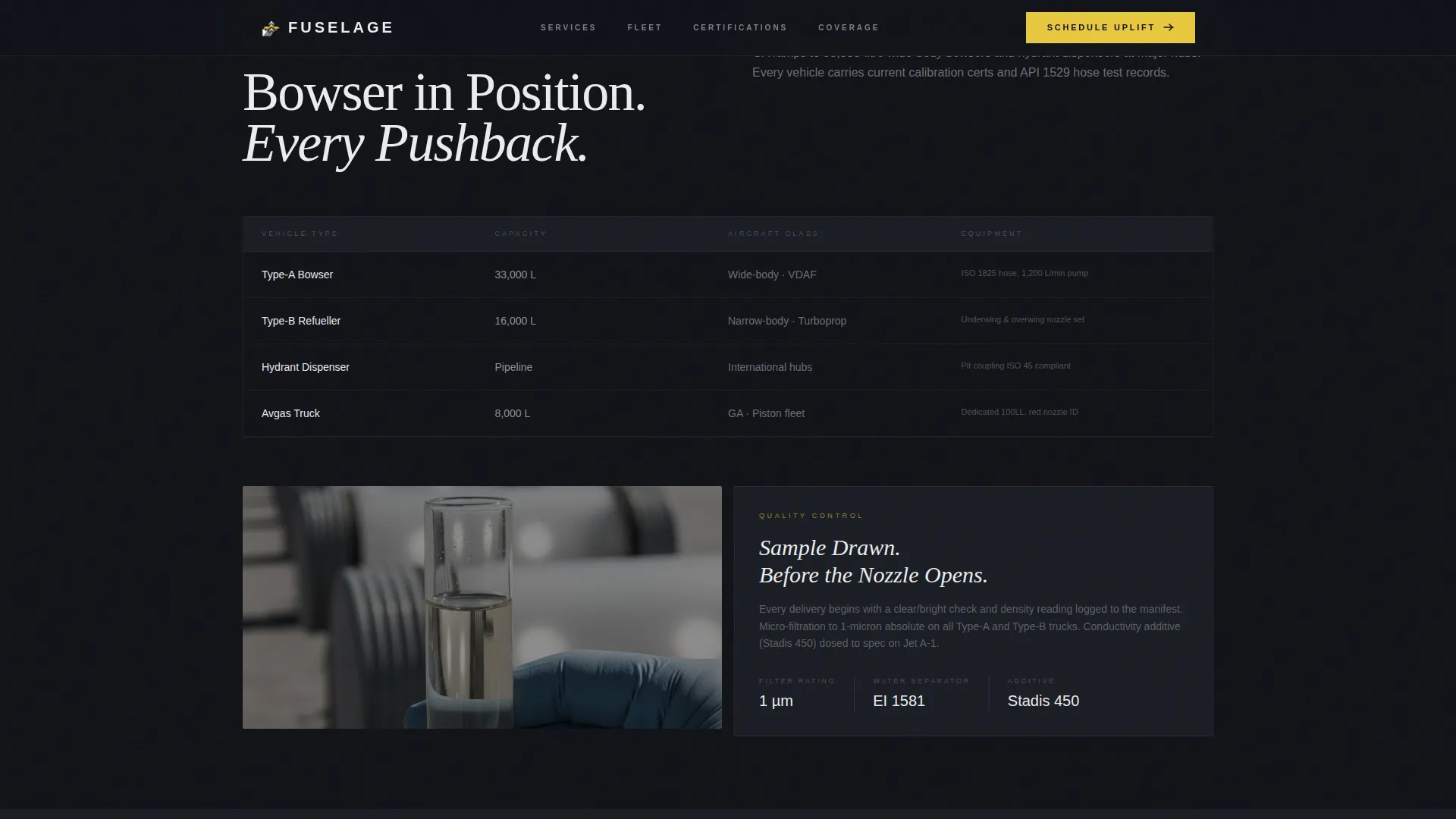
| Fleet and Operations | Aerial photography bento panel with delivery metrics and fleet data |
| SLA Preflight Checklist | Stack uptime guarantees, response windows, and coverage map callouts |
| Fuel Booking Form | Capture ICAO code, aircraft type, volume, and 30-minute delivery slot |
| Linear Footer | Single-row footer with essential links and contact information |
Design & branding system
The visual identity follows a Dynamic Motion theme built on a Monochrome Steel color system. Every choice reflects the look and feel of engineered aviation hardware: industrial, unadorned, and measured to tolerances that matter.
- Color palette: deep hangar black (#111318) as the base, brushed fuselage silver (#C5C9D1) for supporting surfaces, taxiway centerline yellow (#E8C840) reserved for calls to action and data callouts, and instrument-panel white (#EAECEF) for body text
- Typography: Manrope for data labels and user interface elements, Fraunces for editorial headers, creating a contrast between mechanical precision and authoritative voice
- Yellow accent usage is intentional and restrained, appearing only where the eye needs to be directed, much like taxiway markings guiding a pilot to the runway
Mobile & speed optimization
The template is designed desktop-first to match the working environment of FBO managers on workstations during early-morning operations. Full mobile support is included so the same credibility carries to any device.
- Interactive components including the split-video divider, time-slot picker, ICAO input, and volume toggle are built as client-side elements, while static sections use server components for faster initial rendering
- Scroll reveal animations and the split-video merge are handled through GSAP ScrollTrigger, keeping motion intentional and tied to user behavior rather than running on a timer
How this template helps you convert
The page is structured to earn the booking before asking for it. Every section adds a layer of proof so that by the time the visitor reaches the form, commitment feels like the obvious next step.
- The hero creates immediate context: a buyer sees the operation in motion before reading a single word, establishing capability through visual evidence rather than claims
- Certification and fleet data sections build technical trust using real spec-sheet language, satisfying the due-diligence questions that procurement leads and operations directors ask before approving a supplier
- The SLA checklist and booking form work together as a closing sequence, converting proven capability into a scheduled uplift with a low-friction, six-field input flow
Other information about this template
This template sits in the Automotive and Transport category under the Aviation and Flight subcategory, specifically targeting the aviation fuel supplier niche. A few additional details worth noting:
- The liters-to-gallons toggle in the booking form supports both United States standard and international volume conventions
- Aerial photography panels between data sections create visual breathing room, preventing cognitive fatigue during a spec-heavy scroll session
- The scroll reveal cadence follows a "data, breathe, data, breathe" rhythm that accelerates toward the SLA section, matching the pace of a pre-departure sequence
- The footer uses a linear single-row pattern, keeping the bottom of the page clean and operationally minimal
Theme
Dynamic Motion
Creative direction
Spec Sheet
Color system
Monochrome Steel
Style
Scroll Reveal (Progressive)
Direction
Booking/Scheduling
Page Sections
Split-video Compare Hero
Inertial Spec-sheet Data Cards
Icao-first Fuel Booking Form
Gated Spec Sheet Download
SLA Preflight Checklist Layout
Related questions
Who is this landing page template designed for?
What does the booking form collect from visitors?
Can this template capture leads who are not ready to book?
What animations and interactive elements are included?
What fuel types and technical credentials does this template highlight?



