Low Income Finance Cost Estimator Website Template
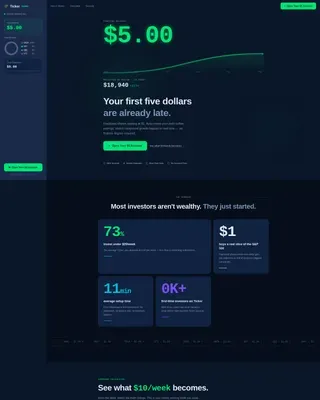
The Ticker Data Command Low Income Investment Account Landing Page Template is a dark-terminal, sidebar companion landing page built for micro-investing platforms targeting first-time, low-income investors. It combines a glowing SVG growth-line hero, a scroll-linked live portfolio sidebar, stats-first scroll reveals, and an inline compound calculator to make compound growth feel visceral and real before the visitor clicks to open their account.
by Rocket studio
Quick summary
This template is a single-page, sidebar companion landing page for a micro-investing platform aimed at first-time, low-income investors. It opens with a dark full-bleed hero, an animated green growth line, and a $5 starting balance displayed in oversized monospace type. A fixed sidebar tracks demo portfolio growth in real time as the visitor scrolls, turning the page itself into a live demonstration of compounding.
Who this template is for
This template is built for fintech founders and product teams launching a micro-investing platform for people who have never held a brokerage account. It speaks directly to an audience that invests in small, frequent amounts rather than large lump sums.
- Minimum-wage workers, gig workers, and night-shift employees who check their phones during breaks
- First-generation savers and financially curious millennials or Gen Z users ready to take control of their personal finances
- Platform builders who need a conversion-focused landing page that earns trust without overwhelming a budget-conscious audience
What problem this template solves
Most investment landing pages assume the visitor already has a stock portfolio and knows what dividends or mutual funds mean. That assumption shuts out the very people who stand to benefit most from starting early. This template flips that dynamic entirely.
- It removes jargon and replaces it with live numbers, making the math undeniable before a single word of explanation appears
- It addresses the trust gap for users who have never seen their own name on a brokerage statement, using credibility signals and clear data to reassure them
- It eliminates form friction by directing every click straight to an account creation flow, keeping the path from curiosity to commitment as short as possible
What you get with this template
You get a complete, production-ready landing page layout designed around a Data Command visual theme. Every section is purpose-built to guide a hesitant first-timer from "I only have five dollars" to "I'm opening an account right now." The template includes all the core sections, interactive components, and design assets described below.
- A fixed sidebar portfolio tracker that animates its own demo balance, diversification chart, and projected returns as the visitor scrolls
- An inline compound calculator triggered by a secondary text link, personalizing projections before the visitor commits
- A hero, stats impact section, how-it-works bento, trust and safety bento, and a single-row footer, all styled in the Navy Authority color system
Feature list
This template ships with a focused set of interactive and visual components. Each one is designed to make growth tangible, build trust, and move visitors toward clicking the primary call to action.
Animated SVG Growth Line Hero
The hero fills the full viewport in deep terminal navy. A single portfolio growth line animates upward in signal green, drawing from left to right like a heartbeat finding its rhythm. A $5.00 starting balance sits in oversized DM Mono type on the left, with a glowing ten-year projected value beneath it. The headline fades in after the line completes, so the data lands before the words do.
Scroll-Linked Sidebar Portfolio Tracker
The sidebar stays fixed on the left as the visitor scrolls. It functions as a live demo portfolio tracker, updating its balance, asset class breakdown, and projected returns with each new section. By the bottom of the page, the demo balance has grown from $5 to four figures. This makes investment tracking feel real, not theoretical, and keeps the primary call to action visible at all times.
Stats-First Scroll Reveals
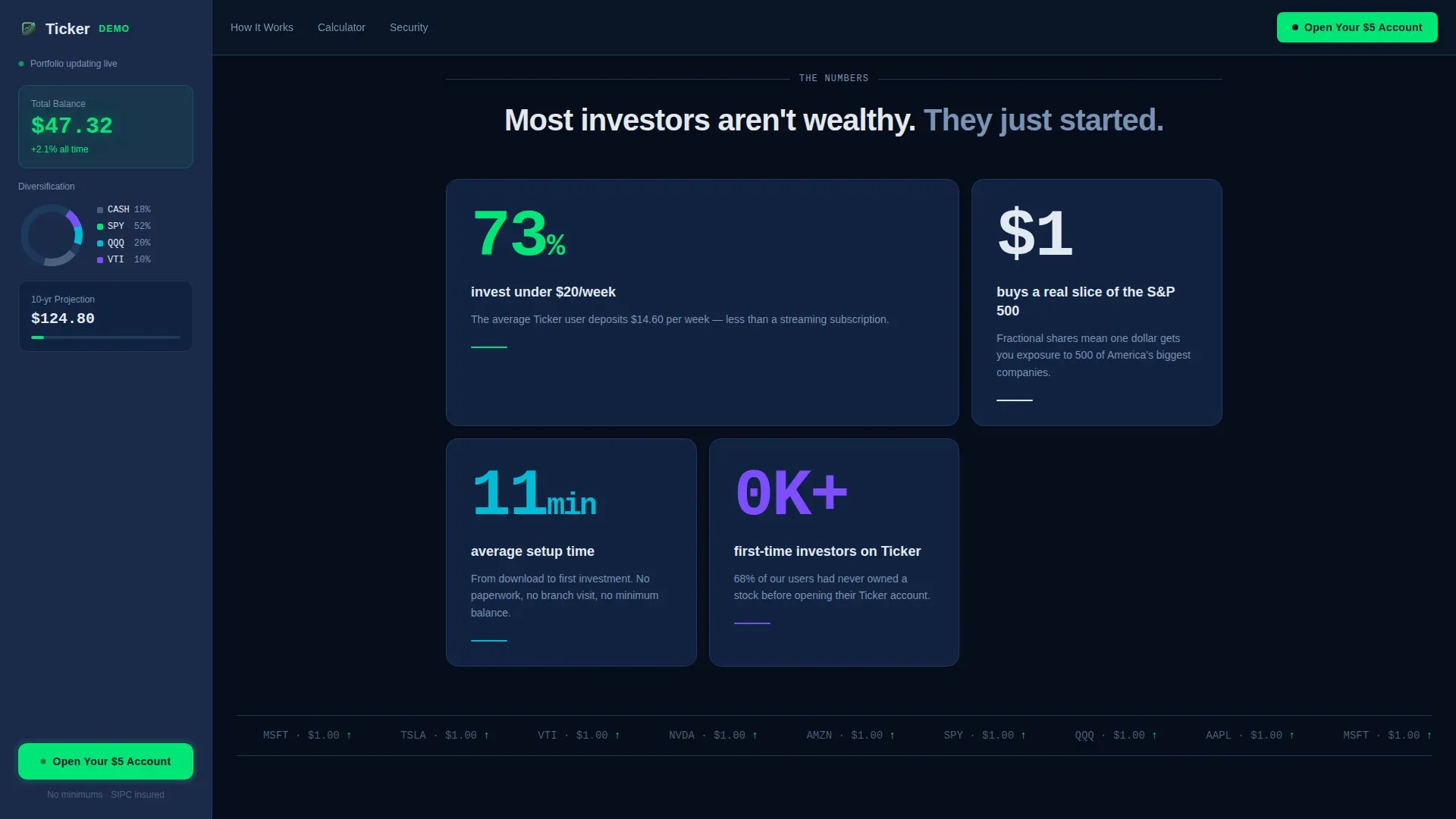
Every major scroll transition opens with a large number before a single word of copy. "73% of users invest under $20 per week" lands first; the explanation follows beneath. This approach mirrors how a serious DIY investor thinks: show me the data, then tell me the story. Each section escalates the math, from daily savings to weekly auto-deposits to one-year milestones to ten-year compound projections.
Inline Compound Calculator
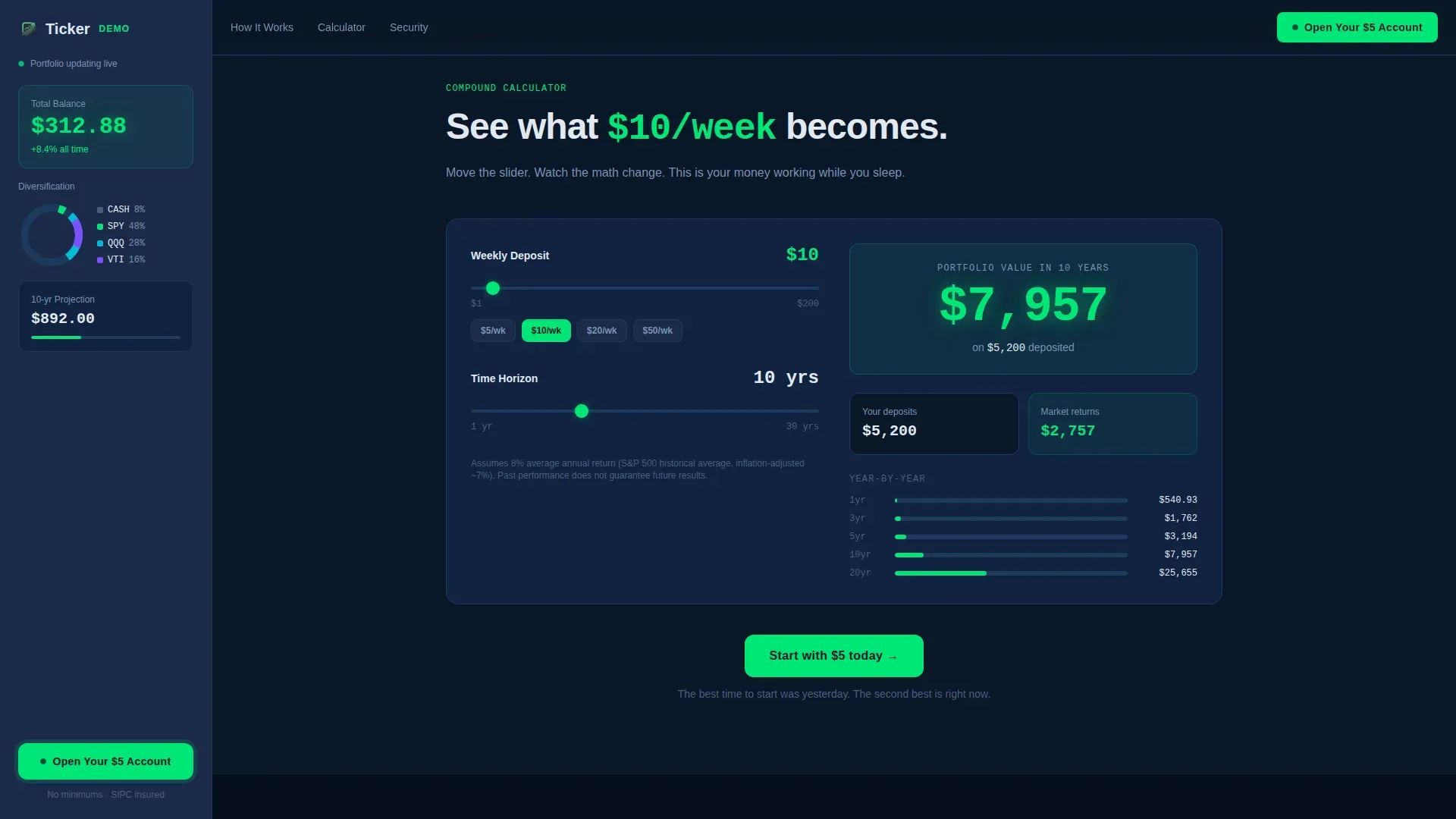
A secondary text link triggers an inline calculator directly on the page. Visitors type in their weekly amount and watch a personalized projection update in real time. This tool earns the click by making the value of small, consistent investments undeniable. It is the ultimate tool for converting a curious visitor into a committed account opener.
How It Works Bento Section
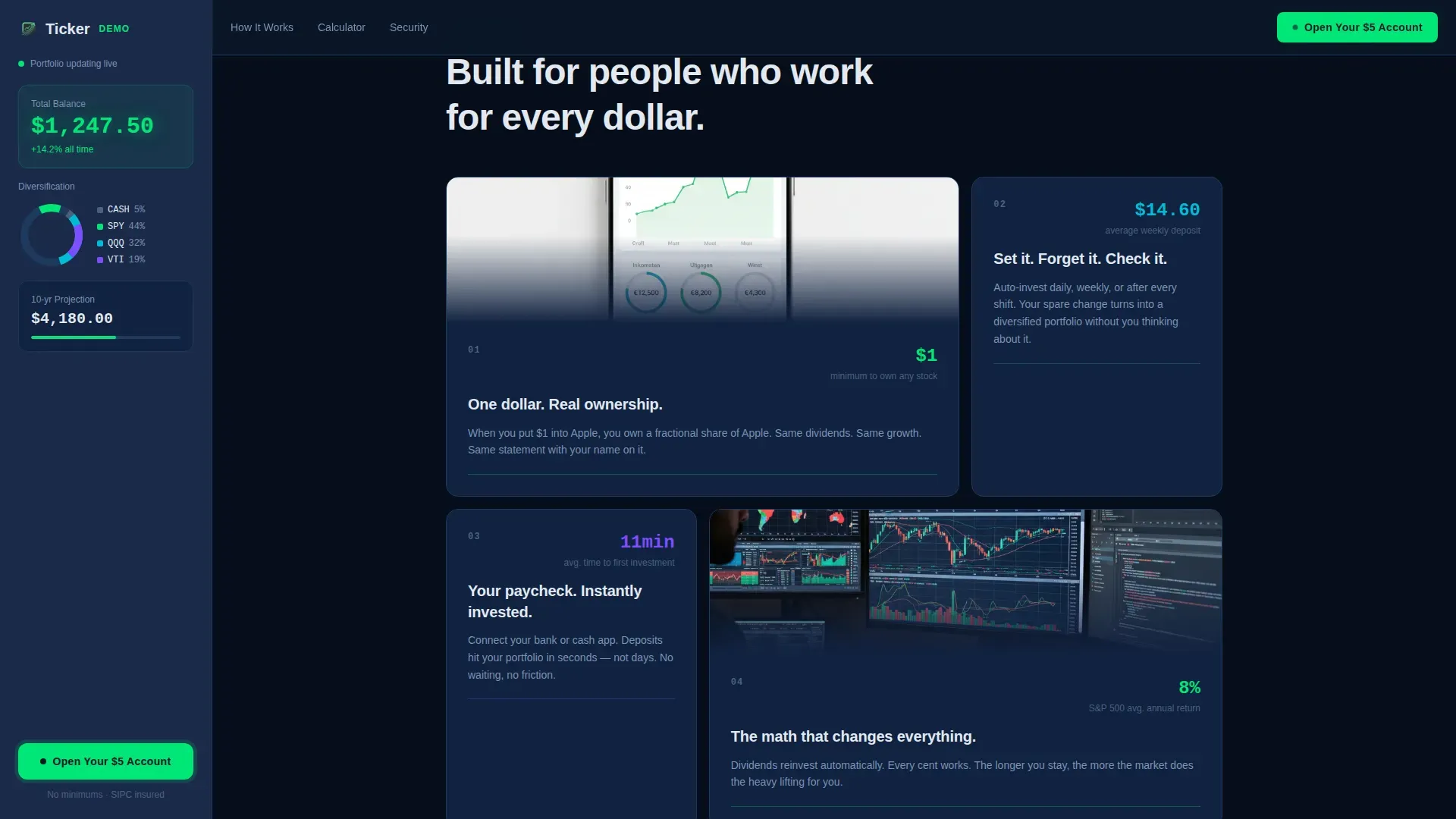
An asymmetric bento layout explains fractional share mechanics in plain language. Fractional shares allow users to buy portions of expensive stocks, making investing accessible at any income level. Users can start with as little as $1 to $5, and the section spells that out clearly. No jargon, no complexity, just a clear picture of how their money moves.
Trust and Safety Credibility Bento
A dedicated bento section surfaces credibility signals: real user metrics, regulatory compliance indicators, and security badges. SIPC insurance details are displayed prominently to reassure visitors about the protection of their funds. This section is essential for first-time investors who need to feel safe before they sign up and hand over even five dollars.
Page sections overview
| Section | Purpose |
|---|---|
| Hero with sidebar | Anchor the visitor with a glowing animated growth line, $5 starting balance, and fixed demo sidebar |
| Stats impact reveals | Open each scroll beat with a hard number before copy to build immediate credibility |
| Compound calculator | Let visitors personalize their own projection with a weekly deposit input |
| How it works bento | Explain fractional shares and low minimums in plain, jargon-free language |
| Trust and safety bento | Display user metrics, compliance details, and security signals to reduce sign-up hesitation |
| Linear footer row | Close with a clean single-row footer containing essential links |
Design & branding system
The visual identity follows a Data Command theme. It draws on the glow of a Bloomberg terminal and translates it into something that feels accessible and personal. Every color and type choice is intentional: dark enough to make every green number pop, light enough to stay readable on a phone screen at midnight.
- Navy Authority palette: deep terminal navy (#0A1628) for primary backgrounds, tactical slate (#1B2A4A) for the persistent sidebar, cool interface white (#E2E8F0) for all typography and data labels, and signal green (#00E676) as the sole accent color on upward ticks, active states, and call-to-action pulses
- DM Mono for all numbers and data labels, Manrope for all body copy, creating a clear visual hierarchy between the data and the explanation
- No stock photography, no faces, no decorative imagery; the design relies entirely on the animated growth line, live sidebar data, and clean typographic layouts to communicate value
Mobile & speed optimization
This template is built mobile-first. The target audience checks their phones on breaks, during rides, and between shifts. Every interactive component is designed to perform on a small screen without requiring a desktop environment.
- The sidebar companion collapses gracefully on mobile so the demo balance and call-to-action remain visible without obscuring the main content
- GSAP ScrollTrigger powers the sidebar counter animation and scroll-linked number reveals, while static sections use server components to keep the initial load fast
- The inline compound calculator and animated hero use client-side components, keeping interactivity smooth while static content renders immediately
How this template helps you convert
This template is built around one goal: getting the visitor to click "Open Your $5 Account." Every design and copy decision reduces resistance and increases the perceived value of that single action.
- The fixed sidebar call to action stays visible throughout the entire scroll, so the visitor never has to hunt for the button; the primary call to action is always within one glance
- The inline compound calculator personalizes the pitch before commitment, making the projection feel like the visitor's own plan rather than a generic promise
- The stats-first scroll structure escalates the math section by section, so by the time the visitor reaches the footer, the demo balance has grown from $5 to four figures and clicking feels less like a sales conversion and more like picking up money from the floor
Other information about this template
This template is designed specifically for the low-income finance niche within the broader Finance and Insurance category. It sits at the intersection of accessibility-first design and data-driven persuasion. Several additional details are worth knowing before you build with it.
- Investment portfolio templates help individual investors track, manage, and analyze a wide range of personal investments. This template is styled as a marketing landing page rather than a functional spreadsheet tracker, but it is designed to sell a platform that delivers exactly that capability to users.
- Google Sheets and Microsoft Excel are the most common tools investors use for portfolio tracking outside of dedicated apps. Google Sheets supports the GOOGLEFINANCE function, which automatically updates stock prices every 20 minutes. This template is built to showcase a platform that gives low-income users access to that same quality of investment tracking without requiring them to manage their own spreadsheet.
- A simple investment spreadsheet remains one of the most popular and flexible tools for tracking your portfolio. The benefits of using your own spreadsheet to track your investments include privacy, simplicity, and flexibility. This template positions the platform as the next step for users who have outgrown basic stock tracking spreadsheets or who want automated tracking without the manual work.
- Investment portfolio templates typically come in the form of spreadsheets, combining key data points including purchase price, current price, current market value, and profit and loss. The sidebar demo in this template mirrors that data structure visually, showing holdings, current value, asset class breakdown, and projected dividends in a familiar table-style layout.
- Portfolio rebalancing is an essential investing chore for do-it-yourself investors. Rebalancing can be done based on time intervals, such as annually or every two to three years. The 5/25 rule is a popular guideline for rebalancing large asset classes in a portfolio. A written investing plan is crucial for determining desired asset percentages. This template can support a platform that educates users on these practices as their investments grow.
- A serious DIY investor may eventually want to manage multiple accounts, track international stocks, monitor cash flow from dividends, or run deeper stock analysis. This template is positioned at the entry point of that journey, but the platform it represents can grow alongside its users as their investment strategy matures.
- The Ticker Data Command Low Income Investment Account Landing Page Template is the specific template described on this page. It is part of a broader library of finance and insurance templates available on the platform.
Theme
Data Command
Creative direction
Stats-First Impact
Color system
Navy Authority
Style
Sidebar Companion
Direction
Click-Through
Page Sections
Animated SVG Growth Line Hero
Scroll-linked Sidebar Portfolio Tracker
Stats-first Scroll Reveals
Inline Compound Calculator
Fractional Shares How It Works Bento
Trust and Safety Credibility Bento
Related questions
Does this template include a working compound calculator?
Is this template suitable for a mobile-first audience?
Does the sidebar demo update automatically as the visitor scrolls?
Can I customize the colors and fonts in this template?
What trust signals are included in the Trust and Safety section?



