Parallel Test 1
Garrison is a single-column army landing page template built as a fortified digital directory for military installations. It gives service members, families, DoD civilians, and newcomers immediate access to every office, phone number, and service they need. The design follows an arms-room logic: every entry in its place, nothing wasted, everything labeled and ready to retrieve at any hour.
by Rocket studio
Quick summary
Garrison is a focused army landing page template designed for military installation directories. It organizes every post service, emergency contact, and newcomer resource into a clean, expandable single-column layout. The design borrows from the precision of an arms room: structured, labeled, and immediately usable. Whether it is 0200 and a PCS-ing spouse needs a housing referral, or a company commander needs range availability before morning formation, this template delivers the right answer without friction.
Who this template is for
This army landing page template was built for the specific pressures of garrison life. It serves the people who need fast, reliable access to installation resources and cannot afford to hunt through disorganized pages when seconds matter. The template covers a wide range of users across the defense community.
- Service members, PCS-ing spouses, and military families who need housing, medical, or gate hour information quickly, often from a mobile device late at night.
- Company commanders, staff officers, and DoD civilians who need direct lines to the correct office, directorate, or department without being transferred twice.
- Newcomers arriving at a new post who need a structured introduction to available support services, recreation programs, and key command contacts before or after their departure date.
What problem this template solves
Most army installation websites bury critical information under layers of navigation. Personnel and civilians are forced to call the front desk, walk across post, or dig through outdated documents just to find a phone number. That friction costs time and erodes trust in the installation's ability to support its community. This template is the solution.
- A PCS-ing soldier's family arrives in a new city with no local knowledge, no sponsor contact, and a departure from the previous post that happened two weeks earlier. They need housing, childcare, and a gate pass before Monday. This template gives them every entry point in one scroll.
- DoD employees and garrison civilians often fall into a gap between the unit chain of command and the services they need. The template's expandable directory cards give them direct office numbers, building references, and DSN lines without requiring a military sponsor to navigate the system.
- Newcomers, visitors, and community members seeking MWR programs, recreational facilities, or chaplain support have no obvious digital home on most post websites. This template creates that home and keeps it organized by category.
What you get with this template
The template delivers a complete, ready-to-customize army landing page built around a single-column flow. Every section has a defined purpose and a clear visual hierarchy. The design system is institutional and precise, but never hostile or confusing.
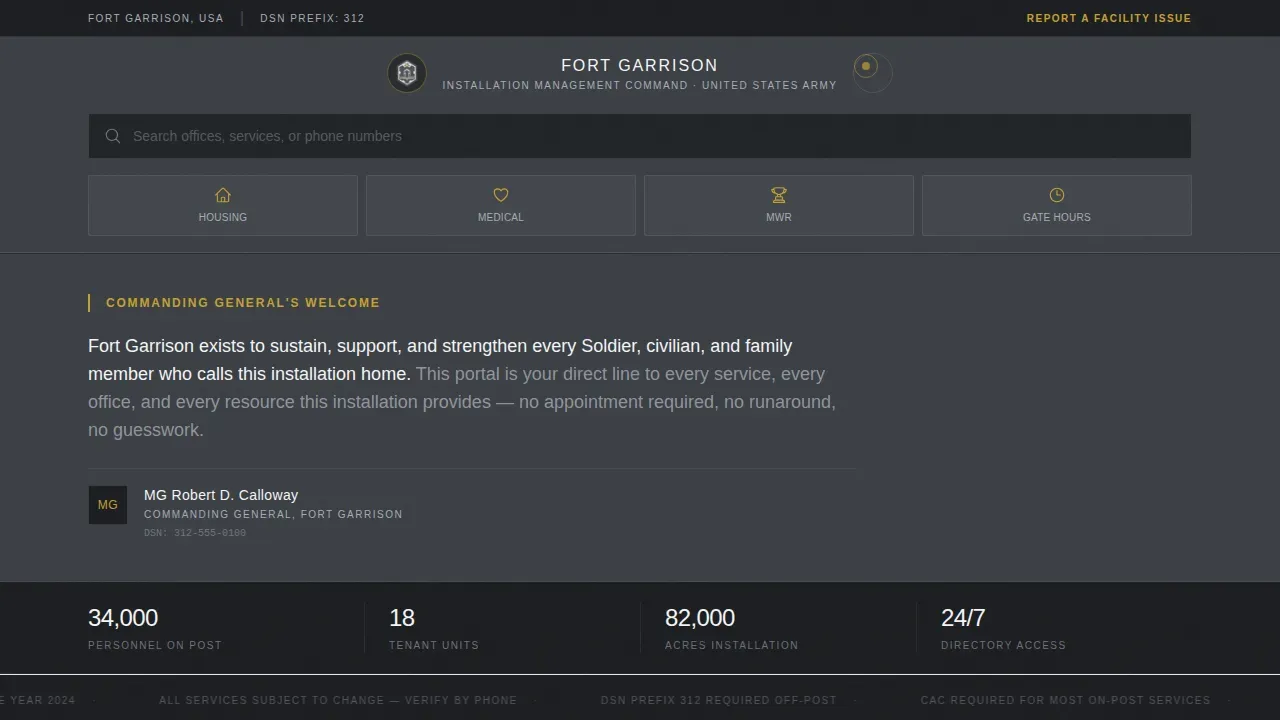
- A utility header with the installation crest, full official designation, a prominent search field with ghost text reading "Search offices, services, or phone numbers," and four icon-labeled quick links: Housing, Medical, MWR, and Gate Hours.
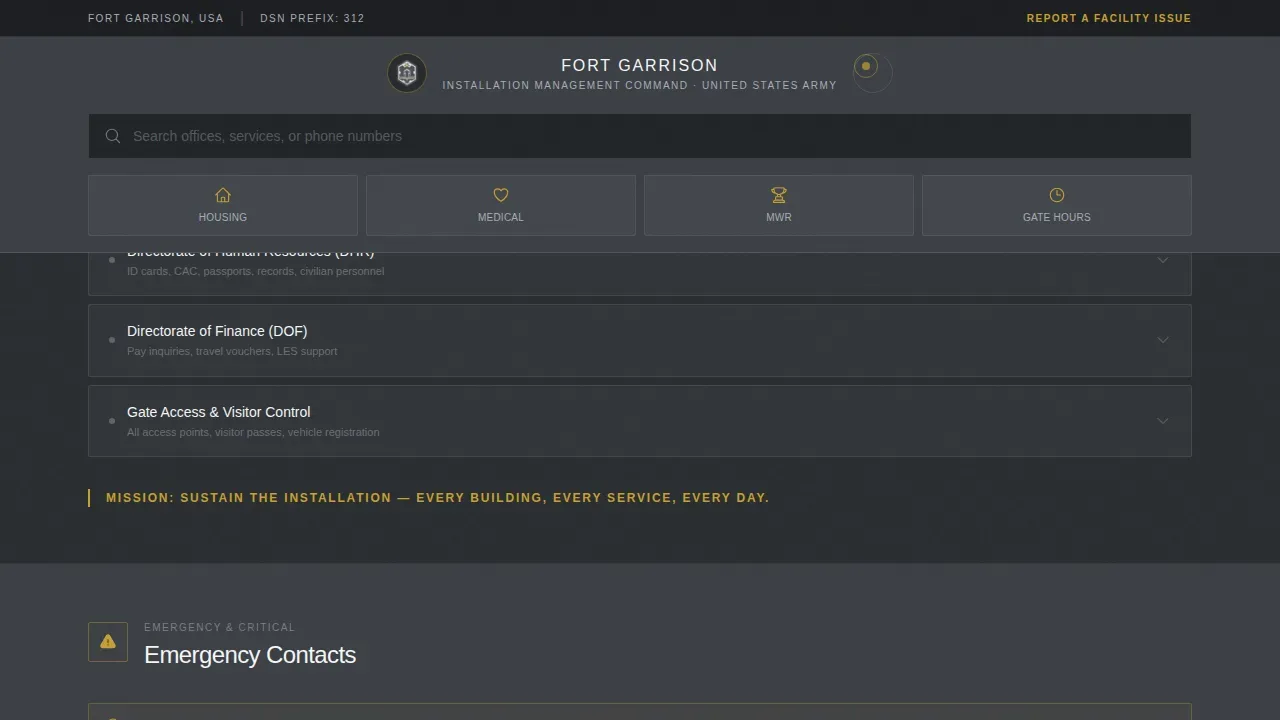
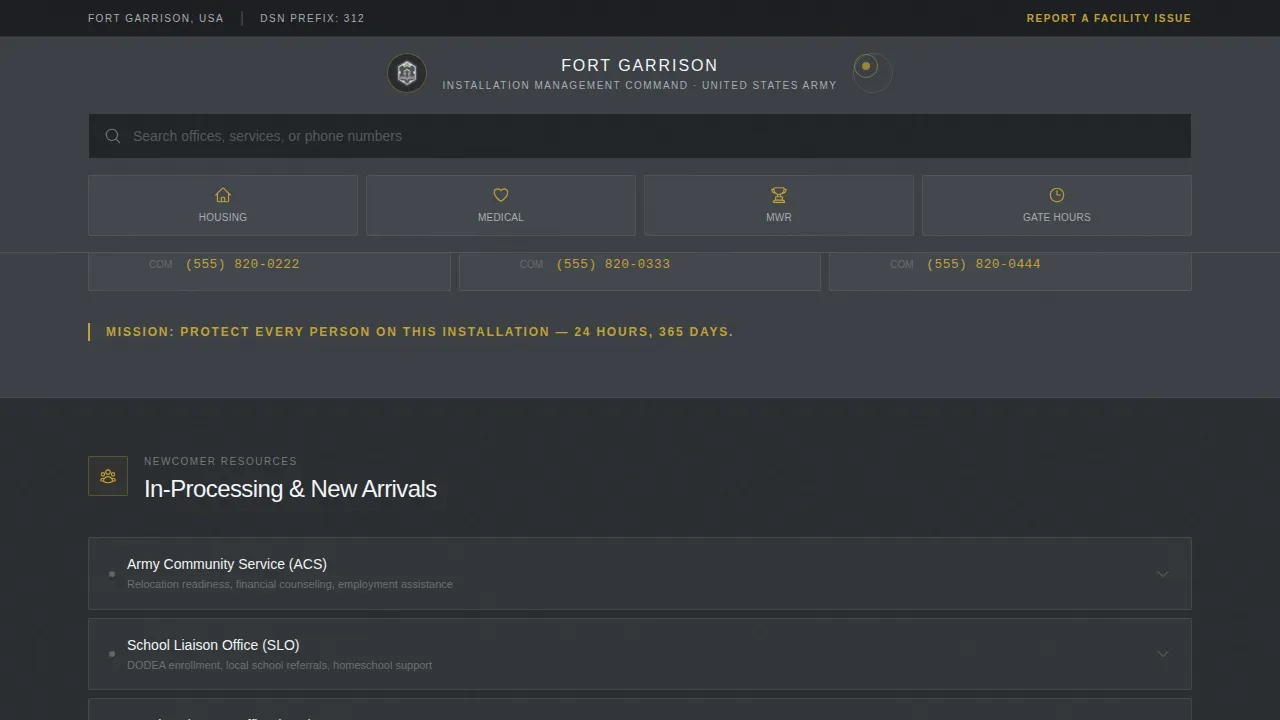
- Expandable directory cards organized into four clusters: Garrison Services (Housing, Finance, Legal, Transportation), Emergency Contacts (Military Police desk, fire, medical, chaplain), Newcomer Resources, and Recreation and Family Programs including Morale, Welfare and Recreation (MWR), Army Community Service (ACS), and Child, Youth and School Services (CYSS).
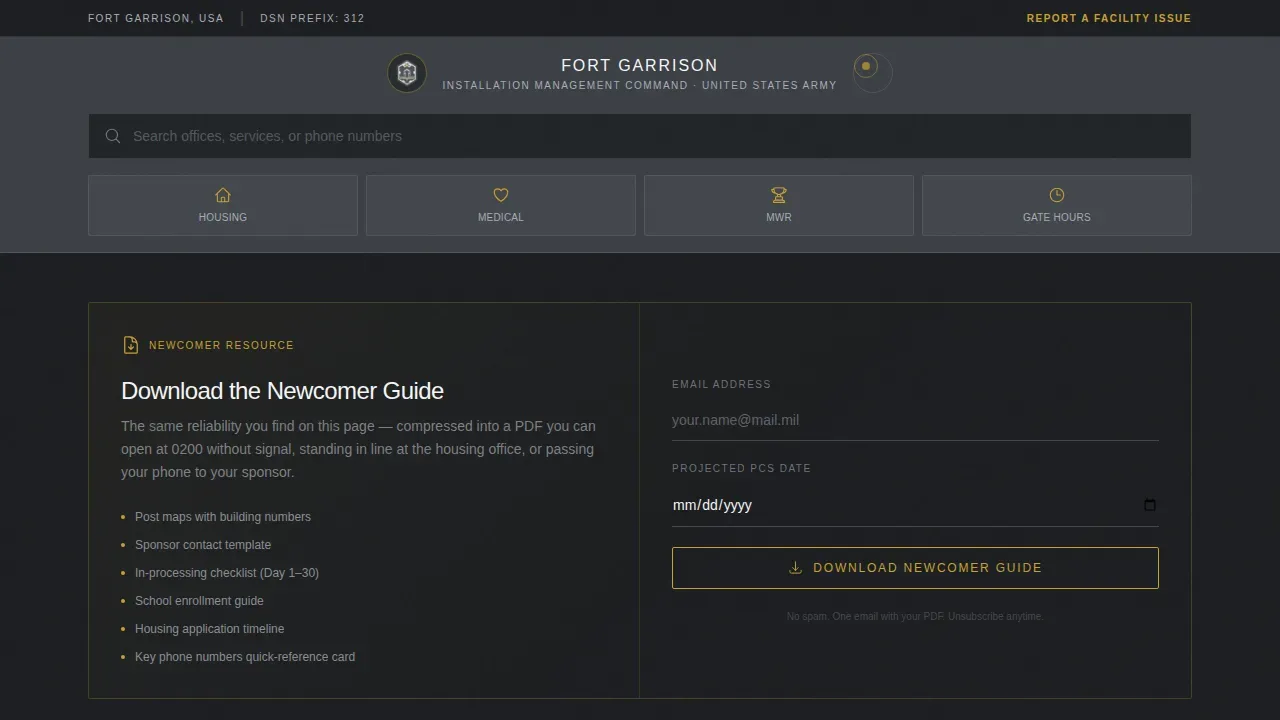
- A primary call-to-action button, gold-bordered and clearly labeled "Download the Newcomer Guide," placed after the Newcomer Resources section and paired with a simple email and projected PCS date capture form.
Feature list
This army landing page template includes six core capabilities drawn directly from the project brief. Each one supports a specific user need and contributes to the overall mission of the page: reliable, organized access to installation resources.
Utility Header with Search and Quick Links
The header is a tool, not a poster. It opens with the installation crest and official base designation set in a utilitarian, squared typeface on a narrow gunmetal strip. Directly below sits a prominent search field with ghost text reading "Search offices, services, or phone numbers," flanked by four icon-labeled quick links for Housing, Medical, MWR, and Gate Hours. There is no hero image and no motivational slogan. The header earns trust by being immediately useful to every visitor the moment the page loads, whether they are a soldier checking gate hours or a DoD civilian confirming office schedules.
Commanding General Welcome Block
A brief authority anchor follows the header. It contains two sentences from the commanding general and a formal signature block. This section establishes command presence without consuming layout real estate. It signals that the post directory is officially sanctioned, current, and maintained with the same standards applied to any official army publication or command document. For newcomers and visitors unfamiliar with the installation, this block communicates that they are in the right place.
Expandable Directory Card System
The core of the template is a set of categorized, expandable directory cards. Each card cluster covers a defined area: Garrison Services, Emergency Contacts, Newcomer Resources, and Recreation and Family Programs. When a visitor expands a card, they see office names, building numbers, and both DSN and commercial phone lines. The rhythm is scan-and-drill: visitors control how deep they go. An effective military garrison directory should offer a searchable, standardized listing of all units, tenants, and essential services, and this system delivers exactly that in an organized, low-friction format.
Newcomer Guide Download with Email Capture
After the Newcomer Resources card cluster, a gold-bordered call-to-action button labeled "Download the Newcomer Guide" anchors the primary conversion path. A visitor enters their email address and projected PCS arrival date. In return, they receive a portable document (PDF) containing maps, arrival checklists, and sponsor contact information. This section addresses one of the most common gaps for soldiers and families arriving at a new post: having reliable, offline-ready reference material for the first week on installation.
Persistent ICE Feedback Bar
A secondary conversion path runs as a persistent top-bar link reading "Report a Facility Issue." Selecting it opens a short ICE-style (Interactive Customer Evaluation) feedback form. This gives every visitor, from a soldier with a barracks maintenance issue to a DoD civilian with a complaint after an ID card appointment, a direct, low-barrier channel to the appropriate office or department. Including a formal feedback path reinforces accountability and communicates that the installation values the input of its personnel and civilian community.
Installation Stats Social Proof Bar
Between directory clusters, the template includes a stats bar displaying figures such as units assigned, total acreage, and personnel served. Single-line mission callouts in gold type appear between clusters to reinforce the installation's purpose. These elements provide context and build confidence in the directory's authority. A visitor scanning for a single phone number also absorbs the scale and legitimacy of the post, which supports trust in the information presented.
Page sections overview
| Section | Purpose |
|---|---|
| Utility Header Bar | Crest, search field, and four quick-access icon links |
| CG Welcome Block | Two-sentence commanding general welcome and signature |
| Garrison Services Cards | Expandable cards for Housing, Finance, Legal, Transportation |
| Emergency Contacts Cluster | High-visibility MP, fire, medical, and chaplain lines |
| Newcomer Resources Cards | Expandable cards plus PDF download call to action |
| Recreation and Family | MWR, ACS, and CYSS expandable program cards |
| Installation Stats Bar | Units assigned, acreage, and personnel served figures |
| Persistent Feedback Bar | Top-bar ICE feedback form link for facility issues |
| Footer | Linear pattern footer with standard post links |
Design & branding system
The visual identity follows a Directory and Discovery theme built on a Monochrome Steel color system. The palette is institutional and precise, deliberately avoiding decorative distractions. Every color choice has a functional role, which keeps the page feeling like a freshly organized headquarters building rather than a commercial website.
- Core palette: gunmetal charcoal (#3B3F45) for primary backgrounds, cold aluminum (#A8ADB5) for secondary surfaces and divider lines, starched white (#F4F5F6) for content cards, and safety-tape gold (#C5A132) reserved exclusively for active links, badges, the search bar border, and call-to-action buttons.
- Typography: DM Sans for all body and heading copy to maintain a squared, utilitarian read; JetBrains Mono for phone numbers and DSN lines to improve scannability and reduce misreading of digit sequences.
- Animation approach: low-to-medium motion using accordion expand and collapse for directory cards, fadeInUp on scroll for new content clusters, and gold underline hover states on active links.
Mobile & speed optimization
The template was designed with a mobile-first priority. The primary user scenario driving this decision is a PCS-ing spouse searching for housing referrals at 0200 on a phone with limited signal. Every layout decision reflects that use case. High-contrast typography and adequate whitespace ensure the page remains readable in varied lighting conditions, from a bright office to a dim barracks room.
- Single-column flow eliminates horizontal scrolling and keeps the scan path linear on all screen sizes from mobile through tablet to desktop, matching the natural top-to-bottom reading behavior of users under time pressure.
- Static content priority means the page loads critical directory information first, avoiding layout-blocking elements that would delay access to phone numbers and office hours during urgent situations.
- Accordion-style expandable cards reduce the visible content load on small screens without hiding information, letting visitors drill into the specific office or department they need without scrolling past irrelevant material.
How this template helps you convert
The template converts visitors by proving value before asking for anything. Every phone number, office hour, and directory entry is available without a login or form submission. Once the visitor trusts that the page has every answer organized correctly, the two conversion paths feel like natural extensions of that reliability rather than interruptions.
- The "Download the Newcomer Guide" button captures email addresses and projected PCS dates in exchange for a portable PDF containing maps, checklists, and sponsor contact information. The offer is genuinely useful to the exact people most likely to need it, and the form asks for only the minimum information required to deliver it.
- The persistent "Report a Facility Issue" top-bar link converts frustration into a structured feedback entry. A visitor who just found the wrong office hours or experienced a difficult ID card appointment has an immediate, low-effort path to register their concern, which turns a negative experience into a productive interaction and reinforces the installation's commitment to service.
Other information about this template
This template sits at the intersection of practical defense design and the long history of army garrison record-keeping. Military garrisons created many records to document their daily activities, and modern installations carry that administrative tradition forward in digital form. The records of U.S. military posts have always documented the daily activities of a particular fort, from headquarters correspondence to civilian burial registers maintained by the post quartermaster. The post commander historically supervised the overall affairs of the fort, including safety, defense, and discipline. Today that same chain of command logic is reflected in a well-structured garrison directory that routes every question to the correct office.
The history of military installations in America stretches back to the beginning of the federal government in 1789. Military posts provided protection and stability to a young and growing nation from those earliest years. By the early 1790s, a half dozen garrisoned posts dotted the western borders of the young republic. The expansion of the western frontier further fueled the construction of military installations from Georgia and Tennessee through Kansas, Oklahoma, Nebraska, and Utah, eventually reaching California, Texas, and Arizona. The acquisition of land from Mexico in 1848 spurred the need for a constant military presence from New Mexico to California and the Pacific Northwest. During the Civil War, the Union army established new outposts as it reoccupied Southern territory. Posts in Kentucky, Pennsylvania, and Washington served as mobilization and training grounds. Many forts located in Germany and across Europe followed the pattern of earlier American installations. The cessation of Indian wars by the early 1890s diminished the need for many military posts, and many forts became obsolete and evolved from protective strongholds to training facilities in the early 20th century.
Military garrisons created many records to document their daily activities, but the federal government seldom regulated such records until 1857. Compiled military service records provide the essential summary of a volunteer soldier's career. Registers of enlistment from the Adjutant General's Office offer succinct descriptions of service for Regular Army enlisted men. Headquarters records documented administrative activities as well as general information about post personnel. The adjutant handled incoming correspondence and disposed of or distributed all papers received. The existing records of 19th-century U.S. military posts are part of the Records of United States Army Continental Commands, 1821 to 1920, and military post records frequently contain unexpected but useful genealogy-related material that researchers and families continue to reference today. Registers of births, baptisms, marriages, and deaths were maintained by the post chaplain. Registers of interments identified the name, rank, and unit of the deceased. The records of military posts provide useful, detailed insight into the lives of the people who inhabited army outposts, from infantry soldiers to civilian employees and their families.
This garrison fortified military directory landing page template is designed specifically for defense-related organizations and army installation portals. Military website templates of this category can be used for army recruitment pages, information dissemination, and service promotion across a wide range of government and defense audiences. Customization options let organizations tailor the design to their specific branding, whether the installation is located in South Carolina, Georgia (GA), or any other state. The inspector general office link can be surfaced directly in the directory, giving personnel a clear path to submit complaints or concerns. Key installation figures such as Col. William John David Smith Jr. or Col. Robert Washington Jr. can be added to the leadership block with full signature formatting. Entries in the directory can be updated in April, June, July, August, October, January, March, or December as office hours and personnel change. The template is suited for army landing page deployments across posts in states including Kentucky, Tennessee, Oklahoma, Kansas, Nebraska, Utah, Arizona, Texas, California, Pennsylvania, and beyond. Sites established near a garrison town or city benefit from including local support resources alongside official post entries. The introduction of new services, the publication of updated regulations, and communicating construction updates or facility closures are all supported through the directory card system and the persistent feedback bar. Supplies, equipment lists, and operation schedules can be surfaced as downloadable documents within the relevant card clusters. The background of each directorate, including establishing dates and mission context, can be added to the expanded card view to give visitors richer context during their research.
The template supports the following additional use cases and configurations:
- Army landing page deployments for infantry brigades, division headquarters, and multi-unit posts needing a centralized service directory.
- Integration of portals tailored to different groups: soldiers, families, newcomers, and civilian employees, each with relevant quick-access entries and material.
- Display of installation background information including unit history, construction timeline, and command lineage for posts with significant defense heritage.
- Structured entries for subordinate and tenant units to facilitate easy identification and contact across a large, multi-command garrison.
- Section-level updates for real-time communicating of schedule changes, gate closures, and community events without rebuilding the full page layout.
- Support for DSN and commercial phone number formats displayed in JetBrains Mono for rapid, error-free reading by personnel in any department or office.
Theme
Directory & Discovery
Creative direction
Vision & Mission
Color system
Monochrome Steel
Style
Single Column Flow
Direction
Content/Resource
Page Sections
Utility Header with Search and Quick Links
Commanding General Welcome Block
Expandable Directory Card System
Newcomer Guide Download with Email Capture
Persistent ICE Feedback Bar
Installation Stats and Mission Callouts
Related questions
Who is this army landing page template designed for?
Can I customize the directory categories and office entries?
How does the Newcomer Guide download work?
Does the template work on mobile devices?
What is the ICE feedback form used for?



