Military Service Member Insurance Professional Website Template
The Protect Military Auto Insurance Rate Assessment landing page template is built for active-duty service members and military families who are overpaying on car insurance. It combines a five-step assessment quiz, Stats-First zigzag sections, and a clean Legal Shield visual identity to guide visitors from first question to free quote in under 60 seconds.
by Rocket studio
Quick summary
Protect is a single-page auto insurance landing page template designed specifically for military service members. It opens with a branch-selection form above the fold, walks visitors through a five-step assessment, and delivers a personalized savings estimate before asking for an email. Every section is built to generate leads, build trust, and move a focused target audience toward action.
Who this template is for
This landing page was built for auto insurance businesses and fintech companies serving the military community. It speaks directly to service members and their families across every rank and stage of service.
- Active-duty enlisted members from pay grade E-4 through E-7 shopping for better car insurance rates
- Military spouses managing household vehicle coverage while a partner is deployed or on assignment
- Senior non-commissioned officers (NCOs) juggling multi-vehicle, multi-state insurance situations
What problem this template solves
Most auto insurance landing page designs are built for a civilian audience. They ignore the realities of permanent change of station (PCS) moves, deployment storage discounts, Servicemembers Civil Relief Act (SCRA) protections, and duty-station-driven rate changes. Service members end up paying more simply because the tools they use were never designed for them.
This template solves that mismatch without overwhelming visitors with jargon or irrelevant options.
- Car insurance rate increases after PCS moves often go uncontested because most people never see a clear comparison
- Deployment periods can qualify service members for significant vehicle storage discounts that insurance companies rarely advertise
- A standard insurance landing page rarely surfaces military-specific coverage details, leaving money on the table
What you get with this template
This template gives you a complete, ready-to-customize auto insurance landing page with every section pre-built and logically sequenced. It is professionally designed with conversions in mind, so your insurance business can start capturing quality leads from day one.
- A five-step multi-branch assessment form that opens above the fold as the hero, replacing a static hero image with an interactive quiz
- Three zigzag data sections with oversized statistics, rank-bracket bar charts, and narrative copy that build an undeniable case for action
- A results screen with a savings estimate and a share button, so military spouses and family members can easily pass the findings along
Feature list
This landing page template includes purpose-built features that serve both the auto insurance business and the service member on the other side of the screen.
Five-Step Branch Assessment Form
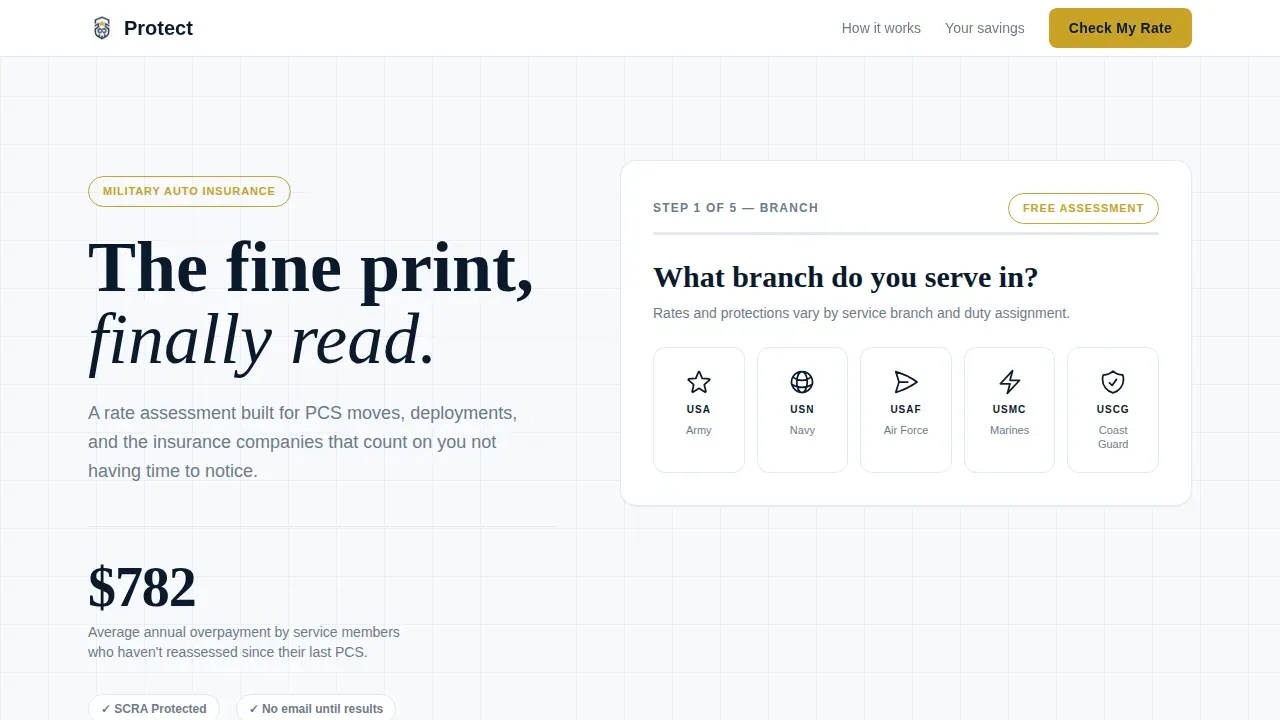
The form is the hero of this landing page. It opens with a single question: "What branch do you serve in?" Five navy monochrome branch emblems are clickable, and a command gold progress bar advances through five steps covering branch, rank and pay grade, duty station state, number of vehicles, and current monthly premium. No email is required until the results screen, which reduces friction and improves conversion rate.
Stats-First Zigzag Sections
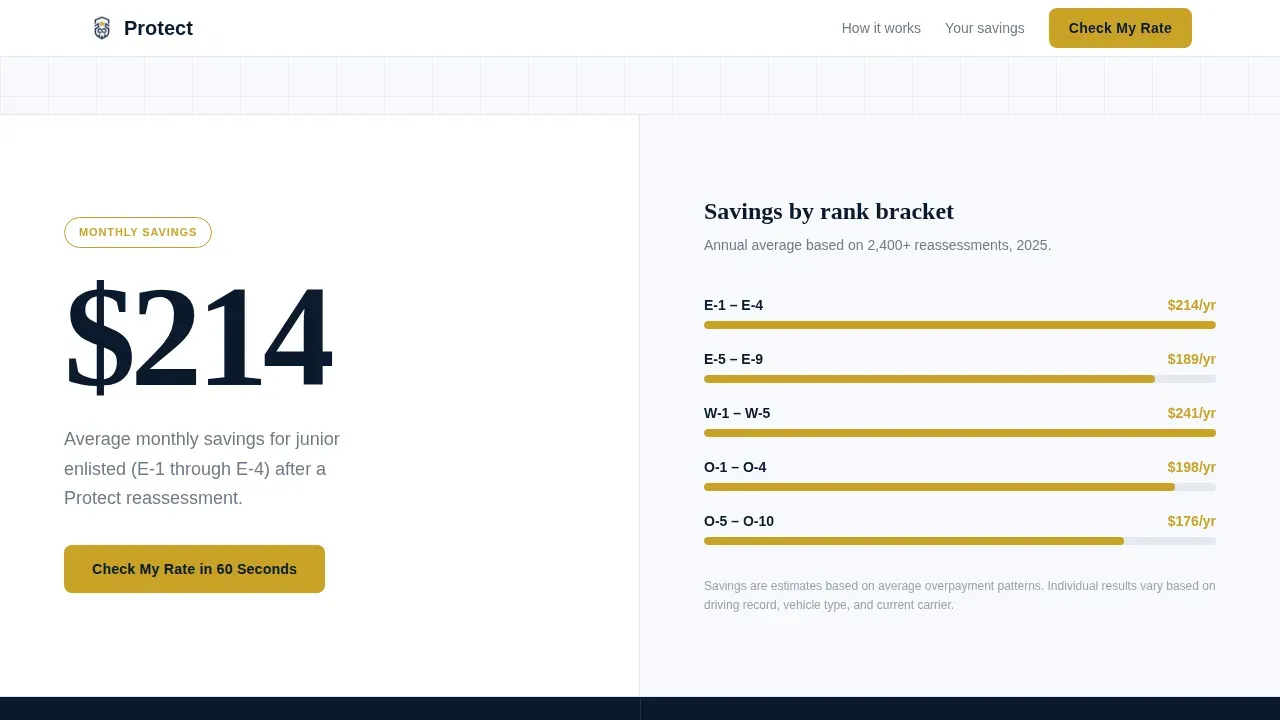
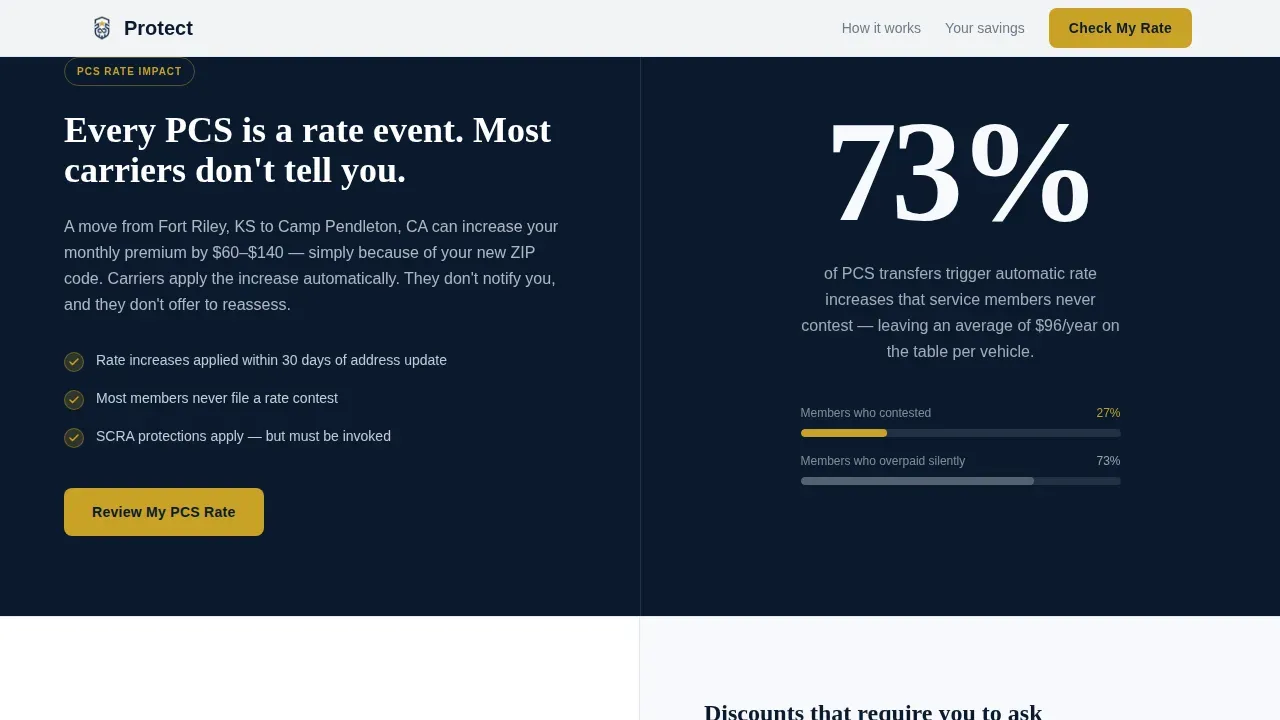
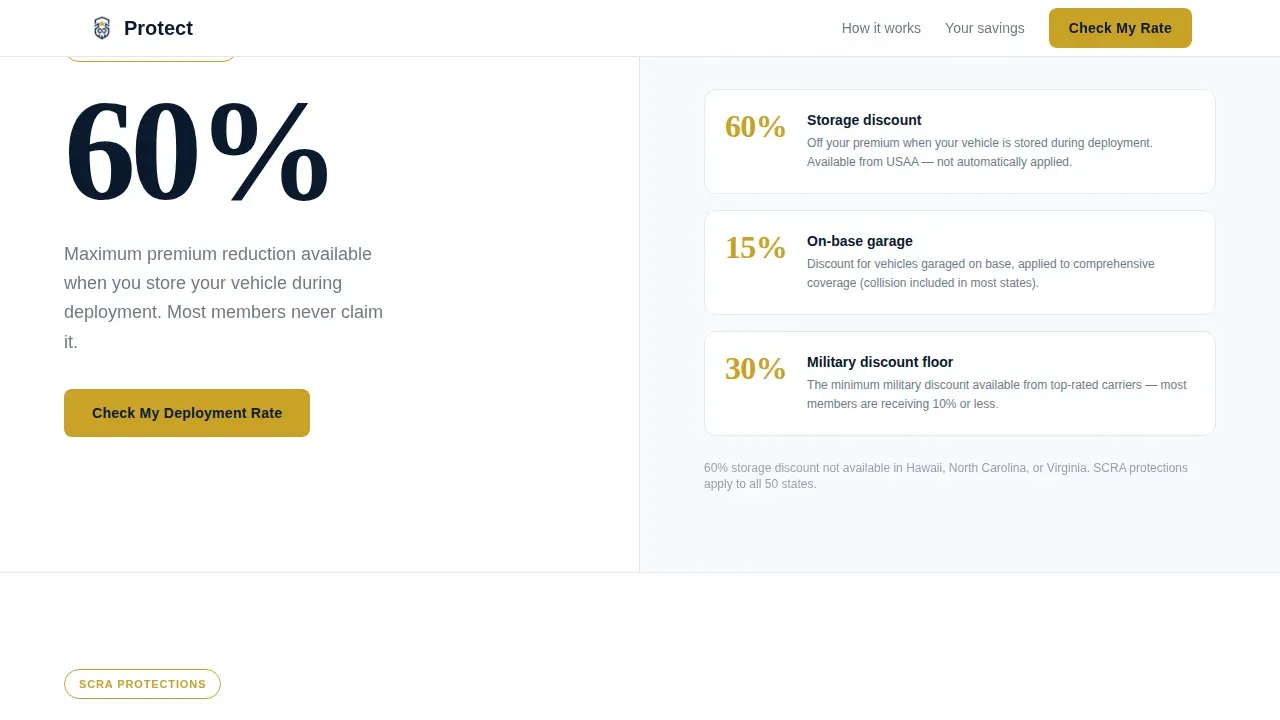
Each alternating section leads with a single, oversized data point rendered in large display type. Sections include "$214" average monthly savings by rank bracket, "73%" of PCS transfers that trigger uncontested rate increases, and "60%" representing deployment vehicle storage discounts. The zigzag layout creates a rhythm that keeps users engaged as they scroll, and every stat is paired with a contextual explanation panel.
Results Screen with Savings Estimate
After the five steps are complete, visitors see their estimated savings range before they enter an email address. This sequence respects the visitor's time and increases the likelihood they will fill in their contact details. A "Send to My Spouse" share button on the results screen acknowledges that the person researching may not be the active-duty service member.
Trust and Protection Section
A dedicated section covers SCRA protections and explains how the assessment reads the fine print that most service members never have time to review. This section acts as a key trust signal, demonstrating that the insurance coverage details are handled with the same precision as a legal brief.
Mobile-First Persistent Call to Action
A sticky bottom bar on mobile keeps the "Check My Rate in 60 Seconds" call to action visible at all times. This is critical for a target audience that is frequently on a phone at the PX, on base, or at home managing family insurance plans.
Scroll-Triggered Stat Counters and Animations
Stat counter animations trigger as each zigzag section enters the viewport. Form step transitions are smooth and focused. These medium-intensity animations keep the page dynamic without slowing the experience or distracting from the core message.
Page sections overview
| Section | Purpose |
|---|---|
| Hero Assessment Form | Branch selection quiz opens above the fold with gold progress bar and $782 overpayment stat |
| Savings Zigzag Block | "$214/mo average savings" left panel paired with rank bracket bar chart on the right |
| PCS Rate Zigzag | "73%" stat on navy background, right panel; PCS rate increase explanation on the left |
| Deployment Discount Zigzag | "60%" stat left panel paired with deployment vehicle storage discount breakdown on the right |
| SCRA Trust Section | Covers SCRA protections and explains how the fine print is reviewed on behalf of the member |
| Single-Row Footer | Linear footer with essential links, disclosures, and secondary navigation |
Design & branding system
The visual identity follows a Legal Shield theme built on an Arctic White color system. The palette feels authoritative and precise without being cold or corporate. White space dominates every viewport, which helps guide visitors toward the elements that matter most.
- Glacial white (#F7F9FC) covers roughly seventy percent of every screen; regulation navy (#0B1A2E) anchors headlines and section dividers; steel gray (#6B7B8D) carries body copy and secondary labels
- Command gold (#C9A227) appears only on buttons, progress indicators, and calls to action, reserving its visual weight for moments when the visitor needs to act
- Typography pairs Fraunces serif display type for headlines with DM Sans for body text, creating a balance between authority and readability
Mobile & speed optimization
This template is built mobile-first to match how service members and military families actually browse. Most people in this community are on a phone, whether at a duty station, on base, or at home. The layout and interactive elements are designed to perform well in that environment.
- Large, tappable buttons and a thumb-friendly form layout make each assessment step easy to complete on a small screen
- Server-side rendering (SSR) handles all static sections, while client-side components are used only for the interactive form, keeping the page load lean
- The persistent mobile bottom bar ensures the primary call to action is always visible, so visitors never have to scroll back up to take the next step
How this template helps you convert
A landing page for military auto insurance must blend trust-building elements, a clear value proposition, and a data-driven quoting process. This template is structured to move visitors from curiosity to commitment without friction.
- The assessment form starts participation immediately, before any scrolling occurs, so users engaged from the first second instead of reading passive copy
- Stat-led zigzag sections create an escalating sense of urgency, showing relevant data about car insurance overpayments in plain language that answers key questions upfront
- The results-first, email-second sequence on the free quote screen reduces resistance at the most sensitive conversion point, improving overall conversion rate for the insurance business
Other information about this template
This template is a great example of how an auto insurance landing page can be tailored for a specific niche without sacrificing clarity or professionalism. It supports the kind of insurance marketing that turns visitors into quality leads at scale. Companies using dedicated landing pages generate significantly more leads than those relying on general website pages alone.
- The page is fully customizable, so any auto insurance business can adjust copy, statistics, colors, and form steps to match their specific offer and insurance products
- Testimonials from fellow service members can be added to the social proof zone to build community trust and improve ratings perception among prospective customers
- Disclosure notices and rating factor explanations can be placed clearly within the footer or SCRA section, keeping the page compliant and transparent
- The template supports comparison content, side-by-side coverage levels, and military-specific add-on details that help visitors find the right coverage for their situation
- For users with complex situations such as overseas location assignments or multi-state vehicle registration, direct support options and plain-language coverage summaries can be incorporated into the existing section structure
- The template draws inspiration from insurance landing page examples that prioritize industry awards, social proof, and clear security signals to build credibility alongside a free quote offer
- Whether you are building a standalone auto insurance landing page or looking at it alongside a health insurance landing page or travel insurance offer, this template's modular section structure makes it straightforward to extend or adapt
Theme
Legal Shield
Creative direction
Stats-First Impact
Color system
Arctic White
Style
Zigzag/Alternating
Direction
Quiz/Assessment
Page Sections
Five-step Branch Assessment Form
Stats-first Zigzag Layout
Results Screen with Savings Estimate
SCRA Trust and Protection Section
Persistent Mobile Call to Action
Scroll-triggered Animations and Counters
Related questions
Who is this landing page template designed for?
Does the five-step form require an email address upfront?
Can I customize the statistics and copy in the zigzag sections?
Is this template suitable for mobile users?
Can the results screen be adapted for military spouses or family members?



