Reliable Garagedoor | Free Website Template | Rocket
Gate is a single-page landing page template built for New York garage door repair services. It leads with a bold credibility statement, then walks visitors through three side-by-side comparison tables covering DIY versus professional repair, common door types, and competitor benchmarks. A lead-capture form and click-to-call button convert both planners and emergencies.
by Rocket studio
Quick summary
Gate is a garage door repair landing page template designed for busy New York service crews. It opens with a no-nonsense credibility header, guides visitors through three trust-building comparison tables, and closes with a structured lead form. The layout is built around transparency, giving away real knowledge before asking for a single click.
Who this template is for
This template is built for garage door repair professionals who serve dense urban markets. It fits businesses that rely on inbound calls and form submissions to fill their schedule.
- Repair crews and technicians serving residential and commercial clients across New York boroughs
- Landlords or property managers who need a fast, credible first impression for their repair referrals
- Independent garage door contractors who want a professional landing page without custom development
What problem this template solves
Most garage door service pages fail because they lead with generic promises instead of real information. Visitors arrive with specific, urgent questions and leave without answers.
- Homeowners trapped at 6 AM with a broken opener need instant reassurance, not a slideshow
- Landlords managing multiple properties need to compare costs and response times before committing
- Contractors lose leads because their pages offer no proof of expertise before asking for contact details
What you get with this template
Gate delivers a complete single-page layout structured around comparison-driven trust. Every section earns the next scroll.
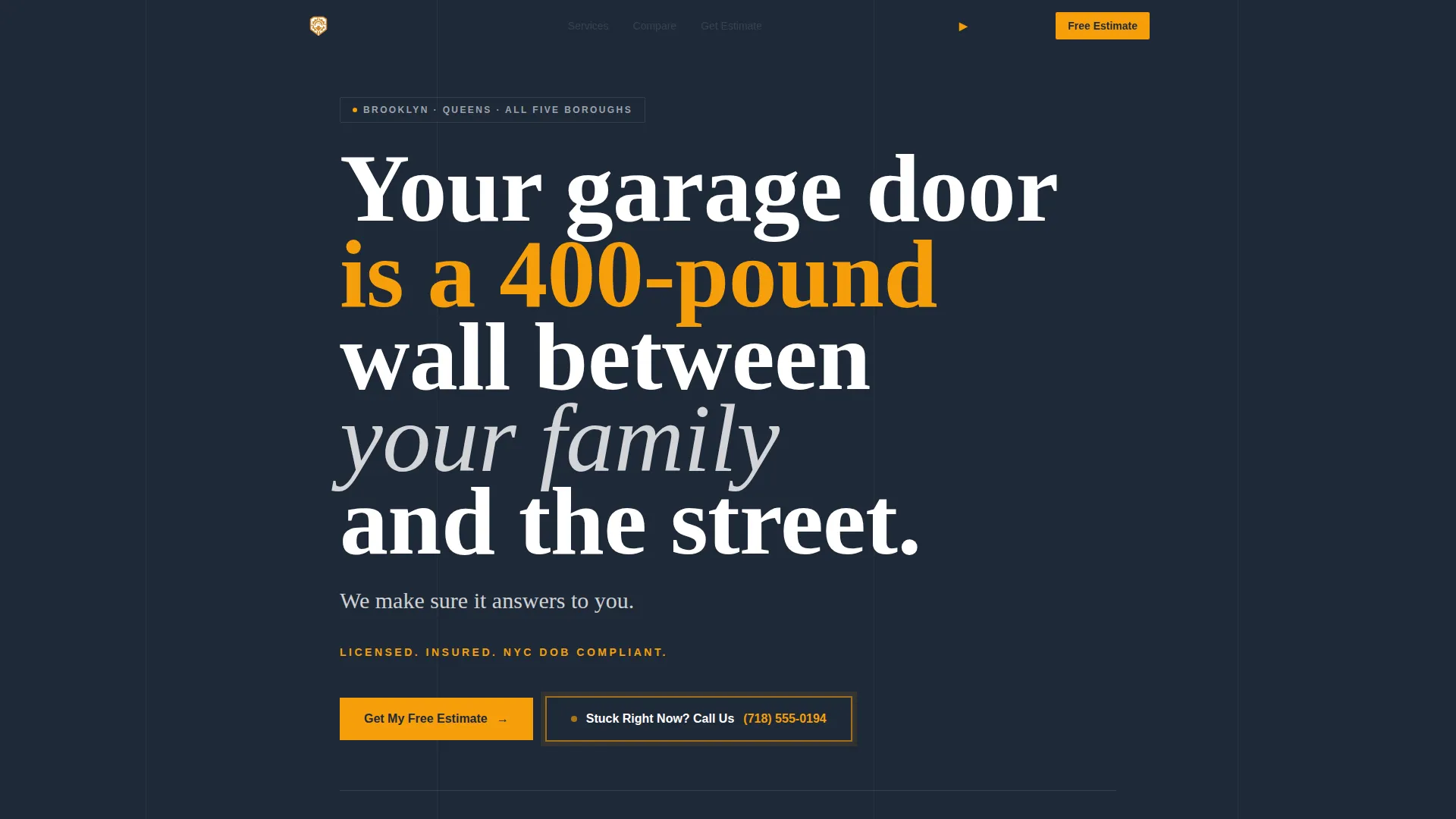
- A bold manifesto header with a visible, clickable phone number and a licensing callout in amber
- Three side-by-side comparison tables covering repair method, door type, and service benchmarks
- A structured lead capture form with zip code, door type selector, description field, and contact fields
- A secondary click-to-call button for emergency visitors who are not ready to fill a form
Feature list
This section covers what the template actually delivers, drawn directly from its design and layout brief.
Bold Manifesto Header
The header opens with a full-width charcoal background and white bold type reading "Your garage door is a 400-pound wall between your family and the street. We make sure it answers to you." A single amber line below states licensing and compliance status. No photos, no sliders, just words that carry weight and a phone number already formatted as a tap-to-call link.
Three Comparison Tables
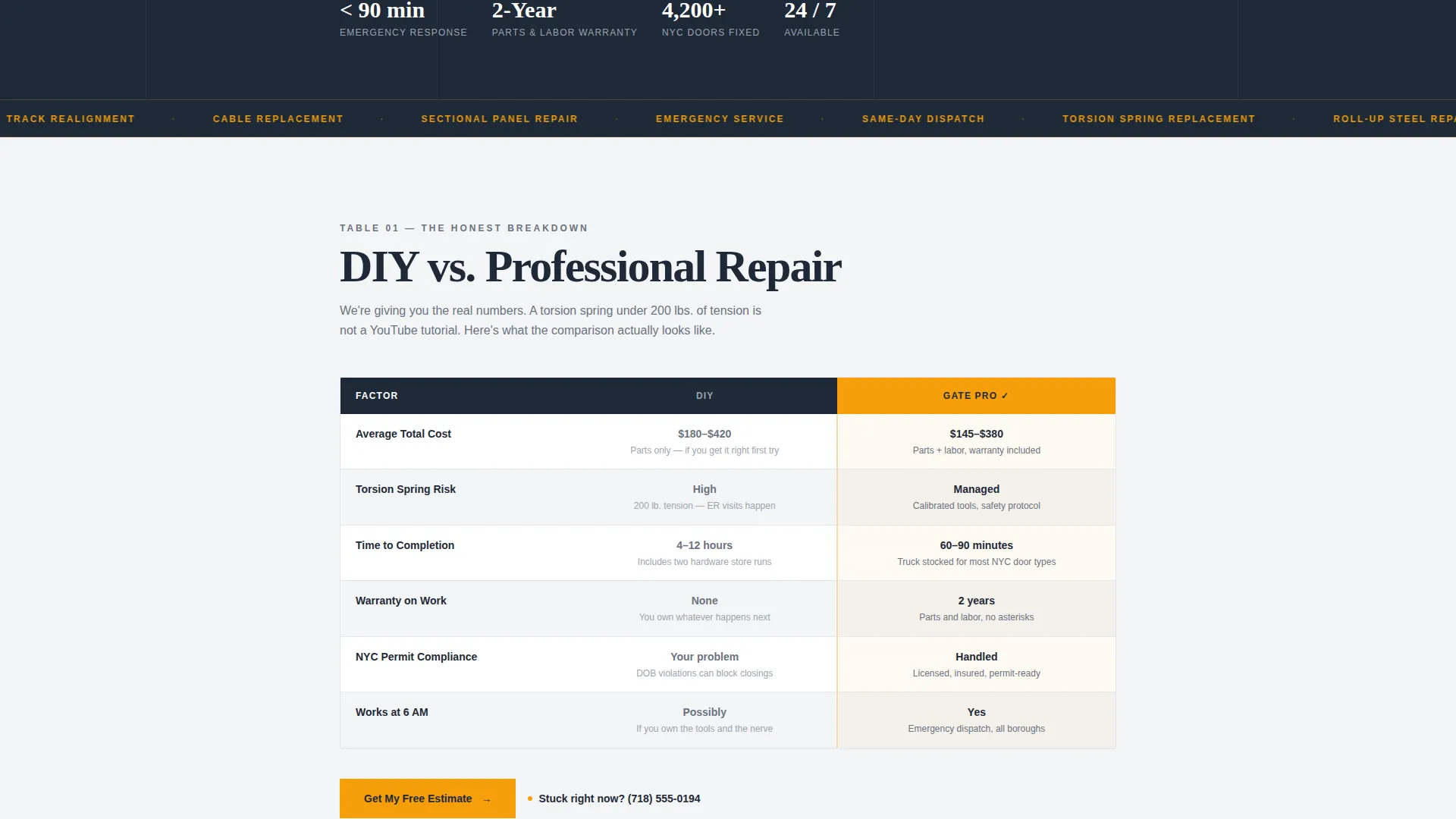
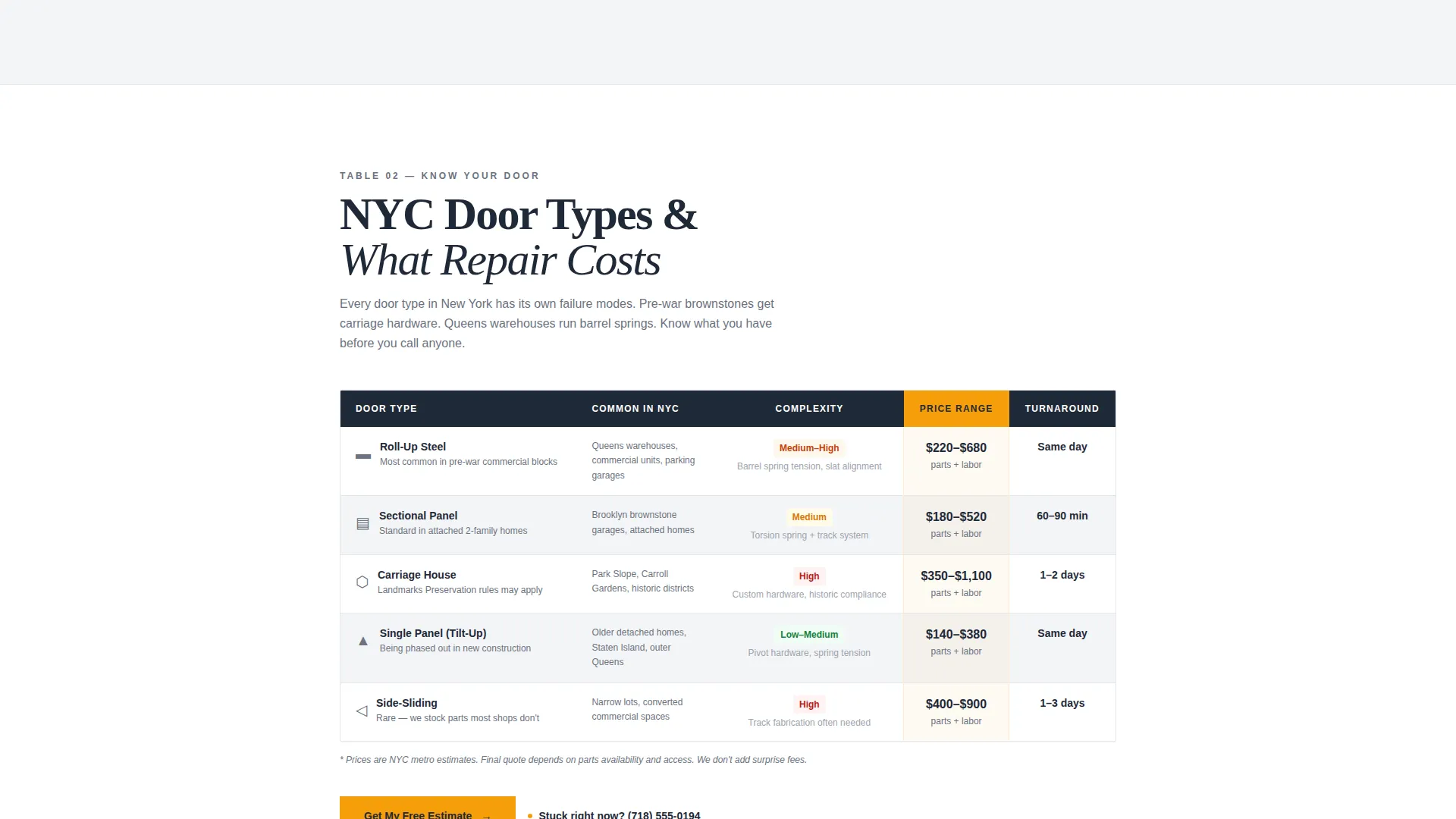
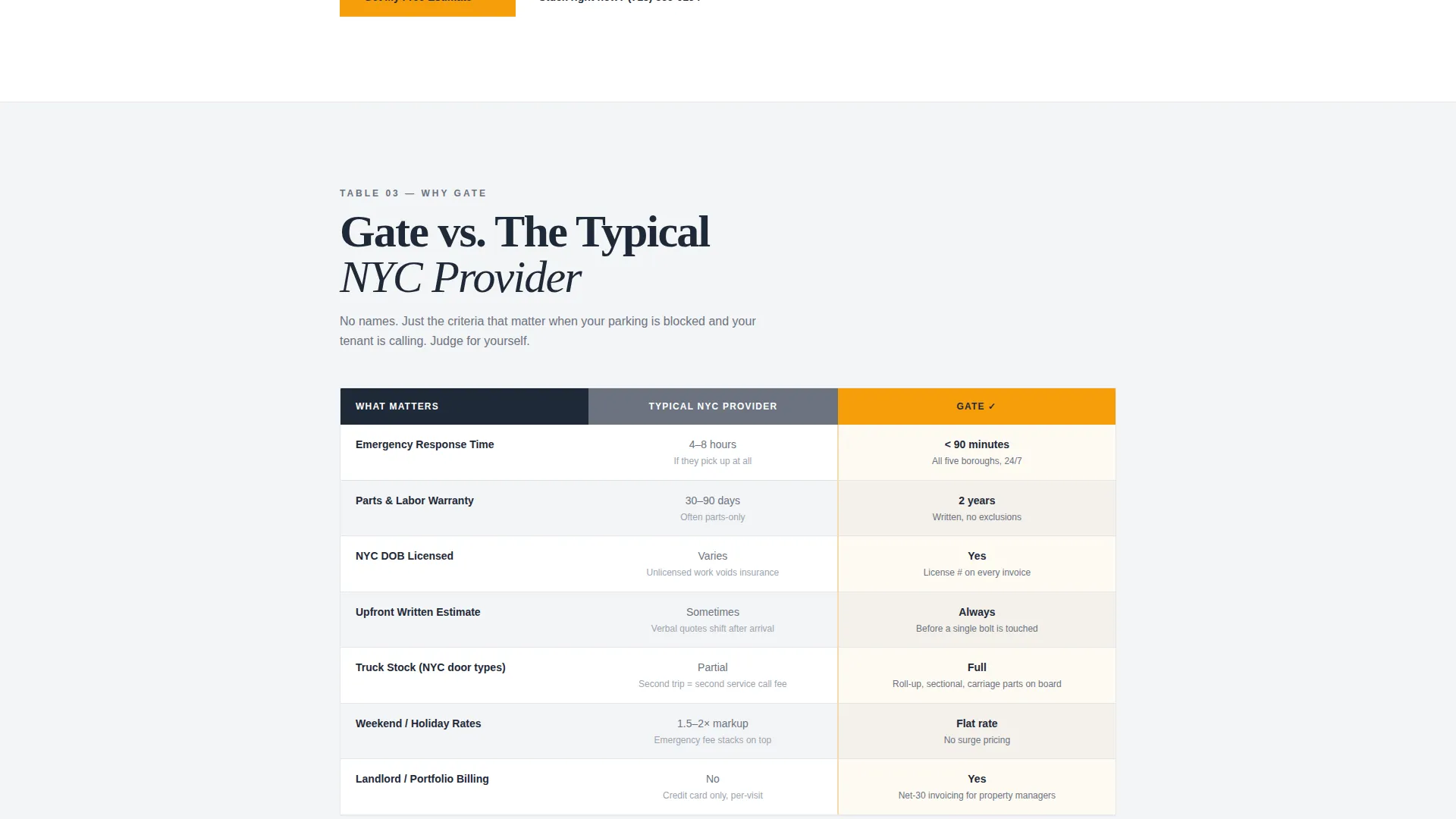
The template includes three distinct side-by-side tables. The first compares DIY repair versus professional repair across cost, risk, and time. The second covers common New York door types, roll-up steel, sectional, and carriage, with repair complexity and price ranges. The third is a competitor-blind service comparison showing response time, warranty length, and licensing status.
Structured Lead Capture Form
The primary form collects information in a logical order. It begins with service address zip code, moves to a door type selector with illustrated options, asks "What's happening with your door?" in a description field, and finishes with name and phone number. This sequence reduces friction by starting with the easiest input first.
Amber call to action System
The primary call to action "Get My Free Estimate" appears in amber at both the header and after each comparison table. Amber is used exclusively for decision moments, making every conversion point instantly visible without competing with body content.
Emergency Click-to-Call Button
A secondary button reading "Stuck Right Now? Call Us" sits alongside the form and after key table sections. It gives visitors who are in an active emergency a fast exit to a direct phone call without needing to complete the form.
Cloud Canvas Color System
The palette uses overcast white for backgrounds, sidewalk gray for comparison cell frames, asphalt charcoal for all body text, and caution-tape amber reserved strictly for calls to action and urgent callouts. The result is a layout that feels like a clean printed estimate, clear, trustworthy, and easy to read at a glance.
Page sections overview
| Section | Purpose |
|---|---|
| Manifesto Header | Opens with bold credibility statement and clickable phone number |
| Licensing Callout Bar | Displays amber-highlighted compliance and insurance status |
| DIY versus. Pro Table | Compares repair approach across cost, risk, and time |
| Door Type Table | Shows repair complexity and price ranges by door category |
| Competitor Benchmark Table | Compares response time, warranty, and licensing blind |
| Primary Lead Form | Captures zip code, door type, description, name, and phone |
| Emergency Call Button | Provides fast click-to-call path for urgent repair needs |
Design & branding system
The visual identity follows a Legal Shield theme built on the Cloud Canvas color system. Every color has a strict role, so the layout never feels cluttered or ambiguous.
- Overcast white dominates all backgrounds; asphalt charcoal anchors all body text and headings
- Sidewalk gray frames comparison table cells to keep data readable without adding visual noise
- Caution-tape amber is reserved exclusively for calls to action, urgent callout lines, and decision prompts
Mobile & speed optimization
The template is built as a single-page layout with no sliders, no stock photos, and no heavy media assets. This keeps the visual structure clean and fast to render on any device.
- Comparison tables are structured for readability on smaller screens without horizontal scrolling
- The click-to-call button and form inputs are sized for easy use on a mobile touchscreen
- The amber call to action buttons remain clearly visible and tappable across all viewport sizes
How this template helps you convert
Gate is engineered around a specific insight: visitors who feel educated convert better than visitors who feel sold to. Every layout decision supports that principle.
- The comparison tables answer the most common objections before the visitor even reaches the form, removing the need to ask clarifying questions before committing.
- The amber call to action appears after each table, so visitors can convert at the exact moment they feel confident rather than being forced to scroll to the bottom.
- The form sequence starts with zip code, a low-stakes, easy first input, which reduces drop-off and builds momentum toward completing the full submission.
Other information about this template
Gate is categorized under Professional Services and New York Local Services, with strong alignment to the New York appliance repair and home service contractor niche. It is particularly well-suited for businesses operating across the five boroughs where urgency, credibility, and local compliance matter most.
- The template uses a Split Screen and Expert Panel creative direction, meaning content is arranged to inform side-by-side rather than stack in a single narrative column
- The header concept follows a Half-Page Photo plus Text approach, but in this case the photo is replaced by typographic weight, the manifesto statement fulfills the same visual anchor role
- This template is production-ready as a standalone landing page and does not require a multi-page site structure to deliver its full conversion flow
Theme
Legal Shield
Creative direction
Transparent Process
Color system
Charcoal & Amber
Style
Split Screen (50/50)
Direction
Content/Resource
Page Sections
Bold Manifesto Header with Phone Number
Three Side-by-side Comparison Tables
Structured Lead Capture Form
Amber Call to Action Pinned at Key Moments
Emergency Click-to-call Button
Cloud Canvas Color System
Related questions
Who is this landing page template designed for?
Can I edit the comparison tables to match my own pricing?
Does the template include the lead capture form as a working component?
Is the emergency click-to-call button included in the template?
Can I use this template for a garage door service outside New York?



