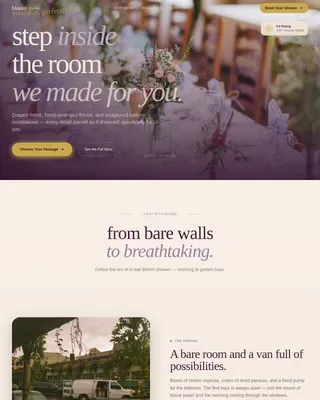
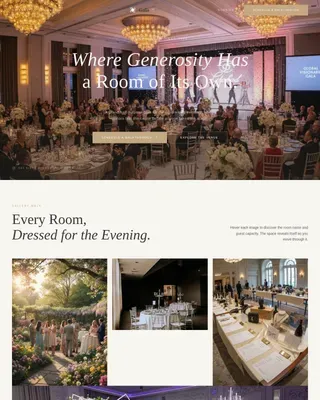
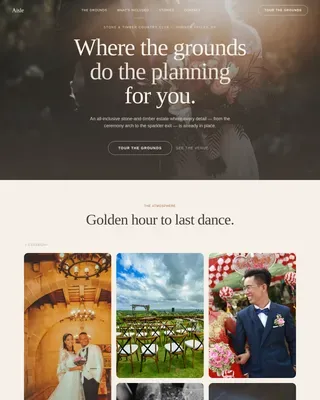
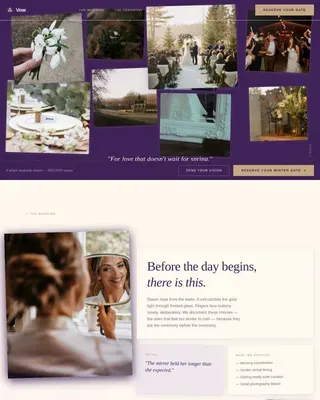
Community Event Professional Website Template
Gather is a community event registration landing page template built for the organizers who make neighborhoods come alive. From a PTA fall carnival to a church potluck to a neighborhood 5K, this single-page template turns an event idea into a shareable registration link in minutes. No technical background needed, no complex setup, just a warm, celebration-ready page that fills your attendee list fast.
by Rocket studio
Quick summary
Gather is a storybook-style, full-page event landing page template designed for community event organizers. It guides potential attendees through a visual journey from idea to impact, collecting sign ups along the way through a clean, three-step inline registration form. The page feels like a neighborhood celebration before it even begins.
Who this template is for
This event landing page template was built for the people who run real community life. It fits organizers who care more about filling seats than learning design tools. The template meets them at their skill level and gets out of the way.
- PTA presidents managing fall carnivals, bake sales, and school fundraisers
- Church and neighborhood group coordinators handling potlucks, charity events, and community drives
- First-time event planners who have never sold a ticket but need a confident, professional event page right away
What problem this template solves
Organizing a community event is already a full-time job. Building an event landing page on top of that should not be time consuming or require any design skills. Most organizers patch together a flyer, a group chat message, and a spreadsheet, and still end up with a messy attendee list and confused potential attendees.
- There is no single place to share essential details like the event date, time, location, and registration form link
- Sign ups are scattered across texts, emails, and paper lists, making it hard to collect information in one spot
- First-time event planners have no social proof or page examples to show potential customers and community members before asking them to commit
What you get with this template
Gather delivers a complete, ready-to-use event landing page with every section a community organizer needs. The page is fully customizable to match your event's tone, branding, and content. You get a cohesive visual system, animated interactive elements, and a registration process that feels effortless for attendees.
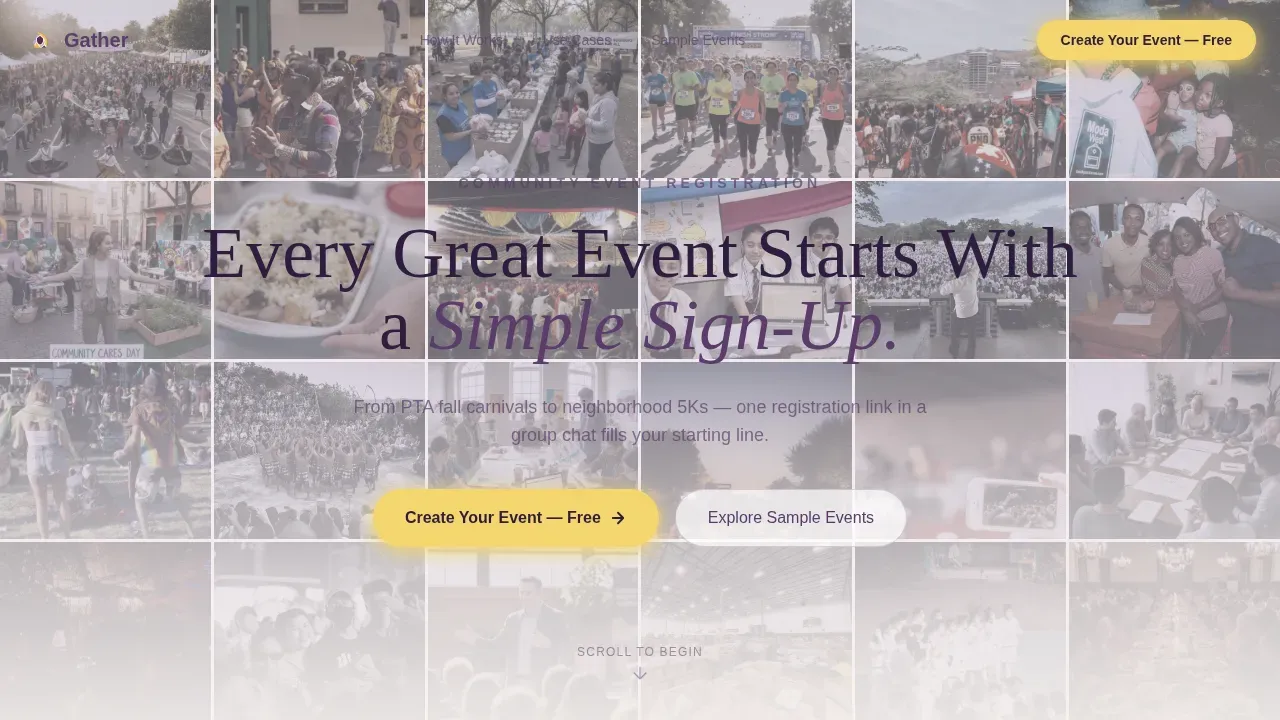
- A Photo Grid Mosaic hero section with a plum headline fade-up and floating call-to-action button
- A five-section Timeline Progression layout that walks visitors through the life of an event, from the first idea to the final impact numbers
- A three-step inline event registration form with an attendee count slider, plus a secondary "Explore Sample Events" path for hesitant visitors
Feature list
This event landing page comes loaded with purpose-built components. Each one serves a specific job in moving a visitor from curious browser to confirmed attendee.
Photo Grid Mosaic Hero Section
The header tiles dozens of real community moment photos edge to edge across the full viewport. Images are slightly desaturated and washed with morning fog lavender, unifying them into a single visual quilt. A plum headline fades up center-screen over the mosaic, giving visitors a powerful first glance that communicates warmth and community before they read a single word.
Timeline Progression Layout
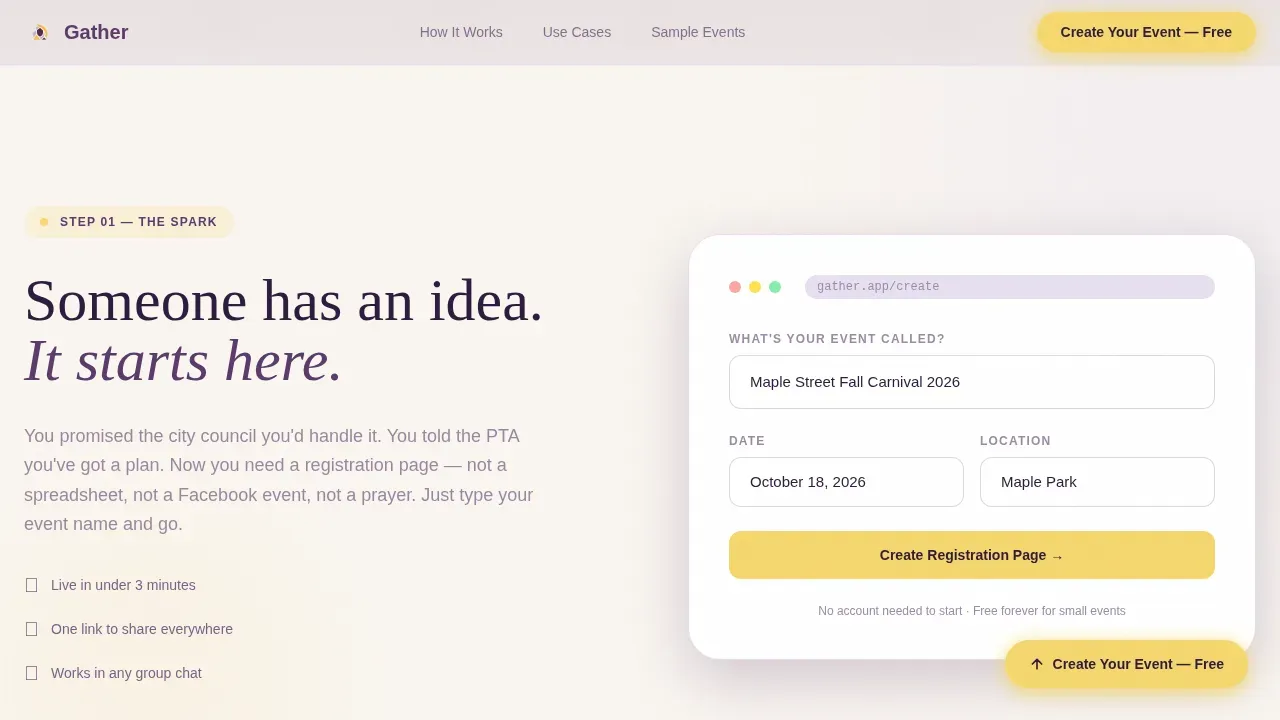
Scrolling through the page moves visitors forward through the emotional arc of an event. The Spark section opens with a pulsing empty form field. The Build section animates a live attendee counter climbing. The Day-Of section triggers confetti particle animations on scroll. The Aftermath section closes with community impact numbers and the inline registration form. Each section transitions with a soft horizontal wipe, like turning a scrapbook page.
Three-Step Inline Registration Form
The event registration form keeps the sign up process short and frictionless. Step one collects the event name and date. Step two uses a slider to set expected attendee count from 10 to 5,000. Step three captures the organizer's email. Short registration forms like this are proven to outperform longer ones for community events, and the inline placement means there is no redirect to a separate page.
Floating and Anchored Call-to-Action Buttons
The primary call to action, "Create Your Event, Free," appears first as a floating button after the hero section. It reappears anchored at the timeline's midpoint, right when emotional momentum peaks. This dual placement ensures that visitors who are ready to act early and those who need time to dig deeper both get a clear and prominent prompt to opt in.
Live Attendee Counter Animation
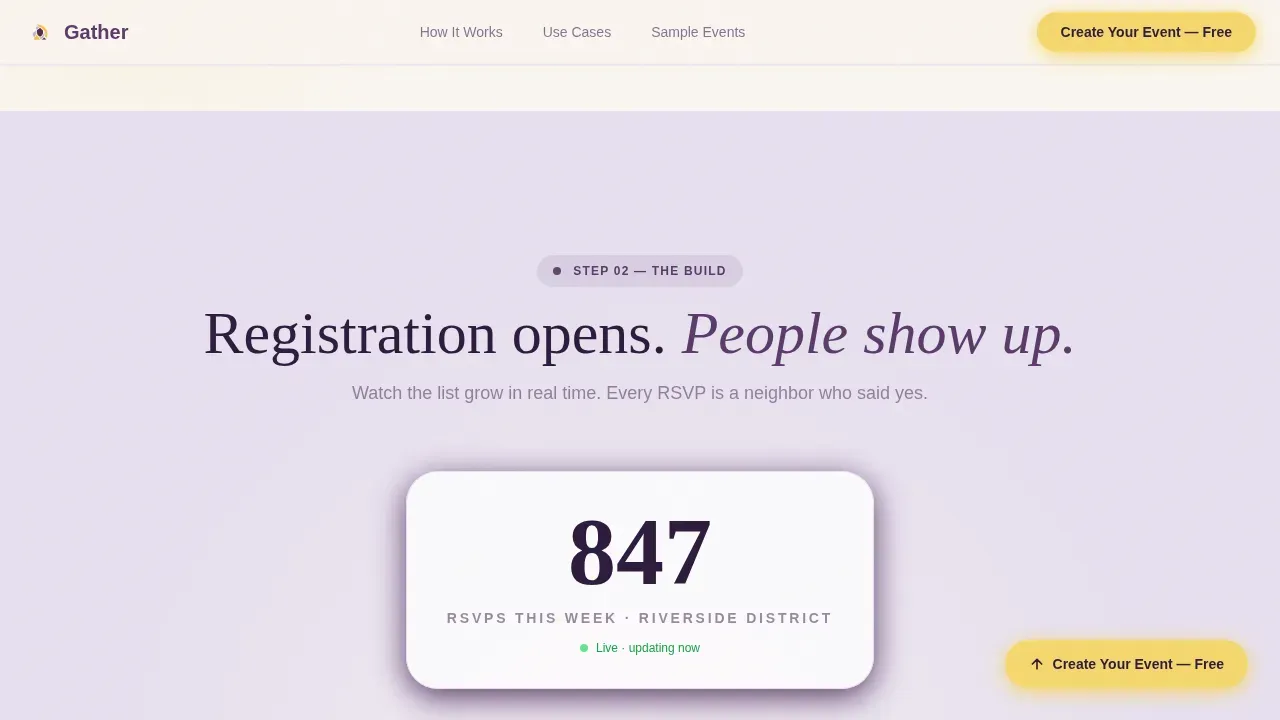
A live counter animates upward as visitors scroll through the Build section, visually showing registration momentum. This urgency indicator encourages immediate sign ups by making the event feel real and filling fast. It works like a countdown timer in reverse, building anticipation rather than pressure.
"Explore Sample Events" Secondary Path
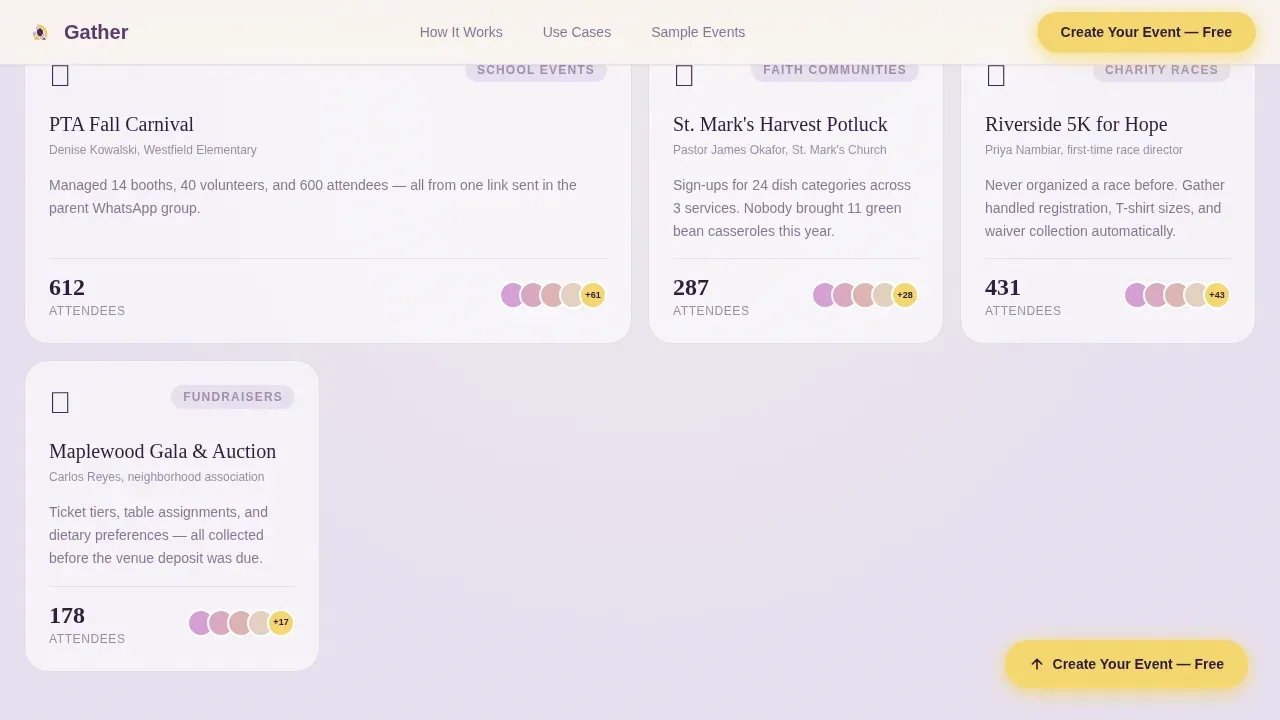
Hesitant visitors can browse live public registration pages as social proof before committing. This secondary path lets potential attendees view details of previous events and see the event experience others have had. It lowers the barrier for first-time event planners who need confidence before they create an event of their own.
Page sections overview
| Section | Purpose |
|---|---|
| Photo Grid Mosaic Hero | Sets warm community tone and surfaces the primary call to action |
| The Spark | Introduces the event idea with a pulsing registration form field |
| The Build | Animates live attendee counter to build registration momentum |
| The Day-Of | Delivers confetti animations and high-energy community photos |
| The Aftermath and call to action | Shows impact numbers and presents the inline three-step registration form |
| Linear Single-Row Footer | Closes the page with essential links in a clean, minimal layout |
Design & branding system
The landing page design follows a Celebration and Joy theme expressed through the Soft Mist color system. The palette feels like a backyard strung with paper lanterns at golden hour: nothing aggressive, nothing corporate, just warmth diffused through layered color.
- Plum (#5B3A6B) anchors headlines and navigation with quiet authority; dandelion yellow (#F5D76E) marks every interactive element so fingers always know where to tap
- Morning fog lavender (#E8E0F0) and warm linen (#FAF6F1) alternate as section backgrounds, keeping the page airy and easy to scan
- Fraunces serif display type handles headlines; DM Sans handles body copy, creating a warm editorial contrast that feels handcrafted rather than corporate
Mobile & speed optimization
This event landing page was built mobile-first, because organizers share registration links in group chats and most attendees tap through on their phones. An effective event landing page must be mobile-responsive to accommodate users on different devices, and Gather was designed with that reality from the start.
- Images are lazy-loaded so the page loads section by section without waiting for the full mosaic to render
- CSS animations are GPU-accelerated, keeping confetti particles, counter animations, and fade-in-up transitions smooth on mobile hardware
- The three-step registration form uses touch-friendly inputs and a large slider control, so collecting attendee details on a small screen stays painless
How this template helps you convert
A good landing page does more than display event information. It earns the registration by walking visitors through an emotional story that ends with them feeling ready to sign up. Gather is built around that principle.
- The Timeline Progression layout lets visitors emotionally rehearse the success of their own upcoming event before they have typed a single detail, making the "Create Your Event, Free" call to action feel like a natural next step rather than a cold commitment.
- The "Explore Sample Events" secondary path provides social proof and acts as real-world page examples, encouraging visitors who need more context to encourage visitors already close to registering to take the final step with confidence.
- The dual call-to-action placement, floating after the hero and anchored at the midpoint, ensures that both quick deciders and deliberate browsers always have a visible, low-friction path to the registration form without having to scroll back to the top.
Other information about this template
The Gather community event registration landing page template sits in a category of event landing page templates that includes options from several well-known platforms and tools. Understanding the broader landscape can help organizers make an informed choice about which event landing page template fits their needs.
- Platforms like Unbounce, Kadence for WordPress, Wix, and Leadpages offer their own event landing page templates, often including features such as A/B testing, countdown timers for urgency, and built-in form support; Figma also hosts free community-designed landing page templates useful for custom landing pages at the design stage
- Tools like OptimizePress and its Evently template are designed for high interaction during community events, and free options like the Huddle HTML template provide a baseline for event registration without a budget
- Gather stands apart by combining a narrative storybook structure with an animated timeline, striking images in a mosaic grid layout, and a compact three-step event registration form that works for both free event RSVPs and paid events where organizers need to collect attendee details before ticket sales open
- Unlike generic conference landing page layouts or simple registration pages, Gather is purpose-built for community warmth, covering charity events, neighborhood gatherings, online events, and virtual events with equal ease
- Good landing page design tips for community events consistently point to three priorities: keep the sign up process short, make important details visible at first glance, and use a promotional video or striking images to build emotional connection; Gather addresses all three by design
- This template requires no coding required knowledge to customize; organizers can drag and drop elements and swap content to build landing pages for their next event, future events, and even reuse the same structure for previous events year over year
- A seamless experience for attendees starts at the registration form: the template uses dropdowns and sliders to collect information cleanly, automate the confirmation flow, and produce a tidy attendee list that search engines and organizers alike can work with
- Keeping the event description concise and the event date prominent helps potential customers and community members decide quickly, which is why Gather places all key details above the scroll fold on mobile
Theme
Celebration & Joy
Creative direction
Timeline Progression
Color system
Soft Mist
Style
Storybook/Full-Page
Direction
Event Registration
Page Sections
Photo Grid Mosaic Hero with Fade-up Headline
Five-section Timeline Progression Layout
Three-step Inline Event Registration Form
Live Attendee Counter Animation
Dual Call-to-action Placement
Secondary Social Proof Browse Path
Related questions
Do I need coding skills to use this template?
Can I use this template for both free and paid events?
Is this template suitable for virtual events and online events?
How does the Explore Sample Events path help hesitant visitors?
Can I reuse this template for multiple events?