Linktree & Link-in-Bio Professional Website Template
Gather is an elegant nonprofit landing page template designed to consolidate every important link into one beautifully organized page. Built for mission-driven organizations, it replaces scattered URLs and cluttered link lists with a calm, gallery-inspired layout. The result is a single, intentional page that guides donors, volunteers, and supporters exactly where they need to go.
by Rocket studio
Quick summary
Gather is a full-width, single-page template built for nonprofits that need one clear destination for every link they share. It replaces the chaos of multiple platforms with a quiet, gallery-style layout. Donation portals, volunteer signups, event calendars, and annual reports sit side by side in one considered space. No code required.
Who this template is for
This template is built for the people inside a nonprofit who manage its public presence every day. If you recognize yourself in any of the descriptions below, Gather was designed with you in mind.
- Executive directors who currently manage five separate platforms to host links their supporters need
- Development officers who send donors to three different URLs across every email and appeal
- Communications managers who paste a new link shortcut into every email blast just to keep things reachable
What problem this template solves
Nonprofits rarely suffer from a lack of content. They suffer from scattered content. A donor wants to give, but the donate button lives on a page buried three clicks deep. A volunteer wants to sign up, but the form link is outdated. A board member wants the annual report, but no one can find the URL. Gather solves the problem of link fragmentation by giving every important destination a single, considered home.
- Too many platforms mean too many links to track and update separately
- Supporters abandon journeys when they hit broken links or confusing navigation
- Communications teams lose time rebuilding link lists every time a campaign changes
What you get with this template
Gather delivers a complete, ready-to-use nonprofit landing page built around a gallery walk experience. Every section is structured and purposeful, so you spend your time filling in your content rather than rebuilding a layout from scratch.
- A full-width immersive layout with four distinct content rooms that reveal as the visitor scrolls
- A two-step lead generation form that captures organization name, email, mission area, and active link count
- A fixed call-to-action button that appears after the second scroll room, keeping the primary action visible throughout the visit
Feature list
This template ships with a focused set of capabilities drawn directly from its brief. Each feature serves the nonprofit use case and the gallery walk creative direction.
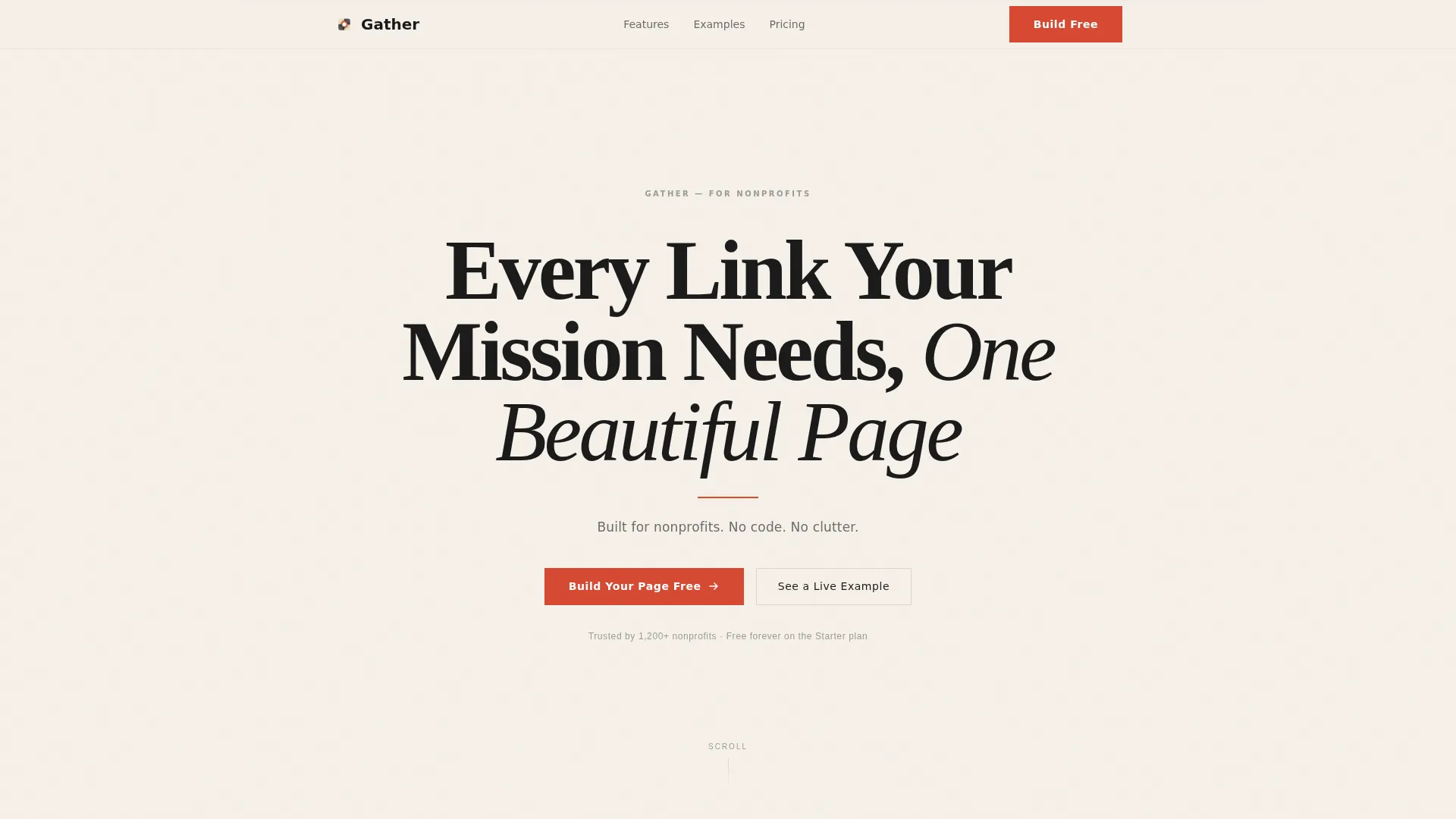
Giant Headline Header Section
The page opens with a full-viewport centered headline set in a high-contrast serif typeface. The headline reads clearly on a warm parchment background with a thin vermilion rule beneath it and a graphite subline below that. The restraint of the header signals intent from the first second.
Four-Room Gallery Walk Layout
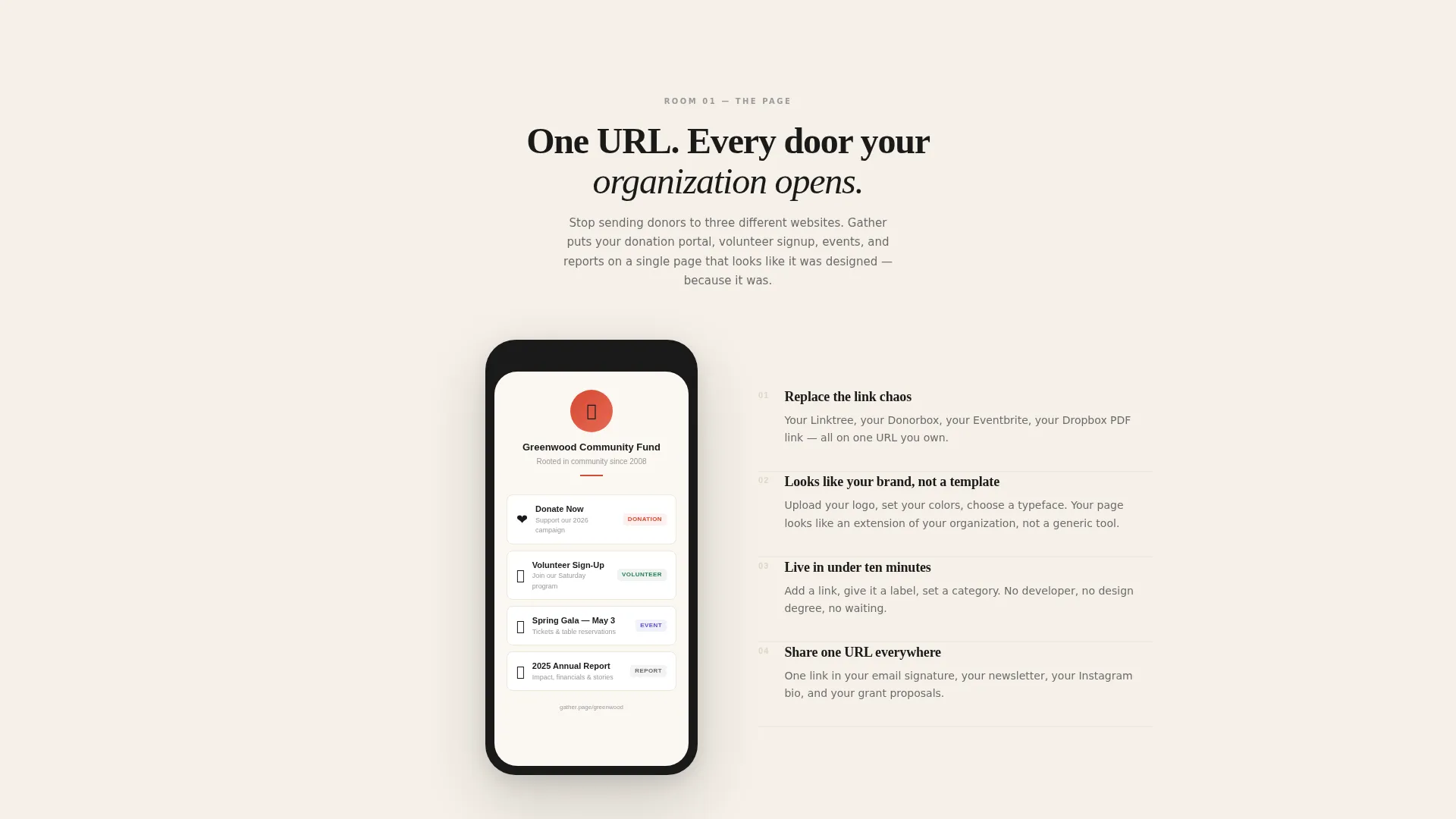
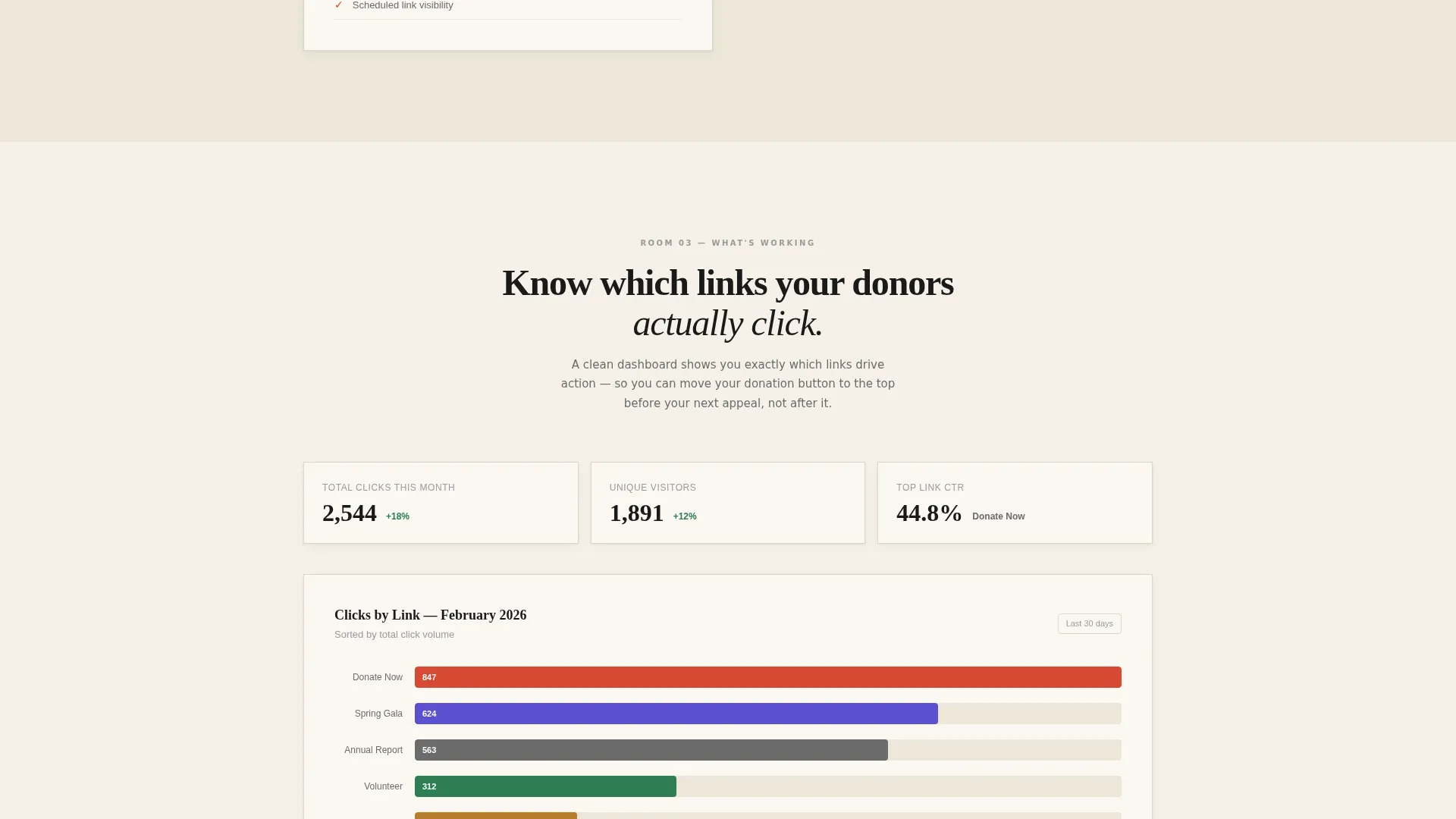
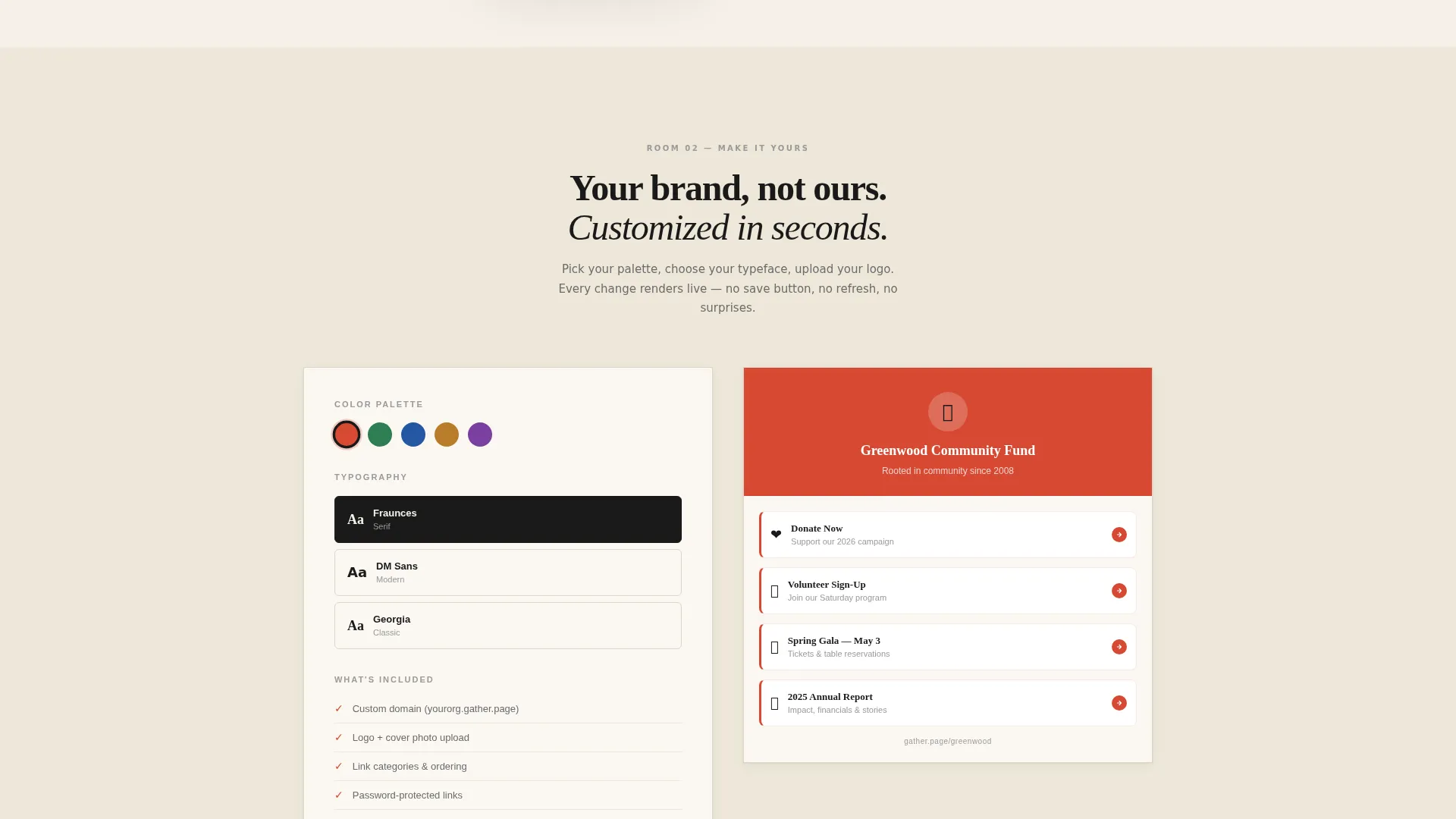
Scrolling guides visitors through four discrete content rooms. The first room presents a live mockup of a nonprofit link page. The second shows the customization panel. The third displays a simple click-through analytics chart. The fourth features testimonials from nonprofit staff on paper-textured cards. Each room fades in as the visitor arrives.
Progressive Two-Step Lead Form
The primary conversion form uses a two-step flow on a single page. Step one asks only for organization name and email. Step two asks for mission area from a dropdown and the current number of active links. The lightweight first step reduces friction and keeps the form feeling approachable.
Fixed Vermilion Call-to-Action Button
After the visitor passes the second scroll room, a fixed button labeled "Build Your Page Free" surfaces and stays visible. It uses the template's single accent color, vermilion red, to stand out clearly against the parchment background without feeling aggressive.
Handwritten-Style Testimonial Cards
The fourth room presents testimonials from nonprofit staff as pull quotes styled to suggest handwritten text. Each quote sits on a paper-textured card that matches the overall Atelier Studio aesthetic and reinforces the sense of human, considered communication.
Secondary Demo Conversion Path
A "See a Live Example" link runs alongside the primary call to action. It points to a demo nonprofit page and gives cautious visitors a lower-commitment way to build trust before filling in the form.
Page sections overview
| Section | Purpose |
|---|---|
| Header Hero | Anchors the page with the full-viewport headline and subline |
| Primary call to action Row | Places the first "Build Your Page Free" button beneath the header |
| Room One: Link Mockup | Shows a live nonprofit link page preview with donation, volunteer, and event cards |
| Room Two: Customization Panel | Demonstrates real-time color and font changes on the link page |
| Room Three: Analytics View | Presents a simple click-through chart by link type |
| Room Four: Testimonials | Displays pull-quote cards from nonprofit staff |
| Fixed call to action Button | Persists the primary action button after the second room scroll |
| Two-Step Lead Form | Captures organization details in a progressive two-step flow |
Design & branding system
The template follows an Atelier Studio theme built on an Ink and Paper color system. Every visual choice reinforces the feeling of a hand-printed broadside: deliberate, tactile, and free of unnecessary decoration.
- Four-color palette: warm parchment (#F5F0E8) for all backgrounds, dense sumi ink (#1A1A1A) for display type, soft graphite (#6B6B6B) for body text and secondary labels, and vermilion red (#D64933) used exclusively for interactive elements and primary actions
- High-contrast serif typeface at display scale in the header, with graphite body text providing calm readability throughout
- Fade-in scroll transitions between gallery rooms reinforce the pacing of a curated gallery walk, with generous white space framing every content element
Mobile & speed optimization
The full-width immersive layout is designed to translate cleanly across screen sizes without losing its gallery-walk pacing. Generous white space and a single-column structure make the mobile experience feel as considered as the desktop view.
- Single-column scroll structure keeps the gallery room sequence intact on smaller screens
- Fixed call-to-action button is positioned to remain visible and tappable without blocking content on mobile viewports
- Two-step form flow is touch-friendly by design, reducing the number of fields visible at any one time
How this template helps you convert
Gather is a lead generation landing page, so every design decision supports the goal of getting a visitor to start building their own nonprofit link page. The page earns the click rather than demanding it.
- The primary call-to-action button appears first beneath the header and again as a fixed element after the second scroll room, so visitors always have a clear next step without having to scroll back up.
- The progressive two-step form lowers the entry barrier by asking only for organization name and email in the first step, making it easy to start before committing to more detail.
- The secondary "See a Live Example" path lets skeptical visitors experience a working demo before they decide, so the form submission feels like a natural conclusion rather than a leap of faith.
Other information about this template
Gather sits within the Linktree and link-in-bio template category and is specifically tailored to the nonprofit use case. It works as a standalone page that nonprofits can share across email campaigns, social bios, and printed materials as a single destination URL.
- The template category is Personal and Resume, subcategory Linktree and Link-in-Bio, with a nonprofit link page niche focus
- The Atelier Studio theme and Ink and Paper color system give the template a distinctive identity compared to generic link page builders
- The template is designed for no-code use, meaning nonprofit staff with no technical background can launch and update the page themselves
Theme
Atelier Studio
Creative direction
Gallery Walk
Color system
Ink & Paper
Style
Full-Width Immersive
Direction
Lead Generation
Page Sections
Full-viewport Giant Headline Header
Four-room Gallery Walk Scroll Experience
Progressive Two-step Lead Form
Fixed Call-to-action Button
Handwritten-style Testimonial Cards
Secondary Demo Conversion Path
Related questions
Do I need coding skills to use this template?
Can I update the links on my page after it goes live?
What kind of nonprofits is this template best suited for?
How does the two-step form work?
Can visitors see a working example before they sign up?



