UX Designers Community Specialist Blog Website Template
Gather is a single-column landing page template built for a family-friendly user experience designers co-working community. It blends member portraits, real quotes, and work artifacts into an intimate editorial scroll. The primary call to action drives handbook downloads via a simple two-field form. Warm Desert Rose colors and a Community Gallery layout make every visitor feel like they already belong.
by Rocket studio
Quick summary
Gather is a single-column flow landing page for a user experience designers co-working community. It leads with a photo mosaic hero, then walks visitors through member stories, practical space details, and a free handbook download. The Desert Rose color system and Fraunces serif typography create a warm, editorial feel that earns trust before asking for anything.
Who this template is for
This template speaks directly to community organizers and space operators serving design professionals who are also parents or caregivers. It is purpose-built for people running a co-working studio where professional growth and family life are treated as equally important.
- Freelance product designers juggling client work and school pickups who need a real desk and creative peers nearby
- Design leads at remote startups who want a daily workspace away from their kitchen table
- Junior user experience researchers building portfolios who benefit from senior colleagues working in the same room
What problem this template solves
Most co-working landing pages look like corporate real estate listings. They show empty desks and list amenity bullet points. That approach fails completely for a community built on human connection and shared life rhythms.
- Visitors cannot picture themselves in the space because they see furniture, not people
- Family-friendly values are invisible when a page only talks about gigabit internet and standing desks
- There is no emotional reason to take action when the page feels like a brochure rather than an introduction
What you get with this template
You get a fully structured single-column landing page that tells the community story through real member voices instead of marketing copy. Every section is designed to move a visitor from curious stranger to someone who genuinely wants in.
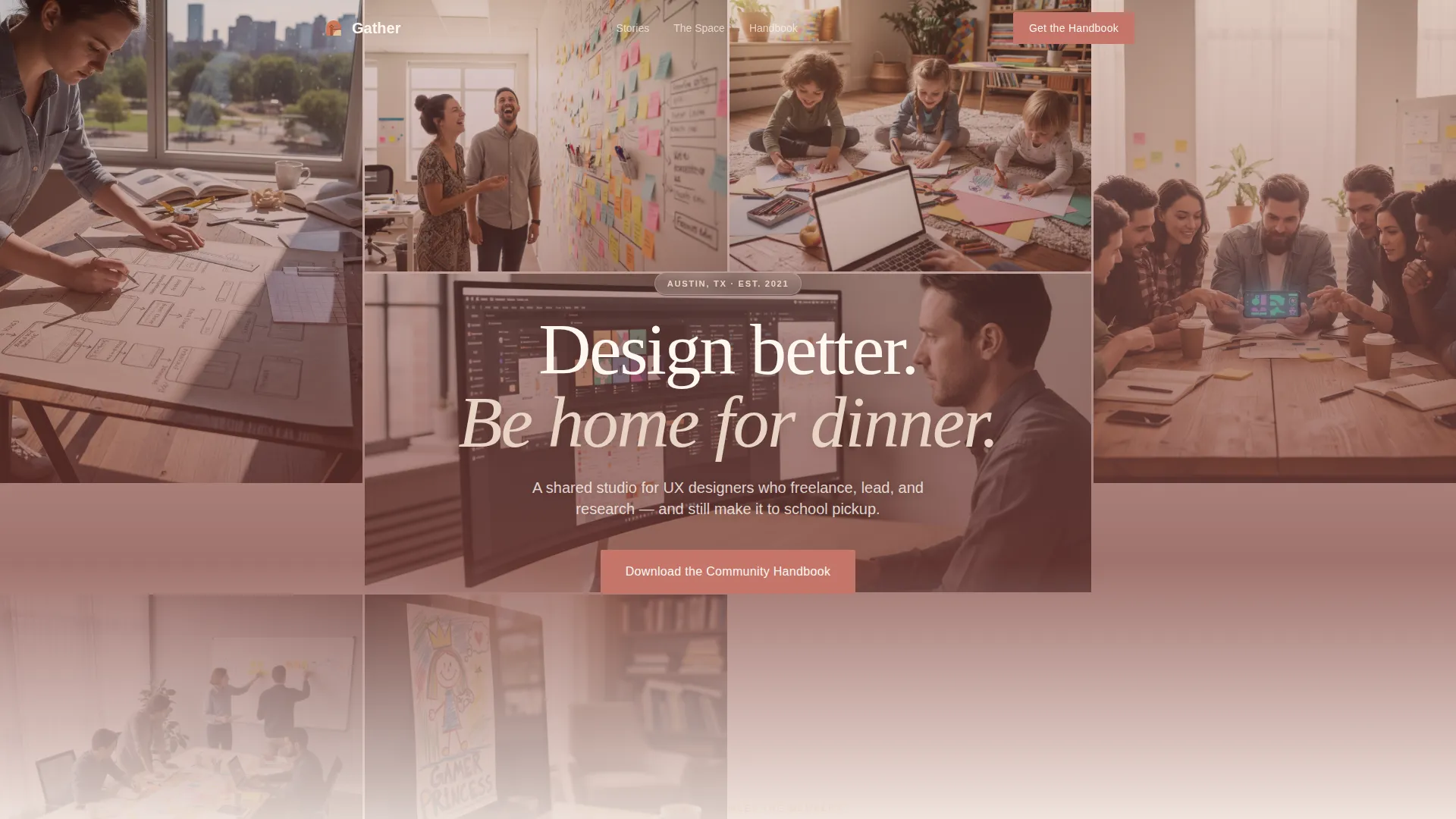
- A user-generated content photo mosaic hero with a centered headline overlay
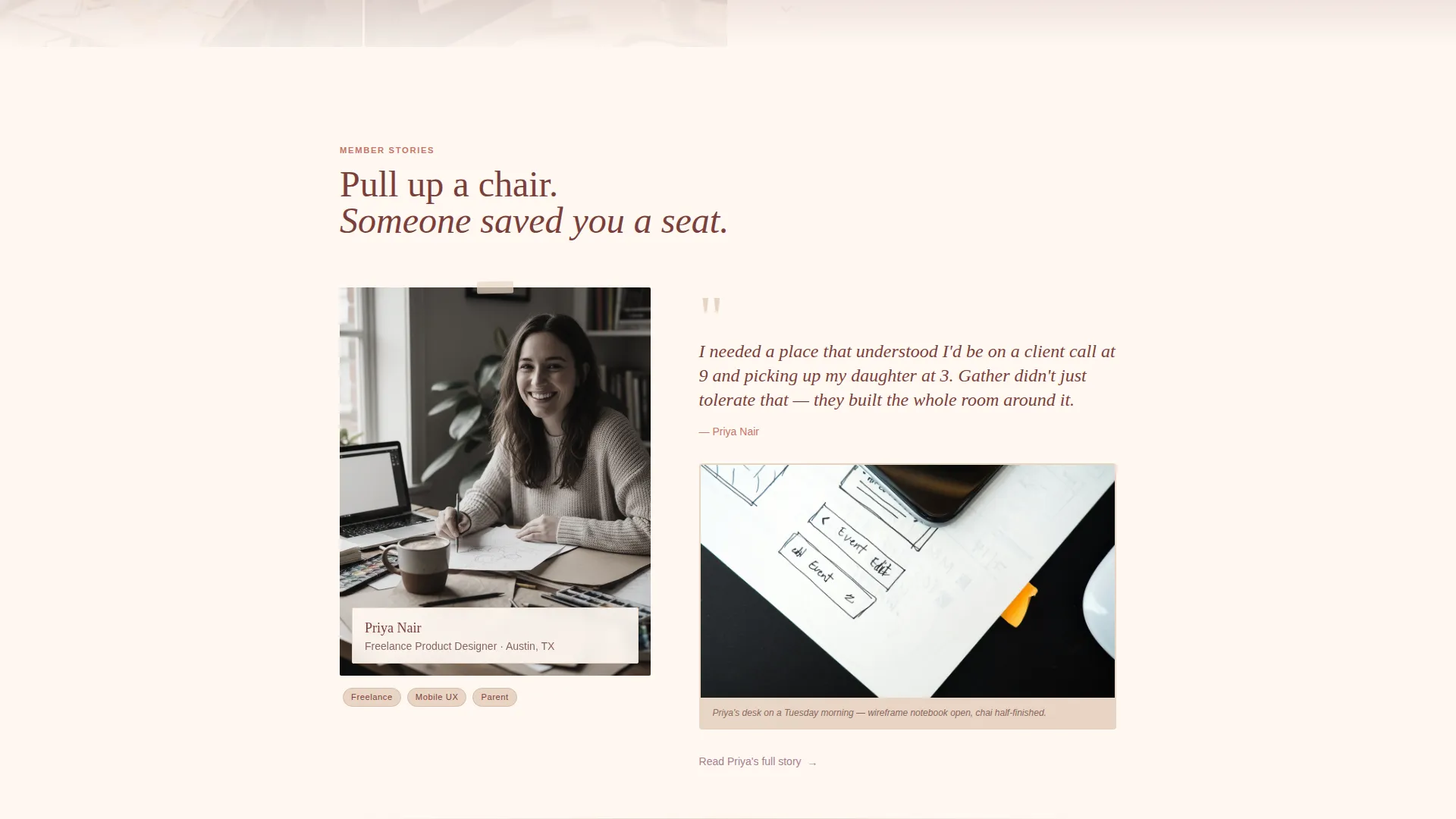
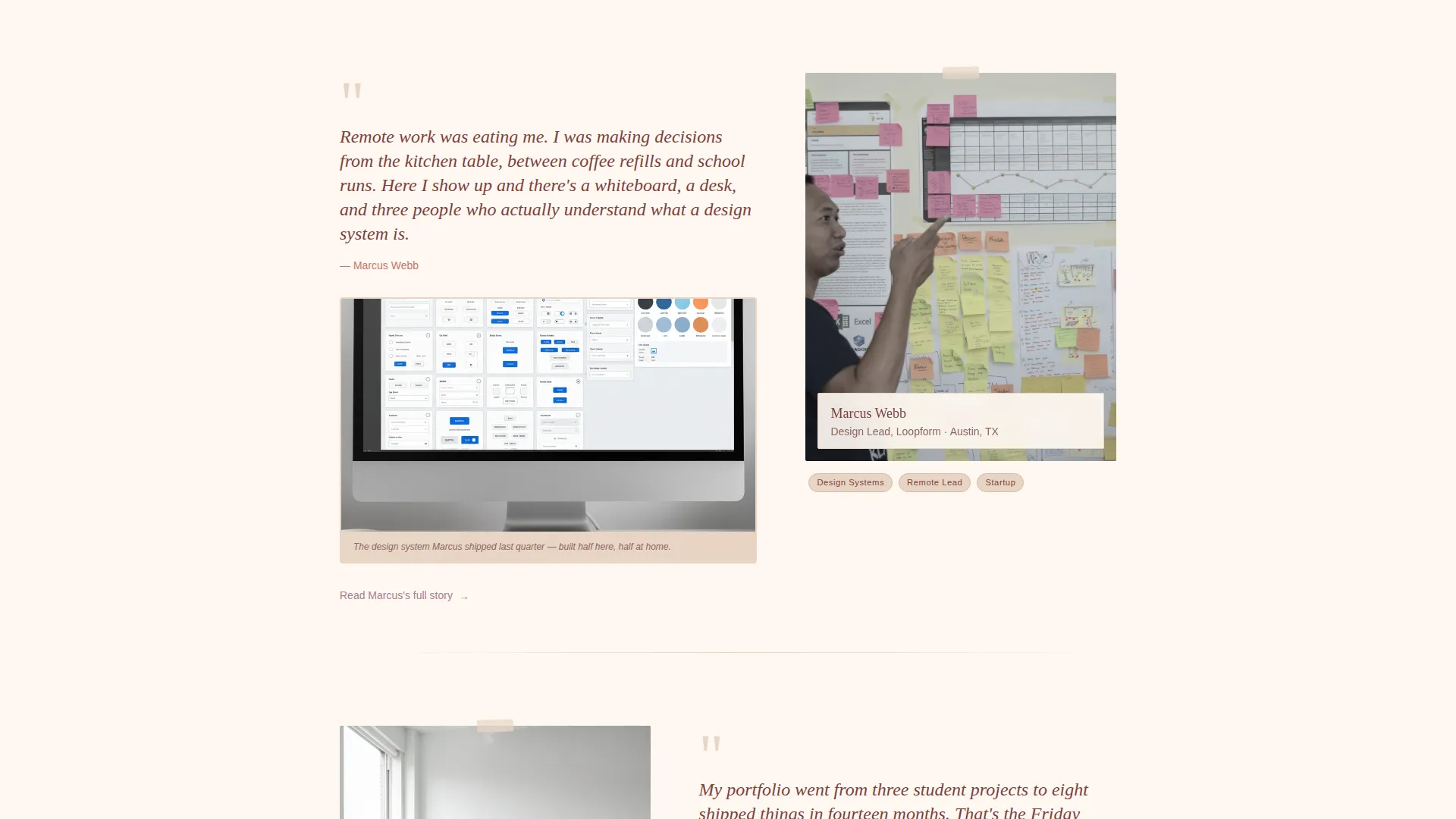
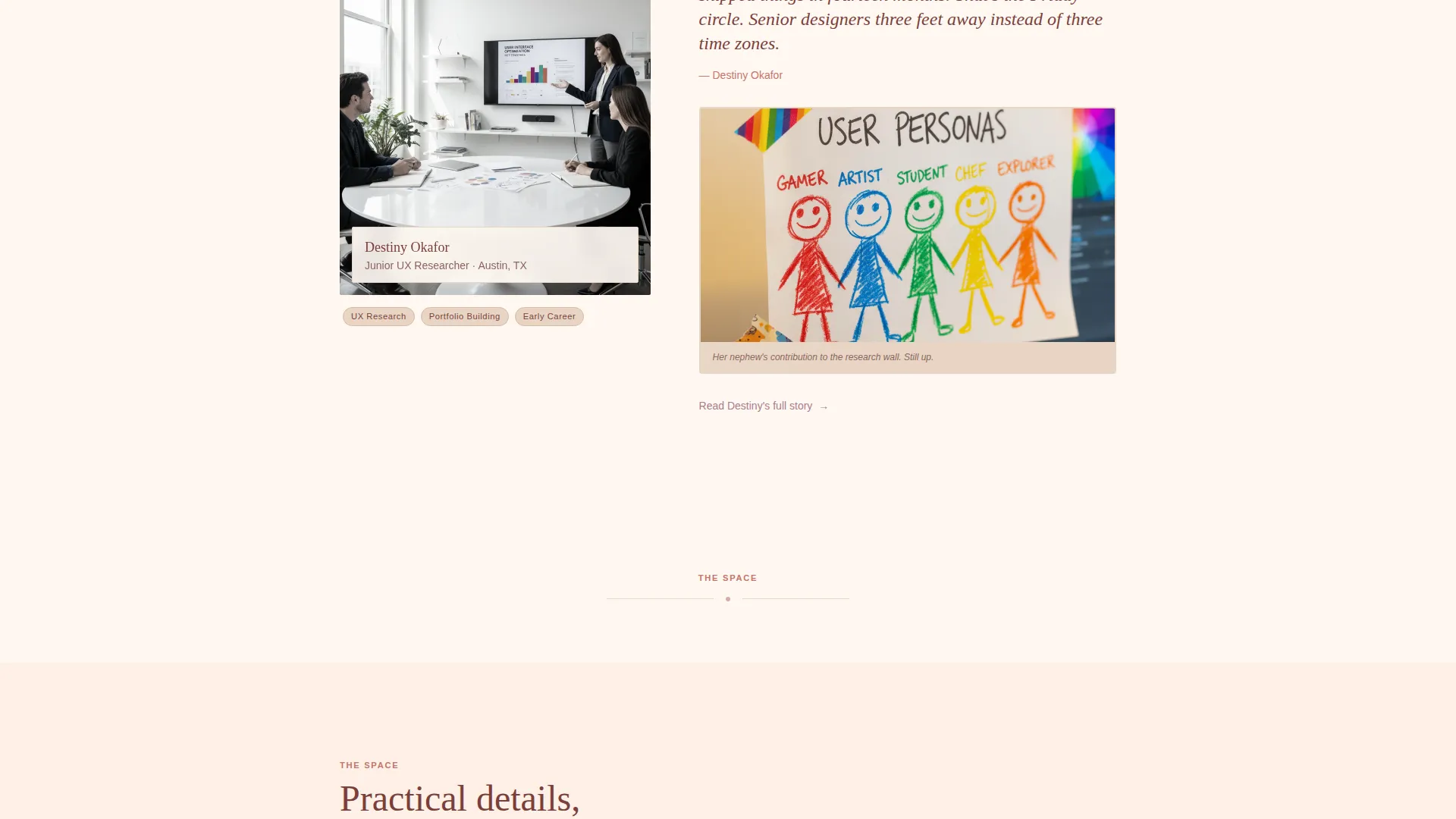
- Five member story slots, each pairing a portrait, a direct quote, and a personal work artifact
- A two-field handbook download form with warm placeholder copy and a terracotta call-to-action button
Feature list
This template includes a focused set of purpose-built components that work together to create an authentic, high-trust landing experience for a design community.
UGC Photo Mosaic Hero
The header fills edge to edge with an unpolished grid of real member photos. Images vary in aspect ratio and warmth, arranged like a pinboard. A single headline in deep adobe type sits over the center gap, grounding the page immediately in human reality.
Member Story Cards
Each story block pairs a member portrait with a pull quote in their own words and one personal artifact from their work life. The rhythm alternates between story blocks and open cream space, giving the page an unhurried, gallery-like pace.
Practical Details Through Member Voice
Space amenities such as childcare room hours, guest desk policy, and the Friday critique circle schedule are woven into the page through member recommendations. This approach makes logistics feel personal rather than transactional.
Handbook Download Form
The primary call to action is a clean two-field form asking only for a first name and email address. Placeholder text reads "The name people call you" and "Where we send the good stuff." The submit button appears in terracotta to draw the eye naturally at scroll depth.
Secondary Blog Path
Below each member story, a secondary link invites visitors to read more stories from the community archive. This gives engaged readers a next step without pulling them away from the conversion flow prematurely.
Scroll Reveal Animations
Member cards stagger into view on scroll, and photos transition from grayscale to full color as they enter the viewport. Navigation uses beam-border styling. These motion details add life to the page without overloading it.
Page sections overview
| Section | Purpose |
|---|---|
| Hero Photo Mosaic | Opens with member photos and the core headline |
| Member Stories Gallery 1 | Introduces three members through portraits and quotes |
| Practical Space Details | Covers childcare, guest desks, and critique circle |
| Member Stories Gallery 2 | Adds two more members and community rhythm |
| Handbook Download Form | Captures name and email with the primary call to action |
| Footer Single Row | Provides minimal navigation links and closing context |
Design & branding system
The Desert Rose color system anchors the entire visual identity in warm, earthy tones that feel lived-in and personal. Typography pairs Fraunces, a variable serif display face, with DM Sans for body text, creating an editorial contrast that feels modern but not cold.
- Soft cream (#FFF8F2) covers the primary background, terracotta (#C4756A) drives all call-to-action buttons and key headlines, deep adobe (#7B3F3A) holds navigation and footer, and warm sand (#E8D5C4) fills card backgrounds
- Dried-lavender mauve (#A87C8F) activates on hover states and interactive elements, adding a subtle moment of delight without breaking the warm palette
- The overall visual direction is a Community Gallery style: intimate, unhurried, and organized around real people rather than product features
Mobile & speed optimization
The template is built desktop-first with careful attention to mobile layouts, since user experience designers routinely review work across both screen sizes. The single-column structure adapts cleanly without requiring complex grid rewrites.
- Images are lazy-loaded so the page begins rendering quickly before all photos are fully fetched
- Scroll reveal effects and grayscale-to-color transitions rely on CSS animations rather than heavy JavaScript libraries, keeping motion lightweight
- The photo mosaic reflows gracefully on smaller viewports so the hero remains impactful on phone screens
How this template helps you convert
The conversion strategy is built on earned trust rather than pressure. By the time a visitor reaches the handbook download form, they have already met several real members and absorbed the texture of daily life in the community.
- The photo mosaic and headline immediately establish authenticity, reducing the skepticism that polished stock-photo pages create in design-savvy visitors.
- Member story blocks accumulate social proof organically as the visitor scrolls, making the community feel real and welcoming before any ask appears.
- The two-field download form removes friction at the moment of decision, and the terracotta button provides a clear, warm visual cue to act.
Other information about this template
This template is categorized under Community and Nonprofit and is specifically positioned for the user experience designers co-working niche. It is a strong fit for community builders in design-forward cities who want a landing page that reflects genuine culture rather than polished marketing.
- The Family First theme runs throughout every design and copy decision, making this template distinctly suited for communities where members have children or caregiving responsibilities
- The Content and Resource landing page direction means the primary goal is delivering value through the handbook download, not hard-selling a membership or subscription
- The single-column flow structure keeps the narrative linear and focused, which is ideal for storytelling-led communities where sequence and emotional pacing matter
- Template style is Single Column Flow, color system is Desert Rose, creative direction is Community Gallery, and the header concept is a UGC Photo Wall
Theme
Family First
Creative direction
Community Gallery
Color system
Desert Rose
Style
Single Column Flow
Direction
Content/Resource
Page Sections
UGC Photo Mosaic Hero
Member Story Cards
Practical Details Via Member Voice
Handbook Download Form
Secondary Blog Story Path
Scroll Reveal and Color Transition Effects
Related questions
Can I replace the member story photos with my own community's images?
Does the handbook download form connect to an email platform?
How many member stories does the template include?
Is this template suitable for a co-working space outside the design industry?
What does the footer look like?



