Auctioneer Landing Page Template for Bookings
Gavel is a single-page auctioneer landing page built for professional auctioneers who move estates, livestock, and commercial assets fast. The Editorial Magazine design, a bold comparison table, and a sequential booking form work together to turn first-time visitors into scheduled consultation requests with authority and clarity.
by Rocket studio
Quick summary
Gavel is a high-impact auctioneer landing page template designed around proof, authority, and momentum. The Stats-First layout opens with oversized metrics, moves through a private sale versus professional auction comparison table, and closes with a focused booking form. Every section builds the case that hiring this auctioneer is the obvious, numbers-backed choice.
Who this template is for
This template is built for established professional auctioneers who serve clients with real urgency and real assets. It speaks directly to the people those auctioneers need to reach.
- Estate executors who need every lot cataloged and cleared on a tight timeline
- Farmers dispersing herds and decades of machinery in a single event
- Bankruptcy attorneys and commercial clients working under court-ordered liquidation schedules
What problem this template solves
Most auctioneer websites bury the proof. Visitors arrive with a skeptical question: "Can this person actually move my assets at full value?" This template answers that question before it is even asked.
- Private sellers often default to slower, lower-yield methods because they have never seen the numbers compared side by side
- A generic service page cannot build urgency or authority the way a data-led, stat-forward layout can
- Potential clients need a fast path from interest to a scheduled consultation, not a wall of marketing copy
What you get with this template
You get a complete, single-page layout built specifically for an auctioneer's most important conversion goal: getting the consultation booked. Every section earns its place.
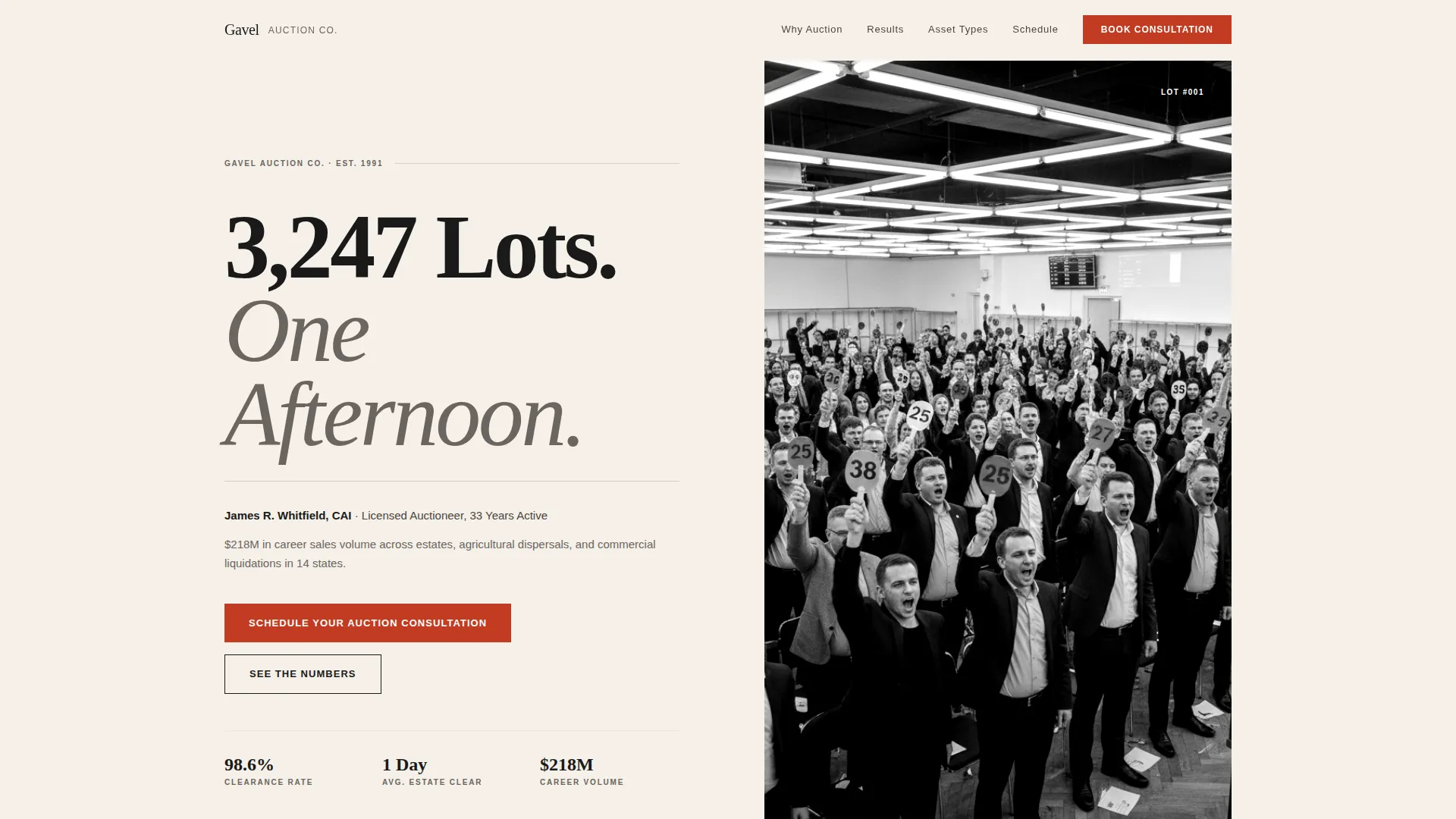
- A Giant Headline Left header with the auctioneer's name, years active, and total career sales volume
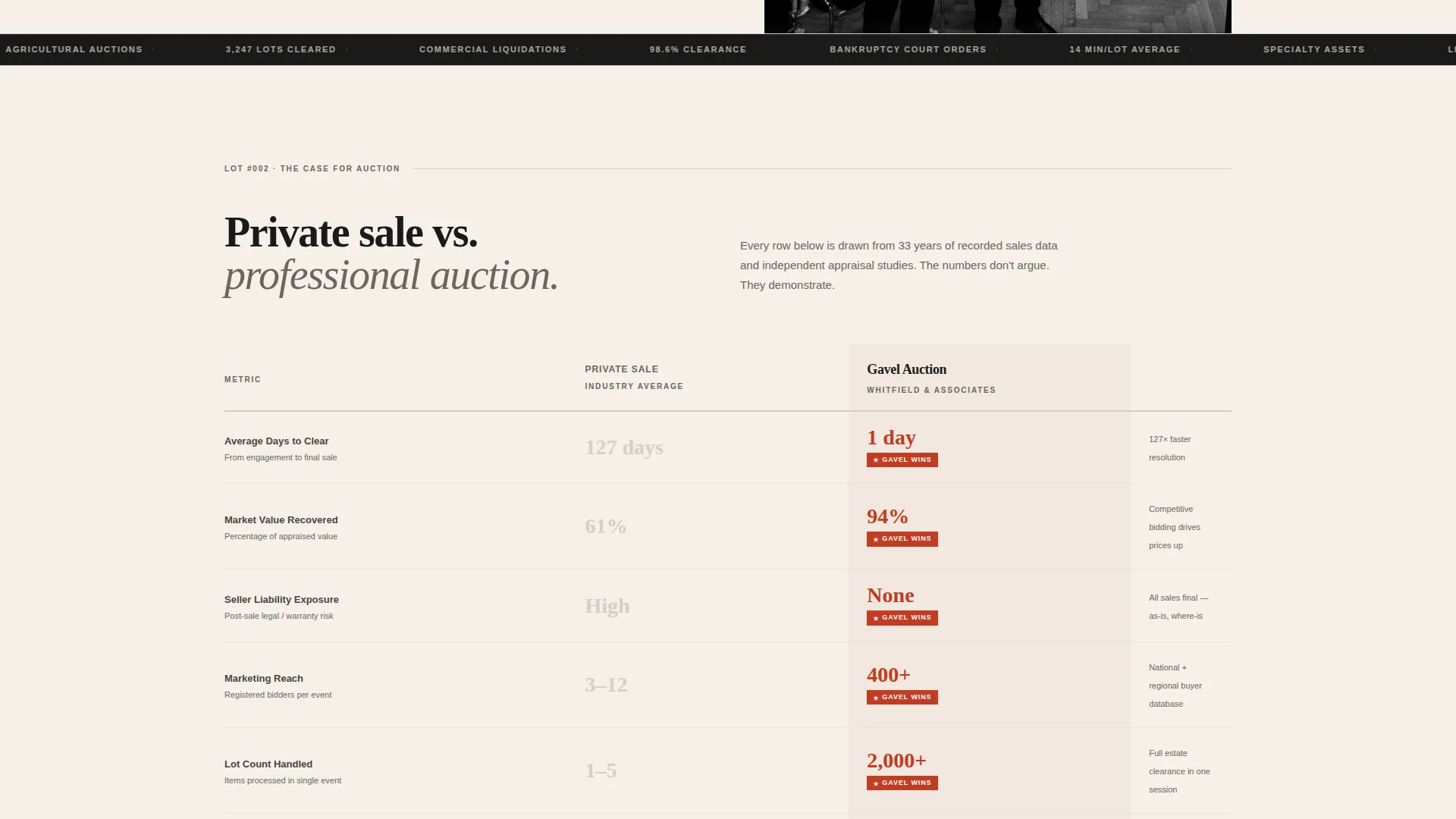
- A private sale versus professional auction comparison table with oversized red metrics
- A sequential three-question booking form and a secondary email-capture path for undecided visitors
Feature list
This template is assembled from purpose-built components that work together as a single persuasive argument.
Giant Headline Left Header
A massive flush-left serif headline in deep publication black reads "3,247 Lots. One Afternoon." against broadsheet cream. Below it, a deck line carries the auctioneer's name, years active, and total career sales volume. A high-contrast black-and-white photograph of a packed auction floor mid-chant anchors the right side, with a numbered paddle frozen in the air.
Private Sale versus. Auction Comparison Table
The comparison table sits immediately below the header and contrasts private sale against professional auction across four hard metrics: average days to clear, percentage of market value recovered, seller liability exposure, and marketing reach. Numbers are set in oversized auction-paddle red, and the auctioneer's column wins every row.
Stats-First Section Rhythm
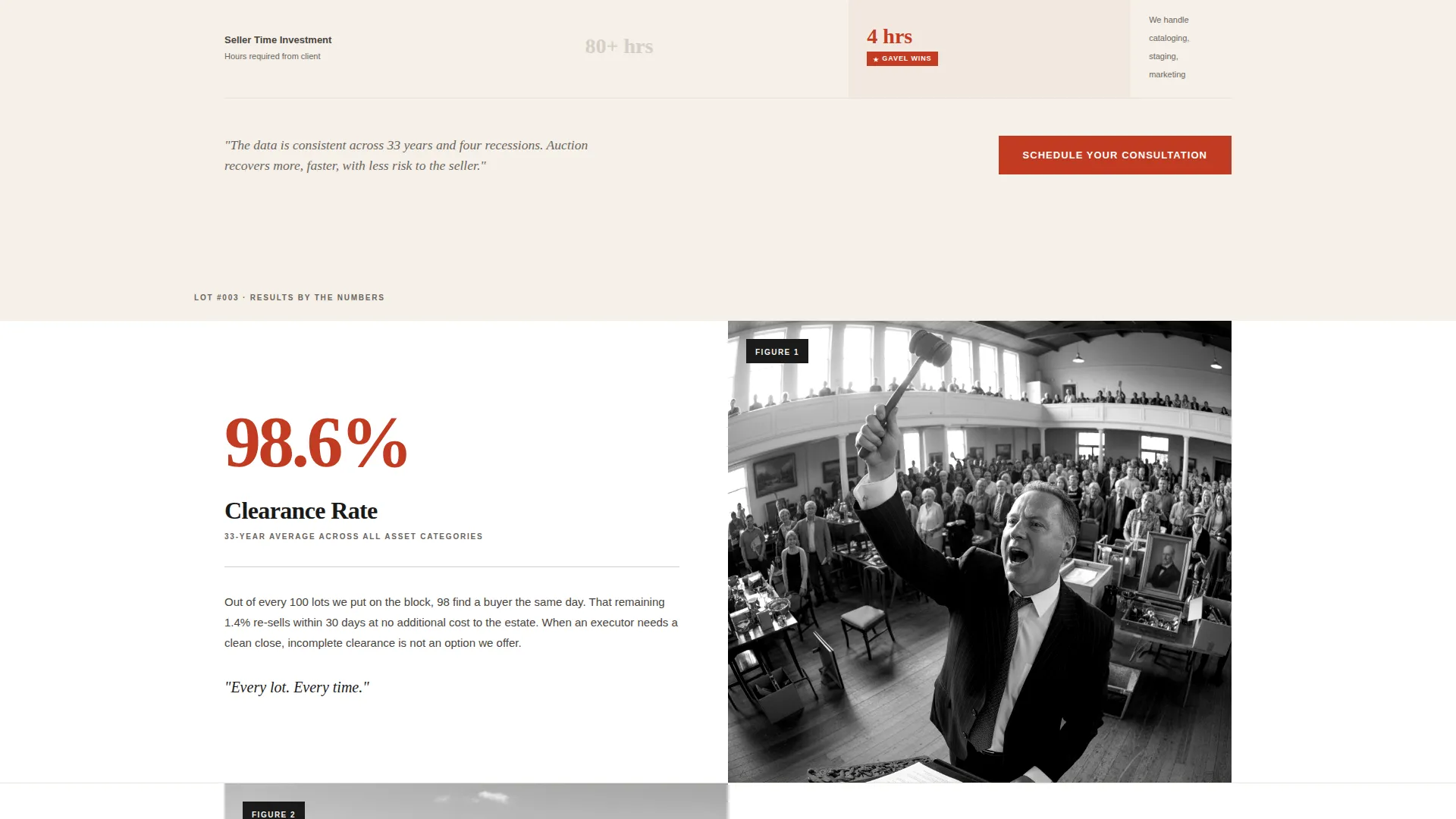
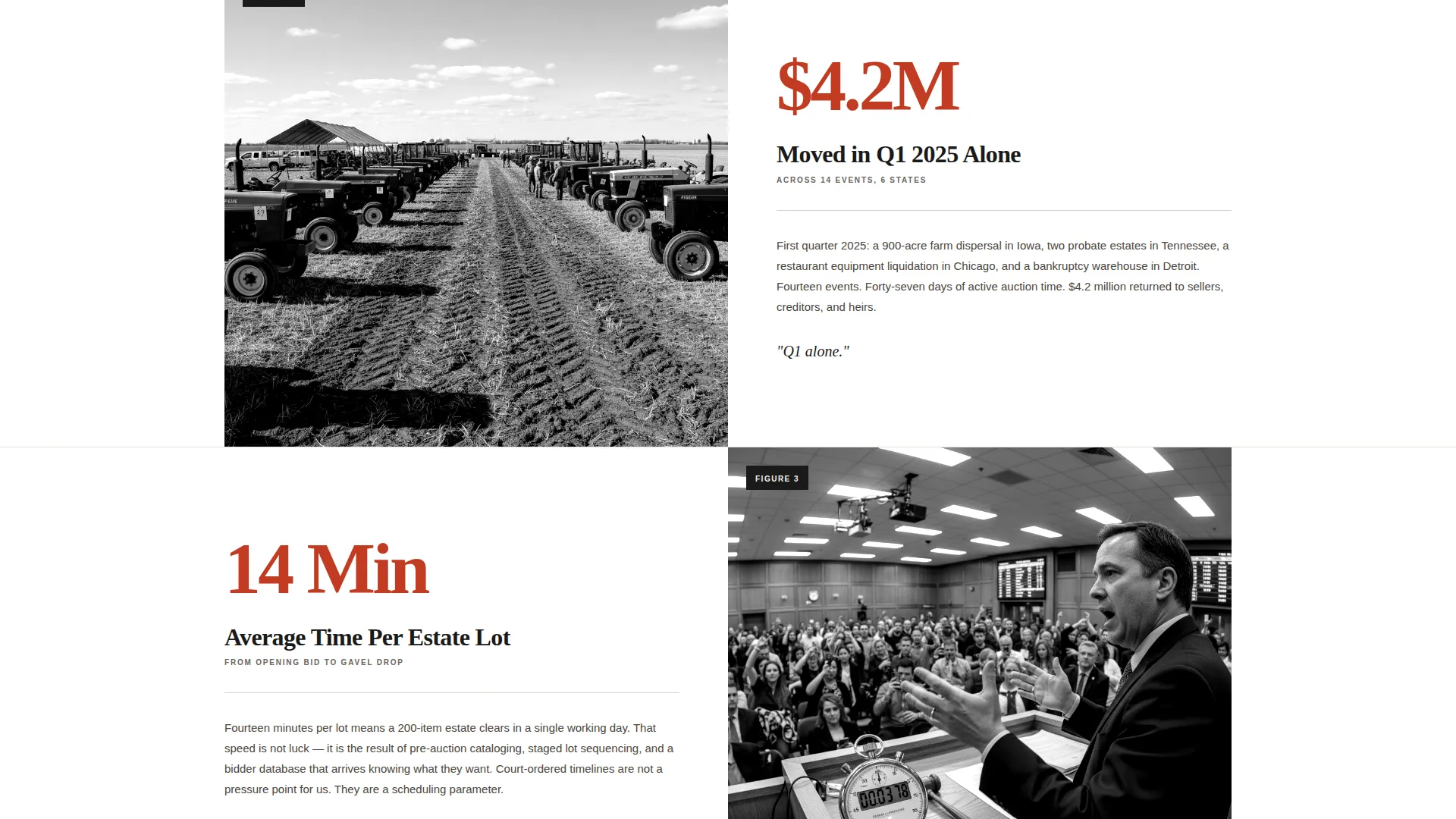
Every scrollable section opens with a single bold statistic in auction-paddle red before revealing the story behind the number. The rhythm of headline, proof, headline, proof builds an accumulating case that is difficult to dismiss.
Sequential Booking Form
The primary call-to-action form asks three questions in order: asset type (estate, agricultural, commercial, or specialty), estimated lot count range, and preferred consultation date via an inline calendar picker. The form is clean, focused, and removes friction from the scheduling path.
Secondary Email Capture Path
Visitors who are not yet ready to book can download a Seller's Guide. The guide covers commission structures, pre-auction preparation checklists, and day-of logistics. This secondary path captures email addresses from warm prospects without losing them.
Fixed Mobile Bottom Bar
On mobile devices, the primary call-to-action reappears as a fixed bottom bar so the booking prompt is always within reach, no matter how far down the page a visitor has scrolled.
Page sections overview
| Section | Purpose |
|---|---|
| Giant Headline Header | Establish authority with name, stats, and a live auction photograph |
| Comparison Table | Prove auction outperforms private sale across four key metrics |
| Stats Impact Blocks | Build credibility through bold statistics before each proof section |
| Booking Consultation Form | Convert ready visitors into scheduled auction consultations |
| Seller's Guide Capture | Capture email from visitors not yet ready to commit |
| Fixed Mobile call to action | Keep the booking call-to-action visible on all mobile scroll depths |
Design & branding system
The visual identity follows an Editorial Magazine theme built on an Ink and Paper color system. The overall feel is a freshly printed auction catalog with heavy stock covers and lot numbers set in serif type: authoritative, unhurried, and built to hold attention.
- Deep publication black (#1A1A1A) and broadsheet cream (#F5F0E8) form the primary page palette, with column-rule gray (#D4CFC7) for structural dividers
- Auction-paddle red (#C23B22) is used exclusively for calls-to-action, live figures, and oversized statistics to direct the eye and signal action
- No animation or motion is used anywhere; the stillness of the layout commands attention the way a magazine spread does
Mobile & speed optimization
The template is structured for clean delivery on smaller screens without sacrificing the editorial authority of the desktop layout.
- The fixed bottom bar keeps the primary "Schedule Your Auction Consultation" call-to-action accessible throughout the entire mobile scroll
- The sequential booking form breaks into a single-column flow on mobile, keeping each question visible and easy to complete
- The static, no-animation design keeps the page visually stable and fast to render on any device
How this template helps you convert
Every layout decision in this template is aimed at one outcome: turning a curious visitor into a booked consultation.
- The comparison table lands the persuasive argument early, before a visitor has time to scroll past skepticism, by showing private sale versus professional auction results in direct, numbered terms.
- The stats-first rhythm repeats proof at every scroll point, so each section reinforces the last and the cumulative weight of evidence makes inaction feel like the riskier choice.
- The dual conversion path captures both ready buyers through the booking form and hesitant prospects through the Seller's Guide email capture, so no warm lead leaves the page empty-handed.
Other information about this template
This template is suited for a professional auctioneer who wants to present a polished, catalog-quality online presence without relying on heavy visuals or complex navigation.
- The template is designed as a single landing page, making it straightforward to publish and maintain
- The Editorial Magazine theme and serif typography give the page a tone that resonates with estate executors, legal professionals, and agricultural clients who expect formality
- The Seller's Guide secondary offer provides ongoing value beyond the page itself, supporting lead nurturing for prospects on longer decision timelines
- This template works well for auctioneers operating across estate, agricultural, and commercial asset categories who want one page to serve all three audiences
Theme
Editorial Magazine
Creative direction
Stats-First Impact
Color system
Ink & Paper
Style
Comparison Table
Direction
Booking/Scheduling
Page Sections
Giant Headline Left Header
Private Sale Versus. Auction Comparison Table
Stats-first Section Rhythm
Sequential Three-question Booking Form
Secondary Email Capture Path
Fixed Mobile Bottom Bar
Related questions
Who is this landing page template designed for?
What does the comparison table show?
Can visitors book directly through this landing page?
What is the Seller's Guide, and why is it included?
Does this template work for different asset categories?



