District Collector Office Landing Page Template
Gazette is a sidebar companion landing page template built for district collector offices. It organizes land records, disaster-relief claims, certificates, and grievance services into plain-language frequently asked question cards, each ending with a direct link to the relevant service portal. The design uses a Forest Trust color system and Corporate Precision visual style to project institutional authority.
by Rocket studio
Quick summary
Gazette is a single-page citizen handbook for a district collector's office. It uses a fixed sidebar for service navigation and a main column of frequently asked question cards that answer the questions citizens actually search. Every card ends with a vermilion call-to-action button routing directly to the correct e-district or revenue portal.
Who this template is for
This template is built for district administration offices that handle high daily footfall across multiple service categories. It suits offices that want to reduce unnecessary in-person visits by giving citizens clear, prepared answers online.
- Farmers and rural residents seeking patta transfers, crop-damage assessments, or income certificates
- Young graduates and job seekers tracking competitive exam hall tickets or scheme enrollment
- Administrative teams publishing grievance channels, office contacts, and relief sanction information
What problem this template solves
Most citizens visit a collector's office not because they must, but because they could not find a clear answer online. This template removes that friction by publishing self-contained service explanations on one organized page.
- Citizens arrive without knowing which documents to bring, causing repeated trips and long queues
- Service portals are scattered, and citizens cannot easily identify which link handles their specific request
- Urgent notices about deadlines, relief sanctions, and application windows go unseen when buried in official feeds
What you get with this template
You get a fully structured landing page that covers five core service areas through scannable frequently asked question cards, a persistent sidebar, and a dedicated application tracker input. Every element is ready to adapt for your district's specific service links and terminology.
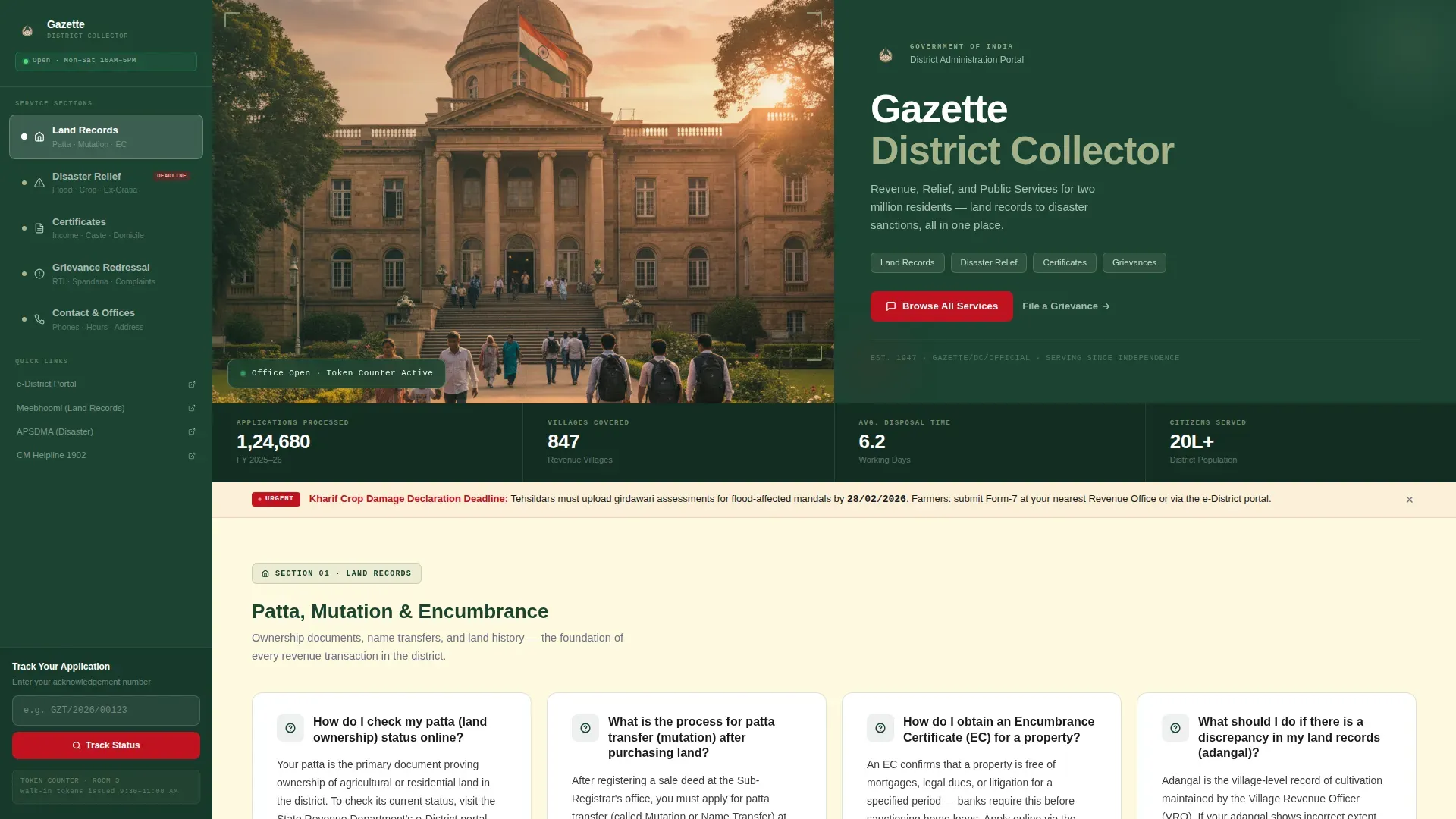
- A half-page hero section with building photograph, district name heading, and a visible vermilion call-to-action button
- Five frequently asked question card sections covering land records, disaster relief, certificates and welfare, grievance redressal, and office contacts
- A sticky sidebar listing all major service categories as navigation anchors, with an application-number tracker field at the bottom
Feature list
This template delivers the following built-in components and design capabilities.
Fixed Sidebar Navigation
The sidebar stays in view as the citizen scrolls. It lists every major service category as a clickable anchor: land records, disaster relief, certificates, grievance redressal, and scheme enrollment. This lets users jump directly to the section they need without scanning the full page.
Card Layout
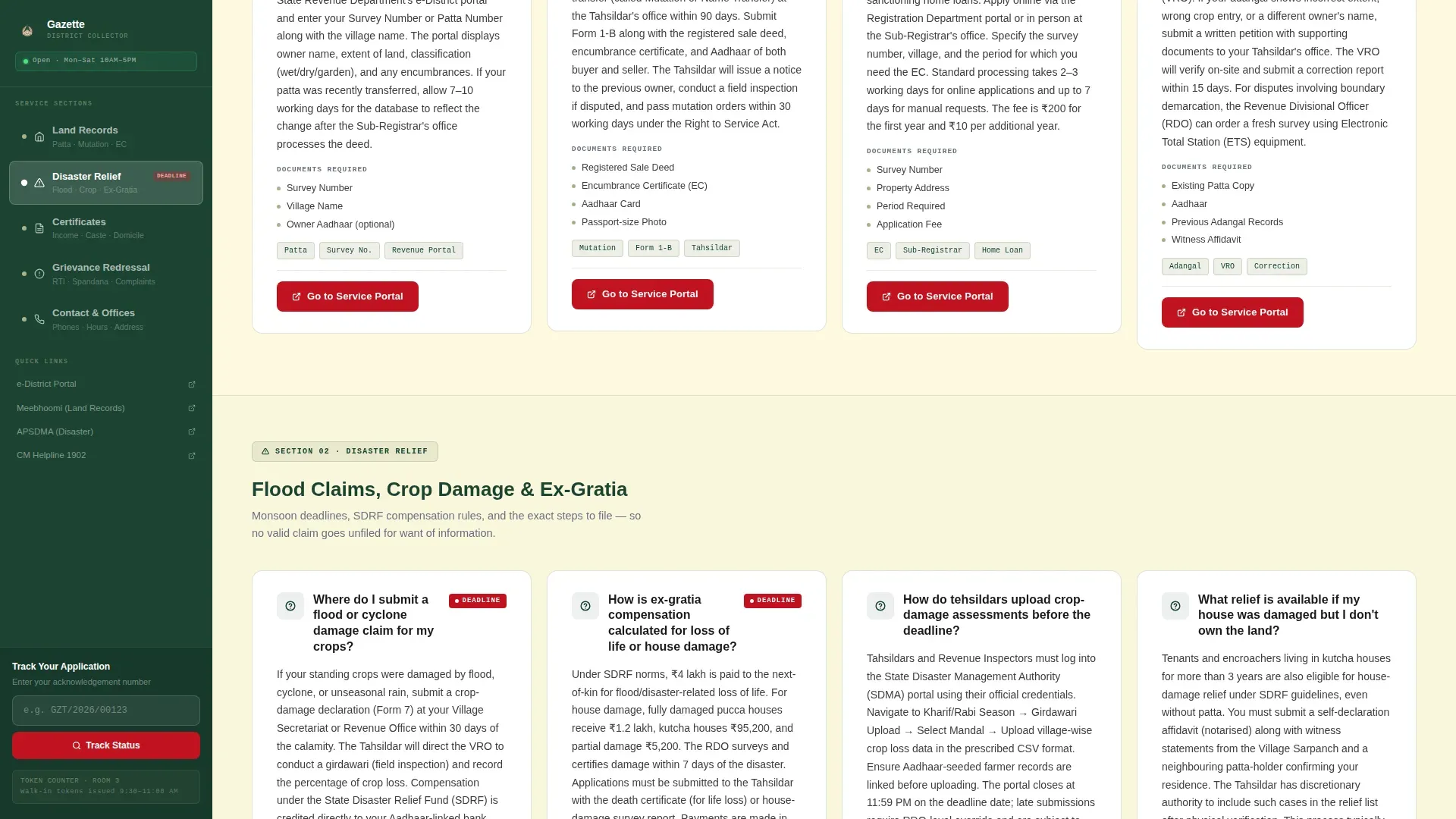
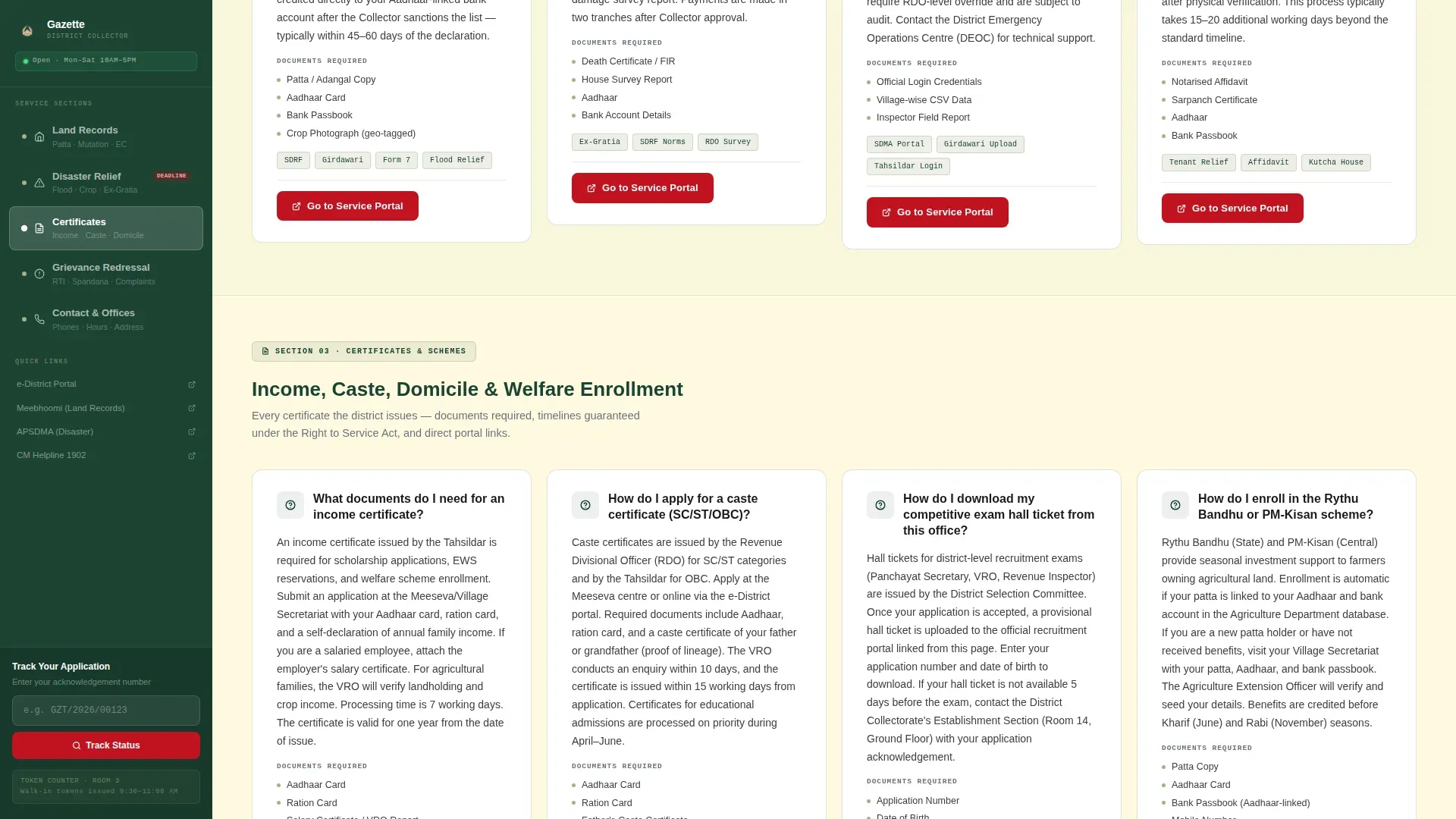
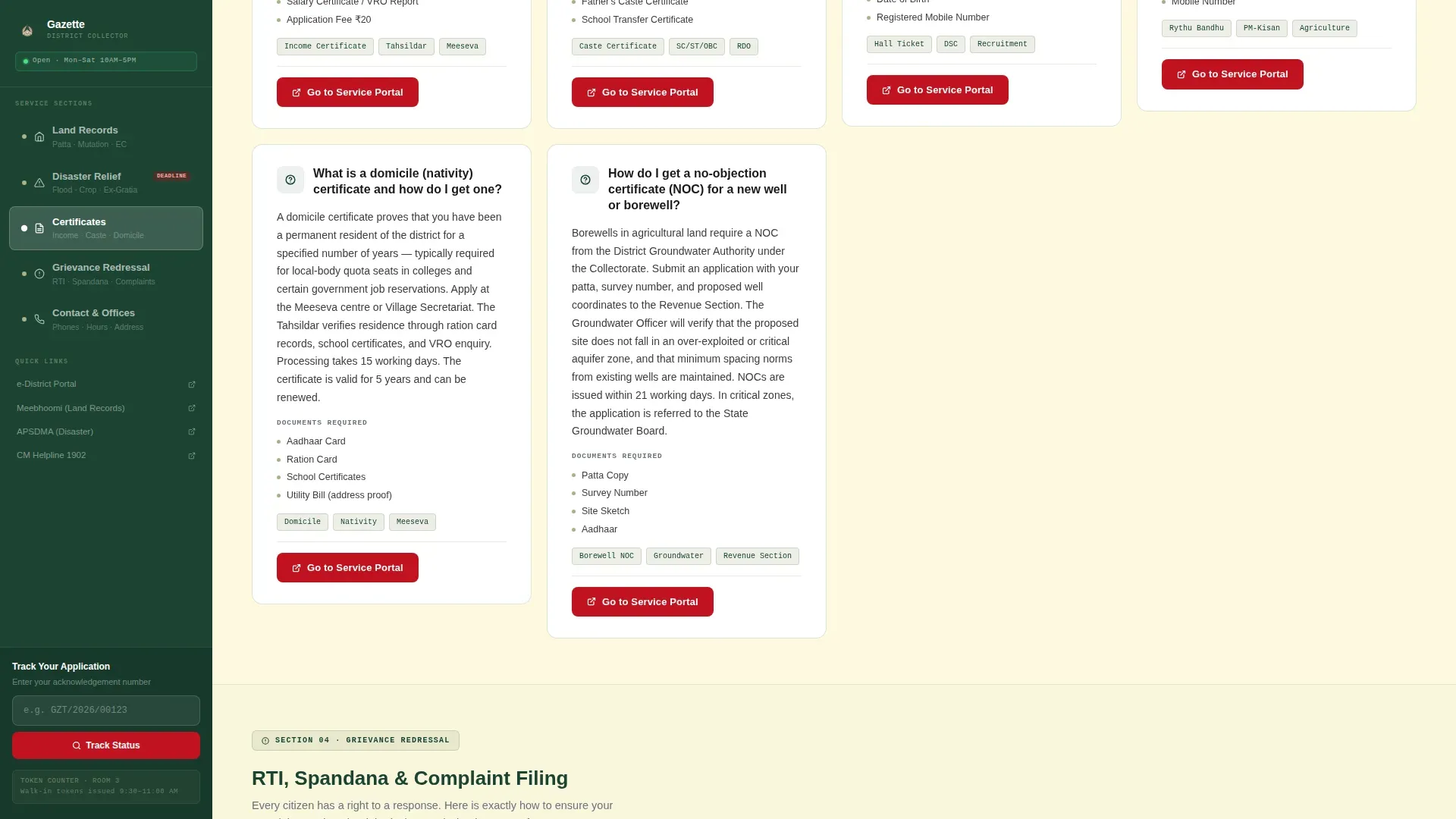
Each service question becomes a self-contained card. The card opens with the citizen's question as a heading, follows with a three-to-five sentence plain-language answer, and closes with a single vermilion "Go to Service Portal" button linking to the correct external page.
Half-Page Hero Section
The header splits into two equal halves. The left side holds a wide-angle photograph of the collectorate building at golden hour. The right side carries the district name, a one-line service descriptor, and the primary call-to-action button placed above the scroll line.
Application Number Tracker
A dedicated input field sits at the bottom of the fixed sidebar. Citizens can enter their application number to check status without leaving the page context. This gives users a secondary conversion path alongside the primary frequently asked question card links.
Urgent Notice Badges
Vermilion badge elements highlight time-sensitive notices, such as monsoon deadline reminders, disaster-relief sanction windows, and exam hall ticket release dates. These badges draw immediate attention without disrupting the page's overall calm, authoritative tone.
Scroll Reveal Animations
Cards and section headings animate into view as the citizen scrolls down. Sidebar sticky behavior and card hover states add responsive feedback. The animation level is calibrated to feel purposeful rather than decorative.
Page sections overview
| Section | Purpose |
|---|---|
| Hero Header | Introduces district identity and primary call to action |
| Land Records frequently asked question | Covers patta status, mutation, and encumbrance certificates |
| Disaster Relief frequently asked question | Guides flood claims, crop-damage forms, and ex-gratia requests |
| Certificates & Welfare | Explains income, caste, domicile, and scheme enrollment steps |
| Grievance & Contact | Lists RTI process, complaint filing, and office contact details |
| Footer Strip | Provides single-row linear links and legal footer information |
Design & branding system
The visual identity follows a Corporate Precision theme built on a Forest Trust color system. The palette references the physical materials of Indian administrative work: surveyed forest maps, aged register paper, and red wax seals.
- Deep sal-tree green (#1B4332) anchors the sidebar, section headers, and primary typographic elements
- Administrative khaki (#A3B18A) softens secondary panels and card borders, while parchment ivory (#FEFAE0) forms the primary page background
- Vermilion (#C1121F) is reserved exclusively for action buttons and urgent-notice badges, ensuring every interactive element is instantly recognizable
Mobile & speed optimization
The template is built desktop-first to support the sidebar layout, which requires horizontal space for parallel navigation and content. On smaller screens, the sidebar collapses into a top navigation bar so the frequently asked question cards remain the primary focus.
- Sidebar converts to a top anchor-link bar on mobile, keeping all service categories accessible without overlap
- Server Components handle static frequently asked question content to minimize JavaScript payload and keep page load responsive
- Card hover states and scroll reveals are implemented with minimal scripting to avoid interaction delays on mid-range devices
How this template helps you convert
Every design decision in Gazette is oriented toward one outcome: the citizen clicks the service portal link rather than picking up the phone or walking in.
- The frequently asked question card structure answers the citizen's question completely before presenting the action button, so the click feels like a natural next step rather than a request for blind trust.
- The fixed sidebar keeps every service category visible at all times, reducing the chance a citizen leaves because they cannot find the right section quickly.
- The application tracker input at the sidebar bottom gives returning citizens an immediate second-visit reason, pulling them back into the page's conversion flow without requiring a new search.
Other information about this template
Gazette is part of a broader category of government and public-sector civic portal templates designed for Indian administrative contexts. It follows Indian administrative terminology throughout, uses DD/MM/YYYY date formatting, and supports INR currency references where applicable.
- Typography uses Plus Jakarta Sans for all headings, DM Sans for body copy, and JetBrains Mono for application numbers and reference codes
- The footer follows a Pattern 1 Linear Single-Row layout, keeping the bottom of the page clean and formally structured
- Social proof elements include the official collectorate building photograph, national flag imagery, and service statistics such as applications processed and villages covered
Theme
Corporate Precision
Creative direction
FAQ-Driven
Color system
Forest Trust
Style
Sidebar Companion
Direction
Click-Through
Page Sections
Fixed Sidebar Service Navigation
Self-contained Frequently Asked Question Card Layout
Half-page Hero with Call to Action
Application Number Tracker Input
Urgent Notice Badges
Scroll Reveal and Hover Interactions
Related questions
Can I edit the frequently asked question card content to match my district's specific services?
Does the sidebar navigation work on mobile screens?
Can I add more frequently asked question cards to an existing service section?
What does the application tracker input field do?
What kind of government offices is this template best suited for?



