Conversion EMR Landing page Template
A hub-and-spoke landing page built for a geriatrics electronic medical record platform. The template organizes clinical complexity into a clean, anchor-navigated layout. It walks physician-visitors through polypharmacy reconciliation, cognitive screening, fall risk scoring, and Medicare Annual Wellness Visit documentation, then converts them through a five-question workflow assessment quiz.
by Rocket studio
Quick summary
This landing page template is purpose-built for a geriatric electronic medical record platform. It uses a hub-and-spoke layout with an anchor navigation panel, four clinical spoke sections, and an embedded workflow assessment quiz. The design draws from an Educational Guide aesthetic, giving physician-visitors the immediate clarity of a well-organized patient chart.
Who this template is for
This template is designed for healthcare software teams marketing a geriatric-specific clinical platform to practicing physicians. The audience is demanding, time-short, and skeptical of generic tools.
- Geriatricians running memory care clinics who need structured cognitive decline tracking and polypharmacy workflows
- Skilled nursing facility medical directors managing census rounds and complex multi-prescriber medication lists
- Primary care physicians with large aging patient panels drowning in Medicare Annual Wellness Visit documentation
What problem this template solves
Generic electronic medical record platforms were not designed for the documentation demands of geriatric medicine. Physicians treating patients with seven specialists and fourteen medications need more than a blank note template.
- No clear structure for polypharmacy reconciliation, fall risk scoring, or advance directive management in standard platforms
- Medicare Annual Wellness Visit documentation built manually every time, costing physicians significant time per patient
- Cognitive screening results scattered across visit notes rather than tracked longitudinally in one place
What you get with this template
The template delivers a complete, single-page layout structured as a navigable clinical reference. Every section answers a real clinical question before asking anything of the visitor.
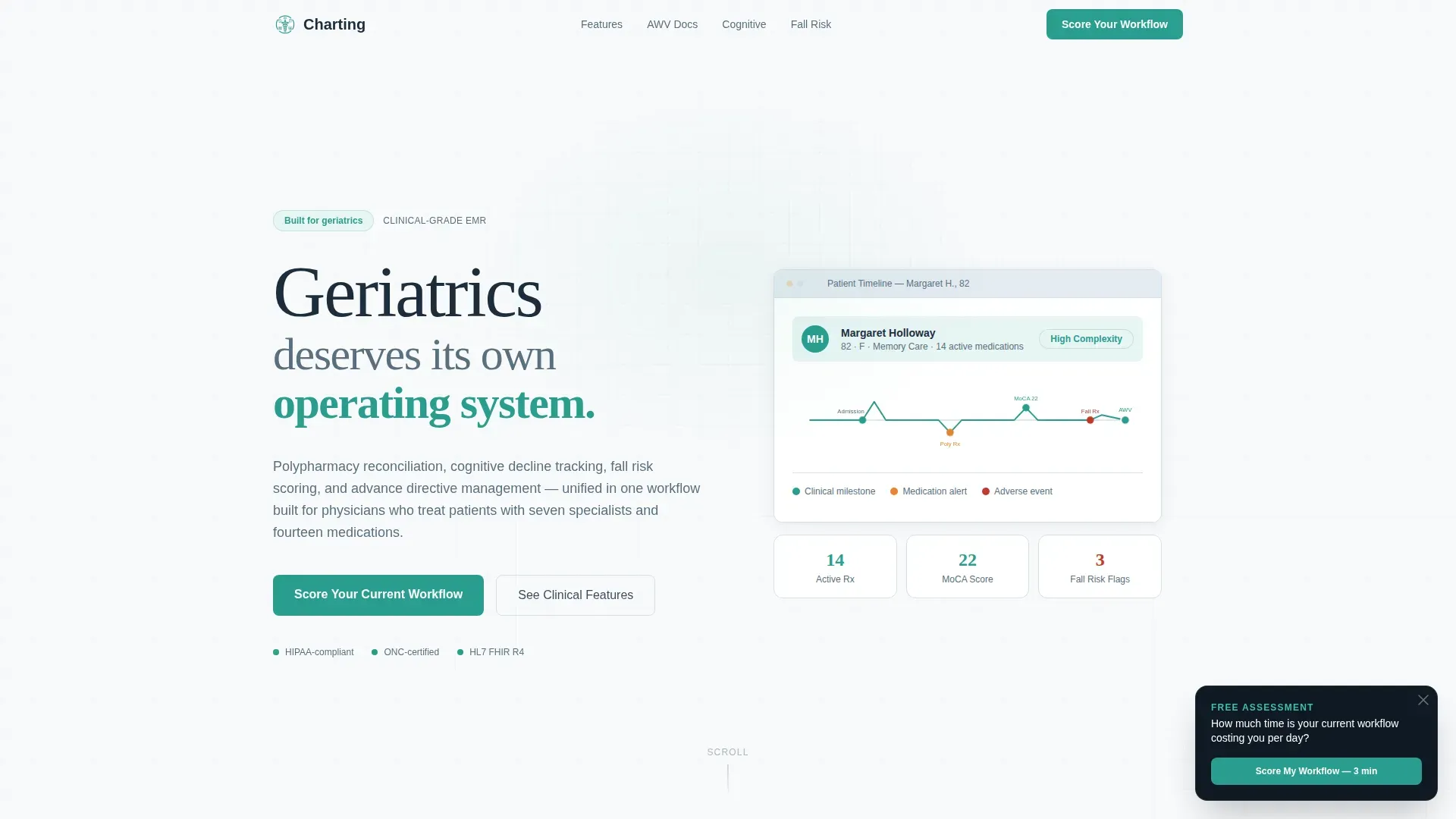
- A Stacked Type Tower hero with an animated patient timeline that draws itself as the page loads
- A fixed anchor navigation panel listing exact clinical questions geriatricians ask when evaluating software
- Four spoke sections covering polypharmacy, Medicare Annual Wellness Visit documentation, cognitive screening, and fall risk plus advance directives
- A primary conversion module: a five-question workflow assessment quiz with branching logic and a results page mapping pain points to platform features
Feature list
This section covers the core structural and interactive components built into the template.
Stacked Type Tower Hero
The header stacks three typographic lines in descending scale: a large display word in light graphite, a mid-weight supporting phrase, and the base line in teal. No hero image competes. An animated SVG path draws a simplified patient timeline beneath the headline, giving physician-visitors an immediate recognition moment.
Anchor Navigation Panel
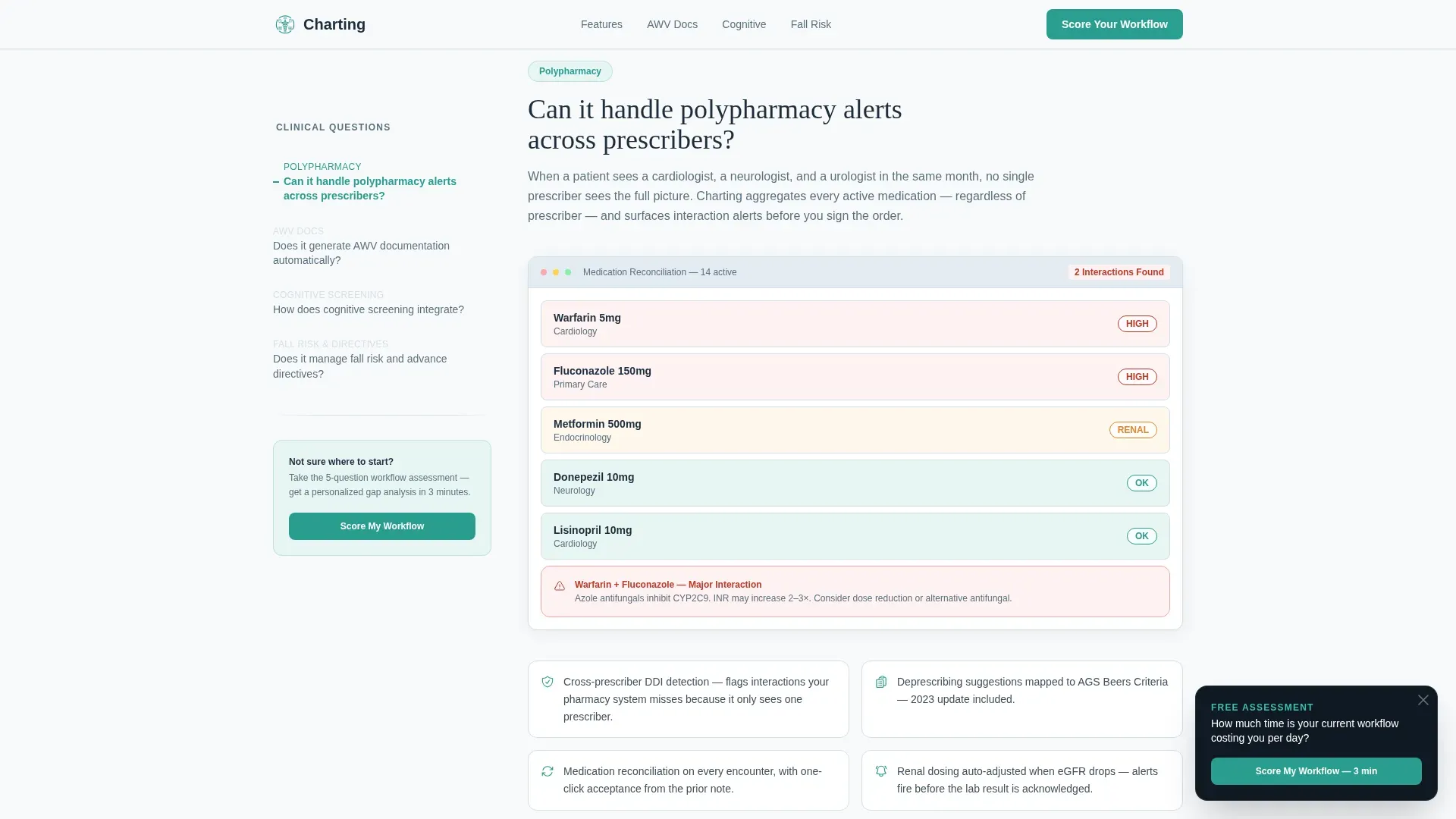
A fixed left-panel anchor navigation lists the exact clinical questions geriatricians ask when evaluating a new platform. Each item links directly to its corresponding spoke section. The active state is indicated in teal, so visitors always know where they are in the page without scrolling blindly.
Four Clinical Spoke Sections
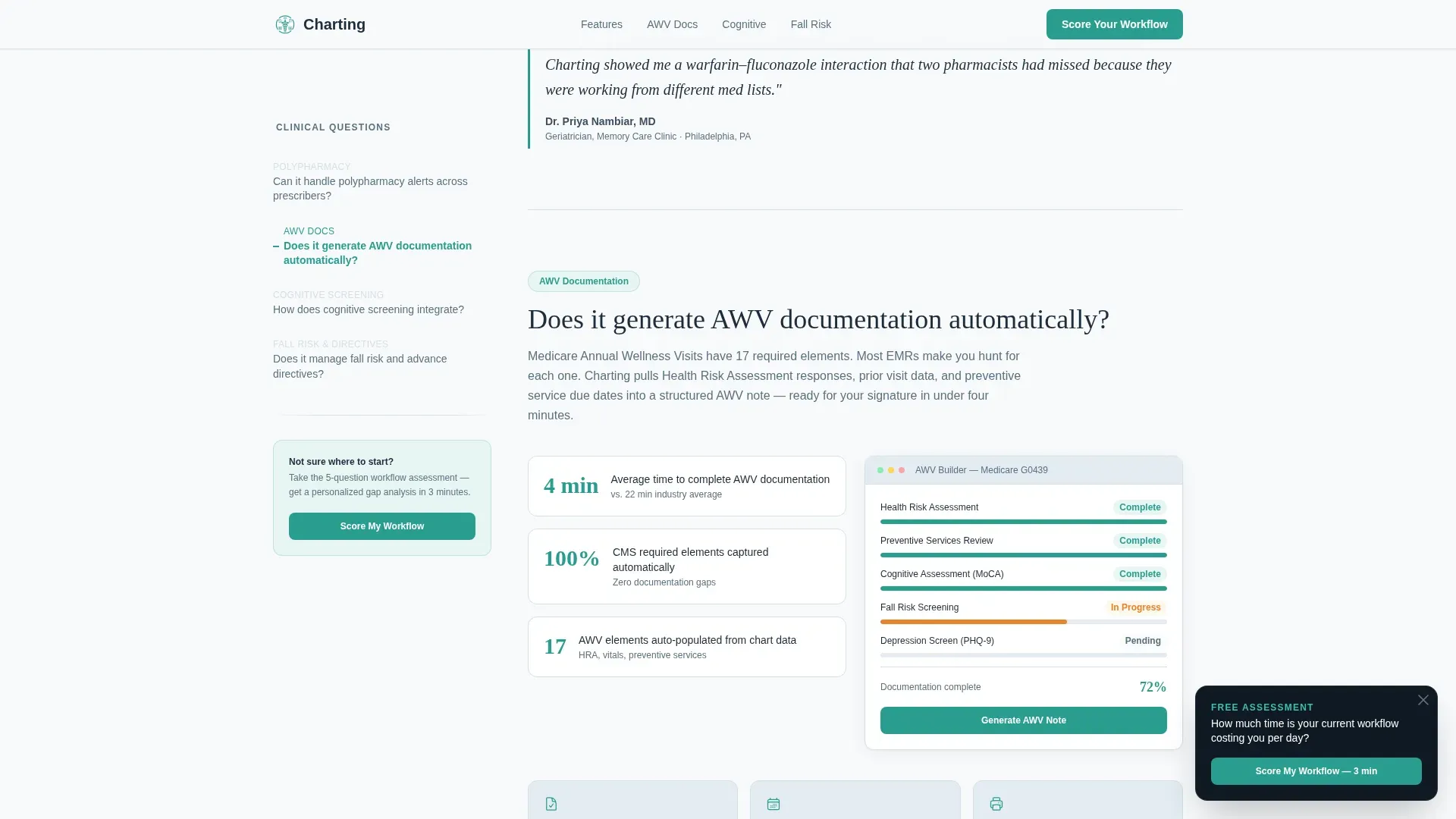
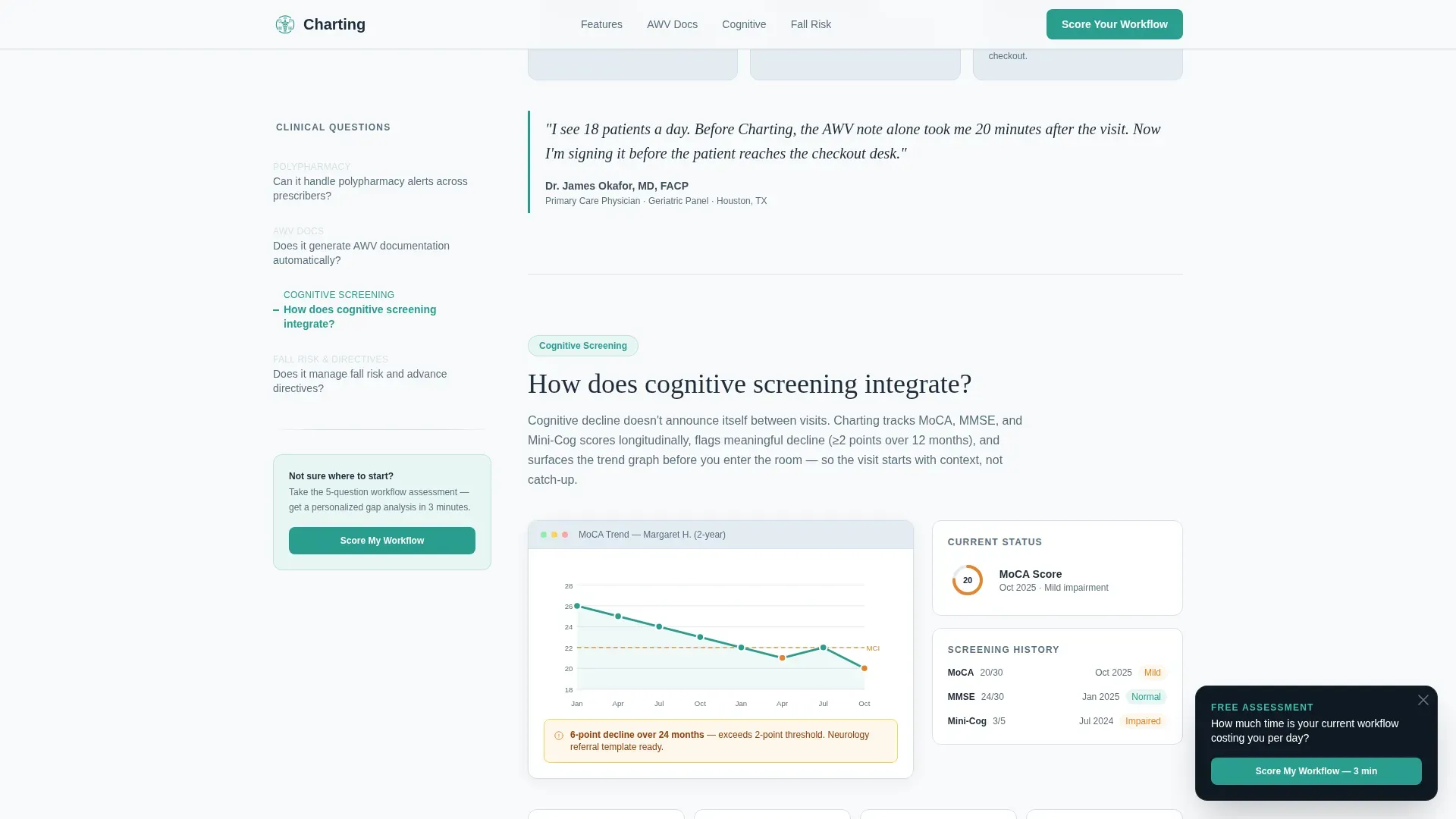
Each spoke section answers one clinical question with a short explanation, a user interface screenshot placeholder showing the relevant workflow, and a pull-quote block attributed to a practicing geriatrician. The sections cover polypharmacy reconciliation, automated Medicare Annual Wellness Visit documentation, cognitive screening integration, and fall risk scoring combined with advance directive management.
Workflow Assessment Quiz
The primary conversion element is a five-question diagnostic quiz titled "Score Your Current Workflow." Questions use scaled responses and branch based on practice setting, whether outpatient clinic, skilled nursing facility, or home-based care. The results page maps each physician's identified pain points to specific platform features, producing a workflow gap analysis they can share with their practice manager.
Floating and Embedded Quiz Entry Points
The quiz is accessible in two places. A floating teal button appears after the visitor passes the second spoke section. A full embedded quiz module sits just before the footer. Both entries lead to the same branching assessment, ensuring the conversion opportunity is available without being intrusive.
Linear Footer Pattern
The footer uses a single-row linear layout. It closes the page cleanly without competing conversion elements, keeping the physician's attention on the assessment as the one clear next step.
Page sections overview
| Section | Purpose |
|---|---|
| Hero Tower | Establish platform identity and draw the patient timeline animation |
| Anchor Nav Panel | Give physicians instant access to clinical question anchors |
| Spoke 1: Polypharmacy | Answer how the platform handles multi-prescriber medication reconciliation |
| Spoke 2: AWV Documentation | Show how Medicare Annual Wellness Visit notes are generated |
| Spoke 3: Cognitive Screening | Explain longitudinal cognitive decline tracking and screening integration |
| Spoke 4: Fall Risk and Directives | Cover fall risk scoring and advance directive management workflows |
| Floating Quiz Button | Offer first quiz entry after the second spoke section |
| Embedded Quiz Module | Deliver the full five-question assessment before the footer |
| Linear Footer | Close the page with a single-row, low-friction footer |
Design & branding system
The visual identity follows an Educational Guide theme built on an Arctic White color system. The palette reads like a freshly printed clinical guideline: authoritative without feeling cold.
- Clinical white (#F8FAFB) as the dominant background, pale frost (#E3EBF2) for card backgrounds and section dividers, and soft graphite (#3D4F5F) for body text
- Steady teal (#2A9D8F) reserved exclusively for interactive elements, progress indicators, and the anchor navigation active state
- Fraunces serif for display headings and Dm Sans for body copy, pairing the authority of a medical journal with the readability of a well-designed interface
Mobile & speed optimization
The template is built desktop-first, reflecting the physician workstation use case. Tablet responsiveness is included to support rounds and clinic review scenarios.
- Scroll-linked section reveals and SVG path animation use medium-weight interactivity appropriate for desktop and modern tablet browsers
- The anchor navigation panel and quiz modal are built as client-side interactive components, while static spoke content uses server component rendering for fast initial load
- Layout reflows cleanly from desktop to tablet without sacrificing the anchor navigation usability that drives the page experience
How this template helps you convert
The conversion strategy dissolves clinical objections one by one before presenting the assessment. The physician is never asked to book a demo cold.
- The anchor navigation surfaces every major concern a geriatrician holds about software, then each spoke section resolves that concern with an explanation, a workflow screenshot, and a peer pull-quote, systematically building clinical trust before any call to action appears.
- The workflow assessment quiz qualifies each lead by practice size, setting, and frustration level while delivering something immediately useful: a workflow gap analysis the physician can act on and share, making the conversion feel like a clinical tool rather than a sales form.
Other information about this template
This template is part of the Health and Medical category, specifically positioned within the Geriatrics Medicine subcategory and the Geriatrics EMR and Software niche. A few additional details worth noting:
- The template style is Hub and Spoke with an anchor navigation structure, classified under the FAQ-Driven creative direction
- The landing page direction is Quiz and Assessment, meaning the primary call to action is a diagnostic tool, not a contact form or demo booking widget
- Interactivity level is high, including anchor navigation active states, a quiz modal with branching logic, scroll-linked reveals, and stagger animations
- The quiz branches across three practice settings: outpatient clinic, skilled nursing facility, and home-based care, keeping results relevant to the physician's actual environment
- Typography uses Fraunces for display text and DM Sans for body copy, both suited to the clinical guideline aesthetic described in the brief
Theme
Educational Guide
Creative direction
FAQ-Driven
Color system
Arctic White
Style
Hub & Spoke (Anchor Nav)
Direction
Quiz/Assessment
Page Sections
Stacked Type Tower Hero with Animated Timeline
Fixed Anchor Navigation with Clinical Questions
Four Clinical Spoke Sections
Branching Workflow Assessment Quiz
Dual Quiz Entry Points
Linear Single-row Footer
Related questions
What type of physician is this landing page template designed for?
What is the main conversion element on this landing page?
How does the anchor navigation work in this template?
Does this template include the quiz logic and branching functionality?
Can I customize the spoke sections for different clinical topics?



