Artisan Faux Finish Landing Page Template
Glaze is a modular card grid landing page template built for decorative and faux finish companies. It opens with a striking line-art header and a guarantee-led content flow that earns visitor trust before revealing portfolio work. The design uses a deep navy, linen, and brass palette that feels authoritative and handcrafted. Two lead capture paths convert both ready buyers and early browsers.
by Rocket studio
Quick summary
Glaze is a single-page, card grid landing page template for artisan faux finish crews. It leads with bold guarantee cards before showing portfolio finishes, using a navy-and-brass visual system rooted in craft authority. A primary inquiry form and a secondary downloadable finish guide give visitors two clear ways to engage, at whatever stage they are ready.
Who this template is for
This template is built for decorative and faux finish businesses that sell a high-craft, hard-to-replicate service. It speaks directly to the people doing the work and the clients commissioning it.
- Artisan faux finish crews offering Venetian plaster, aged timber effects, and layered glaze techniques
- Custom home builders and interior designers sourcing specialty wall and ceiling finishes
- Homeowners investing in decorative finishes for residential kitchens, living rooms, or new builds
What problem this template solves
Faux finish companies often lose leads because visitors cannot see the skill behind the surface. A generic page with pretty photos but no context leaves potential clients uncertain about quality, process, and reliability.
- Skeptical visitors leave before they understand what separates artisan work from a standard paint job
- Portfolio-first layouts bury the proof of quality behind images the visitor has no framework to evaluate
- No clear capture path means early-stage browsers leave without giving contact details
What you get with this template
This template gives you a complete, section-led landing page designed to convert both ready-to-hire clients and early-stage browsers. Every section follows a deliberate trust-building sequence.
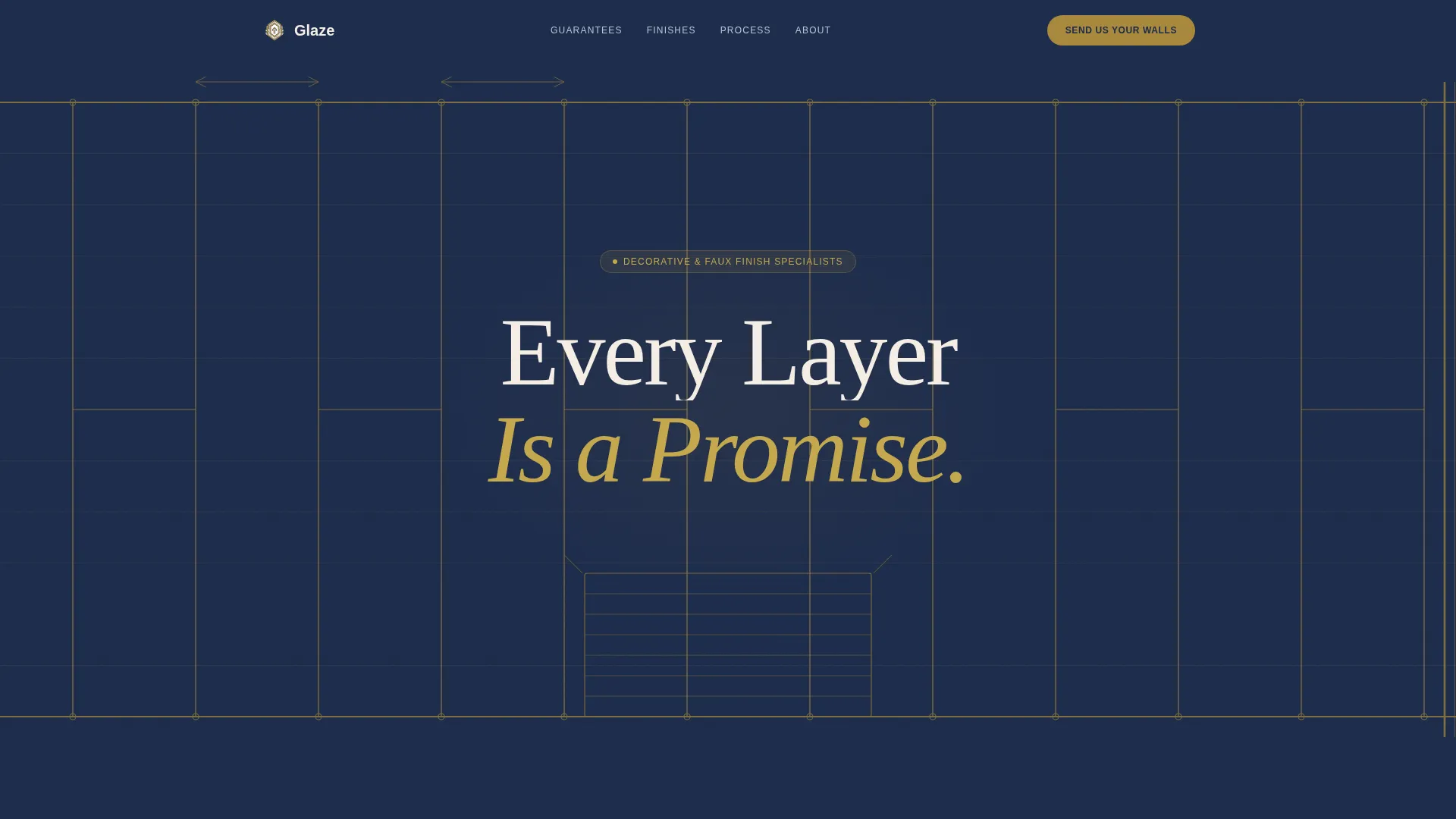
- A full-width line-art header with a bold headline and a layered wall-cross-section illustration in brass on navy
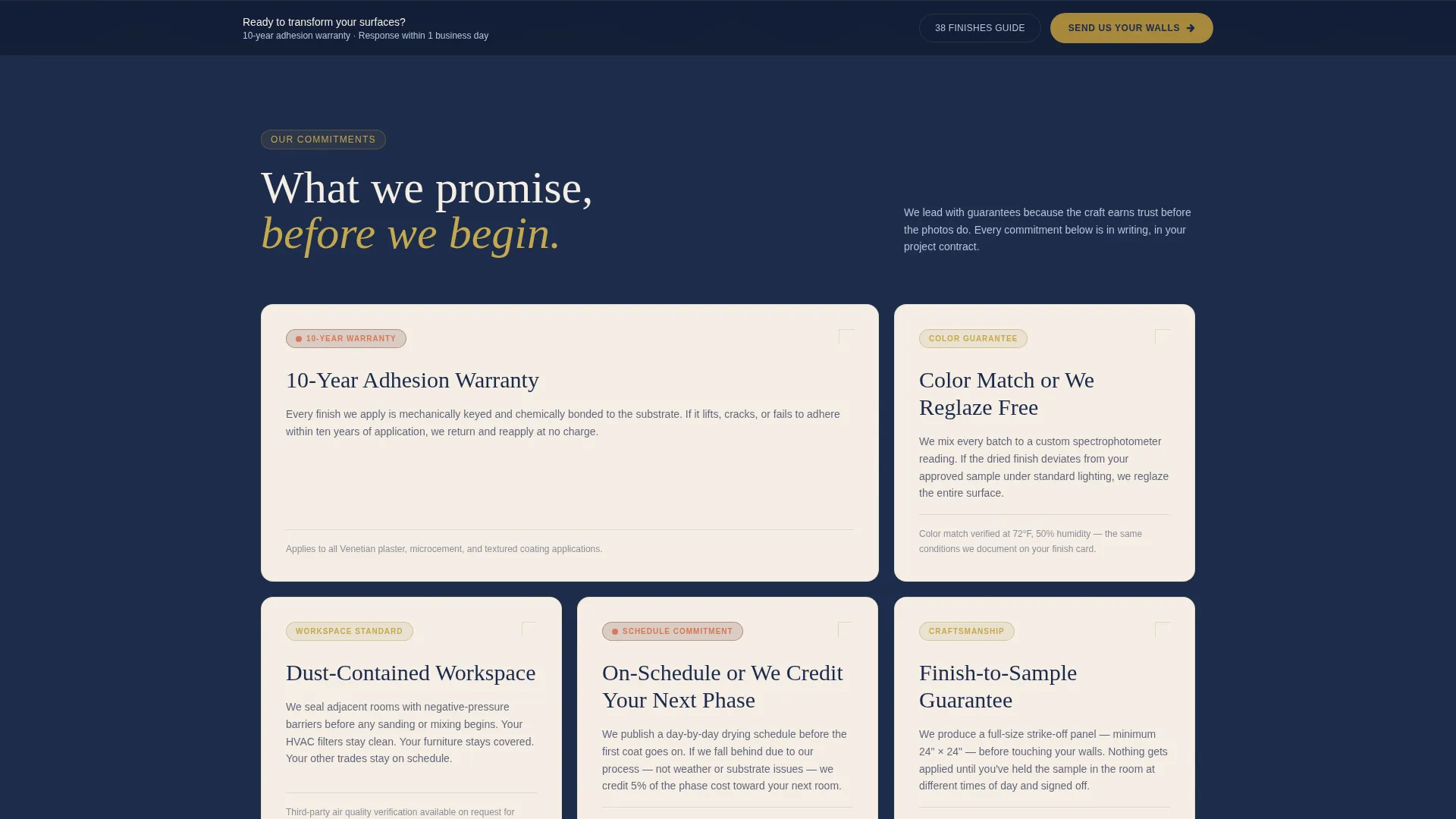
- A modular guarantee card grid showing specific commitments like adhesion warranties and color-match pledges
- A primary lead form collecting project type, square footage, a photo upload, and contact details
- A secondary email-gated download path offering a free 38-finish guide for visitors not yet ready to inquire
Feature list
This template is built around a structured set of design and content features that work together to move a visitor from skepticism to submission.
Guarantee-Led Card Grid
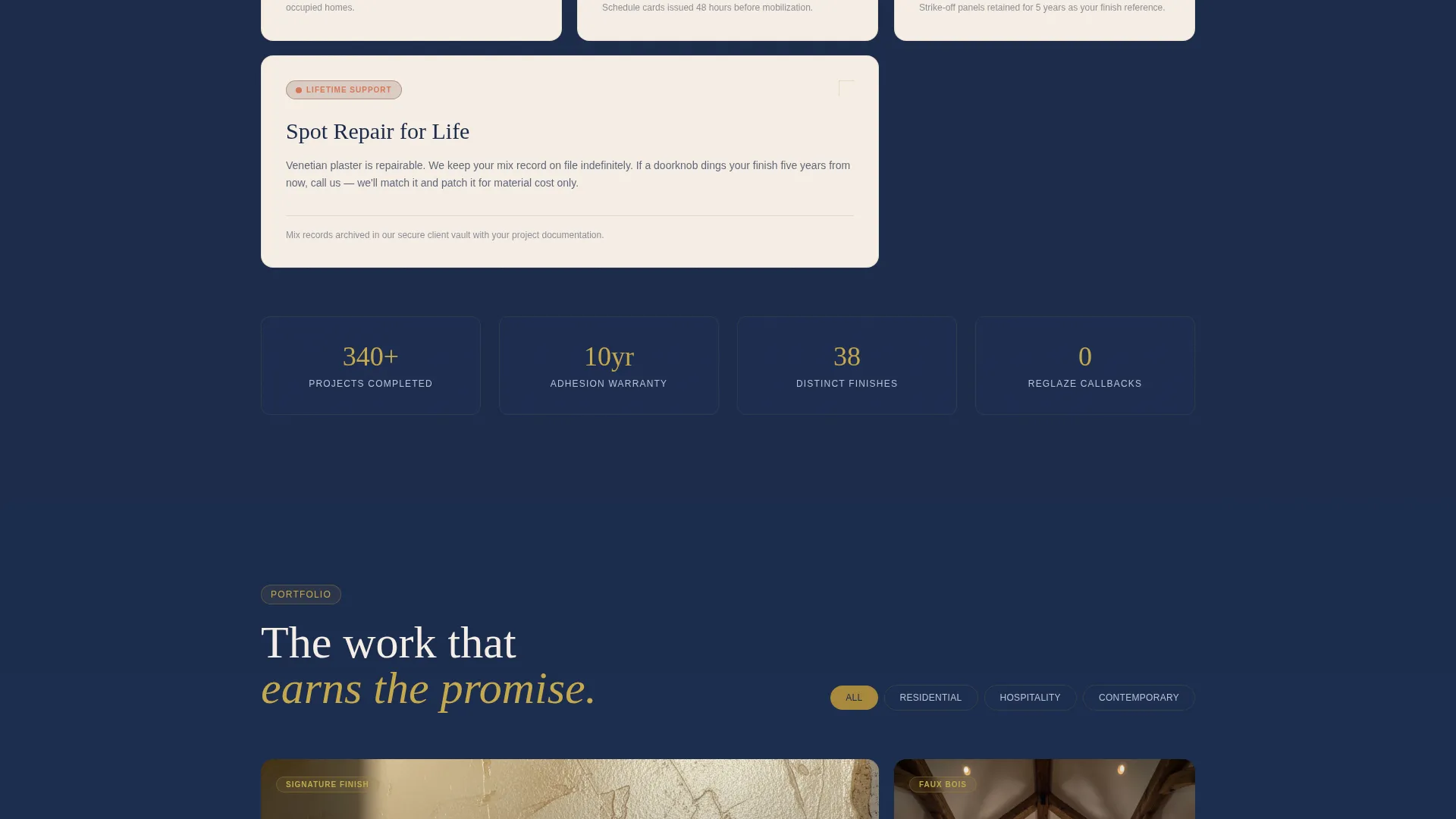
The page opens with a modular grid of guarantee cards. Each card presents a specific commitment in bold type, followed by a short paragraph explaining the technique or process behind it. This sequence builds trust before the portfolio is introduced.
Line Art Full-Width Header
The header fills the full browser width with hand-drawn architectural cross-sections of wall layers, rendered in brass on deep navy. A single headline fades in over the linework. No photography is used here; the illustration earns attention through precision and craft.
Dual Lead Capture Paths
A primary contact form appears after the guarantee grid and again as a sticky bottom bar. A secondary path offers a free downloadable finish guide gated behind email only. Both paths work together to capture visitors at different decision stages.
Portfolio Card Sequence
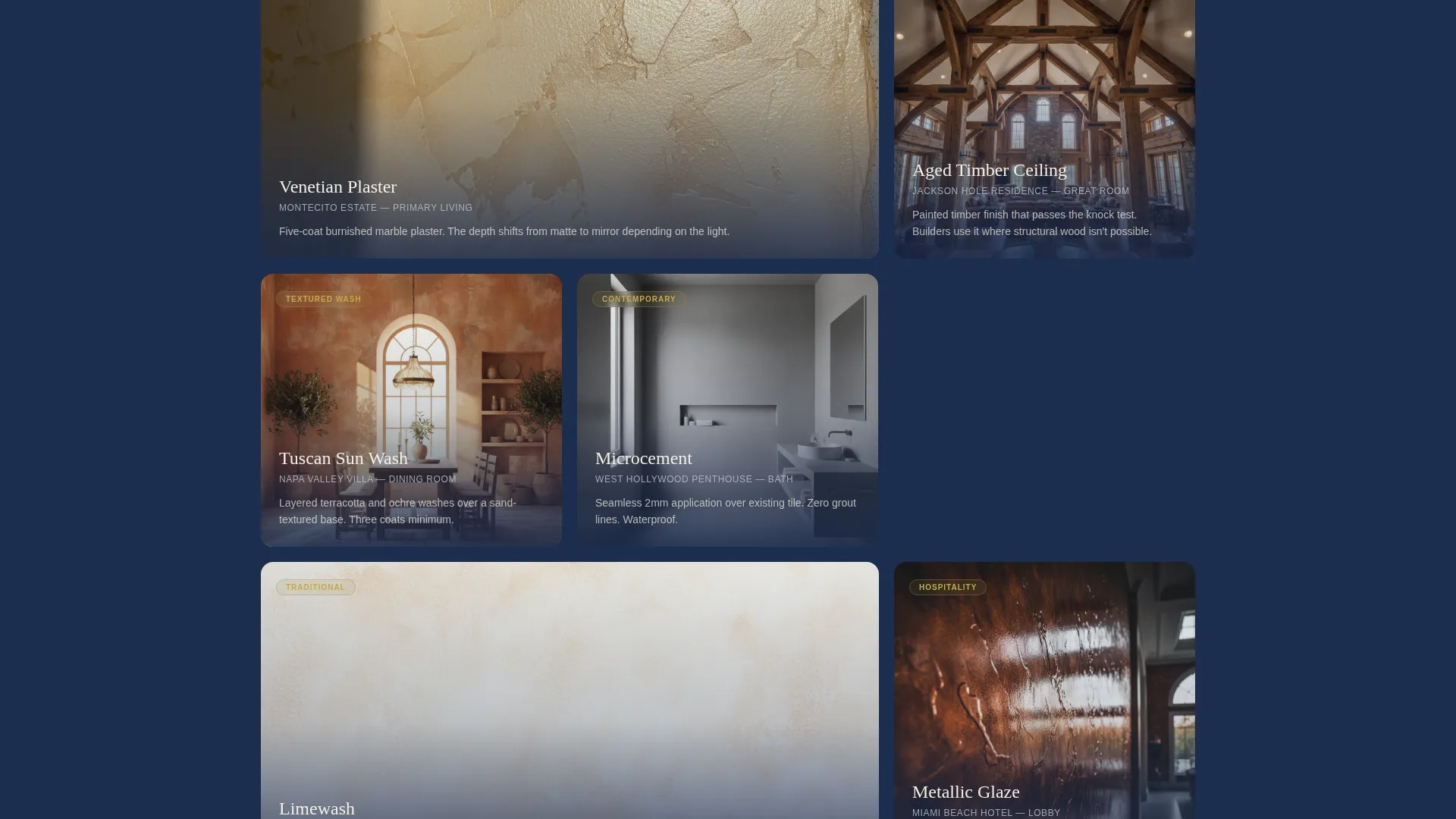
After the guarantee grid, modular cards shift to portfolio finishes. Because the visitor has already absorbed the guarantees, each finish lands with more credibility. The sequencing is intentional: trust first, beauty second.
Sticky Bottom Call-to-Action Bar
The primary call to action, labeled "Send Us Your Walls," persists as a sticky bar at the bottom of the page. This keeps the conversion prompt visible without interrupting the reading flow of any section above it.
Project-Specific Inquiry Form
The lead form is structured to qualify the lead before capturing contact details. It asks for project type first, then square footage range, then a photo upload, then name, email, and zip. This order reduces friction and collects useful project context.
Page sections overview
| Section | Purpose |
|---|---|
| Line Art Header | Introduce brand authority with illustrated wall-layer cross-sections and a fading headline |
| Guarantee Card Grid | Present specific service commitments before showing any portfolio work |
| Portfolio Card Grid | Display finished work with added weight because trust is already established |
| Primary Lead Form | Capture qualified inquiries with project type, footage, photo upload, and contact fields |
| Downloadable Finish Guide | Convert early-stage browsers with a free 38-finish guide gated behind email |
| Sticky call to action Bar | Keep the primary call to action visible throughout the entire page scroll |
Design & branding system
The visual identity follows an Agrarian Root theme built on the Navy Authority color system. Every color and texture choice communicates heritage and earned craft rather than newness or trend.
- Deep heritage navy (#1B2A4A) forms the dominant background, giving the page a grounded, authoritative feel
- Sun-bleached linen (#F4EDE4) surfaces card backgrounds with warmth and material texture
- Tarnished brass (#A8893E) appears on hover states and accent borders, with thin brass lines used throughout the header illustration
- Iron oxide red (#6B3A2A) marks guarantee statements and trust badges, drawing the eye to commitments without feeling alarming
Mobile & speed optimization
The card grid layout is modular, which means it reflows naturally across screen sizes. Visitors on phones or tablets move through the same guarantee-to-portfolio sequence without losing the structural logic of the page.
- Modular cards stack vertically on smaller screens, keeping each guarantee or portfolio item readable at any width
- The sticky bottom call-to-action bar remains anchored on mobile, so the inquiry prompt is always within thumb reach
- The photo upload field in the lead form is designed to accept images directly from a mobile camera, reducing friction for on-site homeowners or designers
How this template helps you convert
The entire page is structured around a single idea: earn trust before asking for a commitment. The layout guides visitors through a deliberate sequence that addresses doubt before it surfaces.
- The guarantee grid front-loads specific, verifiable commitments so the visitor understands the quality standard before seeing a single finished wall
- The portfolio cards follow the guarantees, meaning each image is evaluated through a lens of already-established trust rather than skepticism
- Two distinct capture paths, the primary form and the secondary finish guide download, ensure that visitors at every readiness level have a natural next step that feels low-pressure
Other information about this template
This template is part of a niche-specific collection designed for specialty trades in the painting and decorative finish market. A few additional details worth knowing before you customize it.
- The template style is a Card Grid (Modular) layout, making individual sections easy to reorder or expand without redesigning the page
- The Agrarian Root theme and Navy Authority color system are pre-applied, so brand consistency is built in from the start
- The header illustration concept is Line Art, which can be swapped for a custom illustration that reflects your specific finish techniques or signature materials
- This template is purpose-built for lead generation in the decorative and faux finish niche, within the broader painting and wallpaper category under Construction and Home
Theme
Agrarian Root
Creative direction
Guarantee-Led
Color system
Navy Authority
Style
Card Grid (Modular)
Direction
Lead Generation
Page Sections
Guarantee-led Card Grid Layout
Line Art Full-width Header
Dual Lead Capture Paths
Sticky Bottom Call-to-action Bar
Trust-sequenced Portfolio Cards
Project-qualified Inquiry Form
Related questions
Can I add or remove guarantee cards from the grid?
Does the lead form support photo uploads?
Can I use this template if I only offer one or two finish types?
Who is the secondary finish guide download designed for?
Is the sticky call-to-action bar easy to remove?



