Certified Glazier Service Area Landing Page Template
Glaze is a sidebar companion landing page template built for mobile glazing businesses. It pairs an authoritative dark full-bleed header with a fixed sidebar, interactive service area content, and dual conversion paths. The design blends deep plum, polished graphite, and warm amber into a refined, trust-first visual identity that guides property managers, insurance adjusters, and homeowners toward fast action.
by Rocket studio
Quick summary
Glaze is a single-page sidebar companion template designed for certified glaziers operating across multiple service locations. It combines a dramatic full-bleed header, a logo wall authority band, location-specific content sections, and a persistent fixed sidebar. Two clear conversion paths run throughout: a guide download and an emergency callout form, both working together to capture urgent and planned leads.
Who this template is for
This template suits glazing businesses that serve multiple postcodes or regions and need one page to handle both trust-building and fast lead capture. It works especially well for outfits that deal with commercial, residential, and insurance-related glazing jobs.
- Mobile glaziers covering multiple service areas and postcodes
- Glazing companies working with property managers, insurance adjusters, and homeowners
- Certified glaziers who need to present compliance documentation and warranty materials online
What problem this template solves
Most glazing service pages either look too generic to earn institutional trust or bury the emergency contact so deep that an urgent visitor gives up. This template solves that gap directly.
- Visitors in crisis, such as a homeowner facing storm damage, cannot find an emergency number fast enough
- Property managers and insurance adjusters need certified documentation before they can act, and most pages do not surface it
- Glazing businesses serving wide areas struggle to show location-specific credibility on a single page
What you get with this template
You get a fully structured sidebar companion landing page that leads with authority and ends with action. Every scroll section is designed to deepen trust while keeping both conversion paths within reach.
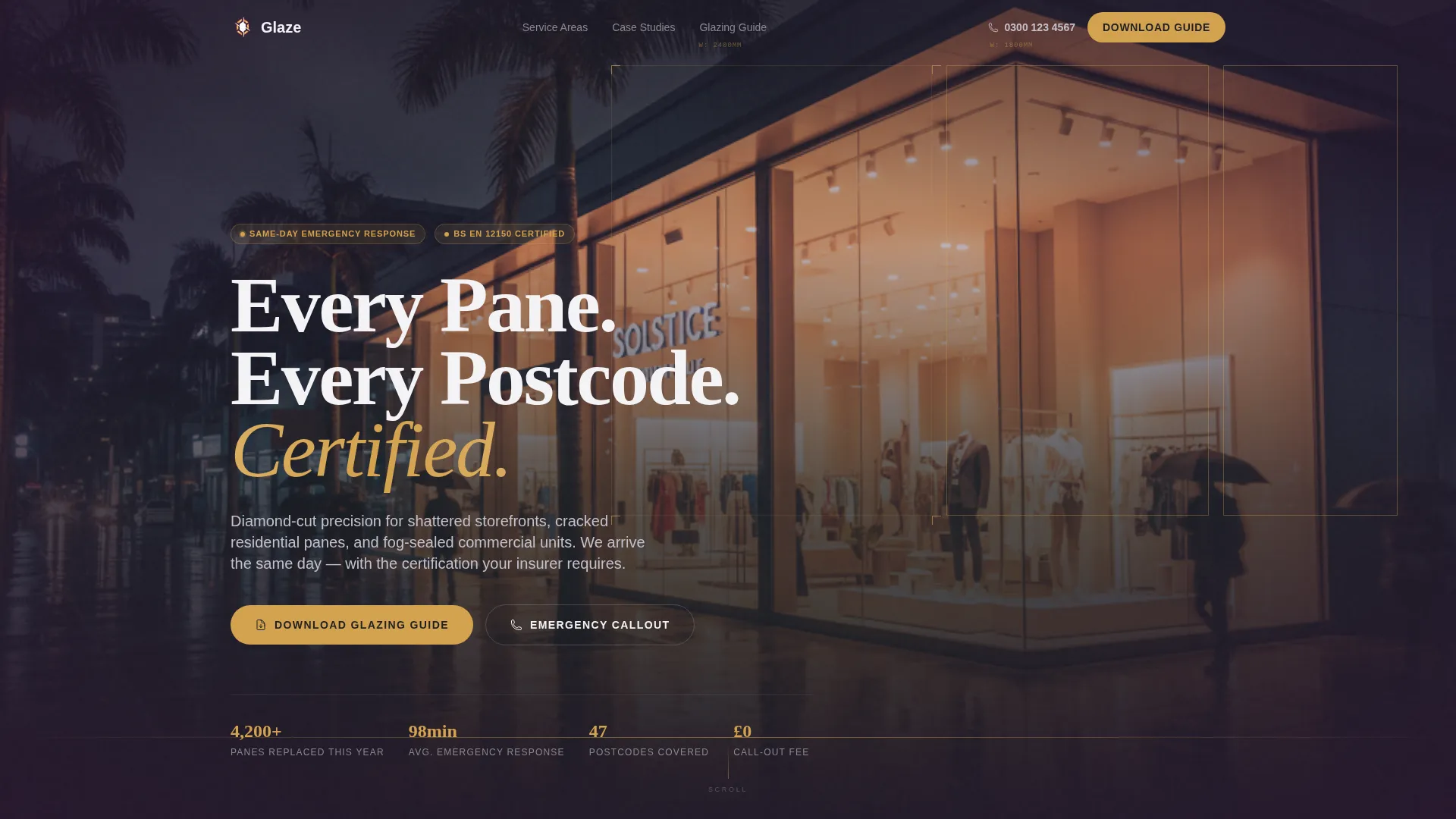
- A dark full-bleed header with an ambient glow visual and a headline fade-in effect
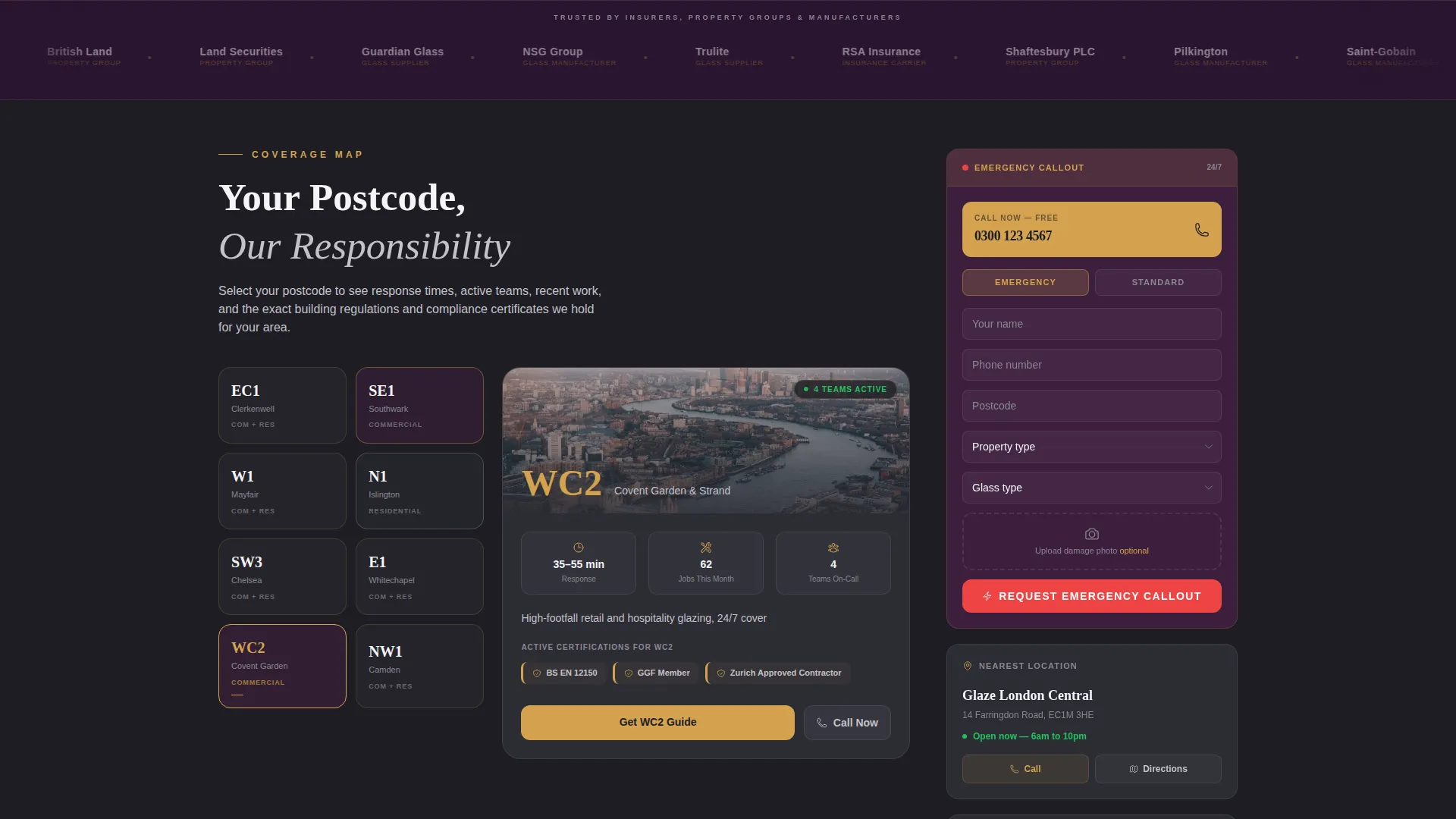
- A logo wall band below the header for displaying carrier, property group, and manufacturer partners
- Interactive service area map sections with clickable postcodes and location-specific case study blocks
- A fixed sidebar with emergency callout form, click-to-call number, and downloadable warranty PDF links
- A primary content conversion block featuring a guide download form with email and postcode fields
Feature list
This template is built around one core idea: give value first, then ask for the conversion. Every feature supports that principle.
Dark Full-Bleed Header with Glow Effect
The header opens with a nighttime commercial storefront scene. Interior light blazes through floor-to-ceiling glass panels, with amber spilling onto wet pavement. A luminous edge traces each pane like a blueprint overlay. The headline "Every Pane. Every Postcode. Certified." fades in over the glow.
Logo Wall Authority Band
Directly below the header, a slowly scrolling horizontal band displays partner and client logos. This positions institutional credibility before any body copy is read, establishing trust at first scroll.
Interactive Service Area Map Sections
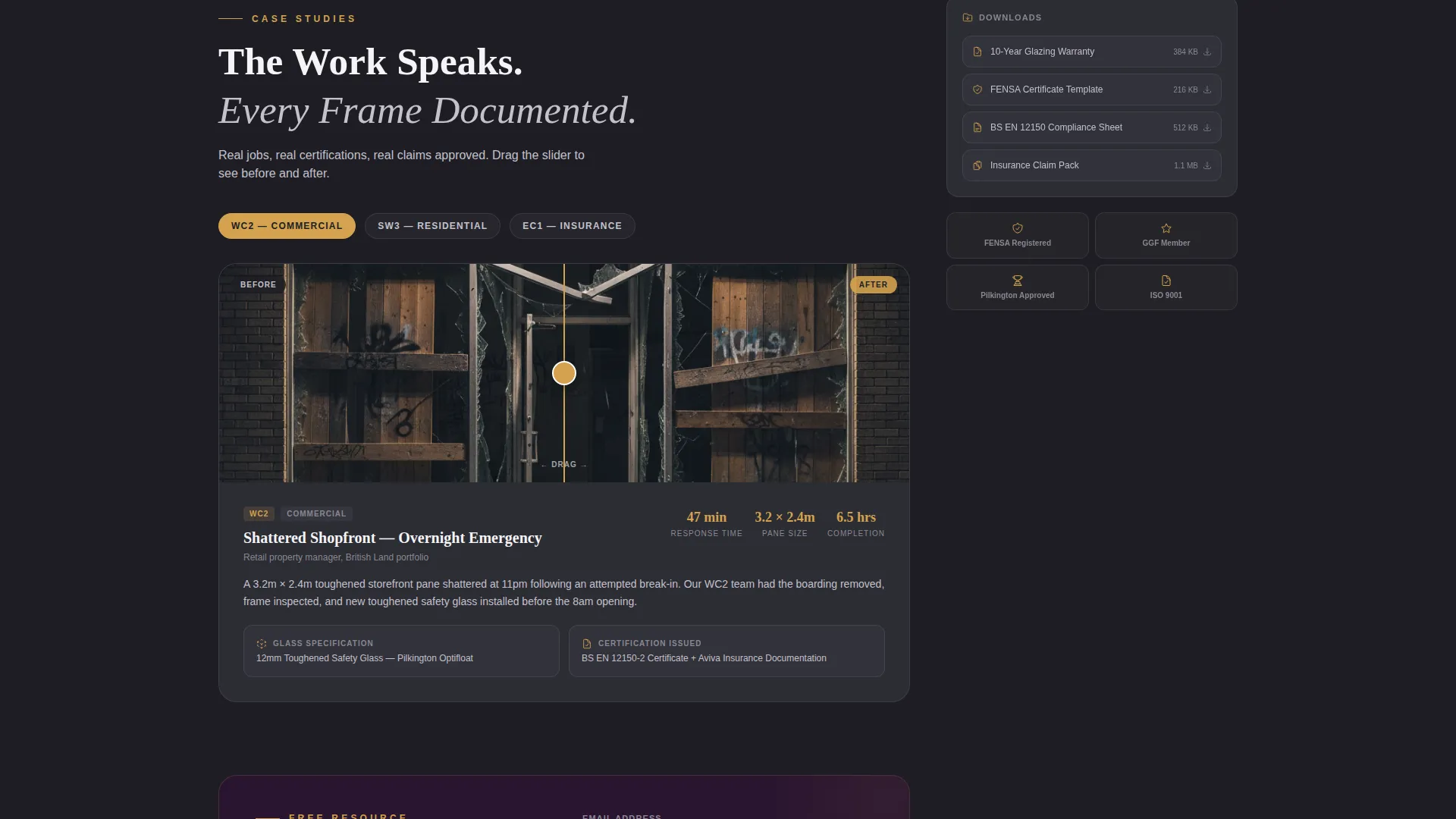
Each scroll section is tied to a specific service location. Visitors see clickable postcode maps, location-specific before-and-after case study blocks, and embedded compliance certificates relevant to each area.
Fixed Sidebar with Contextual Quick-Links
The sidebar stays visible throughout the entire page scroll. It surfaces the nearest location, an emergency click-to-call number, and downloadable warranty PDF links so visitors always have an action path available.
Guide Download Conversion Block
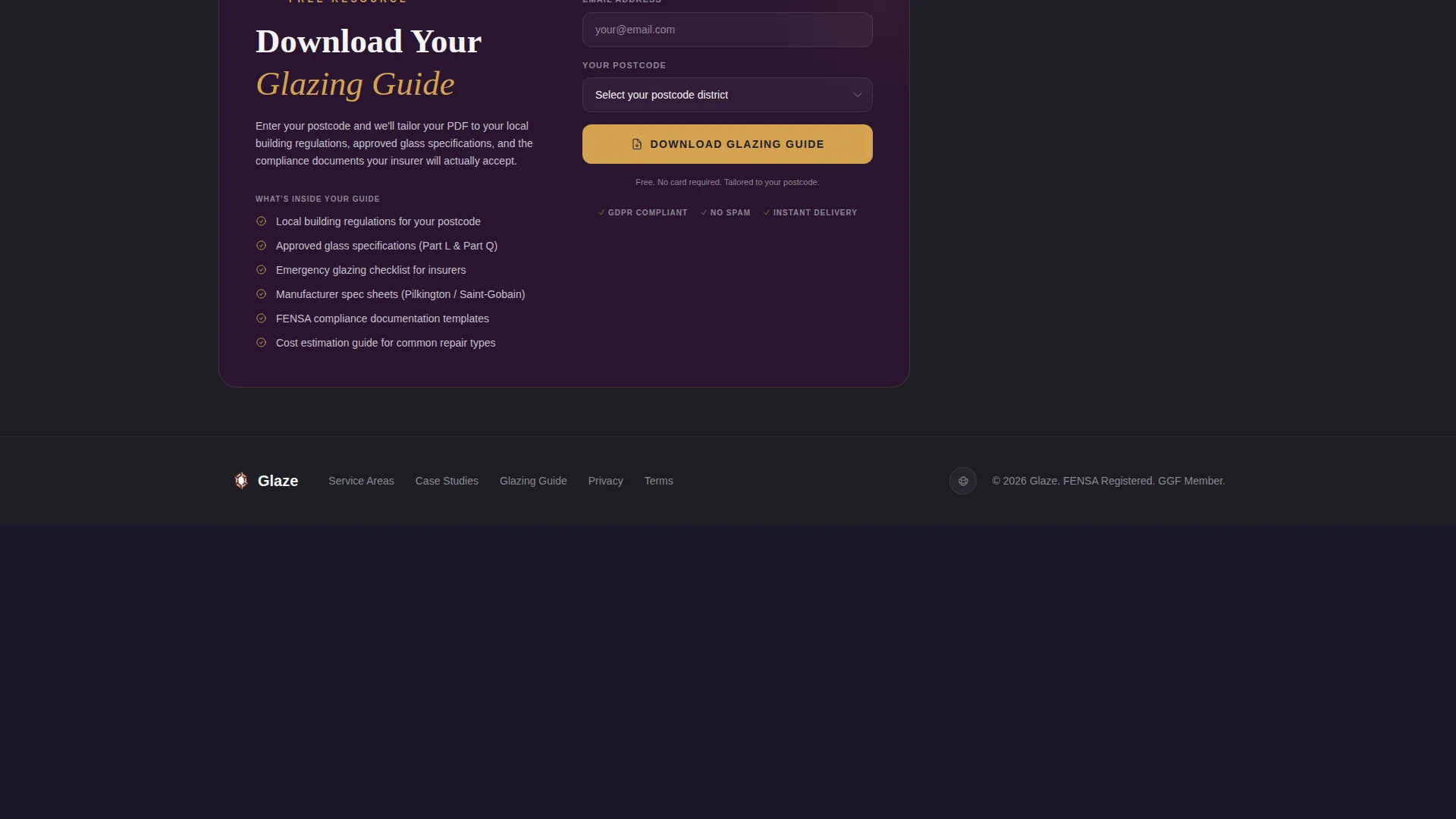
The primary call to action is a content resource form. A single email field and a postcode input work together to surface the nearest service location and tailor the downloadable glazing guide to local building regulations.
Emergency Callout Short Form
A secondary conversion path sits permanently in the sidebar. It includes a phone number for click-to-call, a short form asking for property type and glass type (single, double, laminated, or toughened), and a photo upload field for damage documentation.
Page sections overview
| Section | Purpose |
|---|---|
| Full-Bleed Header | Establish visual authority and headline |
| Logo Wall Band | Display partner and carrier trust signals |
| Service Area Maps | Surface location-specific coverage content |
| Case Study Blocks | Show before-and-after glazing work by location |
| Compliance Certificate Embeds | Present jurisdiction-relevant documentation |
| Guide Download Block | Capture email and postcode for content delivery |
| Fixed Sidebar | Provide persistent emergency callout access |
| Emergency Callout Form | Collect damage details and photo for urgent jobs |
Design & branding system
The visual identity follows a Legal Shield theme using the Plum Executive color system. The palette is deliberately authoritative, drawing on the feel of a mahogany-and-brass insurance lobby, refined enough for a newly renovated residential kitchen.
- Deep plum (#3D1F3E) anchors the sidebar and section dividers; polished graphite (#2C2C34) fills the main content body
- Muted silver (#C4C1CC) is used for paragraph text and secondary labels, keeping the reading experience calm and legible
- Warm amber (#D4A24E) activates on hover states, active links, and trust badges, adding a controlled glow that directs attention
Mobile & speed optimization
The sidebar companion layout is built with mobile visitors in mind. An urgent caller on a cracked-screen phone should still reach the emergency callout form without friction.
- The fixed sidebar collapses or repositions gracefully on smaller screens so key actions remain reachable
- Click-to-call functionality in the sidebar is touch-friendly and activates immediately on mobile devices
- The photo upload field in the emergency form supports mobile camera input, making damage reporting fast from the job site
How this template helps you convert
The template earns the click by giving value before asking for anything. Both conversion paths are always visible, removing the need for a visitor to hunt for next steps.
- The guide download block uses a postcode input to tailor the PDF to local building regulations, making the content offer feel specific and worth the exchange rather than generic
- The fixed sidebar keeps the emergency callout number and short form on screen at every scroll depth, so a visitor in crisis never loses the path to immediate help
Other information about this template
This template is part of a broader set of professional services landing page designs built around the Sidebar Companion template style. It is designed for the glazier service area and location page niche within the glazier online presence subcategory.
- The Logo Wall Authority creative direction is built into the scroll structure, intended for displaying glass manufacturer partners such as Pilkington and Saint-Gobain alongside insurance carriers and commercial property groups
- The Content/Resource landing page direction means the page is structured to deliver downloadable guides, compliance documents, and manufacturer spec sheets before asking for contact details
- The Dark Full-Bleed and Glow header concept, Plum Executive color system, and Legal Shield theme work together to position the glazing business as certified, institutional, and dependable
Theme
Legal Shield
Creative direction
Logo Wall Authority
Color system
Plum Executive
Style
Sidebar Companion
Direction
Content/Resource
Page Sections
Dark Full-bleed Header with Glow
Logo Wall Authority Scroll Band
Interactive Service Area Sections
Fixed Sidebar with Emergency Access
Guide Download Conversion Block
Emergency Callout Short Form
Related questions
Who is this template designed for?
Can I show different content for different service locations?
What are the two conversion paths included in this template?
What glass types does the emergency callout form support?
Is the sidebar always visible as visitors scroll through the page?



