Commercial Window Installer Landing Page Template
Glaze is a hero-dominant landing page template built for commercial glazing contractors. It opens with an oversized metrics wall on deep charcoal, moves through an architectural project showcase, and closes with a focused booking form. The result is a page that earns trust through numbers and quiet photography before asking for a site walk appointment.
by Rocket studio
Quick summary
Glaze is a single-page template designed for commercial window installers who win work through demonstrated precision, not promises. Four animated stat counters anchor the hero, a meditative project showcase builds capability proof section by section, and a clean three-field booking form converts decision-ready visitors into scheduled site walks.
Who this template is for
This template is built for glazing contractors operating in commercial and industrial markets. It speaks directly to the clients those contractors need to reach and the language those clients respond to.
- Property managers coordinating multi-unit glass retrofit schedules across office or mixed-use buildings
- General contractors who need a reliable glazing subcontractor that arrives on the agreed date and delivers on spec
- Facility directors looking to reduce energy costs by replacing aging single-pane installations with thermally rated glass
What problem this template solves
Commercial glazing is a trust business. Clients rarely see the work in progress, and one missed deadline can delay an entire construction schedule. Generic contractor websites do not communicate the precision, reliability, or scale that property and construction buyers require before they commit.
- There is no structured way to show capability scale without a metrics-led hero that quantifies real outcomes
- Project portfolios without spec data leave buyers guessing about thermal ratings, pane dimensions, and install timelines
- Booking friction is high when forms ask too many questions before a visitor has decided to trust the contractor
What you get with this template
You get a fully structured, single-page layout that guides a commercial buyer from first impression to booked appointment. Every section is purposefully ordered to build credibility before asking for action.
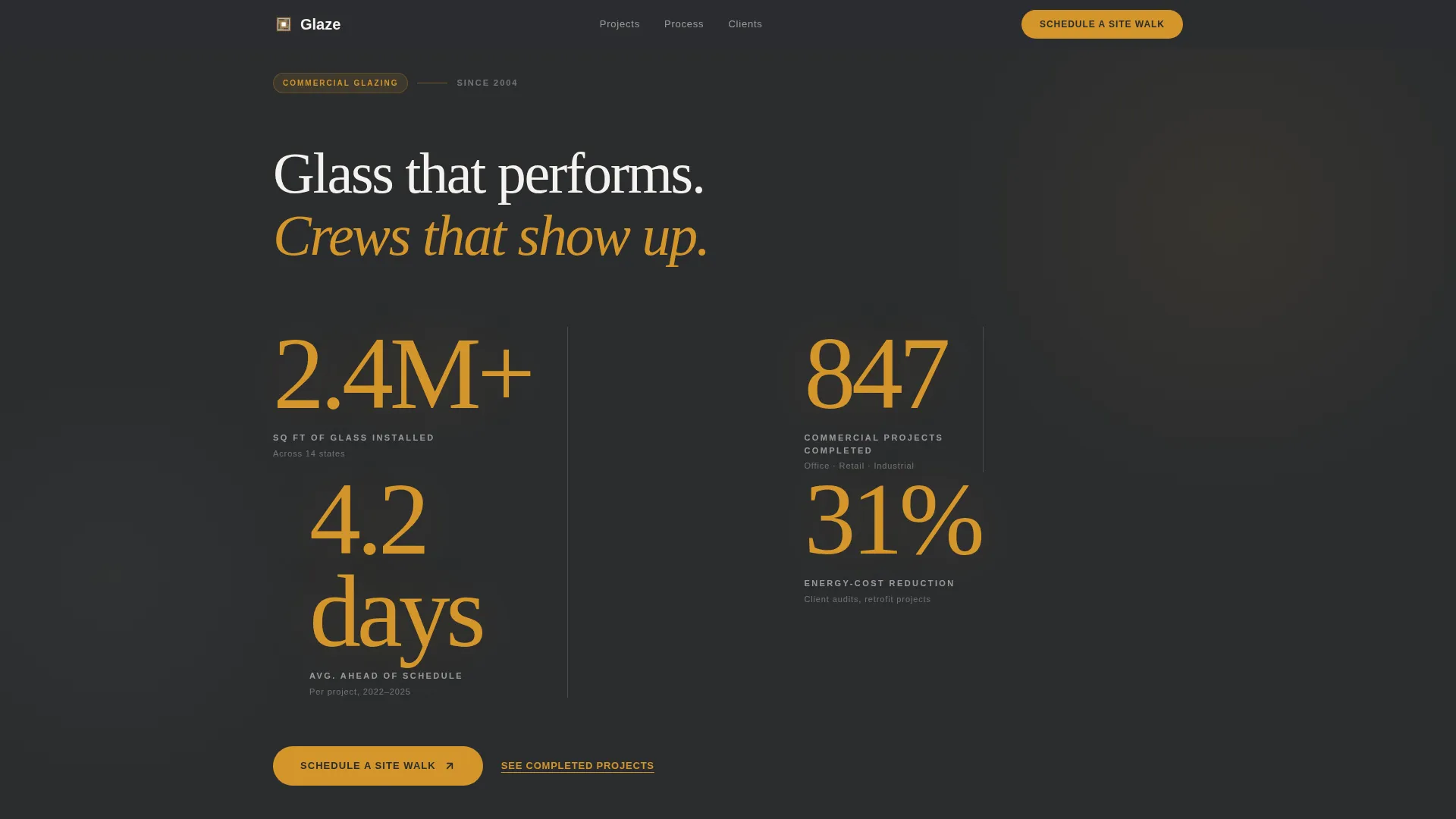
- A metrics wall hero with four scroll-animated amber stat counters on a deep charcoal background, including square feet installed, projects completed, days-ahead-of-schedule average, and an energy-cost reduction figure
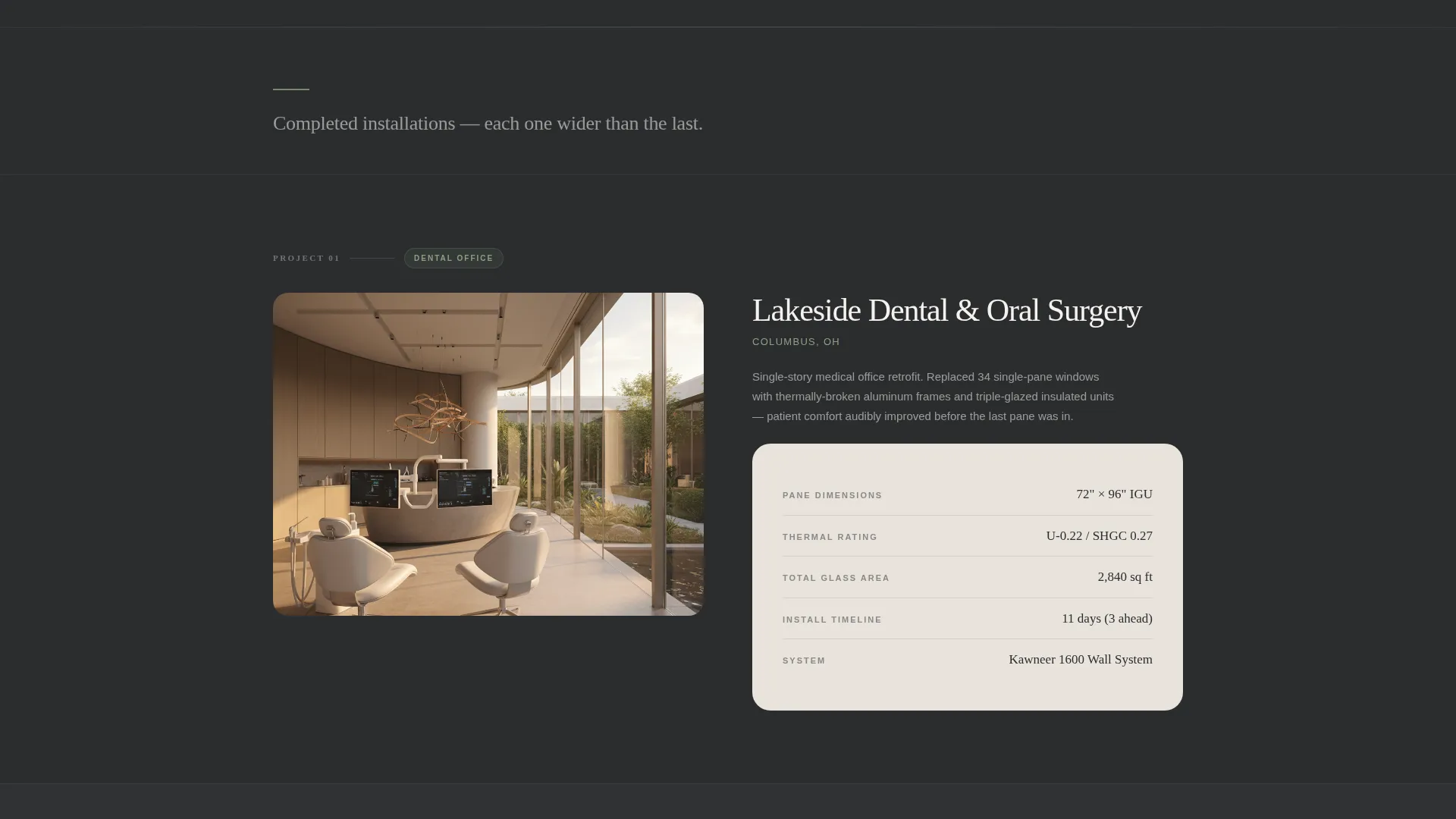
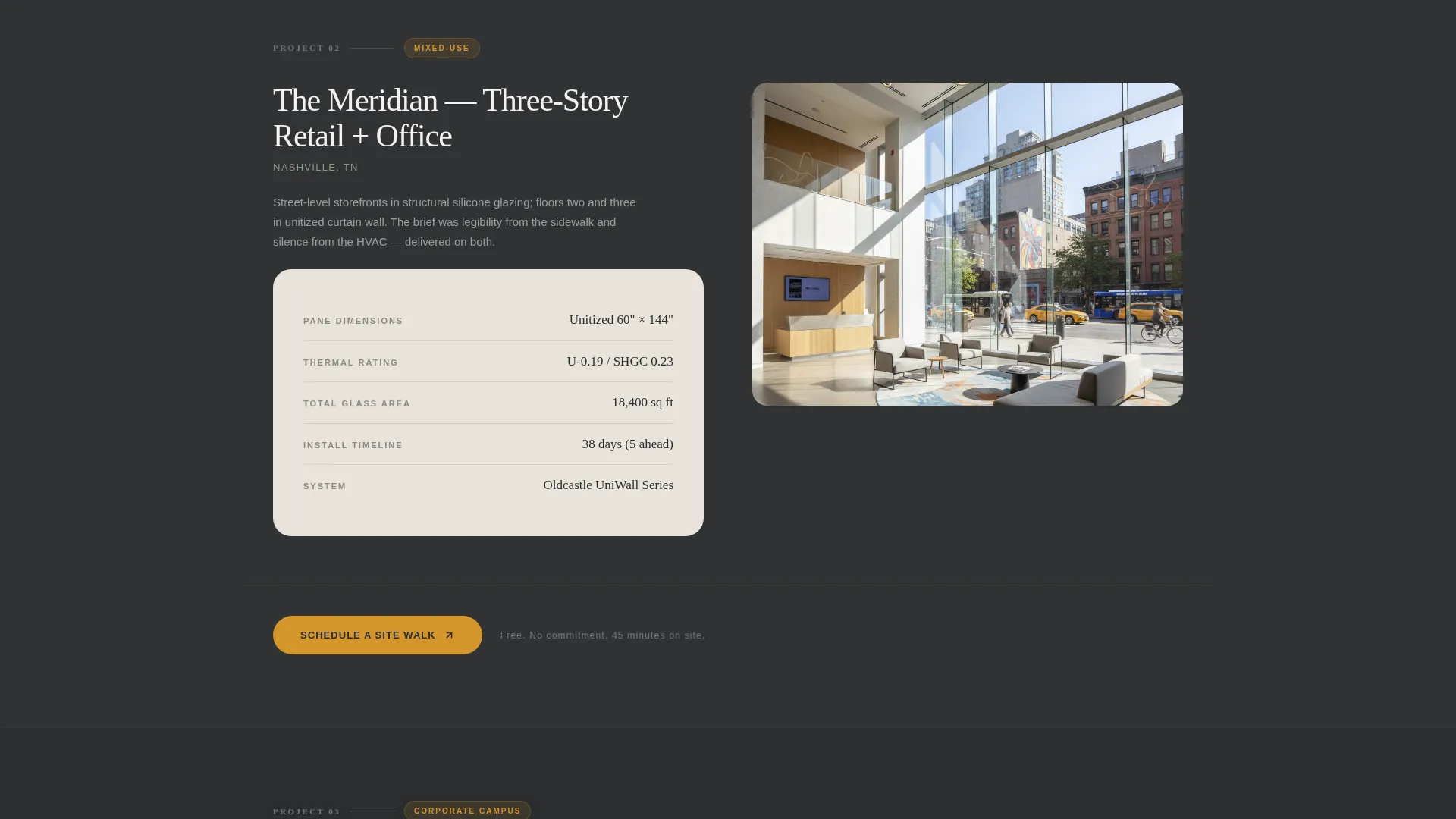
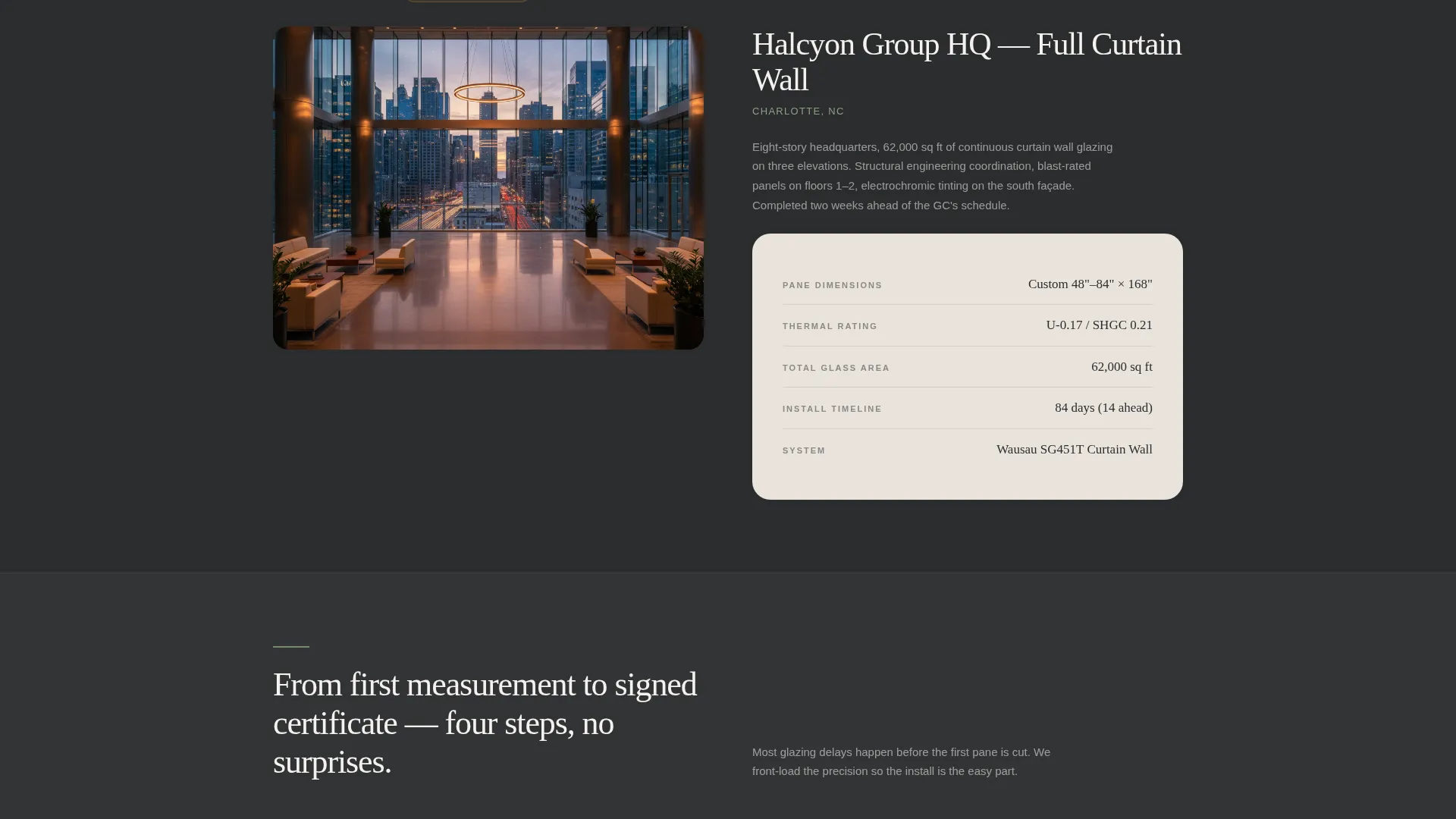
- A three-project showcase section that progresses in scale from a dental office to a mixed-use building to a full curtain-wall corporate campus, each paired with a minimal spec card
- A conversion-focused section with a three-field scheduling form and a secondary budgetary estimator path that captures email on output
Feature list
This section covers the key built-in components and design decisions that make the Glaze template functional for commercial glazing sales.
Animated Metrics Wall Hero
Four oversized stat counters sit on a deep charcoal background and animate on scroll. They display square feet of glass installed, commercial projects completed, average days ahead of schedule, and an energy-cost reduction percentage. Thin putty-gray divider lines separate each figure. The numbers act as the visual centerpiece, replacing a traditional hero image entirely.
Architectural Project Showcase
Three completed project sections are arranged in ascending scale. Each features a wide interior photograph looking outward through the finished glass, paired with a minimal spec card listing pane dimensions, thermal rating, and install timeline. The rhythm alternates between photograph and data, with generous whitespace and sage-toned dividers creating a meditative scroll pace.
Dual-Path Conversion Section
The primary call to action is a three-field form: property type dropdown, approximate glass square footage, and a preferred week calendar picker. A secondary amber text link labeled "Get a Budgetary Range" leads to a quick square-footage estimator that captures a visitor's email on output. Both paths serve buyers at different stages of readiness.
Process Walkthrough Section
A dedicated section outlines how Glaze works across four stages: pre-measure, fabricate, install, and certify. This gives general contractors and facility directors a clear picture of what engagement looks like, reducing uncertainty before they book.
Testimonials with Attribution
A credibility section displays client testimonials with named attribution including company and role. Social proof tied to specific outcomes from real property managers and project leads carries more weight than generic reviews.
Pastoral Calm Visual System
The Charcoal and Amber color system, Fraunces serif display type, and DM Sans body font combine to create a tone that feels controlled and deliberate. The palette and typography are applied consistently across every section to reinforce the brand identity throughout the scroll.
Page sections overview
| Section | Purpose |
|---|---|
| Hero Metrics Wall | Establishes scale and precision through four animated stat counters |
| Project Showcase | Builds capability proof across three progressively larger glass installations |
| Credibility Testimonials | Adds named social proof from property managers and project leads |
| Booking and call to action | Converts visitors with a three-field form and a budgetary estimator path |
| Process Overview | Clarifies the four-stage engagement flow from pre-measure to certification |
| Footer | Single-row linear footer with contact and navigation links |
Design & branding system
The Glaze template uses a Pastoral Calm theme that pairs industrial precision with unexpected warmth. The palette is intentionally dark and grounding, with amber used strategically to draw the eye to data and interactive elements.
- Primary background is deep charcoal (#2B2D2F), amber (#D4952A) highlights every interactive element and stat figure, soft putty gray (#E8E3DC) surfaces section breaks and card backgrounds, and muted sage (#7A8B6F) adds secondary accent depth
- Typography pairs Fraunces, a serif display face, for headlines with DM Sans for body copy, creating contrast between authoritative headings and clean readable text
- Scroll-linked counter animations, staggered section reveals, and subtle parallax effects add motion that reinforces the sense of measured, deliberate work
Mobile & speed optimization
The Glaze template is built desktop-first to match the browsing behavior of property managers and general contractors who typically review contractor pages at a workstation. Full mobile support is included so the page works cleanly on any device.
- Scroll-linked animations and stat counters use client-side rendering only where interactivity is required, while static sections use server components to keep initial load light
- The three-field booking form and calendar picker are designed to remain fully usable on smaller screens without requiring pinch-zoom or horizontal scrolling
How this template helps you convert
The page is structured so trust is built before any commitment is requested. By the time a visitor reaches the form, the numbers and photographs have already made the case.
- The metrics wall hero opens with proof at a glance, letting square footage, project count, and energy savings speak before a single word of body copy appears, which shortens the time a visitor needs to decide whether to keep reading
- The "Schedule a Site Walk" call to action repeats after every second project section, placing the booking prompt exactly when a visitor's interest is highest, while the "Get a Budgetary Range" secondary path keeps less-ready visitors engaged rather than losing them to a bounce
Other information about this template
This template is suited to glazing contractors who serve commercial property markets in the United States. All copy fields, date formats, and currency references are structured for English-language, USD-denominated, US-market use.
- The template supports localization editing so contractors working in specific metro markets can update location references, project types, and service areas directly in the page content
- The footer follows a Pattern 1 Linear Single-Row layout, keeping the bottom of the page clean and consistent with the minimal architectural tone of the rest of the design
- Animation intensity is set to high by default, with scroll-linked counters, staggered reveals, and parallax applied across hero and project sections for maximum visual impact on desktop
Theme
Pastoral Calm
Creative direction
Spatial & Architectural
Color system
Charcoal & Amber
Style
Hero-Dominant (90/10)
Direction
Booking/Scheduling
Page Sections
Animated Metrics Wall Hero
Architectural Project Showcase
Dual-path Conversion Form
Four-stage Process Section
Named Testimonials Section
Pastoral Calm Visual System
Related questions
Who is the Glaze template designed for?
Can I update the stat counter numbers to match my own business data?
What does the booking form collect from visitors?
Do I need to add my own project photography?
Is this template suitable for a residential window installer?



