Delhi Window Cleaning Landing Page Template
Gleam is a split-screen landing page template built for Delhi window cleaning professionals. It pairs a bold condensed headline with a full-height façade photograph, then walks visitors through a four-stage cleaning protocol, safety credentials, a client testimonial, and transparent pricing, all designed to turn facility managers and property owners into qualified leads.
by Rocket studio
Quick summary
Gleam is a 50/50 split-screen landing page for rope-access window cleaning services in Delhi. The template follows an Expert Panel creative direction, guiding visitors through authority-building sections before presenting a lead-capture form. Its Monochrome Steel palette and Executive Suite theme make a credible first impression for both commercial facility managers and residential clients.
Who this template is for
This template is built for window cleaning businesses that serve mid-to-large properties in Delhi and the NCR region. It speaks directly to buyers who evaluate vendors on credentials and process, not just price.
- Facility managers handling annual maintenance contract (AMC) renewals for IT parks and commercial towers
- South Delhi homeowners preparing properties for events or seasonal deep cleans
- Property consultants staging offices or residential units before lease signings
What problem this template solves
Window cleaning services often look identical online. A plain contact form gives buyers no reason to trust one provider over another. This template closes that gap by structuring the entire page around credibility signals.
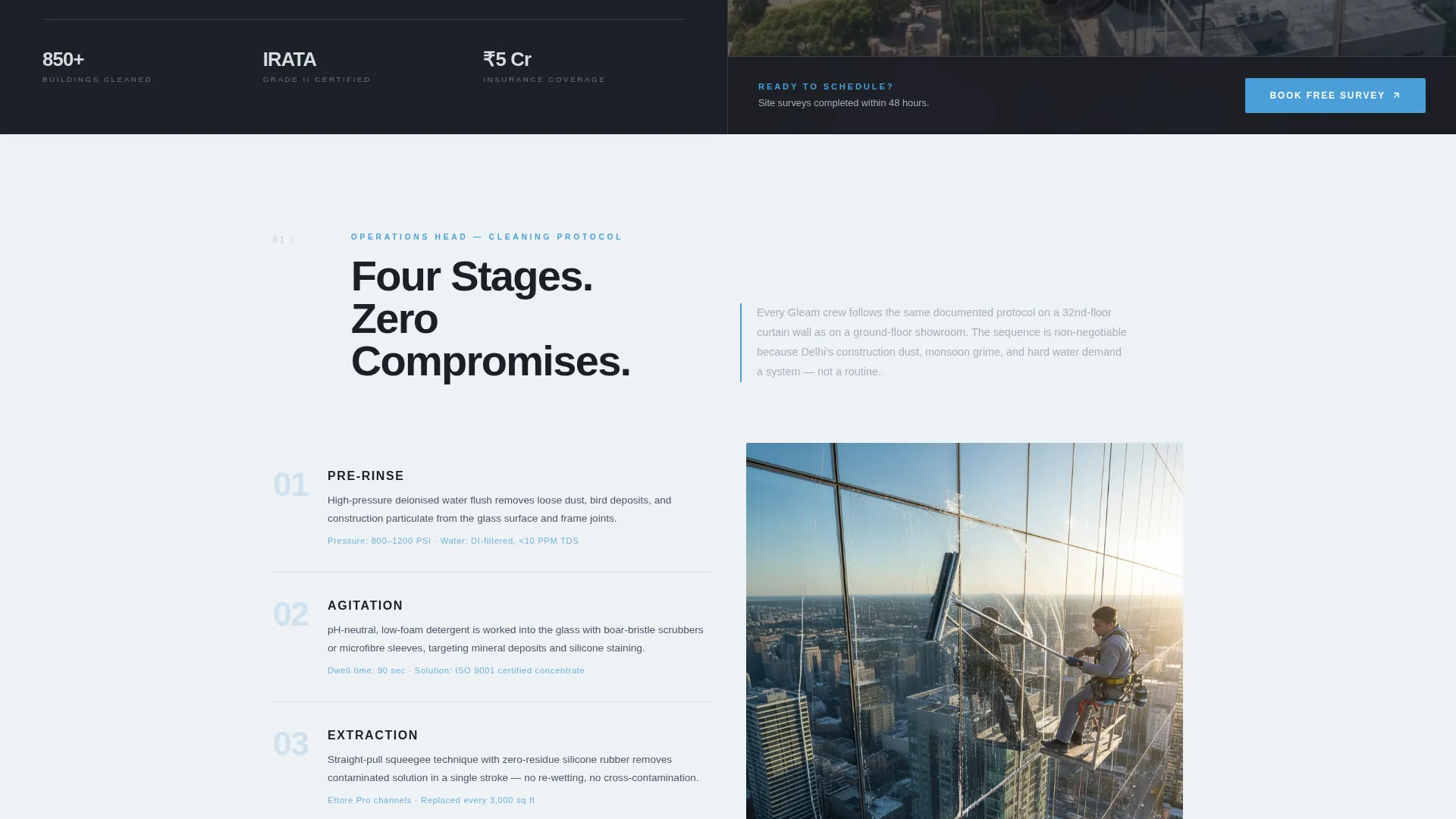
- Visitors see a four-stage cleaning protocol before they see a price, so they understand the value
- Safety certifications and rope-access credentials are presented prominently, not buried in fine print
- A before-and-after façade slider and a real facility manager testimonial replace generic stock phrases
What you get with this template
The template delivers a single, scroll-driven landing page with clearly defined expert panels and two distinct lead capture paths. Every section is purpose-built for a window cleaning service operating at a professional level.
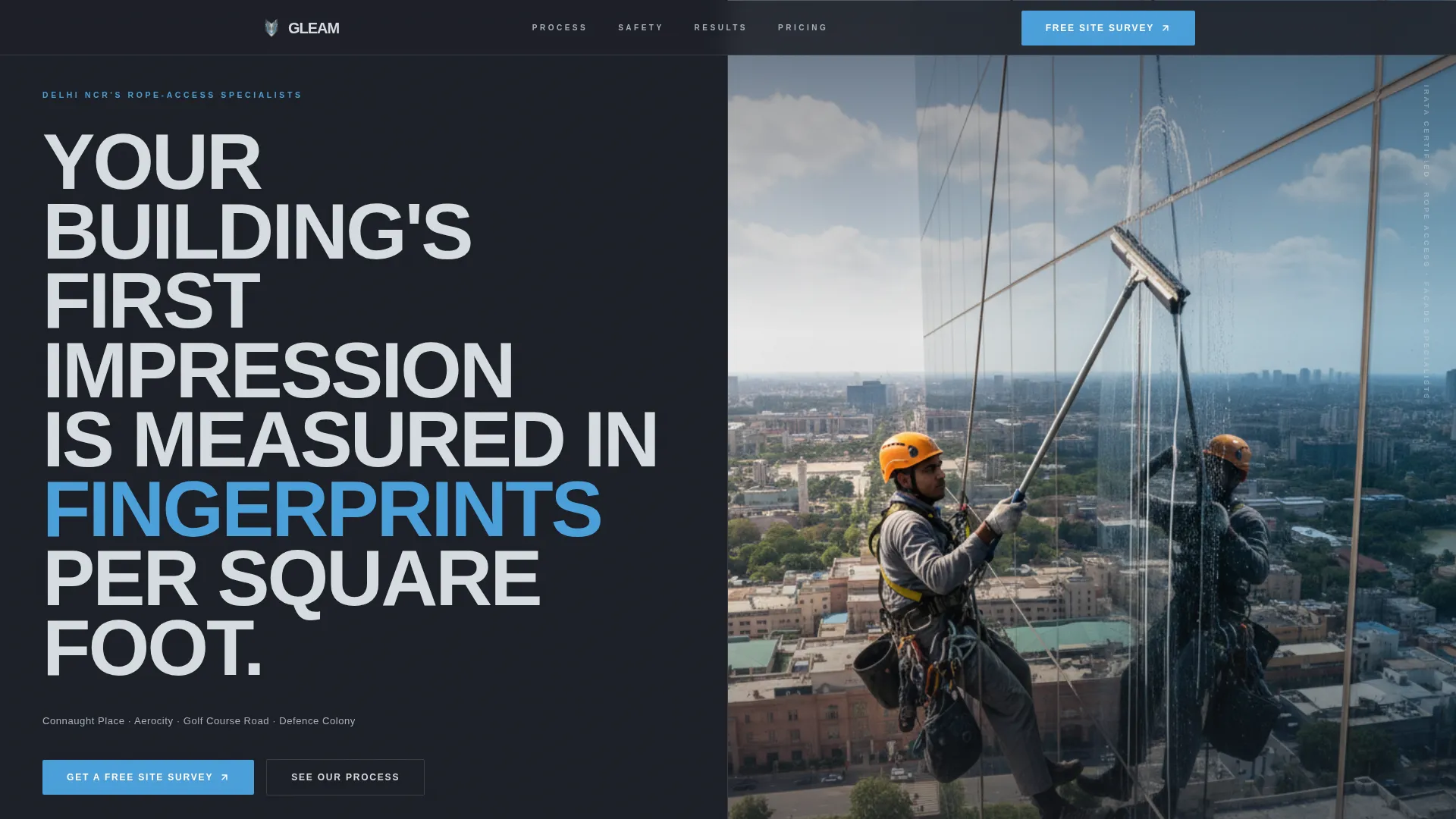
- A split-screen header with a giant condensed headline and a vertical harness-action photograph
- Four expert-panel sections covering cleaning protocol, safety, testimonial, and pricing education
- A primary lead form (Free Site Survey) and a secondary email capture (AMC Rate Card download)
Feature list
This section details the functional components built into the Gleam template.
Split-Screen Header Layout
The header divides the viewport equally. The left side holds a stacked heavy condensed headline calling out service areas including Connaught Place, Aerocity, Golf Course Road, and Defence Colony. The right side displays a full-height vertical photograph of a technician mid-stroke on a curtain-wall façade.
Four-Stage Protocol Diagram
The Operations Head panel presents the cleaning sequence as a split-screen diagram. The four stages, pre-rinse, agitation, extraction, and spot-free rinse, are laid out so visitors understand the method before asking for a quote.
Safety and Certification Panel
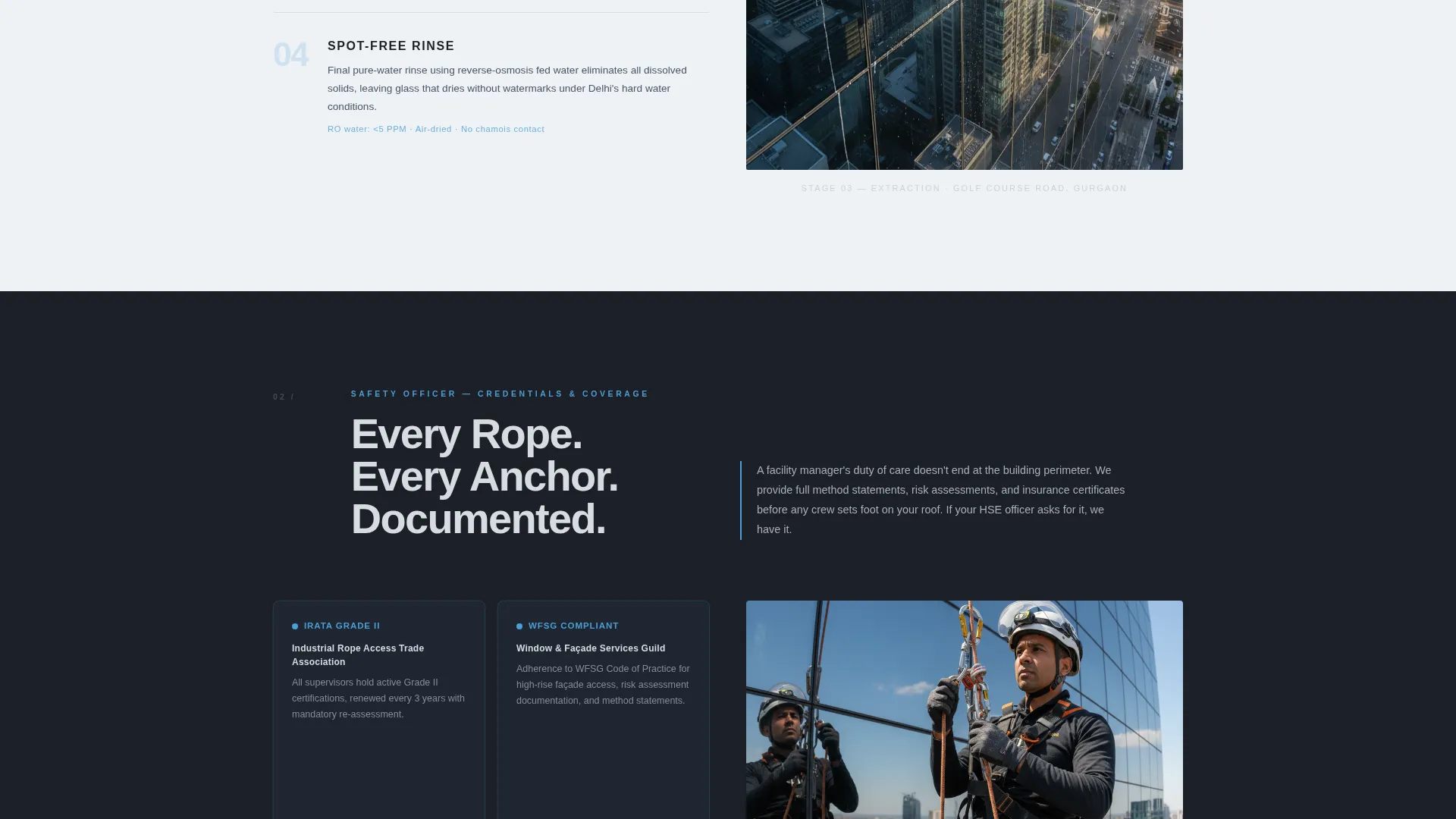
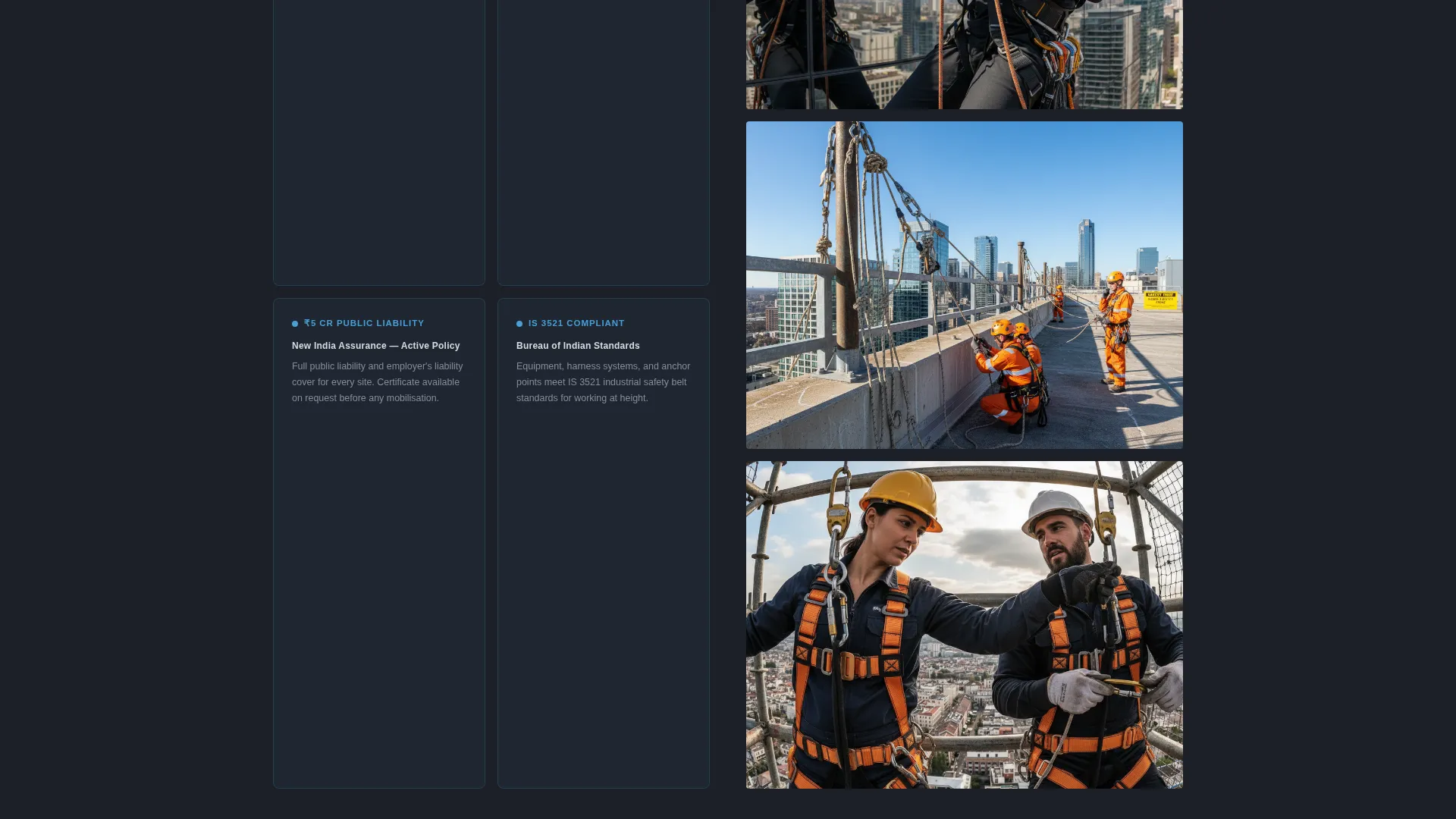
The Safety Officer section displays rope-access certifications, IRATA (Industrial Rope Access Trade Association) grades, and insurance coverage in a side-by-side layout alongside on-site safety photographs. This panel addresses the single biggest concern commercial buyers raise before signing a service contract.
Before-and-After Façade Slider
A facility manager testimonial section pairs a quoted client monologue with an interactive before-and-after slider showing the same building façade in two states. This component converts a written claim into visible proof.
Pricing Education Panel
The Head Estimator panel walks visitors through the variables that affect cost: floor count, glass type (plain, tinted, Low-E coating, or structural glazing), and site access difficulty. Educating visitors here reduces friction at the quote stage.
Dual Lead Capture System
A primary call-to-action (call to action) pinned to the right split reads "Get a Free Site Survey." The form fields collect building name, floor count via a slider, glass type, preferred survey date, and a phone number with a WhatsApp opt-in toggle. A secondary call to action, "Download Our AMC Rate Card", captures email addresses from visitors not yet ready to book.
Page sections overview
| Section | Purpose |
|---|---|
| Split-Screen Header | Headline, service areas, harness photo |
| Protocol Diagram Panel | Four-stage cleaning process walkthrough |
| Safety Credentials Panel | Certifications, IRATA grades, insurance |
| Testimonial and Slider | Client quote paired with façade before-and-after |
| Pricing Education Panel | Cost variables explained by Head Estimator |
| Pinned Survey Form | Primary lead capture, right-side sticky call to action |
| AMC Rate Card call to action | Secondary email capture for warm leads |
Design & branding system
The template uses a Monochrome Steel color system built around four specific values. The result feels like a glass-and-steel highrise interior, composed, restrained, and immediately professional.
- Deep gunmetal (#1C1F26) for primary backgrounds, brushed aluminium (#A8B0BA) for body text, and polished chrome (#D6DCE1) for light-background sections
- Reflective sky blue (#4A9FD9) reserved exclusively for call to action buttons and hover states, keeping the accent purposeful and visible
- A heavy condensed typeface for hero headlines, single-pixel steel-toned dividers between sections, and backgrounds that alternate between gunmetal and chrome-white
Mobile & speed optimization
The split-screen layout is designed to reflow gracefully on smaller screens, stacking the headline and photograph vertically so neither element loses impact on mobile.
- The pinned right-side call to action adapts to a fixed bottom bar on mobile, keeping the survey form accessible without disrupting scroll
- The before-and-after slider and expert panel diagrams are structured to remain functional and readable on touch devices
How this template helps you convert
The Expert Panel creative direction is built around a deliberate credibility escalation. Each scroll step earns more trust before the form appears.
- The header establishes authority immediately with a technical headline, named service zones, and a real on-site photograph, so visitors know within seconds that this is a specialist operation.
- The protocol, safety, and testimonial panels answer the three questions every facility manager asks before signing: how do you work, are you safe, and can I see proof? Answering all three before presenting the form removes the most common objections.
- The dual call to action system ensures that even visitors who are not ready to book become warm leads through the AMC Rate Card download, giving the service team a second follow-up path.
Other information about this template
This template is categorised under Professional Services, Delhi Local Services, and the Delhi Window Cleaning niche. It is suited to businesses that want a polished digital presence without building a multi-page website from scratch.
- The Executive Suite theme and Monochrome Steel palette can be adapted to related facility services such as facade maintenance or high-rise exterior cleaning
- The AMC-focused secondary call to action is particularly relevant for operators who offer annual maintenance contracts to commercial property managers
- The template style is a fixed single-page layout, making it straightforward to publish and share as a campaign-specific landing page or a permanent service page
Theme
Executive Suite
Creative direction
Expert Panel
Color system
Monochrome Steel
Style
Split Screen (50/50)
Direction
Lead Generation
Page Sections
Split-screen 50/50 Header
Four-stage Protocol Diagram
Safety Credentials Side-by-side Panel
Before-and-after Facade Slider
Pricing Education Panel
Dual Lead Capture System
Related questions
Who is the Gleam template designed for?
Can I edit the service area names in the headline?
What are the two lead capture options in this template?
What does IRATA stand for in the safety panel?
Does the template include a before-and-after image slider?



