Glucer — Diabetic Grocery Delivery Landing Page Template
A full-width immersive landing page template built for a diabetic-friendly grocery delivery service. It guides visitors through a warm, story-driven day-in-the-life scroll, features a three-step inline scheduling flow, and presents every curated food item with clear glycemic-index tags. The Neo-Retro visual style builds trust without feeling clinical, making it easy for patients, caregivers, and longtime diabetics to schedule their first box.
by Rocket studio
Quick summary
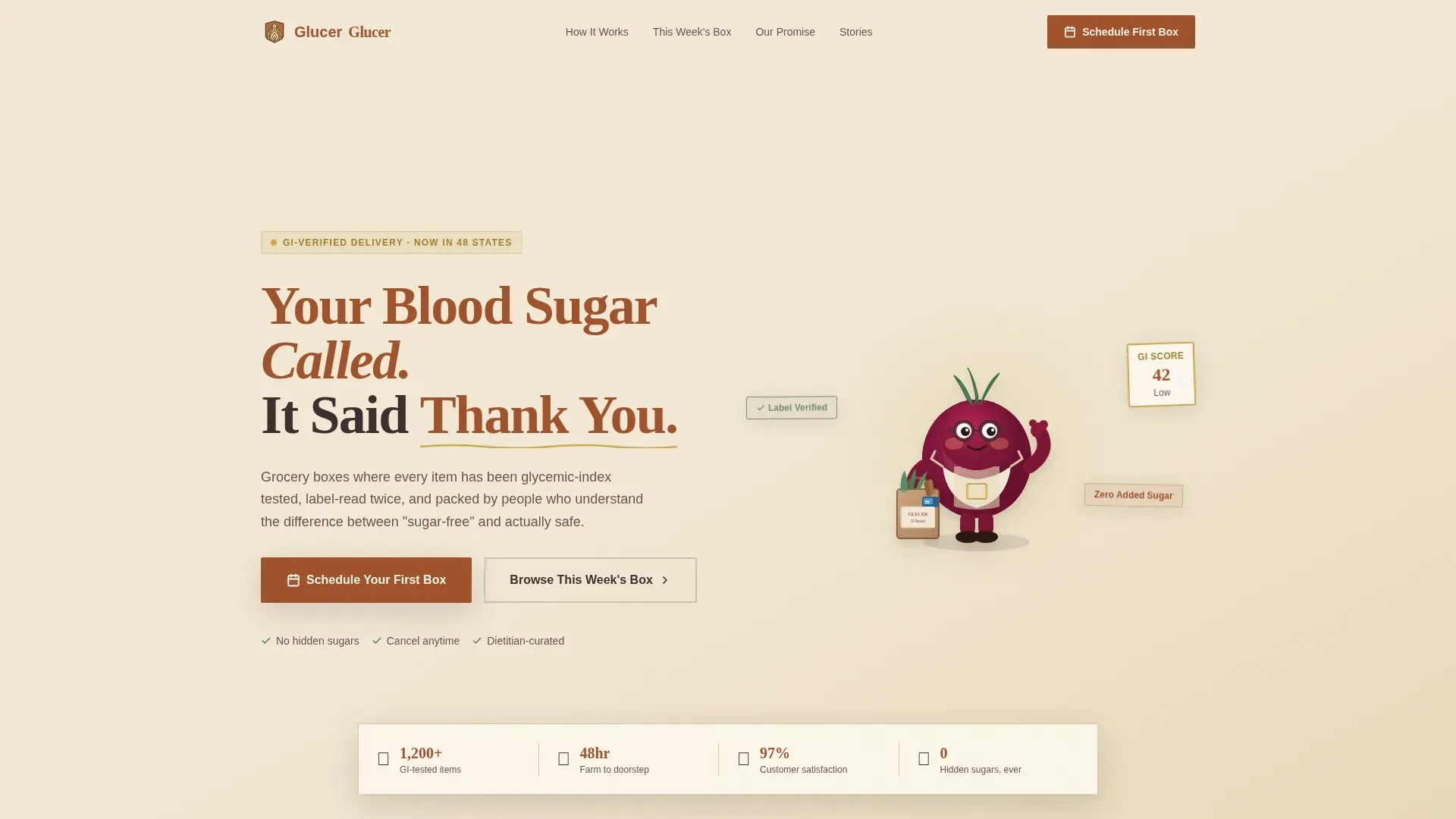
This template is a single-page, full-width immersive layout designed for a curated diabetic-friendly grocery delivery service. It pairs a warm Neo-Retro visual identity with a story-led scroll structure, guiding visitors from a charming mascot hero through a full day of diabetes-friendly eating, and ending with a clear, low-friction scheduling flow.
Who this template is for
This template is built for founders, operators, and small teams launching or growing a diabetic-friendly grocery delivery service. It suits anyone who wants a trustworthy, conversion-ready landing page without needing extensive coding knowledge, since customizable templates like this one are designed to be edited and published efficiently.
- Entrepreneurs building a direct-to-consumer subscription box service for diabetes management
- Caregivers or nutrition-focused teams who want to reach patients and families remotely
- Dietitians or health coaches launching a curated foods delivery brand for customers managing blood sugar
What problem this template solves
Managing diabetes through food is genuinely hard. Patients are often unable to scan every label on every item during a grocery run, and caregivers who manage a parent's diet from across town face the same challenge at a distance. A landing page for a diabetic-focused grocery delivery service must prioritize trust, nutritional transparency, and convenience to convert hesitant visitors into subscribers.
- Customers feel overwhelmed by supermarket aisles and are unable to identify truly safe low-glycemic foods quickly
- Newly diagnosed patients lack a clear, reassuring entry point that treats food as medicine rather than a minefield
- Existing diabetic grocery services often lack the social proof and nutrition transparency that build real confidence before a purchase
What you get with this template
You get a complete, single-page layout that covers every stage of the buyer journey, from first impression to scheduled delivery. The template is structured to prioritize trust, nutrition transparency, and a frictionless path to conversion. High-quality imagery of fresh foods and clear glycemic-index indicators are baked into every illustrated scene.
- A full-viewport mascot hero section with a hand-lettered headline and a floating stats strip
- A three-step inline scheduler capturing dietary profile, delivery window, and allergen flags
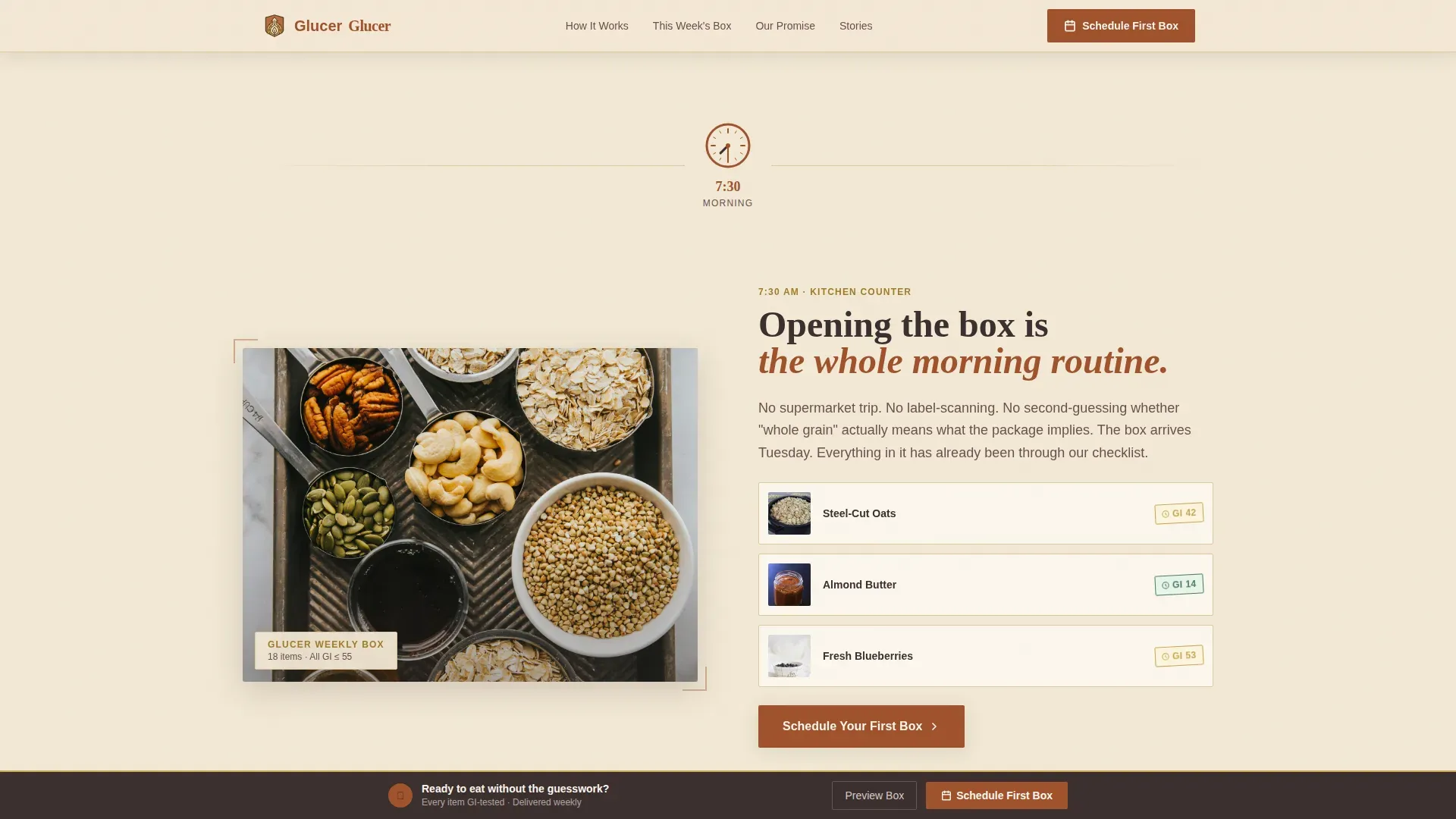
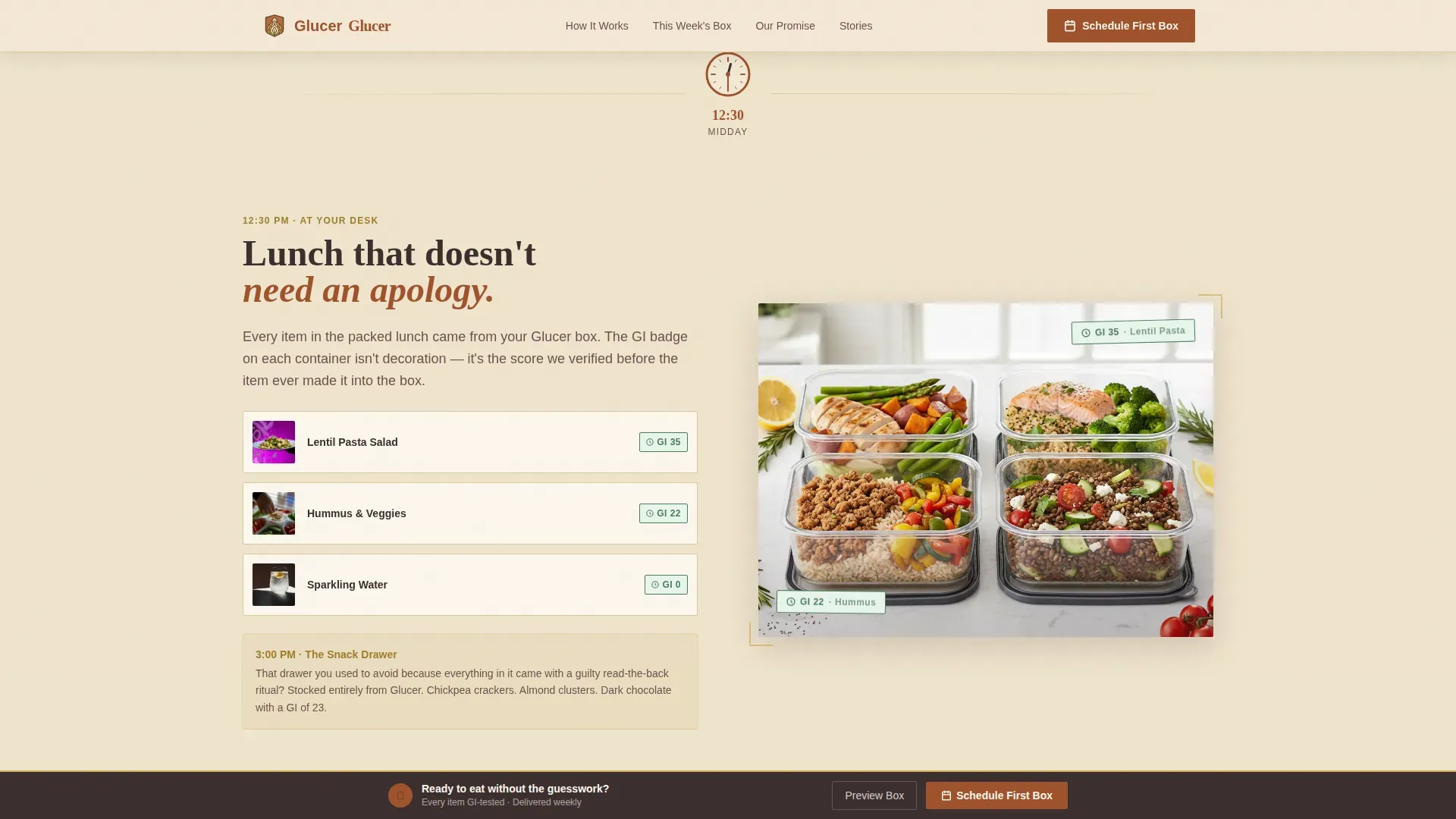
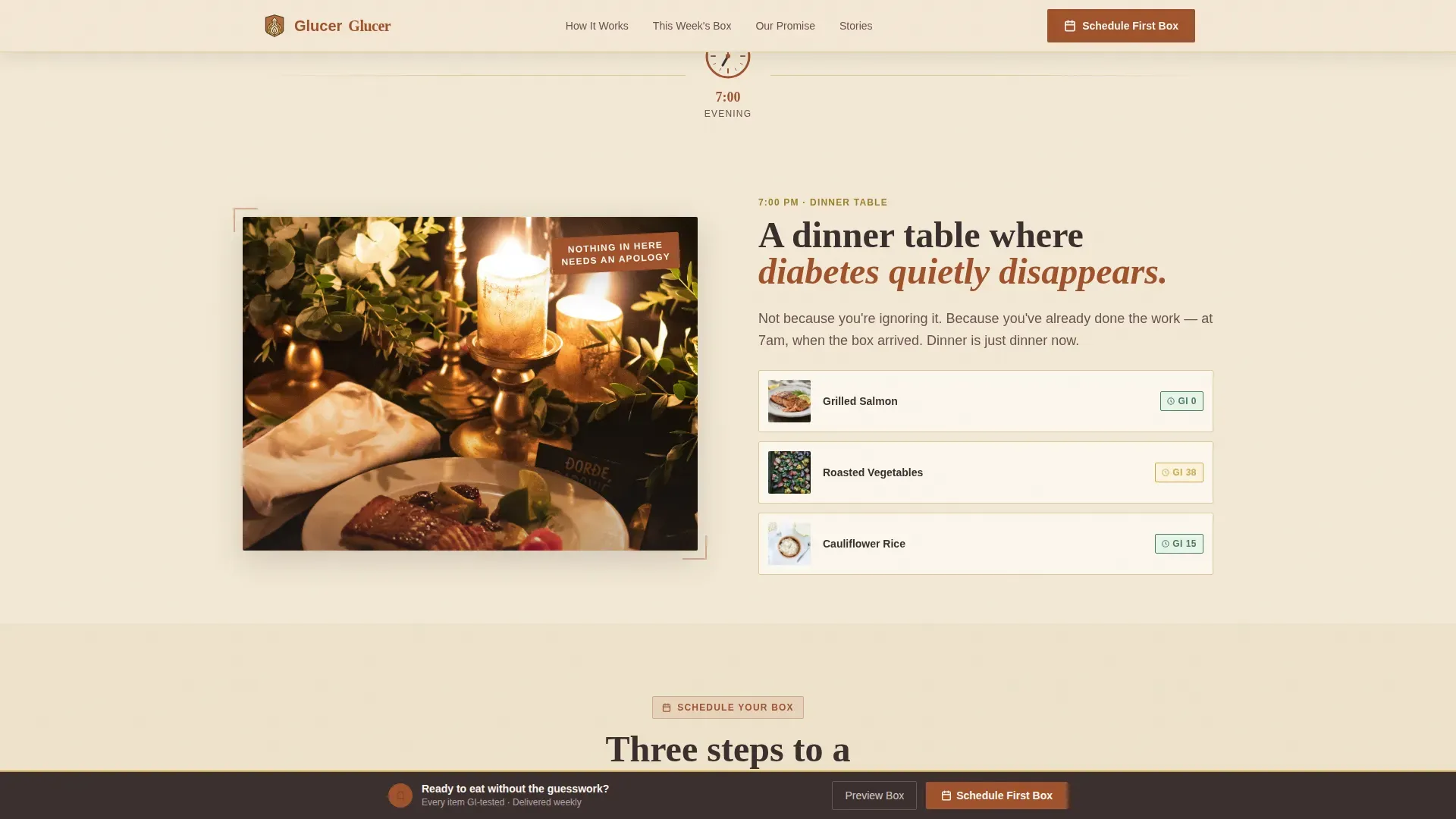
- Illustrated day-in-the-life scroll sections with rust-colored glycemic-index tags on every food item shown
Feature list
This template ships with a tightly scoped set of purpose-built components. Each one addresses a specific trust or conversion need for a diabetes-focused audience.
Day-in-the-Life Scroll Narrative
The page follows a single illustrated character through morning, midday, afternoon, and evening scenes. Each moment shows diabetes-friendly foods in context, from steel-cut oats at breakfast to a dinner table where nothing needs an apology. Clock-hand transition animations move the story forward between sections.
Three-Step Inline Scheduler
Visitors can schedule a delivery without leaving the page. Step one picks a dietary profile, covering Type 1, Type 2, Gestational, and Prediabetic options. Step two selects a weekly delivery day and time window. Step three captures zip code and any allergen flags, keeping the request process simple and reassuring.
GI Tag and Badge System
Every food item displayed on the page carries a small rust-colored glycemic-index tag. Mustard-colored badges also appear as stamped seals, making it easy for customers to identify low-GI, zero added sugar, and high-fiber options at a glance. Transparency labels help patients spot Heart Healthy, Low GI, and No Added Sugar items without reading fine print.
Box Preview Modal
A secondary call-to-action path, labeled "Browse This Week's Box," opens a modal preview of the actual curated items in the current delivery. This lets hesitant customers explore specific foods and nutrition details before committing to a schedule, lowering the barrier to a first purchase.
Testimonial and Social Proof Section
The trust section features testimonials organized by condition type, including stories from Type 2 patients, caregivers, and longtime diabetics. Effective social proof for a diabetes grocery service should include success stories from users who improved their A1C or reduced cravings, and this section is structured to display exactly that kind of evidence.
Sticky Scheduling Bar
After the midday scene, a sticky bottom bar persists on scroll. It repeats the primary call-to-action so customers are never more than one tap away from scheduling, particularly important on mobile where patients and caregivers are most likely browsing.
Page sections overview
| Section | Purpose |
|---|---|
| Mascot Hero | Introduce brand warmth and headline |
| Morning Box Scene | Show real foods in daily context |
| Midday Desk Scene | Reinforce GI-tagged lunch items |
| Afternoon Snack Drawer | Demonstrate full-day coverage |
| Evening Dinner Scene | Close the day-in-the-life arc |
| Inline Scheduler | Capture delivery schedule and profile |
| Trust and Testimonials | Build confidence with social proof |
| Box Preview Modal | Let customers browse items before scheduling |
| Sticky call to action Bar | Persistent scheduling prompt on scroll |
| Footer | Logo, tagline, and navigation links |
Design & branding system
The visual identity follows a Neo-Retro theme inspired by 1950s general-store labels redesigned by a modern nutritionist. The color palette is professional and calming, which is essential for establishing trust with patients managing a serious health condition. Every color choice feels warm and deliberate, never sterile.
- Aged parchment cream (#F2E8D5) as the primary background, deep rust (#A0522D) for headlines and buttons, faded ink brown (#3B2F2F) for body text, and muted mustard (#C9A84C) for badges and glycemic-index indicators
- Typography pairs Fraunces serif headlines with DM Sans body text, creating a hand-lettered warmth that still reads cleanly on small screens
- The mascot, a bespectacled beet character in a tiny apron, is rendered in a thick-outlined, risograph-style illustration that carries consistent personality across every scroll section
Mobile & speed optimization
Mobile-first accessibility is a core requirement here, since a large share of health-related searches happen on phones. Caregivers researching from a kitchen counter and newly diagnosed patients browsing from bed need a layout that loads clearly and responds immediately. The template is built with this audience in mind.
- Images are lazy-loaded so above-the-fold content appears quickly without waiting for off-screen assets
- CSS animations are GPU-accelerated, keeping clock-hand transitions and GI badge float effects smooth on mobile devices
- The sticky scheduling bar and inline scheduler are sized and spaced for comfortable thumb interaction on small screens
How this template helps you convert
This template treats conversion as a natural outcome of a well-told story. Rather than pushing customers toward a hard sell, it earns trust through nutrition transparency, warm design, and a scheduling flow that feels like a guided conversation rather than a form.
- The day-in-the-life narrative keeps visitors engaged through each scroll section, so they arrive at the scheduler already emotionally invested in the foods and the service promise.
- The box preview modal gives hesitant customers a low-stakes way to explore specific items and nutrition details before making any commitment, directly addressing the trust gap that blocks a first purchase.
- The sticky scheduling bar ensures the primary call-to-action is always visible, so customers who are ready to act never have to scroll back up to find it.
Other information about this template
This template is part of a broader category of landing page templates that help create effective diabetic grocery delivery services. Customizable templates are particularly beneficial for users without extensive coding knowledge, since structured layouts reduce development time significantly. The Glucer Smart Diabetic Grocery Delivery Landing Page Template demonstrates how a focused niche design, combining meal planning sections, organized grocery list components, and structured nutrition displays, can improve user engagement and conversion rates for grocery delivery services.
- The template includes sections for meal planning context and grocery list transparency, helping customers and patients understand exactly what foods they are receiving and why each item was selected
- Low-glycemic food lists and nutritional filtering cues are built into the design, allowing customers to filter mentally by net carbs, fiber, and sugar content through visible badge labeling
- A "How It Works" flow and dietitian-aligned credibility framing are included to illustrate the step-by-step process from selecting a dietary profile to receiving a curated delivery, reinforcing the food-as-medicine positioning that resonates with diabetes audiences
Theme
Neo-Retro
Creative direction
Day-in-the-Life
Color system
Parchment & Rust
Style
Full-Width Immersive
Direction
Booking/Scheduling
Page Sections
Day-in-the-life Scroll Narrative
Three-step Inline Scheduler
GI Tag and Badge System
Box Preview Modal
Testimonial and Social Proof Section
Sticky Scheduling Call-to-action Bar
Related questions
Can I customize the dietary profile options in the scheduler?
Does the template include the box preview modal ready to use?
Is this template usable without a development background?
How does the template handle social proof for diabetes patients?
Can I add a first-order incentive like free delivery to the template?