Wood Products Appointment Booking Website Template
Grain is a hero-dominant landing page template for artisan woodworking businesses. It opens with a full-viewport workbench scene and walks visitors through a five-step "Find Your Piece" assessment. Species selection, joinery methods, and finishing stages are each revealed in dedicated sections, building trust through craft transparency before closing with a "Book a Workshop Visit" call to action.
by Rocket studio
Quick summary
Grain is a single-page template built for bespoke woodworking studios. The hero fills ninety percent of the viewport with a real workbench overhead shot. A postcode input field launches a five-question guided assessment that ends with a curated material recommendation and a ballpark price range. Every section beneath the hero peels back another layer of craft.
Who this template is for
This template suits independent craftspeople and small workshops that sell high-value, made-to-order timber pieces. It works best when the story of the making is as important as the finished product.
- Artisan furniture makers targeting homeowners who want heirloom-quality dining tables
- Joinery studios pitching reclaimed oak fit-outs to restaurateurs and hospitality clients
- Bespoke joinery specialists working with architects on residential builds
What problem this template solves
Most woodworking businesses struggle to justify premium prices online. A static gallery gives visitors no sense of craft, material quality, or process. Grain solves this by replacing passive browsing with an active, transparent workshop walkthrough.
- Visitors do not understand where the price comes from without seeing the process
- Generic portfolio pages fail to qualify leads or match clients to the right piece
- A single contact form cannot communicate the depth of a bespoke commission
What you get with this template
You get a fully structured landing page that guides each visitor from curiosity to a qualified booking. The layout is intentional at every step, with no filler sections or decorative padding.
- A hero-dominant scene with a postcode-triggered, five-step "Find Your Piece" assessment
- Sequential craft sections covering species selection, joinery methods, and finishing stages
- A final recommendation screen with a material mood board, price range, and a "Book a Workshop Visit" call to action
Feature list
This section covers the core built-in capabilities delivered by the Grain template layout.
Full-Viewport Hero with Postcode Input
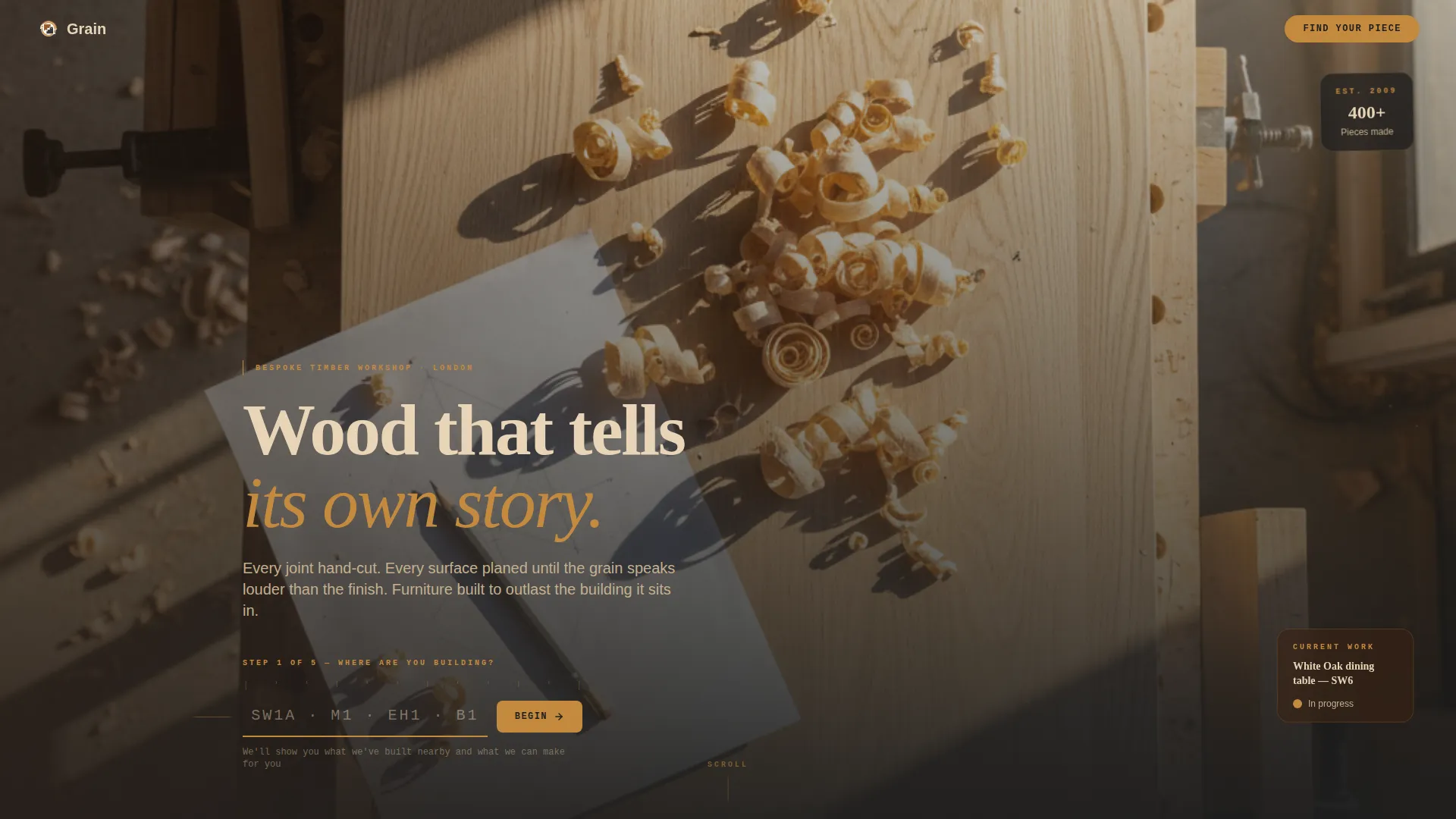
The hero section fills ninety percent of the screen with an overhead workbench photograph. A single input field styled like a pencil-marked measuring line invites the visitor to enter their postcode. This immediately frames the experience as personal and location-relevant rather than generic.
Five-Step "Find Your Piece" Assessment
After the postcode is submitted, a guided five-question flow begins. Questions cover room type, wood preference, style, dimensions, and timeline. Each question appears as a single full-width card with large tappable image options, removing the need for dropdowns or typed responses.
Species Selection Section
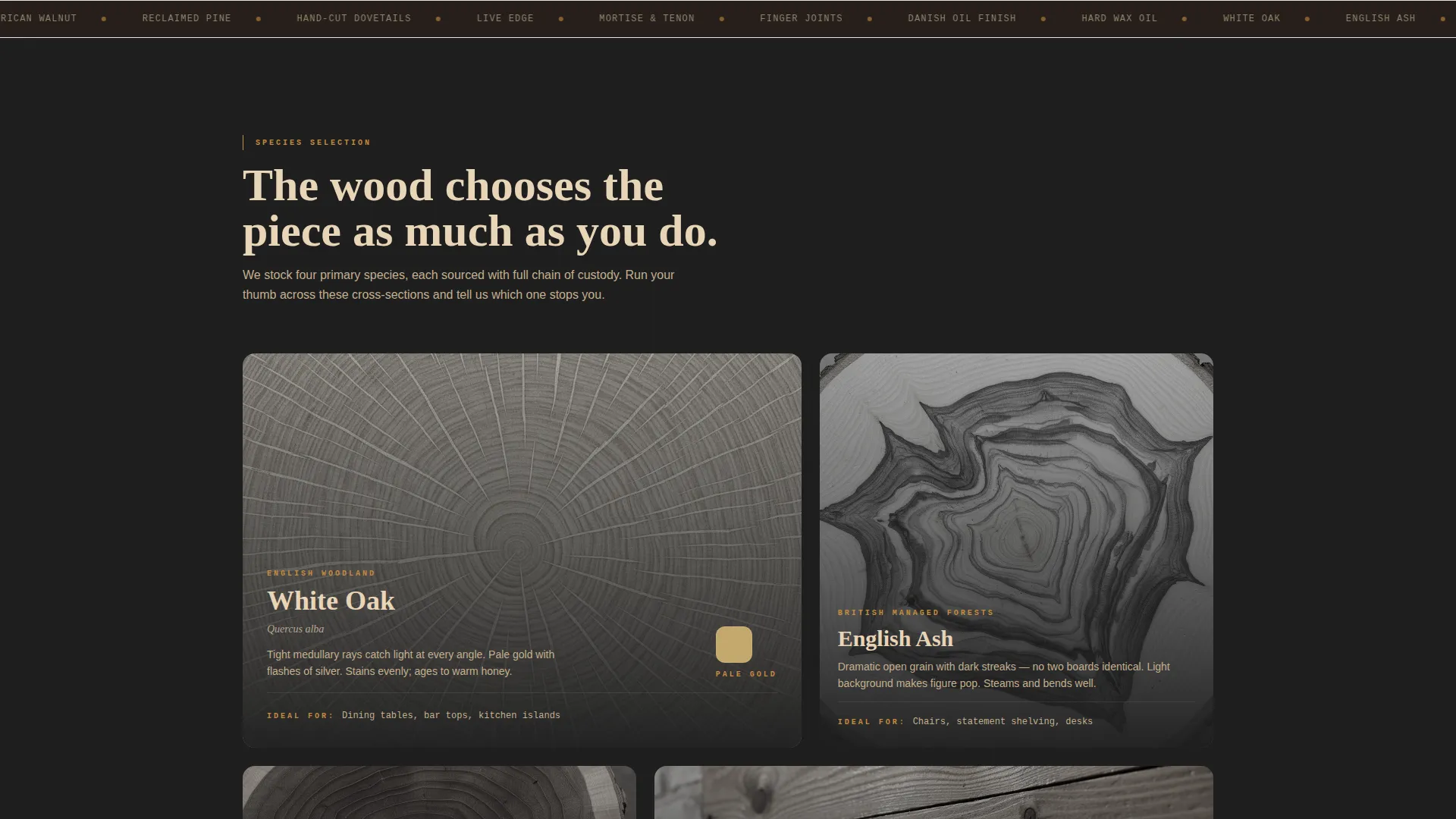
A dedicated section presents close-up cross-sections of oak, ash, walnut, and reclaimed pine. Each species comes with tactile descriptive copy so visitors can connect texture and character to their own space before ever visiting the workshop.
Joinery Methods Showcase
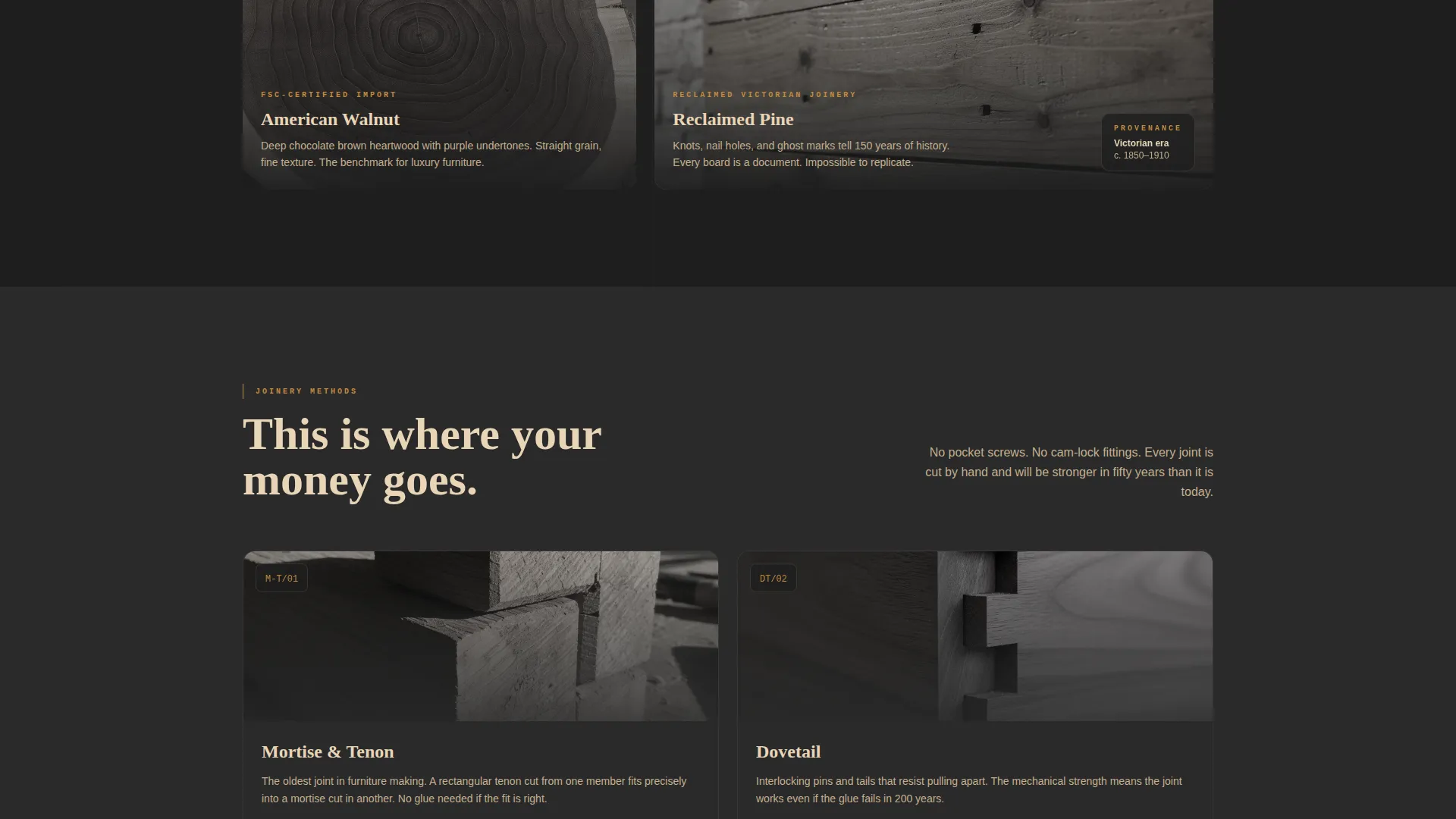
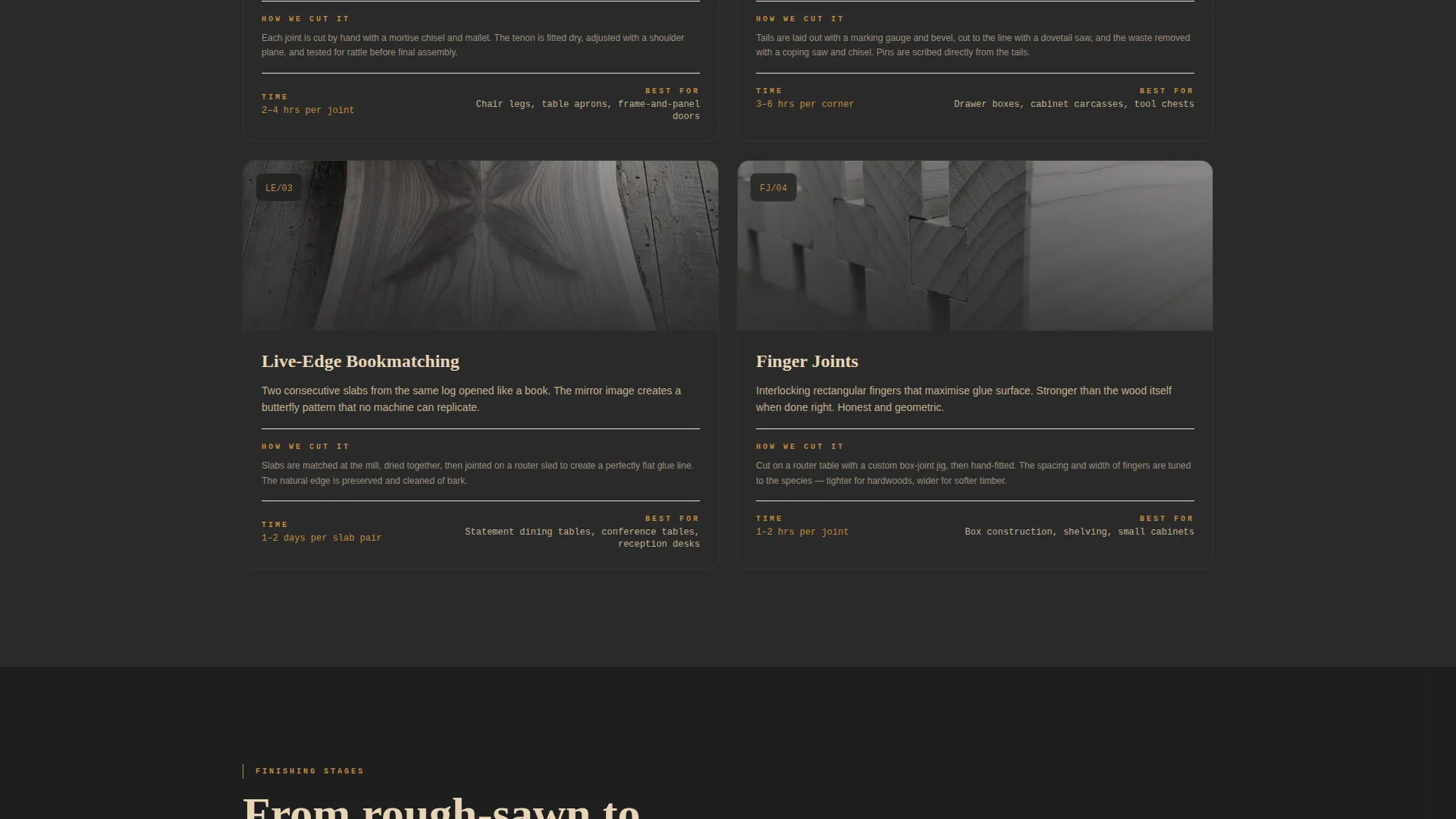
Stop-motion-style sequences reveal mortise-and-tenon, finger joints, and live-edge bookmatching. This section turns technical craft into something a non-specialist visitor can appreciate and trust, directly supporting the premium price point.
Finishing Stages with Before-and-After
A swipeable panel walks visitors from raw timber through oiled and lacquered finishes. Seeing each transformation stage helps clients feel confident about the final result and reduces uncertainty before committing to a commission.
Curated Recommendation Screen
The assessment concludes with a personalised output showing a material mood board and a ballpark price range. The screen closes with the "Book a Workshop Visit" call to action, converting assessment completers into qualified in-person leads.
Page sections overview
| Section | Purpose |
|---|---|
| Hero Workbench Scene | Anchors the brand with a full-viewport real-bench photograph and postcode input |
| Postcode Assessment Flow | Launches the five-question guided quiz after location is entered |
| Species Selection Cards | Presents oak, ash, walnut, and reclaimed pine with tactile descriptions |
| Joinery Methods Reveal | Shows stop-motion sequences of hand-cut joint techniques |
| Finishing Stages Panel | Swipeable before-and-after from raw timber to oiled and lacquered finishes |
| Recommendation Screen | Delivers a mood board, price range, and booking call to action |
Design & branding system
The visual identity follows an Industrial Raw theme. Every colour and layout choice references the feeling of a working timber yard at golden hour, honest materials under warm light.
- Forest Trust colour palette: deep heartwood brown (#3B2314), mill-shed charcoal (#1E1E1E), freshly planed maple (#E8D5B7), and hand-rubbed tung oil amber (#C48A3F) reserved for buttons and interactive highlights
- Texture-forward photography style using real benches, real tools, and real sawdust rather than styled stock imagery
- Industrial Raw typographic and layout decisions that keep everything feeling unfinished, warm, and credible
Mobile & speed optimization
The template is built with a mobile-first layout in mind. Large tappable cards in the assessment replace small form inputs, making the quiz comfortable to complete on any screen size.
- Full-width single-card question format scales naturally from desktop to phone without losing impact
- Hero image composition and text overlay are structured to remain legible at smaller viewport widths
- Swipeable finishing panels use touch-friendly interaction patterns suited to mobile browsing
How this template helps you convert
Grain replaces passive scrolling with a structured conversation. Every section moves the visitor one step closer to a booking rather than leaving them to figure out the next move on their own.
- The postcode input creates immediate personalisation, making visitors feel the experience is built for their specific project from the very first interaction
- The five-step assessment qualifies each lead before any human contact, filtering for room type, material preference, style, size, and timeline so the workshop consultation starts from an informed place
- The "Book a Workshop Visit" call to action at the end of the recommendation screen converts the warmest, most engaged visitors into in-person appointments, which is where bespoke commissions are actually closed
Other information about this template
Grain is designed specifically for the wood designer and artisan joinery market within the Construction and Home category. It sits at the intersection of Wood Products and Services and high-trust, high-value client acquisition.
- The template suits a niche where credibility depends on showing craft process, not just finished results
- It is built for the "Quiz and Assessment" landing page direction, meaning the structure is intentionally linear and guided rather than open and exploratory
- The Hero-Dominant layout means the first impression carries the full weight of the brand before any copy is read
- Businesses offering reclaimed timber, live-edge pieces, or built-in joinery will find the species and joinery sections especially relevant to their sales conversation
Theme
Industrial Raw
Creative direction
Transparent Process
Color system
Forest Trust
Style
Hero-Dominant (90/10)
Direction
Quiz/Assessment
Page Sections
Full-viewport Hero with Postcode Input
Five-step Guided Assessment
Species Selection Section
Joinery Methods Showcase
Swipeable Finishing Stages
Curated Recommendation Screen
Related questions
Can I use this template if I do not offer a postcode-based service?
Is the assessment built as a real interactive quiz?
What types of woodworking businesses suit this template best?
Can I replace the timber species shown in the selection section?
Does the template include the photography shown in the preview?



