Expert Wood Products Professional Website Template
Grain is a single-column landing page template built for precision millwork and wood fabrication shops. It features a draggable before/after image reveal in the header, a scroll-driven material transformation narrative, and a five-step project scoping quiz. The design uses a charcoal and amber palette that matches the warmth and craft of high-end architectural woodwork.
by Rocket studio
Quick summary
Grain is a focused landing page template for custom wood fabrication businesses. It opens with a full-width before/after case study reveal, guides visitors through a material transformation story, and converts them through a guided five-step project assessment. The charcoal and amber color system reflects workshop precision and craftsmanship at every scroll point.
Who this template is for
This template is built for wood fabrication shops that work at a commercial and architectural scale. If your clients include general contractors, interior designers, and architects who need fabricators who can read shop drawings, Grain speaks their language.
- Custom millwork and cabinetry fabricators targeting high-spec commercial projects
- Structural timber frame shops working with architects and general contractors
- Wood craftsmanship businesses that want to move specification-phase leads toward a consultation
What problem this template solves
Most fabrication shop websites fail to show what makes skilled woodwork worth the lead time. They list services without demonstrating the transformation from raw material to finished piece. Grain solves this with a visual narrative that earns trust before asking for a call.
- Visitors cannot see the quality gap between generic and precision fabrication
- Specification-phase leads have no clear next step before they are ready to call
- A generic contact form loses leads who are still comparing fabricators
What you get with this template
You get a complete single-column landing page layout designed around craft storytelling and conversion. Every section connects the raw-material-to-finished-piece narrative to a clear action for the visitor.
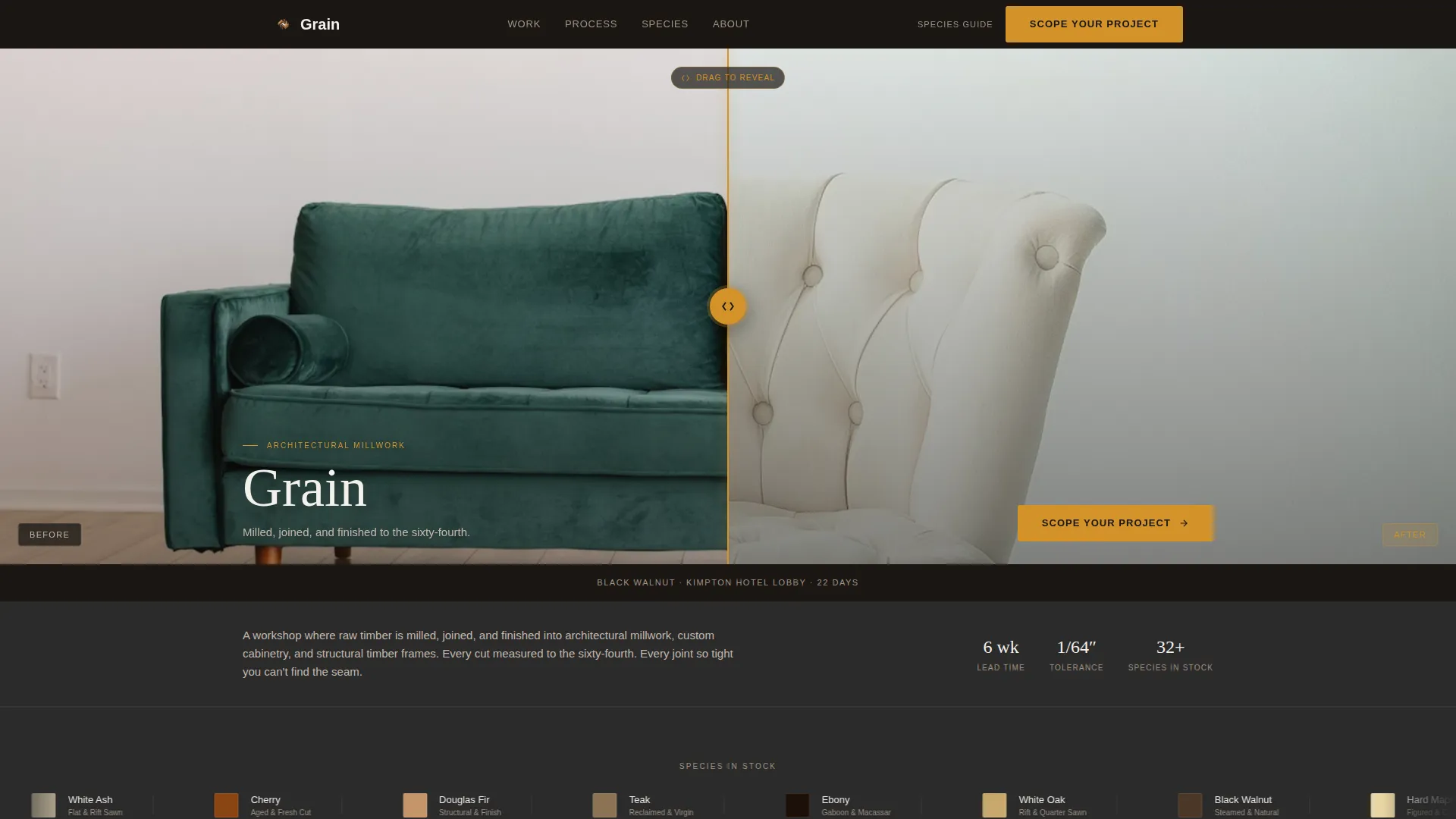
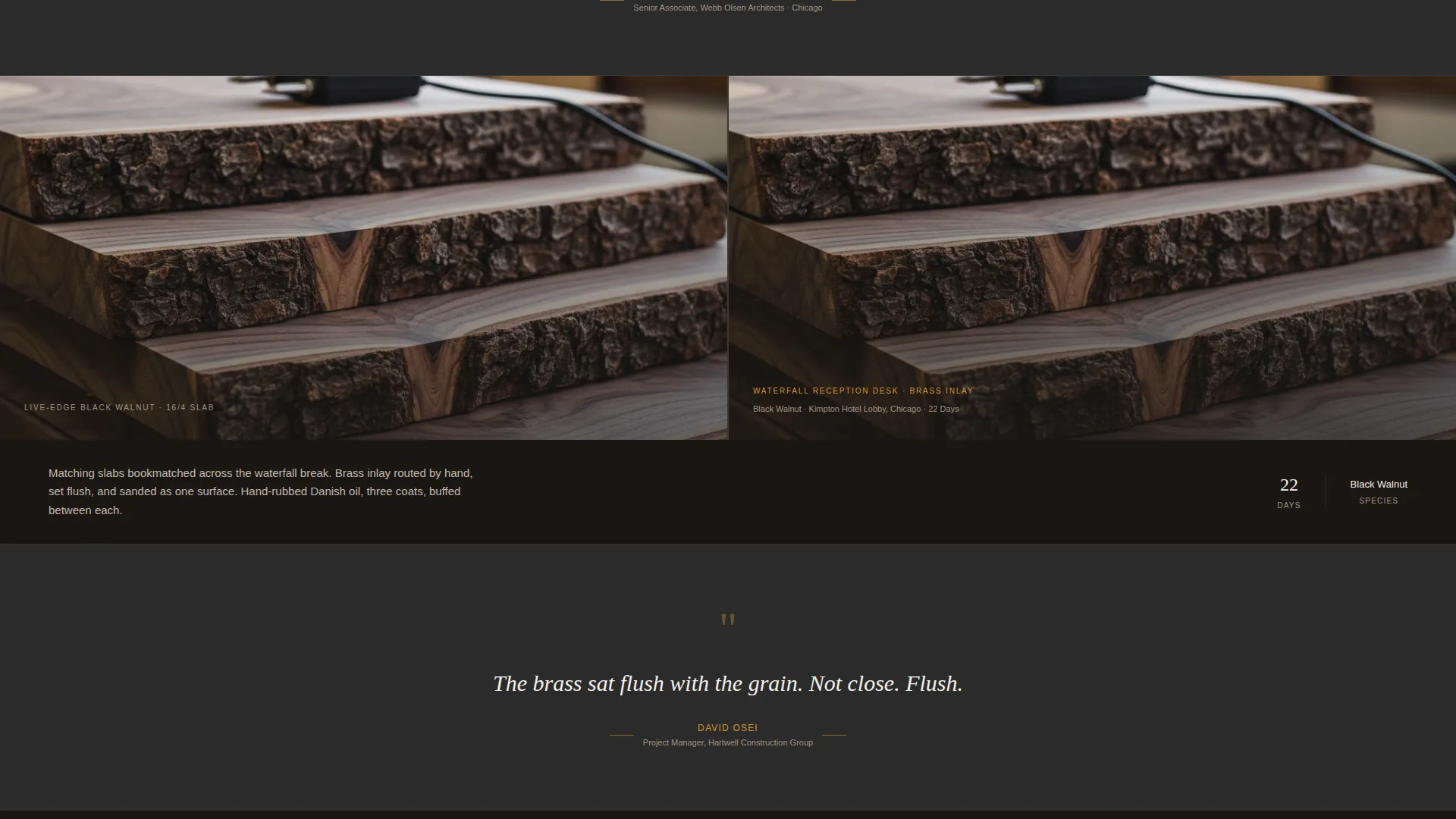
- A draggable before/after image slider as the full-width header, preloaded with a walnut slab-to-reception-desk case study concept
- A scroll-driven reveal flow where each section shows a new material transformation, with single-sentence amber client quotes between projects
- A five-step guided project assessment quiz with heartwood amber progress bars, a fabrication complexity rating, and an estimated consultation window on completion
- A secondary email capture path offering a downloadable species guide for leads still in the specification phase
Feature list
A quick paragraph on what makes Grain stand out: it combines visual storytelling with structured conversion tools. Each feature below is built into the template layout and ready to customize for your shop.
Draggable Before/After Header Slider
The full-width header splits a single image into raw and finished states. A draggable vertical slider lets visitors reveal the transformation at their own pace. The caption format names the species, client, and turnaround time.
Scroll-Driven Transformation Narrative
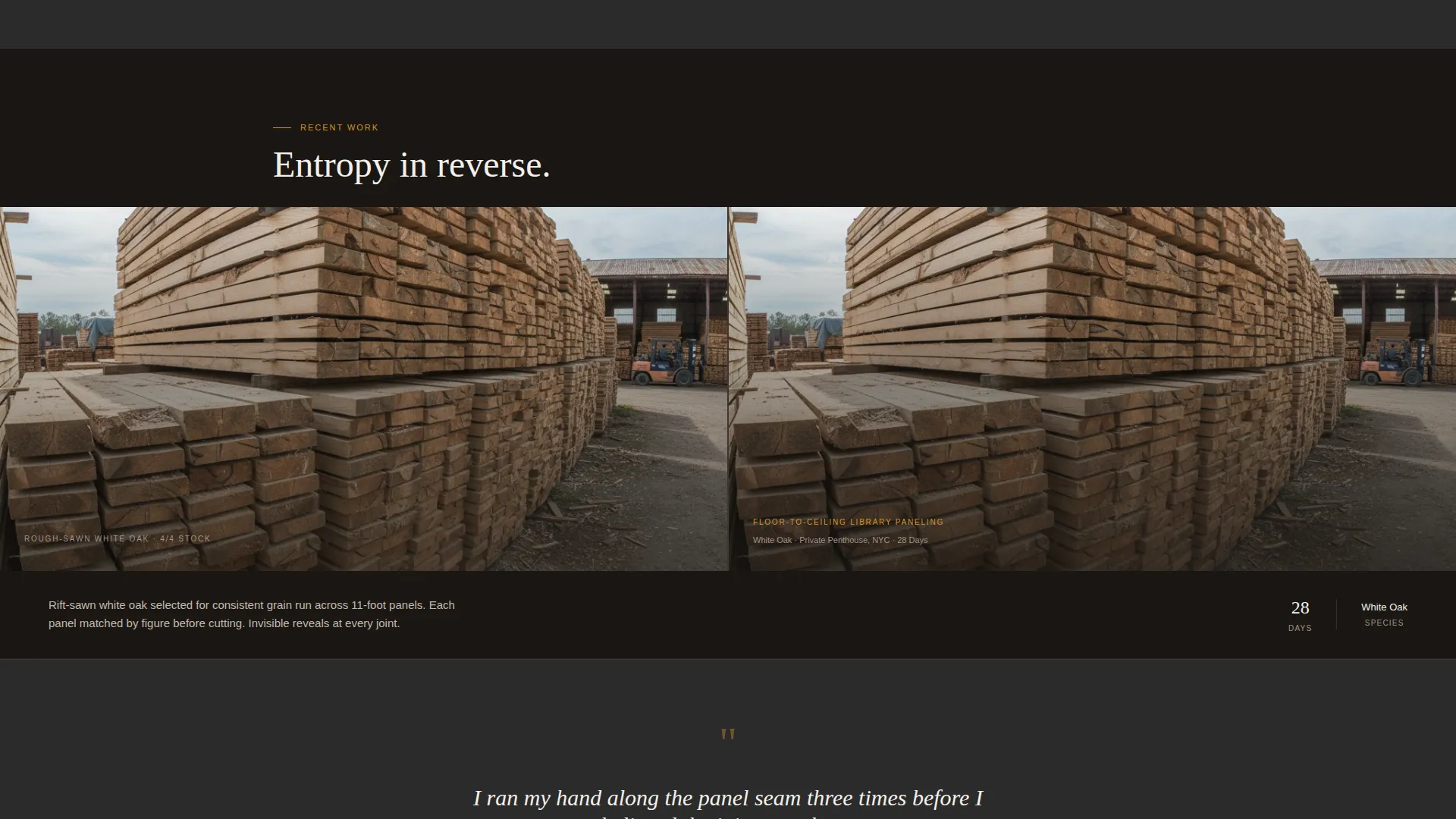
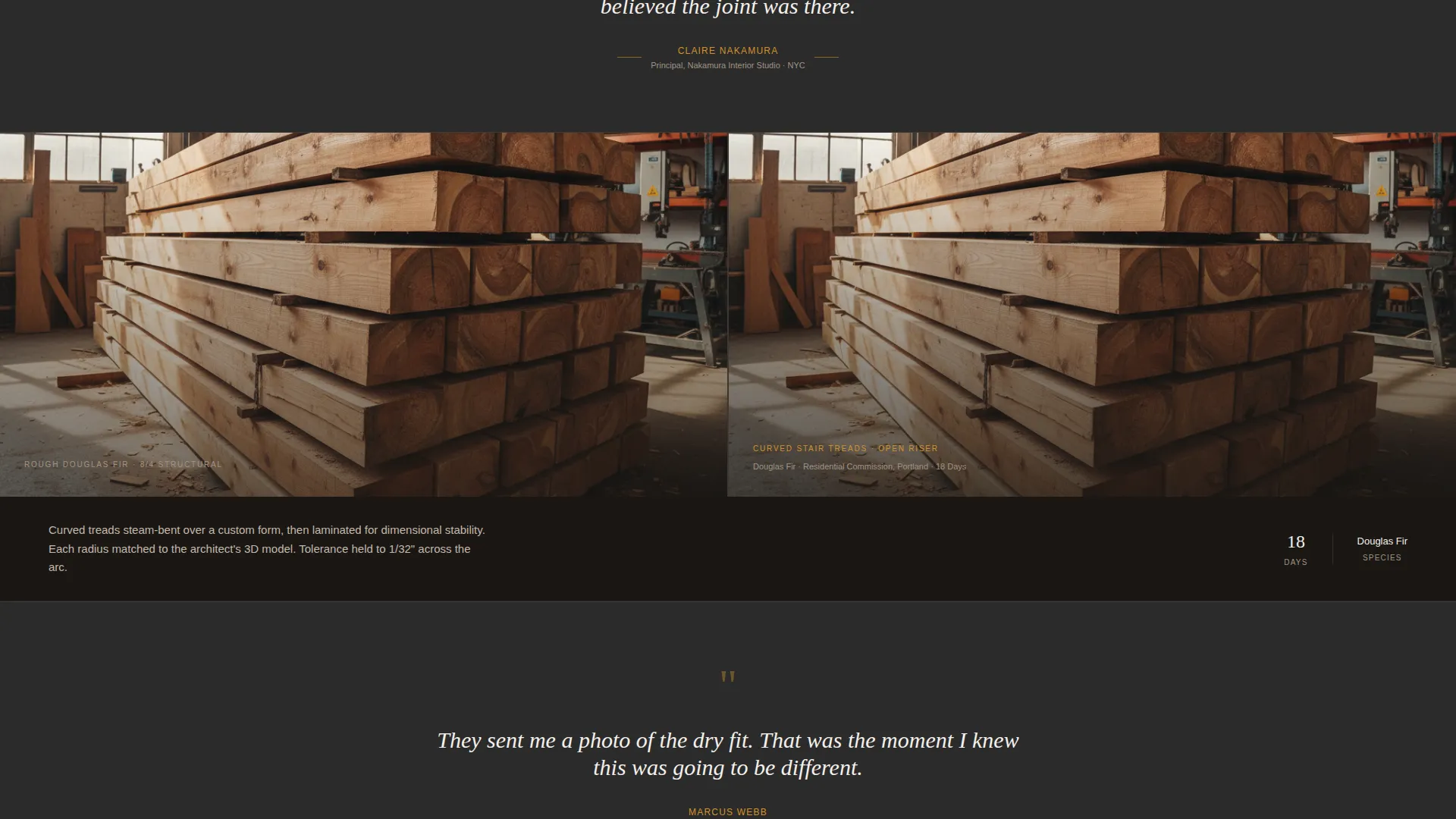
Each scroll section presents a new material state, from rough lumber to curved stair treads, or from stacked white oak boards to floor-to-ceiling library paneling. The sequence grows in complexity so each reveal lands with more impact than the last.
Amber Client Quote Breaks
Between project reveals, single-sentence client quotes appear in heartwood amber text against a charcoal background. These quotes focus on the moment a client first touched the finished piece, not generic service feedback.
Five-Step Project Scoping Quiz
The primary call to action launches a guided assessment covering project type, preferred species with thumbnail swatches, finish level, rough dimensions via a slider, and timeline urgency. On completion, the visitor receives a fabrication complexity rating and an estimated consultation window.
Species Guide Email Capture
A secondary conversion path offers a downloadable species guide. This path is designed for leads who are still in the specification phase and not yet ready to scope a project, letting you capture their contact details early.
Heartwood Amber Progress System
The amber color is reserved for all interactive and progress elements, including quiz progress bars, call-to-action buttons, and interactive highlights. This keeps the visual hierarchy clean and draws attention exactly where conversion happens.
Page sections overview
| Section | Purpose |
|---|---|
| Before/After Header | Opens with raw-to-finished walnut case study via draggable slider |
| First Material Reveal | Shows rough lumber becoming curved stair treads |
| Client Quote Break | Single-sentence amber quote between first and second project |
| Second Material Reveal | Shows white oak boards becoming floor-to-ceiling library paneling |
| Client Quote Break | Single-sentence amber quote between second and third project |
| Project Scoping Quiz | Five-step guided assessment with complexity rating on completion |
| Species Guide Capture | Email capture for specification-phase leads |
Design & branding system
The Grain palette is built around four tones that mirror an actual millwork showroom. Workshop charcoal (#2B2B2B) anchors the background, while heartwood amber (#D4922A) is reserved strictly for calls to action, progress indicators, and interactive highlights.
- Sawdust warm gray (#A39382) for supporting text and secondary surfaces
- Kiln-dried white (#F4F0EB) for body content backgrounds and legible contrast
- Heartwood amber (#D4922A) used only on interactive and conversion elements to maintain a clear visual hierarchy
Mobile & speed optimization
The single-column layout scales cleanly to smaller screens. The draggable slider, quiz steps, and image reveals are all designed within a single-column flow that works without requiring horizontal navigation.
- Single-column structure means no complex grid reflows on smaller viewports
- The quiz slider for dimensions and the species swatch thumbnails are built to function within a touch-friendly single-column layout
- Progress bars and amber highlights remain visually prominent at all screen sizes
How this template helps you convert
Grain is built around two conversion paths that meet visitors at different stages of the buying decision. The visual narrative builds trust first, then the quiz or email capture closes the gap.
- The five-step "Scope Your Project" quiz guides high-intent visitors to a fabrication complexity rating and a consultation window, giving them a concrete outcome before they ever send an email.
- The "Download Our Species Guide" path captures email addresses from leads who are still comparing materials and fabricators, keeping your shop top of mind during the specification phase.
Other information about this template
Grain is categorized under Construction and Home, specifically within the Wood Products and Services niche for wood fabricators. It is built as a single-column flow landing page using the Corporate Precision theme.
- Template style: Single Column Flow, suited to a focused narrative without sidebar distractions
- Creative direction: Before/After Reveal, with scroll-driven complexity growth throughout the page
- Header concept: Case Study Before/After, showing a real project species, client, and turnaround time
- Color system: Charcoal and Amber, with amber used exclusively for interactive and conversion elements
- Landing page direction: Quiz/Assessment, with a secondary email capture path for earlier-stage leads
Theme
Corporate Precision
Creative direction
Before/After Reveal
Color system
Charcoal & Amber
Style
Single Column Flow
Direction
Quiz/Assessment
Page Sections
Draggable Before/after Header Slider
Scroll-driven Transformation Narrative
Amber Client Quote Breaks
Five-step Project Scoping Quiz
Species Guide Email Capture
Heartwood Amber Progress System
Related questions
Can I replace the walnut case study with my own project photos?
How does the five-step project scoping quiz work?
Is the species guide email capture ready to use?
Who is this landing page template designed for?
Can I change the amber accent color to match my brand?



