Parks & Recreation Landing Page Template
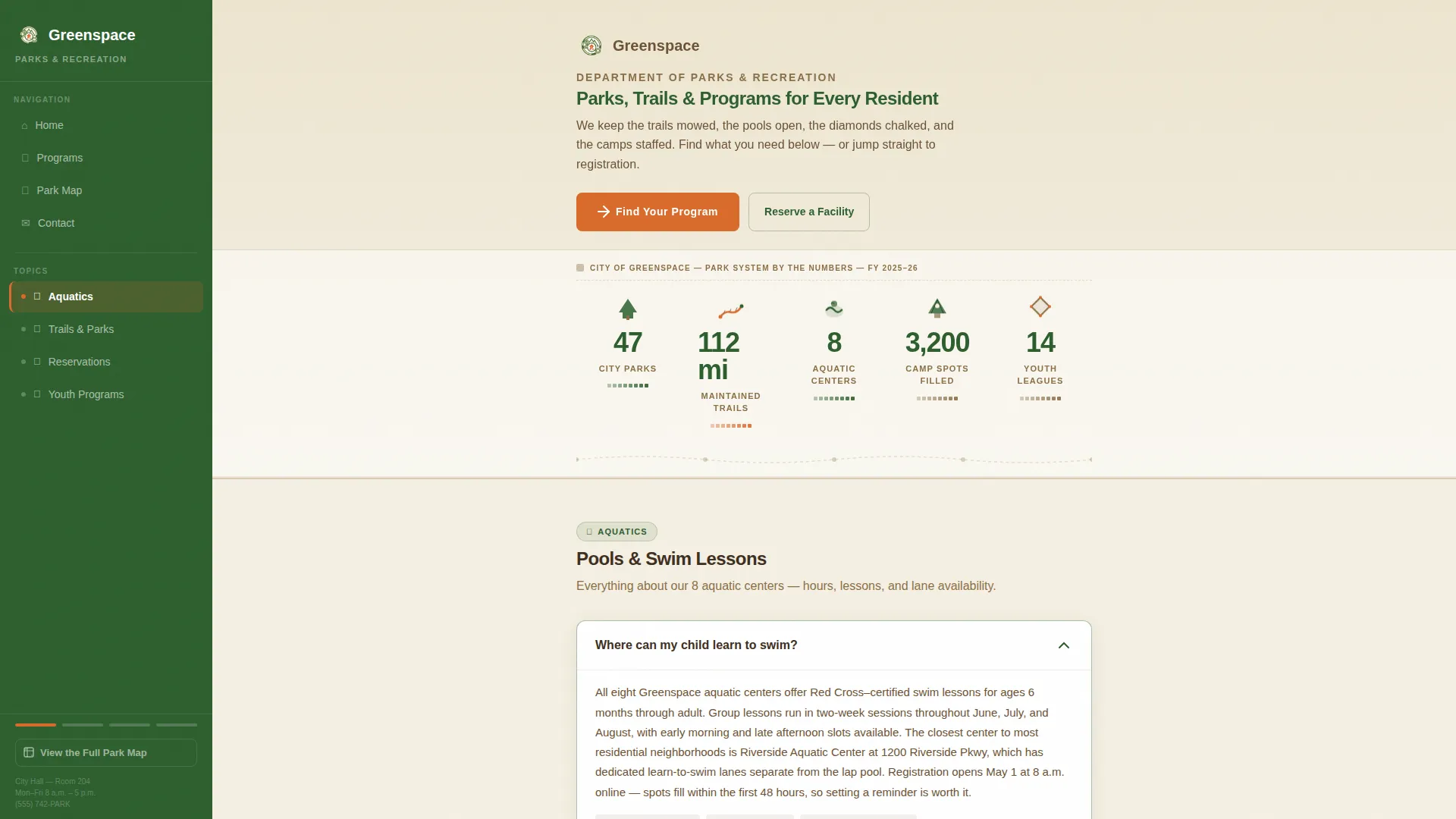
Greenspace is a sidebar companion landing page template built for municipal parks and recreation departments. It leads with a pictographic infographic header showcasing system-wide stats, then walks residents through FAQ clusters covering aquatics, trails, reservations, and youth programs. Every section earns trust before asking for a click, ending with a clear path to the city's registration portal.
by Rocket studio
Quick summary
Greenspace is a single-page, sidebar companion template designed for city parks and recreation offices. It opens with a bold infographic header displaying real park system numbers, then guides residents through organized FAQ clusters. The persistent sidebar tracks scroll progress and offers quick navigation. Every answer builds confidence before the "Find Your Program" call to action appears.
Who this template is for
This template is built for municipal parks and recreation departments that need a resident-facing page that feels approachable, not bureaucratic. It works best when the department manages a large program inventory and wants to reduce phone inquiries by answering common questions upfront.
- Parks and recreation staff who need a clear, navigable page for residents seeking program sign-ups
- Communication or web teams managing a city portal that routes visitors to a registration system
- Departments serving diverse resident groups, from parents booking swim lessons to retirees finding walking groups
What problem this template solves
Most city parks pages are organized by department structure, not by how residents actually search. A parent looking for swim lessons at 10 p.m. does not want to read an org chart. They want a fast, confident answer followed by a direct path to registration.
- Residents bounce when they cannot find specific program answers quickly on a busy government page
- FAQ clusters organized by real search questions reduce confusion and build trust before asking for any action
- A persistent sidebar with jump navigation lets visitors move directly to the topic they care about without scrolling past irrelevant content
What you get with this template
Greenspace delivers a structured, question-driven page layout that covers the most common resident inquiries across four program areas. The layout combines a fixed sidebar with a scrollable content column, so visitors always know where they are and what comes next.
- A hand-illustrated-style infographic header displaying park system statistics with pictographic icons
- Five organized content sections covering aquatics, trails and parks, reservations, youth programs, and a hero call-to-action
- FAQ accordion panels, sidebar jump navigation, scroll-linked progress tracking, and a persistent secondary map link
Feature list
This template includes purpose-built components that reflect how a well-run parks department actually communicates with its community.
Pictographic Infographic Header
The header replaces a stock photo hero with a horizontal data strip. It displays specific park system figures, tree icons, swimmer pictograms, and diamond field graphics in a confident, letterhead-style layout. No photography required.
FAQ Accordion Clusters
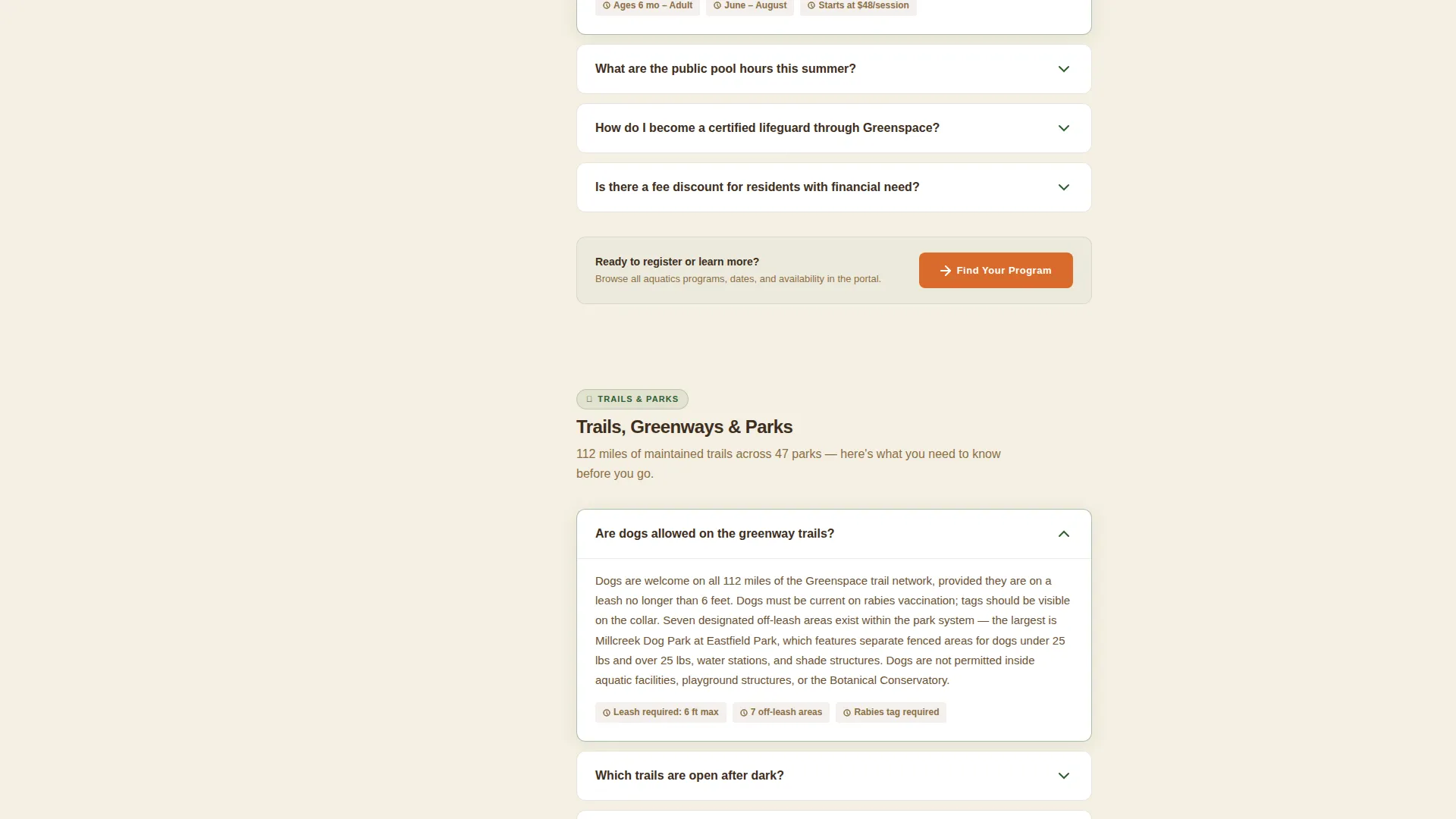
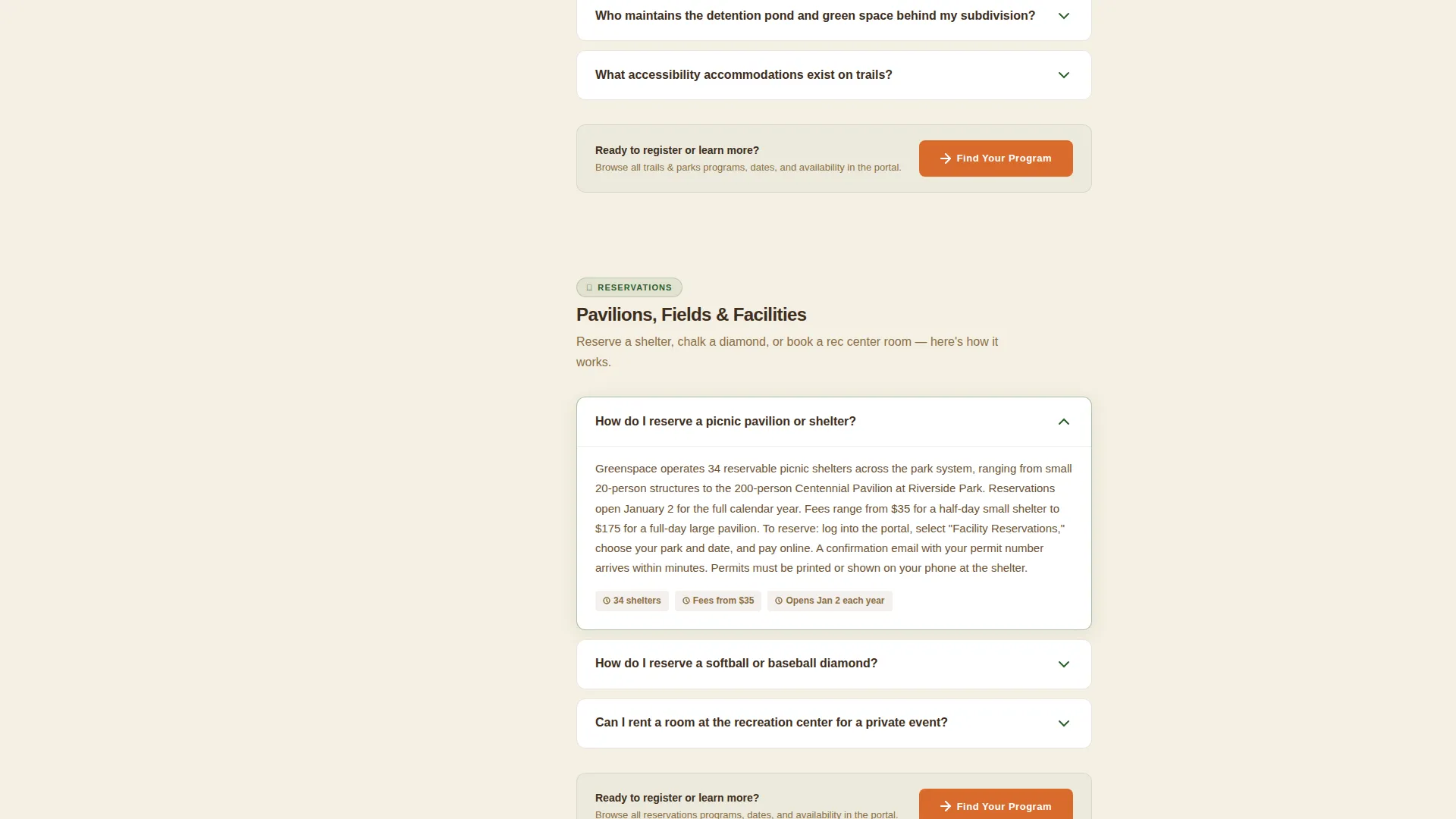
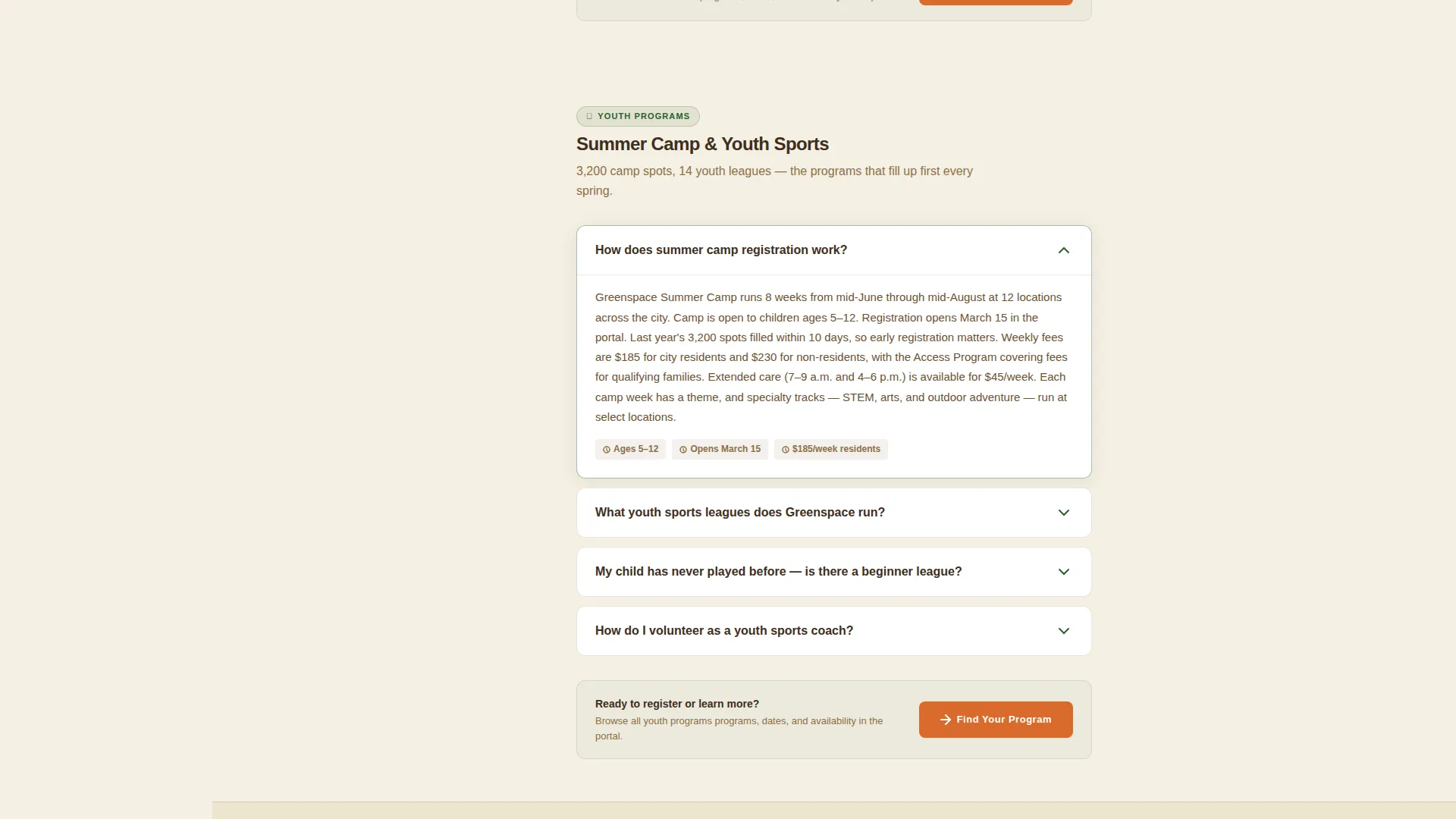
Each program area uses expandable accordion panels organized by real resident questions. Questions open compact answer panels in the main content column, keeping the page clean and easy to scan.
Persistent Sidebar Navigation
The canopy green sidebar stays fixed as visitors scroll. It tracks active sections and lets residents jump directly to aquatics, trails, reservations, or youth programs without starting over from the top.
Scroll-Linked Progress Tracking
The sidebar highlights the active FAQ cluster as the visitor scrolls. This gives residents a clear sense of where they are in the page and what topics remain, reducing drop-off mid-scroll.
Earned Call-to-Action Placement
The primary "Find Your Program" button appears first below the infographic header, then repeats after each FAQ cluster. A secondary "View the Full Park Map" text link lives persistently at the bottom of the sidebar for exploratory visitors.
Spotlight Hover on Stat Cards
The infographic stat cards respond to hover interaction with a spotlight effect. This draws attention to key figures like 47 parks, 112 miles of trails, and 3,200 summer camp spots without requiring extra copy.
Page sections overview
| Section | Purpose |
|---|---|
| Hero Infographic Strip | Display park system stats and surface the primary call to action |
| Aquatics FAQ Cluster | Answer swim lesson, pool hours, and lifeguard certification questions |
| Trails and Parks FAQ | Cover dog rules, greenway access, and park hours |
| Reservations FAQ Cluster | Explain pavilion booking, diamond reservations, and shelter fees |
| Youth Programs FAQ | Address summer camp, basketball leagues, and registration steps |
| Linear Footer Row | Close the page with department contact and portal link |
Design & branding system
The visual identity follows an Educational Guide theme built around a Forest Trust color system. The palette feels like a national park brochure printed on uncoated stock: trustworthy by default, authoritative without being stiff.
- Canopy green (#2D5F2E) anchors the persistent sidebar, sun-warmed trail brown (#8B6F47) handles body text and section dividers, and open-field cream (#F5F0E3) fills the main content column
- Blaze orange (#D96B2B) appears only on interactive elements, active sidebar links, and primary buttons, so every orange instance signals a clear action
- Typography uses DM Sans throughout, keeping the page legible and civic without feeling sterile
Mobile & speed optimization
The template is built with a mobile-first priority because the primary audience, parents searching for swim lesson sign-ups late at night, is most often on a phone. The layout adapts to smaller screens without losing the sidebar navigation logic.
- FAQ accordions are touch-friendly and collapse cleanly on narrow viewports so content stays scannable
- Static FAQ content is handled with Server Components to minimize JavaScript load, keeping the page responsive on slower connections
How this template helps you convert
Greenspace earns every click by answering real questions before asking for any action. The structure is designed so that by the time a resident taps "Find Your Program," they already feel informed and confident.
- The infographic header communicates scale and credibility instantly, so residents trust the department before reading a single word of copy
- FAQ clusters answer three to four genuine resident questions per program area, building familiarity with pools, trails, and programs before the call to action repeats
- The persistent sidebar and scroll-linked progress tracking reduce friction, making it easy for any visitor to find exactly what they need and move forward to the registration portal
Other information about this template
Greenspace is categorized under Government and Public, specifically within the Parks and Recreation Government subcategory. It is localized for United States English with USD pricing context and a local civic tone throughout.
- The footer uses a Pattern 1 Linear Single-Row layout, keeping the close of the page clean and uncluttered
- Animation is set to medium intensity, using clip-in reveals for FAQ panels, accordion transitions, and sidebar active-state tracking
- The template is designed for click-through use, routing residents to an external city registration and reservation portal rather than hosting any forms internally
Theme
Educational Guide
Creative direction
FAQ-Driven
Color system
Forest Trust
Style
Sidebar Companion
Direction
Click-Through
Page Sections
Pictographic Infographic Header
FAQ Accordion Clusters
Persistent Sidebar Navigation
Scroll-linked Progress Tracking
Earned Call-to-action Placement
Spotlight Hover on Stat Cards
Related questions
What kind of organization is this template designed for?
Does this template include a built-in registration system?
How does the sidebar navigation work?
Can I update the infographic header with my department's real numbers?
Can I customize the FAQ questions for my department?