Pediatric Dentist Booking Website Template
The Wiggles friendly new patient welcome landing page template is built for pediatric dental practices ready to turn nervous parents into booked appointments. It uses a sidebar-driven frequently asked question layout, animated line-art illustrations, an Arctic White color system, and a pinned "Book Their First Adventure" call to action, answering every parental worry before asking for a single detail.
by Rocket studio
Quick summary
This landing page template is designed for pediatric dentists who need to earn trust before they earn a booking. The design answers real parental fears first, using a scrollable frequently asked question canvas paired with a sticky sidebar table of contents. Every section moves new patients closer to that first appointment without pressure, and the "Book Their First Adventure" form closes the loop with warmth rather than urgency.
Who this template is for
This template is the right fit for child-focused dental practices that want their website to work as hard as their front-desk team. It is built for practices where the first phone call is often the hardest step for a parent to take.
- Pediatric dental clinics welcoming first-time patients and their anxious caregivers
- Practices that serve sensory-sensitive children and want their online presence to reflect that understanding
- Doctors and clinic teams searching for a healthcare landing page design that converts visitors without feeling clinical or cold
What problem this template solves
Parents searching for a pediatric dentist at midnight are not looking for a services brochure. They are looking for reassurance. Most dental website pages bury the answers to real fears inside generic copy, and visitors leave before they ever find the booking form.
- Anxious parents land on pages that explain nothing, so they keep searching and never book
- Clinics lose new patients because their website does not address the specific worries that stall a decision
- A poorly structured landing page fails to convert visitors even when the practice itself is excellent
What you get with this template
This template gives your practice a complete, ready-to-launch landing page built around one goal: turning a worried parent into a booked patient. Every design decision supports that outcome. No coding is required to get started.
- A full sidebar companion landing page layout with a fixed table of contents and smooth-scroll frequently asked question answer blocks
- An animated line-art hero, a playful booking form with an illustrated age picker, and a gated "First Visit Checklist" email capture
- Warm, scannable patient testimonials sections, a services overview panel, and an action-oriented booking call to action pinned to the sidebar
Feature list
This template is packed with practical, audience-specific features that make the landing page effective from the first scroll to the final form field.
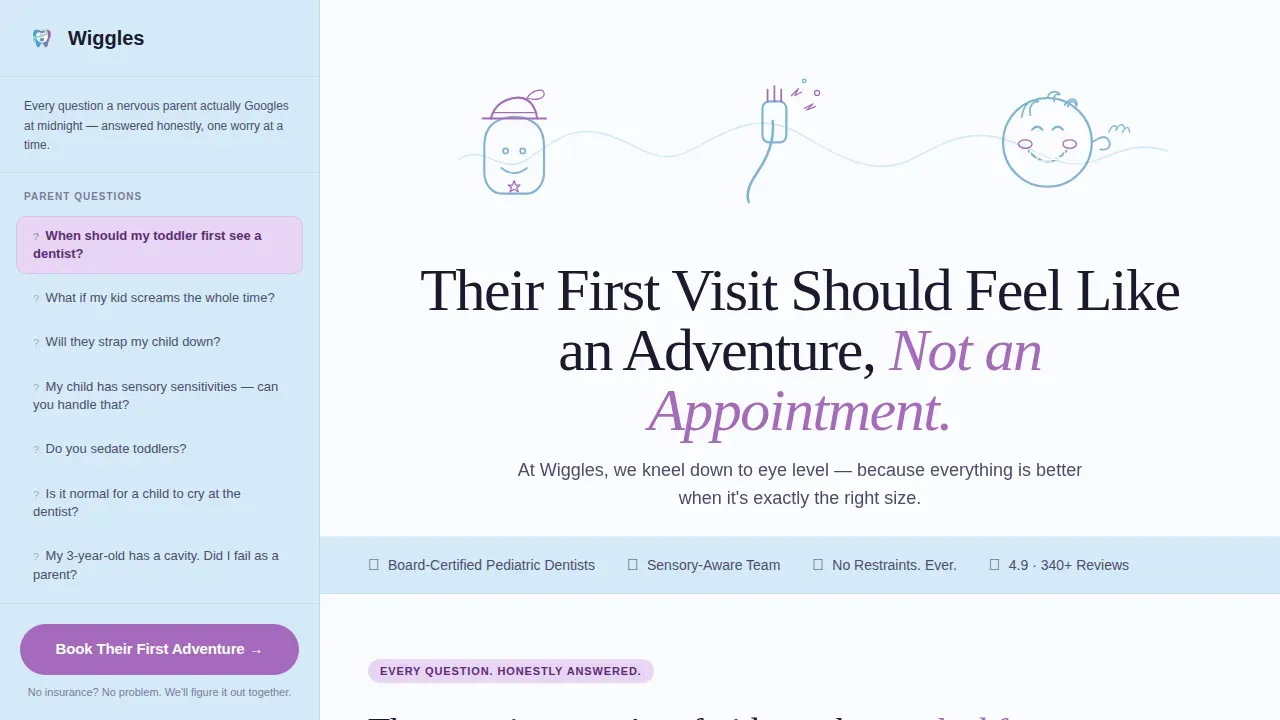
Animated Line-Art Hero Header
The full-width header opens with a continuous single-stroke SVG illustration that draws itself in over four seconds. The animation traces a smiling tooth, a toothbrush, and a laughing child, all in glacier blue. Below it, the headline fades up using a stagger effect that immediately sets the right tone for new patients and their caregivers.
Sticky Sidebar frequently asked question Table of Contents
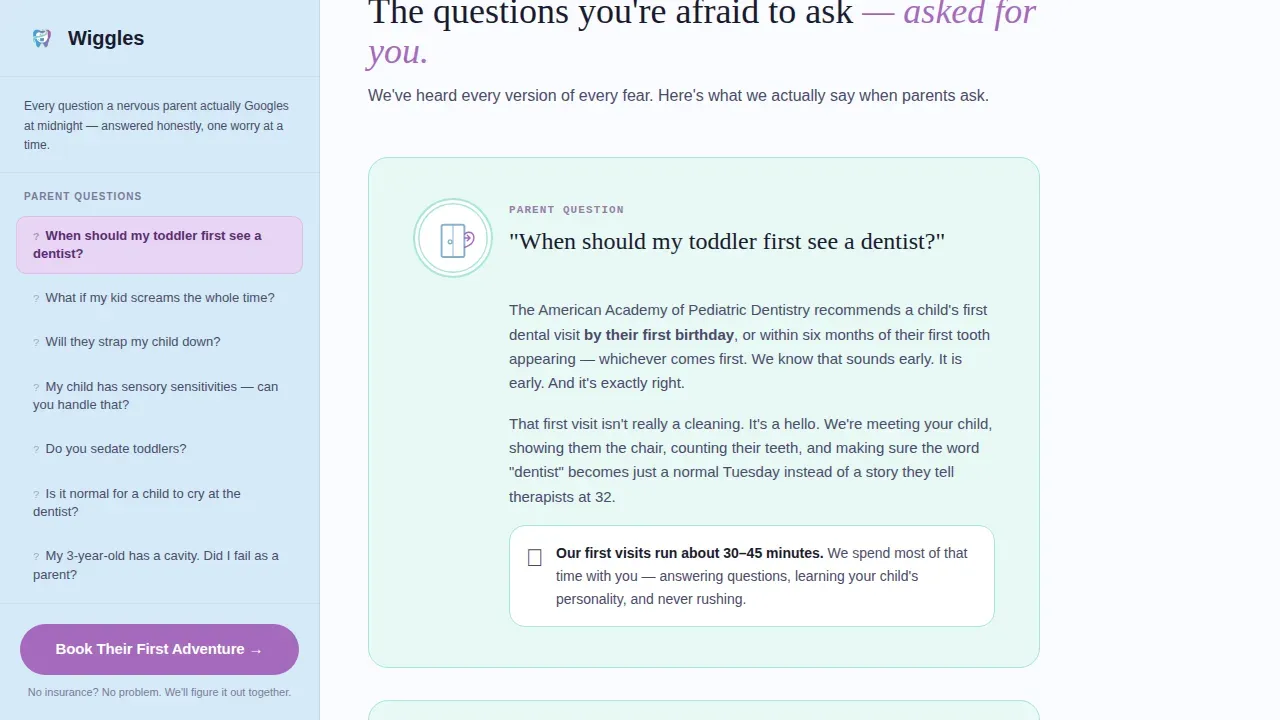
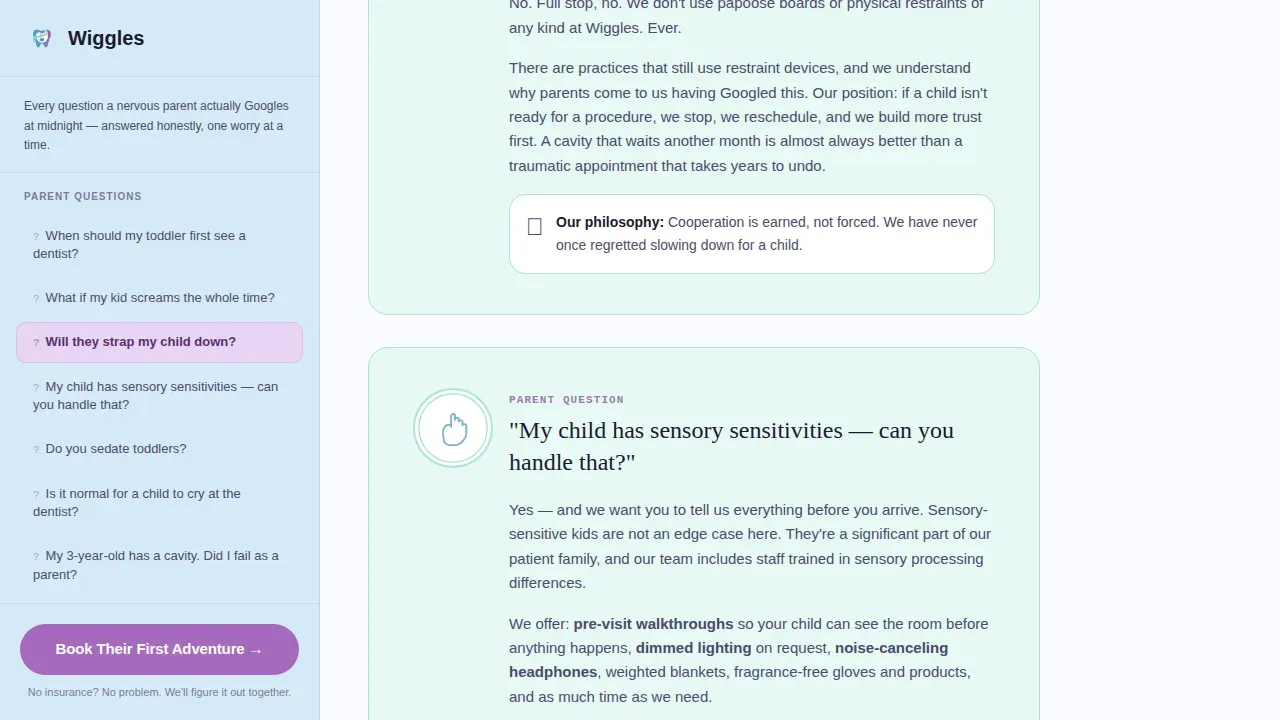
A persistent sidebar lists every question a nervous parent actually types into search results, questions like "Will they strap my child down?" Each click smooth-scrolls to a mint-panel answer block on the main canvas. The sidebar stays fixed while visitors scroll, keeping the "Book Their First Adventure" call to action always visible and always easy to tap.
Illustrated frequently asked question Answer Blocks
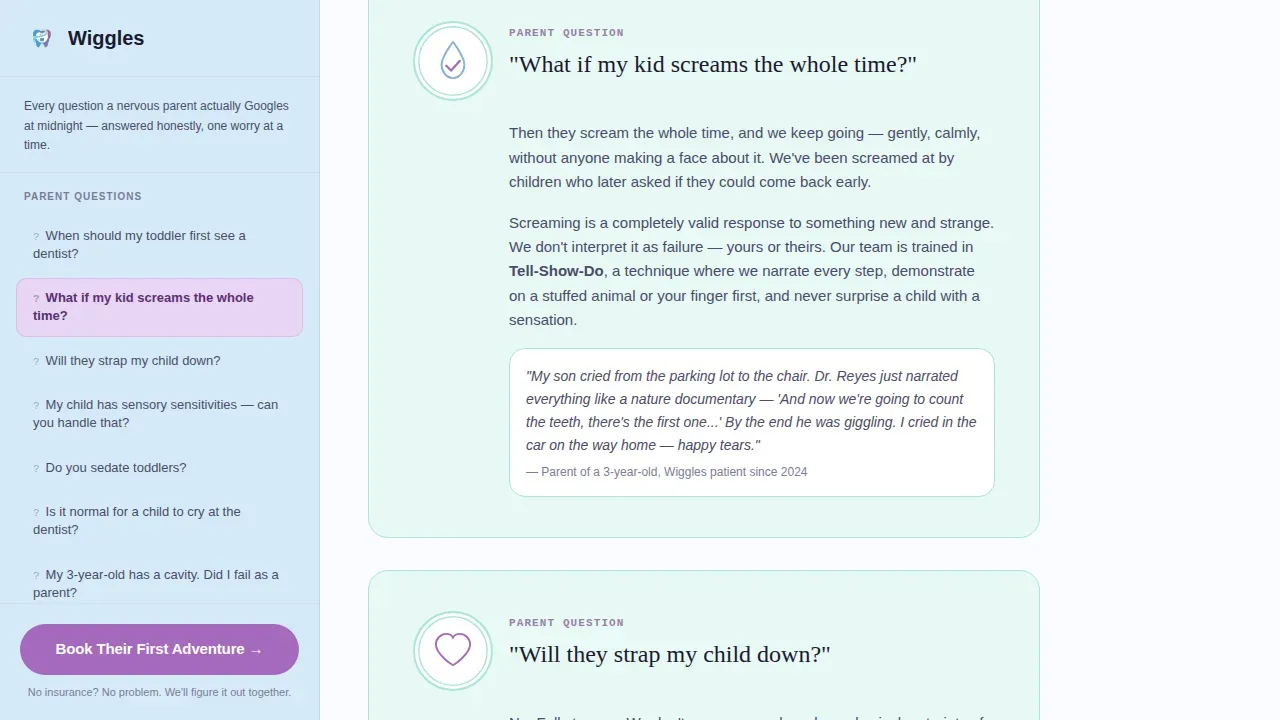
Each answer block on the main canvas uses a mint background panel paired with a small line-art vignette. The copy is warm and specific, written to explain procedures and set expectations without using clinical jargon. This approach shows parents the practice has heard every version of every concern, building trust through detailed, honest content.
Playful Booking Form with Age Picker
The booking form asks for the child's first name, their age using an illustrated number picker, a parent phone number, and a single optional textarea. The field design is intentionally light and friendly. The form collects only what the clinic needs to prepare for that first visit, lowering friction and encouraging patients to complete it.
Gated First Visit Checklist Download
A secondary conversion path offers a downloadable "First Visit Checklist" PDF behind a simple email capture. This gives parents something useful to watch for and store before the appointment, while allowing the practice to build an email list of interested families who are not yet ready to book.
Patient Testimonials Section
Real parent quotes appear with child-age context and the specific worry each testimonial resolves. Patient testimonials are placed after the frequently asked question canvas and before the booking form, so visitors arrive at the form already feeling reassured. This is one of the most effective tools for creating trust on any healthcare landing page.
Page sections overview
| Section | Purpose |
|---|---|
| Animated hero header | Draws attention with line-art animation and the core headline |
| Sidebar frequently asked question contents | Gives visitors a full map of every answered worry |
| frequently asked question answer canvas | Explains fears one at a time in warm, illustrated panels |
| Patient testimonials block | Shows real families who share the same concerns |
| Booking adventure form | Collects child name, age, and parent phone to book |
| Checklist email capture | Offers a free PDF download gated behind email sign-up |
| Minimal trust footer | Closes with clinic contact, hours, and location details |
Design & branding system
The visual style follows an Educational Guide theme built on an Arctic White color system. Every color choice in this landing page design creates a sense of clinical trust layered with genuine warmth, exactly what parents need to exhale and move forward.
- Arctic White (#FAFCFF) as the primary background, glacier blue (#D6EAF8) for info panels and the sidebar, pale mint (#E8F8F5) for frequently asked question answer blocks, and berry (#A569BD) on all buttons and interactive highlights
- Fraunces serif headlines for a soft, editorial authority, paired with DM Sans for body copy and user interface elements to keep text concise and readable
- Continuous line-art illustrations used throughout, keeping the visual style cohesive, gentle, and distinctive across every section of the page
Mobile & speed optimization
The landing page is built desktop-first to support the sidebar companion layout, and it collapses fully for mobile devices. Parents searching on a phone while managing a toddler need a clean, fast experience with large tappable buttons and no friction.
- The sidebar table of contents collapses into a mobile-friendly navigation style, keeping the sticky "Book Their First Adventure" call to action accessible on every device
- SVG animations use stroke-dashoffset draw-on techniques with scroll-linked triggers, so the page remains smooth across device types without sacrificing the visual appeal that makes the first impression count
- The booking form, age picker, and email capture field are all designed for easy thumb navigation, with large tap targets and a layout that does not require zooming
How this template helps you convert
An effective landing page does not just show information. It builds confidence step by step until the parent feels ready. This template is structured deliberately to move visitors toward action at a natural pace.
- The animated hero and warm headline make an immediate emotional impression, replacing clinical coldness with a sense of adventure and safety before the visitor has read a single word of copy
- The frequently asked question canvas answers every real parental fear in order, so by the time a visitor reaches the booking form they already feel like they know the practice, the "Book Their First Adventure" button becomes a natural next step rather than a risk
- Patient testimonials, the services overview, and the gated checklist download each add a layer of credibility and practical value, giving the clinic multiple ways to convert visitors who are not yet ready to book but are still actively interested
Other information about this template
This template is one of the more specialized healthcare landing page designs in the marketplace. It was built specifically for pediatric dental practices, but the frequently asked question-driven sidebar approach translates well to any clinic that treats an audience with high pre-visit anxiety. Here are a few additional details worth noting before you launch.
- The Wiggles friendly new patient welcome landing page template is available as a sidebar companion style, making it distinct from standard single-column medical landing page templates
- The design approach mirrors what successful healthcare landing page examples recommend: a services overview, doctor credentials and profiles, patient testimonials, insurance coverage transparency, patient forms access, and treatment options listed clearly
- Customizable brand colors, typography, and illustration style mean you can adapt the existing design to reflect your clinic's own identity without starting from scratch
- The template supports a secondary video section area if the practice wants to include a brief welcome video from the lead doctor, consistent with best practices for creating a welcoming online experience for new patients
- Patient forms can be linked or embedded so new patients can complete intake paperwork before their first visit, saving clinic time and setting clear expectations
- Insurance coverage details and accepted plan information can be added to the sidebar or a dedicated frequently asked question answer block, giving parents transparent payment information early in the page
- The checklist download doubles as a smart lead-generation tool, allowing the clinic to follow up with families who download but do not immediately book
- Free to customize within the template system, the design requires no coding knowledge to adjust copy, swap images, or update clinic contact details
- Positioning a clickable phone number prominently at the top of the sidebar is consistent with how mobile users access healthcare information, and this template supports that placement
- The page is ready to promote through paid ad campaigns, organic search results, or social channels, with a focused single-action goal that helps maximize traffic-to-booking conversion rates
- Doctors' credentials and brief bios can be added to a dedicated team section if the practice wants to spotlight individual specialists and their pediatric specialties
- Data from parent testimonials and services descriptions can be updated at any time to keep content current as the clinic grows
Theme
Educational Guide
Creative direction
FAQ-Driven
Color system
Arctic White
Style
Sidebar Companion
Direction
Lead Generation
Page Sections
Animated Line-art Hero Header
Sticky Sidebar Frequently Asked Question Table of Contents
Illustrated Frequently Asked Question Answer Blocks
Playful Booking Form with Age Picker
Gated First Visit Checklist Download
Parent Testimonials with Context
Related questions
Does this template require coding to set up?
Can I add insurance coverage and patient forms information to this template?
Is this template suitable for clinics outside pediatric dentistry?
How do the patient testimonials work in this template?
Can I capture emails before a visitor books an appointment?



