Mobile Pet Grooming Landing Page Template
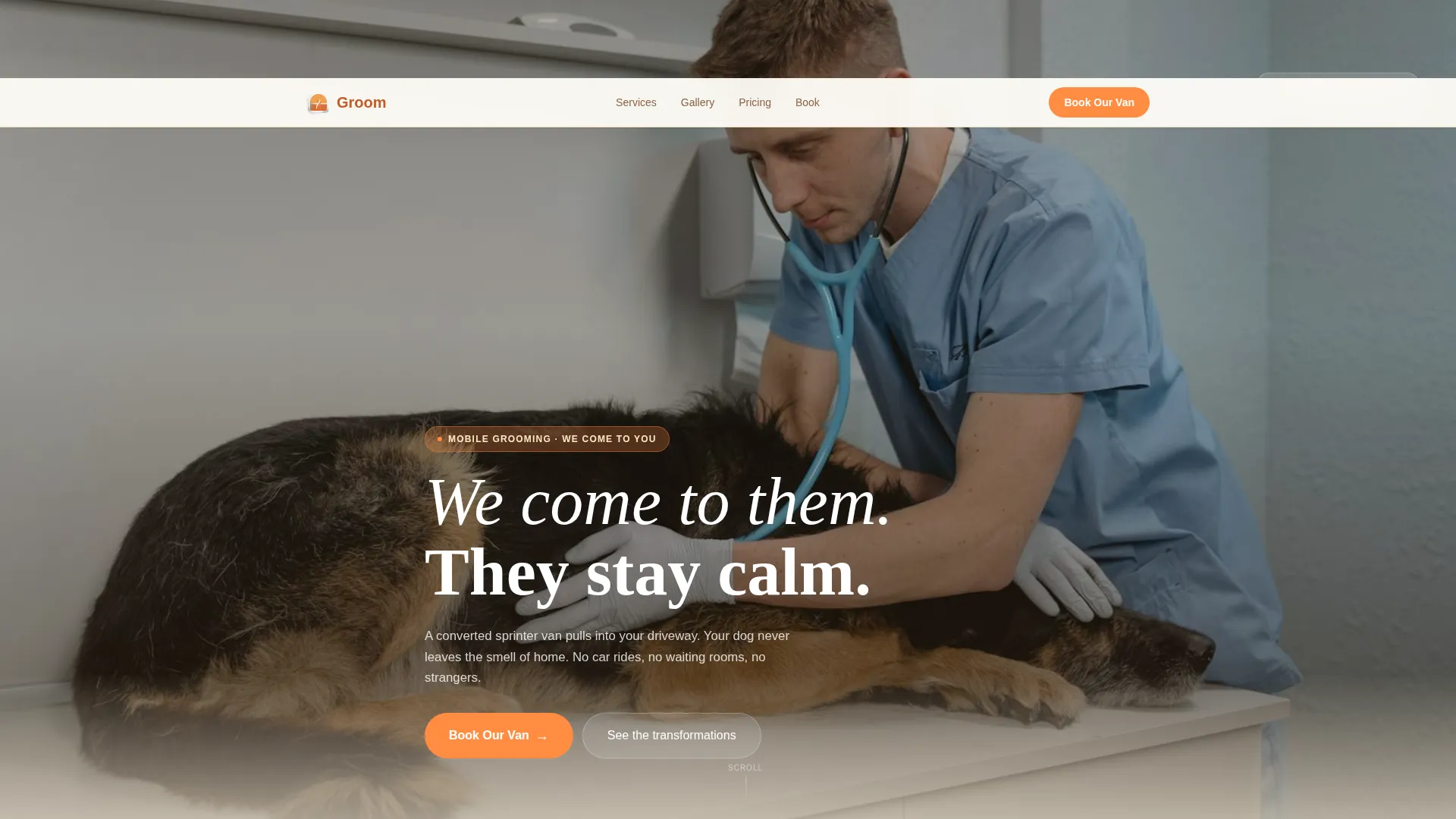
Groom is a single-column landing page template built for mobile pet grooming businesses. It features a full-screen video header, a community gallery of before-and-after pet photos, and a direct booking flow with service tiers and visible pricing. The warm Citrus Burst palette and neighborhood storytelling tone build trust fast with suburban pet parents.
by Rocket studio
Quick summary
Groom is a warm, story-led landing page template for mobile pet grooming services. It opens with a golden-hour video header and guides visitors through a community photo gallery into an inline booking flow. The Citrus Burst color palette keeps the page feeling bright, domestic, and welcoming from the first scroll to the final booking tap.
Who this template is for
This template is built for mobile pet groomers who bring their van directly to the client's home. It speaks to an audience that values calm, stress-free grooming over convenience alone.
- Mobile groomers serving suburban neighborhoods and residential driveways
- Pet care businesses targeting work-from-home pet parents, elderly owners, and rescue foster families
- Solo operators or small grooming teams ready to take direct bookings online
What problem this template solves
Most grooming service pages look like generic appointment forms. They skip the story that actually earns trust with anxious pet owners. This template solves the emotional gap between a first-time visitor and a confident booking.
- Pet owners worry about handing a nervous or rescue animal to a stranger in an unfamiliar place
- Generic booking pages show no proof of real neighborhood presence or community familiarity
- Visitors leave without booking because pricing is hidden and the service flow is unclear
What you get with this template
You get a complete, single-column landing page flow designed specifically for a mobile pet grooming business. Every section is built to move a visitor from curiosity to confirmed booking.
- A full-screen video background header with a hand-lettered headline overlay
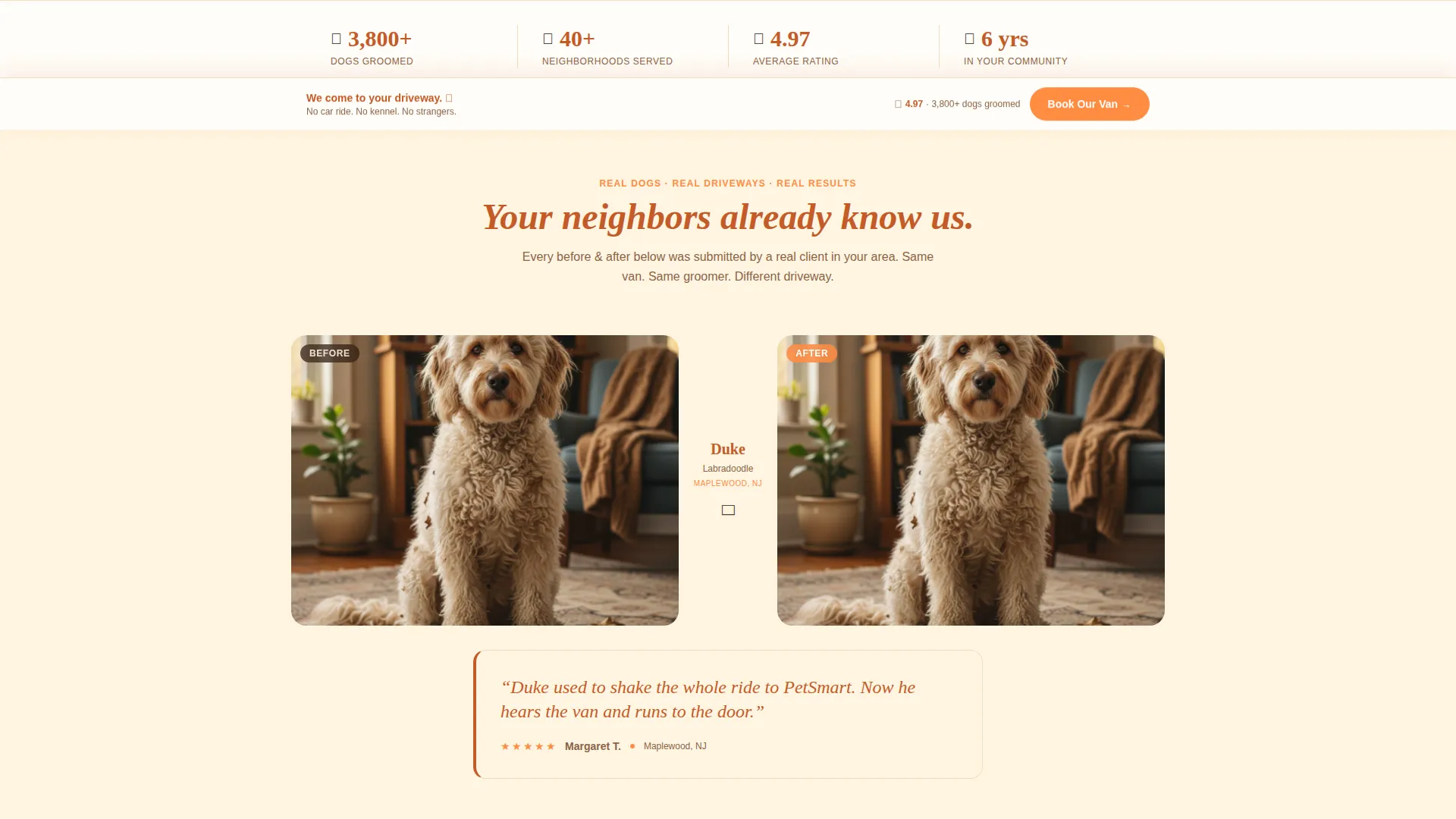
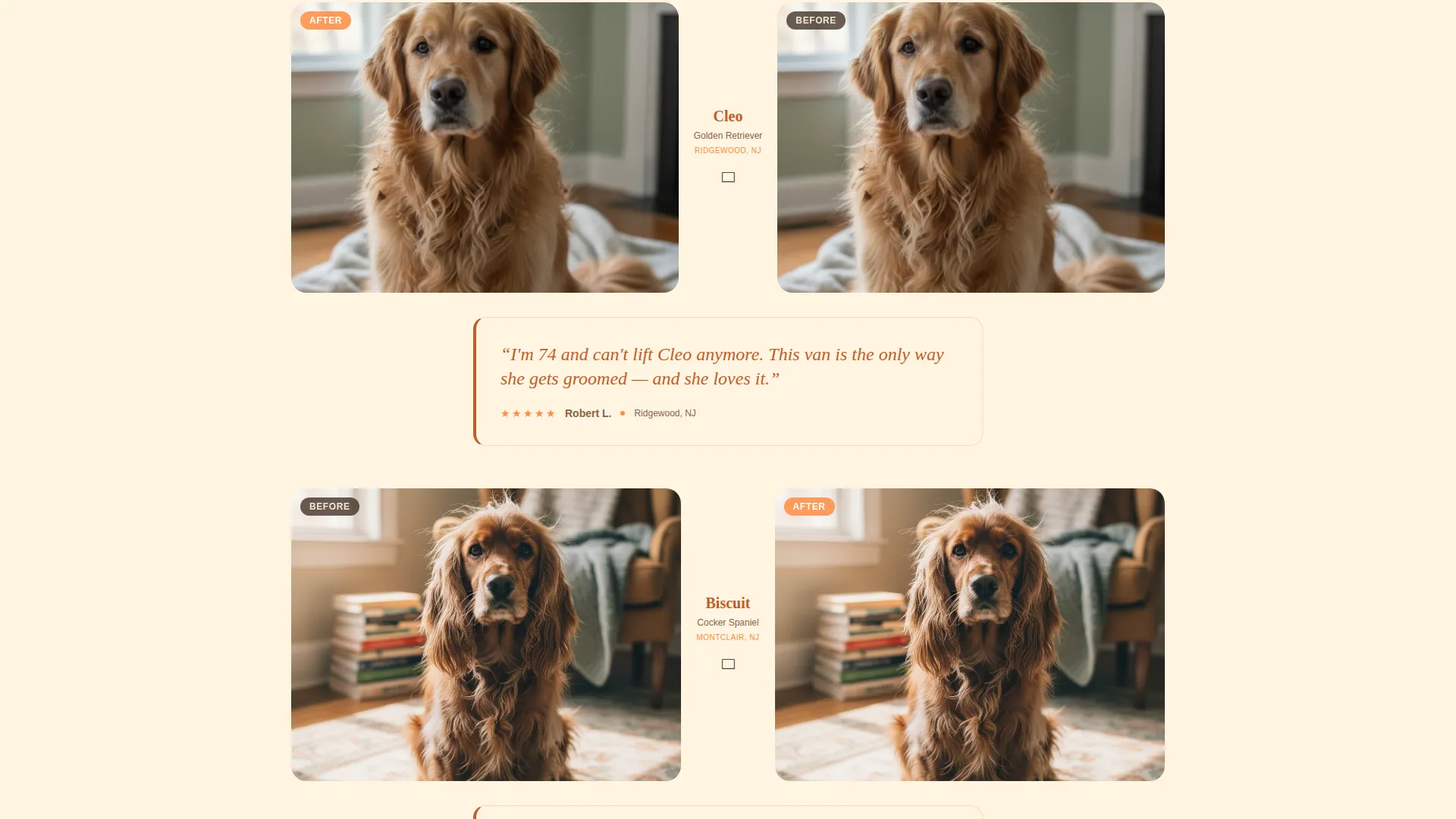
- A community gallery section showing before-and-after pet photo pairs with captions and testimonials
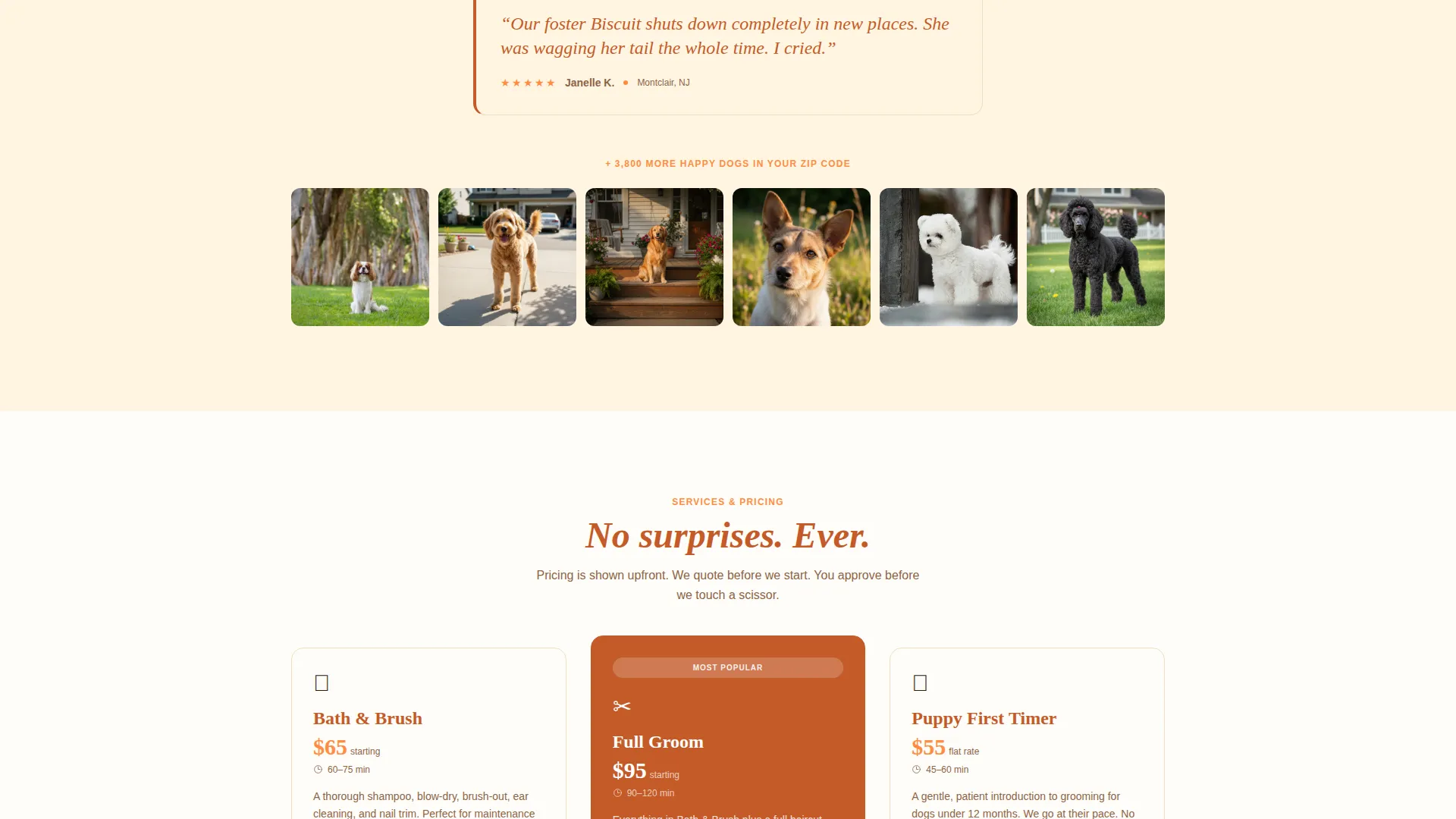
- An inline booking flow with pet details, address input, date selection, and illustrated service tier cards with visible pricing
- A sticky bottom booking bar and a secondary "Gift a Groom" prepaid voucher path
Feature list
This template includes purpose-built sections and interaction patterns designed around the mobile grooming customer journey.
Full-Screen Video Header
The header plays a low-angle golden-hour video shot inside the van's open side door. A slow camera drift reveals the driveway and neighborhood behind the groomer, grounding the service in a familiar domestic setting. A hand-lettered headline fades in over the footage.
Community Gallery with Captions
After the header, the page becomes a living scrapbook. Before-and-after photo pairs are captioned with each pet's name, breed, and neighborhood. The gallery grows denser as you scroll, building a mosaic effect that reflects an entire community's trust in the service.
Floating Testimonial Quotes
Between gallery clusters, short testimonial quotes appear in deep marmalade text on lemon cream backgrounds. Each quote is written to feel specific and personal, referencing real pet behavior and real situations rather than generic praise.
Inline Booking Flow
Tapping the primary call to action opens a multi-step inline booking flow. It starts with the pet's name and breed to create emotional commitment, then moves to address, preferred date, and a service tier selector. All three tiers show illustrations and visible pricing with no hidden costs.
Sticky Booking Bar
A tangerine-colored "Book Our Van" bar appears at the bottom of the screen after the first scroll. It stays visible throughout the entire page, making it easy to start a booking at any point without scrolling back to the top.
Gift a Groom Voucher Path
Below the main gallery, a secondary conversion path invites visitors to purchase a prepaid grooming voucher as a gift. This catches visitors who arrived for their own pet but are thinking of someone else, adding a second revenue stream to the page.
Page sections overview
| Section | Purpose |
|---|---|
| Video background header | Opens with neighborhood context and brand warmth |
| Hand-lettered headline | Establishes the calm, trust-first brand voice |
| Before-and-after gallery | Shows real pet transformations with community captions |
| Testimonial quote blocks | Adds specific social proof between gallery clusters |
| Mosaic gallery grid | Builds a sense of widespread neighborhood trust |
| Inline booking flow | Converts interest into a confirmed appointment |
| Service tier cards | Displays Bath & Brush, Full Groom, and Puppy First Timer pricing |
| Sticky booking bar | Keeps the primary call to action visible at all times |
| Gift a Groom section | Offers a prepaid voucher for gifting the service |
Design & branding system
The visual identity follows a Community Hearth theme using the Citrus Burst color system. The palette feels like a Saturday morning kitchen with sunlight on fresh citrus: joyful, warm, and entirely domestic.
- Warm tangerine (#FF8C42) for primary buttons, pricing highlights, and the sticky booking bar
- Soft lemon cream (#FFF5E1) as the dominant page background, with deep marmalade (#C45B28) for headlines and anchoring text
- Ripe grapefruit pink (#FF6B6B) as a secondary accent on testimonial cards and hover states
Mobile & speed optimization
The template is laid out as a single-column flow, which naturally adapts to smaller screens without complex layout shifts. Every interactive element is sized and spaced for tap-friendly use on a phone.
- Single-column structure keeps the reading flow clean and linear on any screen size
- The sticky booking bar is always within thumb reach on mobile devices
- Inline booking steps are broken into short, focused inputs that work comfortably on a phone keyboard
How this template helps you convert
Every layout decision in this template is made to reduce hesitation and move a pet owner toward booking with confidence.
- The community gallery and specific testimonial quotes build neighborhood-level social proof before the visitor ever sees a price, lowering emotional resistance to booking.
- The inline booking flow starts with the pet's name and breed, creating personal investment in the process before asking for an address or payment details.
- The "Gift a Groom" voucher path adds a second conversion opportunity for visitors who are not ready to book for themselves but want to act on the page right now.
Other information about this template
This template is part of the mobile pet grooming niche within the broader Pet and Animal category, specifically targeting the Pet Grooming and Spa subcategory. It is designed as a direct sales landing page with a Community Gallery creative direction and a Community Hearth theme.
- Template style: Single Column Flow, ideal for focused conversion without sidebar distractions
- Header concept: Full-Screen Video Background, built to immediately communicate the mobile, neighborhood-based nature of the service
- The Citrus Burst color system is applied consistently across every interactive element, from hover states to pricing cards
- The page supports a dual conversion model: direct appointment booking and prepaid gift voucher sales on the same page
Theme
Community Hearth
Creative direction
Community Gallery
Color system
Citrus Burst
Style
Single Column Flow
Direction
Direct Sales
Page Sections
Full-screen Video Background Header
Community Before-and-after Gallery
Floating Testimonial Quote Blocks
Inline Multi-step Booking Flow
Sticky Bottom Booking Bar
Gift a Groom Voucher Section
Related questions
What type of business is this landing page template built for?
Can I update the before-and-after photos and testimonials with my own content?
How does the inline booking flow work?
What service tiers are shown in the booking flow?
Is the Gift a Groom voucher section included in the template?