Pool Builder Landing Page Template
Groundbreak is a split-screen editorial landing page built for pool builders who lead with transparency. Each scroll section pairs a striking photograph with a clear phase explanation, real timeline ranges, and honest cost brackets. The page is designed to earn trust before asking for anything, then convert that trust into a booked free yard visit.
by Rocket studio
Quick summary
Groundbreak is a bold, editorial-style landing page template for pool builders. It walks prospective clients through every build phase, from the first consultation to the finished deck, using a 50/50 split-screen layout. Real cost ranges and timelines are shown at each phase. The primary goal is a booked free on-site estimate.
Who this template is for
This template is built for pool builders who want to stand out by being upfront. It suits businesses that compete on quality and process rather than hiding behind vague "call for pricing" language.
- Pool builders offering free on-site estimates who want to pre-qualify leads by geography and yard size
- Companies targeting homeowners ready to move forward after seasons of planning
- Pool construction businesses tired of losing trust before the first phone call
What problem this template solves
Most pool builder pages ask for contact details before showing anything of substance. That friction kills trust early. This template flips that dynamic completely.
- Homeowners distrust contractors who hide costs, so showing real price brackets removes the biggest barrier to booking
- Visitors who don't know the difference between a plaster coat and a textured aggregate finish need education before they feel ready to commit
- Couples researching a new property with pool potential need a process roadmap, not a generic contact form
What you get with this template
The template delivers a complete, single-page booking funnel built around radical transparency. Every section is designed to answer the next obvious question before the visitor thinks to ask it.
- A giant centered editorial headline block, three transparent build-phase split sections, a qualifying estimate form, and a secondary gallery lead-capture path
- A persistent mobile booking bar that keeps the primary call to action visible throughout the full scroll
- Real cost-range brackets and timeline estimates baked into each phase section, not hidden behind a sales call
Feature list
A short paragraph introduces the feature set before the items below expand on each capability delivered by this template.
Giant Editorial Headline Block
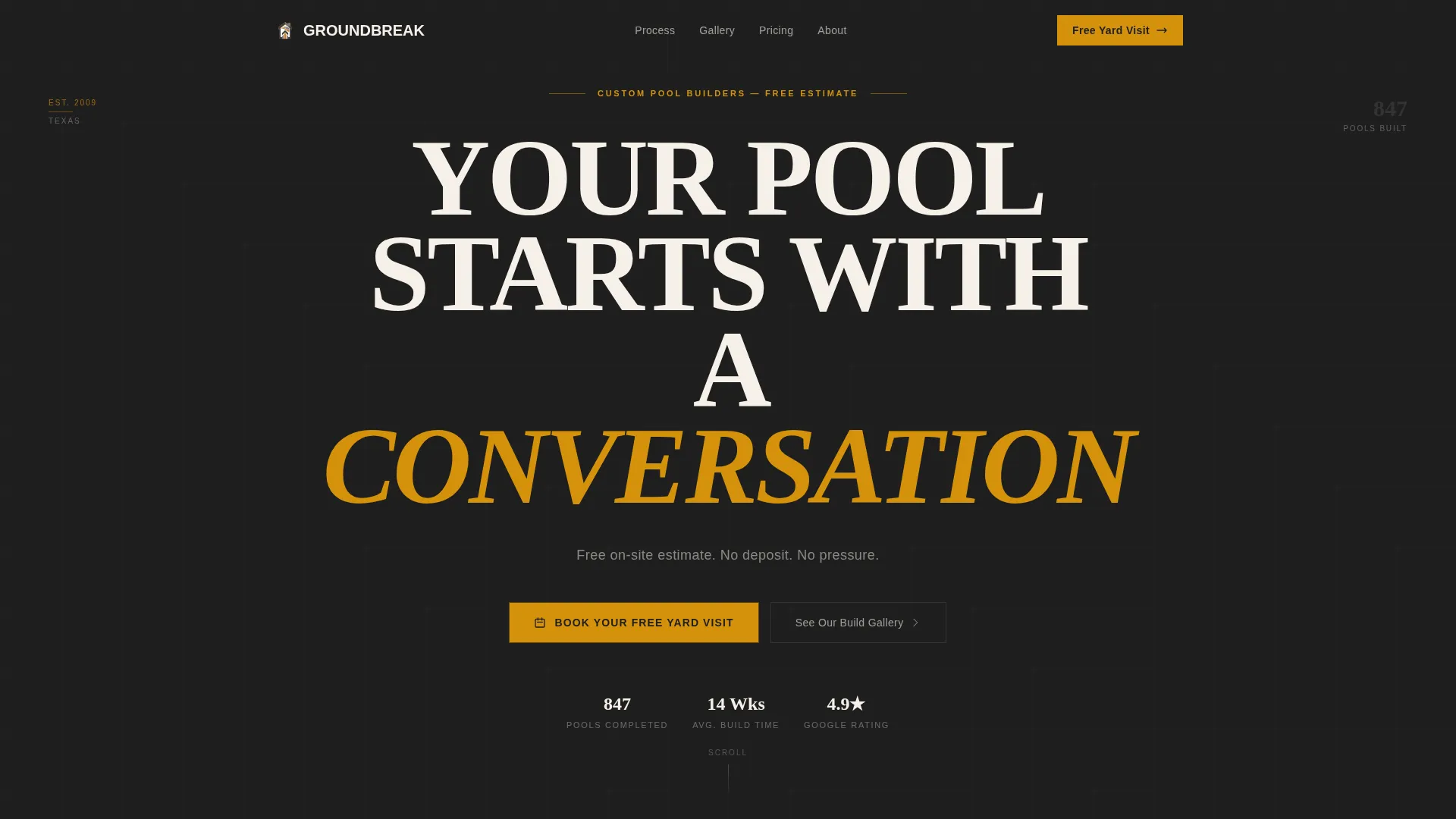
The header opens with a viewport-filling centered headline in heavy serif type. The word "CONVERSATION" is set in warm amber against deep charcoal, making the typographic statement impossible to ignore. A single light sans-serif subline below it reads: "Free on-site estimate. No deposit. No pressure."
Transparent Phase Sections
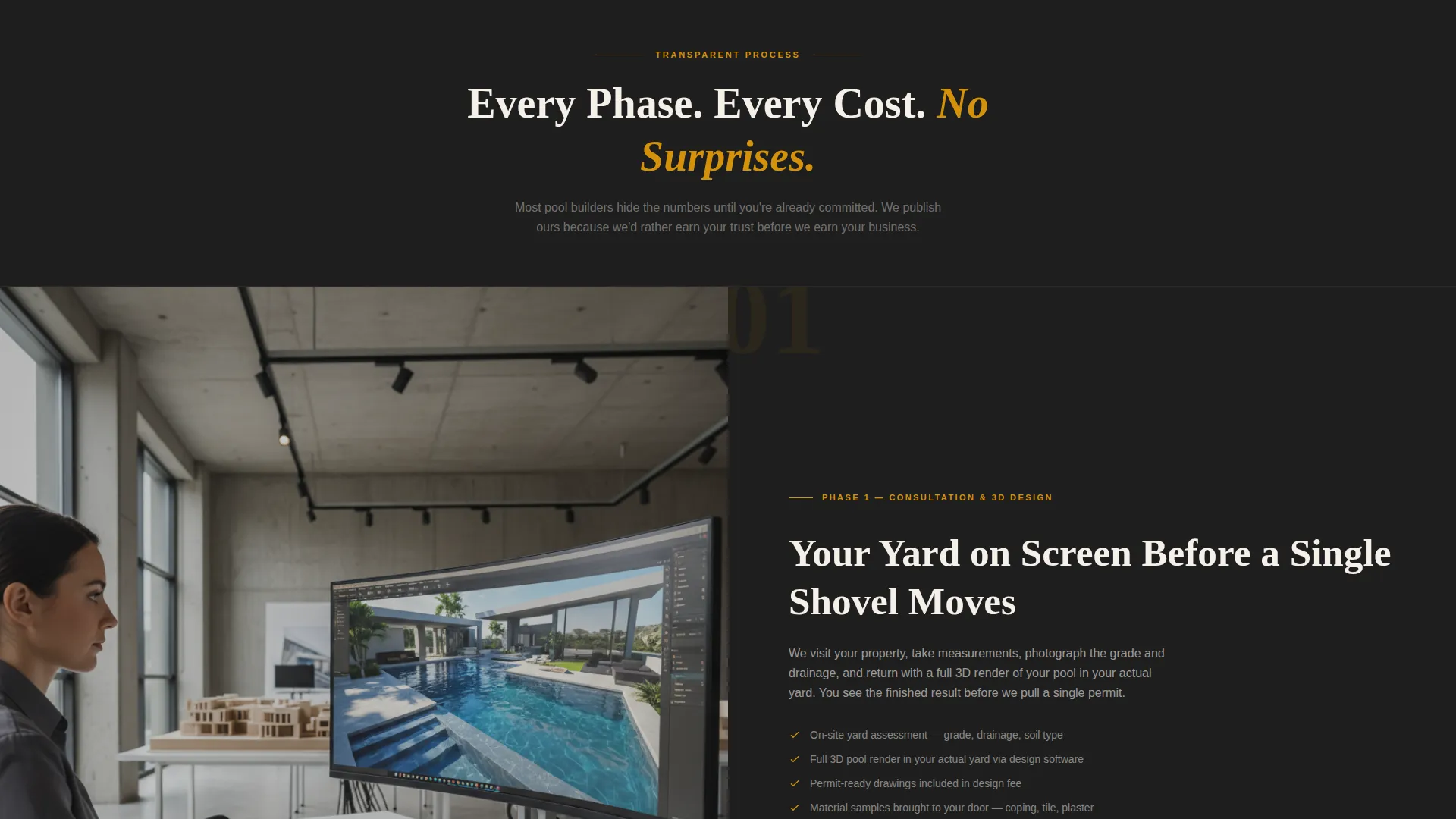
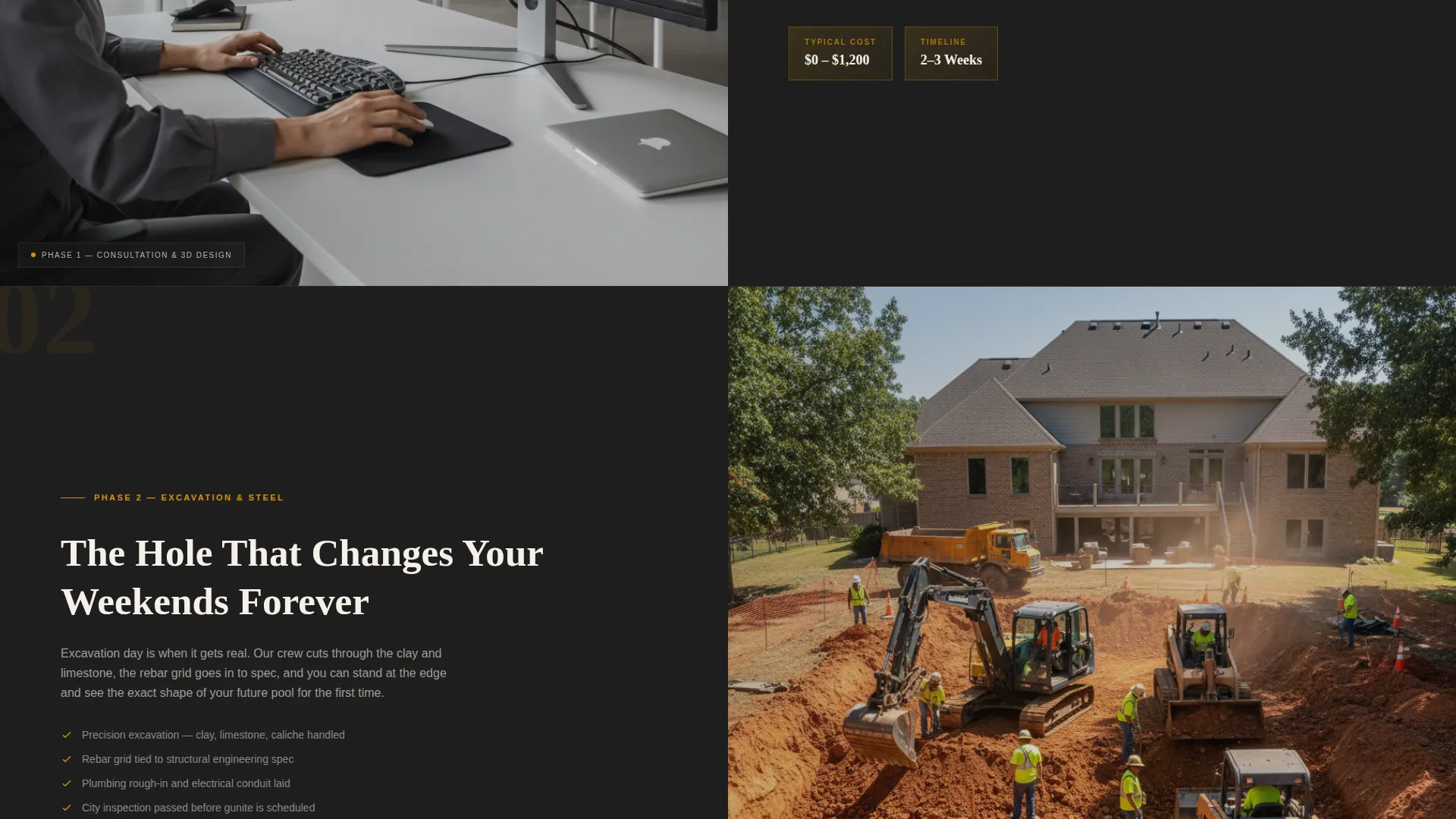
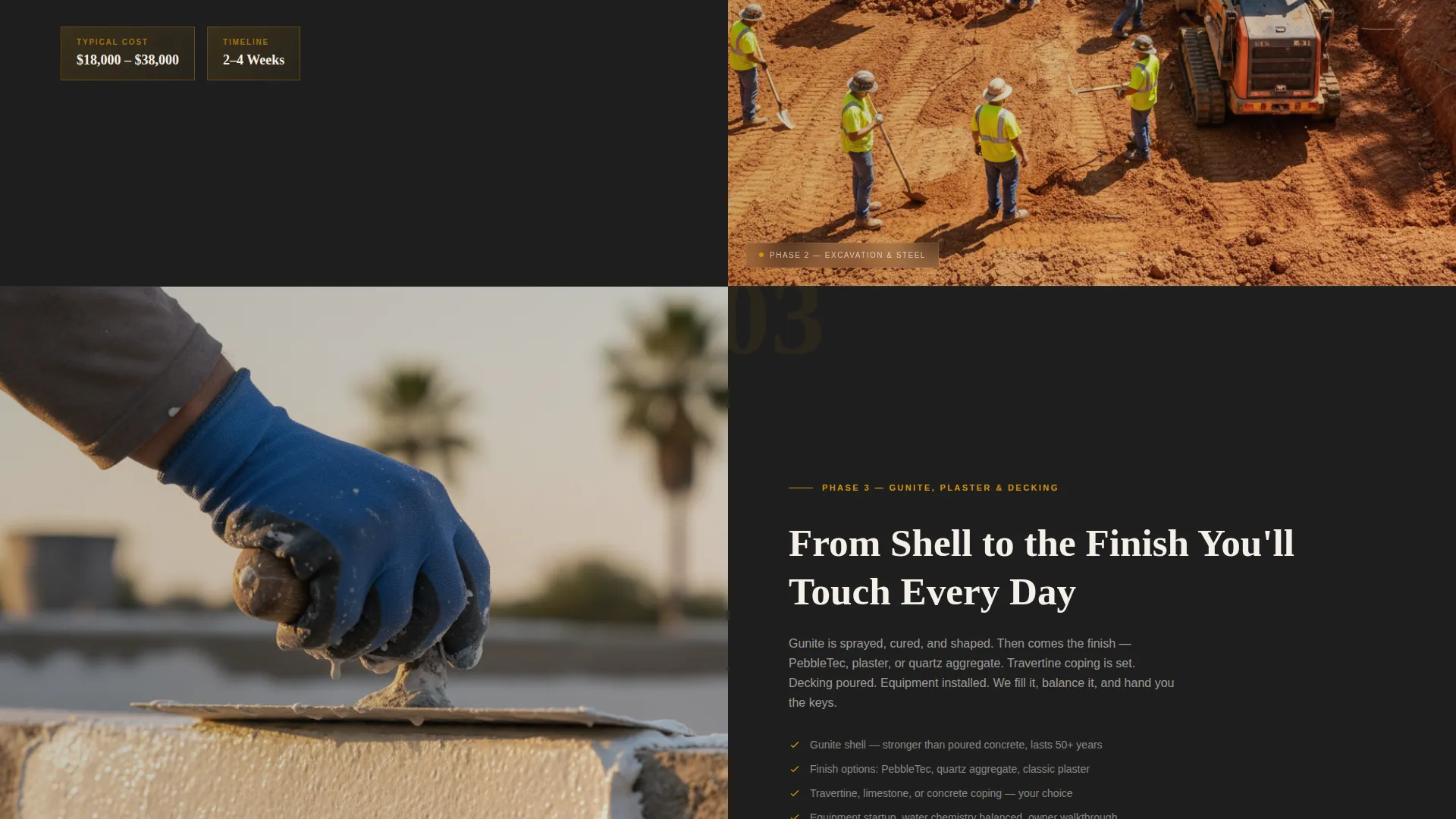
Three scroll-triggered split sections each occupy 50 percent of the screen. One side holds an editorial-quality photograph; the other holds the phase explanation. Phase one covers consultation and three-dimensional design. Phase two covers excavation and steel. Phase three covers gunite, plaster, and decking. Each section includes a real timeline range and a real cost-range bracket.
Qualifying Estimate Form
The booking form opens with zip code entry to qualify geography before asking for any real effort. A simple slider then captures yard size estimate. A preferred visit window selector follows, offering weekday mornings, weekday afternoons, or Saturday. The sequence is deliberate: low friction first, detail second.
Persistent Mobile Booking Bar
On mobile devices, the primary call to action "Book Your Free Yard Visit" stays fixed at the bottom of the screen throughout scrolling. Visitors never have to hunt for the booking entry point, regardless of how deep into the page they scroll.
Secondary Gallery Lead Path
A secondary conversion path targets visitors who are curious but not yet ready to book. A "See Our Build Gallery" prompt captures an email address in exchange for a curated project lookbook in downloadable format. This keeps hesitant visitors inside the funnel without pressuring them.
Page sections overview
| Section | Purpose |
|---|---|
| Editorial Headline Block | Opens the page with a bold typographic statement and the core value proposition |
| Header call to action Bar | Places the primary booking call to action immediately below the headline |
| Phase One Split | Explains the consultation and three-dimensional design step alongside a designer photograph |
| Phase Two Split | Covers excavation and steel work with a wide crew photograph and timeline detail |
| Phase Three Split | Details gunite, plaster, and decking options beside a close-up materials photograph |
| Estimate Booking Form | Captures zip code, yard size, and preferred visit window to qualify and schedule leads |
| Gallery Lead Capture | Offers a project lookbook PDF in exchange for an email address |
| Mobile Sticky call to action | Keeps the booking button accessible at all times on smaller screens |
Design & branding system
The visual identity follows an editorial magazine aesthetic. The palette was chosen to evoke the feeling of flipping through an architecture publication at golden hour, with matte dark pages and warm amber photography.
- Core colors are deep excavation charcoal (#1E1E1E), wet concrete gray (#4A4A4A), warm amber (#D4920B), and bleached deck white (#F5F0E8)
- Typography pairs a heavy tracked serif for headlines with a light sans-serif for supporting text, creating clear visual hierarchy
- The split-screen layout gives photography and copy equal visual weight, reinforcing the editorial feel throughout every scroll section
Mobile & speed optimization
The template is structured for clean mobile presentation. Every design decision that works at desktop scales down without losing impact or function.
- The 50/50 split sections reflow to full-width stacked blocks on smaller screens, keeping photography and explanatory text readable at any size
- The persistent bottom booking bar replaces the in-page call-to-action button on mobile, ensuring the primary conversion path stays visible without interrupting the content scroll
- The qualifying form uses a slider and selection buttons rather than open text fields, reducing input friction on touchscreens
How this template helps you convert
This template is engineered around a specific insight: pool buyers who feel informed are far more likely to book than those who feel sold to. Every layout decision serves that goal.
- Showing real cost brackets and timeline ranges at each phase section removes the fear of hidden fees, which is the single most common reason pool leads go cold before the first call
- The zip code-first form sequence qualifies geography without demanding personal details upfront, making the booking step feel like a practical next move rather than a commitment
- The secondary gallery path with email capture ensures that visitors who are not yet ready to book still enter the funnel, giving the business a second opportunity to convert them later
Other information about this template
This template fits naturally into a pool builder's broader digital presence. It can serve as the primary free estimate landing page or as a destination for paid traffic campaigns targeting homeowners in specific zip codes.
- The lookbook email capture path makes this template useful for building an audience of prospective clients who are in early research mode
- The editorial visual style works especially well for builders who photograph their finished projects, since the split-screen sections are designed to showcase real build photography
- The three-phase structure can be adapted to match a builder's actual process steps without changing the fundamental layout or conversion flow
Theme
Editorial Magazine
Creative direction
Stats-First Impact
Color system
Arctic White
Style
Single Column Flow
Direction
Booking/Scheduling
Page Sections
Giant Editorial Headline Block
Transparent Phase Split Sections
Qualifying Estimate Form
Persistent Mobile Booking Bar
Gallery Email Lead Capture
Related questions
Can I edit the cost ranges and timeline figures shown in each phase section?
Does the template include the project lookbook PDF?
Can the estimate form be connected to a scheduling tool?
Is the split-screen layout usable on phones and tablets?
Can I use this template for a pool builder serving a specific region?



