Single Family Home Real Estate Pricing & Packages Website Template
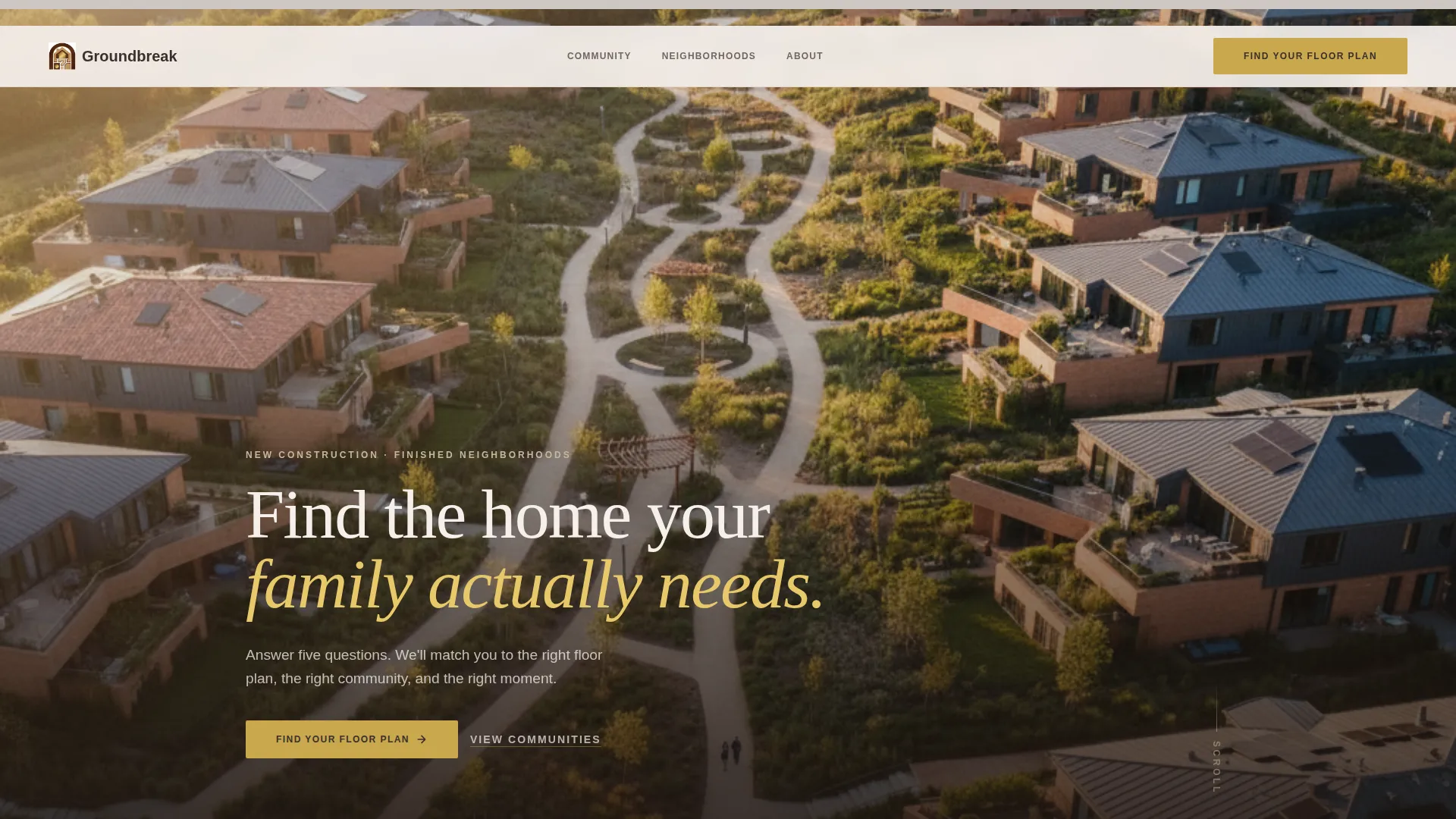
Groundbreak is a full-width immersive landing page built for single family home developers. It leads with a panoramic aerial header and immediately drops visitors into a five-step home-fit assessment tool. The quiz personalizes the page in real time, then surfaces matched floor plans with pricing and availability behind a simple lead-capture form.
by Rocket studio
Quick summary
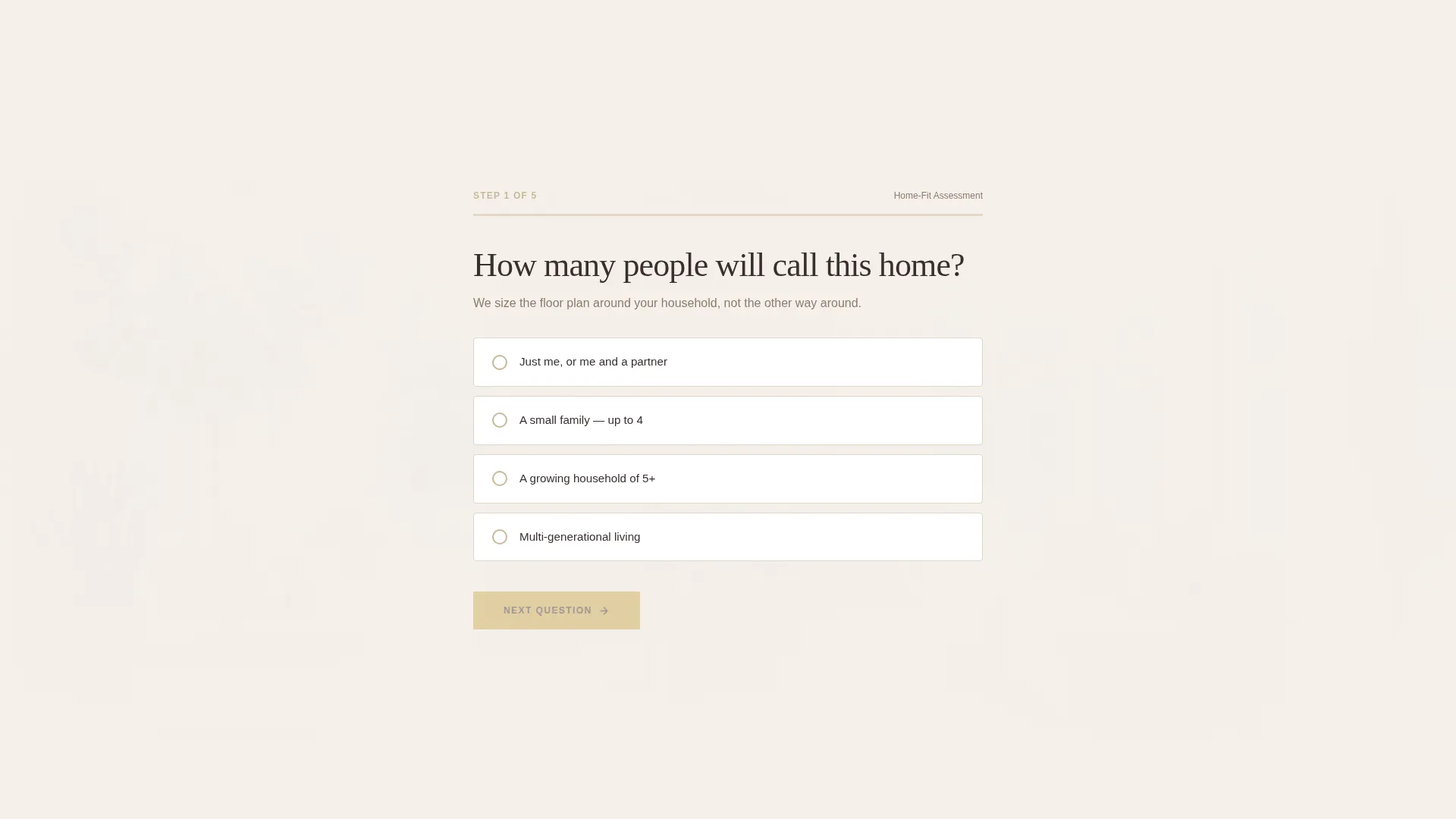
Groundbreak is a single-page homebuilder template designed around a quiz-first conversion flow. Visitors answer five questions about household size, commute, must-have features, budget, and timeline. The page responds to each answer by shifting its background context. Results recommend two to three matched home models, gated behind a brief lead-capture form.
Who this template is for
This template is built for residential developers and new-construction sales teams who need more than a static property listing. It suits anyone selling finished single family homes in planned communities where personalization and trust-building matter before a buyer will schedule a tour.
- Single family home developers presenting multiple floor plans and lot availabilities
- New-construction sales teams targeting relocating professionals and growing families
- Developer marketing leads who want qualified leads before a model home visit
What problem this template solves
Generic real estate landing pages show the same content to every visitor. A relocating professional and a first-time buyer upgrading from a starter home have completely different priorities. Showing them identical carousels and static floor plan PDFs wastes their attention and yours.
- Visitors leave without self-identifying because no page flow asks them the right questions
- Developers collect unqualified inquiry forms with no context about budget, timeline, or household size
- Inventory feels abstract until a buyer can see which specific home actually fits their situation
What you get with this template
You get a fully structured single-page layout that functions as both a marketing experience and a lead qualification engine. Every section has a defined role, from the aerial header that establishes community presence to the results panel that closes the visit with a personal recommendation.
- A five-step interactive assessment with a polished brass progress bar and single-select answers
- A dynamic results panel recommending two to three home models with pricing, square footage, and lot availability
- A dual call-to-action close with a lead-capture form labeled "Send My Results" and a secondary "Schedule a Model Home Tour" path
Feature list
This template ships with a focused set of purpose-built components. Each one serves a specific role in moving a visitor from first impression to qualified lead.
Panoramic Aerial Header
A full-width, edge-to-edge aerial photograph anchors the top of the page at golden hour. The horizon sits at the upper third to give the neighborhood visual weight. A single headline fades in over the sky: "Find the home your family actually needs."
Five-Step Home-Fit Assessment
The quiz is the scroll engine. Each question advances the visitor deeper into the page. Questions cover household size, commute zip code, must-have features, budget comfort range, and timeline urgency. Single-select answers keep the flow fast and friction-free.
Context-Shifting Background System
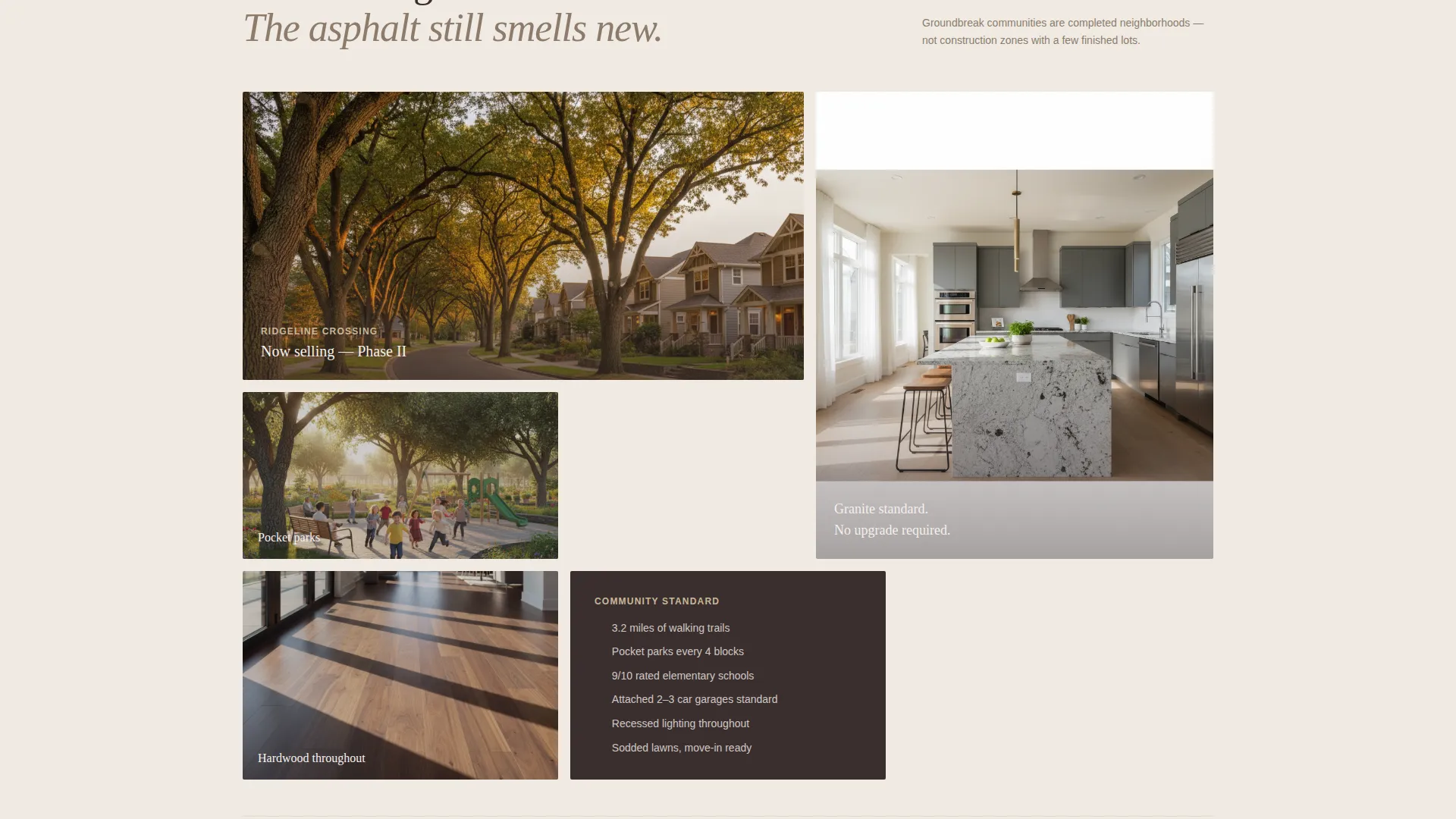
Behind each quiz answer, the page background shifts to show the floor plan, community amenity, or neighborhood detail most relevant to that selection. By the end of the quiz, the page feels personally assembled for that visitor.
Personalized Results Panel
Upon quiz completion, the template surfaces two to three specific home model recommendations. Each result shows pricing, square footage, and lot availability. Results are gated behind a name and email capture form labeled "Send My Results."
Dual Conversion Close
High-intent visitors see two options at the results stage. They can submit their email to receive their matched results, or choose the secondary path to schedule a model home tour. Both paths capture intent at the moment of highest engagement.
Warm Stone Visual System
The design uses a four-color palette built around quarried limestone, deep walnut millwork, travertine white, and a polished brass accent. Brass is reserved for buttons, progress indicators, and interactive highlights to draw the eye at every decision point.
Page sections overview
| Section | Purpose |
|---|---|
| Aerial Header | Establishes community scale and emotional presence |
| Headline Overlay | Delivers the primary message over the hero image |
| Assessment Step 1 | Captures household size with single-select answers |
| Assessment Step 2 | Captures commute zip code preference |
| Assessment Step 3 | Captures must-have feature priorities |
| Assessment Step 4 | Captures budget comfort range |
| Assessment Step 5 | Captures move timeline urgency |
| Results Panel | Recommends matched home models with pricing and availability |
| Lead Capture Form | Gates results behind name and email input |
| Secondary Tour call to action | Offers model home tour scheduling for high-intent visitors |
Design & branding system
The Executive Suite theme uses a Warm Stone color system that feels grounded and residential rather than corporate. Every color choice reinforces the sense that the homes are well-built and thoughtfully finished.
- Four-color palette: quarried limestone (#C8B89A), deep walnut millwork (#3B2F2F), travertine white (#F5F0EB), and polished brass accent (#C9A84C)
- Brass is reserved exclusively for buttons, progress indicators, and interactive highlights to guide attention
- Full-width imagery, warm tonal backgrounds, and generous white space create a showroom-quality visual feel
Mobile & speed optimization
The layout is built to work on the devices real estate buyers actually use. A relocating professional comparing communities during a lunch break is likely on a phone, not a desktop.
- Full-width sections and single-select quiz inputs are sized for comfortable thumb interaction on mobile screens
- The progress bar and results panel adapt to narrower viewports without losing visual clarity
- Image-led sections use the aerial and background photography as viewport-filling canvases on any screen size
How this template helps you convert
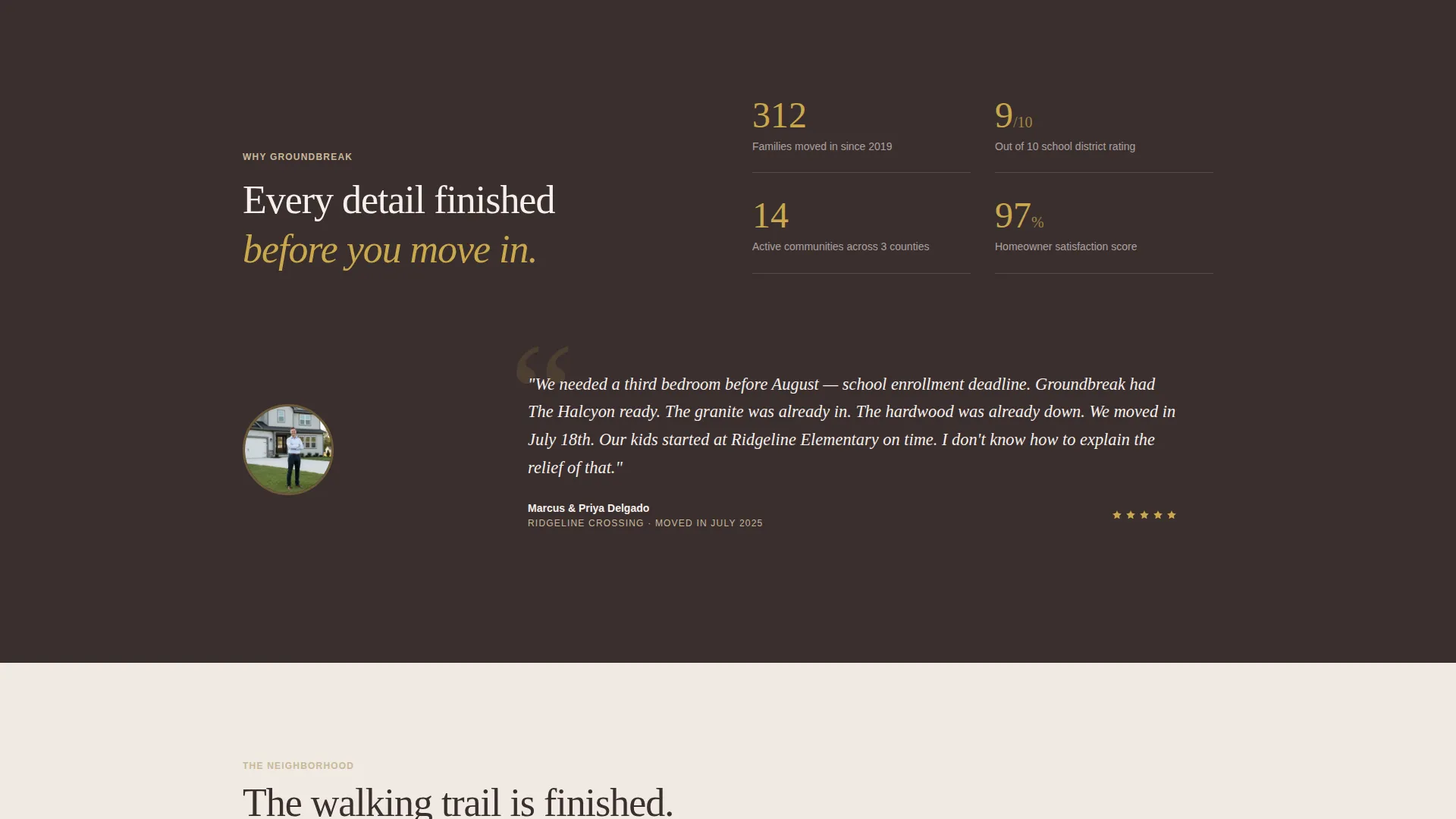
The template is designed so that every interaction increases a visitor's investment in the outcome. By the time someone reaches the results panel, they have already told you exactly what they need.
- The quiz replaces passive scrolling with active participation, so visitors arrive at the results panel already engaged and curious about their matched models.
- The gated results form collects name and email at peak intent, when a visitor wants to see their personalized floor plan recommendations rather than before they have seen any value.
- The secondary tour call to action gives high-intent visitors a direct next step without requiring them to navigate away or start a separate inquiry.
Other information about this template
This template is designed for the single family home real estate category, where buyer decisions involve both emotional and practical evaluation. The quiz-first structure respects that process rather than bypassing it.
- The template is a single-page layout, not a multi-page site, so all content and conversion paths live within one scrollable experience
- The "Find Your Floor Plan" call to action appears in the header and again as the final quiz-completion button for consistent messaging
- Visual direction, color tokens, and section structure are all defined in the template, making it straightforward to swap in your own community photography and floor plan details
Theme
Executive Suite
Creative direction
Gallery Walk
Color system
Navy Authority
Style
Gallery + Detail
Direction
Direct Sales
Page Sections
Five-step Home-fit Assessment
Context-shifting Background System
Personalized Results Panel
Panoramic Aerial Header
Dual Conversion Close
Warm Stone Branding System
Related questions
How many quiz steps does the assessment include?
What does the results panel show after the quiz?
Can visitors book a tour without completing the quiz?
What visual style and colors does this template use?
Is this template suited for developers with multiple floor plans?



