Multi-Family Apartment Construction Professional Website Template
Groundbreak is a zigzag landing page template built for multi-family apartment general contractors. It pairs a half-page photo and text header with a scrolling before-and-after project reveal, a trust-signal bar, and a lead intake form. The Monochrome Steel palette and Pastoral Calm tone position your firm as steady, credible, and ready to break ground.
by Rocket studio
Quick summary
Groundbreak is a single-page lead generation template designed for multi-family apartment general contractors. It opens with a split header, walks visitors through real project transformations using a zigzag before-and-after layout, and closes with a short intake form. The design is calm, structural, and built to earn trust from developers, property managers, and investors before they ever pick up the phone.
Who this template is for
This template is built for general contractors who specialize in multi-family residential construction. It speaks directly to the people who hire them and to the scale of work they actually do.
- Real estate developers managing five-to-fifty-unit ground-up builds
- Property management firms converting or rehabilitating aging apartment stock
- Private investors planning their first workforce housing project who need a builder that is reachable and reliable
What problem this template solves
Finding the right general contractor for a multi-family build is a high-stakes decision. Developers and investors need more than a portfolio, they need to feel confident before they reach out. Most contractor websites fail to communicate credibility at a glance.
- No clear proof that the contractor completes projects at scale and on schedule
- No easy way for a visitor to self-qualify and start a conversation quickly
- No trust signals that answer the practical questions a developer asks before calling
What you get with this template
The template delivers a structured, single-page layout that moves visitors from first impression to form submission. Every section has a defined job, and nothing competes for attention.
- A half-page photo and text split header with a strong headline and grounding subtext
- A scrolling zigzag section that pairs before-and-after project photography with project stats
- A bottom-of-page lead intake form with a sticky orange call-to-action button in the navigation
Feature list
This template is built around a small set of purposeful components. Each one earns its place on the page.
Half-Page Split Header
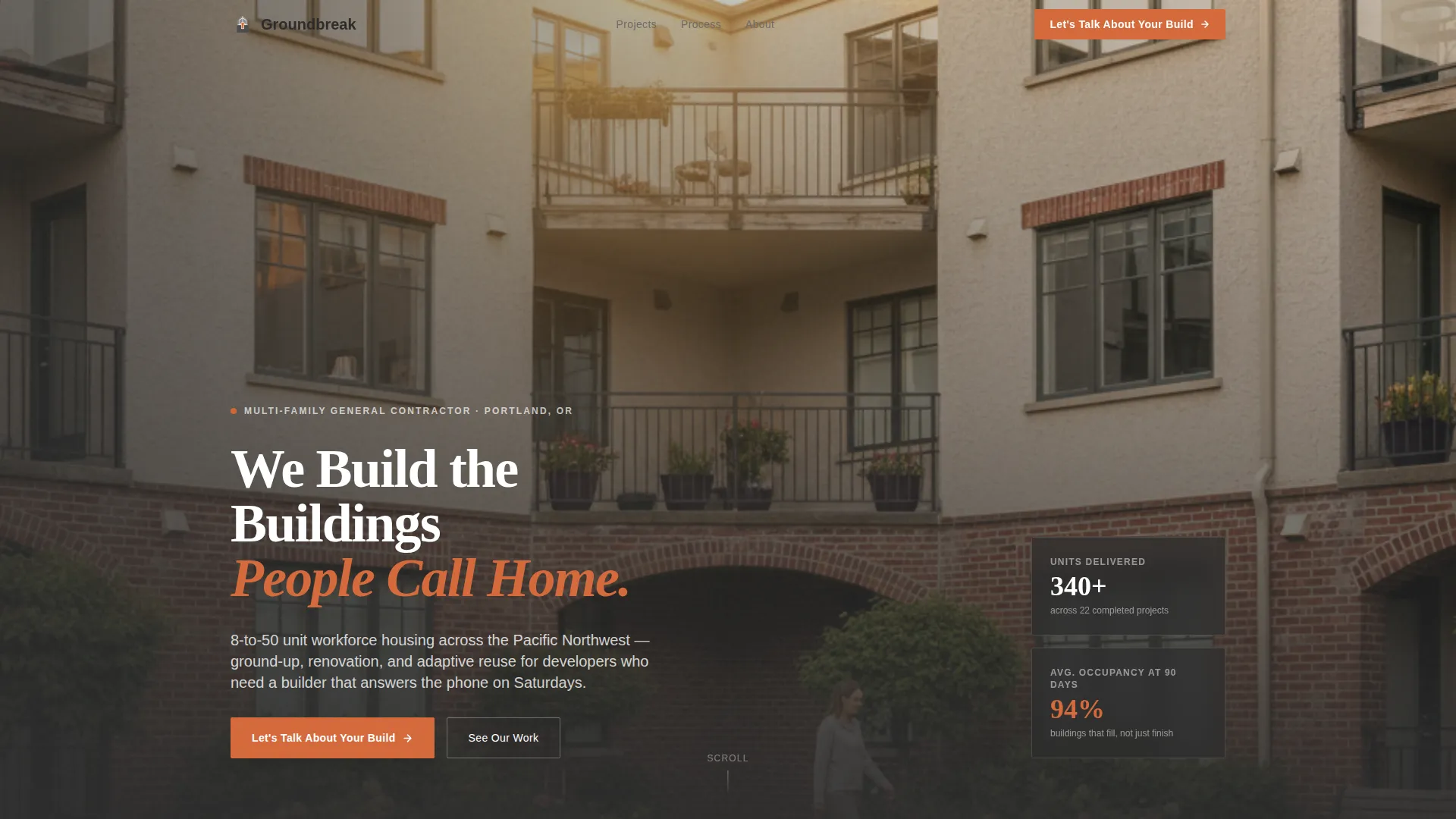
The header divides the screen into two halves. The left side holds a wide-angle photograph shot from a completed building's second-floor landing, looking down into a landscaped courtyard at golden hour. The right side carries a bold headline and a single line of subtext that names unit range and geography, grounding the promise immediately.
Zigzag Before-and-After Project Sections
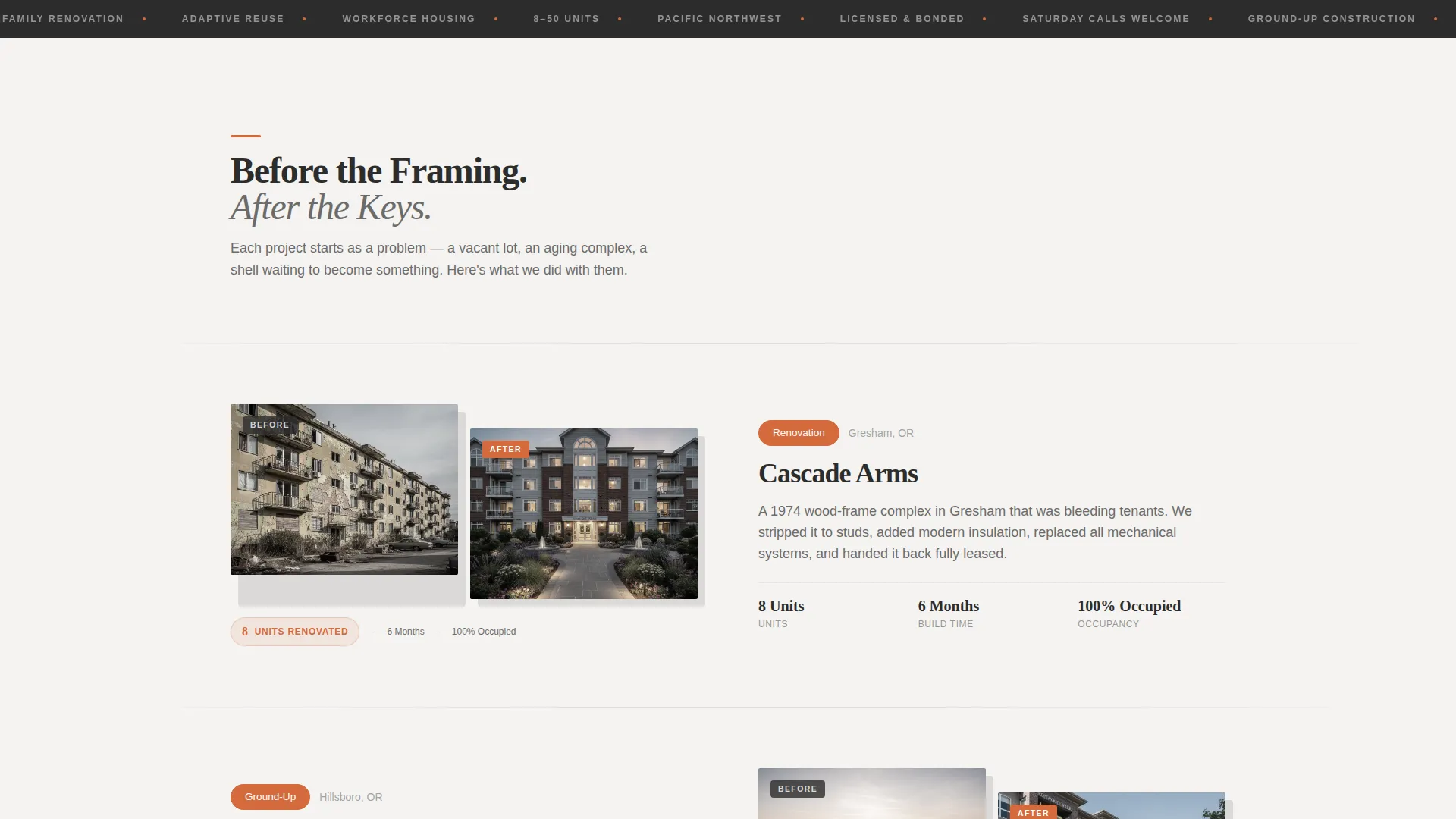
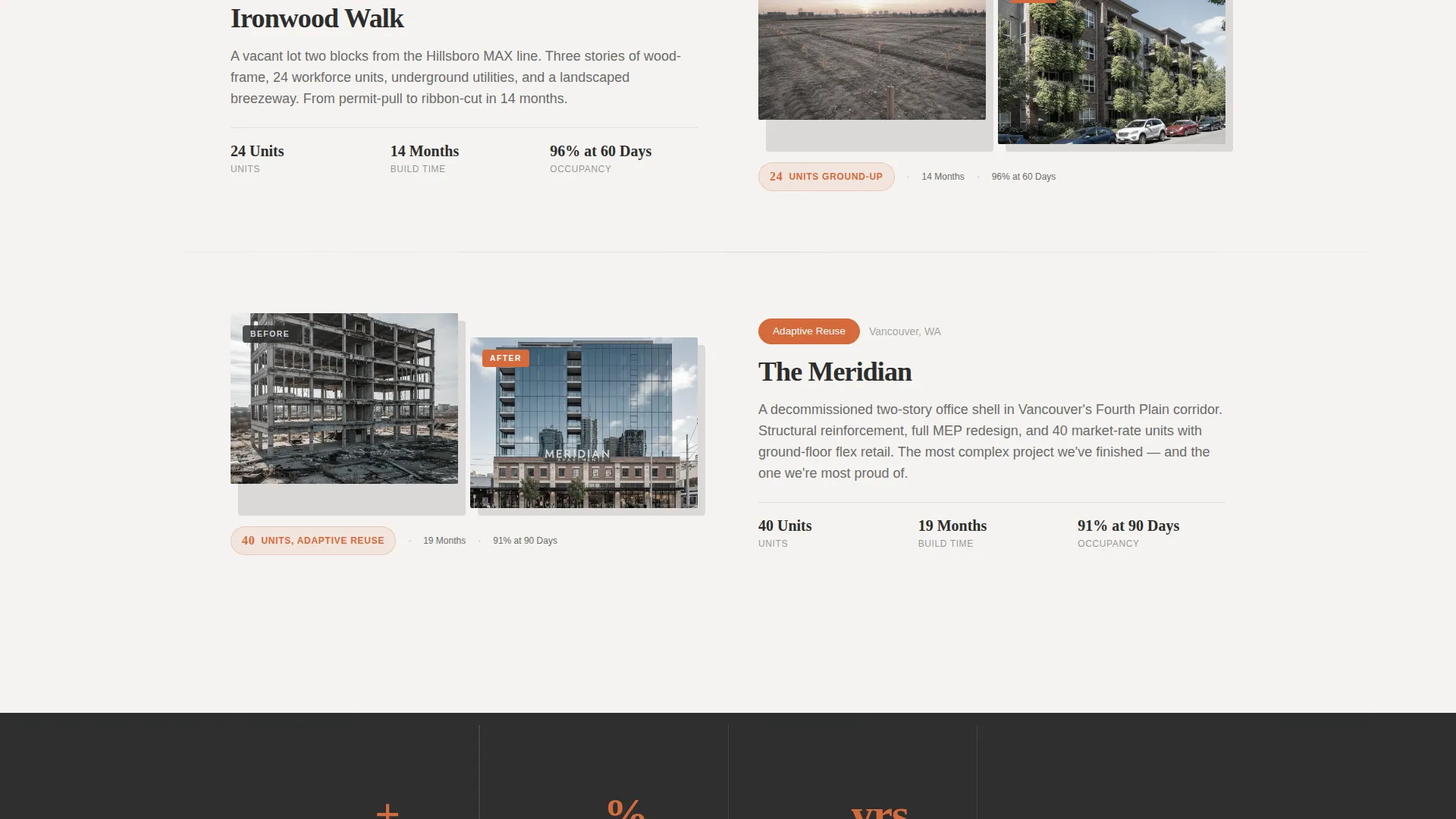
Each alternating section presents one project as a transformation story. Left-aligned sections show the before state, a vacant lot, a dated complex, a partially demolished structure. Right-aligned sections reveal the after with the same camera angle and time of day, now showing occupied buildings with lit windows. Projects escalate in scale as the visitor scrolls, from an eight-unit rehab to a forty-unit ground-up build.
Per-Project Stat Callouts
A single stat separates each before-and-after pair. Unit count, construction timeline, and final occupancy rate appear as clean typographic callouts. They teach visitors that this contractor does not just finish projects, they fill them.
Lead Intake Form with Project Qualifier
The bottom-of-page form asks for project type, estimated unit count via a slider, target groundbreak quarter, and a name and phone number. It is short enough to complete quickly and specific enough to start a real conversation.
Sticky Navigation Call-to-Action
A surveyor-stake orange button lives in the navigation bar throughout the page. It triggers a smooth scroll to the lead form from any scroll position, so a visitor who is ready to act never has to hunt for a way in.
Trust Signal Bar
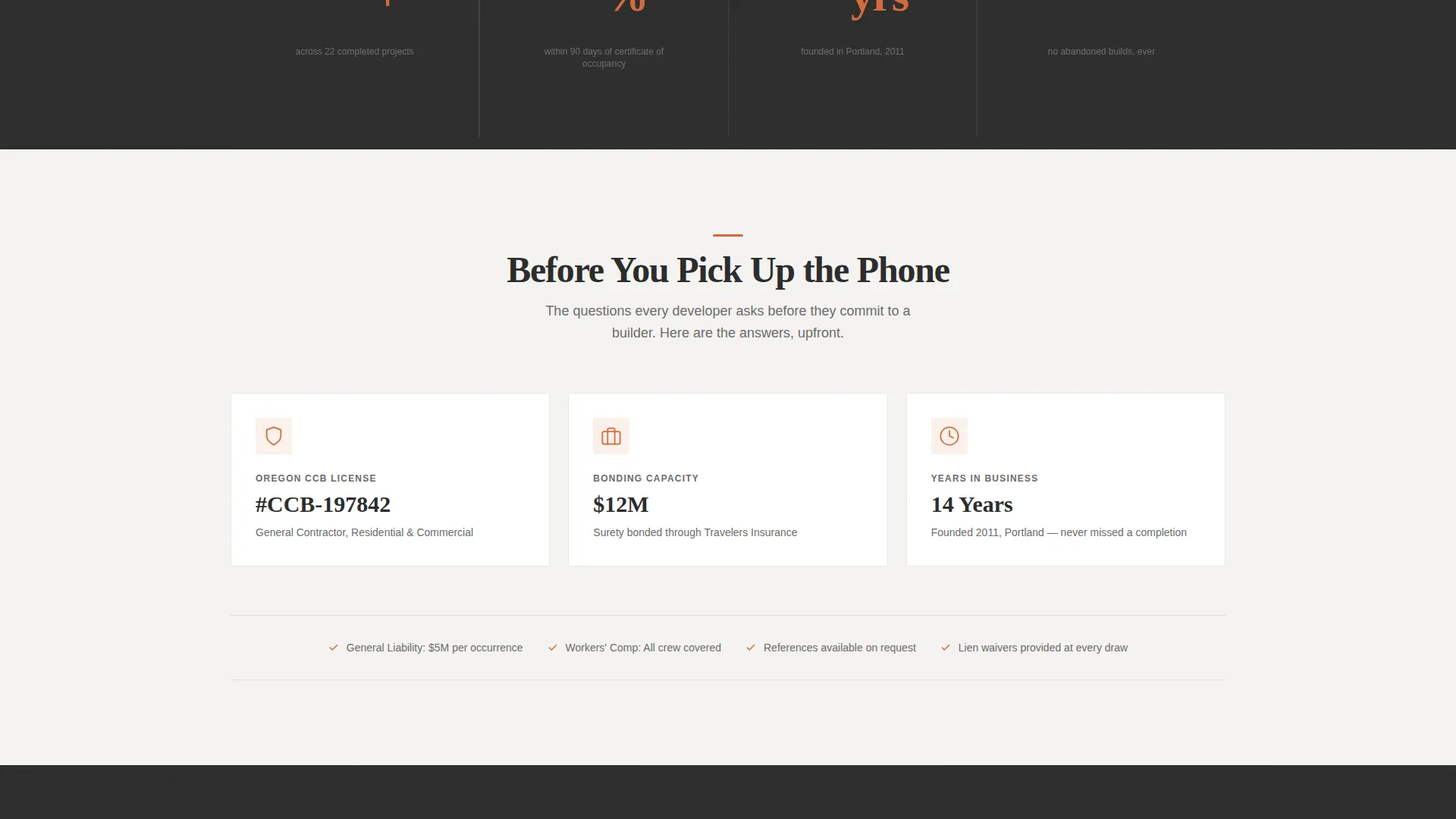
Three trust signals sit directly above the form: license number, bonding capacity, and years in business. They answer the background-check questions a developer asks before they ever dial.
Page sections overview
| Section | Purpose |
|---|---|
| Split photo header | Opens with brand promise and project geography |
| Project pair: eight-unit rehab | Shows before-and-after at smaller scale |
| Stat callout: rehab | Highlights unit count and occupancy rate |
| Project pair: mid-scale build | Advances the transformation story |
| Stat callout: mid-scale | Reinforces timeline and delivery proof |
| Project pair: forty-unit ground-up | Demonstrates full-scale capability |
| Stat callout: ground-up | Caps the escalating project narrative |
| Trust signal bar | Reduces friction before form contact |
| Lead intake form | Captures qualified project inquiries |
Design & branding system
The visual identity follows a Pastoral Calm theme expressed through a Monochrome Steel color system. The palette feels like a freshly swept concrete floor catching morning light through an unglazed window, honest, unhurried, and built to bear weight.
- Structural charcoal (#2C2C2C) anchors headlines and navigation; poured-slab gray (#6B6B6B) carries body text and section dividers; drywall white (#F4F3F0) creates generous breathing room between content blocks
- Surveyor-stake orange (#D46A3C) appears only on calls to action and progress indicators, used sparingly so every instance feels deliberate
- Typography is set in heavy, unhurried type for headlines and clean, readable weight for body copy, matching the calm confidence of a quiet jobsite at dawn
Mobile & speed optimization
The layout is designed to translate cleanly from desktop to smaller screens. The zigzag structure stacks vertically on mobile without losing the before-and-after narrative logic.
- The sticky navigation call-to-action button remains accessible at every scroll depth on both desktop and mobile viewports
- The lead intake form uses a simple slider and clearly labeled fields that are easy to complete on a touch screen
How this template helps you convert
Every design and copy decision in this template moves a qualified visitor toward submitting the intake form. The page is structured to build trust incrementally before asking for anything.
- The before-and-after project reveal builds proof of delivery over the course of the scroll, so by the time a visitor reaches the form they have already seen the contractor's range and results
- The trust signal bar directly above the form removes the final hesitation points, license, bonding, and tenure, so the visitor can submit with confidence rather than having to follow up with background questions
- The sticky orange call-to-action button means a motivated developer or investor can jump to the form at any moment, without completing the full scroll
Other information about this template
This template is part of the Groundbreak design system, which was built specifically for the multi-family apartment construction niche. A few additional details worth knowing before you customize it.
- The template is designed as a single landing page, not a multi-page site, so all content lives in one scrollable flow
- Project photography placeholders are sized and cropped for consistency across all before-and-after pairs to make swapping in real project images straightforward
- The color system uses only four values, making brand color replacement a quick, contained task
- The intake form slider for unit count and the groundbreak quarter selector are included as visual components within the template layout
Theme
Pastoral Calm
Creative direction
Before/After Reveal
Color system
Monochrome Steel
Style
Zigzag/Alternating
Direction
Lead Generation
Page Sections
Half-page Split Header
Zigzag Before-and-after Project Sections
Per-project Stat Callouts
Lead Intake Form with Qualifier Fields
Sticky Navigation Call-to-action Button
Trust Signal Bar
Related questions
Who is this landing page template designed for?
Can I replace the project photos with my own work?
What does the lead intake form collect?
Do I need to change the color system to match my brand?
Is this template suitable for a renovation-focused contractor, not just ground-up builds?



