Tile & Stone Installation Landing Page Template
Grout is a modular card grid landing page built for tile and stone installation businesses. It opens with an oversized address input that acts as the first impression, then walks visitors through each phase of an installation via flipping or expanding process cards. The result is a lead-generation page that earns trust by showing exactly how the work gets done.
by Rocket studio
Quick summary
Grout is a single-page, card grid landing page designed for professional tile and stone installation companies. It leads with an interactive address input, then unfolds the installation process one modular card at a time. The primary call to action captures project details through a structured form, while a secondary path offers a downloadable substrate prep checklist for visitors who are not yet ready to commit.
Who this template is for
This template is built for tile and stone installers who work at a professional level and need a page that reflects that precision. It speaks directly to the people who hire skilled tile crews and to the crews themselves.
- General contractors managing gut renovations who need a reliable tile subcontractor on schedule
- Homeowners holding porcelain samples in showrooms who need confidence before committing to an installer
- Interior designers specifying complex mosaics who require a crew with the hands to execute them
What problem this template solves
Most tile installation websites look like every other trades page: a hero photo, a phone number, and a short list of services. That presentation does nothing to separate a precision crew from a mediocre one. Skilled installers lose bids not because of their work but because their page cannot communicate the difference.
- Visitors have no way to see the process behind the finished surface
- Contractors and designers need proof of methodology, not just portfolio photos
- High-value clients hesitate to commit without a clear, trustworthy first step
What you get with this template
You get a fully structured, single-page layout built around transparent process communication and qualified lead capture. Every section has a defined purpose, and the layout guides the visitor from curiosity to conversion without friction.
- An interactive address input header that signals the page is already working for the visitor
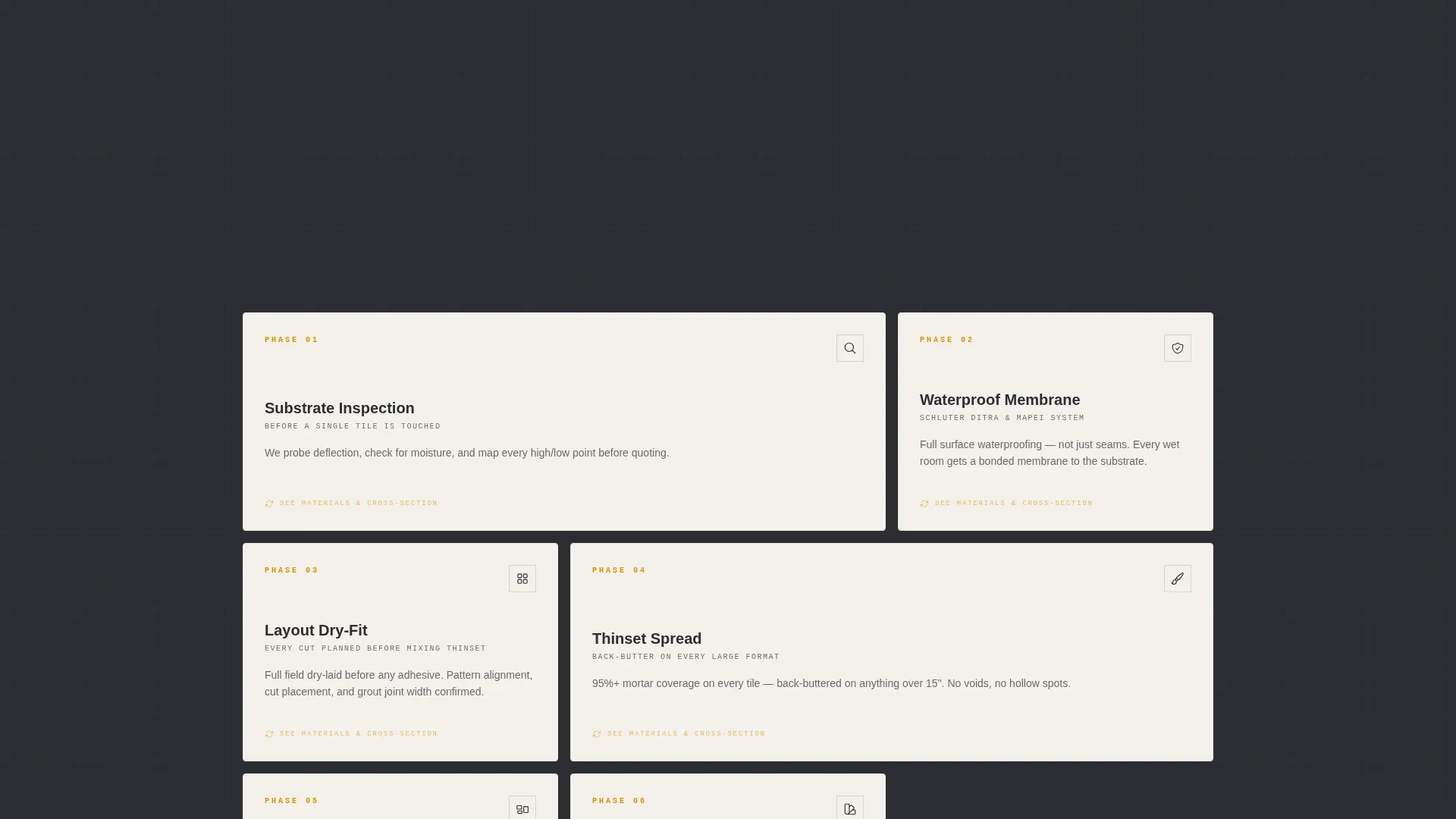
- Seven modular process cards that each represent one installation phase, with flip or expand interactions revealing cross-section diagrams, materials used, and callback-prevention notes
- A lead capture form collecting address, project type, square footage estimate, and an optional photo upload, plus a secondary email capture path via a downloadable checklist
Feature list
The template ships with focused, purpose-built components. Each one is grounded in the brief and serves a specific role in the visitor experience.
Interactive Address Input Header
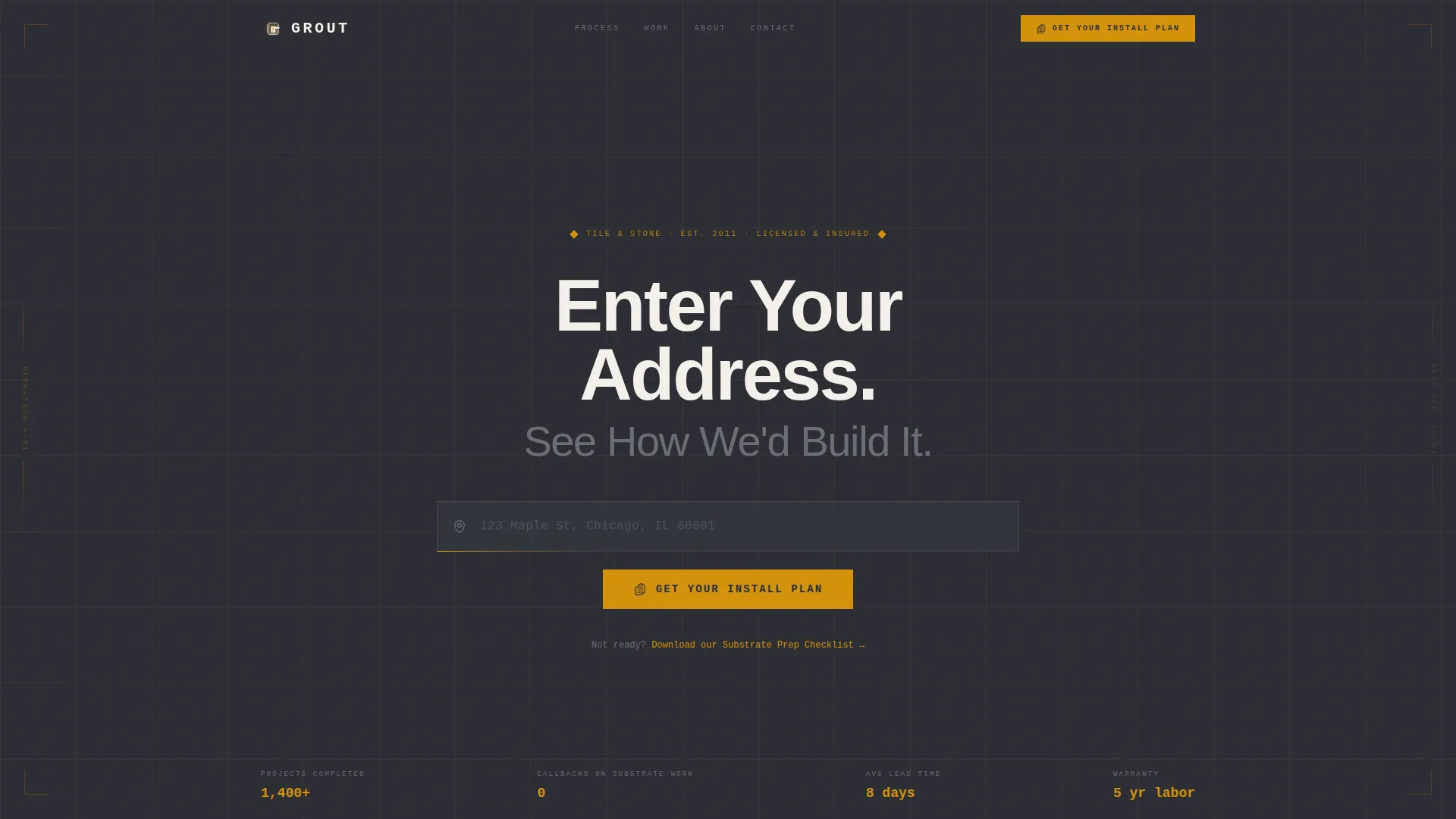
The header centers an oversized address field on a deep graphite background, with an amber cursor blinking inside it. The headline reads "Enter Your Address. See How We'd Build It." Faint blueprint grid lines radiate outward from the input, and the surrounding space shifts subtly as the visitor types. There is no hero photo and no carousel. The interaction itself is the first impression.
Modular Process Card Grid
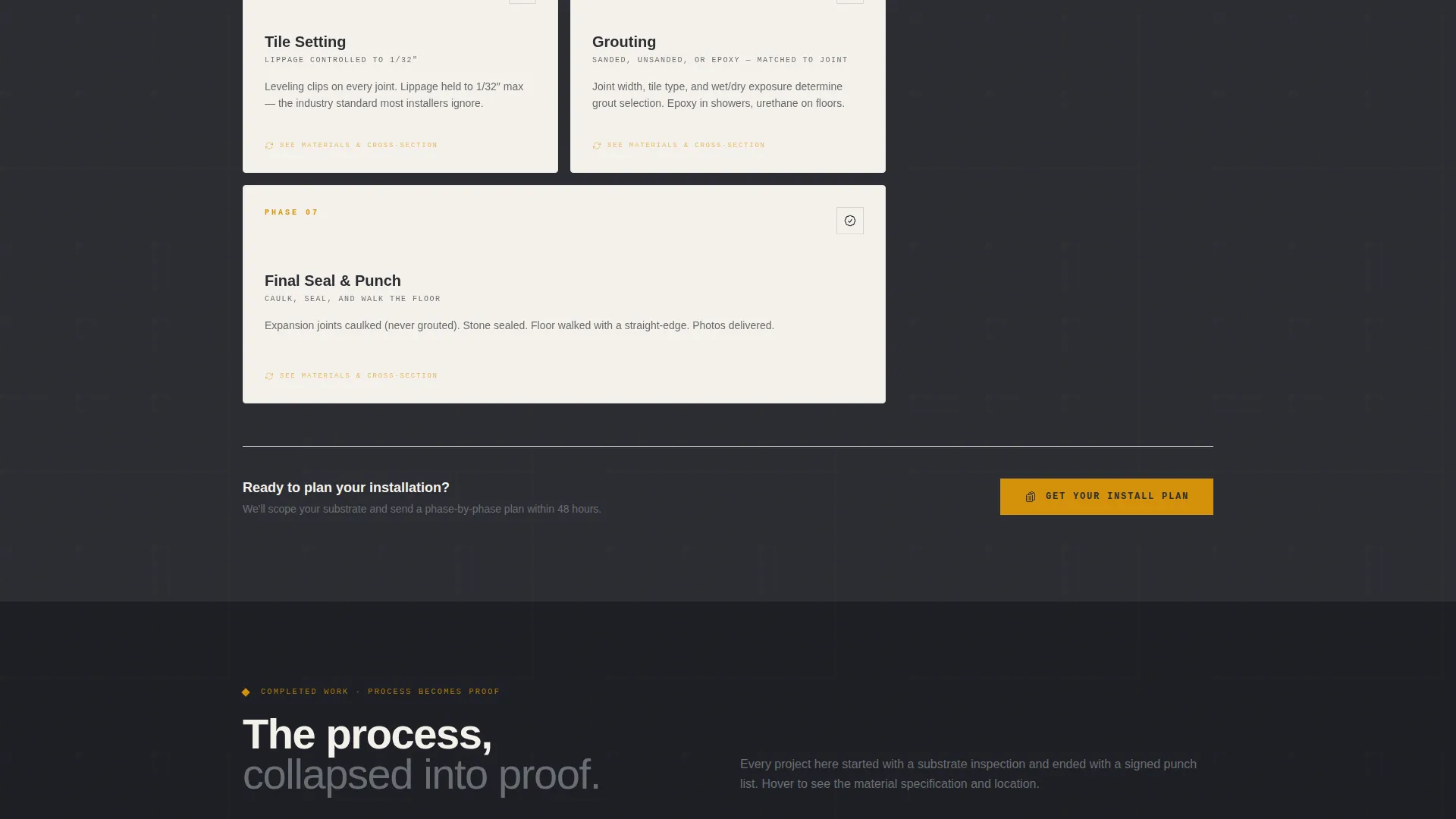
Seven cards map the full installation sequence: substrate inspection, waterproof membrane application, layout dry-fit, thinset spread, tile setting, grouting, and final seal. Each card flips or expands to reveal a cross-section diagram, the specific materials used at that stage, and a short note explaining why the step prevents callbacks. The grid tightens as the page scrolls down, moving from wide explanatory cards to a compressed gallery of completed work.
Structured Lead Capture Form
The primary form captures the address entered in the header, a project type selector with options for bathroom, kitchen, fireplace surround, full floor, and outdoor, a square footage slider, and an optional photo upload for existing site conditions. The "Get Your Install Plan" call to action appears in amber at the header input and again after the process cards.
Secondary Email Capture Path
Visitors not ready to submit a full project inquiry can download a substrate prep checklist instead. This path captures an email address while positioning the installer as someone who understands what is underneath the tile, not just what sits on top of it.
Engineering Blueprint Visual Theme
The layout uses a deep graphite primary background, construction-pencil gray for secondary text and card borders, warm amber for calls to action and progress indicators, and layout-paper white for card faces. The palette feels like a job site binder opened under a work lamp: technical and deliberate, with amber reading like a measurement line snapped taut across dark concrete.
Process-to-Proof Grid Progression
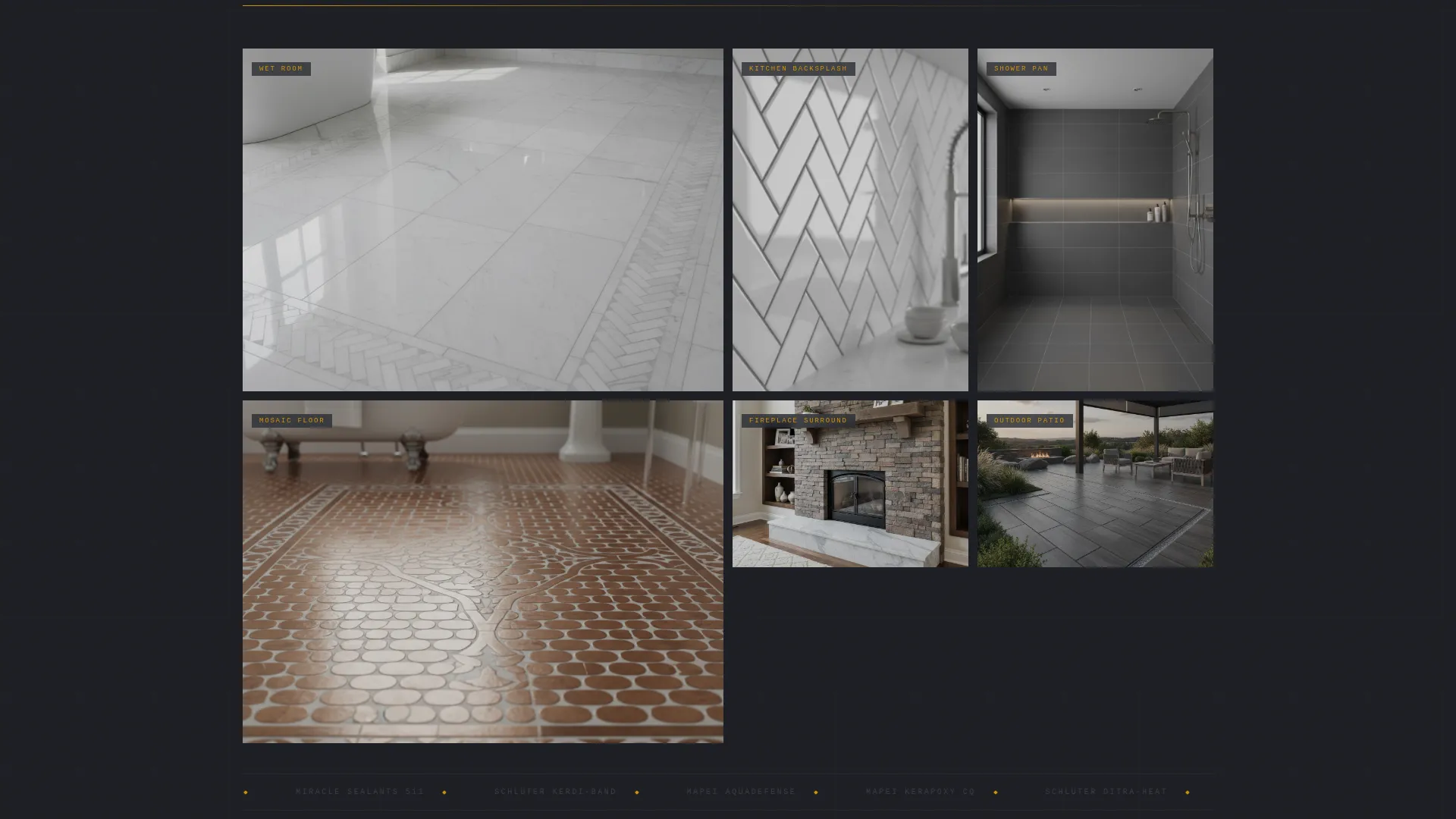
The page layout is intentionally structured to flow from process to proof. Early cards are wide and explanatory. As the visitor scrolls, the cards compress into a gallery of finished work. The visual language reinforces a single idea: the process and the result are the same quality.
Page sections overview
| Section | Purpose |
|---|---|
| Address Input Header | Captures visitor attention and project address as the opening interaction |
| Substrate Inspection Card | Explains the first installation phase and why it matters for the final result |
| Waterproof Membrane Card | Shows waterproofing methodology before tile is set, with materials noted |
| Layout Dry-Fit Card | Demonstrates precision planning before any adhesive is applied |
| Thinset Spread Card | Details adhesive application technique and callback prevention logic |
| Tile Setting Card | Covers the core installation phase with cross-section diagram |
| Grouting Card | Focuses on joint finishing and the tactile quality of the final surface |
| Final Seal Card | Closes the process sequence with the protective finishing step |
| Install Plan Form | Primary lead capture with project type, square footage, and photo upload |
| Checklist Download | Secondary conversion path for email capture via substrate prep guide |
| Completed Work Gallery | Compressed card grid showing finished projects as proof of process |
Design & branding system
The visual identity follows an Engineering Blueprint theme. Every color and layout decision reinforces a sense of precision, deliberate craft, and technical authority.
- Deep graphite (#2B2D33) for primary backgrounds, construction-pencil gray (#6B6E73) for secondary text and card borders, warm amber (#D4920B) for calls to action and progress indicators, and layout-paper white (#F4F1EB) for card faces
- Blueprint grid lines radiate from the address input, referencing graph paper and technical drawing to signal that the process is structured and measurable
- Amber is used sparingly and consistently, appearing only on interactive elements and calls to action so it always draws the eye to the next step
Mobile & speed optimization
The modular card grid structure is inherently well-suited to smaller screens. Cards that sit side by side on a wide display stack cleanly into a single column on a mobile device without losing context or flow.
- The address input and form components are sized for touch interaction, keeping the primary conversion path easy to complete on a phone
- The process card flip and expand interactions are designed to work within the vertical scroll behavior that mobile visitors expect
- The compressed gallery at the base of the page loads as a tight grid on mobile, keeping completed work visible without excessive scrolling
How this template helps you convert
The page is built around a single conversion goal: capturing qualified project inquiries. Every layout decision supports that goal without pressure or noise.
- The address input at the top of the page creates an immediate, low-friction first step. Visitors begin engaging before they have read a single line of copy, and the address they enter carries forward into the lead capture form below.
- The process card sequence builds trust before asking for anything. By the time a visitor reaches the "Get Your Install Plan" call to action, they have already seen seven stages of methodology. The ask feels earned rather than abrupt.
- The substrate prep checklist offers a second conversion path for visitors who are not yet ready. It captures an email address and delivers genuine value, keeping the installer in the consideration set without requiring an immediate commitment.
Other information about this template
This template is built specifically for the tile and stone installation niche within the broader flooring and tiling category under Construction and Home. It is a single landing page, not a multi-page site, so all content and conversion elements live within one scrollable flow.
- The template style is Card Grid (Modular), meaning each section is a discrete, self-contained card rather than a continuous narrative layout
- The header concept is a Location Input, which is an uncommon choice for a trades page and one that immediately differentiates the installer from competitors using standard hero photography
- The creative direction is Transparent Process, a deliberate choice for a niche where the work happens beneath the finished surface and most visitors have no way to evaluate quality without help
- The template supports a tile installation business that works across multiple project types including wet-room shower pans, marble thresholds, herringbone backsplashes, full floor installations, fireplace surrounds, and outdoor tile
- The process card content references specific installation materials and industry-standard products by name, giving technically minded visitors like general contractors and interior designers the vocabulary they need to evaluate the crew's competence
Theme
Engineering Blueprint
Creative direction
Transparent Process
Color system
Charcoal & Amber
Style
Card Grid (Modular)
Direction
Lead Generation
Page Sections
Interactive Address Input Header
Modular Process Card Grid
Structured Lead Capture Form
Secondary Checklist Download Path
Process-to-proof Grid Progression
Engineering Blueprint Visual Theme
Related questions
Who is this landing page template designed for?
Can I customize the project types in the lead capture form?
Does the template include process card content or just the layout?
What is the substrate prep checklist and how does it work?
Is this a single-page layout or a multi-page site?



