Calisthenics Fitness Booking Website Template
Grove is a personalized calisthenics landing page template built for boutique fitness studios. A quiz-driven booking flow matches each visitor to their movement archetype, then reshapes the class grid, testimonials, and coach cards to fit their profile. One vermillion button, zero account creation, and a friction-free first-class booking drawer do the rest.
by Rocket studio
Quick summary
Grove is a modular, card-grid landing page template designed for calisthenics studios targeting urban professionals. It opens with a movement archetype quiz, personalizes every section below based on quiz answers, and closes with a low-friction booking drawer. The nature-inspired Japanese Zen design makes the page feel calm, intentional, and worth trusting from the first scroll.
Who this template is for
Grove is built for boutique calisthenics studios and gym owners who want to convert curious visitors into booked students without overwhelming them with choices. It suits studio founders offering bodyweight strength training to a professional urban audience.
- Calisthenics coaches and studio owners who teach skill-based movement tracks
- Fitness entrepreneurs targeting desk-bound professionals, former gym-goers, and yoga practitioners
- Studio operators who want personalized class recommendations without a complex separate booking platform
What problem this template solves
Most fitness landing pages present every class at once, leaving visitors to sort through options they did not ask for. Grove solves this by learning what a visitor wants before showing them anything. The result is a page that feels built for the individual, not broadcast to a crowd.
- Generic class grids overwhelm new visitors and delay booking decisions
- Visitors with different training backgrounds need different entry points and social proof
- Standard booking forms add friction with account creation and payment walls before a first session
What you get with this template
Grove delivers a complete, single-page booking experience built on a modular card-grid structure. Every section is designed to respond to quiz input and guide the visitor toward one clear action.
- A three-step inline quiz with archetype cards, training history chips, and a weekly schedule heat-map
- A personalized class card grid, matched coach bio cards, and archetype-filtered testimonial cards
- A minimal scheduling drawer with a date picker, name and phone fields, and an "Add a friend" toggle
Feature list
Grove includes purpose-built components that work together to personalize the visitor experience and reduce booking friction.
Archetype Quiz Starter Header
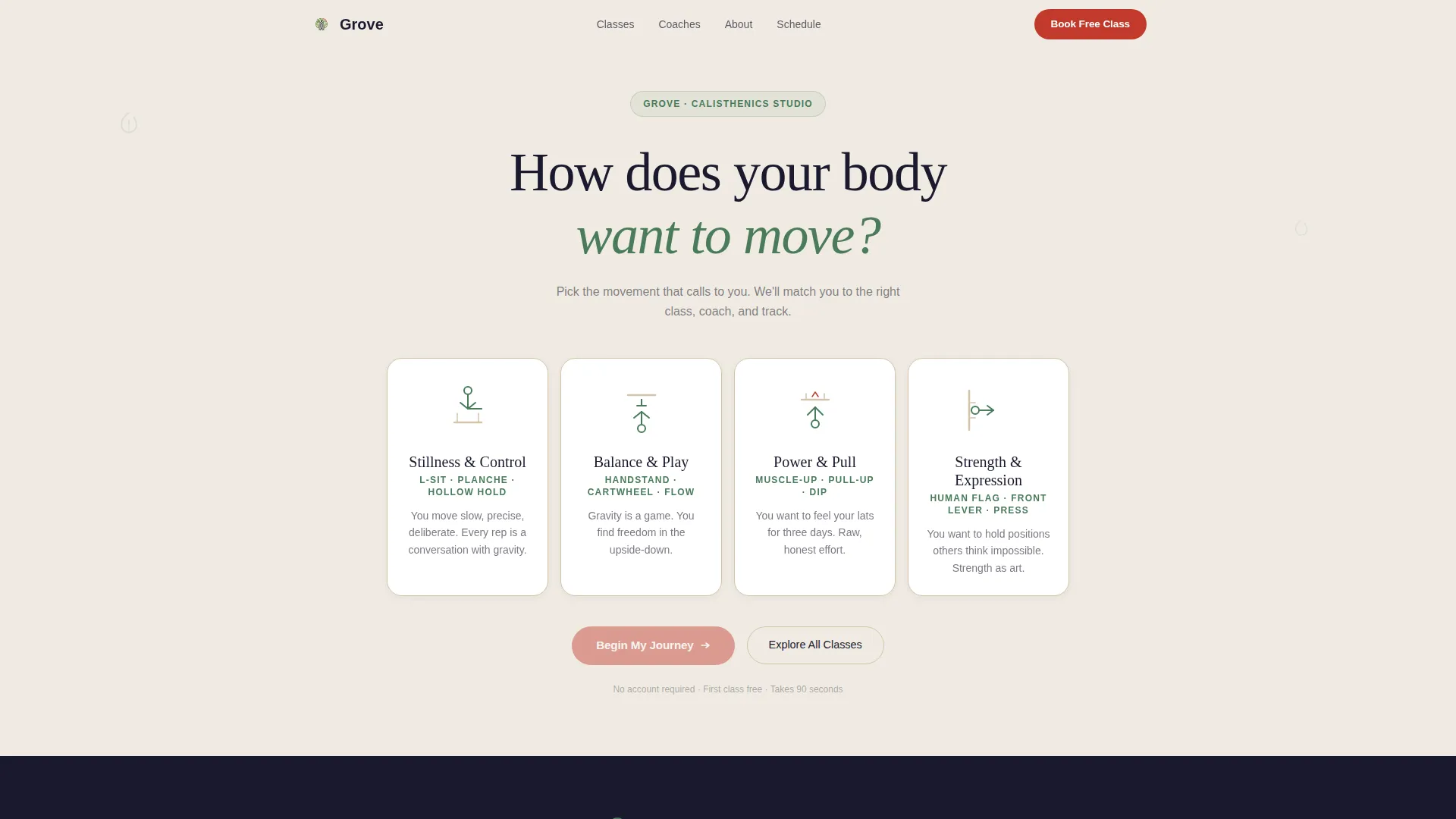
The page opens with a single centered question rendered in large serif type: "How does your body want to move?" Four ink-brush illustrated cards follow in a horizontal row, each representing a calisthenics archetype. Tapping one card triggers the quiz flow without any page reload.
Three-Step Inline Quiz Flow
The quiz slides in card by card without leaving the page. Step one captures the movement archetype. Step two presents training history as tappable chips. Step three displays preferred time blocks on a weekly heat-map grid. Each answer adjusts what the visitor sees below.
Personalized Modular Class Grid
After the quiz, the class card grid reorders and highlights recommendations that match the visitor's profile. Cards marked with a "Book Your First Class Free" call to action appear in torii vermillion, making the next step immediately visible.
Archetype-Matched Social Proof
The testimonial section swaps content based on the visitor's quiz result. Only testimonials from people who share the same archetype appear, making social proof feel specific and credible rather than generic.
Matched Coach Bio Cards
The instructor card that surfaces after the quiz is the coach who teaches the visitor's recommended track. Visitors see a relevant human face rather than a full roster they need to evaluate themselves.
Zero-Friction Scheduling Drawer
Tapping "Book Your First Class Free" opens a minimal drawer overlay. It shows only classes matching the visitor's quiz profile, collects a name and phone number, and offers an "Add a friend" toggle. No account creation and no payment are required for the first session.
Page sections overview
| Section | Purpose |
|---|---|
| Hero Quiz Header | Opens with archetype selection cards to start personalization |
| Inline Quiz Flow | Three-step card sequence captures training history and schedule preference |
| Recommended Class Grid | Reordered card grid surfaces classes matched to visitor profile |
| Matched Coach Cards | Surfaces the instructor who teaches the visitor's recommended track |
| Archetype Testimonials | Swaps social proof to match the visitor's selected movement archetype |
| Explore All Classes | Full card grid for visitors who prefer to browse before booking |
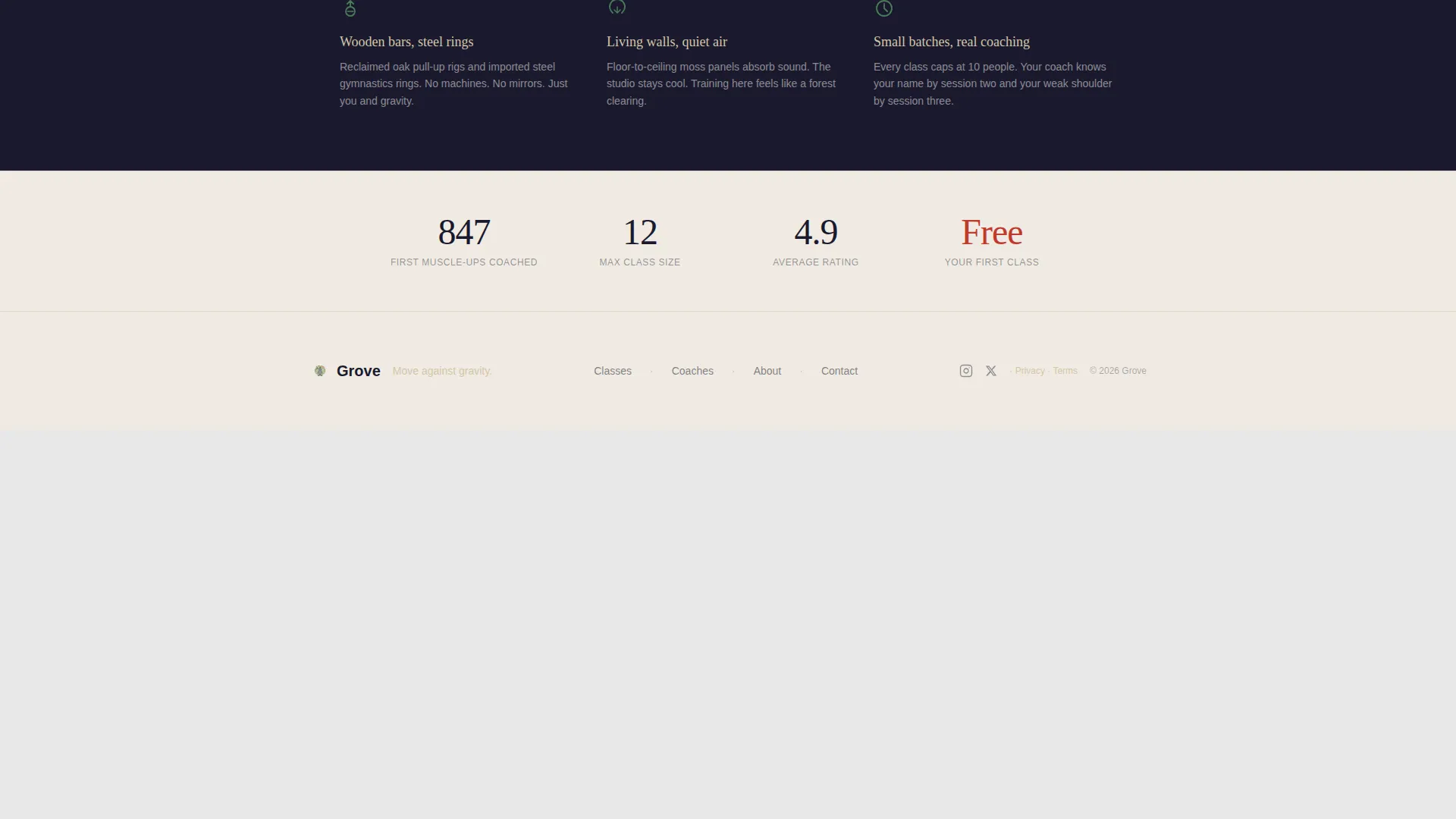
| Footer | Horizontal flow footer with studio links and contact information |
Design & branding system
Grove uses a Japanese Zen color system that pairs monastic restraint with a single high-contrast accent. Typography pairs Fraunces serif headings with DM Sans body text, creating a calm, editorial feel that suits a premium wellness studio.
- Core palette: stone lantern cream (#F0EBE3) and shou sugi ban charcoal (#1A1A2E) alternate as section backgrounds, with moss (#4A7C59) for hover glows and torii vermillion (#C1392B) reserved strictly for buttons and active states
- Cards float on subtle shadows with rounded corners; ink-brush illustrations carry the visual identity without relying on gym photography
- Background alternation between cream and charcoal keeps long-scroll sections visually separated without needing dividers
Mobile & speed optimization
Grove is built mobile-first, which matters because booking decisions for fitness classes happen most often on a phone. The interactive quiz, scheduling drawer, and card grid are all designed to work cleanly on small screens.
- Tappable chip inputs and heat-map grid cells are sized for thumb interaction on mobile devices
- Animations use scroll reveals and card hover glows driven by IntersectionObserver and CSS scroll-behavior, avoiding heavy third-party libraries
- The scheduling drawer opens as a full overlay without triggering a page navigation, keeping the booking path smooth on mobile connections
How this template helps you convert
Grove removes the two biggest obstacles between a fitness website visitor and a booked class: decision fatigue and form friction. The quiz shortens the path to a relevant class, and the drawer removes every unnecessary step before the first session.
- The archetype quiz narrows the class grid to a personal shortlist, so the visitor only sees options that match their goals and schedule
- The "Book Your First Class Free" call to action appears on both the quiz results card and each recommended class card, giving the visitor multiple low-pressure moments to commit
- The scheduling drawer asks for only a name and phone number, with no payment or account required, making it easy for hesitant first-timers to say yes
Other information about this template
Grove is categorized under Wellness & Fitness, specifically within the Calisthenics Fitness subcategory, and is designed for the Calisthenics Studio & Gym niche. It uses a Card Grid (Modular) template style with a Nature-Inspired theme and a Quiz & Personalize creative direction.
- The header concept is a Quiz Starter: no hero image or gym footage, just a question and four illustrated archetype cards
- The primary booking direction is mobile-first scheduling, with English copy, United States date formatting, and USD currency context baked into the design intent
- An "Explore All Classes" secondary path collapses personalization and reveals the full card grid, giving browser-first visitors a comfortable alternative route


Theme
Nature-Inspired
Creative direction
Quiz & Personalize
Color system
Japanese Zen
Style
Card Grid (Modular)
Direction
Booking/Scheduling
Page Sections
Archetype Quiz Starter Header
Three-step Inline Quiz Flow
Personalized Modular Class Grid
Archetype-matched Testimonials
Matched Coach Bio Cards
Zero-friction Scheduling Drawer
Related questions
Does this template require coding knowledge to use?
Can I adjust the quiz steps or archetype options for my studio?
Is the first-class booking offer built into the template?
Can visitors skip the quiz and browse all classes?
What does the scheduling drawer collect from a visitor?