Expert Early Childhood Care Landing Page Template
Nurture is a split-screen daycare landing page template built for seasonal enrollment promotions. It leads with staff credentials, limited-spot urgency, and a structured three-step booking modal. The deep plum and muted gold color system projects trust at first glance, helping parents feel confident enough to reserve a spot before the window closes.
by Rocket studio
Quick summary
Nurture is a single-page daycare seasonal promotion template designed around one goal: getting parents to reserve a spot before it fills. The layout pairs credentialed staff portraits with direct quotes, a pulsing glow header, and a sticky "Reserve Their Spot" call to action. Every section is built to build parental confidence quickly.
Who this template is for
This template is made for daycare centers and early childhood programs running time-limited seasonal enrollment campaigns. It speaks directly to parents who are comparing options carefully and need reassurance before they commit.
- Daycare directors promoting winter, spring, or fall enrollment windows
- Early childhood programs that want to highlight licensed staff and structured curriculum
- Childcare center marketers building a high-trust, booking-focused page fast
What problem this template solves
Parents researching daycare options do not just want a pretty page. They want proof: credentials, faces, protocols, and a clear way to act. Most generic templates fail to front-load that evidence, and hesitant parents leave without booking.
- No clear staff credibility means parents stall and compare elsewhere
- Vague calls to action waste hard-won traffic from parents who are ready to commit
- Generic layouts miss the urgency that seasonal enrollment windows demand
What you get with this template
You get a fully structured landing page that moves parents from curiosity to commitment. Every section has a defined job, and the layout does not ask parents to work hard to find what they need.
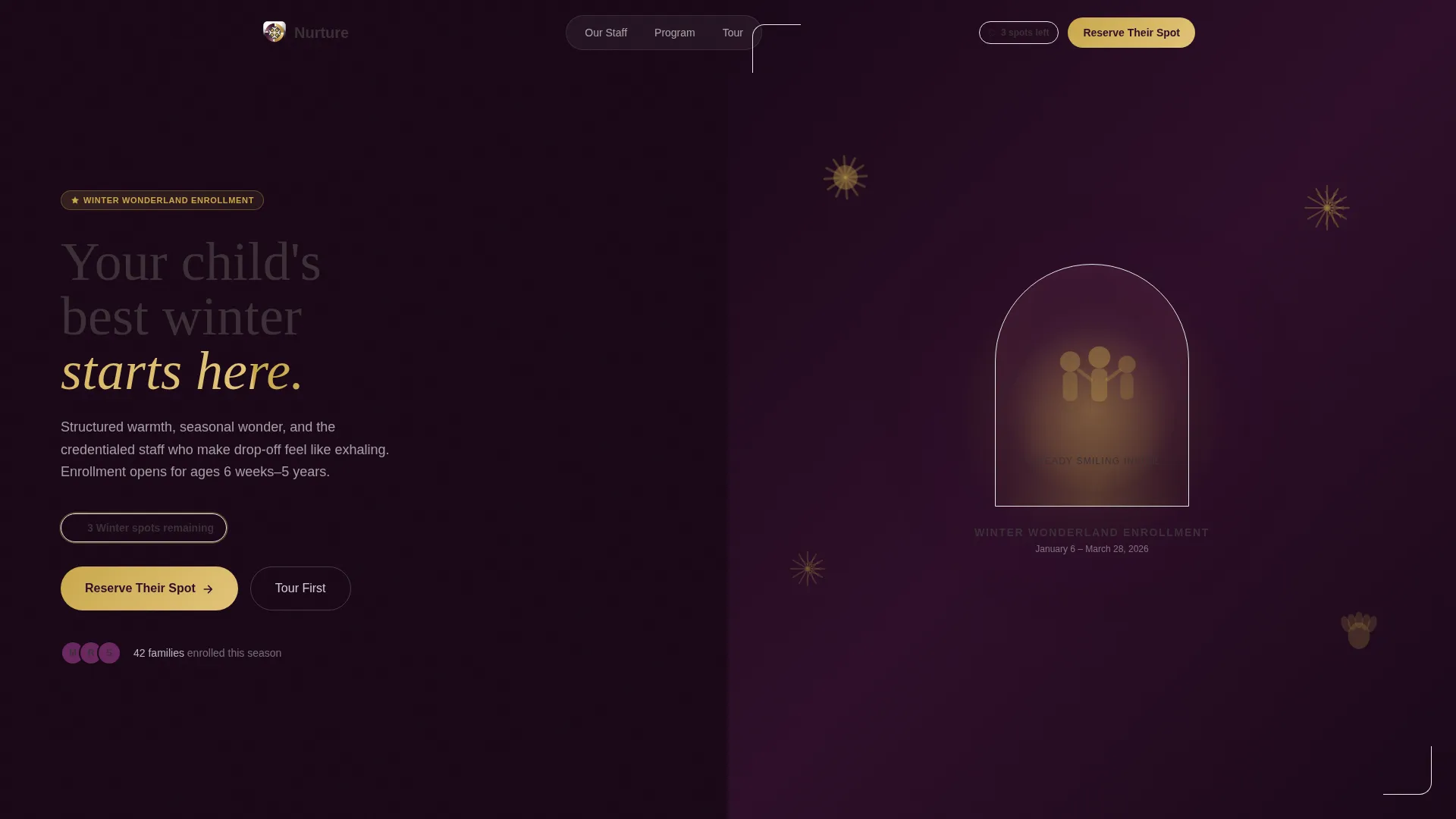
- A dark full-bleed glow header with a seasonal promotion headline and visible spot-count urgency
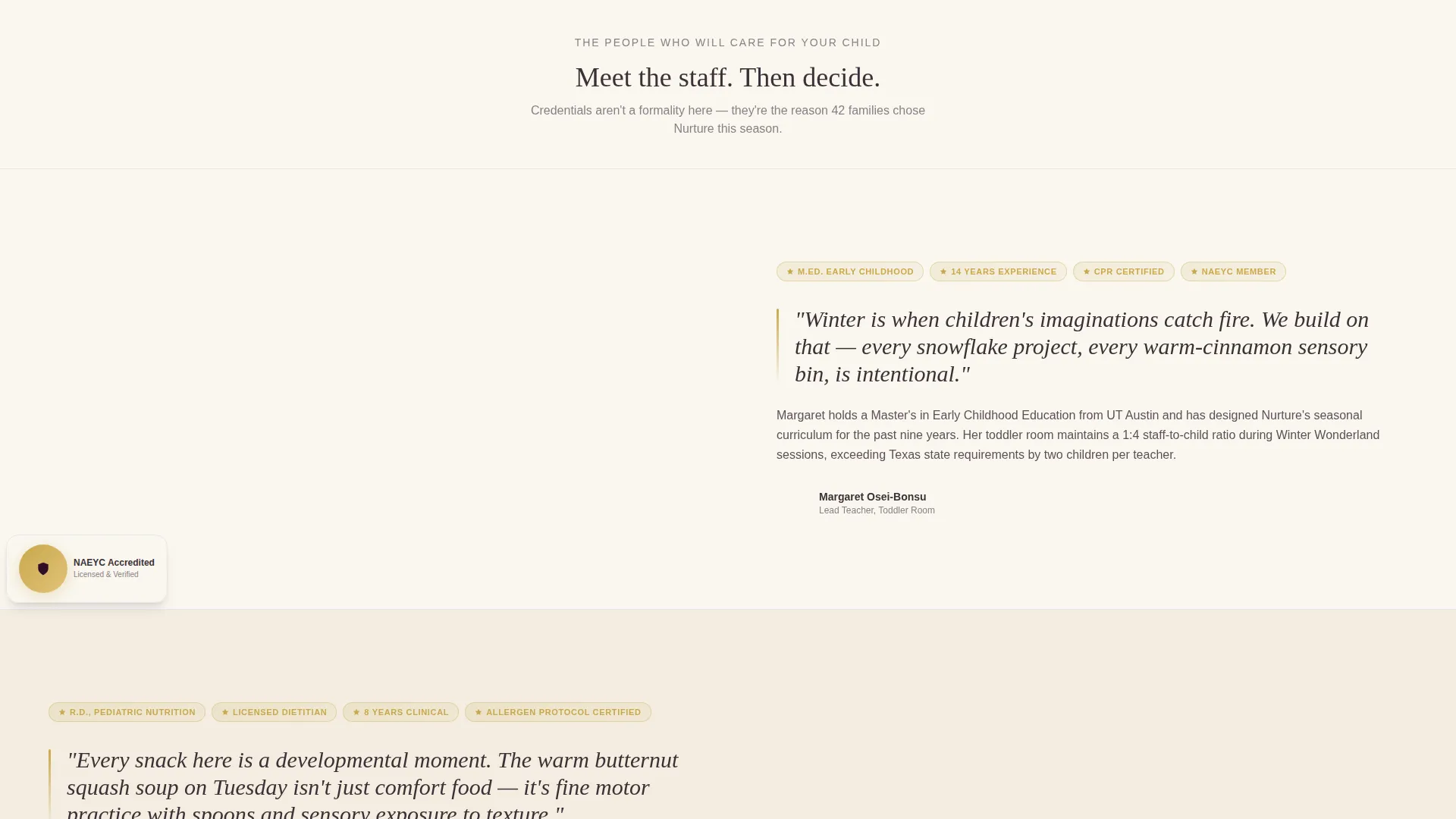
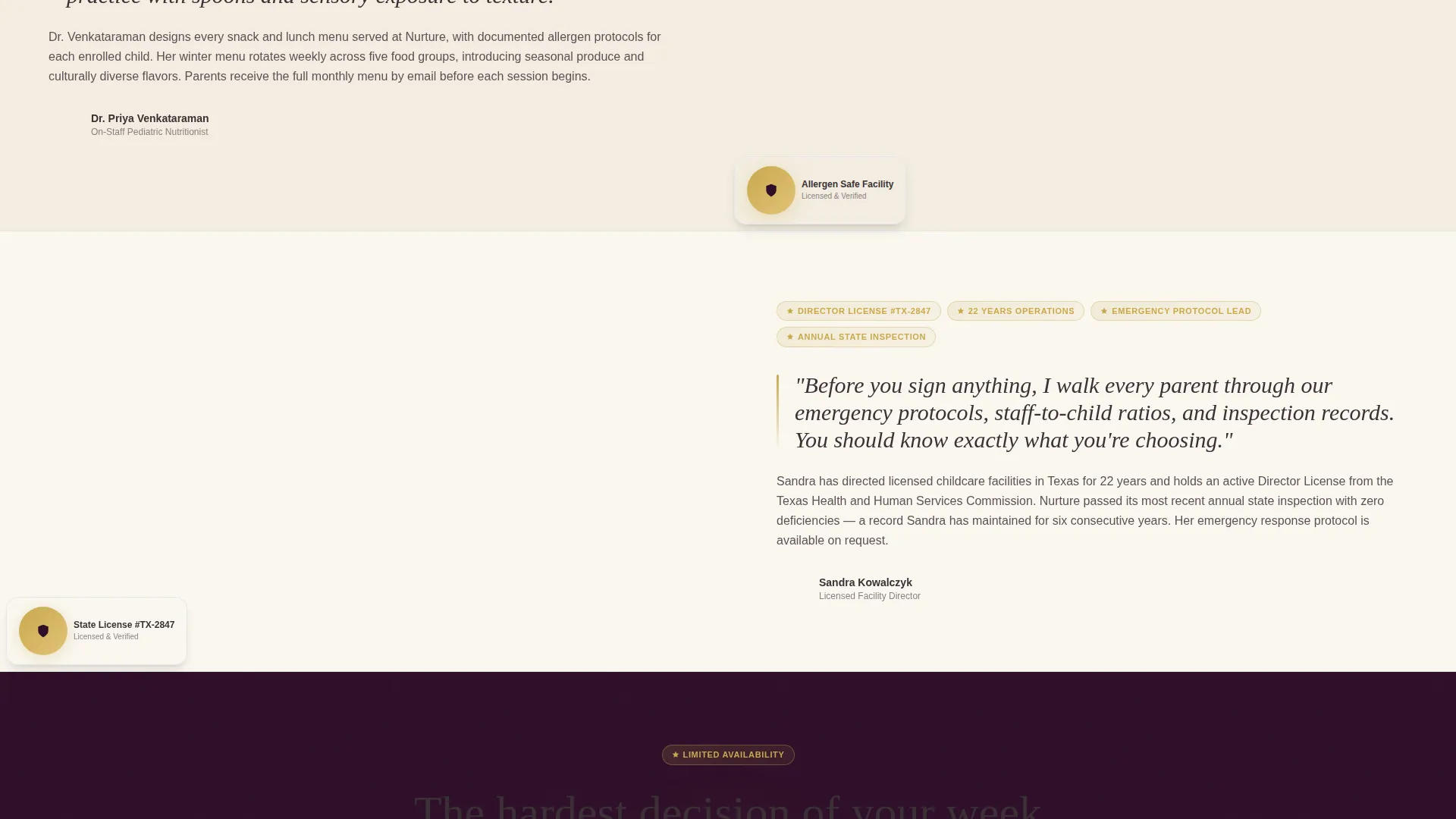
- An expert panel scroll section with split-screen staff portraits, credential badges, and direct quotes
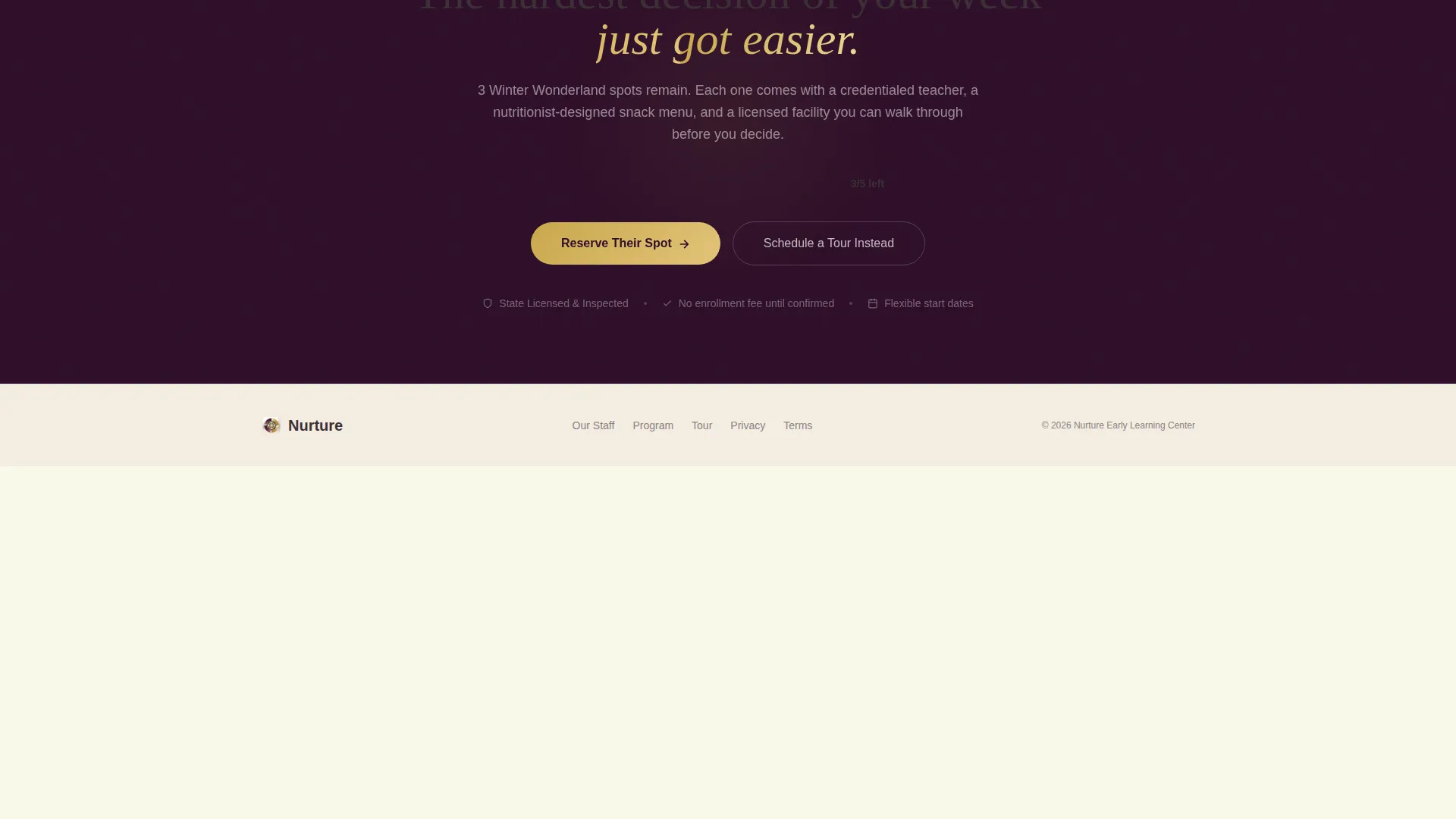
- A three-step booking modal and a secondary tour-scheduling path via a calendar widget
Feature list
This template delivers purpose-built components for daycare seasonal promotion pages. Each element below comes from the brief and serves a specific conversion function.
Dark Full-Bleed Glow Header
The header opens on a deep plum canvas with a warm center glow that mimics light spilling from a classroom doorway. Seasonal art silhouettes float inside the glow, and the enrollment headline appears in gold type. A subtle one-pulse glow animation draws the eye without distracting from the offer.
Split-Screen Expert Panel
Each staff section divides the screen 50/50. One side holds a portrait-style photo, the staff member's name, credential badges, and years of experience. The other side holds a short, direct-to-camera quote about the seasonal program. The scroll builds trust person by person, the same way a confident parent builds a shortlist.
Three-Step Booking Modal
The primary call to action triggers a modal with three clean steps: the child's name and age, a preferred start date within the seasonal window, and parent contact details with a tour-scheduling checkbox. The form keeps friction low and gives parents two clear paths forward.
Sticky Bottom Booking Bar
After the second expert panel, a sticky bar appears at the bottom of the screen. It repeats the "Reserve Their Spot" call to action so the prompt stays visible no matter how far down the parent scrolls.
Live Spot-Count Urgency Display
The remaining enrollment spots display visibly on the page. The count makes delay feel concrete rather than abstract, encouraging parents who are already interested to act before the window closes.
Secondary Tour Scheduling Path
A "Tour First" link connects to a calendar widget for in-person visit bookings. This secondary path serves parents who need one more step before they are ready to commit, keeping them on a structured conversion track.
Page sections overview
| Section | Purpose |
|---|---|
| Glow Header | Seasonal headline and urgency |
| Spot Count Display | Reinforce limited availability |
| Lead Teacher Panel | Credential and quote, first expert |
| Nutritionist Panel | Credential and quote, second expert |
| Facility Director Panel | Credential, protocol quote, third expert |
| Sticky Booking Bar | Persistent reservation call to action |
| Booking Modal | Three-step enrollment form |
| Tour Scheduling Path | Calendar widget for in-person visits |
Design & branding system
The Plum Executive color system gives this template the visual weight of a trusted institution while keeping warmth front and center. Every color choice reinforces parental confidence without feeling cold or corporate.
- Deep plum (#4A1942) anchors the header and backgrounds, credential panels use muted gold (#C9A84C) for badges and trust markers, and ivory (#FAF7F0) keeps content panels open and readable
- Warm charcoal (#3B3036) carries all body text, delivering the tone of a director's letter home
- The overall palette reads like a velvet-lined folder from a private school tour: serious enough to trust with your child, warm enough to feel human
Mobile & speed optimization
The split-screen layout is built to reflow cleanly on smaller screens. Staff panels, modal steps, and the sticky booking bar are all designed with a mobile-first reading experience in mind.
- The 50/50 split collapses to a single-column stack on mobile so portrait photos and quotes stay paired and readable
- The three-step modal is structured to be thumb-friendly, with clear step labels and minimal input fields per screen
- The sticky booking bar remains anchored at the bottom of mobile viewports, keeping the primary call to action reachable at all times
How this template helps you convert
Every design and layout decision points toward one outcome: a parent completing the booking modal or scheduling a tour. The template earns that click by doing the persuasion work before the form ever appears.
- Staff credentials and direct quotes appear before any enrollment ask, so parents arrive at the call to action already convinced rather than skeptical.
- The visible spot count and seasonal headline create honest urgency that motivates action without relying on pressure tactics alone.
- The two-path structure, "Reserve Their Spot" and "Tour First," captures both the ready parent and the almost-ready parent in the same single-page flow.
Other information about this template
This template is part of a broader set of professional services landing page designs built around the Legal Shield theme. The Legal Shield theme applies a color language typically associated with credentialed, regulated industries, helping daycare centers signal compliance and care in the same visual breath.
- The template style is Split Screen (50/50), a format proven to balance visual storytelling with structured information delivery
- The creative direction follows the Expert Panel approach, which prioritizes human faces and verified credentials over abstract brand imagery
- The header concept is Dark Full-Bleed with Glow, giving seasonal promotions a cinematic entry point that still feels warm and parent-friendly
- This template sits within the Daycare Center Marketing subcategory and is purpose-built for the Daycare Center Seasonal Promotion Page niche
Theme
Legal Shield
Creative direction
Expert Panel
Color system
Plum Executive
Style
Split Screen (50/50)
Direction
Booking/Scheduling
Page Sections
Dark Full-bleed Glow Header
Split-screen Expert Panel Scroll
Three-step Booking Modal
Sticky Reservation Bar
Live Spot-count Urgency Display
Tour Scheduling Calendar Path
Related questions
Can I update the seasonal headline and spot count for different enrollment periods?
How does the three-step booking modal work for parents?
Can I replace the staff portraits and credentials with my own team's details?
Is this template suited for a daycare that runs programs year-round?
How many staff members can be featured in the expert panel sections?



