Smart Education Savings Landing Page Template
Compound is a dashboard-style 529 plan landing page built for Gen Z parents, expecting couples, and first-gen wealth builders who want to turn tuition anxiety into a structured savings plan. A live animated counter, sortable tuition data grid, state tax advantage heat map, compound growth curves, and a five-question gap-calculator quiz work together to move visitors from awareness to action.
by Rocket studio
Quick summary
Compound is a data-dense, single-page landing page template designed for a Gen Z education savings platform. It pairs a terminal-style visual identity with high-interactivity components: a live projection counter, a tuition data grid, a 529 tax advantage heat map, compound growth curves, and a progressive gap-calculator quiz. Every section is built to disclose the numbers and convert curious visitors into committed savers.
Who this template is for
This template is built for fintech and EdTech founders who serve families planning ahead for college. It speaks directly to the people staring at the numbers and wondering whether they are already too late.
- New or expecting parents aged 24 to 34 who want to open a 529 account and start recurring contributions before the child reaches college age
- First-generation wealth builders who want to break a cycle of student debt and invest in a 529 plan with confidence
- Millennial aunts, uncles, and godparents who want to make gift contributions that grow rather than gather dust
What problem this template solves
Many families feel paralyzed by rising tuition costs and do not know where to start. The gap between knowing a 529 plan exists and actually setting up automatic contributions is where most college savings stall.
- Visitors cannot see, in plain numbers, how compounding interest on small monthly contributions adds up over 18 years
- There is no clear side-by-side view of tuition inflation versus savings growth, so the urgency never feels real
- The quiz-to-PDF flow is missing from most templates, leaving visitors without a personalized reason to share their email or act today
What you get with this template
This template delivers a complete, production-ready landing page layout. Every section is purpose-built to move a visitor from anxiety to action without a single wasted scroll.
- A full-bleed animated counter hero, a sortable tuition data grid, a state-level 529 tax advantage heat map, interactive compound growth curves, and a five-question gap-calculator quiz
- A persistent "Calculate Your Gap" call-to-action bar, a downloadable one-page PDF result gated by email, and a secondary "Send This to My Partner" share link
- A Linear Single-Row footer and trust-badge placement zones built for a USA, USD audience
Feature list
This template includes six high-impact components. Each one is designed to keep a visitor engaged and informed at every stage of the scroll.
Live Projection Counter Hero
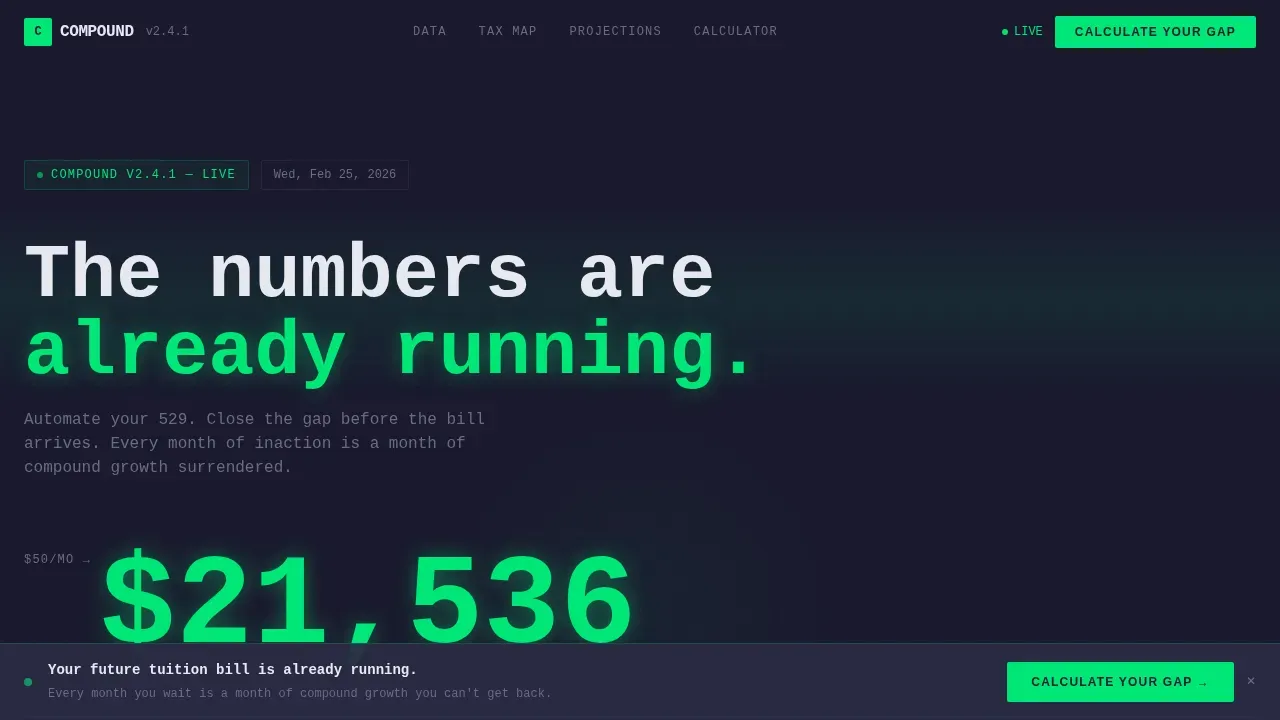
The hero opens on an animated dollar count that ticks upward in real time, showing how a $50 monthly contribution made today grows by the time a newborn reaches college age. A single line of cold-rolled silver type contrasts a static tuition debt figure against a rising savings projection. The tension is immediate and factual.
Sortable Tuition Data Grid
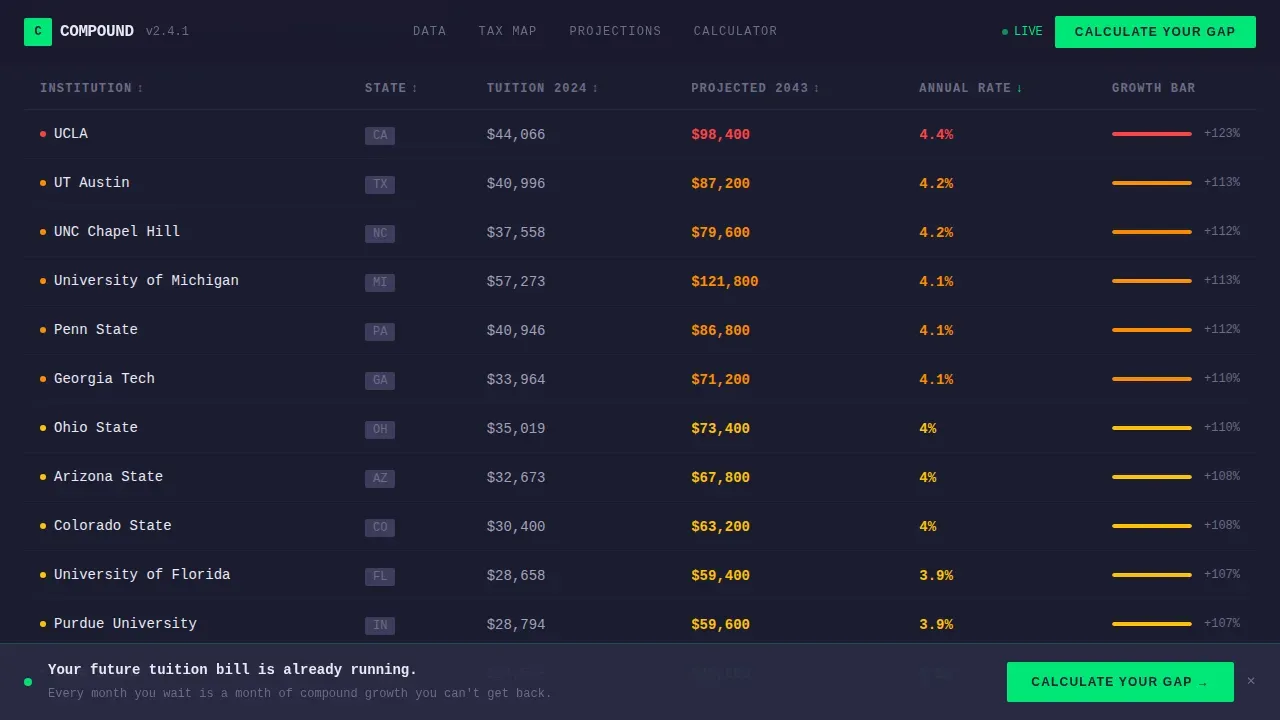
Section one renders a data grid of real state university tuition inflation rates with sortable columns. Visitors can scan the numbers by school or rate and understand exactly what future education expenses look like across the country. This is the Industry Report creative direction made interactive.
529 Tax Advantage Heat Map
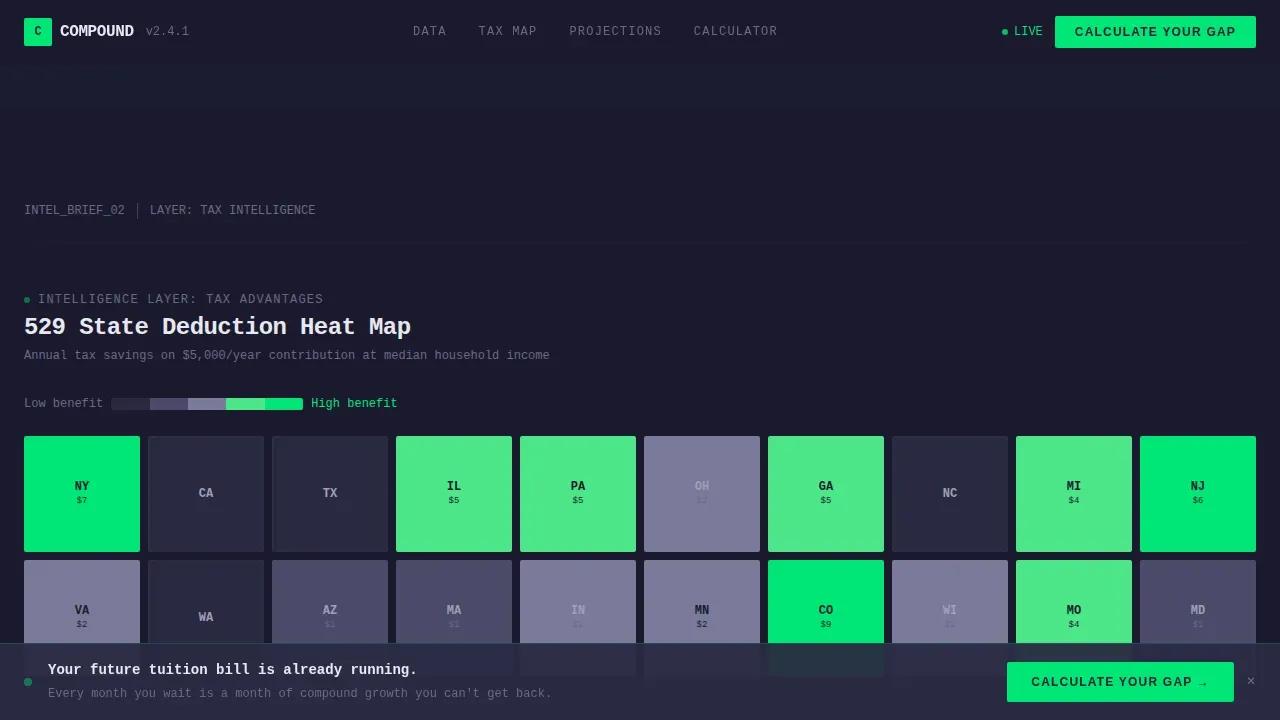
A state-by-state heat map shifts from gunmetal to signal green, showing where a 529 plan delivers the strongest tax benefits. Visitors can hover over any state to see state income tax deduction eligibility and other state benefits at a glance. The visual contrast makes tax advantages impossible to ignore.
Compound Growth Curve Charts
Interactive growth curves let visitors watch compounding interest work over an 18-year horizon. The charts include a fee comparison against competing savings vehicles, helping the account holder understand what fees erode over time. For illustrative purposes, these curves use hypothetical example inputs visitors can adjust.
Five-Question Gap Calculator Quiz
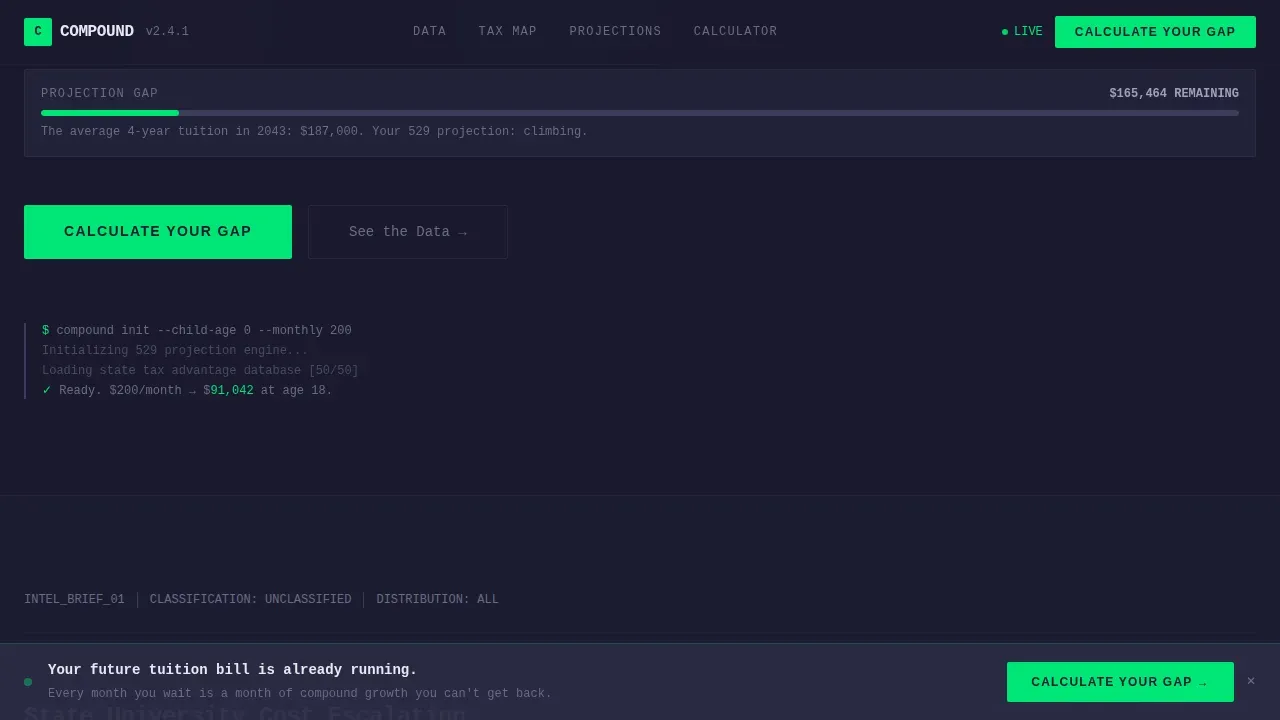
The quiz opens with a single slider question and progressively reveals monthly income range, current savings amount, and target school type across five cards. A signal-green progress bar tracks each step. The result is a personalized projection gap delivered as a downloadable PDF, gated by email only.
Gift Contribution Dashboard
A built-in gifting panel lets friends and family contribute directly to the child's 529 account electronically. The design supports gift contributions from anyone, not just the account holder, making it easy to share the plan link and grow the account balance with every birthday and holiday.
Page sections overview
| Section | Purpose |
|---|---|
| Animated Counter Hero | Show live projection versus. static tuition cost |
| Tuition Data Grid | Display state university inflation rates, sortable |
| Tax Advantage Heat Map | Visualize 529 plan state tax benefits |
| Compound Growth Curves | Illustrate compounding interest and fee comparisons |
| Gap Calculator Quiz | Five-question progressive reveal, email-gated PDF |
| Footer Row | Linear single-row with trust badges |
Design & branding system
The visual identity follows a Legal Shield theme built on a Monochrome Steel color system. Every color choice communicates precision and protection rather than warmth or decoration.
- Core palette: forge black (#1A1A2E) for backgrounds, brushed gunmetal (#3D3D5C) for alternating sections, cold-rolled silver (#A0A0B8) for body text, and signal green (#00E676) reserved exclusively for positive projections and call-to-action states
- Typography: JetBrains Mono for all data, numbers, and counters; Manrope for body copy and user interface elements
- Animation style: high-intensity, including live counters, scan lines, staggered data reveals, and chart draw animations that give the page a terminal-at-6-AM feel
Mobile & speed optimization
The template is built desktop-first but ships with full mobile responsiveness. The quiz slider, heat map hover states, and data grid columns all adapt to smaller viewports without losing their core function.
- Static sections use server-rendered components for fast initial load, while the live counter, quiz logic, and chart animations run as client components to stay performant under interaction
- The quiz card layout stacks cleanly on mobile, and the persistent "Calculate Your Gap" bottom bar remains visible after the second scroll on all screen sizes
How this template helps you convert
The conversion architecture is layered deliberately. Each section adds evidence before asking for anything in return.
- The animated counter creates an emotional hook at zero scroll depth, turning an abstract future expense into a visible, climbing dollar count that makes waiting feel costly
- The data grid and heat map build credibility by disclosing real numbers, so by the time a visitor reaches the quiz, they already trust the platform as a source of financial truth
- The gap-calculator quiz collects one answer at a time, lowers resistance through a progress bar, and delivers a personalized PDF result that gives the visitor a concrete reason to share an email and return
Other information about this template
This template is designed specifically for the United States market, using USD formatting and MM/DD/YYYY date conventions throughout. Several practical details are worth noting before you customize and launch.
- All projection charts and quiz outputs are shown for illustrative purposes only. Past performance does not guarantee future results, and visitors should consult a tax professional for guidance on their specific situation.
- A 529 plan is a powerful tool for long-term college savings, but investments in any plan are subject to market risk. A declining market can affect investment performance, and it is possible to lose money.
- Unused funds in a 529 plan can be rolled over to a Roth IRA for the designated beneficiary, up to a $35,000 lifetime limit under specific conditions, giving families flexibility if the child earns scholarship funds or does not attend college.
- The template supports messaging about the Automatic Investment Program (AIP) model, where recurring contributions pull from a checking account or bank account on a schedule the user controls, using dollar-cost averaging to smooth out market timing.
- Visitors can reinvest annual tax refunds, add extra cash from a bonus, or adjust automatic contributions anytime through account information screens shown in the quiz result flow.
- The compound automated 529 education savings landing page template is also compatible with positioning that references plan account management portals and investment option selection, including age-based and mutual fund style allocations.
- Fidelity Investments is referenced in Surfer keyword research as a common point of comparison for 529 college savings plan accounts. If your platform competes with or compares to Fidelity Investments, section 10 of your page is the appropriate place to address that comparison.
- The quiz result PDF can reference retirement savings context, noting how a 529 plan and retirement accounts like a Roth IRA can coexist within a broader household investment strategy, without diverting contributions from one to the other.
- Earnings on a 529 account grow tax-free. Withdrawals used for qualified education expenses are not subject to federal income taxes. Many states also offer state taxes deductions, making the plan account even more efficient for families who contribute early and often.
Theme
Legal Shield
Creative direction
Industry Report
Color system
Monochrome Steel
Style
Dashboard/Data Grid
Direction
Quiz/Assessment
Page Sections
Live Animated Projection Counter
Sortable Tuition Data Grid
State 529 Tax Advantage Heat Map
Interactive Compound Growth Curves
Five-question Gap Calculator Quiz
Gift Contribution Panel
Related questions
Can anyone contribute to a child's 529 account?
What happens to the funds if the child does not go to college?
How does the gap calculator quiz work?
Are the growth projections in this template guaranteed?
Can users adjust their recurring contributions after signing up?



