Affordable Student Meal Plan Landing Page Template
Grub is a Neo-Retro meal plan landing page built for college students cooking on tight budgets. The masonry-style layout combines cookbook-quality food photography, student testimonials, and a warm diner aesthetic to drive workshop sign-ups and email captures. It helps anyone launch a meal plan site that turns hungry scrollers into committed cooks.
by Rocket studio
Quick summary
Grub is a single-page meal plan landing page template designed for college students eating well on roughly $40 a week. It uses a cascading masonry feed, Polaroid-style hero photography, and a warm Neo-Retro visual identity to build appetite and trust fast. The page drives two clear actions: workshop registration and email capture.
Who this template is for
This template suits anyone building a meal plan site aimed at budget-conscious eaters. It is equally useful for campus nutrition programs, independent meal prep coaches, and food-focused creators who want to reach students with practical, healthy eating ideas.
- College students and first-generation campus cooks who need a structured weekly meal plan without a full kitchen
- Campus wellness offices and nutrition coaches looking to promote meal prep workshops and grow an email list
- Food entrepreneurs and busy parents who want a polished planner site that converts visitors into sign-ups
What problem this template solves
Students often cycle between expensive takeout and skipped meals because they lack the right tools to plan meals in advance. A well-designed meal planner landing page removes that friction immediately. This template gives your audience a clear, appetizing reason to cook instead of order.
- Forget scrambling for meal ideas mid-week; the page presents a structured, visually appealing plan that motivates action
- Reduces food waste by guiding users toward a focused grocery shopping routine before the week begins
- Eliminates the stress of building a meal plan site from scratch by providing ready-to-edit layouts and sections
What you get with this template
You get a fully structured, single-page meal planner site ready to customize for your audience. Every section is purpose-built to answer "What is this?" and "Why do I want it?" within the first scroll. The design balances rich food imagery with clear calls to action.
- A Pinterest-style masonry feed of meal photography, testimonial cards, a workshop registration form, and an email capture section
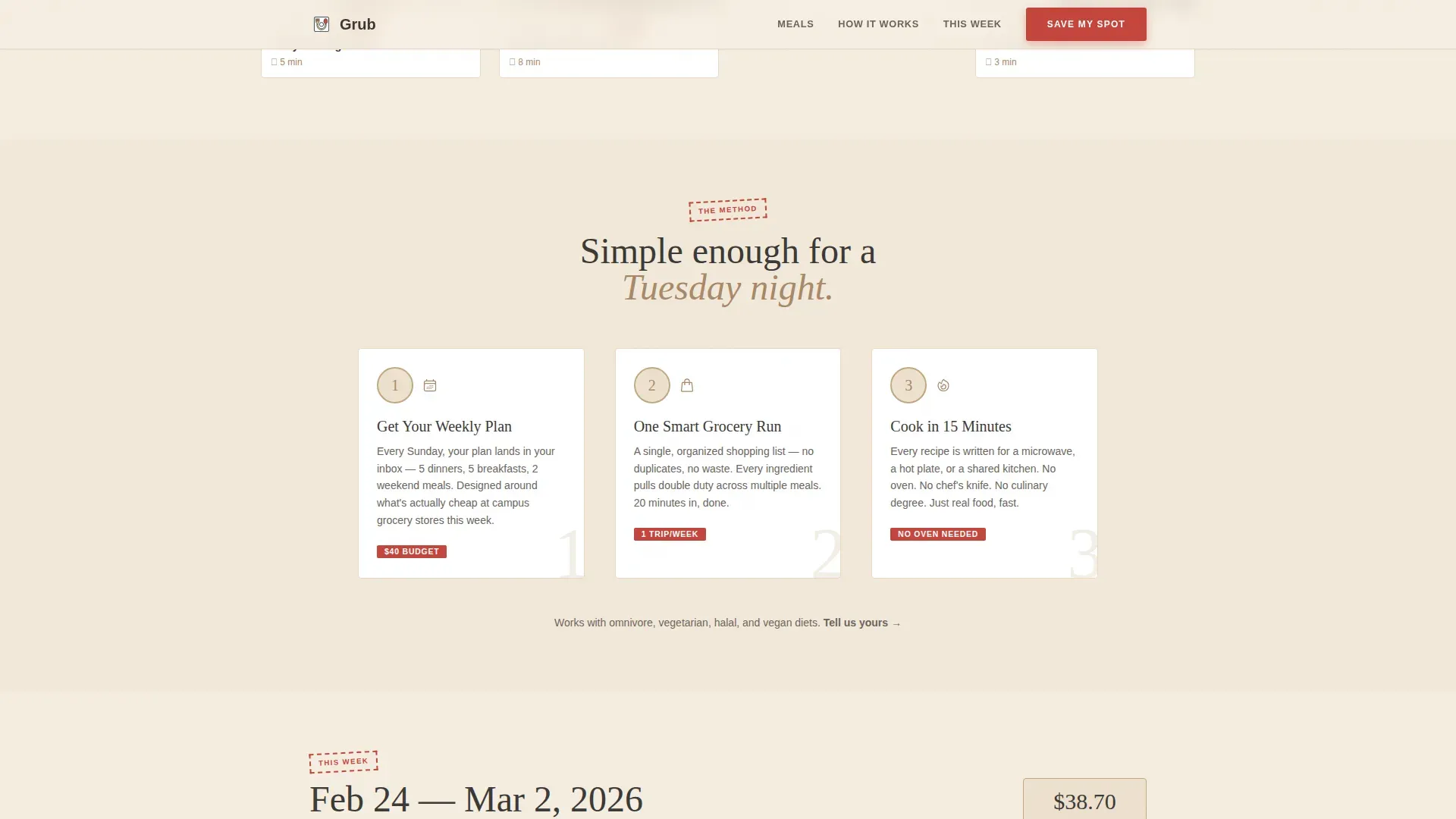
- A dorm-friendly three-step "How It Works" flow, a three-day meal preview with cost breakdown, and a mobile-pinned "Save My Spot" button
- Editable dietary preference dropdown, campus name field, and a secondary email capture path for users not ready to register
Feature list
This template includes a focused set of features drawn directly from its brief. Each one serves a specific role in converting a curious visitor into an engaged member of your meal plan community.
Masonry Meal Photography Feed
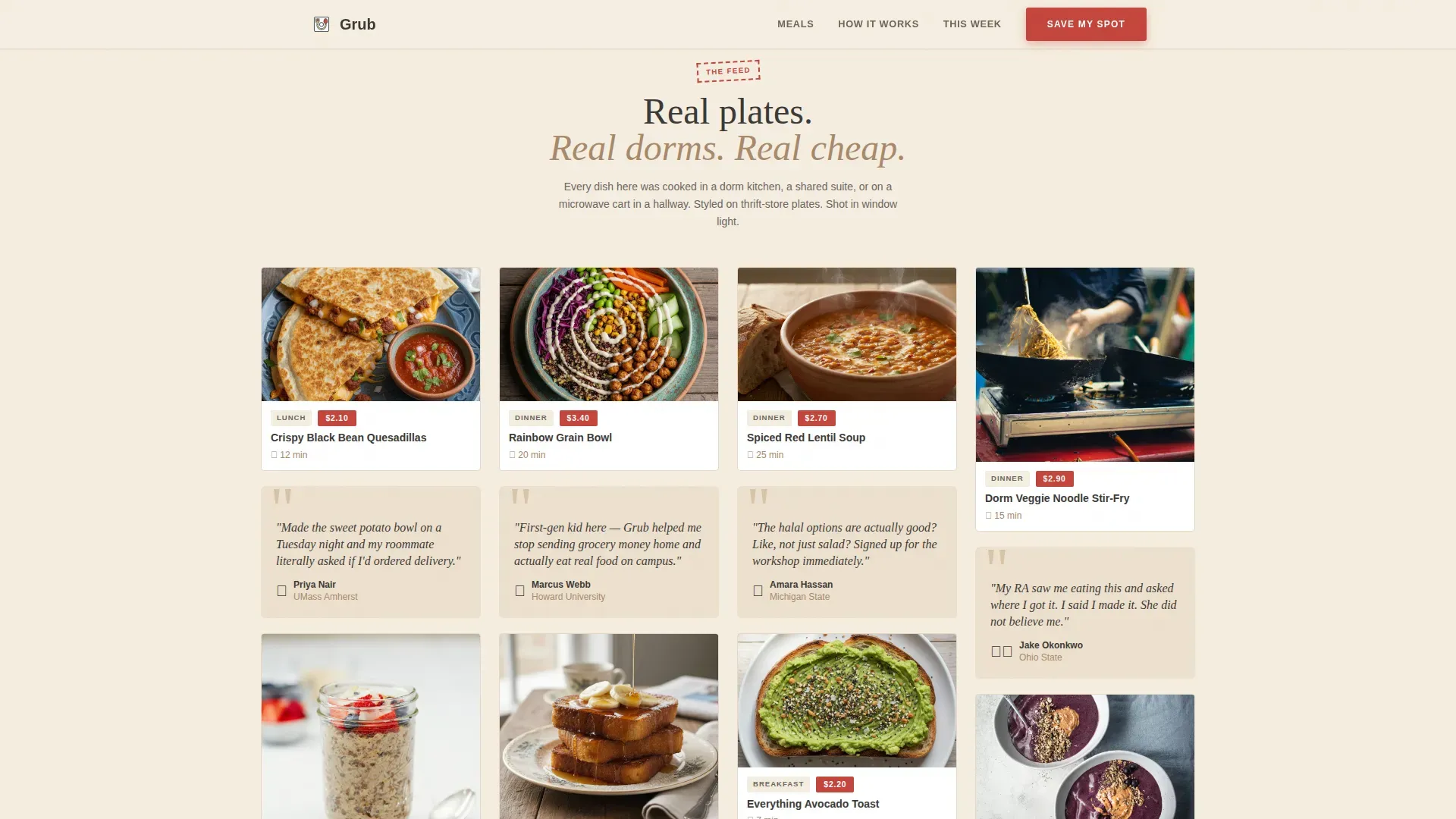
The page uses a cascading Pinterest-style grid to display meal photography from breakfast through dinner. Tiles shift from simple weekday dishes to more impressive weekend recipes as the user scrolls. Testimonial cards appear between food tiles to build social proof inside the same visual rhythm.
Polaroid-Style Hero Section
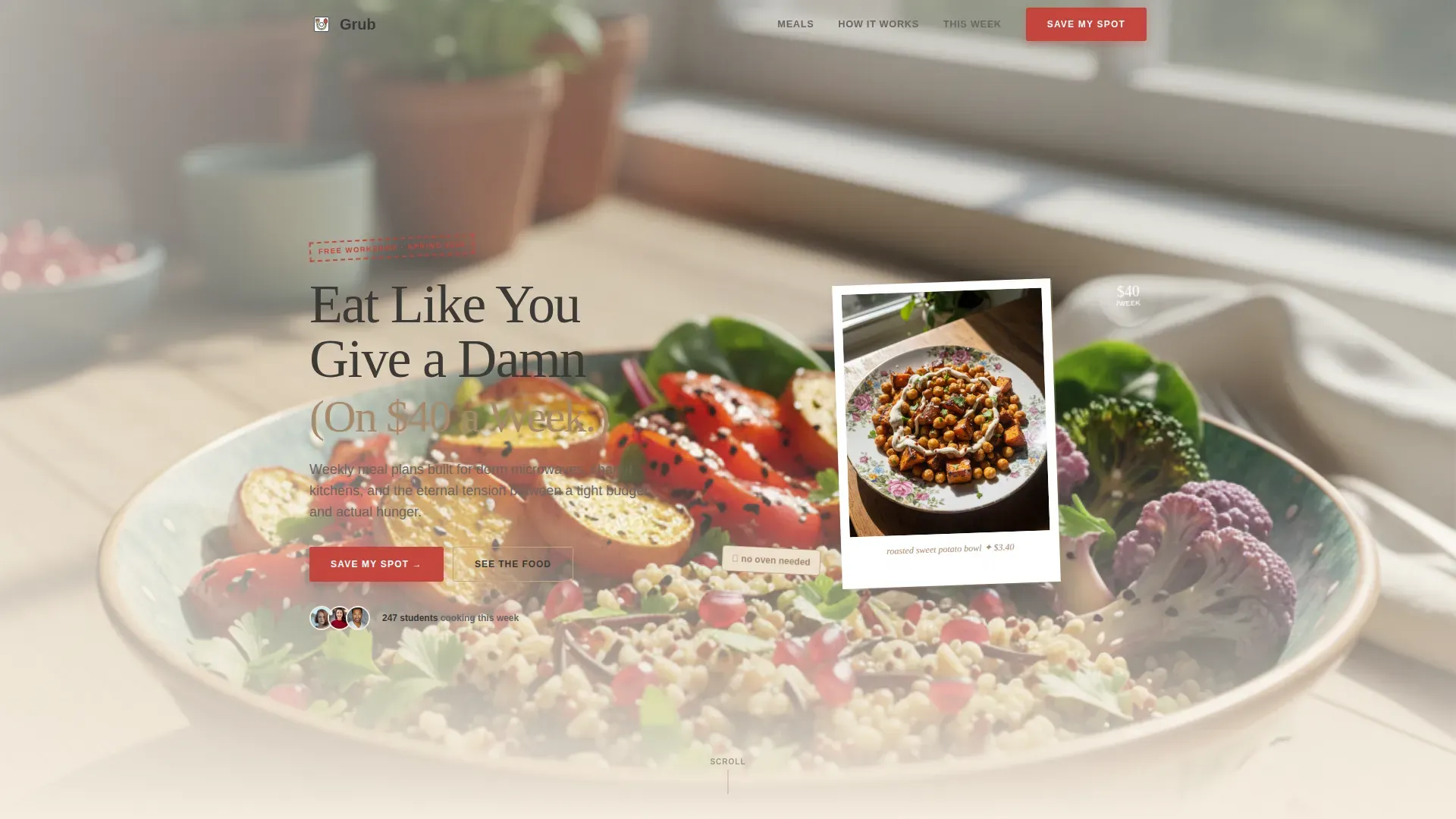
The hero opens with a lifestyle shot framed like a Polaroid on a kitchen counter. A student sits cross-legged on a dorm bed, fork in hand, grain bowl balanced on a textbook. The headline "Eat Like You Give a Damn (On $40 a Week)" sets the tone immediately and answers the value question before the user reads another word.
Workshop Registration Form
The registration section includes a first name field, a campus name dropdown, and a dietary preference selector covering omnivore, vegetarian, halal, and vegan options. This lets you accommodate a wide range of dietary restrictions without overcomplicating the sign-up flow. The "Save My Spot" call to action appears in ketchup red for instant visual priority.
Secondary Email Capture Path
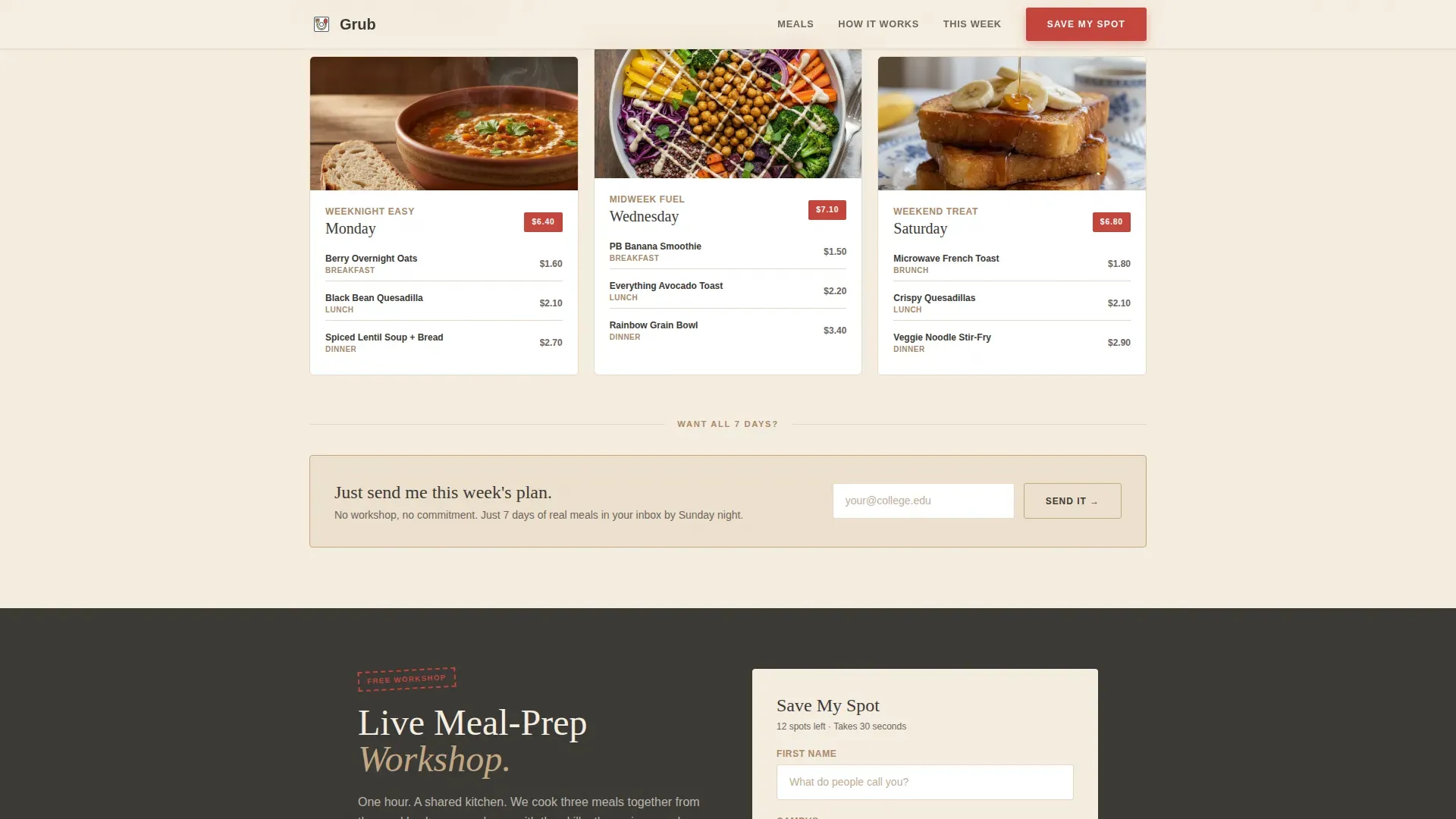
A secondary call to action reads "Just Send Me This Week's Plan" for visitors who want meal ideas but are not ready to register for the live workshop. This keeps a softer conversion path open and helps you grow your planner list even when users are not committing to an event.
Three-Day Meal Preview with Cost Breakdown
The "This Week's Plan" section shows three days of real recipes with visible per-meal costs. Users can see exactly what they will eat and what it will cost before they sign up. This transparency builds trust and reinforces the $40-a-week promise.
Student Testimonial Cards
Handwritten-font quote cards from real students appear inside the masonry grid. Each card describes a first meal that made their roommate jealous, giving the plan emotional credibility alongside its practical nutrition tips. These cards track with the scroll rhythm so social proof never feels separate from the food content.
Page sections overview
| Section | Purpose |
|---|---|
| Hero Lifestyle Shot | Opens with a Polaroid-style student photo and bold headline to hook visitors immediately |
| Masonry Meal Feed | Cascading food photography grid with testimonial cards to build appetite and trust |
| How It Works | Three-step dorm-friendly process showing how easy it is to cook without an oven |
| This Week's Plan | Three-day meal preview with per-meal cost to demonstrate value and budget clarity |
| Workshop Registration | "Save My Spot" form collecting name, campus, and dietary preference for event sign-ups |
| Email Capture | Secondary path offering the week's meal plan via email for users not ready to register |
| Page Footer | Horizontal flow footer linking to secondary pages and site information |
Design & branding system
The visual identity follows a Neo-Retro theme built around a Warm Stone color palette. Every color choice has a specific role, keeping the page warm, readable, and action-oriented without feeling clinical.
- Diner cream (#F5EDE0) backgrounds, chalkboard slate (#3B3936) typography, toasted sesame (#C4A882) card surfaces, and ketchup red (#C4453C) for all buttons and badges
- DM Serif Display headlines give a hand-lettered, vintage recipe card quality; Manrope handles body text with clean readability
- The overall aesthetic feels like a sun-faded diner menu that takes food seriously without taking itself too seriously
Mobile & speed optimization
This template is built mobile-first because college students browse on phones. Every layout decision prioritizes fast visual loading and touch-friendly interaction so the page performs well on the devices your audience actually uses.
- Lazy loading is applied to the image-heavy masonry grid to keep the site responsive as users scroll through food photography
- The "Save My Spot" call to action is pinned as a floating button on mobile so the registration path is always one tap away
- Staggered reveal animations on masonry tiles create a smooth scroll experience without overwhelming smaller screens
How this template helps you convert
A meal plan landing page only works if it moves visitors toward a clear action. This template is structured so every scroll builds desire and lowers hesitation before the user reaches the form.
- The masonry feed builds appetite progressively, shifting from simple breakfast recipes to more nutritious dinner dishes so visitors are genuinely hungry by the time they reach the registration section
- Cost badges and the three-day meal preview give transparent, specific budget proof, making it easy for students motivated by saving money to trust the plan before they purchase or sign up
- The dual call-to-action structure captures both high-intent visitors ready to register and lower-intent visitors who just want this week's plan, so no interested user leaves the site empty-handed
Other information about this template
This template is part of the Food and Beverage category, sitting at the intersection of the Tiffin and Meal Subscription subcategory and the Student Meal Plan niche. It suits a wide range of use cases beyond the core student audience.
- Meal planning apps like those that help users track dietary goals, manage shopping lists, and monitor nutrition tracking can recommend this template as a companion landing page for their own communities
- The template works well for fitness enthusiasts, busy parents, and nutrition coaches who want to create a meal planner site that accommodates gluten free, dairy free, and other dietary needs without a complex build
- Meal planner templates in this style are designed to help users organize recipes, build shopping lists, reduce food waste, and support healthy eating habits across different dietary goals
- The page layouts and editable sections make it practical to customize for slow cooker meal plans, pantry-based cooking, or any plan meals approach that focuses on nutritious, affordable ingredients like rice, eggs, and fresh veggies
- Printable meal planner templates can complement this landing page by giving users a physical planner to track their weekly meal plan alongside the digital site experience
- Grocery list templates can improve the grocery shopping experience further; users who access this page can link out to downloadable shopping lists for each week's recipes
- Meal planner templates built on this site structure can be uploaded to digital devices or printed for convenience, giving your audience control over how they engage with their meal scheduling
Theme
Neo-Retro
Creative direction
Immersive Visual
Color system
Warm Stone
Style
Masonry/Pinterest
Direction
Event Registration
Page Sections
Masonry Meal Photography Feed
Polaroid-style Hero with Bold Headline
Workshop Registration Form
Secondary Email Capture Path
Three-day Meal Preview with Cost Breakdown
Student Testimonial Cards in Grid
Related questions
Can I edit the dietary preference options in the registration form?
Is this template suitable for a campus wellness office promoting nutrition programming?
Does the template support two calls to action on the same page?
Can I use this template to promote a meal plan focused on specific dietary goals?
Who else besides college students would benefit from this template?