New Parent Insurance Cost Calculator Website Template
Buckle is a data-driven new parent auto insurance landing page template built for lead generation. It pairs an animated stats wall with a side-by-side carrier comparison table, a coverage anatomy breakdown, and a real-time risk calculator. A progressive three-step form converts visitors into qualified leads, while a secondary PDF gate captures early-stage prospects.
by Rocket studio
Quick summary
Buckle is a single-page InsurTech lead generation template designed for new parent auto coverage. It opens with three animated stat counters that surface real coverage-gap data, then guides visitors through a carrier comparison table, an expandable coverage anatomy section, and a live risk-score calculator before closing with a progressive three-step quote form.
Who this template is for
This template is built for InsurTech teams and insurance marketers who need to reach new parents before a coverage gap becomes a liability gap. It suits product builders who want a data-forward layout that speaks directly to an audience making high-stakes financial decisions under sleep deprivation.
- Expectant couples repricing liability limits in the final weeks of pregnancy
- New parents realizing their current vehicle and coverage no longer fit their family
- Guardians adding a vehicle to the household fleet who need rates that reflect real driving changes
What problem this template solves
Standard insurance landing pages bury coverage details in dense paragraph text and leave new parents guessing whether they are properly protected. This template fixes that by leading with hard numbers and then turning anxiety into action through structured comparison and personalized calculation.
- New parents often discover their coverage gap months after the birth, when the risk is already live
- Generic carrier pages do not show how adding a dependent shifts each coverage line item
- Most lead forms ask for too much at once, causing drop-off before a quote is even started
What you get with this template
You get a fully structured, desktop-first single landing page with five distinct functional sections and a responsive mobile fallback. Every section is designed to carry a visitor from alarming awareness through informed confidence and into a quote request.
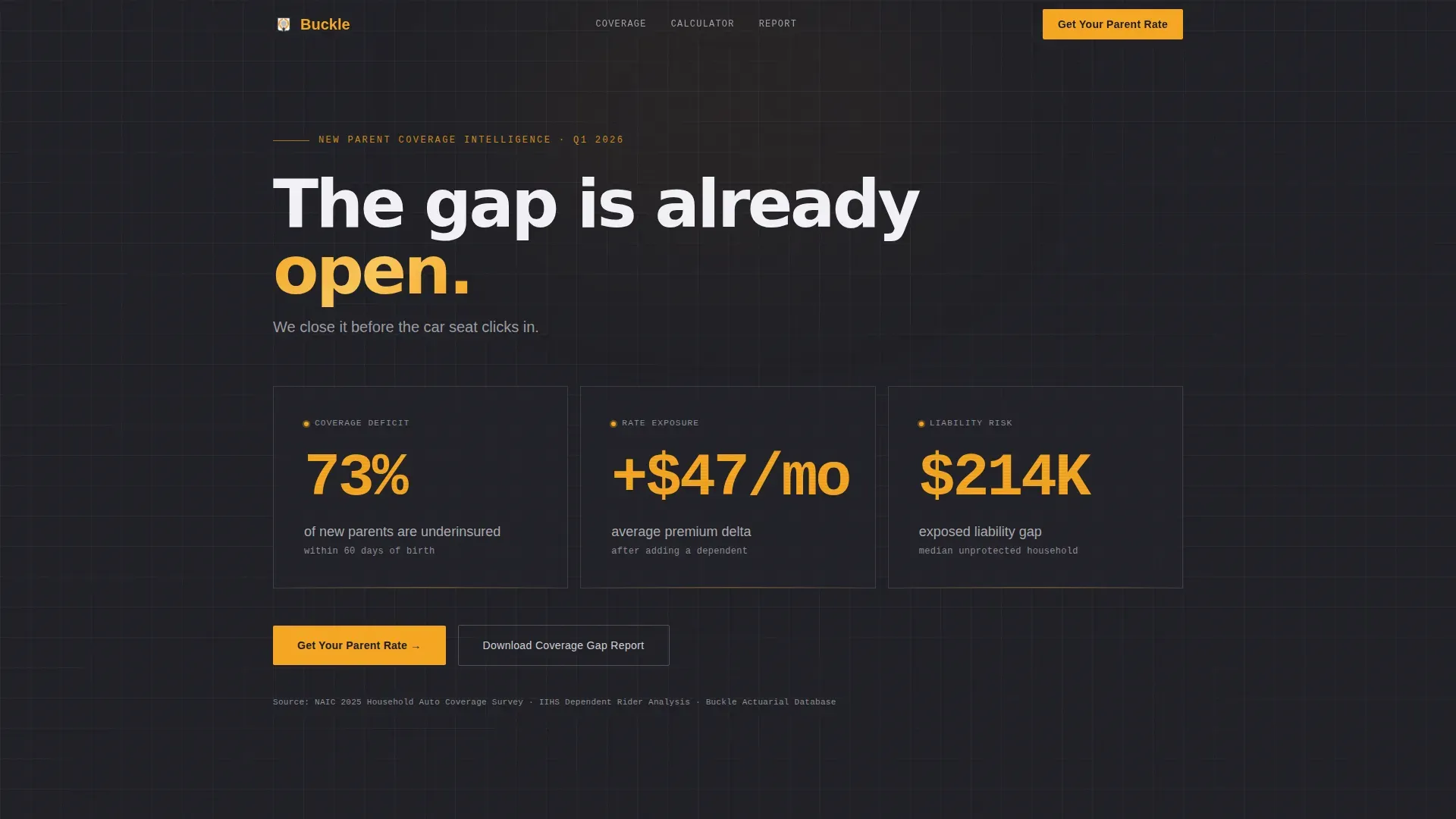
- An animated stats wall with three oversized counters rendered in amber on charcoal
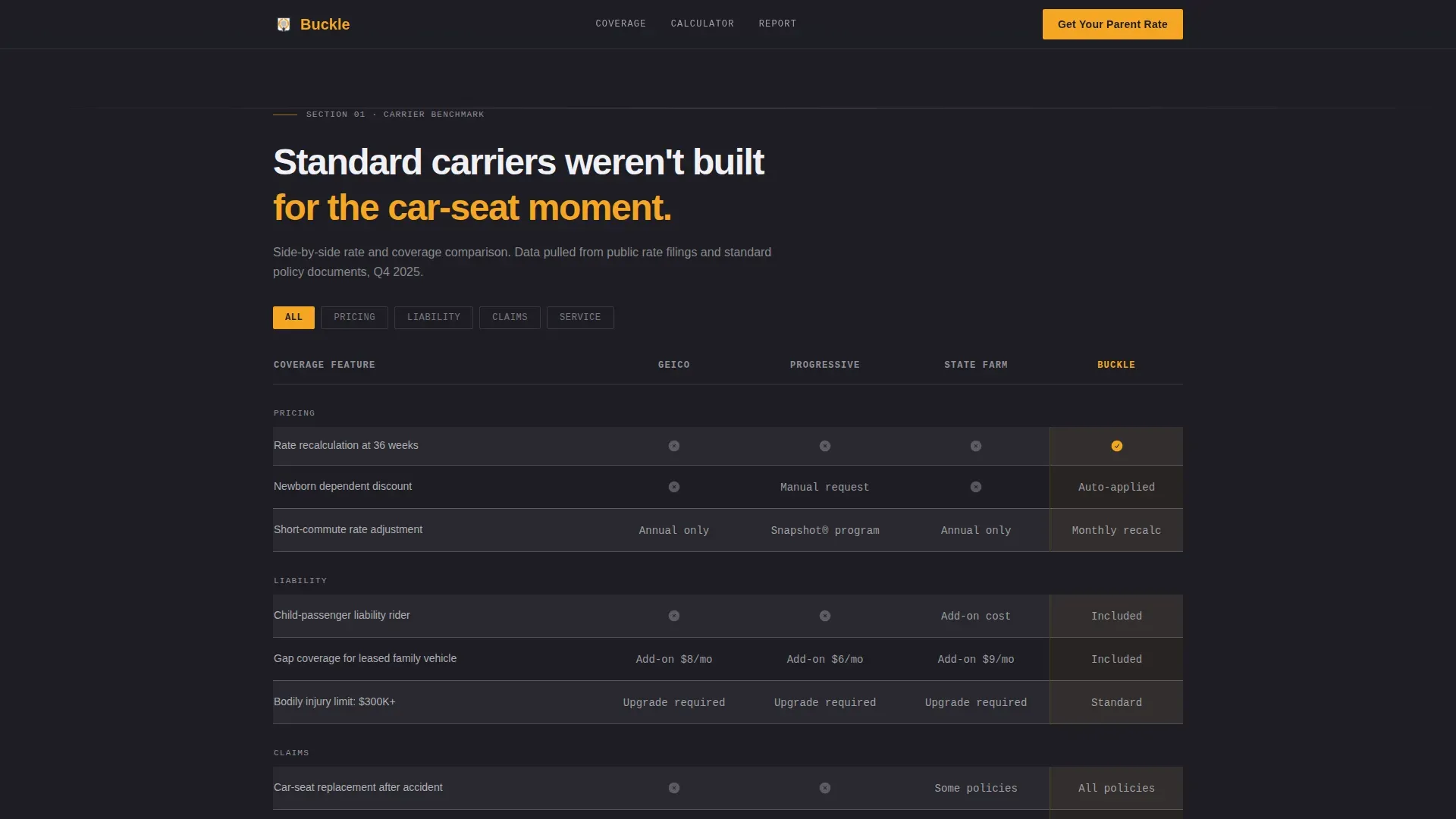
- A side-by-side carrier comparison table with alternating row styling and amber checkmarks
- An expandable coverage anatomy section, a real-time risk calculator, a three-step progressive lead form, and a secondary PDF gate
Feature list
This template is built around interactive, data-dense components that earn trust before asking for a commitment.
Animated Stats Wall
Three oversized counters animate on page load, displaying coverage-gap data in signal amber typeset on deep charcoal. Numbers are large enough to read at a glance and styled with JetBrains Mono for a data-terminal feel. A short subheading immediately follows to reframe the statistics as solvable.
Side-by-Side Comparison Table
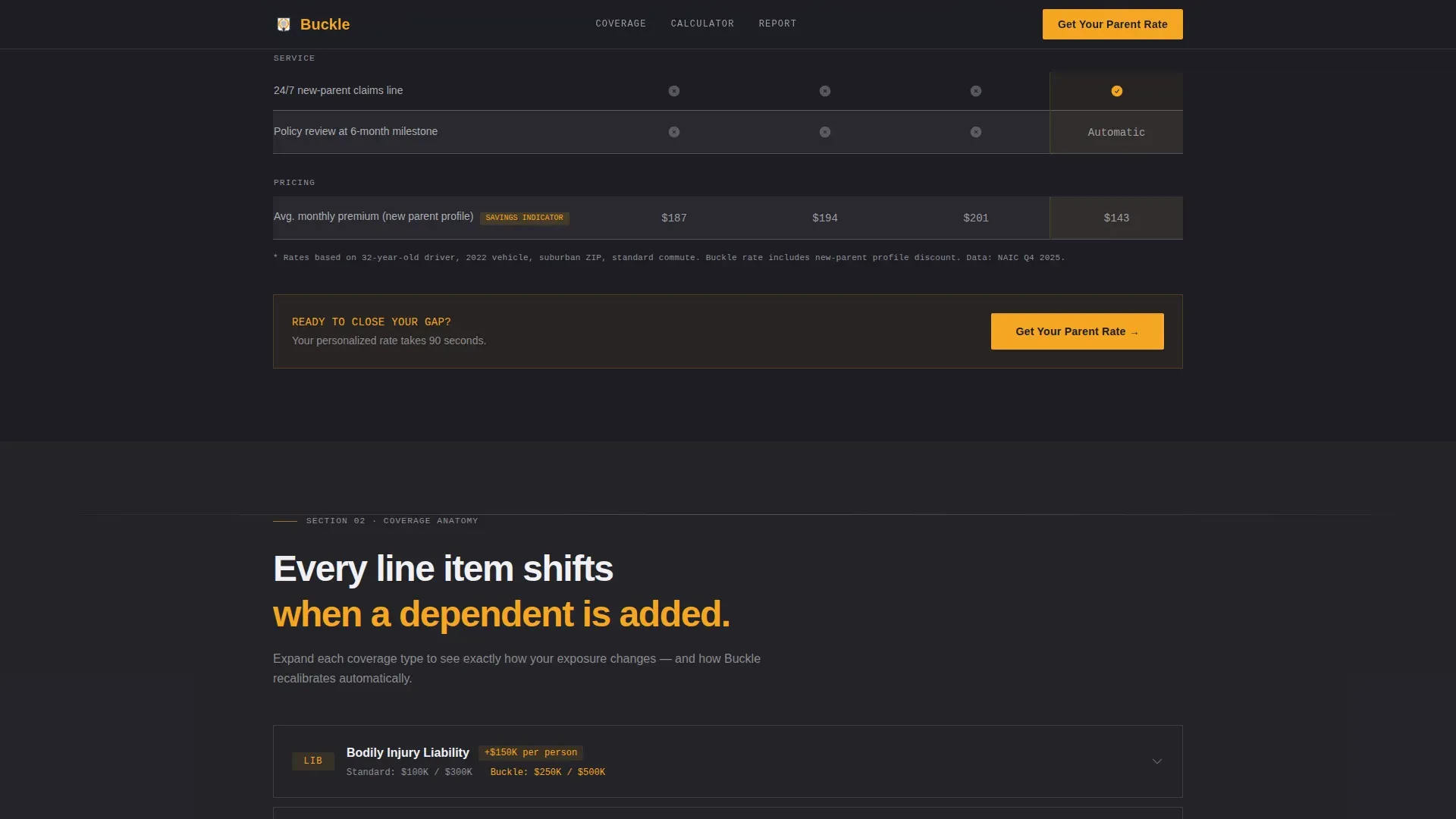
A structured table benchmarks standard carrier rates against this product across key coverage dimensions. Rows alternate between warm asphalt and deep charcoal, and amber checkmarks mark every point where this policy wins. This format lets a visitor scan and decide without reading dense paragraphs.
Expandable Coverage Anatomy
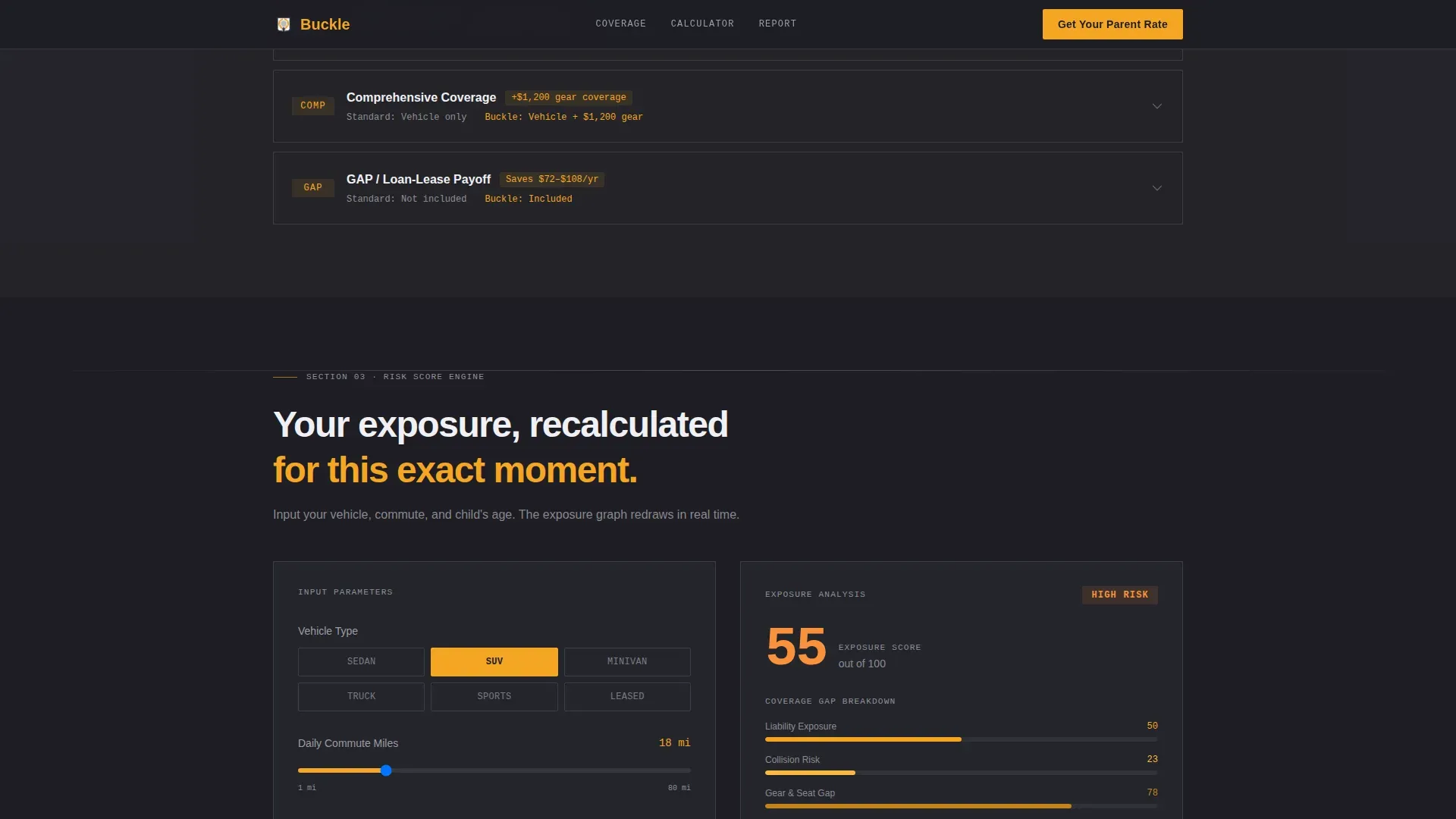
Four coverage line items, liability, collision, comprehensive, and gap, are presented in expandable rows. Each row reveals how that specific coverage shifts when a dependent is added to the policy. This makes abstract insurance terminology tangible and parent-specific.
Real-Time Risk Calculator
Visitors input vehicle type, commute miles, and their child's age in months. The exposure graph redraws in real time to reflect their personal risk profile. This interaction converts passive reading into active engagement before the form appears.
Progressive Three-Step Lead Form
The quote form discloses its questions in three steps rather than all at once. Step one asks for zip code and child's birth month. Step two asks for current carrier and vehicle year. Step three captures name and email. This approach reduces form friction and improves completion rates.
PDF Gate Secondary Path
A secondary call to action offers the full New Parent Coverage Gap Report as a downloadable PDF in exchange for an email address. This path captures prospects who are not yet ready to quote and seeds a follow-up nurture sequence.
Page sections overview
| Section | Purpose |
|---|---|
| Hero Stats Wall | Surface gap data with animated counters to create immediate awareness |
| Carrier Comparison Table | Benchmark standard rates against this product using visual checkmarks |
| Coverage Anatomy Rows | Explain how each coverage line shifts when a dependent is added |
| Risk Score Calculator | Personalize exposure data using vehicle type, commute, and child age |
| Progressive Lead Form | Capture quote intent in three low-friction steps |
| PDF Gate call to action | Offer a downloadable report to nurture visitors not ready to quote |
| Footer | Single-row linear footer with standard navigation and legal links |
Design & branding system
The visual identity follows a Startup Velocity theme styled as an industry report, closer in feel to a financial data terminal than a traditional insurance page. Typography uses DM Sans for headings and JetBrains Mono for all data and number displays.
- Deep dashboard charcoal (#1E1E24) and warm asphalt (#3A3A42) form the background layer throughout
- Signal amber (#F5A623) appears on every interactive element, data highlight, counter number, and primary call-to-action button
- Buckle silver (#D1D1D6) is used for borders and secondary text, creating clean visual separation without adding visual noise
Mobile & speed optimization
The template is built desktop-first to honor its Bloomberg terminal aesthetic, with a responsive mobile fallback that preserves all five sections and interactive components on smaller screens.
- Server Components power the static sections to keep initial load light while Client Components handle the calculator and form interactions
- GSAP scroll reveals animate each section as it enters the viewport, maintaining the paged-report feeling on all device sizes
- Counter animations, expandable rows, and live graph redraws are scoped to Client Components so static content renders immediately
How this template helps you convert
Every design and content decision in this template is engineered to move a visitor from alarmed awareness to a submitted quote request or a captured email address.
- The stats wall creates an immediate, data-backed reason to act. Oversized numbers framed by a reassuring subhead lower defensiveness before any product claim is made.
- The comparison table and coverage anatomy section build product credibility. Visitors understand exactly where the policy outperforms standard carriers before they are asked for any personal information.
- The three-step progressive form and PDF gate provide two distinct conversion paths. Visitors who are ready to quote enter the form. Those who need more time receive a report and enter a nurture sequence.
Other information about this template
This template is designed for the United States market, with all data formatted in USD and dates in MM/DD/YYYY format. It is suited for InsurTech teams launching a B2C lead generation product in the new parent auto insurance niche.
- The page follows a Finance and Insurance category structure under the New Parent Insurance subcategory
- The Comparison Table template style makes it straightforward to adapt the carrier benchmarks as product positioning evolves
- The Startup Velocity theme keeps the overall layout contemporary and credible for a data-forward insurance audience
- Buckle, as a brand concept, is referenced throughout the template's naming and call-to-action copy, including "Get Your Parent Rate" and the PDF titled "New Parent Coverage Gap Report"
Theme
Startup Velocity
Creative direction
Industry Report
Color system
Charcoal & Amber
Style
Comparison Table
Direction
Lead Generation
Page Sections
Animated Coverage Gap Stats Wall
Side-by-side Carrier Comparison Table
Expandable Coverage Anatomy Section
Real-time Risk Score Calculator
Progressive Three-step Lead Form
PDF Gate Secondary Conversion Path
Related questions
Who is this landing page template designed for?
What interactive components does this template include?
Does this template support a two-path conversion strategy?
What does the comparison table section show?
Is this template suited for mobile users?



