Safe Child Monitoring Landing Page Template
Shield is a masonry-style landing page template built for child predator prevention organizations. It helps PTA boards, school counselors, and parents book safety workshops and access protective resources fast. Warm Botanical colors, a hand-drawn geometric hero illustration, and an inline scheduling form combine to turn urgent after-hours concern into confident, community-backed action.
by Rocket studio
Quick summary
Shield is a single-page booking landing page template designed for digital safety educators who work with children, parents, and school staff. Its masonry Community Gallery layout, typewriter hero headline, and marigold call-to-action buttons create a page that feels warm yet urgent, so visitors book workshop sessions or download free resources without hesitation.
Who this template is for
This template serves organizations that educate children and families about online dangers. It is built for teams that need a credible, bookable web presence fast.
- PTA boards and school counselors scheduling assembly sessions for students and staff
- Parents who need an immediate response resource after finding alarming content on a child's device
- Digital safety educators seeking to grow the number of booked workshops across multiple schools
What problem this template solves
Many child safety organizations struggle to convert anxious website visitors into booked sessions. The page lacks warmth, trust signals, or a clear path to action. Shield solves that with a proven rhythm of social proof and purposeful calls to action.
- Visitors feel lectured before they feel supported, so they leave without booking
- Booking forms ask for too much information upfront, adding friction
- Parents can't quickly identify the right workshop type for their family's needs
What you get with this template
Shield delivers a fully structured landing page with every section mapped to a specific conversion goal. Each component is ready to customize for your organization.
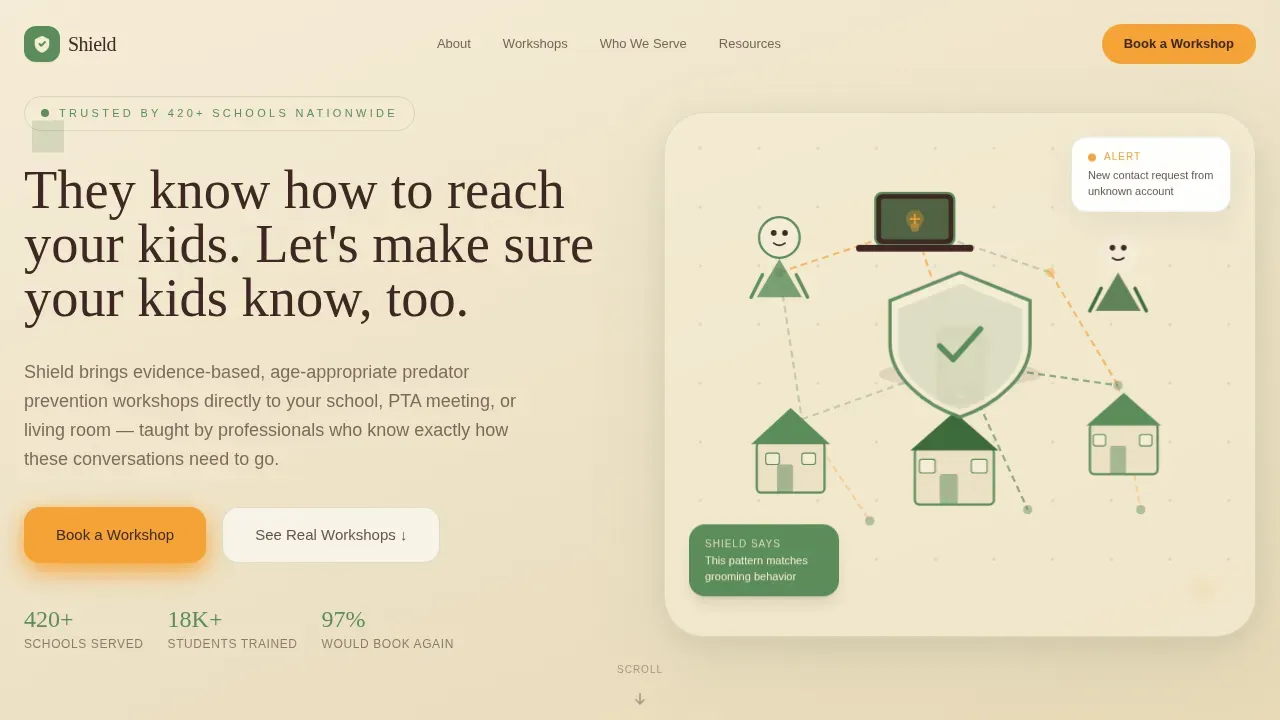
- A geometric SVG hero illustration with a typewriter headline and a persistent "Book a Workshop" button
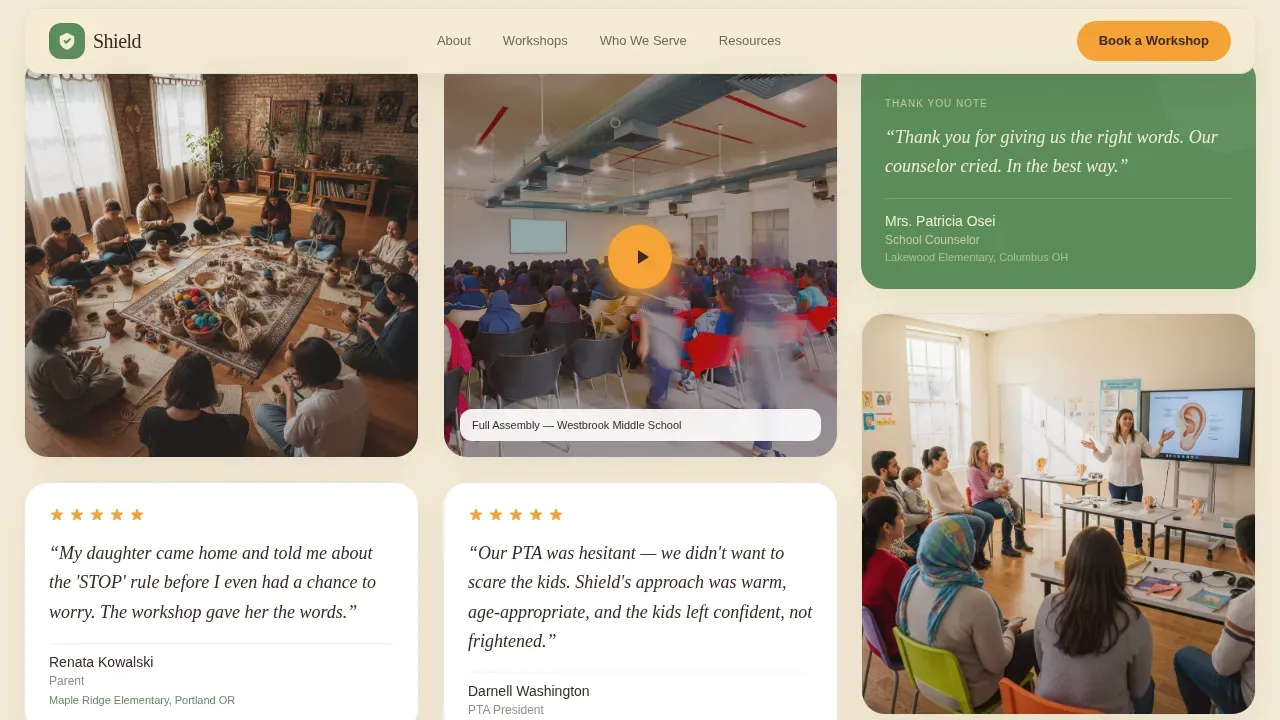
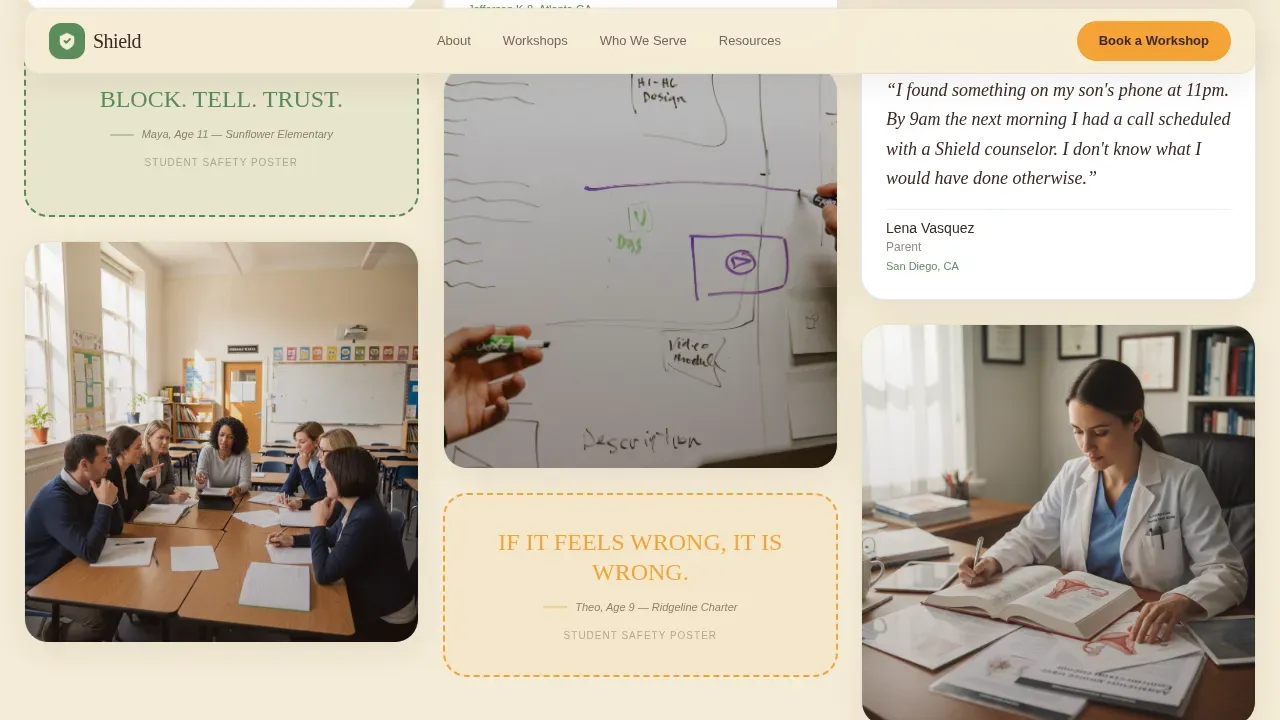
- A masonry gallery grid showing workshop photos, parent testimonials, student safety posters, and video clips
- An inline scheduling form, a free checklist email capture section, and a footer using a horizontal flow pattern
Feature list
This template includes purposeful sections and interactive elements drawn directly from the source brief.
Animated SVG Hero with Typewriter Headline
A hand-drawn geometric neighborhood illustration assembles on load, with dotted connection lines and marigold vulnerability markers. The headline types in progressively, giving the page an immediate, human feeling.
Masonry Community Gallery
Workshop photos, parent testimonials, student-drawn safety posters, and short video clips fill a staggered masonry grid. Cards use varied geometric shapes with rounded corners and soft drop shadows, so the eye wanders naturally through real social proof.
Inline Booking and Scheduling Form
The booking module collects school or organization name, audience type, preferred date range, and estimated group size, keeping the form to five fields or fewer to reduce friction. The layout supports automated reminder workflows to lower no-shows.
Free Checklist Email Capture
A secondary conversion path invites parents to download the Home Safety Checklist by submitting their email address. This captures families who need something tonight but are not ready to book sessions.
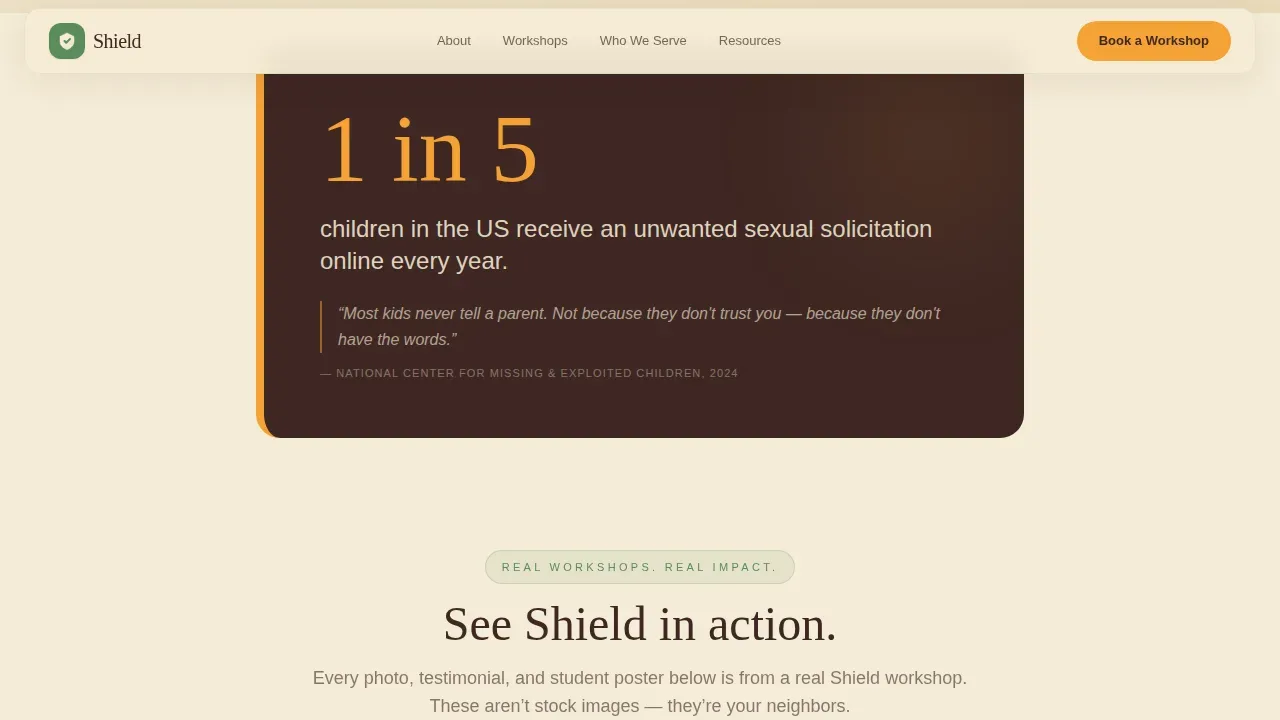
Stats Interstitial Cards
Single-column disruption cards between gallery clusters present real statistics and grooming phrase examples in root brown on cream. They force a meaningful pause and reinforce why booking matters, without losing the page's warmth.
Trust and Privacy Indicators
The template includes dedicated space for SSL badge display, privacy policy links, and professional certification badges, helping visitors feel safe sharing information about their children.
Page sections overview
| Section | Purpose |
|---|---|
| Hero Illustration | Opens with animated SVG neighborhood and typewriter headline |
| Stats Interstitial | Delivers a single alarming statistic to prompt urgency |
| Masonry Gallery | Shows real workshop moments and parent testimonials |
| Who We Serve | Three audience cards for parents, educators, and students |
| Booking Module | Inline scheduling form for workshop sessions |
| Checklist Capture | Email lead generation for free home safety resource |
| Footer | Horizontal flow pattern with key links and privacy policy |
Design & branding system
The visual identity follows a Playful Geometric theme paired with a Botanical color system. Typography pairs Fraunces serif headlines with DM Sans body text for a children's library feel that adults trust.
- Soft fern green (#5B8C5A) frames cards and section dividers; warm petal cream (#F5ECD7) dominates backgrounds; deep root brown (#3E2723) carries body text
- Alert marigold (#F4A236) appears only on calls to action and warning callouts, preserving its urgency and effectiveness
Mobile & speed optimization
Shield is built mobile-first, recognizing that many parents discover this website late at night on a phone. Buttons are thumb-friendly and the layout reflows cleanly at small screen sizes.
- CSS animations handle the masonry stagger and SVG assembly, keeping the page responsive without heavy JavaScript
- Intersection Observer triggers animations as sections scroll into view, allowing smooth performance on lower-powered devices
How this template helps you convert
The page follows a comfort-disruption-comfort rhythm that guides visitors from emotional recognition to confident booking.
- The gallery and testimonials build trust first, so by the time a "Book a Workshop" button appears it feels like joining a community already in motion, not responding to a sales pitch.
- The persistent marigold button in the navigation and the free checklist capture give visitors two clear response paths, so no visitor leaves without taking an action.
Other information about this template
Shield supports organizations working across a broad range of digital safety topics, including cyberbullying response, grooming recognition, social profile privacy, hate speech identification, and reporting suspicious speech online. The template's design system is fully customizable, so staff can adapt colors, copy, and section order to match specific program needs.
- The booking form collects only essential information, following data minimization best practices aligned with COPPA and similar child safety regulations
- Placeholder spaces for SSL certificate badges and a clearly labeled privacy policy link are included to support transparent data handling
- Schools and community organizations can repurpose the checklist capture section for additional free resources, expanding their reach across multiple programs
- The template structure reflects views shared by child safety advocates: that trust must be earned through evidence before a booking request is made
Theme
Playful Geometric
Creative direction
Community Gallery
Color system
Botanical
Style
Masonry/Pinterest
Direction
Booking/Scheduling
Page Sections
Animated SVG Hero Illustration
Masonry Community Gallery Grid
Inline Workshop Booking Form
Stats Interstitial Disruption Cards
Free Checklist Email Capture Section
Trust Badge and Privacy Link Blocks
Related questions
Can schools use this template for multiple workshop types?
Does the template include space for trust and privacy indicators?
Is the masonry gallery easy to update with new workshop content?
How does the free checklist email capture section work?
Can this template support topics beyond grooming prevention?



