Videographers & Filmmakers Community Professional Website Template
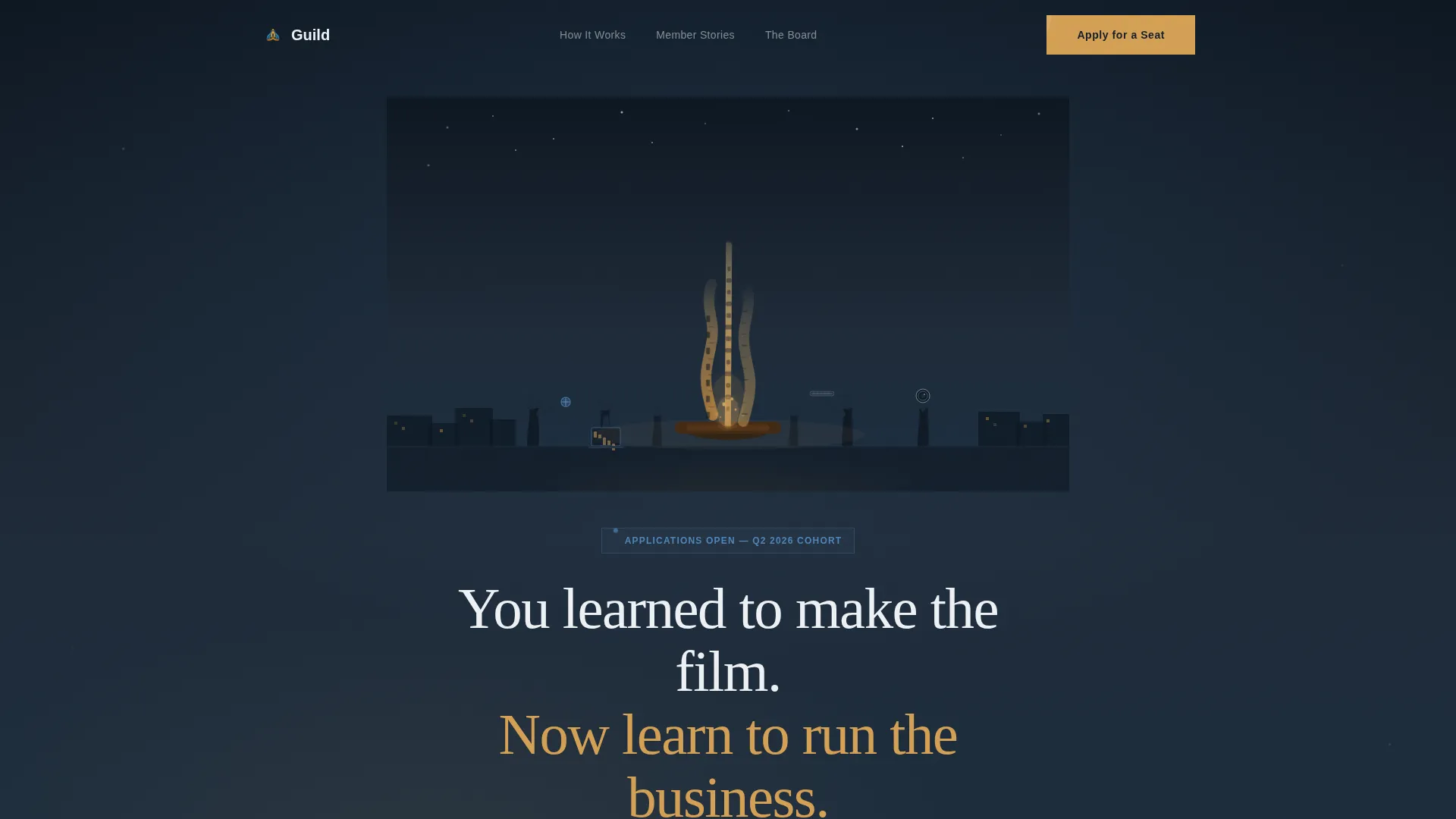
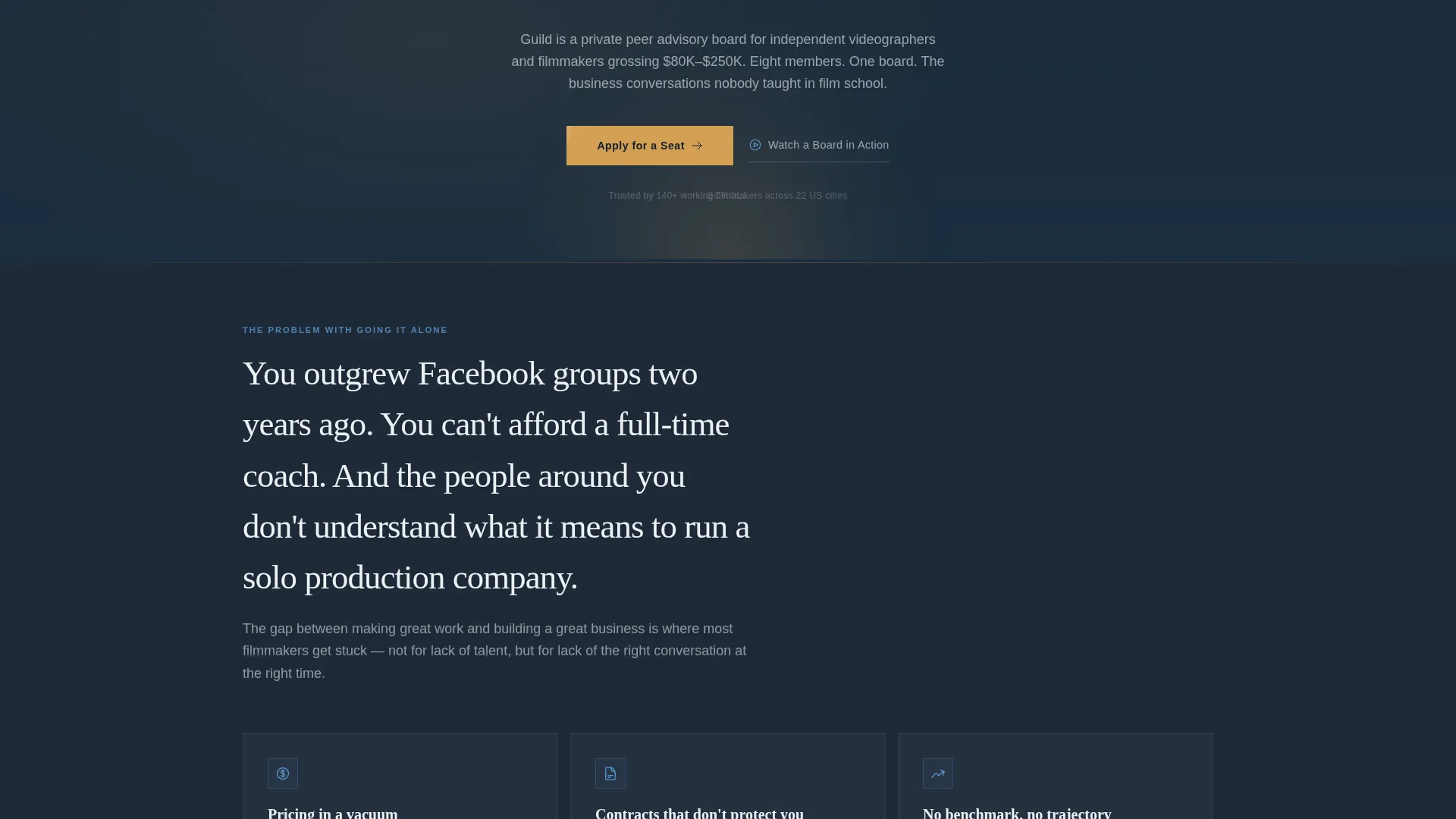
Guild is a single-page landing page template built for filmmakers and videographers launching a peer advisory board. It uses a zigzag alternating layout, a custom campfire illustration header, and a warm documentary color palette to move solo shooters and owner-operators from feeling isolated in their business to clicking "Apply for a Seat."
by Rocket studio
Quick summary
Guild is a click-through landing page template designed for a videographers and filmmakers peer advisory board. It uses a zigzag alternating section layout, a custom campfire SVG illustration, and a documentary-grade color system to build conviction through specific member stories before asking visitors to apply. The goal is a single decisive click.
Who this template is for
This template is built for creative professionals who have mastered their craft but are ready to take the business side seriously. It speaks directly to the people stuck between a Facebook group and a full-time coach.
- Solo shooters and videographers grossing between $80,000 and $250,000 per year who have outgrown informal online communities
- Owner-operators running small production companies who need help with pricing, scoping, and systematizing their work
- Independent filmmakers ready to professionalize and grow with structured peer accountability
What problem this template solves
Most filmmakers leave film school knowing how to make a beautiful frame. Very few leave knowing how to price a wedding package, negotiate a distribution deal, or scope a commercial project. This template solves the communication gap between those two realities.
- It helps peer board organizers articulate a value proposition that resonates with working professionals, not students
- It removes the awkwardness of asking creative people to think like business owners by framing the board as a campfire conversation, not a boardroom
What you get with this template
You get a fully structured, single-page click-through layout that builds conviction section by section. Every block is designed to make the visitor see themselves before the call to action appears.
- A custom campfire SVG illustration header with a hand-lettered headline and an amber "Apply for a Seat" call to action button
- Five sequenced content sections covering the hero, isolation pain, board mechanics, three member stories, and a ripple-effect close
- A video modal trigger for a two-minute sizzle reel, a FAQ accordion, and a magnetic call-to-action button with GSAP ScrollTrigger animation reveals
Feature list
This section describes the core built-in capabilities of the Guild template.
Zigzag Alternating Section Layout
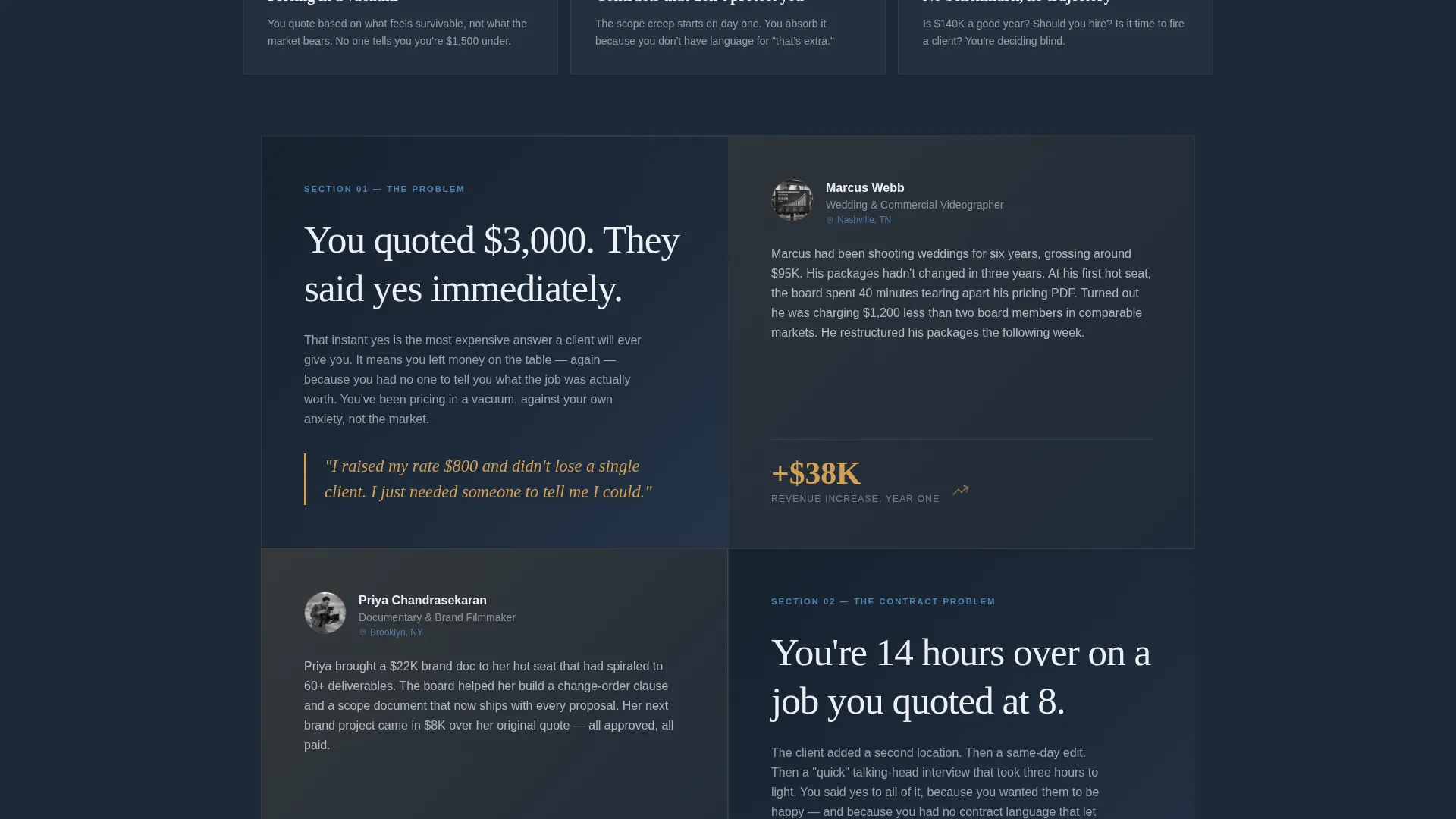
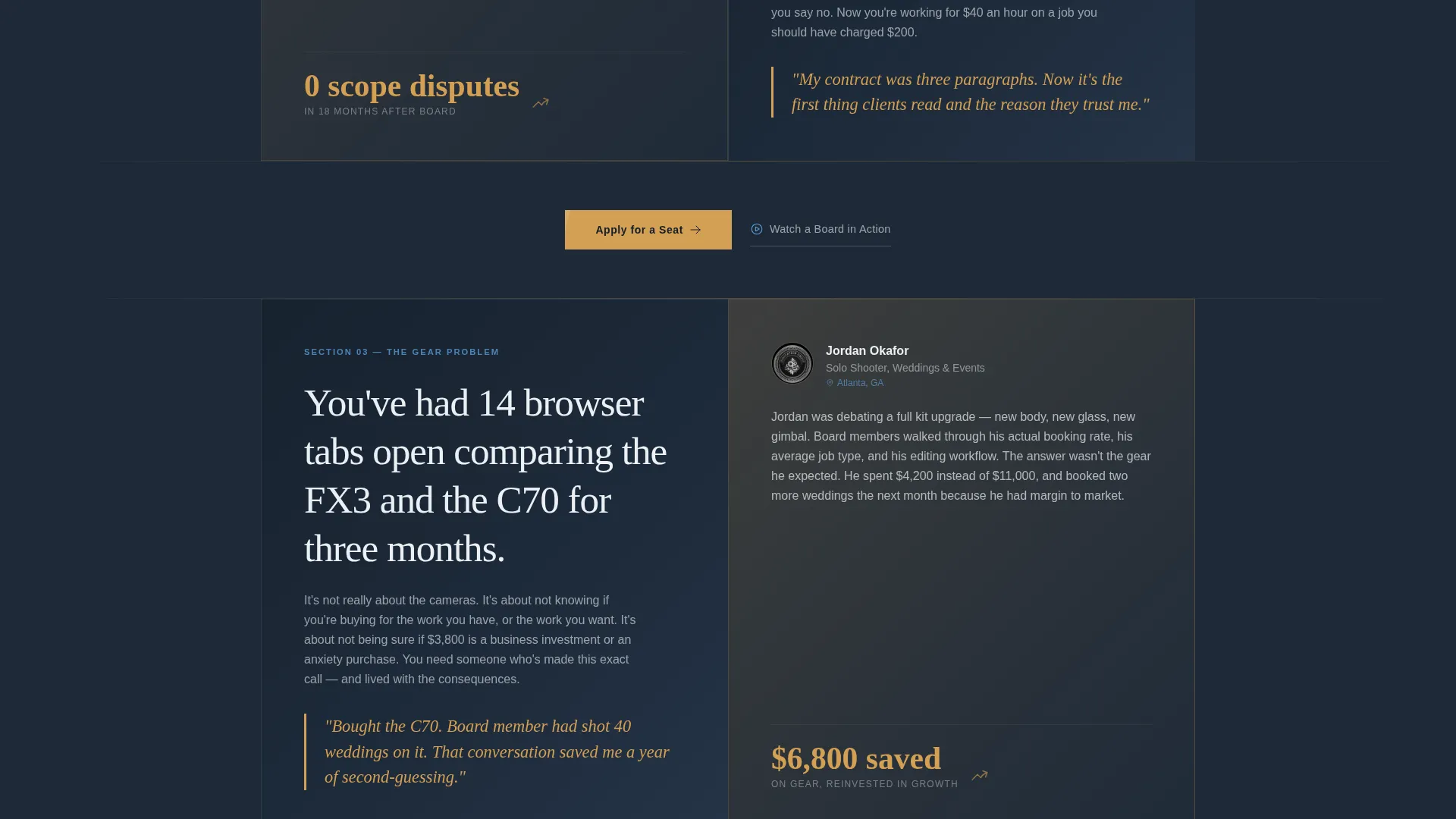
Each content block alternates left and right, pairing a tension statement on one side with a resolution or member story on the other. The layout escalates in warmth as the visitor scrolls, with the amber accent growing slightly brighter section by section to mirror a building fire.
Custom Campfire SVG Illustration Header
The header features a wide stylized campfire scene rendered in textured linework. Film strip flames, timeline shapes, and waveform audio bars form the fire. Silhouetted figures hold a gimbal, a laptop with a non-linear editing timeline, a shotgun mic, and a lens. A hand-lettered headline fades in over the scene.
GSAP ScrollTrigger Animation System
High-intensity scroll-driven animations power staggered zigzag reveals and an amber fire-glow pulse effect on call-to-action elements. Client components handle all interactive animation while static sections use server components for reliable rendering.
Video Modal with Sizzle Reel Trigger
A secondary text link labeled "Watch a Board in Action" opens an embedded two-minute video modal mid-page. This gives visitors a low-commitment way to experience the board's atmosphere before deciding to apply.
FAQ Accordion Component
An interactive FAQ accordion lets visitors expand and collapse answers without leaving the page. It handles common objections and logistics questions in a compact, scannable format that keeps the page feeling focused.
Repeating Amber Call-to-Action Pattern
The primary "Apply for a Seat" button appears first beneath the header illustration and repeats after every second zigzag block. The magnetic button behavior and amber color draw attention at exactly the right moments in the scroll journey.
Page sections overview
| Section | Purpose |
|---|---|
| Hero Illustration | Introduce the campfire scene, headline, and first call to action |
| Isolation Pain Block | Surface the craft-versus-business tension the visitor already feels |
| How Board Works | Explain meeting cadence, hot seat format, and the peer model |
| Member Story One | Show a specific pricing outcome from a real board member |
| Member Story Two | Show a distribution or scope outcome from a second member |
| Member Story Three | Show a creative ambition or revenue outcome from a third member |
| Ripple Effect Close | Present revenue growth and creative metrics with a secondary call to action |
| Footer Flow | Provide horizontal navigation links and closing brand context |
Design & branding system
The visual identity follows a Community Hearth theme built around a Slate and Sky color system. Every color decision references the feeling of a color-graded documentary frame, moody enough to signal craft and warm enough to signal belonging.
- Background uses deep production-slate (#1E2A38) to evoke a graded LOG image, with open-sky blue (#5B9BD5) for accent links and member highlights, warm amber (#D4A054) on call-to-action buttons and pull quotes, and clean monitor-white (#EDF1F5) for body text
- Typography pairs Fraunces serif headlines with DM Sans body text, combining editorial weight with clean readability
- The creative direction is Movement and Cause, using no photography anywhere on the page so the custom illustration signals a movement rather than a corporation
Mobile & speed optimization
The template is built desktop-first to match how working filmmakers typically browse at their editing desks, with strong mobile support layered on top.
- Server components handle all static content sections for reliable and fast initial rendering, while client components are scoped only to animation and interactive elements like the video modal and FAQ accordion
- The GSAP ScrollTrigger animation system is structured so scroll-driven effects do not block the initial page paint
How this template helps you convert
The entire page is engineered around a single click: the application link. Every design and copy decision earns that click before asking for it.
- The page introduces three specific member stories with real outcomes before the primary call to action repeats, so visitors recognize themselves in the narrative and feel the decision is already made
- The "Watch a Board in Action" video modal gives hesitant visitors a low-pressure way to go deeper without leaving the page, reducing drop-off at the mid-scroll point
Other information about this template
This template is a strong fit for community organizers building in the creative professional services space, particularly peer advisory and membership models for independent filmmakers and videographers.
- The footer uses a horizontal flow pattern that keeps navigation clean without distracting from the single call-to-action focus of the page
- The template is built with Fraunces and DM Sans typography, available through standard font delivery, keeping the editorial aesthetic accessible without custom font licensing complexity
- The zigzag layout and escalating amber warmth make this template adaptable for other creative peer communities beyond film, such as photographers, podcast producers, or music video directors
Theme
Community Hearth
Creative direction
Movement & Cause
Color system
Slate & Sky
Style
Zigzag/Alternating
Direction
Click-Through
Page Sections
Zigzag Alternating Content Layout
Custom Campfire SVG Illustration
GSAP Scrolltrigger Animations
Mid-page Video Modal
FAQ Accordion Component
Repeating Magnetic Call to Action Button
Related questions
Does this template include a membership application form?
Can I replace the member stories with my own community's content?
Is the campfire SVG illustration editable?
How does the video modal work?
Who is this landing page template designed for?



