Holi Business Specialist Professional Website Template
Gulaal is a modular Holi campaign landing page template built for marketing teams who need festival-ready assets fast. It delivers social templates, email headers, motion graphics, and print-ready posters through a vivid, card-grid layout. The Neo-Retro visual identity and unboxing scroll experience make it easy to present, compare, and upgrade tier offerings before Holi arrives.
by Rocket studio
Quick summary
Gulaal is a single-page, card-grid Holi campaign template designed for marketing teams on a deadline. It packages social templates, email headers, motion graphics, and print-ready posters into a tiered kit with a bold Neo-Retro visual identity. The unboxing scroll experience and built-in tier comparison make it simple to showcase assets and drive upgrades.
Who this template is for
This template is built for people who need professional Holi campaign assets delivered fast and presented clearly. It suits teams working across multiple clients or brands at once, as well as founders who want a polished festival presence without a full design team.
- Brand managers at direct-to-consumer companies preparing Holi campaigns two weeks out
- Social media coordinators at agencies managing multiple client calendars simultaneously
- Startup founders who want their social grid to reflect a studio-level creative standard
What problem this template solves
Festival campaign deadlines hit hard and fast. Most teams scramble to assemble scattered assets from different sources, only to end up with an inconsistent look across channels. This template solves that by centralizing every asset category inside one visually cohesive, tiered kit page.
- No consistent creative system across social, email, and print formats
- No clear way to present kit tiers and upgrade options to stakeholders or clients
- No sense of urgency or campaign momentum to move visitors toward higher-value tiers
What you get with this template
The template delivers a complete, single-page campaign showcase with modular card sections for each asset category. Every visual row is structured as an unboxing sequence, revealing kit contents one layer at a time as the visitor scrolls.
- Social template cards that fan out like a deck, email asset cards that slide from envelopes, and motion file cards with inline hover previews
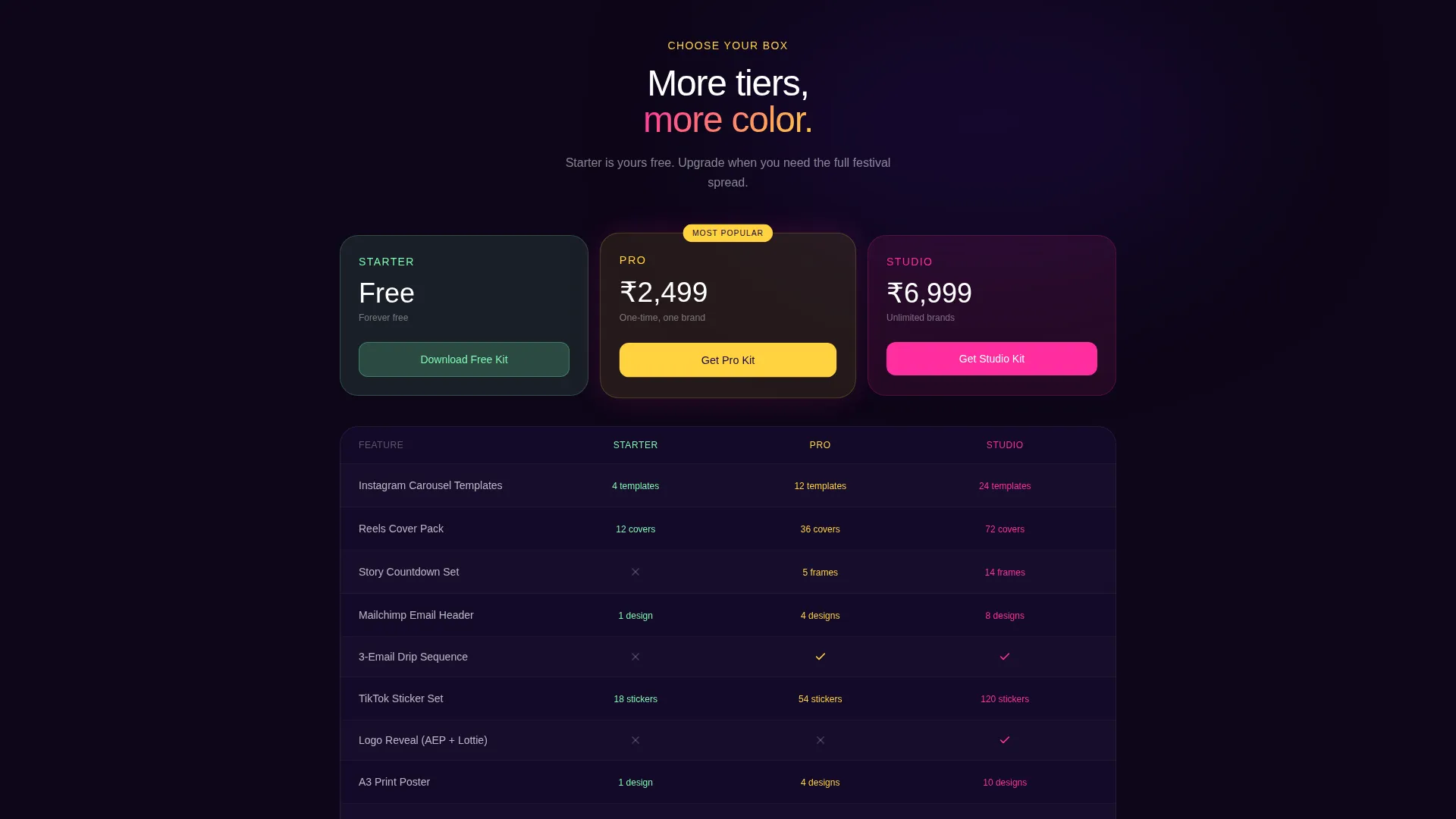
- A tier comparison toggle letting visitors flip between Starter, Pro, and Studio kit contents side by side
- A live countdown to Holi and a social proof ticker showing recent team upgrades
Feature list
This section covers the key functional and visual capabilities built directly into the Gulaal template.
App Store Preview Header
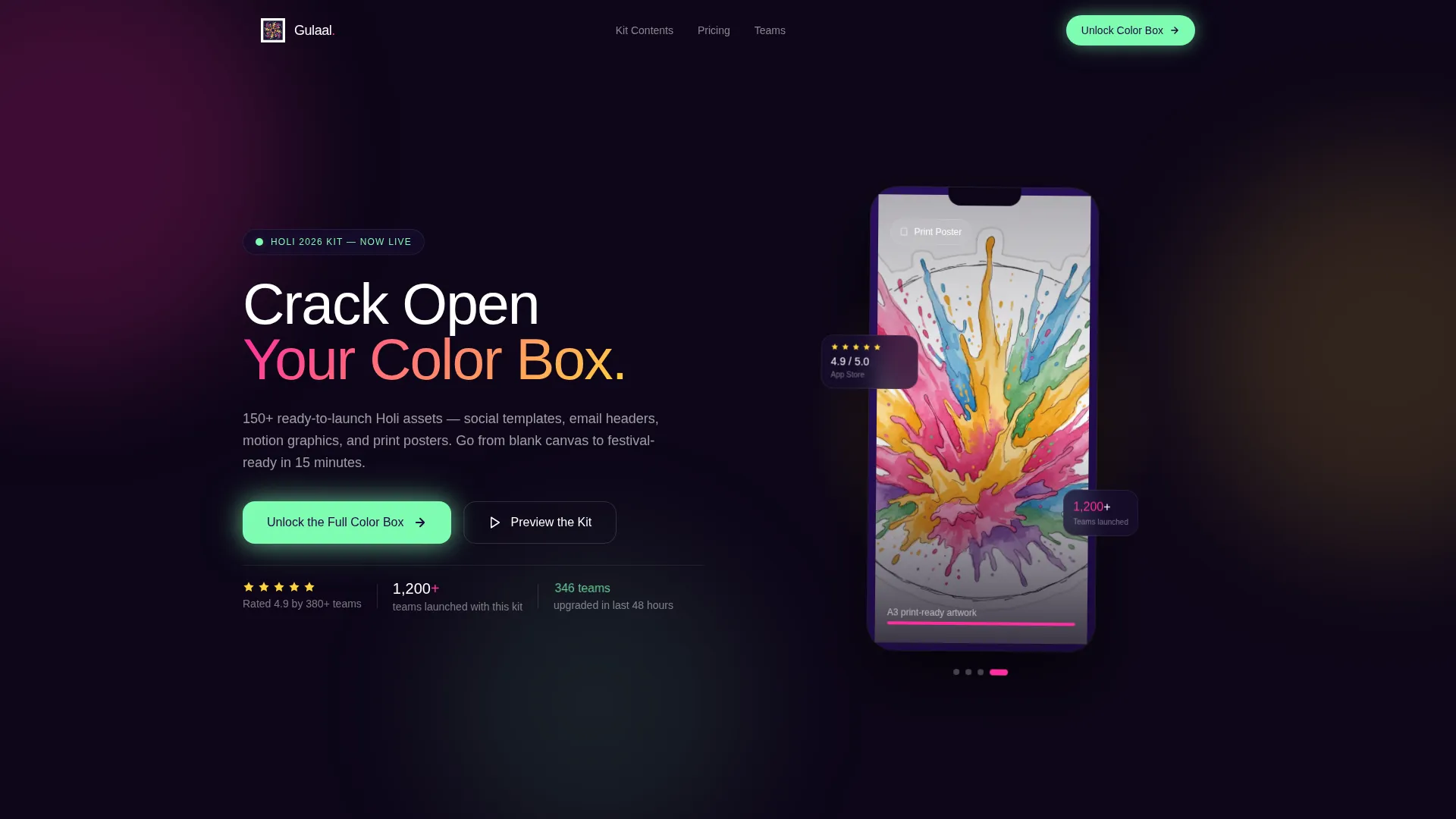
The header places a device mockup against a powder-cloud explosion background. The mockup screen cycles through template previews by asset category: Instagram carousel, email header, and motion sticker set. A five-star rating badge and a team-count social proof label sit below the device like store metadata.
Unboxing Scroll Experience
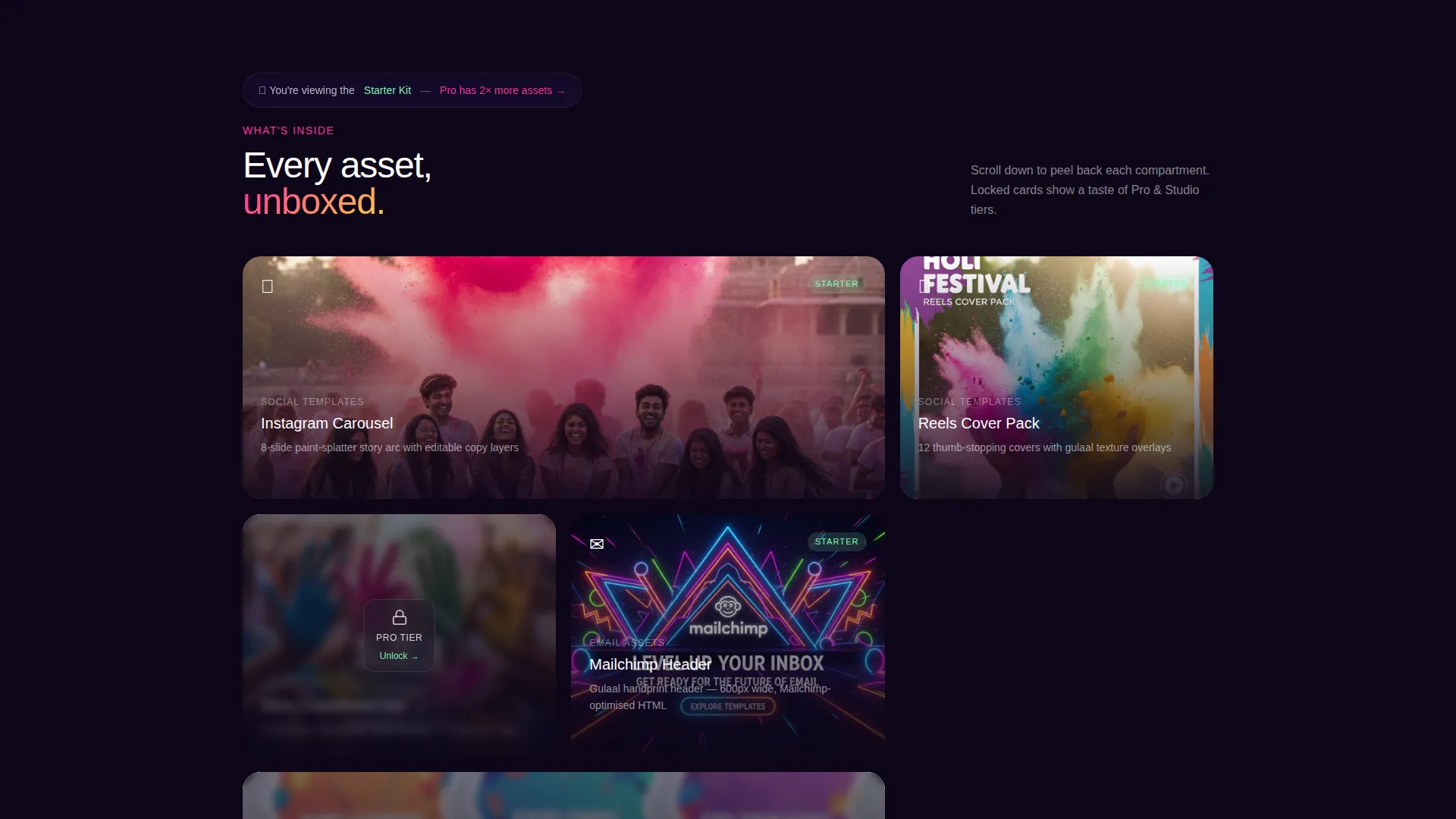
Each card row reveals kit contents through a layered animation sequence as the visitor scrolls. Social template cards fan out like a deck. Email asset cards slide from envelopes. Motion file cards play inline on hover. Every scroll step feels like unwrapping a new compartment of the kit.
Tier Comparison Toggle
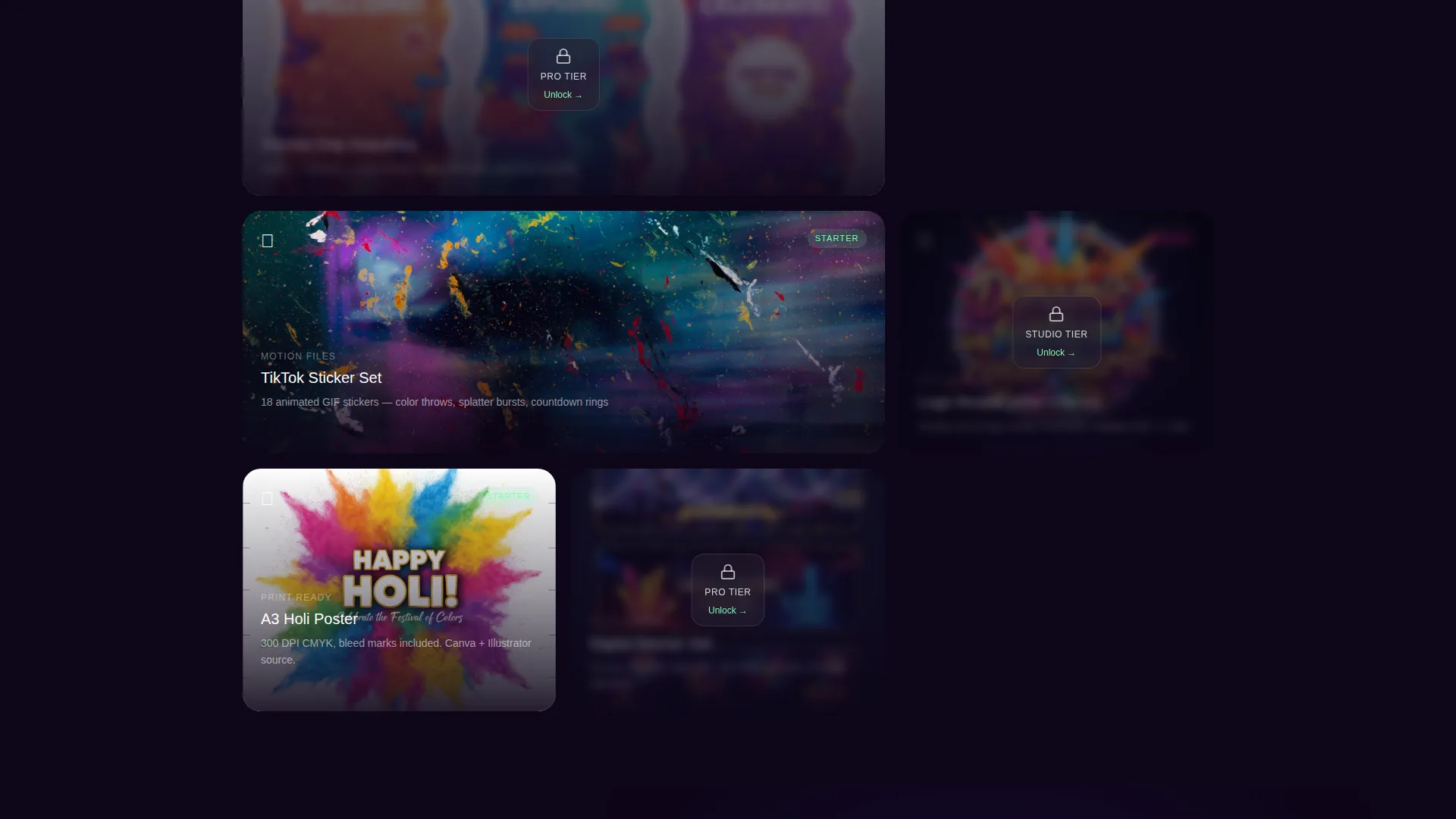
A built-in comparison toggle lets visitors flip between Starter, Pro, and Studio tier contents side by side. Locked Pro and Studio cards display blurred previews, creating curiosity without hiding the value proposition. A persistent banner confirms which tier the visitor is currently viewing.
Pinned Upgrade Call to Action
A pistachio-green primary call-to-action button reads "Unlock the Full Color Box" and stays pinned to the bottom of the viewport. It pulses gently each time a locked Pro card scrolls into view, keeping the upgrade prompt visible without interrupting the browsing experience.
Team Send Form
The secondary call to action, "Send the Studio Kit to My Team," opens a short form collecting company name, team size, and preferred design tool. This makes it easy for coordinators or managers to loop in collaborators or pass the kit decision to the right person.
Live Urgency Signals
A live countdown timer marks the exact time remaining until Holi. A secondary ticker displays how many teams upgraded the kit in the last 48 hours. Both elements create honest, time-grounded urgency without relying on generic pressure tactics.
Page sections overview
| Section | Purpose |
|---|---|
| Header Device Mockup | Showcases asset previews inside a floating device with social proof metadata |
| Social Template Row | Fans out social asset cards to demonstrate Instagram and platform creative range |
| Email Asset Row | Slides email header cards from envelope animations to reveal campaign-ready designs |
| Motion File Row | Plays motion graphics inline on hover to demonstrate animated asset quality |
| Tier Comparison Toggle | Lets visitors flip between Starter, Pro, and Studio contents side by side |
| Locked Card Previews | Blurred Pro and Studio cards tease premium tier contents to encourage upgrades |
| Starter Kit Banner | Persistent banner reminds visitors of their current tier and available upgrades |
| Pinned call to action Bar | Keeps the primary upgrade button visible and pulsing at the viewport bottom |
| Team Send Form | Collects team details for sharing the Studio Kit with collaborators |
| Urgency Signals Bar | Displays Holi countdown and recent upgrade activity ticker |
Design & branding system
The visual identity follows a Neo-Retro theme built on a Dopamine Pop color system. The palette draws on the energy of a 1970s Bollywood poster reprinted on holographic paper: saturated, unapologetic, and impossible to scroll past.
- Core colors are electric magenta (#FF2E9F), turmeric yellow (#FFD23F), deep indigo (#1B0A3C), and minty pistachio (#7EFCB2) over a near-black purple background
- Magenta and yellow dominate card surfaces; indigo anchors typography and navigation elements throughout the page
- Pistachio activates hover states and call-to-action buttons, giving interactive elements a rangoli-chalk glow against the dark background
Mobile & speed optimization
The card-grid layout is structured to reflow cleanly across screen sizes. Modular card sections stack naturally on smaller viewports without breaking the unboxing sequence or losing the visual hierarchy of the tier comparison.
- Each card module is self-contained, so the grid adapts from multi-column desktop rows to single-column mobile stacks without layout conflicts
- Inline motion file previews are triggered on hover for desktop and on tap for touch screens, keeping the interaction model consistent across devices
How this template helps you convert
The page is engineered around tier escalation rather than a first-time purchase. Every design and copy decision nudges visitors from the free Starter tier toward Pro or Studio without creating friction.
- The unboxing scroll sequence makes each asset category feel like a discovery, building perceived value before the visitor reaches the tier comparison toggle
- The pinned pistachio call-to-action button and blurred locked-card previews keep the upgrade decision in view at all times, reducing the chance a visitor exits without acting
Other information about this template
This template is categorized under Retail and E-Commerce with a Holi Business focus. It is designed to serve the intersection of campaign marketing and festival commerce, making it equally useful for product launches timed around Holi and for agency teams managing seasonal client work.
- The template style is Card Grid (Modular), which supports flexible content arrangements without requiring a custom layout build
- The creative direction follows an Unboxing Experience framework, a proven structure for tiered product or kit presentations
- The header concept is built around an App Store Preview format, borrowing familiarity from mobile app listings to establish instant credibility
- Asset categories covered in the kit include social templates, email headers, motion graphics, and print-ready posters
Theme
Neo-Retro
Creative direction
Unboxing Experience
Color system
Cloud Canvas
Style
Card Grid (Modular)
Direction
Quiz/Assessment
Page Sections
App Store Preview Header
Unboxing Scroll Experience
Tier Comparison Toggle
Pinned Upgrade Call to Action
Team Send Form
Live Urgency Signals
Related questions
Who is the Gulaal template designed for?
What asset types does the kit include?
How does the tier comparison toggle work?
Can I use this template to share the kit with my team?
What makes this template specific to Holi rather than generic festivals?



