Student Accommodation Landing Page Template
Halls is a full-viewport, dark-themed student accommodation landing page built to convert three distinct audiences: university housing officers, property investors, and parents. The template centers on a Before/After Slider hero and a cinematic scroll rhythm that lets visitors physically reveal the quality of a space before committing to any form field.
by Rocket studio
Quick summary
Halls is an immersive single-page template designed for purpose-built student accommodation. It opens with a draggable construction-to-completion slider, guides visitors through room types, shared amenities, and neighbourhood views, then closes with a progressive lead-capture form sequence. The dark Sunset Mesa palette keeps every section feeling premium and intentional.
Who this template is for
This template speaks directly to the people responsible for filling beds and funding buildings. It is built for operators, investors, and the families choosing where students will live.
- University housing officers managing guaranteed-occupancy contracts
- Private equity groups and property developers underwriting new student housing pipelines
- Parents researching purpose-built student accommodation on behalf of their children
What problem this template solves
Student accommodation websites often feel like flat brochures. They show finished photos but give visitors no sense of quality, scale, or transformation. Halls solves this by making the reveal interactive.
- Visitors drag through the construction-to-completion story themselves, building trust before any form appears
- Separate conversion paths serve ready-to-commit students and cautious parents who need more time
- The cinematic scroll rhythm holds attention long enough for complex, high-stakes decisions
What you get with this template
The template is a complete, single-page layout with every section pre-built and sequenced for maximum impact. No structural decisions need to be made from scratch.
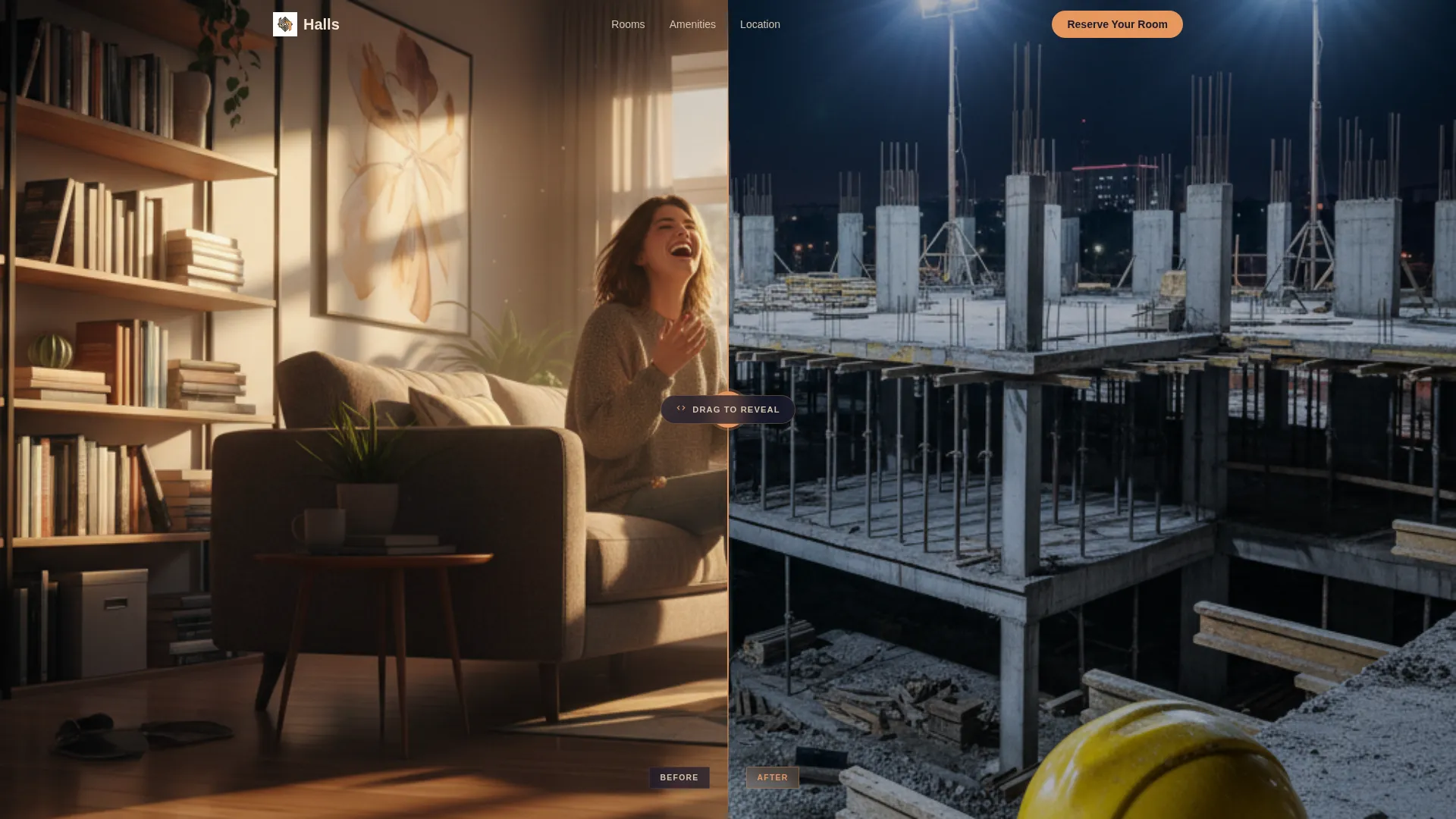
- A full-viewport Before/After Slider hero with a draggable amber divider and a delayed headline reveal
- A progressive three-screen lead form ("Reserve Your Room") and a secondary "Download the Parent Guide" path at the page midpoint
- Cinematic full-viewport scroll sections that transition from floor plans to room tours to rooftop and aerial views
Feature list
A paragraph introducing the features section: each component below is included in the template as described in the brief, ready to be populated with your own photography, copy, and room data.
Before/After Slider Hero
The full-viewport header places a raw construction photograph on the left and the finished, furnished space on the right at the identical camera angle. A draggable amber grip invites interaction. The headline "From Foundation to First Night" fades in only after the visitor moves the divider at least once.
Progressive Lead Capture Form
The "Reserve Your Room" call to action pins as a slim amber bar at the bottom of the viewport after the first scroll. The form runs across three screens: university name and intake year, room preference, then name, email, and phone. This staged approach reduces friction for high-intent leads.
Secondary Parent Conversion Path
A "Download the Parent Guide" prompt sits at the page midpoint, targeting visitors who are researching rather than booking. It gives cautious decision-makers a tangible next step without abandoning the page.
Cinematic Scroll Reveal Sections
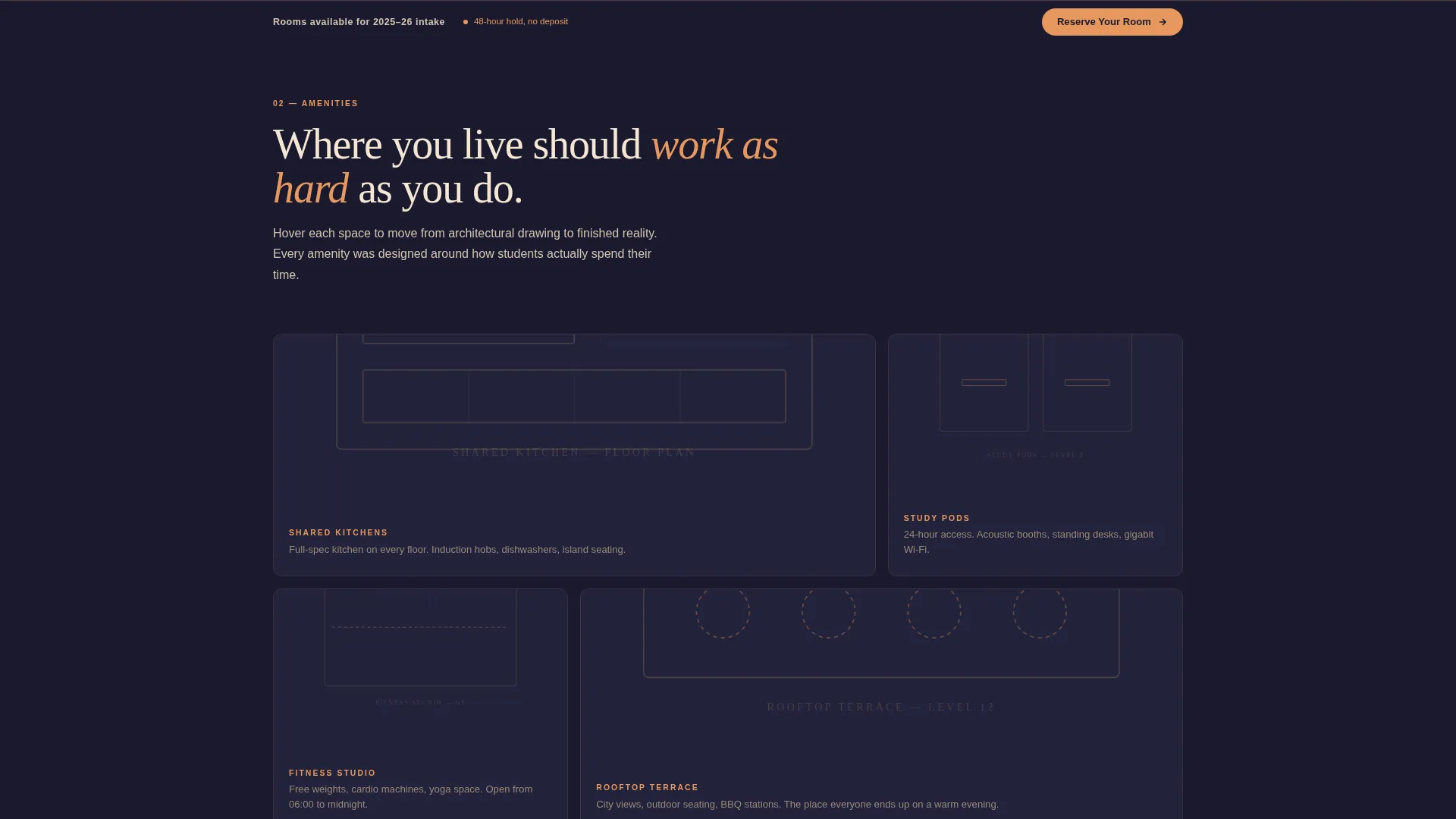
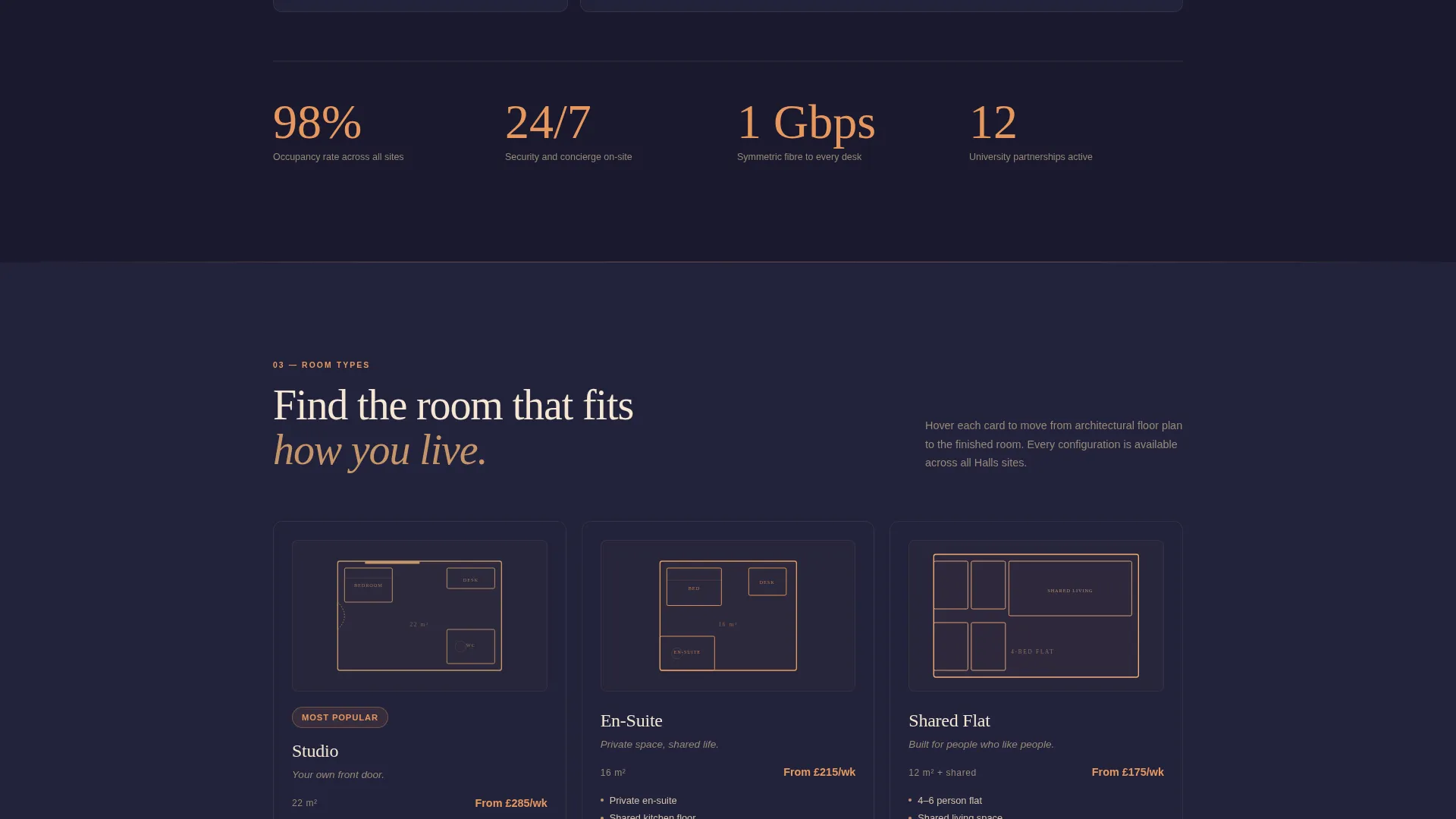
Each scroll section holds full-viewport height so the eye rests inside a transformation before moving on. Amenity spaces shift from architectural wireframe to finished photography. Unit types move from floor-plan line drawings to 360-degree room tours.
Escalating Scale Sequence
The reveal sequence moves from single room to shared kitchen to rooftop terrace to aerial campus view. Each section escalates the sense of scale and community, building the case for the development across the full scroll journey.
Sunset Mesa Color System
Deep charcoal backgrounds, sandstone section dividers, amber interactive hotspots, and cream typography work together as a unified visual identity. The palette is applied consistently across every interactive state and hover effect throughout the page.
Page sections overview
| Section | Purpose |
|---|---|
| Before/After Hero | Reveal construction-to-completion transformation |
| Delayed Headline Reveal | Reward first interaction with brand message |
| Single Room Reveal | Show individual unit quality and finish |
| Shared Kitchen Reveal | Demonstrate communal living standards |
| Rooftop Terrace Reveal | Escalate lifestyle and amenity appeal |
| Aerial Campus View | Establish location context and scale |
| Room Type Selector | Present studio, en-suite, and shared options |
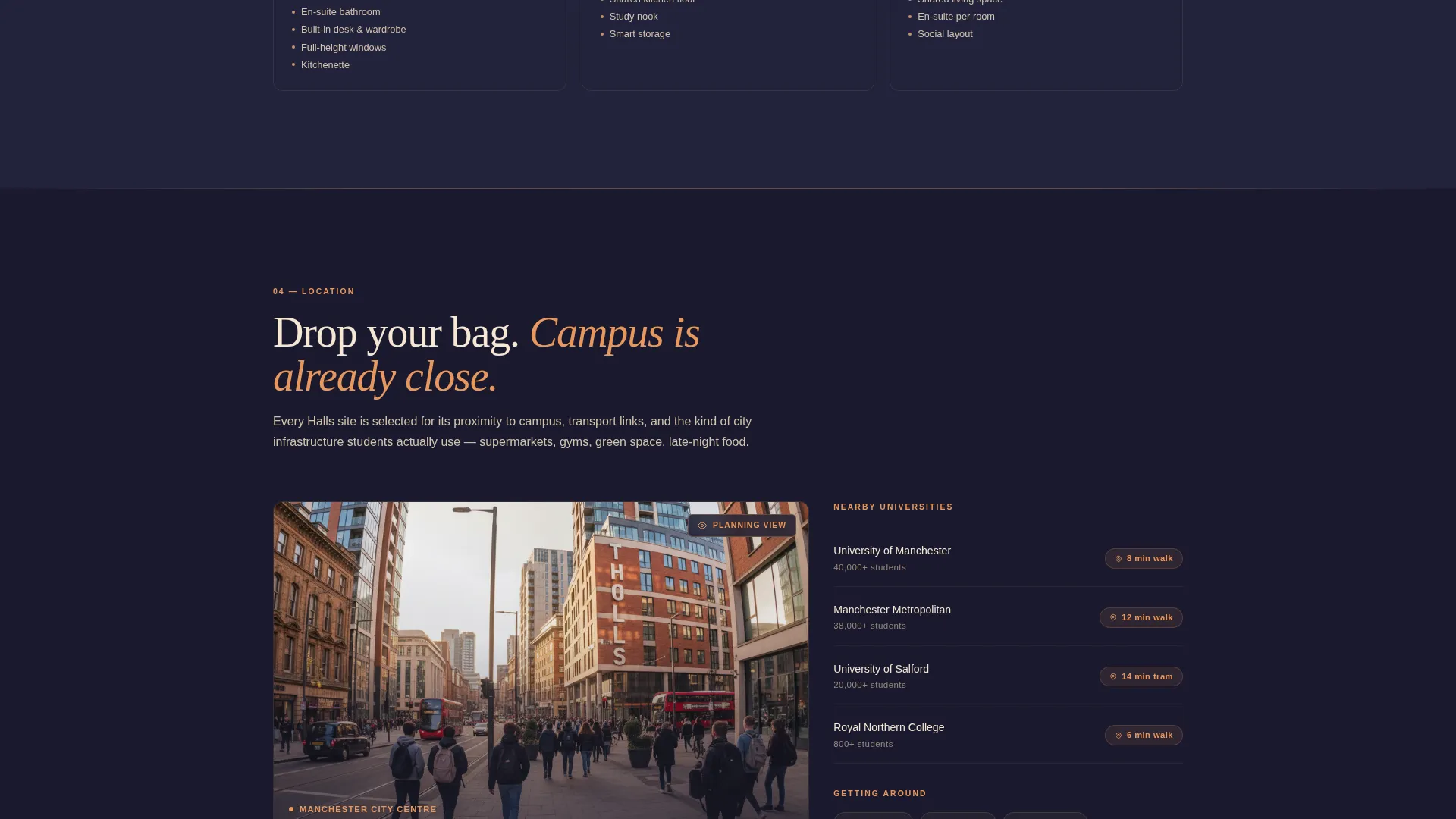
| Neighbourhood Map Dissolve | Shift from planning overlays to lifestyle photography |
| Reserve Your Room Bar | Pin primary lead-capture form to viewport |
| Parent Guide Midpoint | Offer secondary download path for cautious visitors |
| Progressive Form Sequence | Capture lead details across three low-friction screens |
Design & branding system
The Sunset Mesa color system drives the entire visual identity. Every color serves a specific functional role, so the page never feels decorative without purpose.
- Charcoal (#1A1A2E) locks all backgrounds, amber (#E8985E) marks every interactive hotspot and hover state, sandstone (#C4956A) bleeds through section dividers as gradient transitions, and cream (#F5E6D3) carries all typography and key interface labels
- The dark immersive theme holds the page in a cinematic register from top to bottom, with no bright white sections breaking the atmosphere
- Section dividers use sandstone gradients rather than hard lines, keeping the scroll flow continuous and smooth
Mobile & speed optimization
The template is structured to maintain its immersive character on smaller screens. The cinematic Before/After Slider and full-viewport sections are designed with mobile interaction in mind.
- The draggable slider uses a touch-friendly amber grip sized for thumb interaction on mobile viewports
- Full-viewport scroll sections reflow cleanly for portrait phone and tablet orientations
- The pinned "Reserve Your Room" bar remains fixed at the bottom of the mobile viewport, keeping the primary call to action always within reach
How this template helps you convert
The conversion strategy is built into the page structure itself. Visitors are never asked to trust a claim; they are invited to discover quality through interaction.
- The Before/After Slider hero earns trust before any form is shown, letting visitors physically reveal the finished space from raw construction at their own pace
- The progressive three-screen form reduces cognitive load by asking only one type of information at a time, moving high-intent visitors from interest to lead status in a low-friction sequence
- The "Download the Parent Guide" midpoint captures undecided visitors who would otherwise leave, converting a hesitant scroll into a qualified contact for follow-up
Other information about this template
This template is categorized under Real Estate and Property, with a focus on student housing and accommodation. It is suited to purpose-built student accommodation developments at any stage of the sales cycle, from pre-launch to fully operational.
- The intersection niche alignment covers coliving space for young professionals as well as traditional student halls, making the template adaptable for mixed-use residential developments
- The page layout supports high-quality photography and 360-degree room tour embeds as the primary storytelling medium
- The template is designed as a standalone landing page and does not require additional pages or navigation structure to function effectively
Theme
Pastoral Calm
Creative direction
Case Study Narrative
Color system
Navy Authority
Style
Card Grid (Modular)
Direction
Click-Through
Page Sections
Before/after Slider Hero
Progressive Three-screen Lead Form
Secondary Parent Conversion Path
Cinematic Scroll Reveal Sections
Sunset Mesa Visual Identity
Neighbourhood Map Dissolve Section
Related questions
Who is this landing page template built for?
Can the template support both student and parent audiences at once?
Does the page work for a development that has not yet opened?
What room types does the template present?
Is the dark color scheme editable to match a different brand?



